page 269 VOLKSWAGEN TRANSPORTER 2013 User Guide
[x] Cancel search | Manufacturer: VOLKSWAGEN, Model Year: 2013, Model line: TRANSPORTER, Model: VOLKSWAGEN TRANSPORTER 2013Pages: 486, PDF Size: 69.28 MB
Page 272 of 486
Parking
r--f"n First read and observe the Introductory L-J.:.lJ information and safety warnings & on page 269.
Please adhere to relevant legislation when stop-ping and parking your vehicle.
Stopping the vehicle
The steps should only be carried out in the speci-fied order.
• Stop the vehicle on a suitable surface &.
• Depress and hold the brake pedal until the en-gine has stopped.
• Apply the handbrake.
• With a DSG® dual clutch gearbox, move the se-lector lever to position P.
• Switch off the engine and take your foot off the brake pedal.
• Remove the vehicle key from the ignition lock.
• Turn the steering wheel slightly if necessary to engage the steering lock mechanism.
• With a manual gearbox, select the first gear for flat ground and uphill inclines, or the reverse gear for downhill inclines, and then release the clutch pedal 263.
• Please ensure that all occupants, in particular children, leave the vehicle.
• Take all vehicle keys with you when you leave the vehicle.
• Lock the vehicle.
Additional points for ascending and descending inclines
Before switching off the engine, turn the steering wheel so that the front wheels will roll against the kerb if the parked vehicle starts to move.
• When facing downhill, turn the wheels so that they face the kerb.
• When facing uphill, turn the wheels so that they face the centre of the road.
Information on the brakes
r--f"n First read and observe the Introductory L-J.:.lJ information and safety warnings & on page 269.
New brake pads cannot generate the full braking effect during the first 200 to 300 km and must first be "run in" &. However, you can compensate for
2721 While driv1ng
A WARNING
The components of the exhaust system be-come very hot. This can cause fires and seri-ous Injuries.
• Never park the vehicle where parts of the exhaust system can come Into contact with any Inflammable material underneath the ve-hicle, e.g. undergrowth, leaves, dry grass, split fuel.
CD
• To avoid unintentional movement when parking the vehicle, first apply the handbrake firmly and then remove your foot from the brake pedal.
• Always take care when driving in car parks with protruding kerbstones or bollards. Objects that protrude from the ground can damage the bumper and other components when parking the vehicle. In order to avoid any damage, stop the vehicle before the wheels can touch the bollards or kerbs.
• Drive carefully through dips in the road, over driveways, ramps, kerbstones and other objects. Low-lying vehicle components such as the bumper, spoiler and parts of the running gear, engine or exhaust system could be dam-aged.
• If the handbrake Is not applied fully when the vehicle Is stationary and the brake pedal Is released when then selector lever Is in posi-tion P, the vehicle may move a few centimetres forwards or backwards.
Page 274 of 486
A WARNING (Continued)
• If the brake servo does not function or the vehicle is being towed, the brake pedal will have to be depressed more forcefully as the braking distance will be Increased due to the lack of assistance for the brake system.
CD
• Never let the brakes "rub" by applying light pressure to the brake when it is not necessary to brake. Continual pressure on the brake pedal will overheat the brakes. This can considerably reduce the brake effect, increase the braking distance and, In certain circumstances, cause the brake system to fail completely.
Brake support systems
r-f'n First read and observe the Introductory l..-Wl information and safety warnings&. on page 269.
The brake support systems ESC, ABS, BAS, TCS and EDL only function when the engine is running. They make a considerable contribution to active driving safety.
Electronic stability control (ESC)
The ESC helps to reduce the risk of skidding and to improve driving stability by braking individual wheels in certain driving situations. The ESC de-tects critical driving situations such as oversteer, understeer and wheelspin. The system helps to stabilise the vehicle through targeted application of the brakes or by reducing engine torque.
ESC has its limitations. lt is important to realise that ESC cannot overcome the laws of physics. ESC will not be able to assist in every situation faced by a driver. For example, ESC will not be able to assist every time that there is a sudden change in the road surface quality. If a section of dry road is suddenly covered with water, mud or snow, ESC will not be able to assist in the same manner as on a dry road. If the vehicle aquaplanes (drives on a layer of water rather than on the road surface), ESC will not be able to assist in steering the vehicle as the contact to the road surface has been interrupted and it is therefore no longer pos-sible to steer or brake the vehicle. When driving at speed through bends, particularly on stretches of road with many bends, the ESC will not always be able to process complicated driving situations as
2741 While dnvang
m If the front brake pads are tested, the rear L!..J brake pads should be tested at the same time. Regularly check the thickness of the brake pads through the openings in the rims or from the underside of the vehicle. If necessary, remove the wheels to carry out a comprehensive check. Volks-wagen Commercial Vehicles recommends using a Volkswagen Commercial Vehicles dealership for this purpose.
Always adapt your speed and driving style to suit visibility, weather, road and traffic conditions. ESC cannot defy the laws of motion, improve the availa-ble power output, or keep the vehicle on the road if insufficient care and attention on the part of the driver causes the vehicle to leave the road. In-stead, the ESC improves the chances of keeping the vehicle under control and, in extreme on-road driving situations, exploits the driver's steering in-put to keep the vehicle travelling in the desired di-rection. If the vehicle is driving at a speed that leads it to leave the road before the ESC can pro-vide any kind of support, the ESC will be unable to provide any assistance.
The ASS, BAS, TCS and EDL systems are integra-ted into the ESC. The ESC is always on. If the trac-tion achieved in certain situations is not sufficient, TCS can be switched off by pressing the ASR (TCS) button =>Fig. 224. Always ensure that ASR (TCS) is switched back on again once traction is sufficient.
Automatic Post-Collision Braking System
In the event of an accident, the Automatic Post-Collision Braking System can help the driver to re-duce the risk of skidding, and the danger of secon-dary collisions, through automatic braking.
Page 276 of 486
A WARNING (Continued)
• Although the brake support systems are very effective and can help to control the ve-hicle in difficult driving situations, please al-ways remember that the driving stability of the vehicle depends on the tyre grip.
• When accelerating on a slippery surface, for example on ice and snow, press the accel-erator carefully. The wheels can spin even when brake support systems are active, and this can lead to a loss of control of the vehl-cl e.
A WARNING
ESC will be considerably less effective if oth· er components and systems that affect driv-ing dynamics are not serviced correctly or are not functioning properly. This also ap-plies, but not exclusively, to the brakes, tyres and other systems that have already been named.
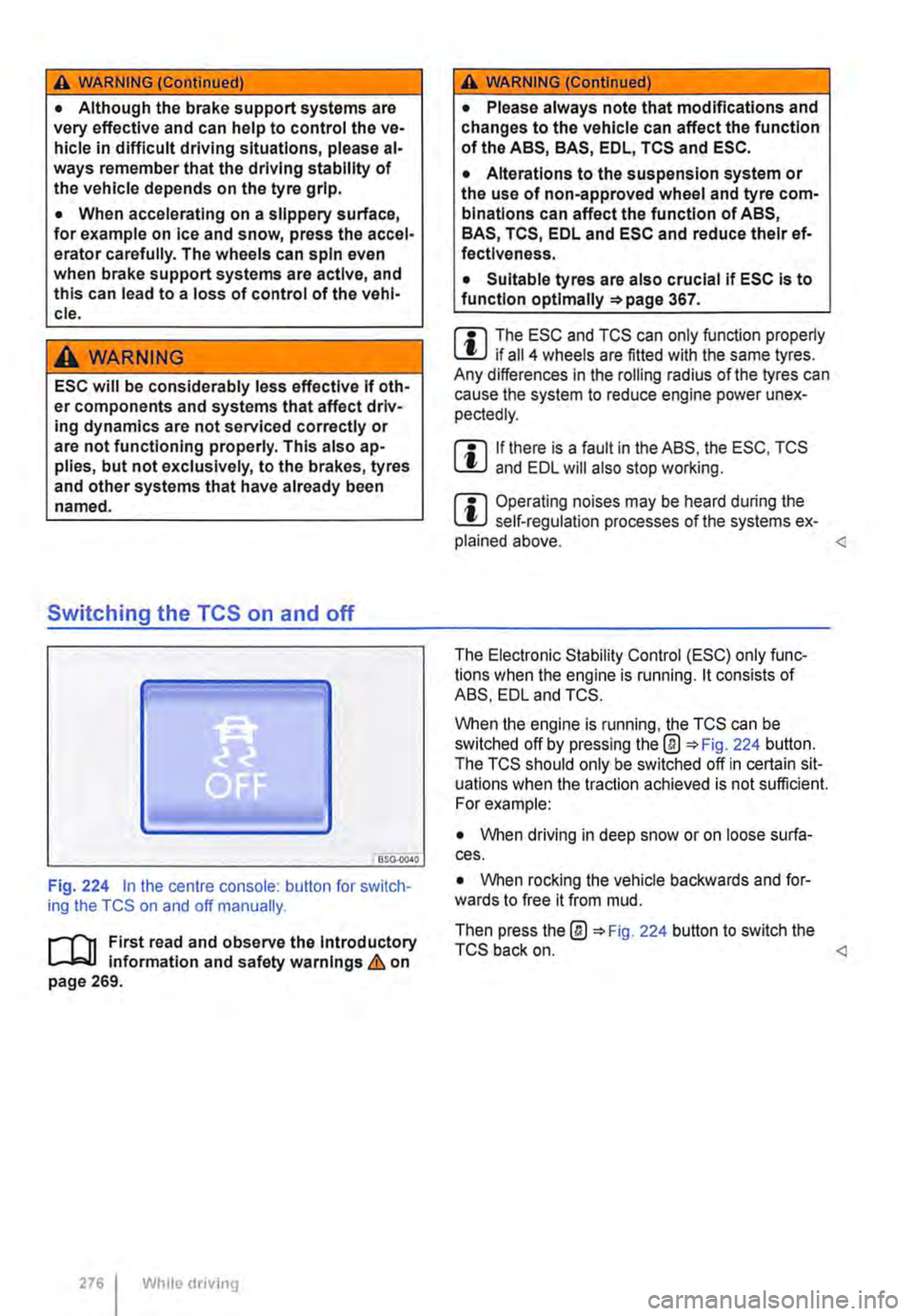
Switching the TCS on and off
BSO·OC40
Fig. 224 in the centre console: button for switch-ing the TCS on and off manually.
.-m First read and observe the introductory l-J=J.I information and safety warnings & on page 269.
276 Wh1lo driving
A WARNING (Continued)
• Please always note that modifications and changes to the vehicle can affect the function of the ABS, BAS, EDL, TCS and ESC.
• Alterations to the suspension system or the use of non-approved wheel and tyre com-binations can affect the function of ABS, BAS, TCS, EDL and ESC and reduce their ef· fectiveness.
• Suitable tyres are also crucial if ESC is to function optlmaliy =>page 367.
m The ESC and TCS can only function properly L.:U if ail 4 wheels are fitted with the same tyres. Any differences in the roiling radius of the tyres can cause the system to reduce engine power unex-pectedly.
m If there is a fault in the ABS, the ESC, TCS lU and EDL will also stop working.
m Operating noises may be heard during the L.:U self-regulation processes of the systems ex-plained above.
When the engine is running, the TCS can be switched off by pressing the@ 224 button. The TCS should only be switched off in certain sit-uations when the traction achieved is not sufficient. For example:
• When driving in deep snow or on loose surfa-ces.
• When rocking the vehicle backwards and for-wards to free it from mud.
Then press the@ 224 button to switch the TCS back on.
Page 277 of 486
Brake fluid
B7E.02AO
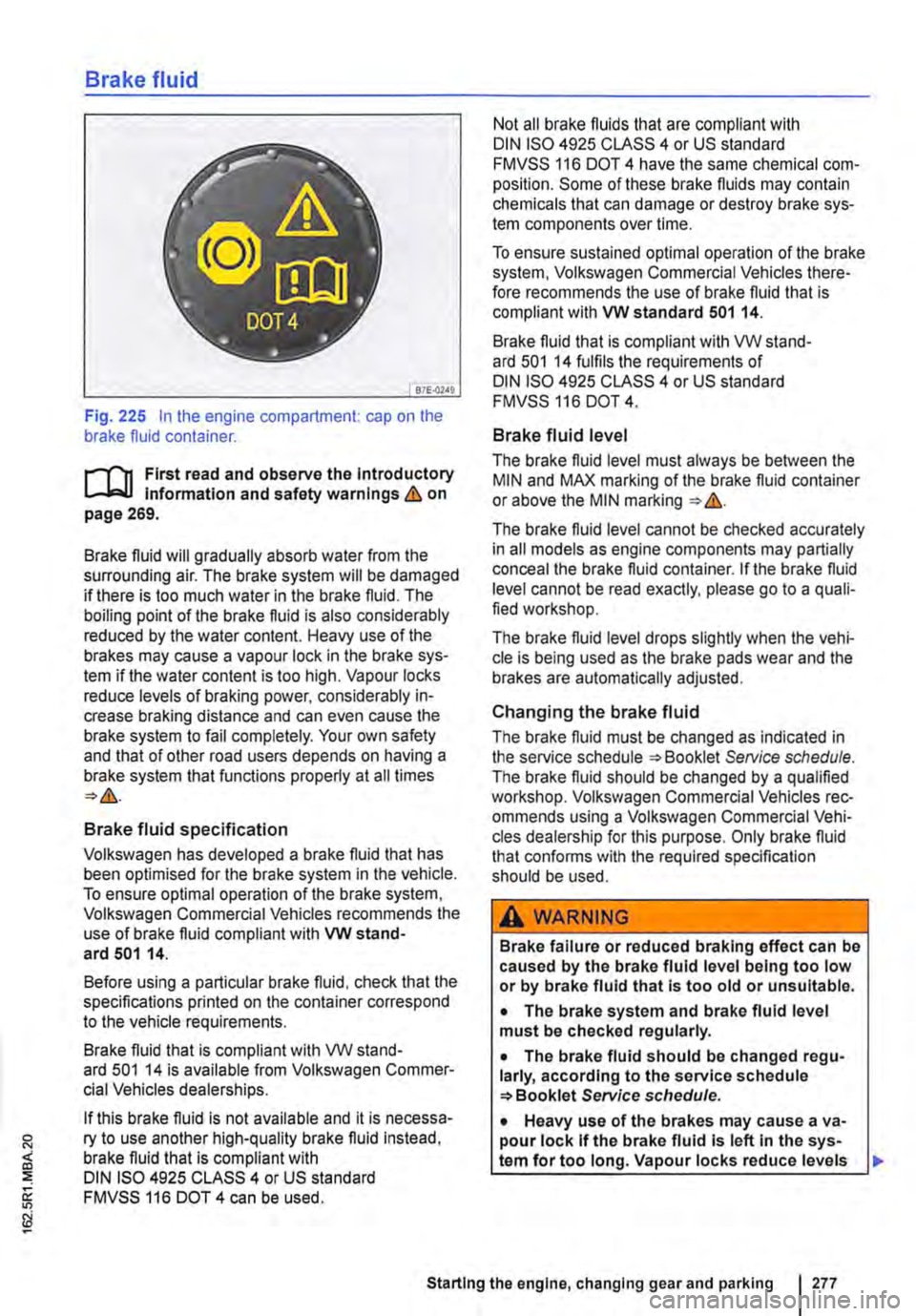
Fig. 225 In the engine compartment: cap on the brake fluid container.
r-111 First read and observe the Introductory l-Jr:,U Information and safety warnings&. on page 269.
Brake fluid will gradually absorb water from the surrounding air. The brake system will be damaged if there is too much water in the brake fluid. The boiling point of the brake fluid is also considerably reduced by the water content. Heavy use of the brakes may cause a vapour lock in the brake sys-tem if the water content is too high. Vapour locks reduce levels of braking power, considerably in-crease braking distance and can even cause the brake system to fail completely. Your own safety and that of other road users depends on having a brake system that functions properly at all times
Brake fluid specification
Volkswagen has developed a brake fluid that has been optimised for the brake system in the vehicle. To ensure optimal operation of the brake system, Volkswagen Commercial Vehicles recommends the use of brake fluid compliant with VW stand-ard 501 14.
Before using a particular brake fluid, check that the specifications printed on the container correspond to the vehicle requirements.
Brake fluid that is compliant with VW stand-ard 501 14 is available from Volkswagen Commer-cial Vehicles dealerships.
If this brake fluid is not available and it is necessa-ry to use another high-quality brake fluid instead, brake fluid that is compliant with DIN ISO 4925 CLASS 4 or US standard FMVSS 116 DOT 4 can be used.
Not all brake fluids that are compliant with DIN ISO 4925 CLASS 4 or US standard FMVSS 116 DOT 4 have the same chemical com-position. Some of these brake fluids may contain chemicals that can damage or destroy brake sys-tem components over time.
To ensure sustained optimal operation of the brake system, Volkswagen Commercial Vehicles there-fore recommends the use of brake fluid that is compliant with VW standard 501 14.
Brake fluid that is compliant with VW stand-ard 501 14 fulfils the requirements of DIN ISO 4925 CLASS 4 or US standard FMVSS 116 DOT 4.
Brake fluid level
The brake fluid level must always be between the MIN and MAX marking of the brake fluid container or above the MIN marking &.
The brake fluid level cannot be checked accurately in all models as engine components may partially conceal the brake fluid container. If the brake fluid level cannot be read exactly, please go to a quali-fied workshop.
The brake fluid level drops slightly when the vehi-cle is being used as the brake pads wear and the brakes are automatically adjusted.
Changing the brake fluid
The brake fluid must be changed as indicated in the service schedule Service schedule. The brake fluid should be changed by a qualified workshop. Volkswagen Commercial Vehicles rec-ommends using a Volkswagen Commercial Vehi-cles dealership for this purpose. Only brake fluid that confonns with the required specification should be used.
A WARNING
Brake failure or reduced braking effect can be caused by the brake fluid level being too low or by brake fluid that Is too old or unsuitable.
• The brake system and brake fluid level must be checked regularly.
• The brake fluid should be changed regu-larly, according to the service schedule Service schedule.
• Heavy use of the brakes may cause a va-pour lock If the brake fluid Is left In the sys-tem for too long. Vapour locks reduce levels
Starting the engine, changing gear and parking I 277
Page 282 of 486
Driver assist systems
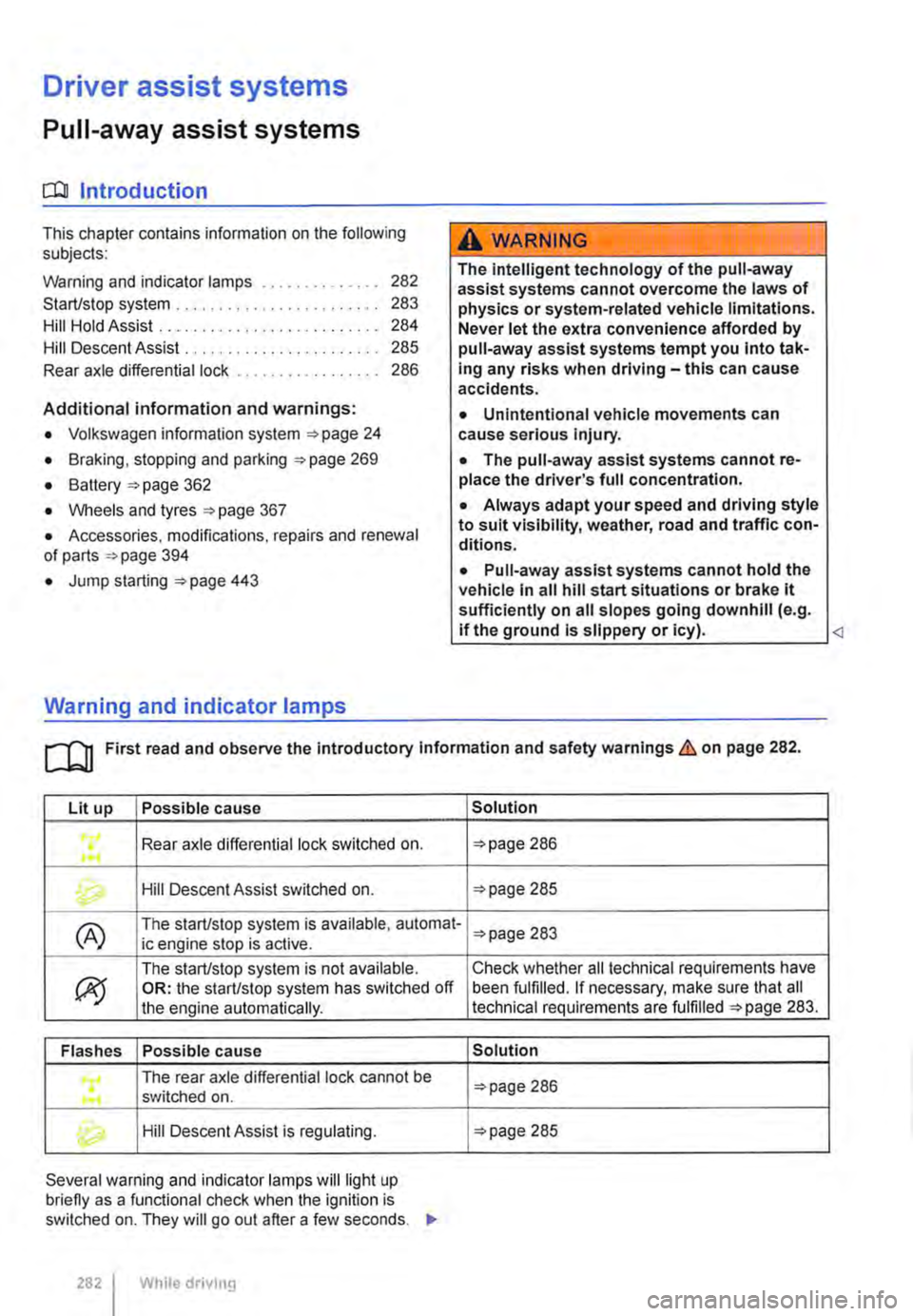
Pull-away assist systems
cr:n Introduction
This chapter contains information on the following subjects:
Warning and indicator lamps . . . . . . . . . . . . . . 282
Start/stop system . . . . . . . . . . . . . . . . • . . . . . . . 283
Hill Hold Assist . . . . . . . . . . . . . . . . . . . . . . . . . . 284
Hill Descent Assist . . . . . . . . . . . . . . . . . . . . . . . 285
Rear axle differential lock . . . . . . . . . . . . . . . . . 286
Additional information and warnings:
• Volkswagen information system =>page 24
• Braking, stopping and parking =>page 269
• Battery =>page 362
• Wheels and tyres =>page 367
• Accessories, modifications, repairs and renewal of parts =>page 394
• Jump starting =>page 443
Warning and indicator lamps
A WARNING
The intelligent technology of the pull-away assist systems cannot overcome the laws of physics or system-related vehicle limitations. Never let the extra convenience afforded by pull-away assist systems tempt you into tak-ing any risks when driving-this can cause accidents.
• Unintentional vehicle movements can cause serious Injury.
• The pull-away assist systems cannot re-place the driver's full concentration.
• Always adapt your speed and driving style to suit visibility, weather, road and traffic con-ditions.
• Pull-away assist systems cannot hold the vehicle in all hill start situations or brake it sufficiently on all slopes going downhill (e.g. if the ground is slippery or icy).
Lit up Possible cause
Rear axle differential lock switched on . ...
Hill Descent Assist switched on.
(A) The start/stop system is available, automat-ic engine stop is active.
ex;
The start/stop system is not available. OR: the start/stop system has switched off the engine automatically.
Flashes Possible cause
The rear axle differential lock cannot be .... switched on .
Hill Descent Assist is regulating.
Several warning and indicator lamps will light up briefly as a functional check when the ignition is switched on. They will go out after a few seconds. .,..
282 I While drivmg
Solution
=>page 286
=>page 285
=>page 283
Check whether all technical requirements have been fulfilled. If necessary, make sure that all technical requirements are fulfilled =>page 283.
Solution
=>page 286
=>page 285
Page 287 of 486
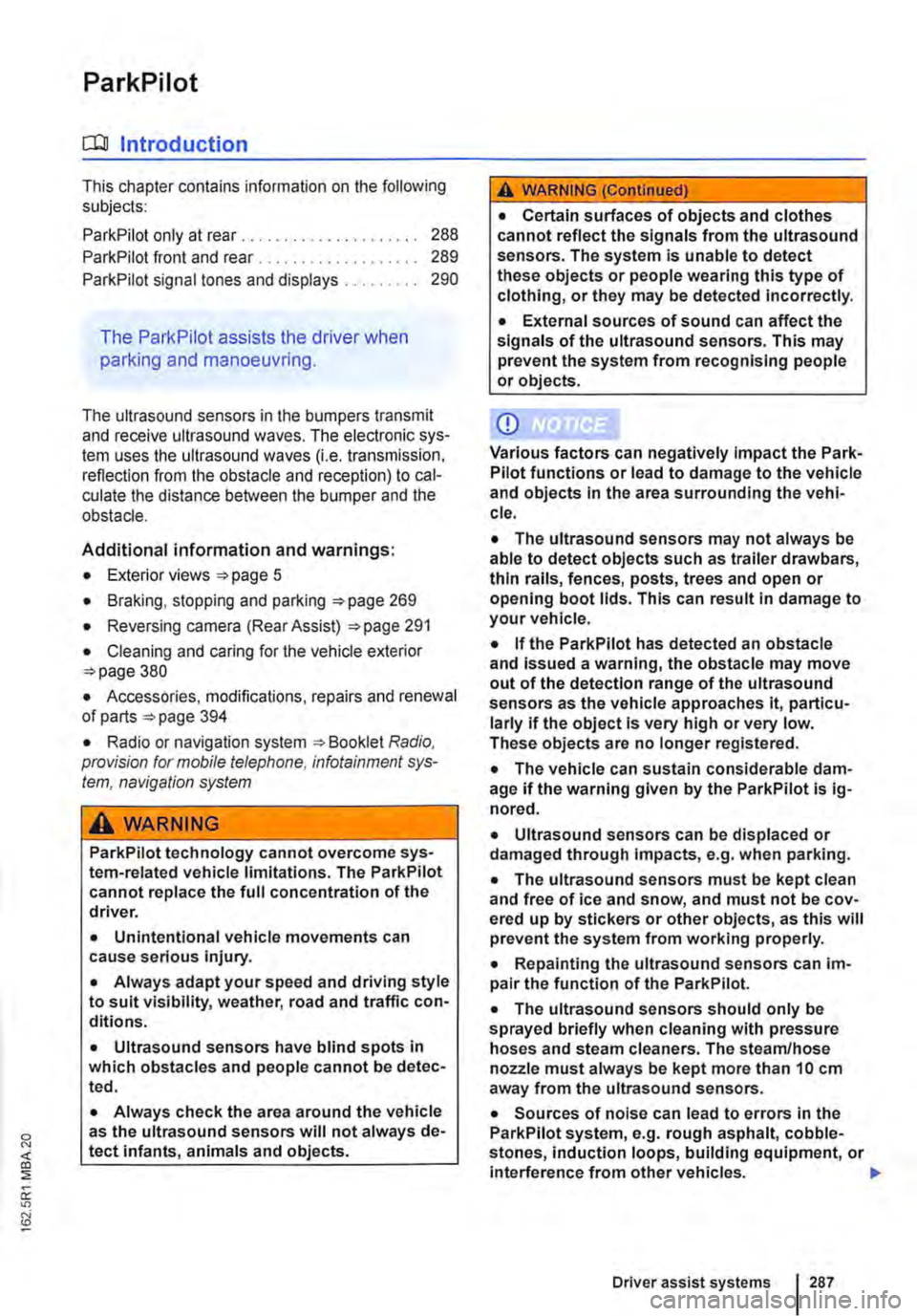
ParkPilot
o:n Introduction
This chapter contains information on the following subjects:
ParkPilot only at rear . . 288 ParkPilot front and rear . . . 289
ParkPilot signal tones and displays . 290
The Park Pilot assists the driver when
parking and manoeuvring.
The ultrasound sensors in the bumpers transmit and receive ultrasound waves. The electronic sys-tem uses the ultrasound waves (i.e. transmission, reflection from the obstacle and reception) to cal-culate the distance between the bumper and the obstacle.
Additional information and warnings:
• Exterior views =:o page 5
• Braking, stopping and parking =:o page 269
• Reversing camera (Rear Assist) =:o page 291
• Cleaning and caring for the vehicle exterior =:.page 380
• Accessories, modifications, repairs and renewal of parts =:o page 394
• Radio or navigation system =:o Booklet Radio, provision for mobile telephone, infotainment sys-tem, navigation system
A WARNING
ParkPilot technology cannot overcome sys-tem-related vehicle limitations. The ParkPilot cannot replace the full concentration of the driver.
• Unintentional vehicle movements can cause serious injury.
• Always adapt your speed and driving style to suit visibility, weather, road and traffic con-ditions.
• Ultrasound sensors have blind spots in which obstacles and people cannot be detec-ted.
• Always check the area around the vehicle as the ultrasound sensors will not always de-tect infants, animals and objects.
A WARNING (Continued)
• Certain surfaces of objects and clothes cannot reflect the signals from the ultrasound sensors. The system is unable to detect these objects or people wearing this type of clothing, or they may be detected incorrectly.
• External sources of sound can affect the signals of the ultrasound sensors. This may prevent the system from recognising people or objects.
CD
Various factors can negatively Impact the Park-Pilot functions or lead to damage to the vehicle and objects in the area surrounding the vehi-cle.
• The ultrasound sensors may not always be able to detect objects such as trailer drawbars, thin rails, fences, posts, trees and open or opening boot lids. This can result in damage to your vehicle.
• If the ParkPilot has detected an obstacle and issued a warning, the obstacle may move out of the detection range of the ultrasound sensors as the vehicle approaches it, particu-larly if the object is very high or very low. These objects are no longer registered.
• The vehicle can sustain considerable dam-age if the warning given by the ParkPiiot is ig-nored.
• Ultrasound sensors can be displaced or damaged through Impacts, e.g. when parking.
• The ultrasound sensors must be kept clean and free of ice and snow, and must not be cov-ered up by stickers or other objects, as this will prevent the system from working properly.
• Repainting the ultrasound sensors can im-pair the function of the Park Pilot.
• The ultrasound sensors should only be sprayed briefly when cleaning with pressure hoses and steam cleaners. The steam/hose nozzle must always be kept more than 10 cm away from the ultrasound sensors.
• Sources of noise can lead to errors in the ParkPilot system, e.g. rough asphalt, cobble-stones, induction loops, building equipment, or interference from other vehicles.
Driver assist systems 287
Page 318 of 486
Function and operation
•
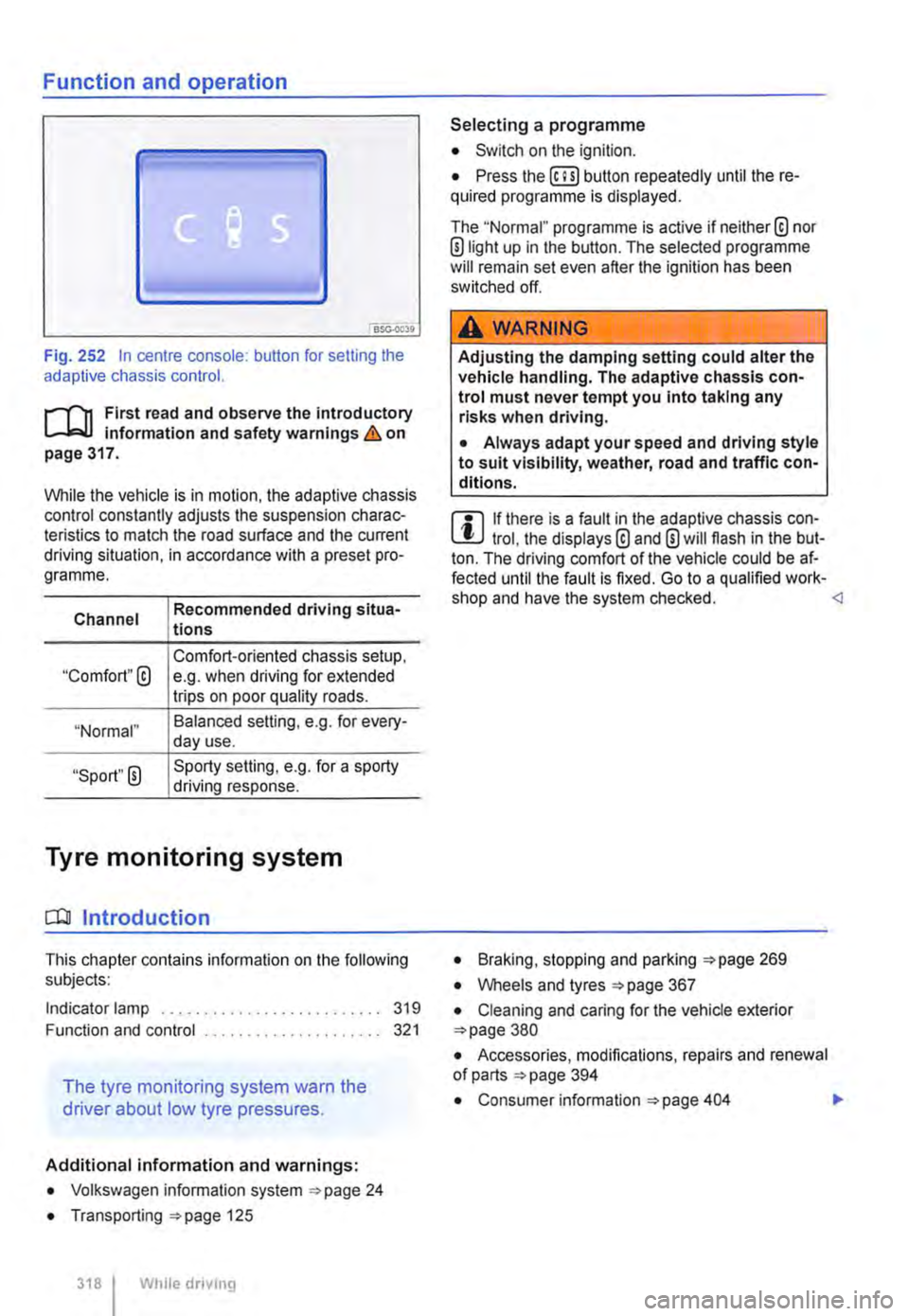
Fig. 252 In centre console: button for setting the adaptive chassis control.
r-f"n First read and observe the introductory Information and safety warnings & on page 317.
While the vehicle is in motion, the adaptive chassis control constantly adjusts the suspension charac-teristics to match the road surface and the current driving situation, in accordance with a preset pro-gramme.
Channel
"Comfort"@
"Normal"
"Sport" 0
Recommended driving situa-tions
Comfort-oriented chassis setup, e.g. when driving for extended trips on poor quality roads.
Balanced selling, e.g. for every-day use.
Sporty setting, e.g. for a sporty driving response.
Tyre monitoring system
CO! Introduction
This chapter contains information on the following subjects:
Indicator lamp .......................... 319
Function and control ..................... 321
The tyre monitoring system warn the
driver about low tyre pressures.
Additional information and warnings:
• Volkswagen information system ""page 24
• Transporting ""page 125
318 I While dnvmg
Selecting a programme
• Switch on the ignition.
• Press the (ili) button repeatedly until the re-quired programme Is displayed.
The "Normal" programme is active if neither® nor ®light up in the button. The selected programme will remain set even after the ignition has been switched off.
A WARNING
Adjusting the damping setting could alter the vehicle handling. The adaptive chassis con-trol must never tempt you into taking any risks when driving.
• Always adapt your speed and driving style to suit visibility, weather, road and traffic con-ditions.
m If there is a fault in the adaptive chassis con-l!:J trol, the displays® and 0 will flash in the but-ton. The driving comfort of the vehicle could be af-fected until the fault is fixed. Go to a qualified work-shop and have the system checked. <1
• Braking, stopping and parking :;.page 269
• Wheels and tyres =page 367
• Cleaning and caring for the vehicle exterior =page 380
• Accessories, modifications, repairs and renewal of parts =page 394
• Consumer information =page 404 .,.
Page 321 of 486
Function and control
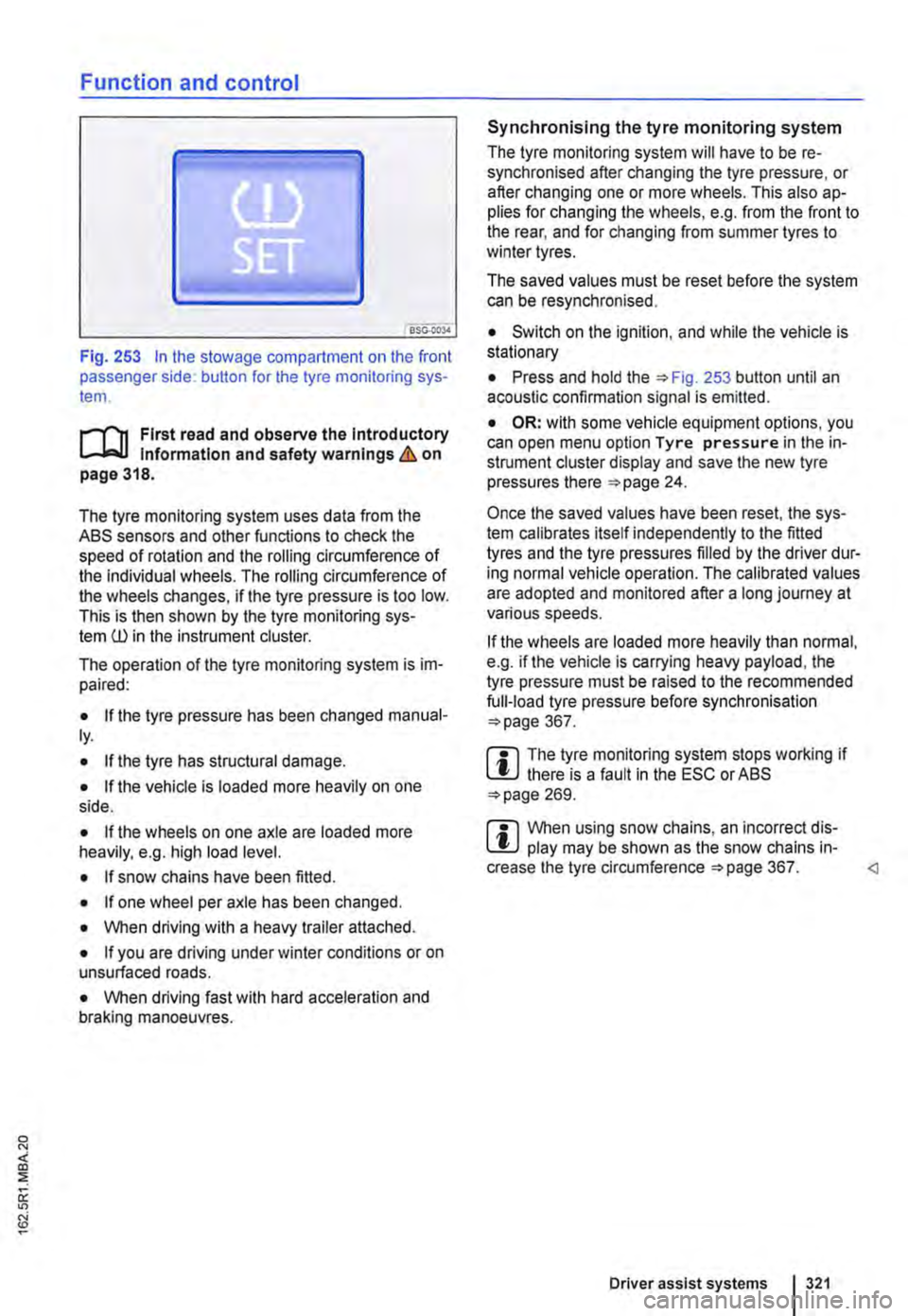
Fig. 253 In the stowage compartment on the front passenger side: button for the tyre monitoring sys-tem.
l"'"""f'n First read and observe the Introductory l.-J,.:,LL Information and safety warnings & on page 318.
The tyre monitoring system uses data from the ASS sensors and other functions to check the speed of rotation and the rolling circumference of the individual wheels. The rolling circumference of the wheels changes, if the tyre pressure is too low. This is then shown by the tyre monitoring sys-tem ill in the instrument cluster.
The operation of the tyre monitoring system is im-paired:
• If the tyre pressure has been changed manual-ly.
• If the tyre has structural damage.
• If the vehicle Is loaded more heavily on one side.
• If the wheels on one axle are loaded more heavily, e.g. high load level.
• If snow chains have been fitted.
• If one wheel per axle has been changed.
• When driving with a heavy trailer attached.
• If you are driving under winter conditions or on unsurfaced roads.
• When driving fast with hard acceleration and braking manoeuvres.
Synchronising the tyre monitoring system
The tyre monitoring system will have to be re-synchronised after changing the tyre pressure, or after changing one or more wheels. This also ap-plies for changing the wheels, e.g. from the front to the rear, and for changing from summer tyres to winter tyres.
The saved values must be reset before the system can be resynchronised.
• Switch on the ignition, and while the vehicle is stationary
• Press and hold the =>Fig. 253 button until an acoustic confirmation signal is emitted.
• OR: with some vehicle equipment options, you can open menu option Tyre pressure in the in-strument cluster display and save the new tyre pressures there =>page 24.
Once the saved values have been reset, the sys-tem calibrates itself independently to the fitted tyres and the tyre pressures filled by the driver dur-ing normal vehicle operation. The calibrated values are adopted and monitored after a long journey at various speeds.
If the wheels are loaded more heavily than normal, e.g. if the vehicle is carrying heavy payload, the tyre pressure must be raised to the recommended full-load tyre pressure before synchronisation =>page 367.
m The tyre monitoring system stops working if l!.J there is a fault in the ESC or ASS =>page 269.
m When using snow chains, an incorrect dis-l!.J play may be shown as the snow chains in-crease the tyre circumference =>page 367.
Page 341 of 486
A WARNING (Continued)
CD
-Please ensure that the spare fuel can is· ter corresponds with the Industry stand· ard, for example AN SI or ASTM F852-86.
• Remove split fuel from all vehicle compo· nents as quickly as possible In order to avoid damage to the wheel housing, tyres and vehicle paint.
• • Filling up with petrol in a vehicle fitted with a diesel engine or refilling with diesel in vehicle equipped with a petrol engine can cause seri· ous ands expensive engine damage and dam· age to the fuel system that is not covered by
Indicator lamps and fuel gauge
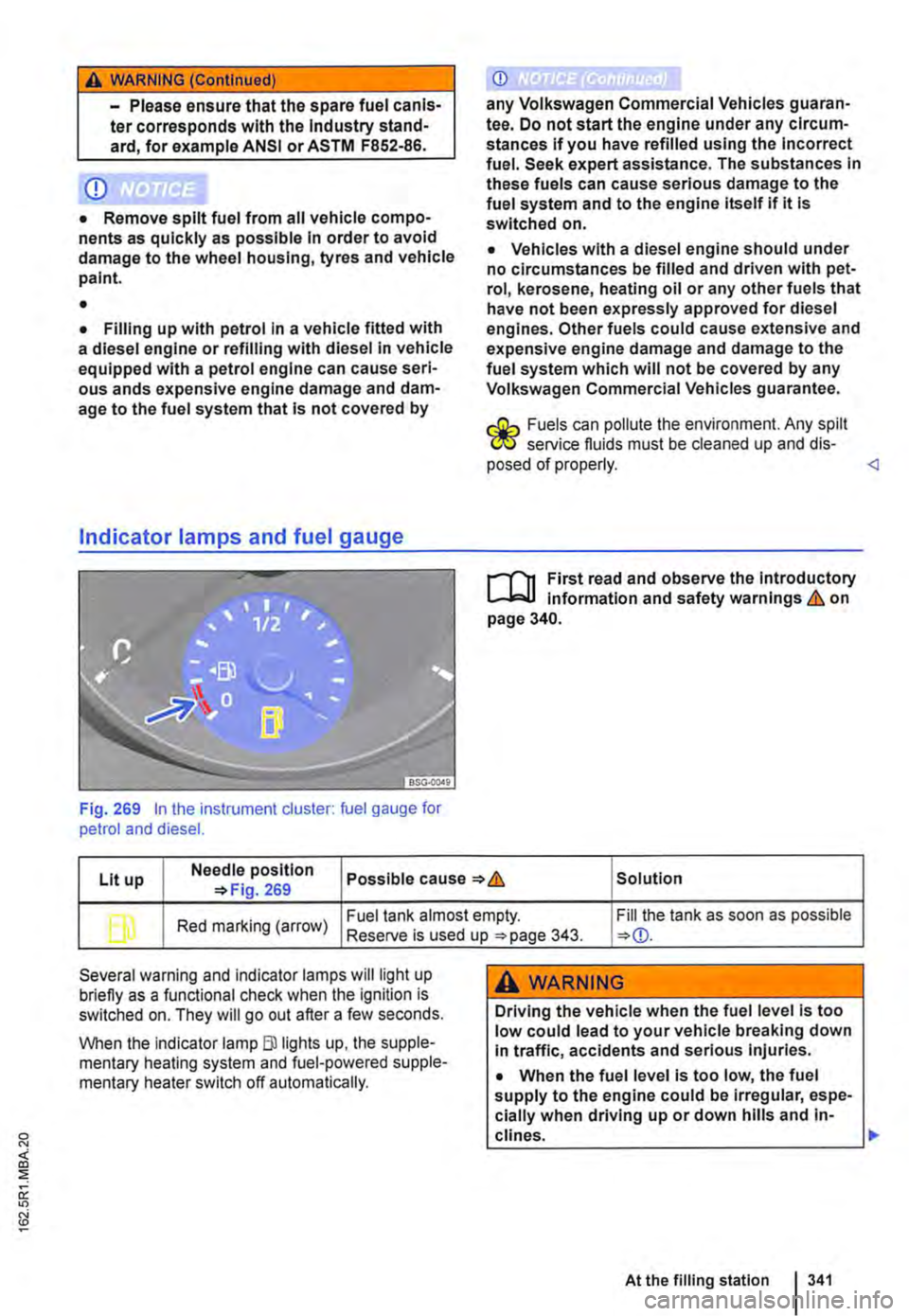
Fig. 269 In the instrument cluster: fuel gauge for petrol and diesel.
CD
any Volkswagen Commercial Vehicles guaran· tee. Do not start the engine under any circum-stances if you have refilled using the Incorrect fuel. Seek expert assistance. The substances In these fuels can cause serious damage to the fuel system and to the engine itself if it Is switched on.
• Vehicles with a diesel engine should under no circumstances be filled and driven with pet· rol, kerosene, heating oil or any other fuels that have not been expressly approved for diesel engines. Other fuels could cause extensive and expensive engine damage and damage to the fuel system which will not be covered by any Volkswagen Commercial Vehicles guarantee.
r.:Gh Fuels can pollute the environment. Any spilt W service fluids must be cleaned up and dis· posed of properly.
Lit up Needle position Possible cause & Solution 269
b Red marking (arrow) Fuel tank almost empty. Fill the tank as soon as possible Reserve is used up 343.
Several warning and indicator lamps will light up briefly as a functional check when the ignition is switched on. They will go out after a few seconds.
When the Indicator lamp Blllghts up, the supple-mentary heating system and fuel-powered supple-mentary heater switch off automatically.
A WARNING
Driving the vehicle when the fuel level is too low could lead to your vehicle breaking down In traffic, accidents and serious injuries.
• When the fuel level is too low, the fuel supply to the engine could be Irregular, espe-cially when driving up or down hills and in-clines. .,..
At the filling station 341
Page 342 of 486
A WARNING_tContlnued)
• The power steering, all driver assist sys-tems and brake assist systems will not func-tion if the engine "sputters" or stops com-pletely due to a lack of fuel or Irregular fuel supply.
• Always fill the tank when it is stlll1/4 full. This reduces the risk of running out of fuel and breaking down.
Filling the tank with petrol or diesel
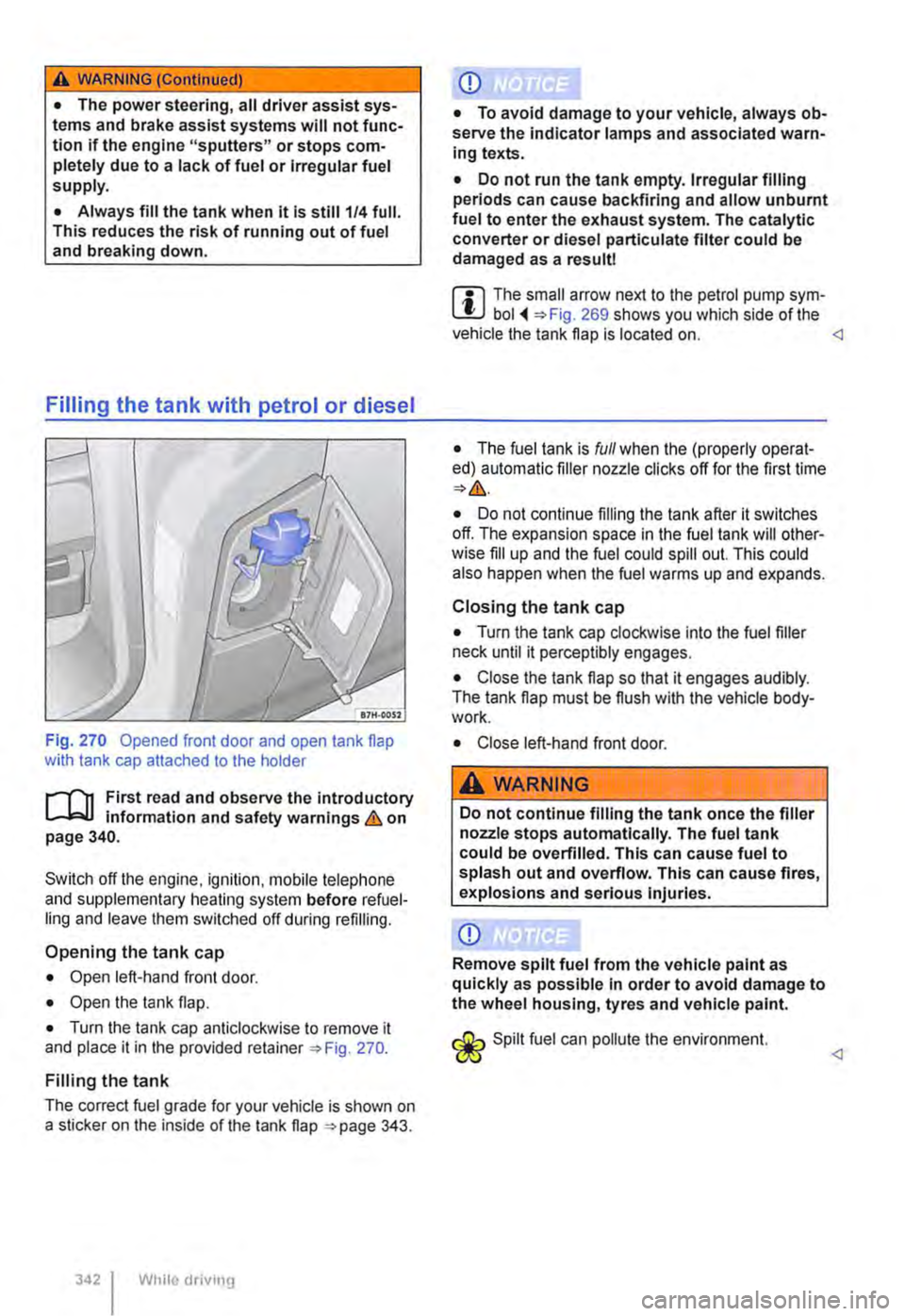
Fig. 270 Opened front door and open tank flap with tank cap attached to the holder
r--f"'n First read and observe the introductory L-.1=.1.1 information and safety warnings & on page 340.
Switch off the engine, ignilion. mobile lelephone and supplementary heating system before refuel-ling and leave them switched off during refilling.
Opening the tank cap
• Open left-hand front door.
• Open the lank flap.
• Turn the tank cap anticlockwise to remove it and place it in the provided retainer 270.
Filling the tank
The correct fuel grade for your vehicle is shown on a sticker on the inside of the tank flap 343.
While driv111g
Q)
• To avoid damage to your vehicle, always ob-serve the indicator lamps and associated warn-ing texts.
• Do not run the tank empty. Irregular filling periods can cause backfiring and allow unburnt fuel to enter the exhaust system. The catalytic converter or diesel partlculate filter could be damaged as a result!
m The small arrow next to the petrol pump sym-L!J bol 269 shows you which side of the vehicle the tank flap is located on.
• The fuel tank is full when the (properly operat-ed) automatic filler nozzle clicks off for the first time
• Do not continue filling the tank after it switches off. The expansion space in the fuel tank will other-wise fill up and the fuel could spill out. This could also happen when the fuel warms up and expands.
Closing the tank cap
• Turn the tank cap clockwise into the fuel filler neck until it perceptibly engages.
• Close the tank flap so that it engages audibly. The tank flap must be flush with the vehicle body-work.
• Close left-hand front door.
A WARNING
Do not continue filling the tank once the filler nozzle stops automatically. The fuel tank could be overfilled. This can cause fuel to splash out and overflow. This can cause fires, explosions and serious Injuries.
Q)
Remove spilt fuel from the vehicle paint as quickly as possible in order to avoid damage to the wheel housing, tyres and vehicle paint.
Spilt fuel can pollute lhe environment.