range display VOLKSWAGEN TRANSPORTER 2020 Owners Manual
[x] Cancel search | Manufacturer: VOLKSWAGEN, Model Year: 2020, Model line: TRANSPORTER, Model: VOLKSWAGEN TRANSPORTER 2020Pages: 486, PDF Size: 69.28 MB
Page 11 of 486
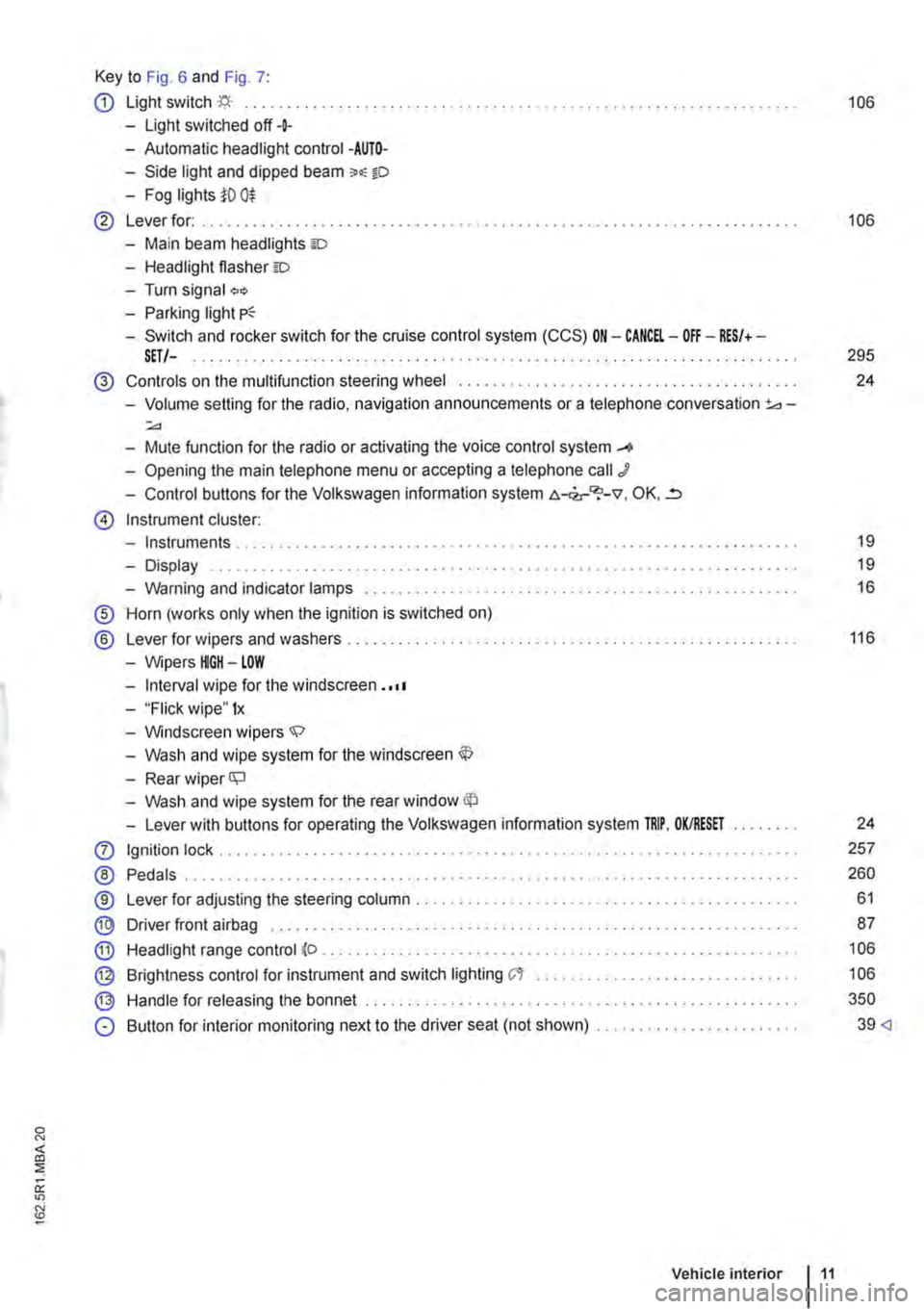
Key to Fig. 6 and Fig. 7:
CD Light switch ·'f;i.· ... 106
-Light switched off+
-Automatic headlight control -AUTO-
-Side light and dipped beam o.-o
-Fog lights i'O 0$
@ Lever for: .......... . 106
-Main beam headlights ID
-Headlight flasher =:o
-Turn signal "'" -Parking light
-Switch and rocker switch for the cruise control system (CCS) ON-CANCEL-OFF-RES/+-SET/-. . . . . . . . . . . . . . . . . . . . . . . . . . . . . . . . . . . . . . . . . . . . . . . . . . . . 295
@ Controls on the multifunction steering wheel ....... .
-Volume setting for the radio, navigation announcements or a telephone conversation 3d-:;.,
-Mute function for the radio or activating the voice control system _...
-Opening the main telephone menu or accepting a telephone call J
-Control buttons for the Volkswagen information system c.-<2,-"?-v, OK, ..=,
@ Instrument cluster:
-Instruments ..
-Display
-Warning and indicator lamps ..... .
® Horn (works only when the ignition is switched on)
® Lever for wipers and washers . . . . . .....................................•
-Wipers HGH-LOW
-Interval wipe for the windscreen . ·••
-"Flick wipe" 1x
-Windscreen wipers.;;:>
-Wash and wipe system for the windscreen
-Rear wiper ll;J
-Wash and wipe system for the rear window
-Lever with buttons for operating the Volkswagen information system TRIP, OK/RESET
0 Ignition lock .......... .
® Pedals .................. .
®
® @
Lever for adjusting the steering column ..................•.....
Driver front airbag ........ .
Headlight range control (o .
Brightness control for instrument and switch lighting C't ...••.•...
Handle for releasing the bonnet ...
@
®
0 Button for interior monitoring next to the driver seat (not shown) ....................... .
Vehicle interior 11
24
19
19
16
116
24
257
260
61
87
106
106
350
39
Page 21 of 486
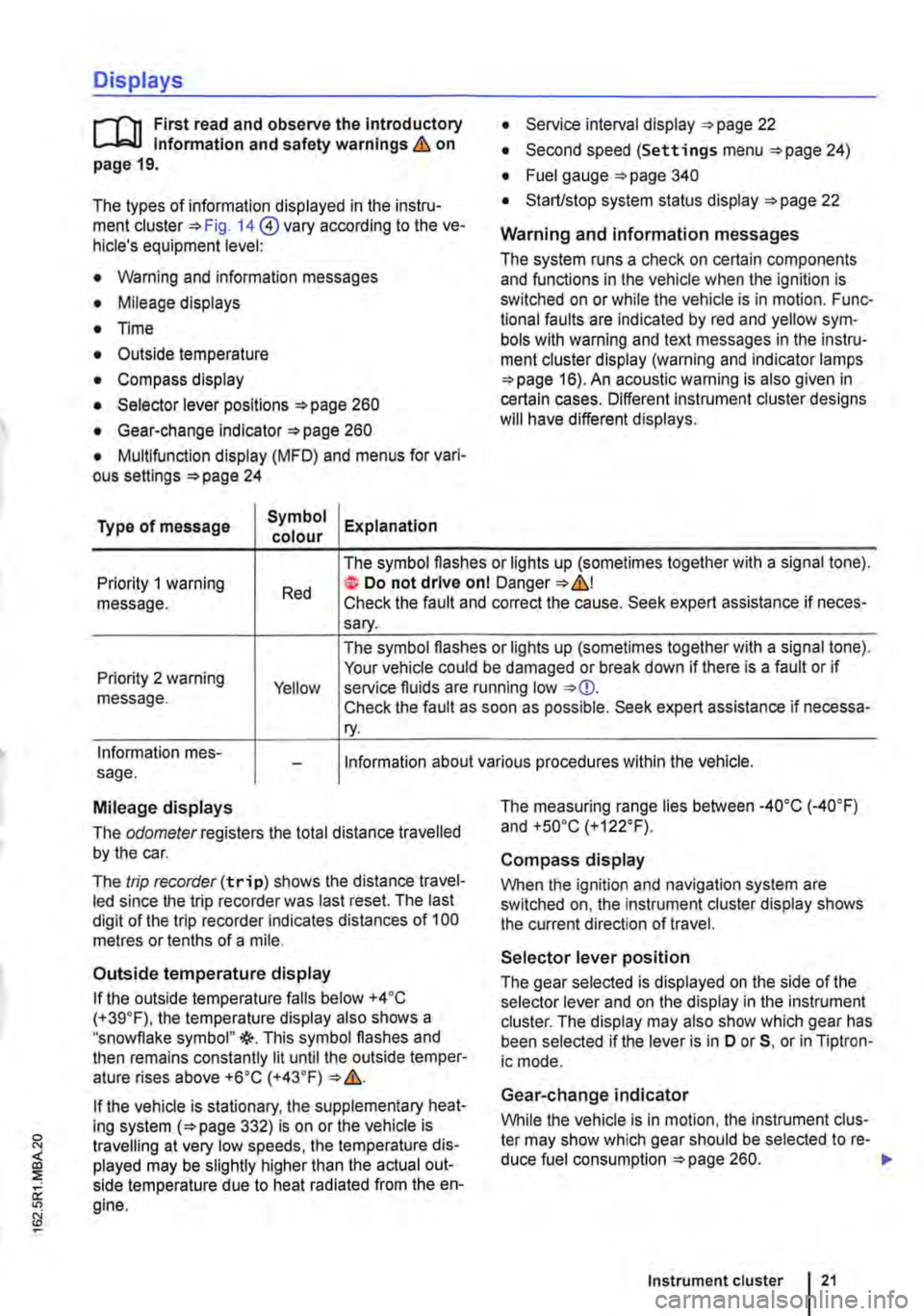
Displays
r-T'n First read and observe the introductory L-J,:.,U information and safety warnings & on page 19.
The types of information displayed in the instru-ment cluster=:. Fig. 14@ vary according to the ve-hicle's equipment level:
• Warning and information messages
• Mileage displays
• Time
• Outside temperature
• Compass display
• Selector lever positions =:.page 260
• Gear-change indicator =>page 260
• Multifunction display (MFD) and menus for vari-ous settings =>page 24
Type of message Symbol Explanation colour
• Service interval display =:.page 22
• Second speed (Settings menu =>page 24)
• Fuel gauge =:.page 340
• Start/stop system status display =:.page 22
Warning and information messages
The system runs a check on certain components and functions in the vehicle when the ignition is switched on or while the vehicle is in motion. Func-tional faults are indicated by red and yellow sym· bols with warning and text messages in the instru-ment cluster display (warning and indicator lamps =>page 16). An acoustic warning is also given in certain cases. Different instrument cluster designs will have different displays.
Priority 1 warning message. Red
The symbol flashes or lights up (sometimes together with a signal tone). te Do not drive onl Danger=:.&,! Check the fault and correct the cause. Seek expert assistance if neces-sary.
Priority 2 warning message. Yellow
The symbol flashes or lights up (sometimes together with a signal tone). Your vehicle could be damaged or break down if there is a fault or if service fluids are running low Check the fault as soon as possible. Seek expert assistance if necessa-ry.
Information mes-sage. Information about various procedures within the vehicle.
Mileage displays
The odomelerregisters the total distance travelled by the car.
The trip recorder(trip) shows the distance travel-led since the trip recorder was last reset. The last digit of the trip recorder indicates distances of 100 metres or tenths of a mile.
Outside temperature display
If the outside temperature falls below +4 ·c (+39.F), the temperature display also shows a "snowflake symbol"{(-. This symbol flashes and then remains constantly lit until the outside temper-ature rises above +6•c (+43.F)
If the vehicle is stationary, the supplementary heat-ing system (=>page 332) is on or the vehicle is travelling at very low speeds, the temperature dis-played may be slightly higher than the actual out-side temperature due to heat radiated from the en-gine.
The measuring range lies between -4o•c (·40.F) and +so•c (+122°F).
Compass display
When the ignition and navigation system are switched on, the instrument cluster display shows the current direction of travel.
Selector lever position
The gear selected is displayed on the side of the selector lever and on the display in the instrument cluster. The display may also show which gear has been selected if the lever is in D or 5, or in Tiptron-ic mode.
Gear-change indicator
While the vehicle is in motion, the instrument clus-ter may show which gear should be selected to re-duce fuel consumption =>page 260. .-
Instrument cluster 21
Page 25 of 486
A WARNING
Accidents and injuries can occur if the driver is distracted.
• Never open the menus on the instrument cluster display while the vehicle is in motion.
r::l After starting the engine with a discharged l!..J vehicle battery, or after the battery has been changed, system settings (time, date, personal
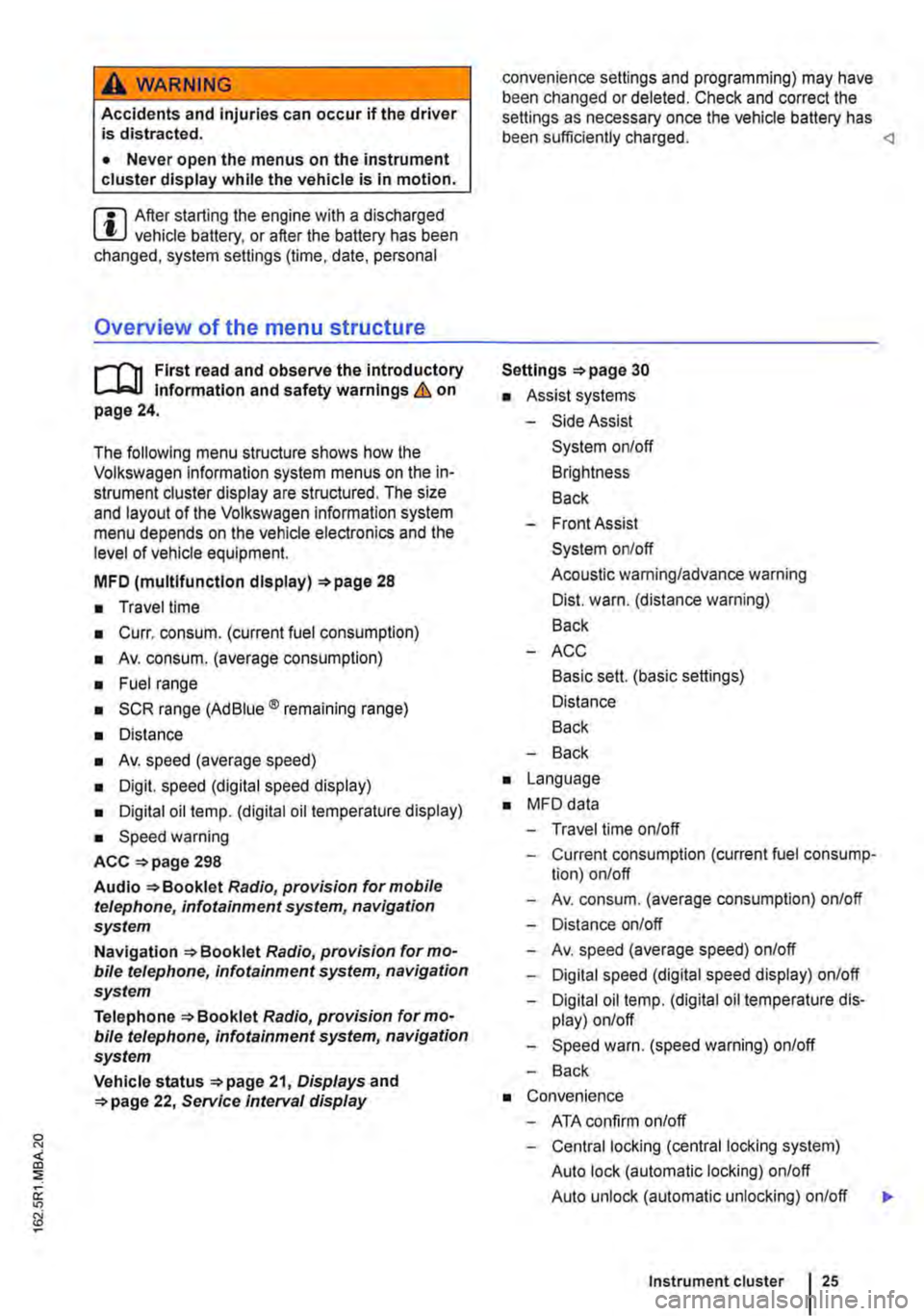
Overview of the menu structure
nl1 First read and observe the introductory 1-J,::.JJ Information and safety warnings & on page 24.
The following menu structure shows how the Volkswagen information system menus on the in-strument cluster display are structured. The size and layout of the Volkswagen information system menu depends on the vehicle electronics and the level of vehicle equipment.
MFD (multlfunctlon display) 28
• Travel time
• Curr. consum. (current fuel consumption)
• Av. consum. (average consumption)
• Fuel range
• SCR range (Ad Blue® remaining range)
• Distance
• Av. speed (average speed)
• Digit. speed (digital speed display)
• Digital oil temp. (digital oil temperature display)
• Speed warning
ACC =>page 298
Audio Radio, provision for mobile telephone, infotainment system, navigation system
Navigation Radio, provision for mo-bile telephone, infotainment system, navigation system
Telephone Radio, provision for mo-bile telephone, infotainment system, navigation system
Vehicle status 21, Displays and 22, Service Interval display
convenience settings and programming) may have been changed or deleted. Check and correct the settings as necessary once the vehicle battery has been sufficiently charged.
• Assist systems
-Side Assist
System on/off
Brightness
Back
-Front Assist
System on/off
Acoustic warning/advance warning
Dist. warn. (distance warning)
Back
-ACC
Basic sett. (basic settings)
Distance
Back
-Back
• Language
• MFD data
-Travel time on/off
-Current consumption (current fuel consump-tion) on/off
-Av. consum. (average consumption) on/off
-Distance on/off
-Av. speed (average speed) on/off
-Digital speed (digital speed display) on/off
-Digital oil temp. (digital oil temperature dis-play) on/off
-Speed warn. (speed warning) on/off
-Back
• Convenience
-ATA confirm on/off
-Central locking (central locking system)
Auto lock (automatic locking) on/off
Auto unlock (automatic unlocking) on/off
Instrument cluster 25
...
Page 29 of 486
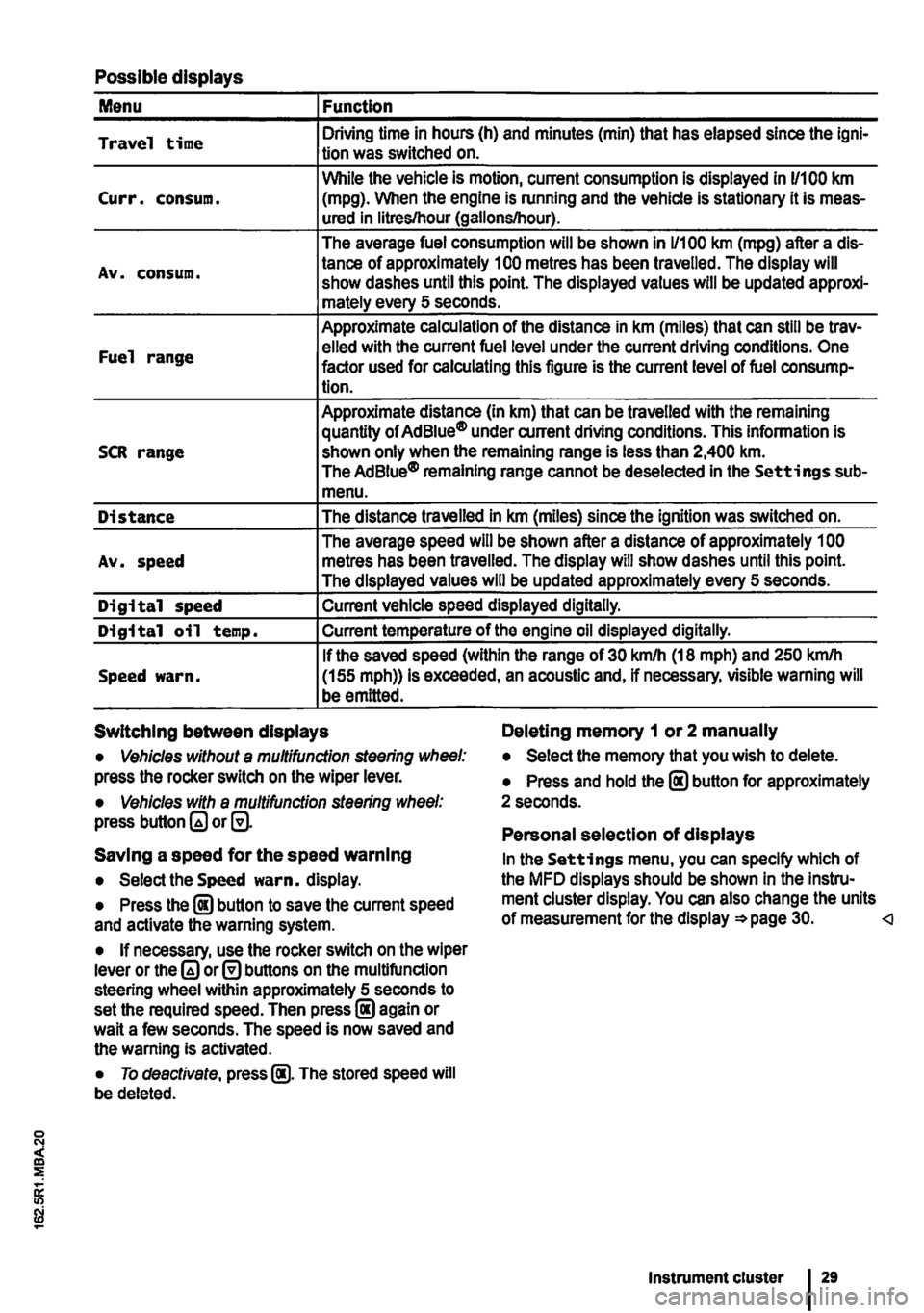
Possible displays
Menu Function
Travel time Driving time in hours (h) and minutes (min) that has elapsed since the lgni-tion was switched on.
While the vehicle is motion, current consumption is displayed in 11100 km Curr. consum. (mpg). When the engine is running and the vehicle is stationary it is meas-ured in litres/hour (gallons/hour).
The average fuel consumption will be shown in 1/100 km (mpg) after a dis-
Av. consum. tance of approximately 100 metres has been travelled. The display will show dashes until this point. The displayed values will be updated approxi-mately every 5 seconds.
Approximate calculation of the distance in km (miles) that can still be trav-
Fuel range elled with the current fuel level under the current driving conditions. One factor used for calculating this figure is the current level of fuel consump-tion.
Approximate distance (In km) that can be travelled with the remaining quantity of Ad Blue® under current driving conditions. This information is SCR range shown only when the remaining range is less than 2,400 km. The AdBiue® remaining range cannot be deselected in the Settings sub-menu.
Distance The distance travelled in km (miles) since the ignition was switched on.
The average speed will be shown after a distance of approximately 1 00 Av. speed metres has been travelled. The display will show dashes until this point. The displayed values will be updated approximately every 5 seconds.
Digital speed Current vehicle speed displayed digitally.
Digital oil temp. Current temperature of the engine oil displayed digitally.
If the saved speed (within the range of 30 km/h (18 mph) and 250 kmlh Speed warn. (155 mph)) is exceeded, an acoustic and, if necessary, visible warning will be emitted.
Switching between displays Deleting memory 1 or 2 manually
• Vehicles without a multifunction steering wheel: press the rocker switch on the wiper lever.
• Vehicles with a multifunction steering wheel: press button or@.
Saving a speed for the speed warning
• Select the Speed warn. display.
• Press the @ button to save the current speed and activate the warning system.
• If necessary, use the rocker switch on the wiper lever or the or@ buttons on the multifunction steering wheel within approximately 5 seconds to set the required speed. Then press@ again or wait a few seconds. The speed is now saved and the warning Is activated.
• To deactivate, press @. The stored speed will be deleted.
• Select the memory that you wish to delete.
• Press and hold the @ button for approximately 2 seconds.
Personal selection of displays
In the Settings menu, you can specify which of the MFD displays should be shown In the Instru-ment cluster display. You can also change the units of measurement for the display =*page 30.
Page 287 of 486
ParkPilot
o:n Introduction
This chapter contains information on the following subjects:
ParkPilot only at rear . . 288 ParkPilot front and rear . . . 289
ParkPilot signal tones and displays . 290
The Park Pilot assists the driver when
parking and manoeuvring.
The ultrasound sensors in the bumpers transmit and receive ultrasound waves. The electronic sys-tem uses the ultrasound waves (i.e. transmission, reflection from the obstacle and reception) to cal-culate the distance between the bumper and the obstacle.
Additional information and warnings:
• Exterior views =:o page 5
• Braking, stopping and parking =:o page 269
• Reversing camera (Rear Assist) =:o page 291
• Cleaning and caring for the vehicle exterior =:.page 380
• Accessories, modifications, repairs and renewal of parts =:o page 394
• Radio or navigation system =:o Booklet Radio, provision for mobile telephone, infotainment sys-tem, navigation system
A WARNING
ParkPilot technology cannot overcome sys-tem-related vehicle limitations. The ParkPilot cannot replace the full concentration of the driver.
• Unintentional vehicle movements can cause serious injury.
• Always adapt your speed and driving style to suit visibility, weather, road and traffic con-ditions.
• Ultrasound sensors have blind spots in which obstacles and people cannot be detec-ted.
• Always check the area around the vehicle as the ultrasound sensors will not always de-tect infants, animals and objects.
A WARNING (Continued)
• Certain surfaces of objects and clothes cannot reflect the signals from the ultrasound sensors. The system is unable to detect these objects or people wearing this type of clothing, or they may be detected incorrectly.
• External sources of sound can affect the signals of the ultrasound sensors. This may prevent the system from recognising people or objects.
CD
Various factors can negatively Impact the Park-Pilot functions or lead to damage to the vehicle and objects in the area surrounding the vehi-cle.
• The ultrasound sensors may not always be able to detect objects such as trailer drawbars, thin rails, fences, posts, trees and open or opening boot lids. This can result in damage to your vehicle.
• If the ParkPilot has detected an obstacle and issued a warning, the obstacle may move out of the detection range of the ultrasound sensors as the vehicle approaches it, particu-larly if the object is very high or very low. These objects are no longer registered.
• The vehicle can sustain considerable dam-age if the warning given by the ParkPiiot is ig-nored.
• Ultrasound sensors can be displaced or damaged through Impacts, e.g. when parking.
• The ultrasound sensors must be kept clean and free of ice and snow, and must not be cov-ered up by stickers or other objects, as this will prevent the system from working properly.
• Repainting the ultrasound sensors can im-pair the function of the Park Pilot.
• The ultrasound sensors should only be sprayed briefly when cleaning with pressure hoses and steam cleaners. The steam/hose nozzle must always be kept more than 10 cm away from the ultrasound sensors.
• Sources of noise can lead to errors in the ParkPilot system, e.g. rough asphalt, cobble-stones, induction loops, building equipment, or interference from other vehicles.
Driver assist systems 287
Page 290 of 486
Special features of ParkPilot
• In some cases, the ParkPilot registers water and ice on the ultrasound sensors as an obstacle.
• The acoustic warning will become quieter after a few seconds if the distance remains the same. The volume will remain constant if the signal tone is continuous.
• The intermittent signal tone switches off auto-matically as soon as the vehicle moves away from an obstacle again. If the vehicle approaches the obstade again, the acoustic warning is switched on automatically.
• No acoustic signal is given in vehicles with a dual clutch gearbox DSG® if the selector lever is in position P.
ParkPilot signal tones and displays
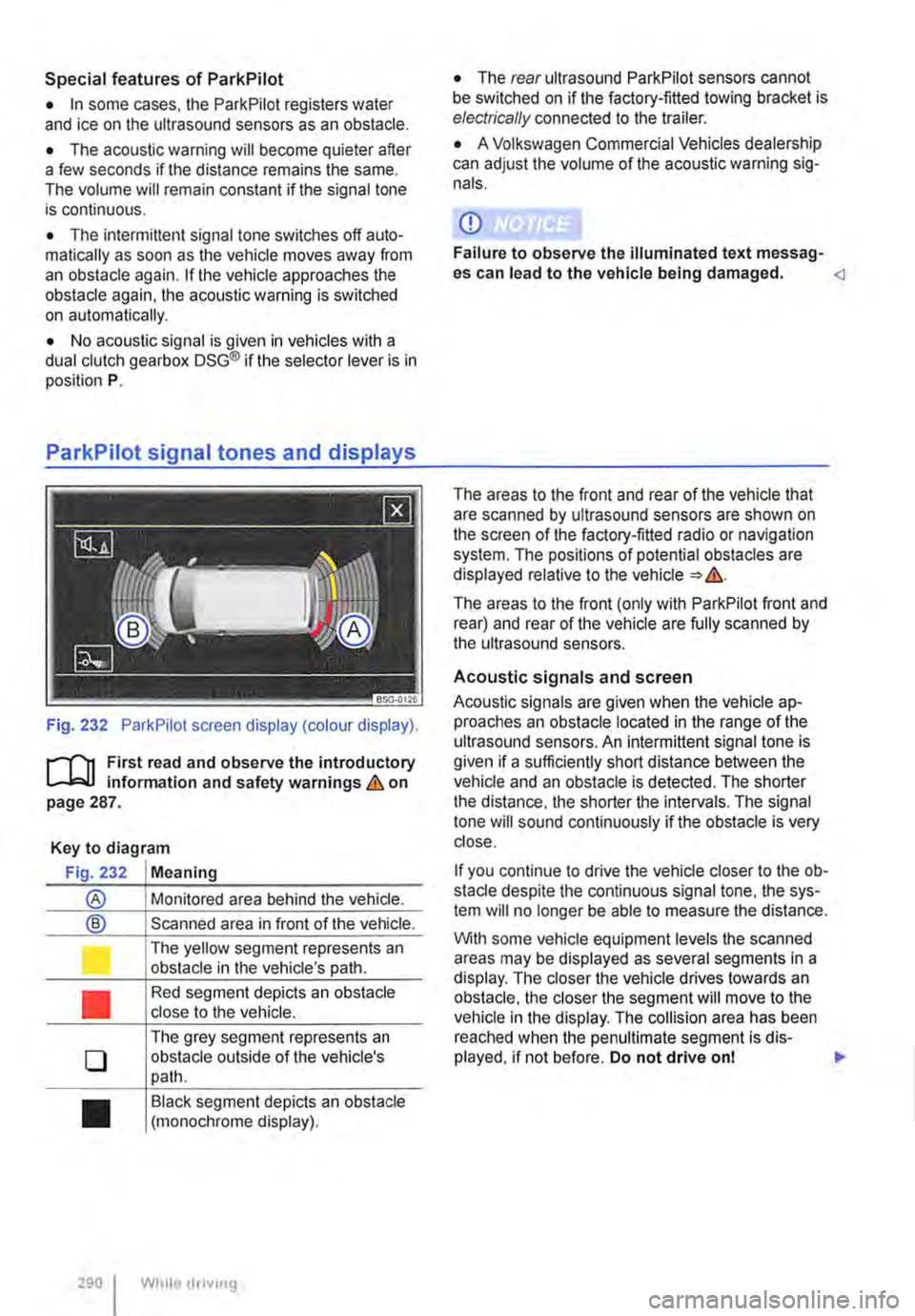
Fig. 232 ParkPilot screen display (colour display).
r--f"'n First read and observe the introductory L-.I=.U Information and safety warnings & on page 287.
Key to diagram
Fig. 232 Meaning
® Monitored area behind the vehide.
® Scanned area in front of the vehicle.
l J
•
0
•
290 I
The yellow segment represents an obstacle in the vehicle's path.
Red segment depicts an obstacle close to the vehicle.
The grey segment represents an obstacle outside of the vehicle's path.
Black segment depicts an obstacle (monochrome display).
While droving
• The rear ultrasound ParkPilot sensors cannot be switched on if the factory-fitted towing bracket is electrically connected to the trailer.
• A Volkswagen Commercial Vehicles dealership can adjust the volume of the acoustic warning sig-nals.
CD
Failure to observe the illuminated text messag-es can lead to the vehicle being damaged.
The areas to the front (only with ParkPilot front and rear) and rear of the vehicle are fully scanned by the ultrasound sensors.
Acoustic signals and screen
Acoustic signals are given when the vehicle ap-proaches an obstacle located in the range of the ultrasound sensors. An intermittent signal tone is given if a sufficiently short distance between the vehicle and an obstacle is detected. The shorter the distance, the shorter the intervals. The signal tone will sound continuously if the obstacle is very close.
If you continue to drive the vehide closer to the ob-sta de despite the continuous signal tone, the sys-tem will no longer be able to measure the distance.
With some vehicle equipment levels the scanned areas may be displayed as several segments in a display. The closer the vehicle drives lowards an obstacle, the closer the segment will move to the vehicle in the display. The collision area has been reached when the penultimate segment is dis-played, if not before. Do not drive onl .,..
Page 291 of 486
Vehicles with ParkPilot at the front and rear
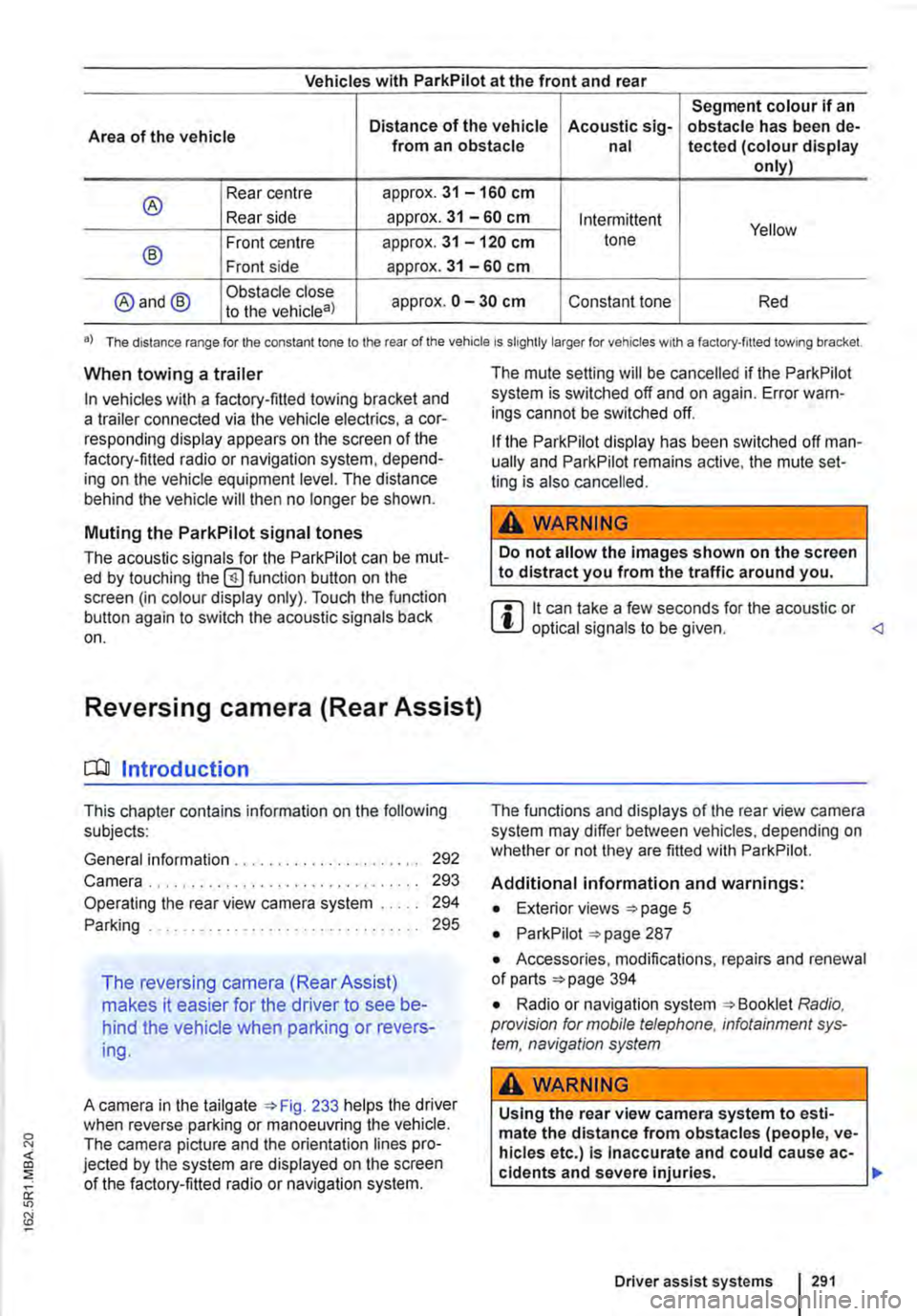
Segment colour if an
Area of the vehicle Distance of the vehicle Acoustic sig-obstacle has been de-from an obstacle nal tected (colour display only)
® Rear centre approx. 31 -160 cm
Rear side approx. 31 -60 cm Intermittent Yellow
® Front centre approx. 31 -120 cm tone
Front side approx. 31 -60 cm
@and@ Obstacle close approx. 0 -30 cm Constant tone Red to the vehicle8)
•) The distance range for the constant lone to the rear of the vehicle is slightly larger for vehicles w1th a factory-filled towing bracket.
When towing a trailer
In vehicles with a factory-fitted towing bracket and a trailer connected via the vehicle electrics, a cor-responding display appears on the screen of the factory-fitted radio or navigation system, depend-ing on the vehicle equipment level. The distance behind the vehicle will then no longer be shown.
Muting the ParkPilot signal tones
The acoustic signals for the ParkPilot can be mut-ed by touching the @function button on the screen (in colour display only). Touch the function button again to switch the acoustic signals back on.
Reversing camera (Rear Assist)
o:n Introduction
This chapter contains information on the following subjects:
General information ..................... . Camera.
292 293
Operating the rear view camera system . . . . . 294
....................... 2%
The reversing camera (Rear Assist)
makes it easier for the driver to see be-
hind the vehicle when parking or revers-
ing.
A camera in the tailgate 233 helps the driver when reverse parking or manoeuvring the vehicle. The camera picture and the orientation lines pro-jected by the system are displayed on the screen of the factory-fitted radio or navigation system.
The mute setting will be cancelled if the ParkPilot system is switched off and on again. Error warn-ings cannot be switched off.
If the ParkPilot display has been switched off man-ually and ParkPilot remains active, the mute set-ting is also cancelled.
A WARNING
Do not allow the Images shown on the screen to distract you from the traffic around you.
m it can take a few seconds for the acoustic or W optical signals to be given.
Additional information and warnings:
• Exterior views =>page 5
• ParkPilot 287
• Accessories, modifications, repairs and renewal of parts 394
• Radio or navigation system Radio, provision for mobile telephone, infotainment sys-tem, navigation system
A WARNING
Using the rear view camera system to esti-mate the distance from obstacles (people, ve-hicles etc.) Is Inaccurate and could cause ac-cidents and severe injuries. 11>
Driver assist systems I 291
Page 300 of 486
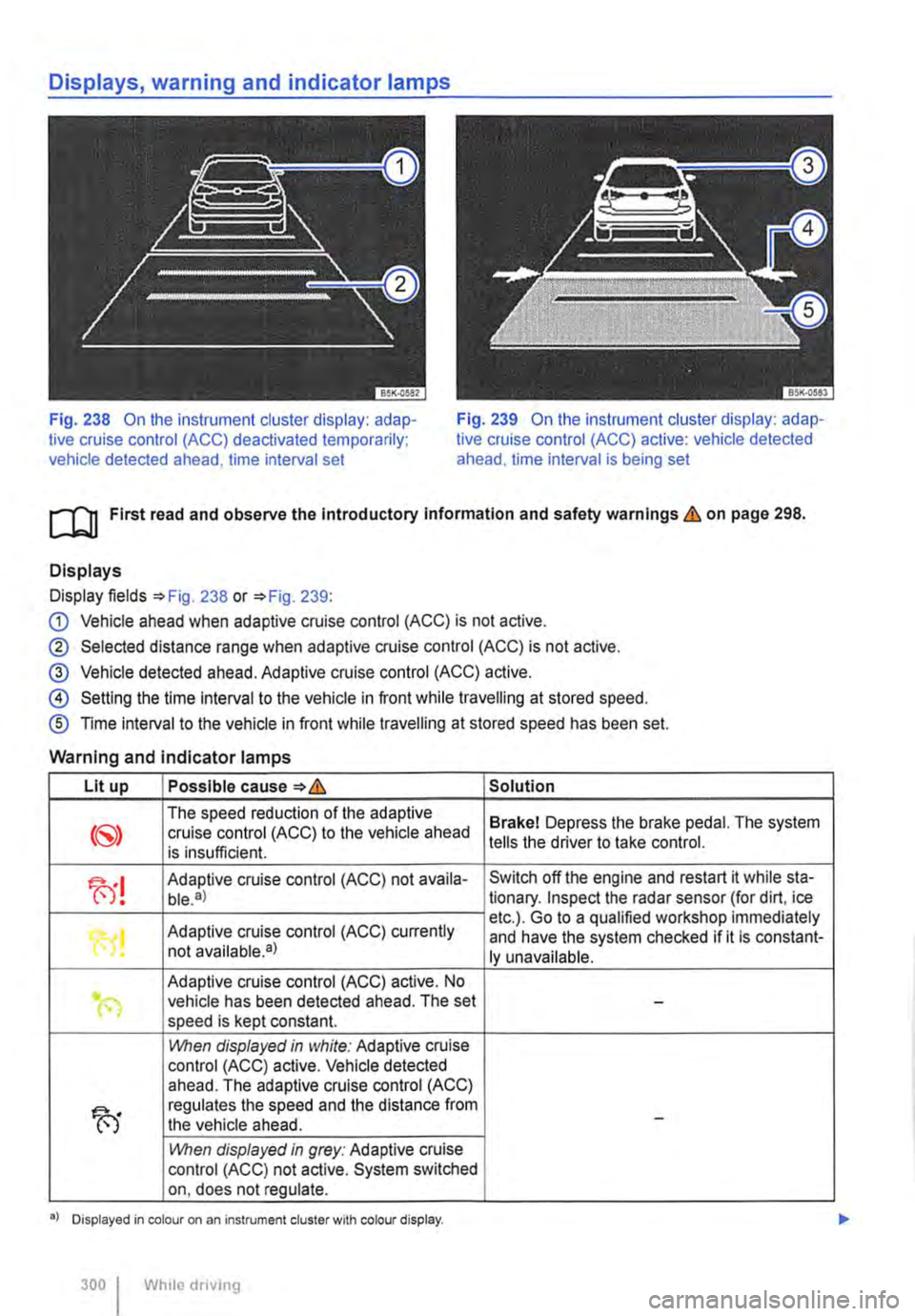
Fig. 238 On the instrument cluster display: adap-tive cruise control (ACC) deactivated temporarily; vehicle detected ahead, time interval set
Fig. 239 On the instrument cluster display: adap-tive cruise control (ACC) active: vehicle detected ahead. time interval is being set
ro First read and observe the Introductory Information and safety warnings & on page 298.
Displays
Display fields =>Fig. 238 or =>Fig. 239:
G) Vehicle ahead when adaptive cruise control (ACC) is not active.
® Selected distance range when adaptive cruise control (ACC) is not active.
@ Vehicle detected ahead. Adaptive cruise control (ACC) active.
@ Setting the time interval to the vehicle in front while travelling at stored speed.
® Time interval to the vehicle in front while travelling at stored speed has been set.
Warning and indicator lamps
Lit up Possible cause=>& Solution
The speed reduction of the adaptive Brakel Depress the brake pedal. The system cruise control (ACC) to the vehicle ahead is insufficient. tells the driver to take control.
fu! Adaptive cruise control (ACC) not availa-Switch off the engine and restart it while sta-ble.a) tionary. Inspect the radar sensor (for dirt, ice
Adaptive cruise control (ACC) currently etc.). Go to a qualified workshop immediately
"0! and have the system checked if it is constant-not available•) ly unavailable.
Adaptive cruise control (ACC) active. No .. (") vehicle has been detected ahead. The set -speed is kept constant.
1!\/hen displayed in white: Adaptive cruise control (ACC) active. Vehicle detected ahead. The adaptive cruise control (ACC)
fu
regulates the speed and the distance from the vehicle ahead. -
1!\/hen displayed in grey: Adaptive cruise control (ACC) not active. System switched on, does not regulate.
•> Displayed in colour on an instrument cluster with colour display.
300 I Whlio drivmg
Page 306 of 486
Acceleration can be stopped at any time by de-pressing the brake pedal or pressing the(@ or @ button on the multifunction steering wheel 302.
When driving through bends
While driving through bends, the radar sensor may sometimes lose the vehicle travelling ahead or may react to a vehicle in the next lane 242 !Al. In such situations, the vehicle might decelerate unnecessarily or not react to the vehicle in front. In this case the driver must override the adaptive cruise control (ACC) by depressing the accelerator, or interrupt the braking procedure by depressing the brake pedal or pressing or @ button on the multifunction steering wheel 302.
Driving in tunnels
The radar sensor function may be restricted in tun-nels. Switch off the adaptive cruise control (ACC) in tunnels.
Narrow vehicles and a zig-zag traffic situation
Narrow vehicles and vehicles travelling slightly to the left or right of your vehicle will only be recog-nised by the radar sensor once they have entered the radar range 242@ This applies in par-ticular to narrow vehicles such as motorbikes. If re-quired, brake the vehicle yourself.
Vehicles with special load or special equipment
Any load or accessories on other vehicles that pro-trude from the side, rear or over the roof of the ve-hicle may not be detected by the adaptive cruise control (ACC) .
Switch off the adaptive cruise control (ACC) when the vehicle ahead has special load or special equipment, or while overtaking vehicles of this kind. If required. brake the vehicle yourself.
When other vehicles change lanes
Vehicles that are very close when they move into your lane can only be detected by the radar sen-sors when they have moved into the sensor range. This means that the adaptive cruise control (ACC) may have a delayed reaction =>Fig. 243@]. If re-quired, brake the vehicle yourself.
Stationary vehicles
The adaptive cruise control (ACC) does not detect stationary objects during a journey, e.g. stationary traffic or a vehicle that has broken down.
306 I While driving
If a stationary vehicle is hidden behind a vehicle that has been detected by the adaptive cruise con-trol (ACC) and this vehicle turns off the road or changes lane, the adaptive cruise control (ACC) will not be able to react to the stationary vehicle 243 [Q]. If required, brake the vehicle your-self.
Oncoming vehicles and vehicles crossing your path
The adaptive cruise control (ACC) does not react to approaching vehicles or vehicles crossing your path.
Metal objects
Metal objects, such as tracks in the road or metal plates used in roadworks, can confuse the radar sensor and cause incorrect reactions from the adaptive cruise control (ACC) .
Possible radar sensor function impairments
The adaptive cruise control (ACC) will switch off temporarily if the radar sensor function is impaired, e.g. due to heavy rain, spray, snow, ice or mud. A corresponding message will appear on the instru-ment cluster display. Clean the radar sensors as required.
The adaptive cruise control (ACC) will automatical-ly be available again as soon as the radar sensors are no longer impaired. The message on the in-strument cluster display goes out, and the adaptive cruise control (ACC) can be reactivated.
Strong reflected radiation of the radar signal, e.g. in multi-storey car parks, can impair the function of the radar sensor.
Towing a trailer
The adaptive cruise control (ACC) operates with reduced dynamics when the vehicle is towing a trailer.
Overheated brakes
If the brakes overheat, e.g. following heavy braking or when driving down steep inclines for long peri-ods, the adaptive cruise control (ACC) may be de-activated temporarily. A corresponding message will appear on the instrument cluster display. lt is then not possible to activate the adaptive cruise control (ACC).
As soon as the temperature of the brakes has de-creased sufficiently, the adaptive cruise control (ACC) can be activated again. The message on the instrument cluster display goes out. If the mes-sage ACC not ava i 1 able does not go out for a long time, there is a fault. Go to a qualified work-shop. Volkswagen recommends using a Volkswa-gen dealership for this purpose.
Page 307 of 486
Area monitoring system (Front Assist)
COJ Introduction
This chapter contains information on the following subjects:
Displays . . . . . . . . . 308
Radar sensor . . 309
Front scan system (Front Assist) 309 Temporarily switch off the front scan system (Front Assist) in the following situations 310
City Emergency Brake function 311
System limits . . . . . . . . . . . . . . . . 312
The area monitoring system (Front As-
sist) can help to avoid rear-end colli-
sions.
Within the limits of the system, Front Assist can warn the driver about imminent collisions, prepare the vehicle for emergency braking in case of dan-ger, assist with braking, and initiate automatic braking.
Front Assist is not a substitute for the full con-centration of the driver.
Additional information and warnings:
• Exterior views 5
• Volkswagen information system 24
• Cruise control system (CCS) 295
• Adaptive cruise control (ACC) 298
• Accessories, modifications, repairs and renewal of parts 394
Distance warning
If the system detects danger from driving too close to the vehicle in front, within the speed range of approx. 60 km/h (37 mph) up to 210 km/h (130 mph), the system warns the driver by showing a corresponding message on the instrument clus-ter display 244 [ID.
The warning period varies according to the traffic situation and the driver's response.
Advance warning
If the system detects a danger of collision with the vehicle ahead, within the speed range of approx. 30 km/h (18 m ph) up to 210 km/h (130 mph), the system warns the driver by emitting a signal tone and showing a corresponding message on the in-strument cluster display 245.
The warning period varies according to the traffic situation and the driver's response. At the same time it prepares the vehicle for possible emergency
Urgent warning
If the driver fails to respond to the advance warn-ing, within a speed range of approx. 30 km/h (18 mph) to 210 km/h (130 mph), the system can initiate a quick jolt of the brake in order to draw the driver's attention to the increasing danger of a colli-sion. The warning period varies according to the traffic situation and the driver's response.
Automatic braking
If the driver does not react to the acute warning, within a speed range of approx. 4 km/h (2.5 mph) to 210 km/h (130 mph), the vehicle can brake auto-matically using brake pressure with gradually in-creasing intensity. By reducing speed during a pos-sible collision the system can help to minimise the consequences of an accident.
Brake assistance
If the system detects that the driver is not braking sufficiently when there is a risk of collision, the sys-tem can increase the braking force and thereby help to prevent a collision from speeds of approxi-mately 4 km/h (2.5 mph) to 210 km/h (130 mph). Brake assistance works only for as long as the brake pedal is pressed hard.
A WARNING
The Intelligent technology used in Front As-sist cannot overcome the laws of physics, and functions only within the limits of the system. The driver Is always responsible for braking in time. If Front Assist issues a warn-ing, immediately apply the foot brake to slow the vehicle down or avoid the obstacle, de-pending on the traffic situation.
• Adapt your speed and distance from the vehicles ahead to suit visibility, weather, road and traffic conditions.
• Front Assist cannot prevent accidents and serious injuries on Its own.
• Front Assist can issue unnecessary warn-Ings and carry out unwanted braking inter-ventions in certain complex driving situa-tions, e.g. at traffic Islands.
Driver assist systems 307