change wheel VOLKSWAGEN TRANSPORTER 2021 User Guide
[x] Cancel search | Manufacturer: VOLKSWAGEN, Model Year: 2021, Model line: TRANSPORTER, Model: VOLKSWAGEN TRANSPORTER 2021Pages: 486, PDF Size: 69.28 MB
Page 138 of 486
Additional information and warnings:
• Lights 106
• Transporting 125
• Driving with respect for the environment 278
• Wheels and tyres 367
• Accessories, modifications, repairs and renewal of parts 394
A wARNING
When transporting heavy or bulky objects in the roof carrier, the vehicle's handling will change due to a shift in the centre of gravity and an increased susceptibility to cross-winds.
• Always secure loads properly using suita-ble and undamaged securing straps.
• Cargo that is large, heavy, bulky, long or flat will have a negative effect on the vehicle aerodynamics, centre of gravity and overall handling.
Attaching the mounts and roof carrier
r-Y'n First read and observe the introductory L-J,:.JJ information and safety warnings &. on page 137.
Your vehicle has special roof rails on the right and left for fitting the mounts. Therefore, standard roof carriers cannot be used. Volkswagen Commercial Vehicles recommends using only mounts and roof carriers that have been approved by Volkswagen Commercial Vehicles.
The mounts are the basis of a complete roof carrier system. Special fixtures must then be added to transport luggage, bicycles, skis, surfboards or boats safely on the roof. All components of this system are available at a Volkswagen Commercial Vehicles dealership.
The roof carrier system must always be installed exactly according to instructions and should be kept with the vehicle wallet.
138 I Before the journey
A WARNING (Continued)
• Avoid abrupt and sudden driving and braking manoeuvres.
• Always adapt your speed and driving style to suit visibility, weather, road and traffic con-ditions.
CD
• Always remove the roof carrier before driv-ing through an automatic car wash.
• The height of the vehicle is changed by the installation of a carrier system and the load se-cured to it. Check and compare the height of the vehicle with clearance heights, e.g. for un-derpasses and garage doors.
• The roof carrier system and its load must not obstruct you from opening and closing the sliding/tilting roof and tallgate. The roof aerial must also remain unaffected.
• When opening the tallgate, take care not to let it hit the roof load.
Driving with a fitted roof carrier will increase W air resistance and thus increase fuel con-sumption.
Incorrectly attaching the mounts and roof carrier, and using them Inappropriately, can cause the whole system to fail off the roof. This can cause accidents and injuries.
• Always observe the manufacturer's in-structions.
• Only use mounts and roof carriers when they are undamaged and fitted correctly.
• Fit mounts and roof carriers correctly.
• Check the bolts and anchorage points be-fore starting your journey and adjust as nec-essary after driving a short distance. During a long trip, check ail bolts and fasteners at each stop.
• Special fixtures for items such as bicy-cles, skis, surfboards, etc. should always be properly Installed.
• Do not carry out any alterations or repairs to the mounts and roof carrier.
W Read and observe the instructions provided L!J for the fitted roof carrier system and carry them in the vehicle at all times.
Page 140 of 486
In low temperatures, fit winter tyres to both the ve-hicle and the trailer.
Drawbar load
The drawbar load is the weight that the towing bracket exerts on the ball coupling vertically from above. The maximum permitted weight exerted by the trailer drawbar on the ball coupling of the tow-ing bracket must not exceed 100 kg.
The figures for the draw bar weights that are given on the type plate of the towing bracket are for cer-tification purposes only. The correct values for your specific model, which may be lower than these fig-ures, are given in the vehicle registration docu-ments. All data in the official vehicle documents take precedence over these data &.
In the interest of road safety, Volkswagen Commer-cial Vehicles recommends that you always trans-port the maximum drawbar load. The response of the trailer on the road will be poor if the drawbar load is too small.
The drawbar load increases the weight on the rear axle and reduces the maximum load level as a re-sult.
Vehicles with starUstop system
• If a factory-fitted towing bracket or a towing bracket retro-fitted by Volkswagen Commercial Ve-hicles is used, the Start/Stop system remains ac-tive when towing a trailer 283.
• If towing brackets that were not retrofitted by Volkswagen Commercial Vehicles are used, the StarUStop system must be switched off manually using the button in the dash panel before you start towing a trailer and must remain switched off as long as a trailer is being towed &.
Tachograph
For vehicles whose gross vehicle weight rating, in-cluding trailer exceeds 3,500 kg, and those used commercially to transport goods, use of a tacho-graph is required by law. This is irrespective of whether the vehicle or the trailer or both are used for commercial transportation of goods.
Additional information and warnings:
• Exterior views 5
• Lights 106
• Tachograph 172
• Braking, stopping and parking 269
• Driving with respect for the environment 278
• Wheels and tyres 367
• Accessories, modifications, repairs and renewal of parts 394
140 Before the journey
• Maximum permitted trailer weights =>page 450
• Maximum permitted gross combination weight rating =>page 450
A WARNING
it is dangerous to transport people In a trailer and it may also be illegal.
A WARNING
Improper use of the towing bracket can cause Injury and accidents.
• Only use the towing bracket if it Is fitted properly and Is not damaged.
• Do not carry out any alterations or repairs to the towing bracket.
• To reduce the risk of Injury In rear-end col· lis ions, and to pedestrians and cyclists when the vehicle Is parked, always remove the ball coupling when a trailer Is not being used.
• Never Install a weight-distributing or load-balancing towing bracket to the vehicle. The vehicle Is not constructed for these kinds of towing brackets. The towing bracket can fall, causing the trailer to tear loose from the vehl· cl e.
A WARNING
Towing a trailer and transporting heavy or bulky Items can change the way the vehicle's handling. This can lead to accidents.
• Always secure loads properly using suita-ble and undamaged securing straps.
• Always adapt your speed and driving style to suit visibility, weather, road and traffic con-ditions.
• Trailers with a high centre of gravity are more likely to tip over than trailers with a low centre of gravity.
• Avoid abrupt and sudden driving and braking manoeuvres.
• Take special care when overtaking.
• Reduce your speed Immediately if the trailer shows even the slightest sign of snak-Ing.
• Never drive faster than 80 km/h (50 m ph) when towing a trailer or 100 km/h (62 mph) In exceptional cases. This also applies to coun-tries where higher speeds are permitted. AI· ways obey speed limits. In some areas speed limits for vehicles that are towing trailers are lower than for vehicles without trailers. .,.
Page 145 of 486
Key to diagram Fig. 114:
Pin Meaning
8 Reversing light
9 Permanent live
10 Charging cable plus
11 Earth pin 10, charging cable
12 Not assigned
13 Earth pin 9, permanent live
Trailer socket
A 13-pin trailer socket makes the electrical connec-tion between the towing vehicle and the trailer. When the engine is running, electrical consumers in the trailer are supplied with voltage (charging ca-ble) via the electrical connection (pin 10 of the trail-er socket). If required, the charging cable charges the caravan's battery.
When a trailer is electrically detected, electrical consumers in the trailer are supplied with voltage (permanent live) via the electrical connection (pin 9). Permanent live supplies a trailer's interior lighting for example. Electrical consumers such as a caravan refrigerator are supplied with voltage on-ly when the engine is running (pin 1 0).
To avoid overloading the electrical system, do not inter-connect the three earth wires (pins 3, 11 and 13).
If the trailer has a 7 -pin plug you will need to use a suitable adapter cable. Pin 10 (charging cable) is then without function.
Emergency breakaway cable
Always fasten the trailer's emergency breakaway cable properly to the towing vehicle. Leave enough slack in the emergency breakaway cable so that the vehicle can still drive around corners. However the emergency breakaway cable should not drag along the ground while you are driving.
Trailer rear lights
Ensure that the trailer lights work properly and meet legal requirements. Do not exceed the maxi-mum power consumption for the trailer 142.
Connection to the anti-theft alarm
The trailer is integrated in the anti-theft system if the following conditions are fulfilled:
• When the vehicle has a factory-fitted anti-theft alarm and a factory-fitted towing bracket.
• When the trailer is electrically connected to the towing vehicle via the trailer socket.
• When the vehicle and trailer electric systems are functional, fault-free and undamaged.
• When the vehicle is locked with the vehicle key and the anti-theft alarm is active.
When the vehicle is locked, the alarm will be trig-gered as soon as the electrical connection to the trailer is interrupted.
Always switch off the anti-theft alarm when a trailer is being hitched or unhitched. The tilt sensor could otherwise trigger an alarm unnecessarily.
Trailer with LED rear lights
For technical reasons, trailers with LED tail lights cannot be integrated into the anti-theft alarm sys-tem.
When the vehicle is locked, the alarm is not trig-gered as soon as the electrical connection to the trailer with LED rear lights is interrupted.
A WARNING
Any electrical cables that are not connected properly could cause a power surge to the trailer. This could cause faults tn the entire vehicle electronics system and also lead to accidents and serious Injuries.
• All work on the electric system should be carried out by a qualified workshop.
• Never connect the trailer's electrical sys-tem directly to the electrical connections of the tail lights or to other sources of electrici-ty.
CD
If you park the trailer using the support wheel or other trailer supports, disconnect the trailer from the vehicle. The vehicle could rock up and down if the load changes or if there is damage to the tyres. If this happens, a great deal of force will be exerted on the towing bracket and trailer, which could lead to damage to the vehi-cle and trailer.
CD
Maximum power consumption of the trailer should not be exceeded. Otherwise, the vehicle electrical system could be damaged.
m If there is a fault in the vehicle or trailer elec-L.:!.J trical systems or in the anti-theft alarm, have the systems checked by a qualified workshop.
m If the engine is not running and electrical L.:!.J equipment is switched on in the trailer via the trailer socket, the vehicle battery will discharge. .,.
Transporting Items 145
Page 147 of 486
Things to note when driving with a trailer
• If the trailer has an overrun brake, apply the brakes gently at first and then firmly. This will pre-vent the jerking that can be caused by the trailer wheels locking.
• The combination weight causes the braking dis-tance to increase.
• Select a low gear before driving down a slope. This enables you to use the engine braking effect to slow down the vehicle. The brake system could otherwise overheat and fail.
• The vehicle's centre of gravity and, in turn, the vehicle's handling, will change because of the trail-er load and the increased combined towing weight of the vehicle and trailer.
• The weight distribution of a loaded trailer with an unladen towing vehicle is very unfavourable. When driving in this situation, drive particularly carefully and slowly.
Tachograph
In most European countries, a tachograph has to be installed in the vehicle and used if the gross combination weight rating of the vehicle and trailer is over 3,500 kg.
• Observe the legal requirements governing the use of tachographs.
Pulling off on slopes when towing a trailer
A vehicle towing a trailer is liable to roll back a short distance when moving off on a slope, de-pending on the angle of the slope and the total weight of the trailer and vehicle.
When towing a trailer, pull off on slopes as follows:
• Depress and hold the brake pedal.
• Manual gearbox: depress the clutch fully.
• Select first gear or D =:o page 260, Changing gears.
Trailer stabilisation
r-('n First read and observe the introductory L-J,:.U information and safety warnings & on page 139.
The trailer stabilisation function can de-
tect if an attached trailer is starting to
lurch from side to side and can provide
countersteer.
• Unlock hand brake and carefully release while holding down lock button. At the same time, gently depress the accelerator and, in a manual vehicle, release the clutch pedal, until you feel the vehicle moving forwards. If necessary, read the notes on the Hill Hold Assist function =:o page 282, Pull-away assist systems.
• Only let go of the handbrake lever when the en-gine has sufficient power to move off.
• Pull away slowly.
A WARNING
Incorrect trailer towing can cause loss of ve-hicle control and serious personal injury.
• Towing a trailer and transporting heavy or bulky items can change the way the vehicle handles and increase the braking distance.
• Always drive carefully and think ahead. Brake earlier than in normal driving.
• Always adapt your speed and driving style to suit visibility, weather, road and traffic con-ditions. Reduce your speed, particularly when going downhill.
• Accelerate carefully and gently. Avoid abrupt and sudden driving and braking ma-noeuvres.
• Take special care when overtaking. Re-duce your speed immediately if the trailer shows even the slightest sign of snaking.
• Never try to stop a trailer from snaking by increasing your speed.
• Always obey speed limits. In some areas speed limits for vehicles towing trailers are lower than for vehicles without trailers.
If, however, the effects of this snaking on the vehi-cle are detected via the ESC control unit, the vehi-cle is braked automatically by the ESC in order to stabilise the trailer. In this case the ABS indicator lamp flashes .,.
Transporting items 1147
Page 173 of 486
• Vehicles whose gross vehicle weight rating, in-cluding trailer exceeds 3,500 kg, if the vehicle is used commercially to transport goods. This is irre-spective of whether the vehicle or the trailer or both are used for commercial transportation of goods.
• Vehicles which are built and fitted for the pur-pose of carrying more than 9 persons, including the driver.
Checking the tachograph
The tachograph must be checked by the manufac-turer or an authorised workshop if any of the fol-lowing occurs, either in isolation or as a combina-tion:
Digital voice enhancement
ClJJ Introduction
This chapter contains information on the following subjects:
Using the digital voice enhancement . . . . . . . . 173
The digital voice enhancement (DVE) enables all vehicle occupants to hear each other clearly, even at high speeds. The driver can communicate with the occupants in the passenger compartment with out having to turn around or speak loudly.
The voice signals from the driver are recorded via a microphone in the headliner. Then, the signals are amplified and mixed with the radio or media
Using the digital voice enhancement
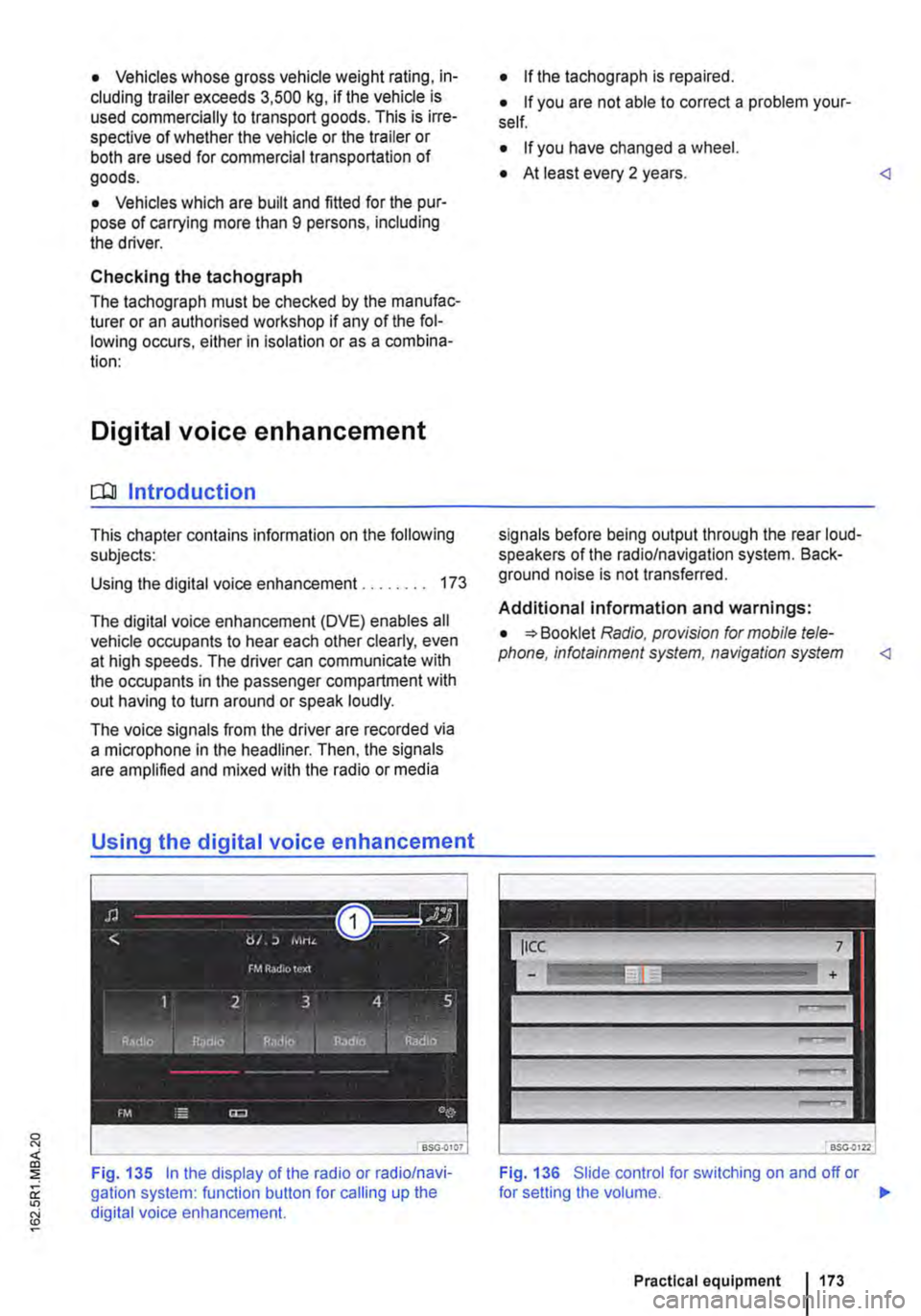
Fig. 135 In the display of the radio or radio/navi-gation system: function button for calling up the digital voice enhancement.
• If the tachograph is repaired.
• If you are not able to correct a problem your-self.
• If you have changed a wheel.
• At least every 2 years.
Additional information and warnings:
• Booklet Radio, provision for mobile tele-phone, infotainment system, navigation system
Fig. 136 Slide control for switching on and off or
Practical equipment 1173
Page 253 of 486
Checklist (Continued)
-Insurance documents
-Camping and travel guides
./ Inform yourself about the peculiarities of any foreign country you plan to visit, such as driving speed limits and required papers .
./ Check the cooking gas supply and change the bottle if necessary.
Actions to take during thunderstorms
ro First read and observe the introductory information given on page 252.
Checklist
Take the following actions before an impending storm:
./ Close the pop-up roof .
./ Retract the awning completely.
Winter conditions
r-f"'n First read and observe the introductory information given on page 252.
When parked at a camping site
• Engage a gear and place chocks against the wheels to prevent the vehicle rolling away.
• Release the handbrake so that it does not freeze.
• Do not lay power cables on the ground as they could freeze to the ground.
• Keep the ground under the vehicle free of ob-structions so that the exhaust from the supplemen-tary heating system can escape.
Ventilation
High humidity levels in the vehicle can be reduced by using a commercially available fan.
Cleaning cupboards, cooker and sink
r-f"'n First read and observe the Introductory L-la.U Information given on page 252.
Cleaning the cupboards
Clean the surfaces of the kitchen unit and cup-boards with commercially available non-abrasive cleaning agents =>
./ Drain the waste water tank.
./ Check the vehicle toolkit.
./ Take a mains cable and cable reel on board so you can use the 230-volt electrical feed.
./ Disconnect the 230-volt electrical feed.
./ Wait out the storm while remaining inside the vehicle.
Additional information:
• Read and observe the information under the in-dex keyword "Winter conditions".
CD
In very cold weather the fresh and waste water systems should be emptied to prevent them from becoming damaged If the vehicle Is not to be kept heated continuously or Is only to be
Page 265 of 486
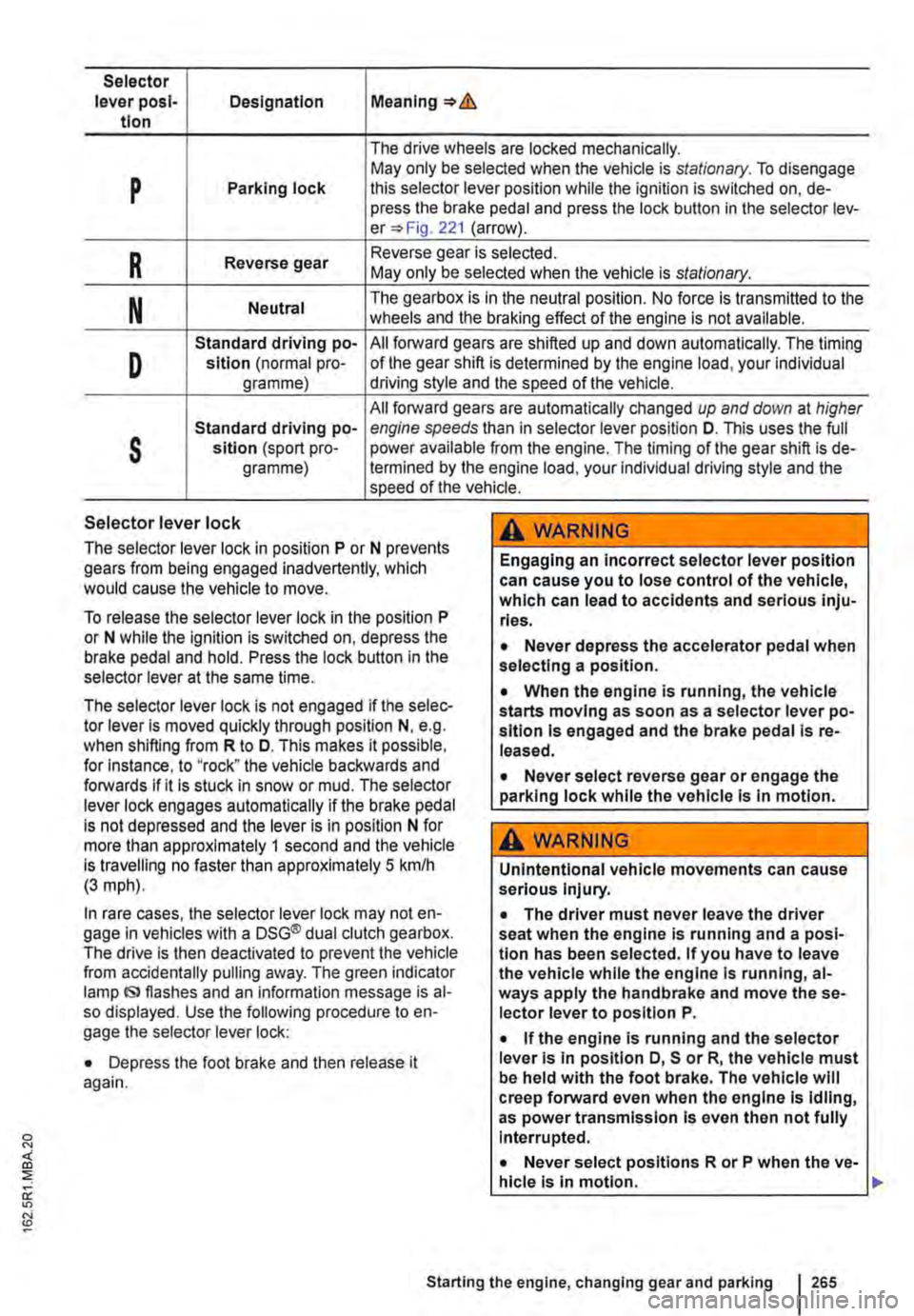
Selector lever posl-Designation Meaning=>& tlon
The drive wheels are locked mechanically.
p May only be selected when the vehicle is stationary. To disengage Parking lock this selector lever position while the ignition is switched on, de-press the brake pedal and press the lock button in the selector lev-er=> Fig. 221 (arrow).
R Reverse gear Reverse gear is selected. May only be selected when the vehicle is stationary.
N Neutral The gearbox is in the neutral position. No force is transmitted to the wheels and the braking effect of the engine is not available.
D
Standard driving po-All forward gears are shifted up and down automatically. The timing sition (normal pro-of the gear shift is determined by the engine load, your individual gramme) driving style and the speed of the vehicle.
All forward gears are automatically changed up and down at higher
s
Standard driving po-engine speeds than in selector lever position D. This uses the full sltlon (sport pro-power available from the engine. The timing of the gear shift is de-gramme) !ermined by the engine load, your individual driving style and the speed of the vehicle.
Selector lever lock
The selector lever lock in position P or N prevents gears from being engaged inadvertently, which would cause the vehicle to move.
To release the selector lever lock in the position P or N while the ignition is switched on, depress the brake pedal and hold. Press the lock button in the selector lever at the same time.
The selector lever lock is not engaged if the selec-tor lever Is moved quickly through position N, e.g. when shifting from R to D. This makes it possible, for Instance, to "rock" the vehicle backwards and forwards if it is stuck in snow or mud. The selector lever lock engages automatically if the brake pedal is not depressed and the lever is in position N for more than approximately 1 second and the vehicle is travelling no faster than approximately 5 km/h (3 mph).
In rare cases, the selector lever lock may not en-gage in vehicles with a DSG® dual clutch gearbox. The drive is then deactivated to prevent the vehicle from accidentally pulling away. The green indicator lamp IS> flashes and an information message is al-so displayed. Use the following procedure to en-gage the selector lever lock:
• Depress the foot brake and then release it again.
,A WARNING
Engaging an incorrect selector lever position can cause you to lose control of the vehicle, which can lead to accidents and serious inju-ries.
• Never depress the accelerator pedal when selecting a position.
• When the engine is running, the vehicle starts moving as soon as a selector lever po-sition is engaged and the brake pedal Is re-leased.
• Never select reverse gear or engage the parking lock while the vehicle Is In motion.
A WARNING
Unintentional vehicle movements can cause serious Injury.
• The driver must never leave the driver seat when the engine is running and a posi-tion has been selected. If you have to leave the vehicle while the engine Is running, al-ways apply the handbrake and move the se-lector lever to position P.
• If the engine is running and the selector lever Is in position D, S or R, the vehicle must be held with the foot brake. The vehicle will creep forward even when the engine Is idling, as power transmission Is even then not fully Interrupted.
• Never select positions R or P when the ve-hicle is In motion.
Starting the engine, changing gear and parking 265
Page 267 of 486
• Reduce your speed.
• Push the selector lever from position D to the right into the Tiptronic gate 266.
• Gently push the selector lever to the rear to change down gear.
Stopping the vehicle and pulling away when driving uphill
The steeper the incline, the lower the gear that is required.
If you wish to stop the vehicle or pull away when driving uphill, you should use the Hill Hold Assist function 282.
Vehicles without Hill Hold Assist: when the vehi-cle is stopped on an incline and remains in gear, the vehicle must always be prevented from rolling by depressing the brake pedal or by applying the handbrake. The brake pedal or the handbrake should not be released until you start to pull away
Kickdown
The kickdown mechanism enables maximum ac-celeration in the selector lever positions D and S, or in the Tiptronic position.
If the accelerator pedal is depressed fully, the gear-box will automatically shift to a lower gear, depend-ing on the speed and engine revs. This will make use of the full vehicle acceleration &.
The gearbox does not shift up to the next gear until the engine reaches the maximum engine speed for the gear.
Freewheel driving with 7-speed dual clutch gearbox DSG®
In coasting mode, the momentum of the vehicle can be used to save fuel in conjunction with a fore-sighted driving style. The engine is declutched and no longer brakes the vehicle -the vehicle can roll out over a longer distance.
Switch-on condition: the selector lever must be in position D.
Fault in the DSG® dual clutch gearbox
r-f"'n First read and observe the introductory l-J::,JJ information and safety warnings & on page 260.
Emergency programme
There is a fault in the system if all the displays on the instrument cluster for the selector lever posi-tions have a light background. The automatic gear-
Triggering coasting
• Remove foot from accelerator pedal. The en-gine will be disengaged and run in freewheel mode. The vehicle rolls without the braking effect of the engine.
Cancelling coasting mode
• Depress the brake pedal briefly.
Coasting can be switched on and off in the Set-tings menu of the Volkswagen Information sys-tem 24.
A WARNING
Rapid acceleration can cause loss of traction and skidding, particularly on slippery roads. This can cause you to lose control of the ve-hicle, which can lead to accidents and seri-ous injuries.
• Always adjust your driving style in ac-cordance with the flow of traffic.
• Only use kickdown or fast acceleration if visibility, weather, road and traffic conditions permit, and other road users are not put at risk due to the acceleration and the driving style.
• You should never endanger other road users through the acceleration of your vehi-cle or through your driving style.
CD
• If you stop the vehicle on an incline, do not attempt to stop it from rolling back by depress-Ing the accelerator while a position is still se-lected. The automatic gearbox could overheat and be damaged.
• Never allow the vehicle to roll in position N, particularly if the ignition is switched off. The automatic gearbox will not be lubricated and could be damaged. <1
box is running in an emergency programme. The vehicle can still be driven in the emergency pro-gramme, but only at reduced speed and not in all gears.
In vehicles with a DSG® dual clutch gearbox, you may no longer be able to select reverse gear. The gearbox should be checked by a qualified workshop as soon as possible. .,..
Starting the engine, changing gear and parking 267
Page 274 of 486
A WARNING (Continued)
• If the brake servo does not function or the vehicle is being towed, the brake pedal will have to be depressed more forcefully as the braking distance will be Increased due to the lack of assistance for the brake system.
CD
• Never let the brakes "rub" by applying light pressure to the brake when it is not necessary to brake. Continual pressure on the brake pedal will overheat the brakes. This can considerably reduce the brake effect, increase the braking distance and, In certain circumstances, cause the brake system to fail completely.
Brake support systems
r-f'n First read and observe the Introductory l..-Wl information and safety warnings&. on page 269.
The brake support systems ESC, ABS, BAS, TCS and EDL only function when the engine is running. They make a considerable contribution to active driving safety.
Electronic stability control (ESC)
The ESC helps to reduce the risk of skidding and to improve driving stability by braking individual wheels in certain driving situations. The ESC de-tects critical driving situations such as oversteer, understeer and wheelspin. The system helps to stabilise the vehicle through targeted application of the brakes or by reducing engine torque.
ESC has its limitations. lt is important to realise that ESC cannot overcome the laws of physics. ESC will not be able to assist in every situation faced by a driver. For example, ESC will not be able to assist every time that there is a sudden change in the road surface quality. If a section of dry road is suddenly covered with water, mud or snow, ESC will not be able to assist in the same manner as on a dry road. If the vehicle aquaplanes (drives on a layer of water rather than on the road surface), ESC will not be able to assist in steering the vehicle as the contact to the road surface has been interrupted and it is therefore no longer pos-sible to steer or brake the vehicle. When driving at speed through bends, particularly on stretches of road with many bends, the ESC will not always be able to process complicated driving situations as
2741 While dnvang
m If the front brake pads are tested, the rear L!..J brake pads should be tested at the same time. Regularly check the thickness of the brake pads through the openings in the rims or from the underside of the vehicle. If necessary, remove the wheels to carry out a comprehensive check. Volks-wagen Commercial Vehicles recommends using a Volkswagen Commercial Vehicles dealership for this purpose.
Always adapt your speed and driving style to suit visibility, weather, road and traffic conditions. ESC cannot defy the laws of motion, improve the availa-ble power output, or keep the vehicle on the road if insufficient care and attention on the part of the driver causes the vehicle to leave the road. In-stead, the ESC improves the chances of keeping the vehicle under control and, in extreme on-road driving situations, exploits the driver's steering in-put to keep the vehicle travelling in the desired di-rection. If the vehicle is driving at a speed that leads it to leave the road before the ESC can pro-vide any kind of support, the ESC will be unable to provide any assistance.
The ASS, BAS, TCS and EDL systems are integra-ted into the ESC. The ESC is always on. If the trac-tion achieved in certain situations is not sufficient, TCS can be switched off by pressing the ASR (TCS) button =>Fig. 224. Always ensure that ASR (TCS) is switched back on again once traction is sufficient.
Automatic Post-Collision Braking System
In the event of an accident, the Automatic Post-Collision Braking System can help the driver to re-duce the risk of skidding, and the danger of secon-dary collisions, through automatic braking.
Page 276 of 486
A WARNING (Continued)
• Although the brake support systems are very effective and can help to control the ve-hicle in difficult driving situations, please al-ways remember that the driving stability of the vehicle depends on the tyre grip.
• When accelerating on a slippery surface, for example on ice and snow, press the accel-erator carefully. The wheels can spin even when brake support systems are active, and this can lead to a loss of control of the vehl-cl e.
A WARNING
ESC will be considerably less effective if oth· er components and systems that affect driv-ing dynamics are not serviced correctly or are not functioning properly. This also ap-plies, but not exclusively, to the brakes, tyres and other systems that have already been named.
Switching the TCS on and off
BSO·OC40
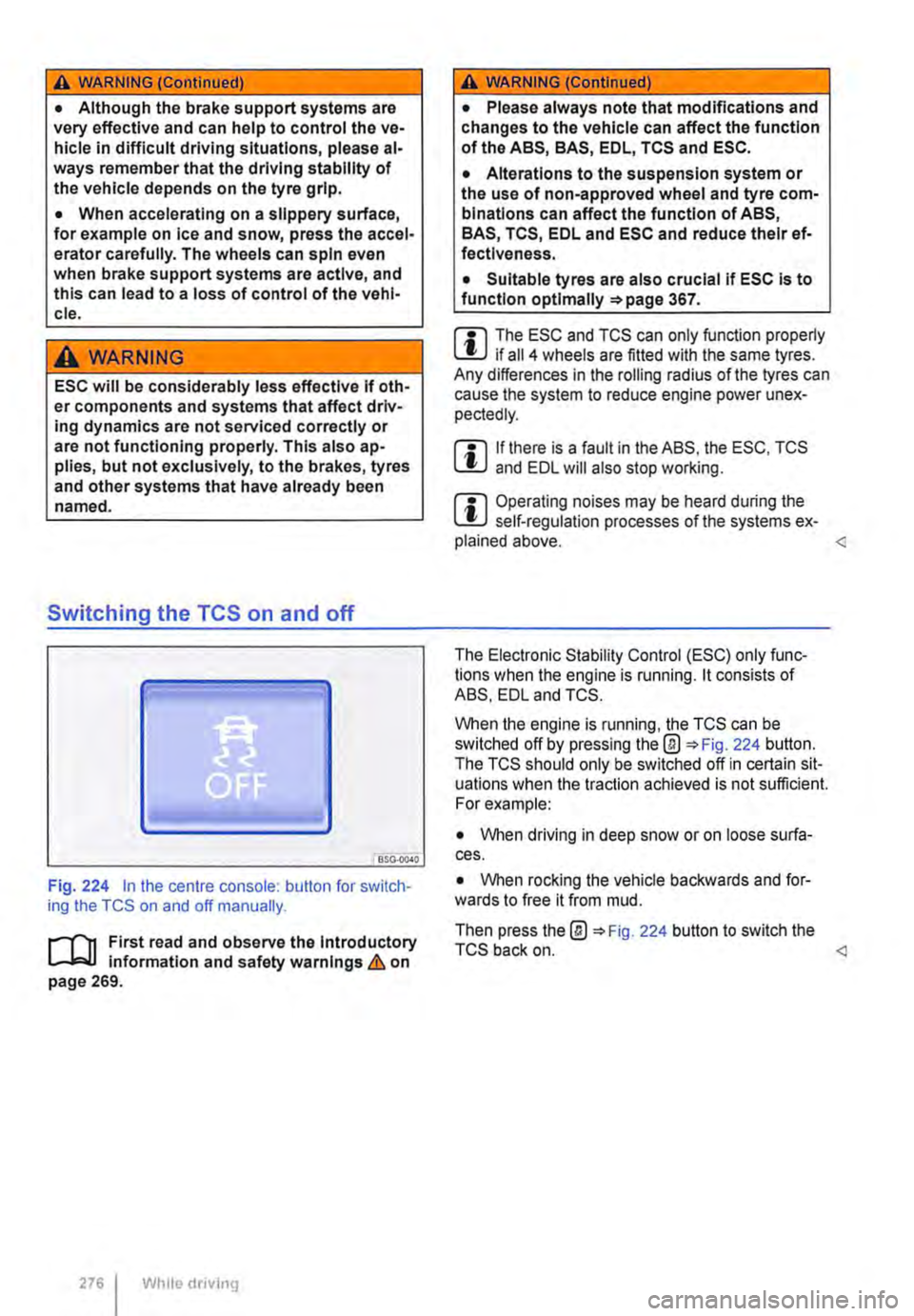
Fig. 224 in the centre console: button for switch-ing the TCS on and off manually.
.-m First read and observe the introductory l-J=J.I information and safety warnings & on page 269.
276 Wh1lo driving
A WARNING (Continued)
• Please always note that modifications and changes to the vehicle can affect the function of the ABS, BAS, EDL, TCS and ESC.
• Alterations to the suspension system or the use of non-approved wheel and tyre com-binations can affect the function of ABS, BAS, TCS, EDL and ESC and reduce their ef· fectiveness.
• Suitable tyres are also crucial if ESC is to function optlmaliy =>page 367.
m The ESC and TCS can only function properly L.:U if ail 4 wheels are fitted with the same tyres. Any differences in the roiling radius of the tyres can cause the system to reduce engine power unex-pectedly.
m If there is a fault in the ABS, the ESC, TCS lU and EDL will also stop working.
m Operating noises may be heard during the L.:U self-regulation processes of the systems ex-plained above.
When the engine is running, the TCS can be switched off by pressing the@ 224 button. The TCS should only be switched off in certain sit-uations when the traction achieved is not sufficient. For example:
• When driving in deep snow or on loose surfa-ces.
• When rocking the vehicle backwards and for-wards to free it from mud.
Then press the@ 224 button to switch the TCS back on.