key battery VOLVO C30 2008 User Guide
[x] Cancel search | Manufacturer: VOLVO, Model Year: 2008, Model line: C30, Model: VOLVO C30 2008Pages: 234, PDF Size: 4.8 MB
Page 185 of 234
209 09 Maintenance and servicing
Battery
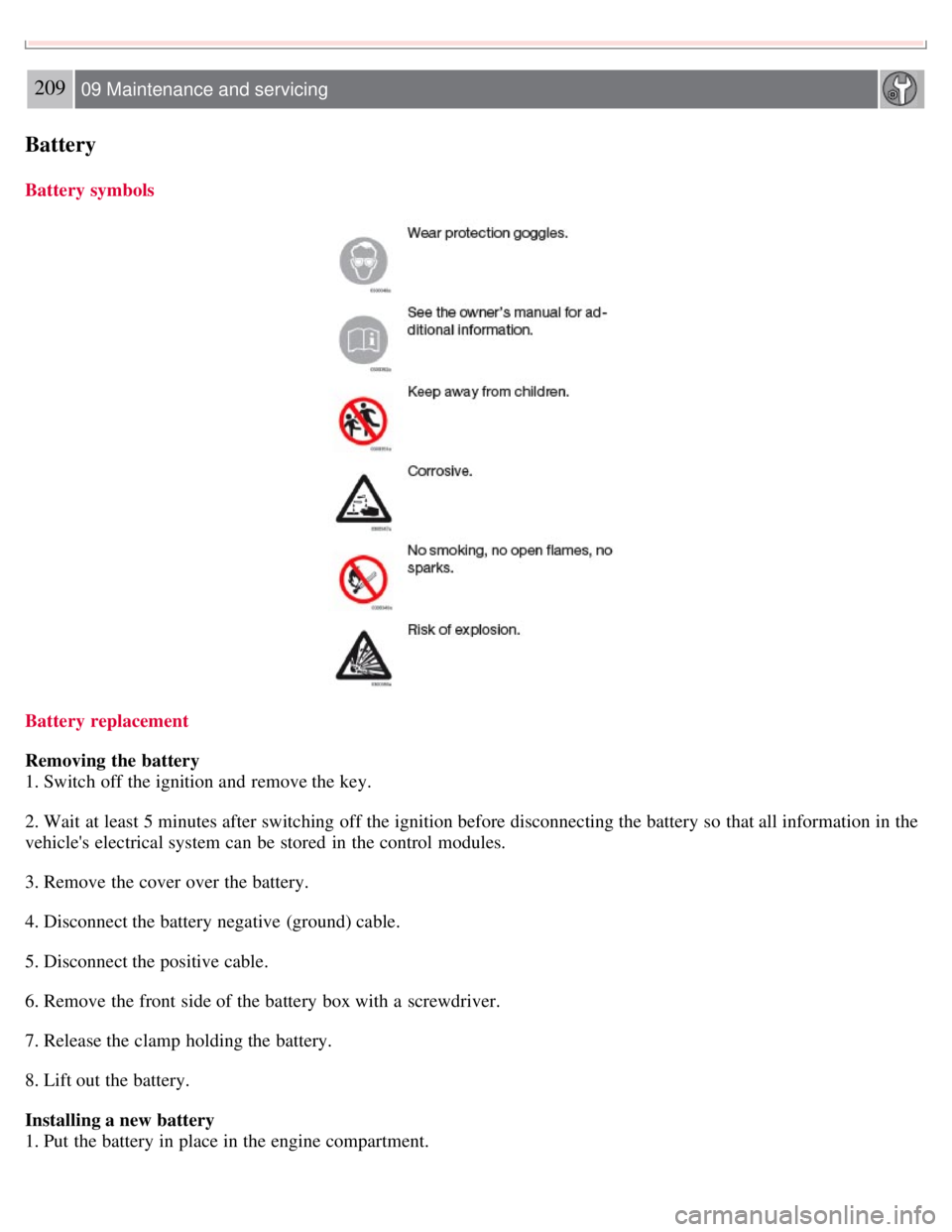
Battery symbols
Battery replacement
Removing the battery
1. Switch off the ignition and remove the key.
2. Wait at least 5 minutes after switching off the ignition before disconnecting the battery so that all information in the
vehicle's electrical system can be stored in the control modules.
3. Remove the cover over the battery.
4. Disconnect the battery negative (ground) cable.
5. Disconnect the positive cable.
6. Remove the front side of the battery box with a screwdriver.
7. Release the clamp holding the battery.
8. Lift out the battery.
Installing a new battery
1. Put the battery in place in the engine compartment.
Page 203 of 234
An auxiliary device, such as an iPOD or a USB flash drive can be connected to the audio system via the connector in
the center console storage compartment.
A sound source must be chosen, depending on the device that has been connected:
1. Use MODE to select iPOD or USB. The text CONNECT DEVICE will be displayed.
2. Connect the device to the connector in the center console storage compartment (see the illustration).
The text LOADING will be displayed while the system indexes the files on the device. This may take a short time.
When indexing has been completed, track information will be displayed, and the desired track can then be selected.
Tracks can be selected in two ways:
Turn the Tuning knob (no. 4 in the illustration on page 228) clockwise or counterclockwise
Use the right or left arrow keys on the navigation control (no. 5 in the illustration on page 233) to select the desired
track. The arrow keys on the steering wheel keypad can also be used in the same way.
NOTE
The system supports playback of files in the most common versions of formats such as mp3, wma, and wav.
However, there may be versions of these formats that the system does not support.
USB flash drive
To simplify the use of a USB flash drive, it is advisable to only store music files on the drive. It will take considerably
longer for the system to index the files on the drive if it contains anything other than compatible music files.
MP3 player
Many mp3 players have a file indexing system that is not supported by the vehicle's audio system. In order to use an
mp3 player, the system must be set to USB Removable device/Mass Storage Device.
iPod
An iPod receives current and its battery is charged through the connecting cord. However, if the iPOD's battery is
completely drained, it should be recharged before the iPOD is connected to the audio system.
NOTE
When an iPOD is used as a sound source, the vehicle's audio system has a menu structure similar to the one in the
iPOD. See the iPOD's manual for detailed information.
For further information, refer to the accessory manual USB/iPOD Music Interface .
Sound settings
Optimal sound reproduction
The audio system is calibrated for optimal sound reproduction through the use of digital signal processing. This
calibration takes into account the speakers, amplifier, cabin
231 10 Audio
Audio functions
Page 224 of 234
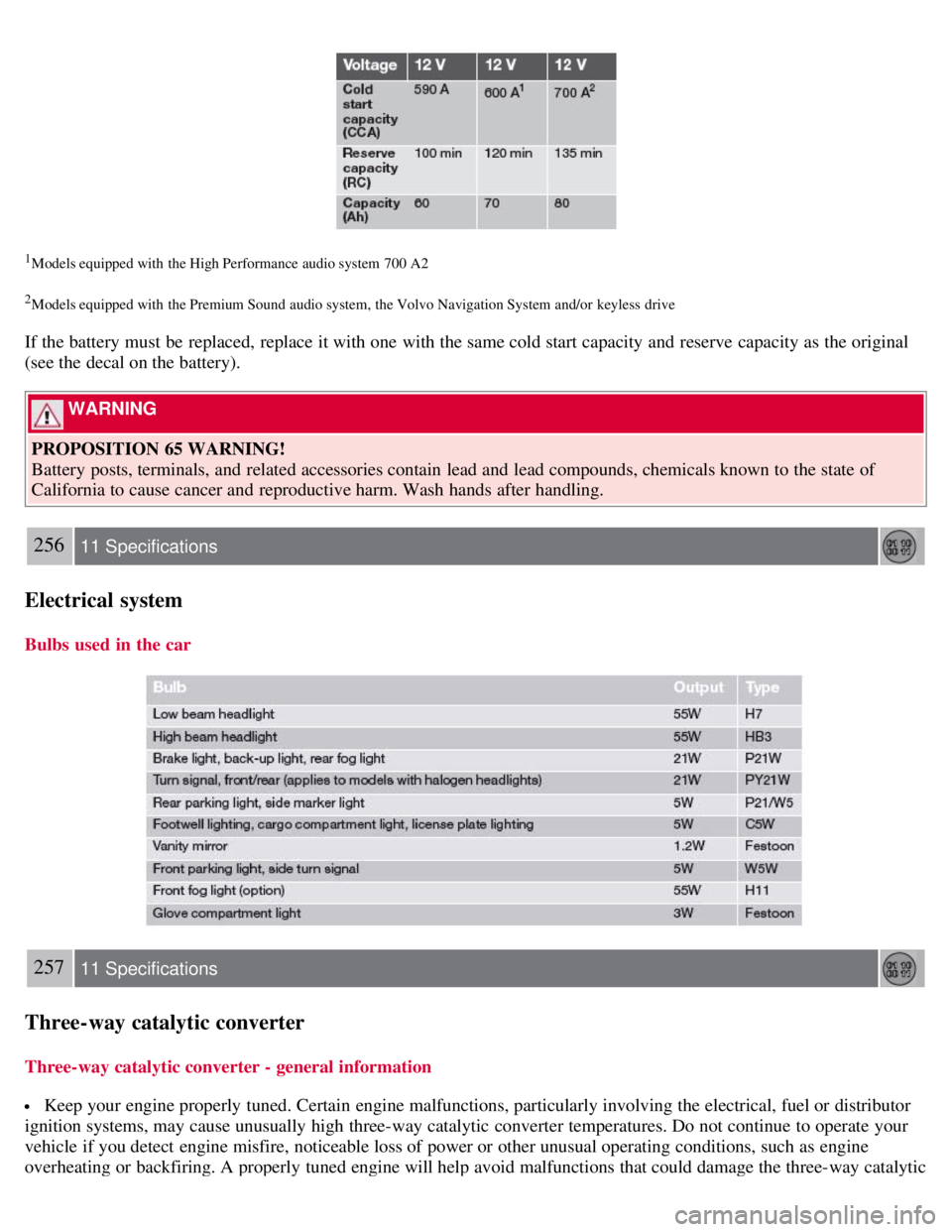
1Models equipped with the High Performance audio system 700 A2
2Models equipped with the Premium Sound audio system, the Volvo Navigation System and/or keyless drive
If the battery must be replaced, replace it with one with the same cold start capacity and reserve capacity as the original
(see the decal on the battery).
WARNING
PROPOSITION 65 WARNING!
Battery posts, terminals, and related accessories contain lead and lead compounds, chemicals known to the state of
California to cause cancer and reproductive harm. Wash hands after handling.
256 11 Specifications
Electrical system
Bulbs used in the car
257 11 Specifications
Three-way catalytic converter
Three-way catalytic converter - general information
Keep your engine properly tuned. Certain engine malfunctions, particularly involving the electrical, fuel or distributor
ignition systems, may cause unusually high three-way catalytic converter temperatures. Do not continue to operate your
vehicle if you detect engine misfire, noticeable loss of power or other unusual operating conditions, such as engine
overheating or backfiring. A properly tuned engine will help avoid malfunctions that could damage the three-way catalytic
Page 226 of 234
2 0 0 8
VOLVO C30
260-265 12 Index
12 volt socket 70
A
Air conditioning86
, 90, 93
Air distribution, climate system95
Air vents, climate system88
Airbag system18
Airbags
front19, 20, 21
side impact25
Alarm panic118
Alarm system128, 129
Anchoring loads112
Anti-lock brakes6, 148
warning light53
Approach lighting78
Audio system
AUX port228
CD player239
controls228
menus243
playing audio files240
radio function controls233
Sirius satellite radio235
sound settings230
steering wheel keypad229
surround sound230
USB/iPOD connector230
Automatic Locking Retractor32
Automatic transmission145, 146
shiftlock override147
Auxiliary connector (audio)228
Auxiliary equipment70
B
Battery
maintenance208
Page 230 of 234
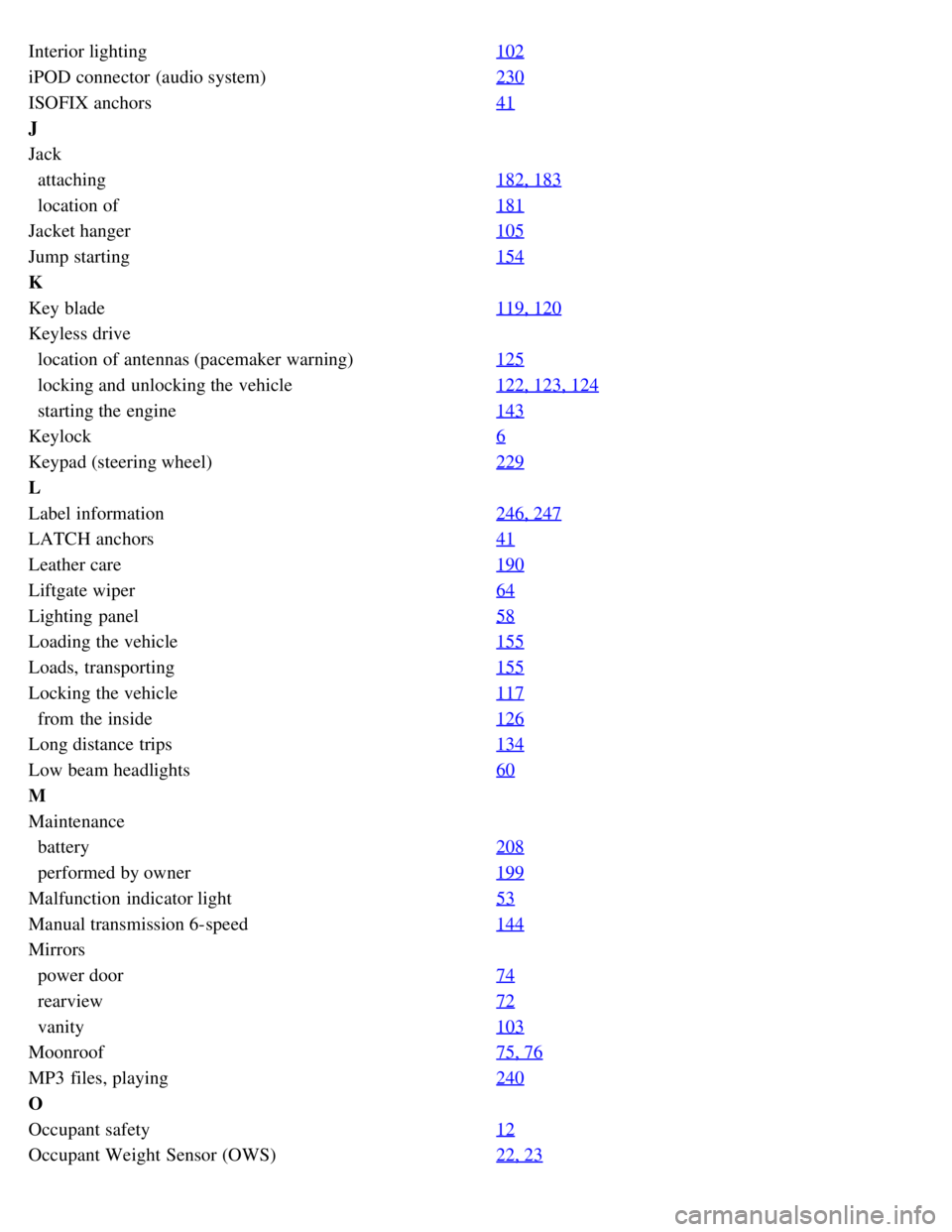
Interior lighting102
iPOD connector (audio system)230
ISOFIX anchors41
J
Jack
attaching182, 183
location of181
Jacket hanger105
Jump starting154
K
Key blade119, 120
Keyless drive
location of antennas (pacemaker warning)125
locking and unlocking the vehicle122, 123, 124
starting the engine143
Keylock6
Keypad (steering wheel)229
L
Label information246, 247
LATCH anchors41
Leather care190
Liftgate wiper64
Lighting panel58
Loading the vehicle155
Loads, transporting155
Locking the vehicle117
from the inside126
Long distance trips134
Low beam headlights60
M
Maintenance
battery208
performed by owner199
Malfunction indicator light53
Manual transmission 6-speed144
Mirrors
power door74
rearview72
vanity103
Moonroof75, 76
MP3 files, playing240
O
Occupant safety12
Occupant Weight Sensor (OWS)22, 23