steering VOLVO C30 2008 Owner's Guide
[x] Cancel search | Manufacturer: VOLVO, Model Year: 2008, Model line: C30, Model: VOLVO C30 2008Pages: 234, PDF Size: 4.8 MB
Page 162 of 234
Summer and winter tires
When switching between summer and winter tires, mark the tires to indicate where they were mounted on the car,
e.g. LF = left front, RR = right rear
Tires with tread designed to roll in only one direction are marked with an arrow on the sidewall.
Incorrectly mounted tires impair the car's braking properties and ability to force aside rain, snow and slush.
The tires with the most tread should always be at the rear (to reduce the risk of skidding).
Contact a Volvo workshop if you are unsure about the tread depth.
Tire rotation
Your vehicle has no recommended tire rotation. The following information is intended to help you understand why.
Tread set
As a tire ages and the rubber cures, front and rear tires set at different angles. Therefore, if tires are rotated, the tread
will eventually set at an angle that is a compromise. Even if ride, handling, and road noise may still seem acceptable,
they may not be optimal. Further, tires that are rotated, but not on a regular basis, may actually cause more tire noise,
faster tire wear, and unpleasant changes in steering feel and vehicle handling.
A tire that can fully adapt to its position will provide better steering feel, lower tire noise, and better fuel economy.
Braking stability performance
Your vehicle is driven mainly by the front tires, which will wear faster. This can be beneficial. Having more tread on
the rear tires will help reduce oversteer. Oversteer is when a vehicle wants to keep turning because of momentum and
dynamic forces on its suspension.
Suspension wear diagnostics
Every suspension needs periodic inspection and maintenance. A tire's wear pattern can be an aid in detecting a
suspension problem. Each tire, if left in place, tells a story about the suspension. Tire rotation, on the other hand, could
make suspension wear harder to detect. Early detection is very important, because suspension problems can make tire
wear worse.
If you do rotate your tires...
Please follow the tire manufacturer's recommendations, as outlined in the tire manufacturers tire warranty pamphlet.
181 07 Wheels and tires
Changing a wheel
Spare wheel and jack
Page 178 of 234
2. Power steering fluid reservoir (concealed behind the headlight)
3. Dipstick - engine oil
4. Radiator
5. Cooling fan
6. Washer fluid reservoir
7. Engine oil filler cap
8. Brake/clutch fluid reservoir
9. Battery
10. Relay/fuse box
11. Air cleaner
WARNING
The cooling fan may start or continue to operate (for up to 6 minutes) after the engine has been switched off.
203 09 Maintenance and servicing
Engine oil
Changing engine oil and oil filter
See page 251
for oil specifications. Refer to the Warranty and Service Records Information booklet for information on
the oil change intervals.
Volvo recommends Castrol.
NOTE
Volvo does not recommend the use of oil additives.
Synthetic oil is not used when the oil is changed at the normal maintenance intervals except at owner request and
at additional charge. Please consult your Volvo retailer.
Checking and adding oil
The oil level should be checked every time the vehicle is refueled. This is especially important during the period up to
the first scheduled maintenance service
The vehicle should be parked on a level surface when the oil is checked.
If the engine is warm , wait for at least 10-15 minutes after the engine has been switched off before checking the
oil.
Page 181 of 234
lower boiling point. It can also cause damage to the cooling system if it should freeze. Top off with Volvo Genuine
Coolant/Antifreeze only (a 50/50 mix of water and antifreeze).
CAUTION
The cooling system must always be kept filled to the correct level, and the level must be between the MIN and
MAX marks. If it is not kept filled, there can be high local temperatures in the engine which could result in damage.
Different types of antifreeze/coolant may not be mixed. Check coolant regularly!
WARNING
Never remove the radiator cap while the engine is warm. Wait until the vehicle cools. If it is necessary to top off the
coolant when the engine is warm, unscrew the expansion tank cap slowly so that the overpressure dissipates.
206 09 Maintenance and servicing
Fluids
Brake fluid
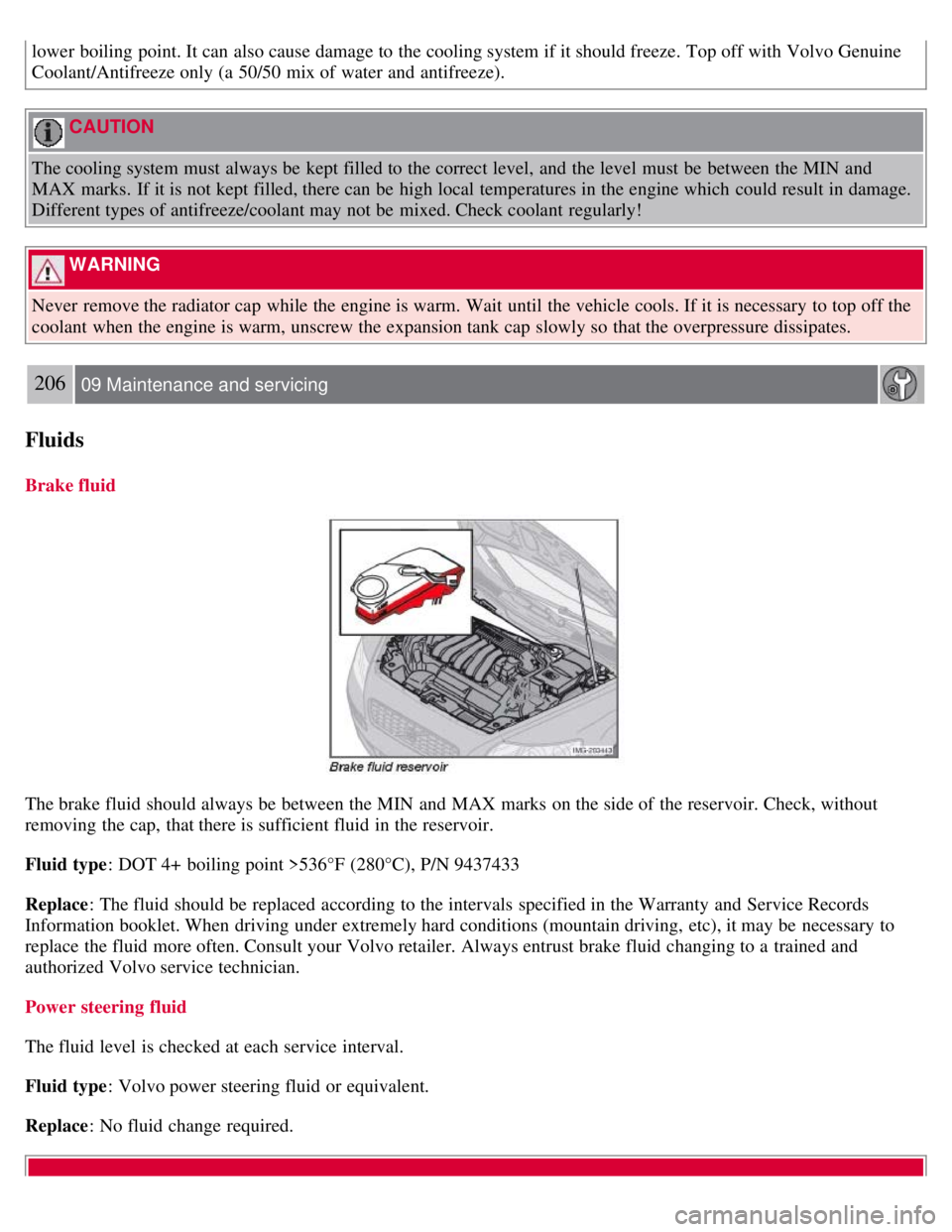
The brake fluid should always be between the MIN and MAX marks on the side of the reservoir. Check, without
removing the cap, that there is sufficient fluid in the reservoir.
Fluid type : DOT 4+ boiling point >536°F (280°C), P/N 9437433
Replace : The fluid should be replaced according to the intervals specified in the Warranty and Service Records
Information booklet. When driving under extremely hard conditions (mountain driving, etc), it may be necessary to
replace the fluid more often. Consult your Volvo retailer. Always entrust brake fluid changing to a trained and
authorized Volvo service technician.
Power steering fluid
The fluid level is checked at each service interval.
Fluid type : Volvo power steering fluid or equivalent.
Replace : No fluid change required.
Page 182 of 234
WARNING
If a problem should occur in the power steering system or if the vehicle has no electrical current and must be towed,
it is still possible to steer the vehicle. However, keep in mind that greater effort will be required to turn the steering
wheel.
207 09 Maintenance and servicing
Wiper blades
Replacing windshield wiper blades
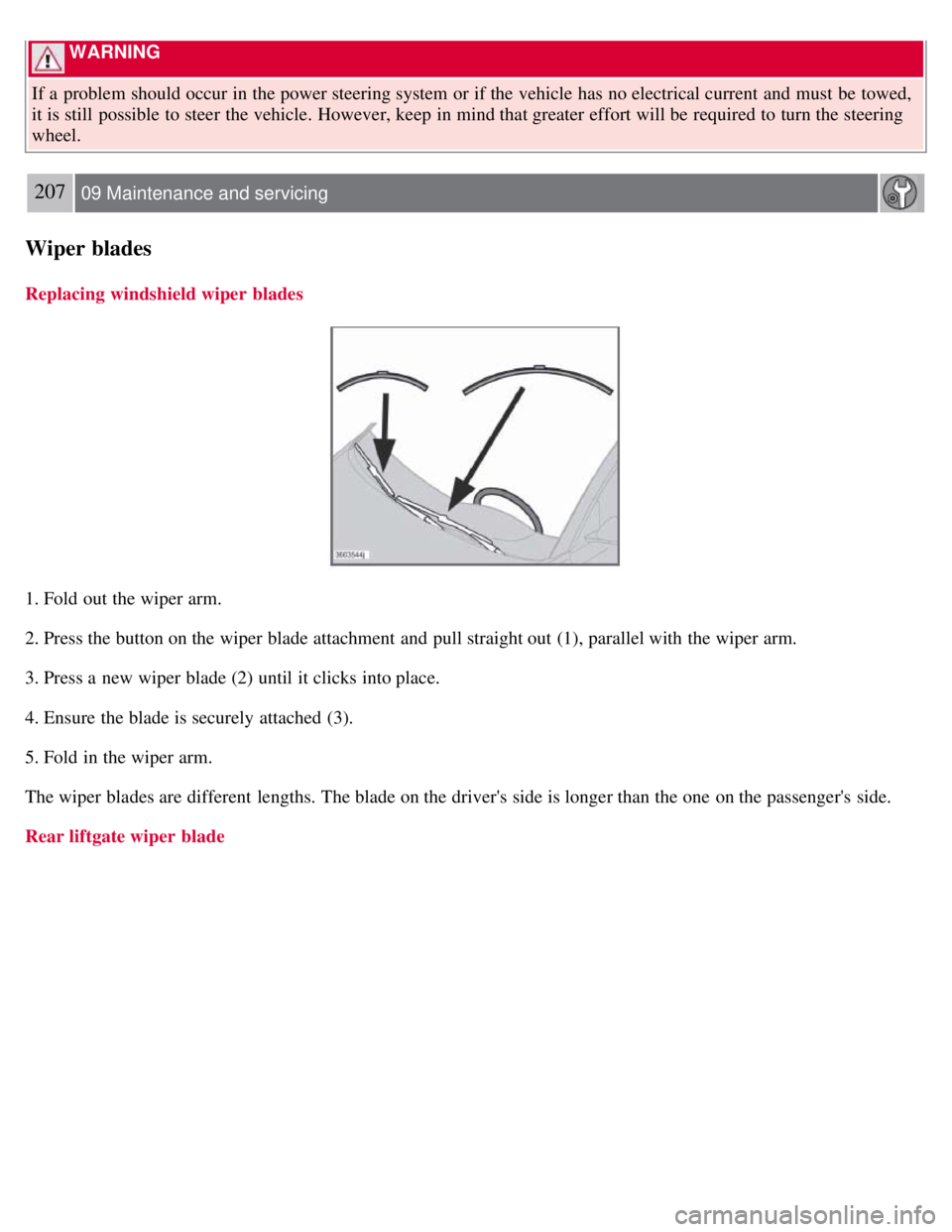
1. Fold out the wiper arm.
2. Press the button on the wiper blade attachment and pull straight out (1), parallel with the wiper arm.
3. Press a new wiper blade (2) until it clicks into place.
4. Ensure the blade is securely attached (3).
5. Fold in the wiper arm.
The wiper blades are different lengths. The blade on the driver's side is longer than the one on the passenger's side.
Rear liftgate wiper blade
Page 202 of 234
7. If there is distortion, lower your music player's headphone volume until the distortion goes away.
8. Finally, exit the menu and adjust the audio volume to a comfortable level.
Volume
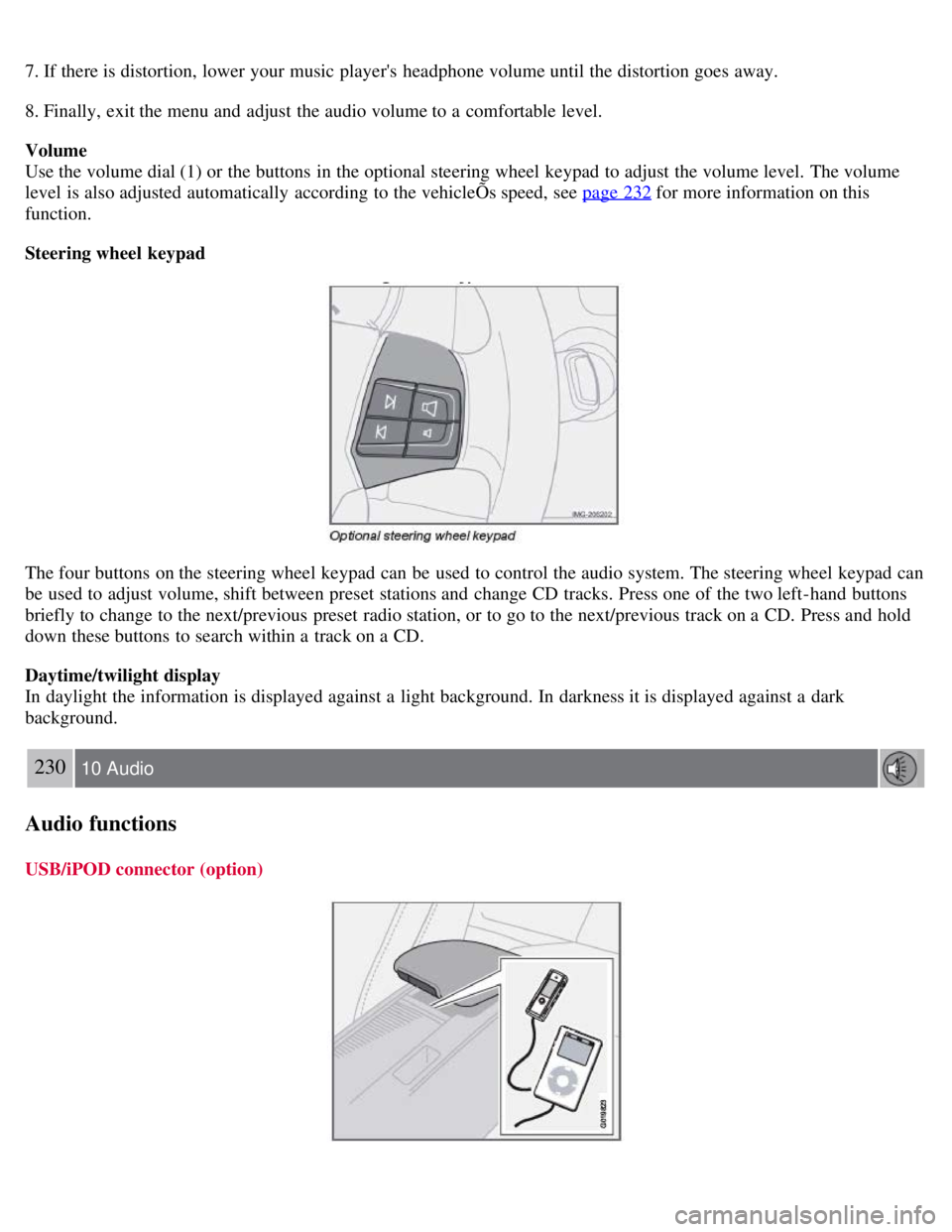
Use the volume dial (1) or the buttons in the optional steering wheel keypad to adjust the volume level. The volume
level is also adjusted automatically according to the vehicleÕs speed, see page 232
for more information on this
function.
Steering wheel keypad
The four buttons on the steering wheel keypad can be used to control the audio system. The steering wheel keypad can
be used to adjust volume, shift between preset stations and change CD tracks. Press one of the two left-hand buttons
briefly to change to the next/previous preset radio station, or to go to the next/previous track on a CD. Press and hold
down these buttons to search within a track on a CD.
Daytime/twilight display
In daylight the information is displayed against a light background. In darkness it is displayed against a dark
background.
230 10 Audio
Audio functions
USB/iPOD connector (option)
Page 203 of 234
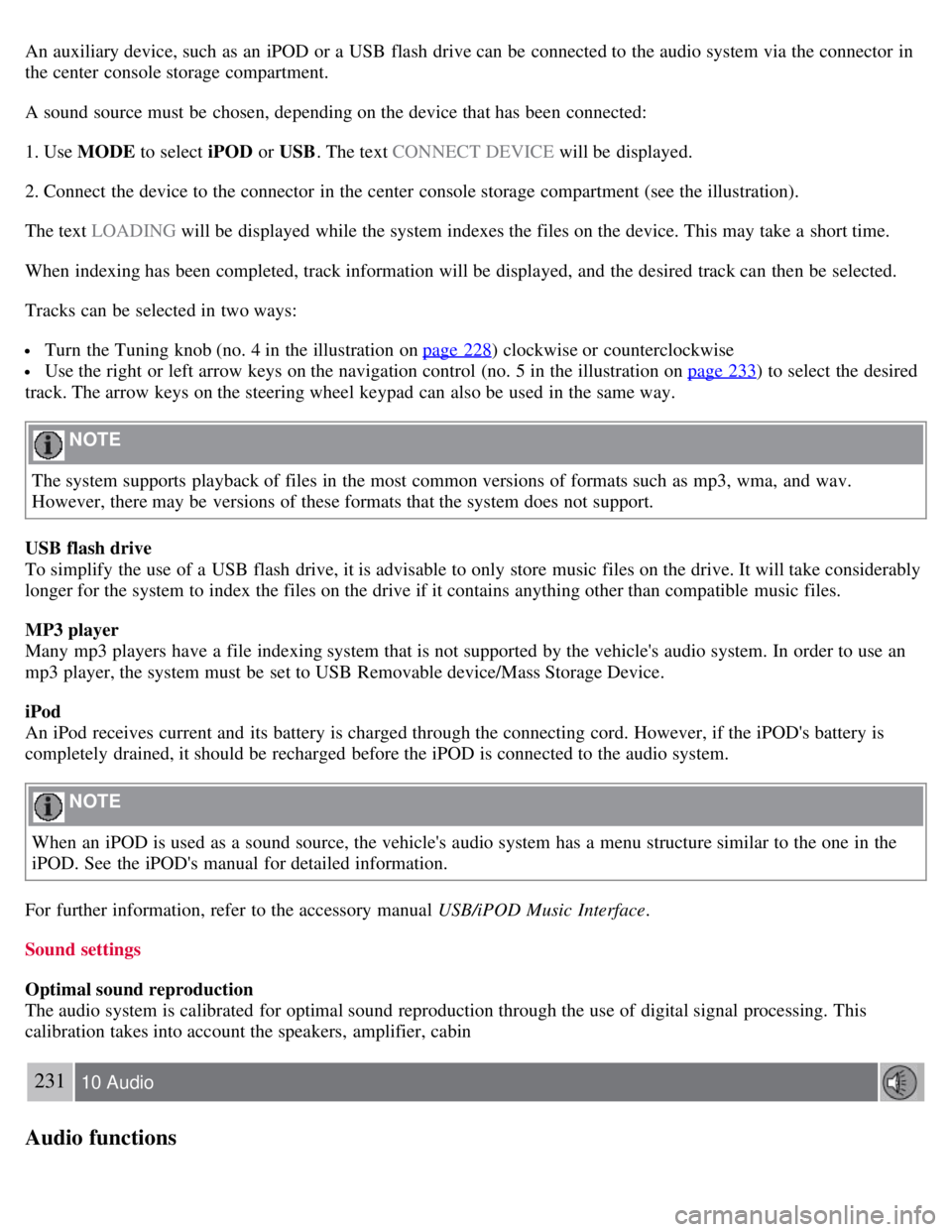
An auxiliary device, such as an iPOD or a USB flash drive can be connected to the audio system via the connector in
the center console storage compartment.
A sound source must be chosen, depending on the device that has been connected:
1. Use MODE to select iPOD or USB. The text CONNECT DEVICE will be displayed.
2. Connect the device to the connector in the center console storage compartment (see the illustration).
The text LOADING will be displayed while the system indexes the files on the device. This may take a short time.
When indexing has been completed, track information will be displayed, and the desired track can then be selected.
Tracks can be selected in two ways:
Turn the Tuning knob (no. 4 in the illustration on page 228) clockwise or counterclockwise
Use the right or left arrow keys on the navigation control (no. 5 in the illustration on page 233) to select the desired
track. The arrow keys on the steering wheel keypad can also be used in the same way.
NOTE
The system supports playback of files in the most common versions of formats such as mp3, wma, and wav.
However, there may be versions of these formats that the system does not support.
USB flash drive
To simplify the use of a USB flash drive, it is advisable to only store music files on the drive. It will take considerably
longer for the system to index the files on the drive if it contains anything other than compatible music files.
MP3 player
Many mp3 players have a file indexing system that is not supported by the vehicle's audio system. In order to use an
mp3 player, the system must be set to USB Removable device/Mass Storage Device.
iPod
An iPod receives current and its battery is charged through the connecting cord. However, if the iPOD's battery is
completely drained, it should be recharged before the iPOD is connected to the audio system.
NOTE
When an iPOD is used as a sound source, the vehicle's audio system has a menu structure similar to the one in the
iPOD. See the iPOD's manual for detailed information.
For further information, refer to the accessory manual USB/iPOD Music Interface .
Sound settings
Optimal sound reproduction
The audio system is calibrated for optimal sound reproduction through the use of digital signal processing. This
calibration takes into account the speakers, amplifier, cabin
231 10 Audio
Audio functions
Page 215 of 234
NOTE
The TUNING dial (6) (turn clockwise to go to the next track/file, or counterclockwise to go to the previous
track/file) or the optional steering wheel keypad can also be used for this purpose.
Fast forward/back
Press and hold down the left or right arrows keys in the MENU NAVIGATION CONTROL (or the corresponding
keys on the optional steering wheel keypad) to search within a track/file or the whole disc. The search continues for as
long as the buttons are held down.
Random play
This function plays the tracks/files on a CD (or on all of the CDs if the vehicle is equipped with the optional CD
changer) in random order (shuffle).
241 10 Audio
CD player/CD changer (option)
Activating/deactivating the random function-CD player
If a normal CD is being played :
1. Press MENU followed by ENTER .
2. Select Random and press ENTER .
If a CD with audio files is being played :
1. Press MENU followed by ENTER .
2. Select RANDOM and press ENTER.
3. Select DISC or FOLDER and press ENTER .
Activating/deactivating the random function-CD changer
If a normal CD is being played :
1. Press MENU followed by ENTER .
2. Select RANDOM and press ENTER.
3. Select SINGLE DISC or ALL DISCS and press ENTER .
If a CD with audio files is being played :
1. Press MENU followed by ENTER .
2. Select RANDOM and press ENTER.
3. Select SINGLE DISC or FOLDER and press ENTER .
NOTE
CD changer only-you can only select the next random track/file on the current disc.
Press the EXIT button to stop random play. The random function is automatically deactivated when another disc is
selected.
Page 226 of 234
2 0 0 8
VOLVO C30
260-265 12 Index
12 volt socket 70
A
Air conditioning86
, 90, 93
Air distribution, climate system95
Air vents, climate system88
Airbag system18
Airbags
front19, 20, 21
side impact25
Alarm panic118
Alarm system128, 129
Anchoring loads112
Anti-lock brakes6, 148
warning light53
Approach lighting78
Audio system
AUX port228
CD player239
controls228
menus243
playing audio files240
radio function controls233
Sirius satellite radio235
sound settings230
steering wheel keypad229
surround sound230
USB/iPOD connector230
Automatic Locking Retractor32
Automatic transmission145, 146
shiftlock override147
Auxiliary connector (audio)228
Auxiliary equipment70
B
Battery
maintenance208
Page 230 of 234
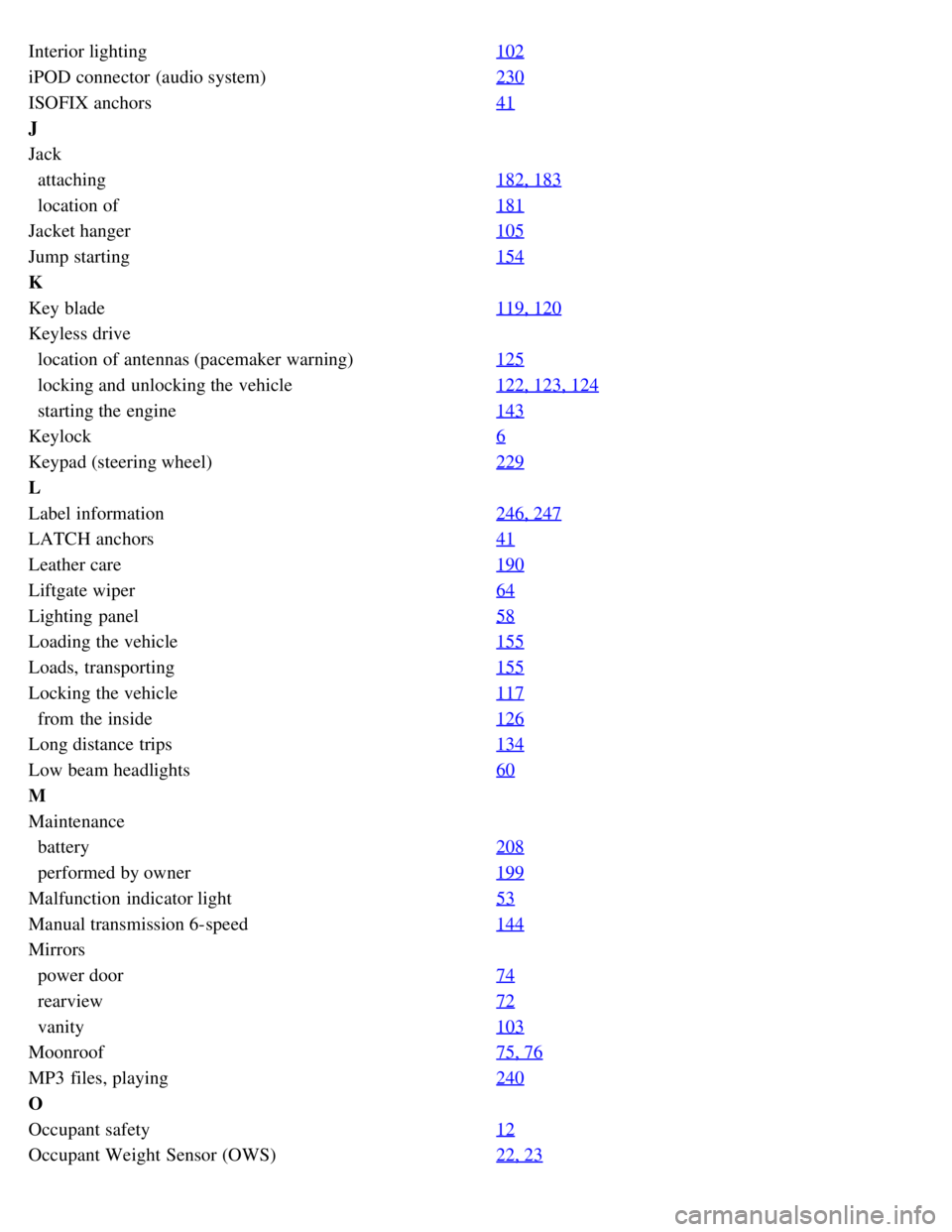
Interior lighting102
iPOD connector (audio system)230
ISOFIX anchors41
J
Jack
attaching182, 183
location of181
Jacket hanger105
Jump starting154
K
Key blade119, 120
Keyless drive
location of antennas (pacemaker warning)125
locking and unlocking the vehicle122, 123, 124
starting the engine143
Keylock6
Keypad (steering wheel)229
L
Label information246, 247
LATCH anchors41
Leather care190
Liftgate wiper64
Lighting panel58
Loading the vehicle155
Loads, transporting155
Locking the vehicle117
from the inside126
Long distance trips134
Low beam headlights60
M
Maintenance
battery208
performed by owner199
Malfunction indicator light53
Manual transmission 6-speed144
Mirrors
power door74
rearview72
vanity103
Moonroof75, 76
MP3 files, playing240
O
Occupant safety12
Occupant Weight Sensor (OWS)22, 23
Page 231 of 234
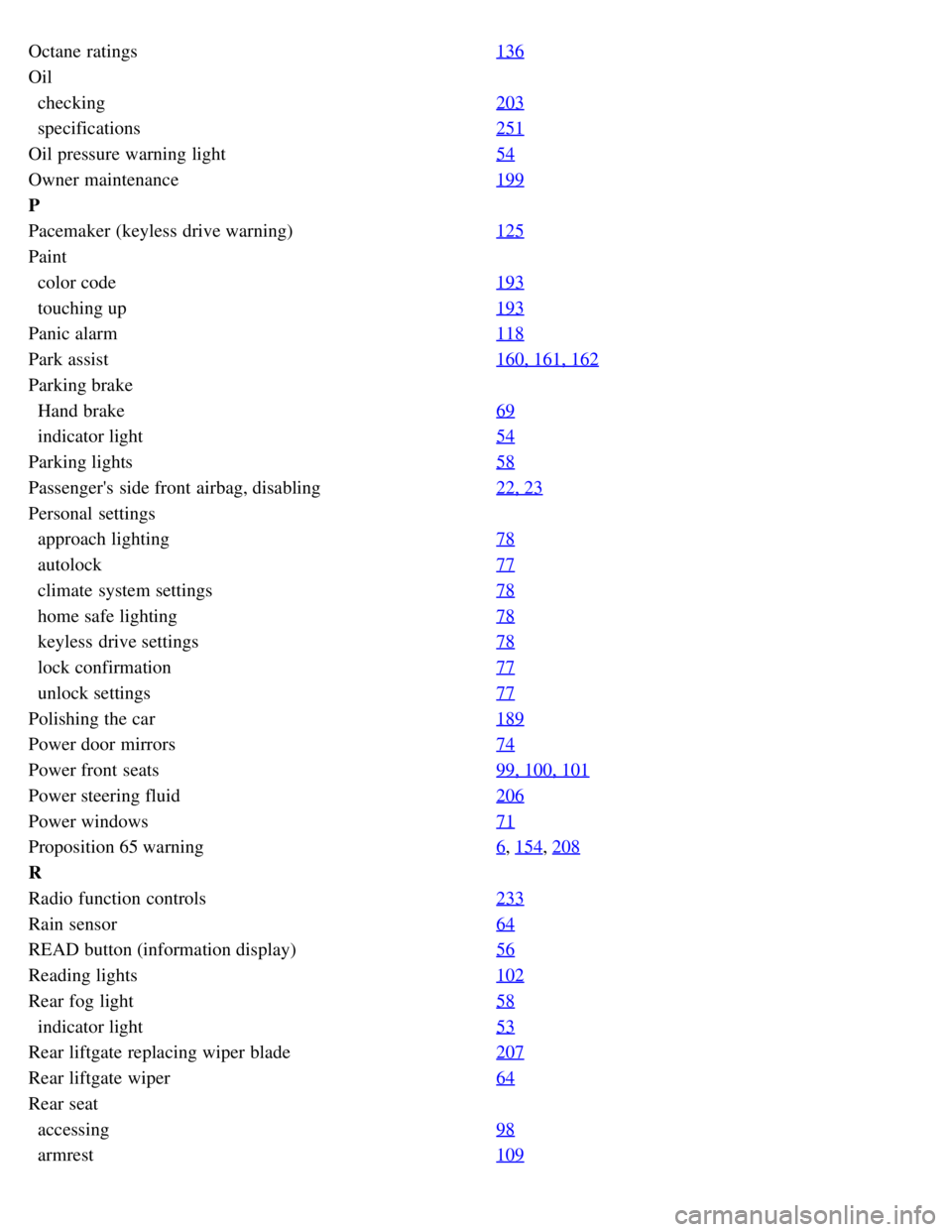
Octane ratings136
Oil
checking203
specifications251
Oil pressure warning light54
Owner maintenance199
P
Pacemaker (keyless drive warning)125
Paint
color code193
touching up193
Panic alarm118
Park assist160, 161, 162
Parking brake
Hand brake69
indicator light54
Parking lights58
Passenger's side front airbag, disabling22, 23
Personal settings
approach lighting78
autolock77
climate system settings78
home safe lighting78
keyless drive settings78
lock confirmation77
unlock settings77
Polishing the car189
Power door mirrors74
Power front seats99, 100, 101
Power steering fluid206
Power windows71
Proposition 65 warning6, 154, 208
R
Radio function controls233
Rain sensor64
READ button (information display)56
Reading lights102
Rear fog light58
indicator light53
Rear liftgate replacing wiper blade207
Rear liftgate wiper64
Rear seat
accessing98
armrest109