buttons VOLVO C30 2009 Owner´s Manual
[x] Cancel search | Manufacturer: VOLVO, Model Year: 2009, Model line: C30, Model: VOLVO C30 2009Pages: 274, PDF Size: 6.82 MB
Page 104 of 274
04 InteriorFront seats
04104
NOTE
The power seats have an overload protector
that activates if a seat is blocked by any
object. If this occurs, switch off the ignition
(key in position 0) and wait for approxi-
mately 20 seconds before operating the
seat again.Emergency stopIf the seat inadvertently begins to move, press
any of the buttons to stop the seat.Programming the seat memory, driver's
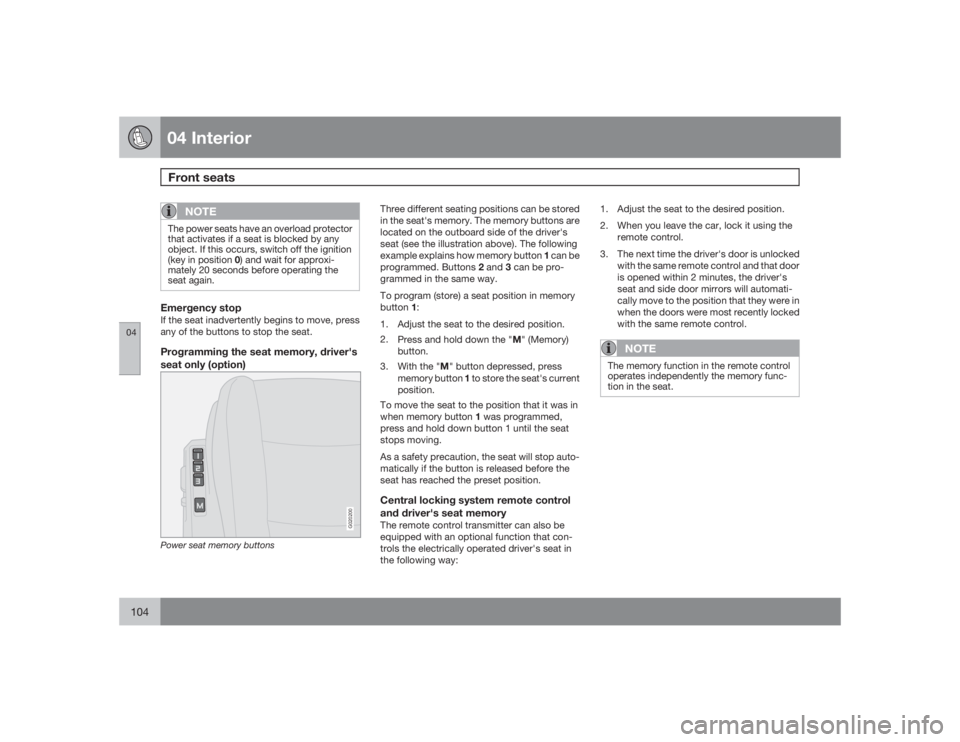
seat only (option)
G020200
Power seat memory buttons
Three different seating positions can be stored
in the seat's memory. The memory buttons are
located on the outboard side of the driver's
seat (see the illustration above). The following
example explains how memory button 1 can be
programmed. Buttons 2 and 3 can be pro-
grammed in the same way.
To program (store) a seat position in memory
button1:
1. Adjust the seat to the desired position.
2.
Press and hold down the "M" (Memory)
button.
3.
With the "M" button depressed, press
memory button 1 to store the seat's current
position.
To move the seat to the position that it was in
when memory button 1 was programmed,
press and hold down button 1 until the seat
stops moving.
As a safety precaution, the seat will stop auto-
matically if the button is released before the
seat has reached the preset position.Central locking system remote control
and driver's seat memoryThe remote control transmitter can also be
equipped with an optional function that con-
trols the electrically operated driver's seat in
the following way:1. Adjust the seat to the desired position.
2. When you leave the car, lock it using the
remote control.
3. The next time the driver's door is unlocked
with the same remote control and that door
is opened within 2 minutes, the driver's
seat and side door mirrors will automati-
cally move to the position that they were in
when the doors were most recently locked
with the same remote control.
NOTE
The memory function in the remote control
operates independently the memory func-
tion in the seat.
Page 106 of 274
04 InteriorInterior lighting
04106
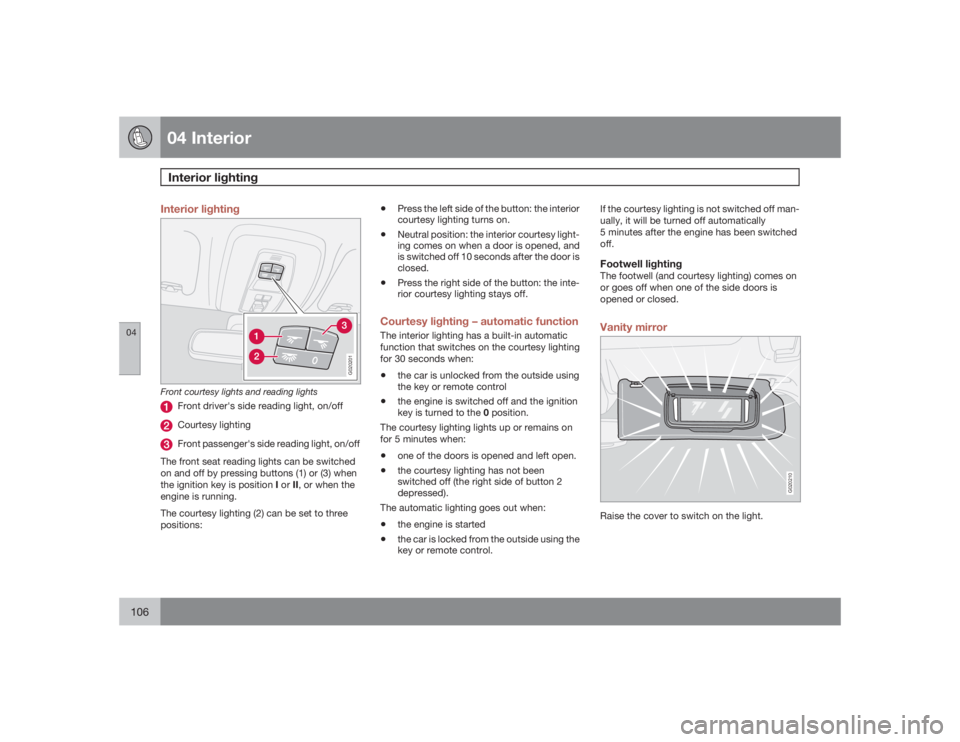
Interior lighting
G020201
Front courtesy lights and reading lights
Front driver's side reading light, on/offCourtesy lightingFront passenger's side reading light, on/off
The front seat reading lights can be switched
on and off by pressing buttons (1) or (3) when
the ignition key is position I or II, or when the
engine is running.
The courtesy lighting (2) can be set to three
positions:
•
Press the left side of the button: the interior
courtesy lighting turns on.
•
Neutral position: the interior courtesy light-
ing comes on when a door is opened, and
is switched off 10 seconds after the door is
closed.
•
Press the right side of the button: the inte-
rior courtesy lighting stays off.
Courtesy lighting – automatic functionThe interior lighting has a built-in automatic
function that switches on the courtesy lighting
for 30 seconds when:•
the car is unlocked from the outside using
the key or remote control
•
the engine is switched off and the ignition
key is turned to the 0 position.
The courtesy lighting lights up or remains on
for 5 minutes when:
•
one of the doors is opened and left open.
•
the courtesy lighting has not been
switched off (the right side of button 2
depressed).
The automatic lighting goes out when:
•
the engine is started
•
the car is locked from the outside using the
key or remote control.If the courtesy lighting is not switched off man-
ually, it will be turned off automatically
5 minutes after the engine has been switched
off.
Footwell lightingThe footwell (and courtesy lighting) comes on
or goes off when one of the side doors is
opened or closed.Vanity mirror
G020210
Raise the cover to switch on the light.
Page 110 of 274
04 InteriorStorage compartments
04110
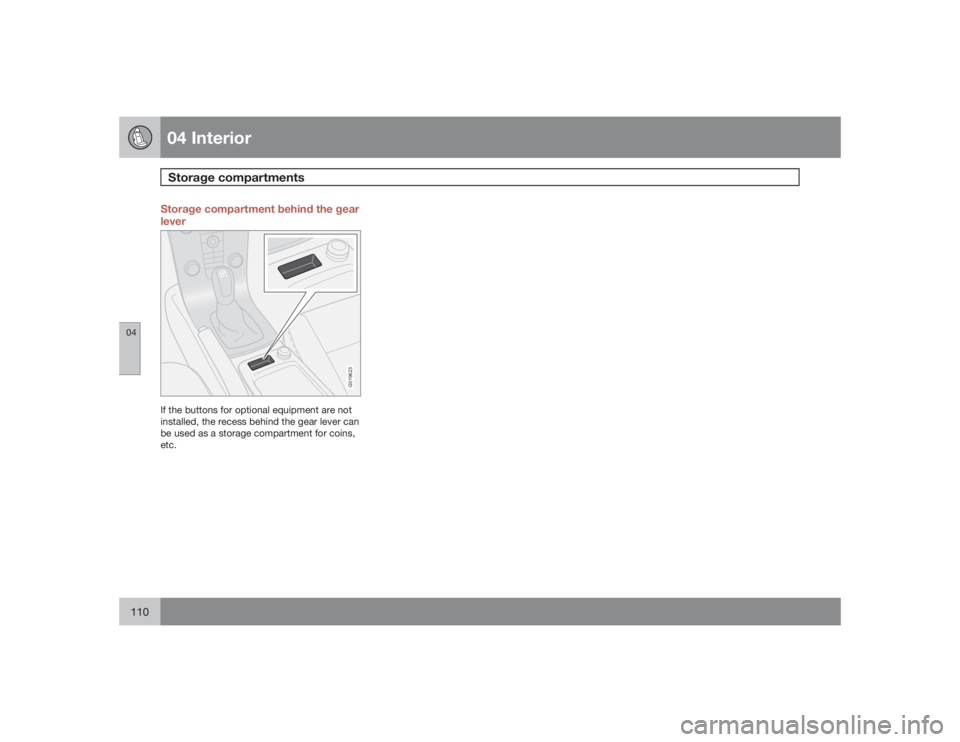
Storage compartment behind the gear
lever
G019623
If the buttons for optional equipment are not
installed, the recess behind the gear lever can
be used as a storage compartment for coins,
etc.
Page 113 of 274
04 Interior
Cargo area
04``113 Load anchoring eyelets
G007602
The eyelets in the cargo area can be used to
fasten accessory load nets and lashing straps,
load nets, and other load anchors.
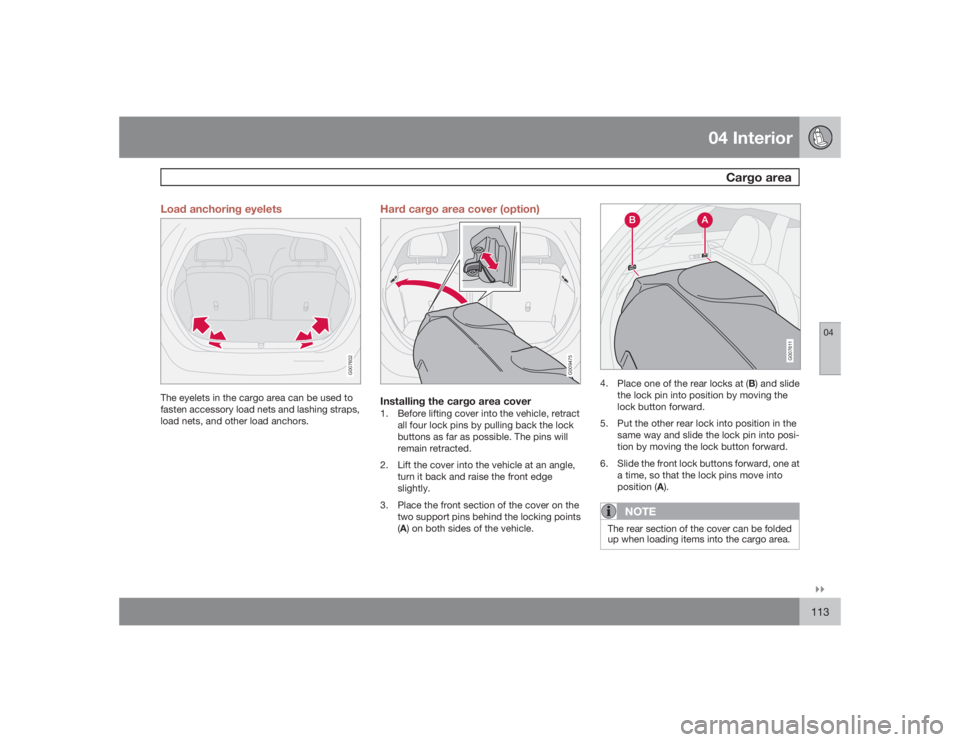
Hard cargo area cover (option)
G009475
Installing the cargo area cover1. Before lifting cover into the vehicle, retract
all four lock pins by pulling back the lock
buttons as far as possible. The pins will
remain retracted.
2. Lift the cover into the vehicle at an angle,
turn it back and raise the front edge
slightly.
3. Place the front section of the cover on the
two support pins behind the locking points
(A) on both sides of the vehicle.
G007611
4.
Place one of the rear locks at (B) and slide
the lock pin into position by moving the
lock button forward.
5. Put the other rear lock into position in the
same way and slide the lock pin into posi-
tion by moving the lock button forward.
6. Slide the front lock buttons forward, one at
a time, so that the lock pins move into
position (A).
NOTE
The rear section of the cover can be folded
up when loading items into the cargo area.
Page 114 of 274
04 InteriorCargo area
04114
WARNING
The cargo area cover does not have a load
anchoring function. No item should be place
on top of the cargo area cover. These items
could move forward and cause injury during
braking.Removing the cover1.
Retract the front lock pins at (A) by pulling
back the lock buttons on both sides as far
as possible.
2.
Retract the rear lock pins at (B) by pulling
back the lock buttons on both sides as far
as possible.
3. Lift up and turn the cover before lifting it out
of the vehicle.
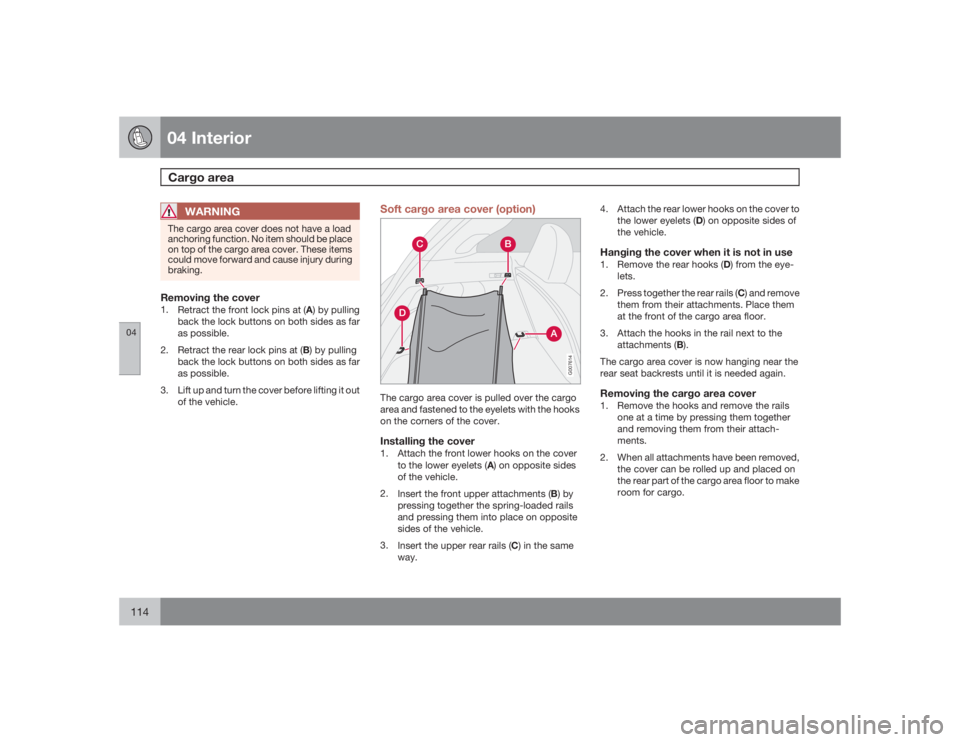
Soft cargo area cover (option)
G007614
The cargo area cover is pulled over the cargo
area and fastened to the eyelets with the hooks
on the corners of the cover.Installing the cover1. Attach the front lower hooks on the cover
to the lower eyelets (A) on opposite sides
of the vehicle.
2.
Insert the front upper attachments (B) by
pressing together the spring-loaded rails
and pressing them into place on opposite
sides of the vehicle.
3.
Insert the upper rear rails (C) in the same
way.4. Attach the rear lower hooks on the cover to
the lower eyelets (D) on opposite sides of
the vehicle.
Hanging the cover when it is not in use1.
Remove the rear hooks (D) from the eye-
lets.
2.
Press together the rear rails (C) and remove
them from their attachments. Place them
at the front of the cargo area floor.
3. Attach the hooks in the rail next to the
attachments (B).
The cargo area cover is now hanging near the
rear seat backrests until it is needed again.Removing the cargo area cover1. Remove the hooks and remove the rails
one at a time by pressing them together
and removing them from their attach-
ments.
2. When all attachments have been removed,
the cover can be rolled up and placed on
the rear part of the cargo area floor to make
room for cargo.
Page 123 of 274
05 Locks and alarm
Keyless drive (option as available)
05``123 Keyless locking and unlocking
G007577
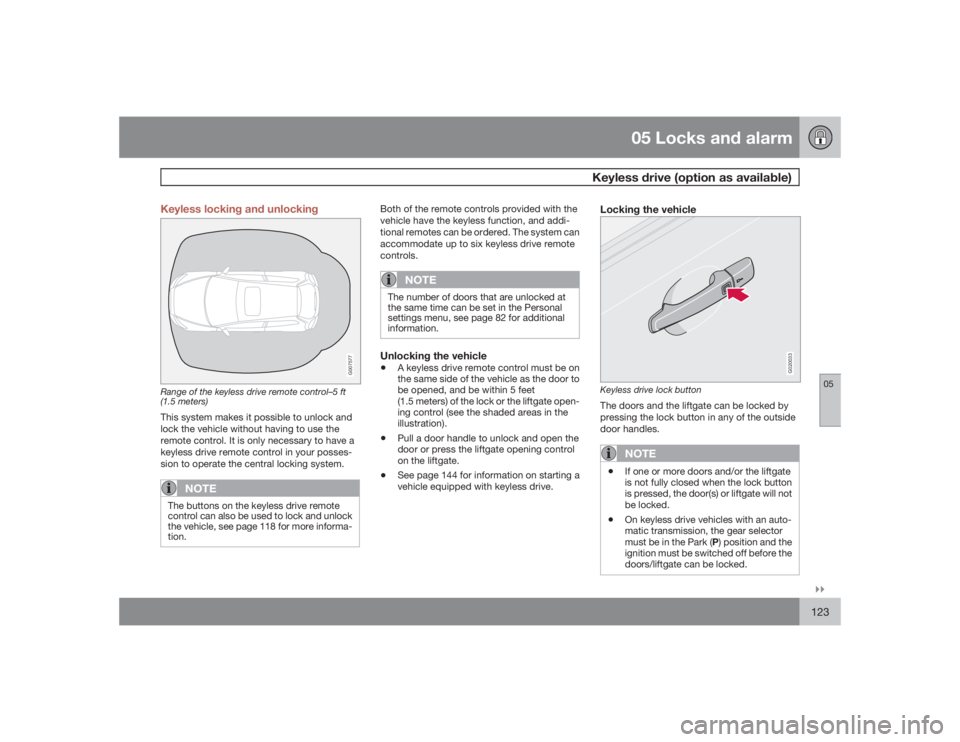
Range of the keyless drive remote control–5 ft
(1.5 meters)This system makes it possible to unlock and
lock the vehicle without having to use the
remote control. It is only necessary to have a
keyless drive remote control in your posses-
sion to operate the central locking system.
NOTE
The buttons on the keyless drive remote
control can also be used to lock and unlock
the vehicle, see page 118 for more informa-
tion.
Both of the remote controls provided with the
vehicle have the keyless function, and addi-
tional remotes can be ordered. The system can
accommodate up to six keyless drive remote
controls.
NOTE
The number of doors that are unlocked at
the same time can be set in the Personal
settings menu, see page 82 for additional
information.Unlocking the vehicle•
A keyless drive remote control must be on
the same side of the vehicle as the door to
be opened, and be within 5 feet
(1.5 meters) of the lock or the liftgate open-
ing control (see the shaded areas in the
illustration).
•
Pull a door handle to unlock and open the
door or press the liftgate opening control
on the liftgate.
•
See page 144 for information on starting a
vehicle equipped with keyless drive.
Locking the vehicle
G020033
Keyless drive lock buttonThe doors and the liftgate can be locked by
pressing the lock button in any of the outside
door handles.
NOTE
•
If one or more doors and/or the liftgate
is not fully closed when the lock button
is pressed, the door(s) or liftgate will not
be locked.
•
On keyless drive vehicles with an auto-
matic transmission, the gear selector
must be in the Park (P) position and the
ignition must be switched off before the
doors/liftgate can be locked.
Page 127 of 274
05 Locks and alarm
Locking and unlocking
05``127 Locking/unlocking the vehicle from the
inside
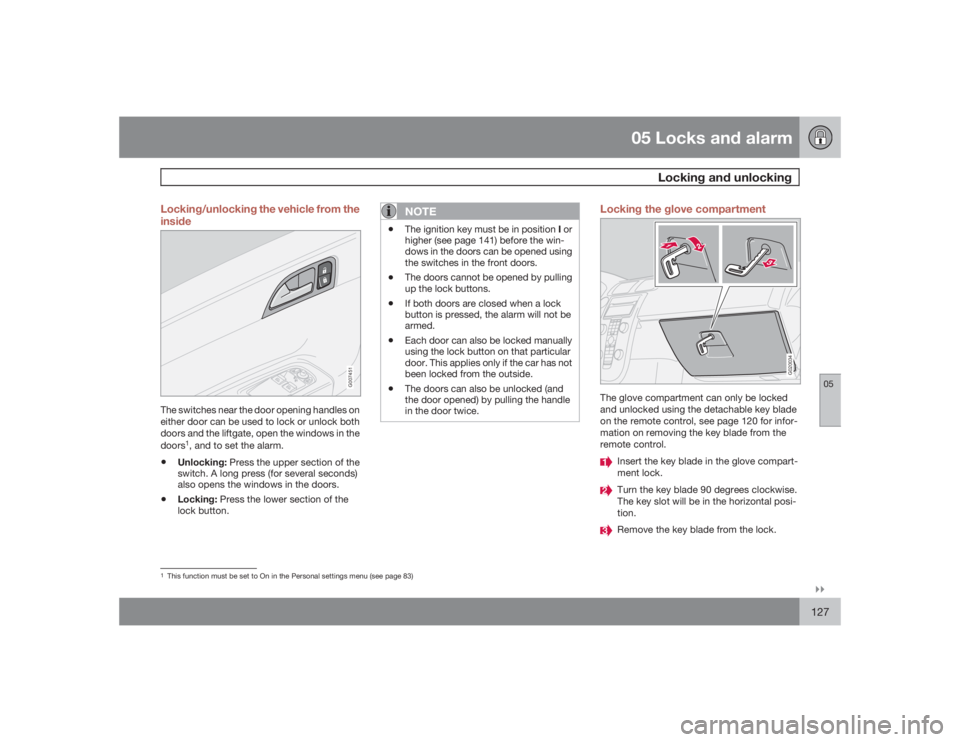
G007451
The switches near the door opening handles on
either door can be used to lock or unlock both
doors and the liftgate, open the windows in the
doors
1, and to set the alarm.
•
Unlocking: Press the upper section of the
switch. A long press (for several seconds)
also opens the windows in the doors.
•
Locking: Press the lower section of the
lock button.
NOTE
•
The ignition key must be in position I or
higher (see page 141) before the win-
dows in the doors can be opened using
the switches in the front doors.
•
The doors cannot be opened by pulling
up the lock buttons.
•
If both doors are closed when a lock
button is pressed, the alarm will not be
armed.
•
Each door can also be locked manually
using the lock button on that particular
door. This applies only if the car has not
been locked from the outside.
•
The doors can also be unlocked (and
the door opened) by pulling the handle
in the door twice.
Locking the glove compartment
G020034
The glove compartment can only be locked
and unlocked using the detachable key blade
on the remote control, see page 120 for infor-
mation on removing the key blade from the
remote control.
Insert the key blade in the glove compart-
ment lock.Turn the key blade 90 degrees clockwise.
The key slot will be in the horizontal posi-
tion.Remove the key blade from the lock.
1This function must be set to On in the Personal settings menu (see page 83)
Page 151 of 274
06 Starting and driving
Stability system
06``151 Dynamic Stability Traction Control
(DSTC)
The stability system consists of a number of
functions designed help reduce wheel spin,
counteract skidding, and to generally help
improve directional stability.
A pulsating sound will be audible when the
system is actively operating and is normal.Traction control – TCThis function is designed to help reduce wheel
spin by transferring power from a drive wheel
that begins to lose traction to the wheel on the
opposite side of the vehicle (on the same axle).
TC is most active at low speeds.
This is one of the stability system's permanent
functions and cannot be switched off.
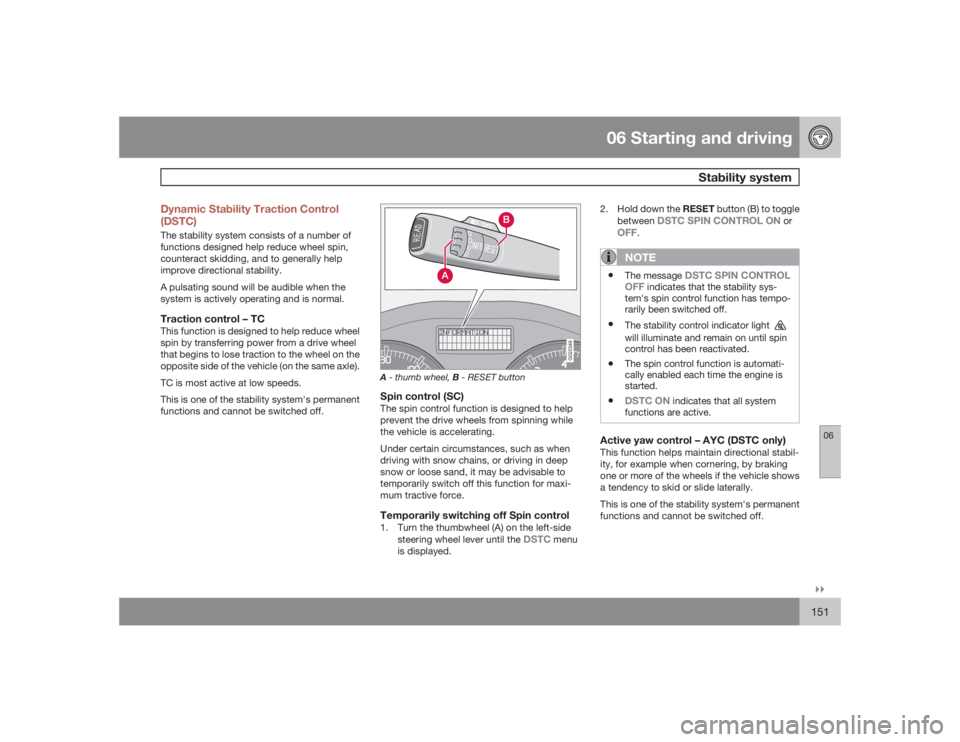
G020349
A- thumb wheel, B - RESET buttonSpin control (SC)The spin control function is designed to help
prevent the drive wheels from spinning while
the vehicle is accelerating.
Under certain circumstances, such as when
driving with snow chains, or driving in deep
snow or loose sand, it may be advisable to
temporarily switch off this function for maxi-
mum tractive force.Temporarily switching off Spin control1. Turn the thumbwheel (A) on the left-side
steering wheel lever until the
DSTC
menu
is displayed.2.
Hold down the RESET button (B) to toggle
between
DSTC SPIN CONTROL ON
or
OFF
.NOTE
•
The message
DSTC SPIN CONTROL
OFF
indicates that the stability sys-
tem's spin control function has tempo-
rarily been switched off.
•
The stability control indicator light will illuminate and remain on until spin
control has been reactivated.
•
The spin control function is automati-
cally enabled each time the engine is
started.
•
DSTC ON
indicates that all system
functions are active.
Active yaw control – AYC (DSTC only)This function helps maintain directional stabil-
ity, for example when cornering, by braking
one or more of the wheels if the vehicle shows
a tendency to skid or slide laterally.
This is one of the stability system's permanent
functions and cannot be switched off.
Page 231 of 274
10 Audio
Audio functions
10``231
7. If there is distortion, lower your music play-
er's headphone volume until the distortion
goes away.
8. Finally, exit the menu and adjust the audio
volume to a comfortable level.VolumeUse the volume dial (1) or the buttons in the
steering wheel keypad to adjust the volume
level. The volume level is also adjusted auto-
matically according to the vehicle's speed, see
page 233 for more information on this func-
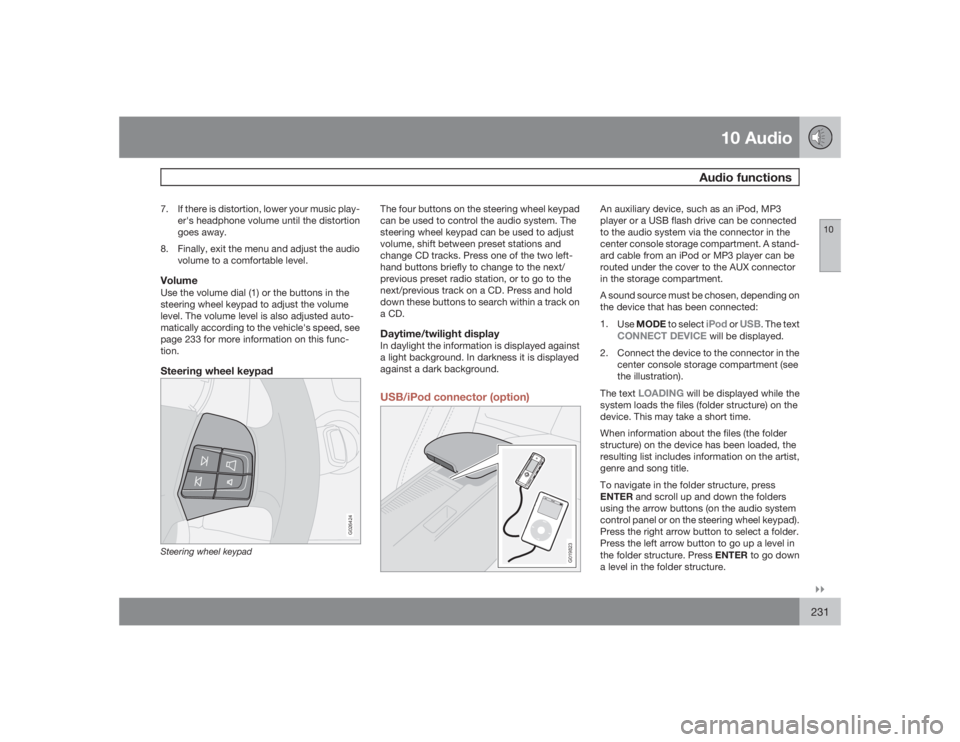
tion.Steering wheel keypad
G026424
Steering wheel keypad
The four buttons on the steering wheel keypad
can be used to control the audio system. The
steering wheel keypad can be used to adjust
volume, shift between preset stations and
change CD tracks. Press one of the two left-
hand buttons briefly to change to the next/
previous preset radio station, or to go to the
next/previous track on a CD. Press and hold
down these buttons to search within a track on
a CD.Daytime/twilight displayIn daylight the information is displayed against
a light background. In darkness it is displayed
against a dark background.USB/iPod connector (option)
G019823
An auxiliary device, such as an iPod, MP3
player or a USB flash drive can be connected
to the audio system via the connector in the
center console storage compartment. A stand-
ard cable from an iPod or MP3 player can be
routed under the cover to the AUX connector
in the storage compartment.
A sound source must be chosen, depending on
the device that has been connected:
1.
UseMODE to select
iPod
or
USB
. The text
CONNECT DEVICE
will be displayed.
2. Connect the device to the connector in the
center console storage compartment (see
the illustration).
The text
LOADING
will be displayed while the
system loads the files (folder structure) on the
device. This may take a short time.
When information about the files (the folder
structure) on the device has been loaded, the
resulting list includes information on the artist,
genre and song title.
To navigate in the folder structure, press
ENTER and scroll up and down the folders
using the arrow buttons (on the audio system
control panel or on the steering wheel keypad).
Press the right arrow button to select a folder.
Press the left arrow button to go up a level in
the folder structure. Press ENTER to go down
a level in the folder structure.
Page 234 of 274

10 AudioRadio functions
10234
Radio function controls
G026366
1.
AM/FM1/FM2 selection
2. Station preset buttons
3.
TUNING dial for selecting radio stations
4.
SCAN
5.
MENU NAVIGATION CONTROL–press
the up or down arrow keys to scroll in a
menu, or the keys on the left/right sides of
the control to search for or change radio
stations/CD tracks
6.
EXIT–press to cancel a menu selection or
a selected function
7.
AUTO–search for and store the strongest
radio stations in the area in which you are
driving
Searching for stationsThere are two ways to manually tune a radio
station:
1.
Turn the TUNING dial (3) to the desired fre-
quency.
2. Press the left or right arrow key on the
MENU NAVIGATION CONTROL
and
hold it down. The radio scans slowly in the
selected direction and will increase the
scanning speed after a few seconds.
Release the button when the desired fre-
quency appears in the display.
The frequency can be fine-tuned by short
presses on the left/right arrow keys.
Storing preset stationsManually storing a station1. Tune to the desired station.
2. Press and hold the preset button under
which the station is to be stored. The audio
system sound will be interrupted for a few
seconds and
STATION STORED
will
appear in the display.
NOTE
A total of 30 stations can be stored; 10 sta-
tions each in AM, FM1 and FM2.
Automatically storing a stationPressingAUTO (7) automatically searches for
and stores up to ten strong AM or FM stations
in a separate memory. If more than ten stations
are found, the ten strongest ones are stored.
This function is especially useful in areas in
which you are not familiar with radio stations or
their frequencies.
To use the AUTO function:
1.
Select a waveband using the AM/FM but-
ton (1).
2.
Start the search by pressing AUTO until
AUTO STORING
appears in the display.
When the search is completed,
AUTO
STORING
will no longer be displayed. If there
are no stations with sufficient signal strength,
NO AST FOUND
is displayed.
The auto-stored stations can be selected using
the preset buttons (2).
PressEXIT (6) to terminate the automatic stor-
ing function.
When the radio is in auto-store mode,
AUTO
is
shown in the display.
AUTO
disappears when
you return to normal radio mode, which can be
done by briefly pressing AM/FM (1), EXIT (6),
orAUTO (7).