key VOLVO C70 2001 User Guide
[x] Cancel search | Manufacturer: VOLVO, Model Year: 2001, Model line: C70, Model: VOLVO C70 2001Pages: 88, PDF Size: 2.07 MB
Page 30 of 88
1. Fasten the seat belt.
WARNING!
Before starting, check that the seat, steering wheel and mirrors are adjusted properly. Make sure the brake pedal can
be depressed completely. Move the seat closer if necessary. Refer to section "front seats".
2. Apply the parking brake, if not already set. The gear selector (automatic transmission) is locked in the (P)ark
position (SHIFT LOCK).
Manual transmission: the clutch must be fully depressed.
3. Without touching the accelerator pedal, turn the ignition key to the starting position*. Allow the starter to operate
for up to 10 seconds. Release the key as soon as the engine starts. If the engine fails to start, repeat step 3.
For cold starts at altitudes above 6000 ft (1800 meters), depress the accelerator pedal halfway and turn the key to the
starting position. Release the pedal slowly when the engine starts.
* If the key is left in the Drive position (position II) for more than 30 seconds, it must be turned to position 0 and then
turned to the Start position (position III) again in order to start the car. See page 21
for ignition key positions.
4. To release the gear selector from the (P)ark position (automatic transmission), the ignition key must be in position II
and the brake pedal must be depressed. See page 95
for instructions on manually releasing the SHIFTLOCK
system.
Do not race a cold engine immediately after starting. Oil flow may not reach some lubrication points fast enough to
prevent engine damage.
NOTE: (Automatic transmission only)
Your car is equipped with a KEYLOCK system. When the engine is switched off, the gear selector must be in the
( P )ark position before the starting key can be removed from the ignition switch.
5. Select the desired gear. The gear engages after a slight delay (automatic transmission) which is especially noticeable
when selecting R.
CAUTION : (Automatic transmission only)
The engine should be idling; never accelerate until after you feel the gear engage! Toorapid acceleration immediately
after selecting a gear will cause harsh engagement and premature transmission wear.
NOTE : Selecting P or N (automatic transmission) when idling at a standstill for prolonged periods of time will help
prevent overheating of transmission oil.
WARNING!
Always place the gear selector (automatic transmission) in Park and apply the parking brake before leaving the
vehicle. Never leave the car unattended with the engine running.
Always open the garage doors fully before starting the engine inside a garage to ensure adequate ventilation. The
exhaust gases contain carbon monoxide, which is invisible and odorless but very poisonous.
ProCarManuals.com
Page 32 of 88
CAUTION: Be careful that you do not inadvertently engage reverse while moving forward.
* Clutch interlock (manual transmission only)
The clutch must be fully depressed before you can start your car. If the clutch is not depressed, it will not be possible
to start the engine.
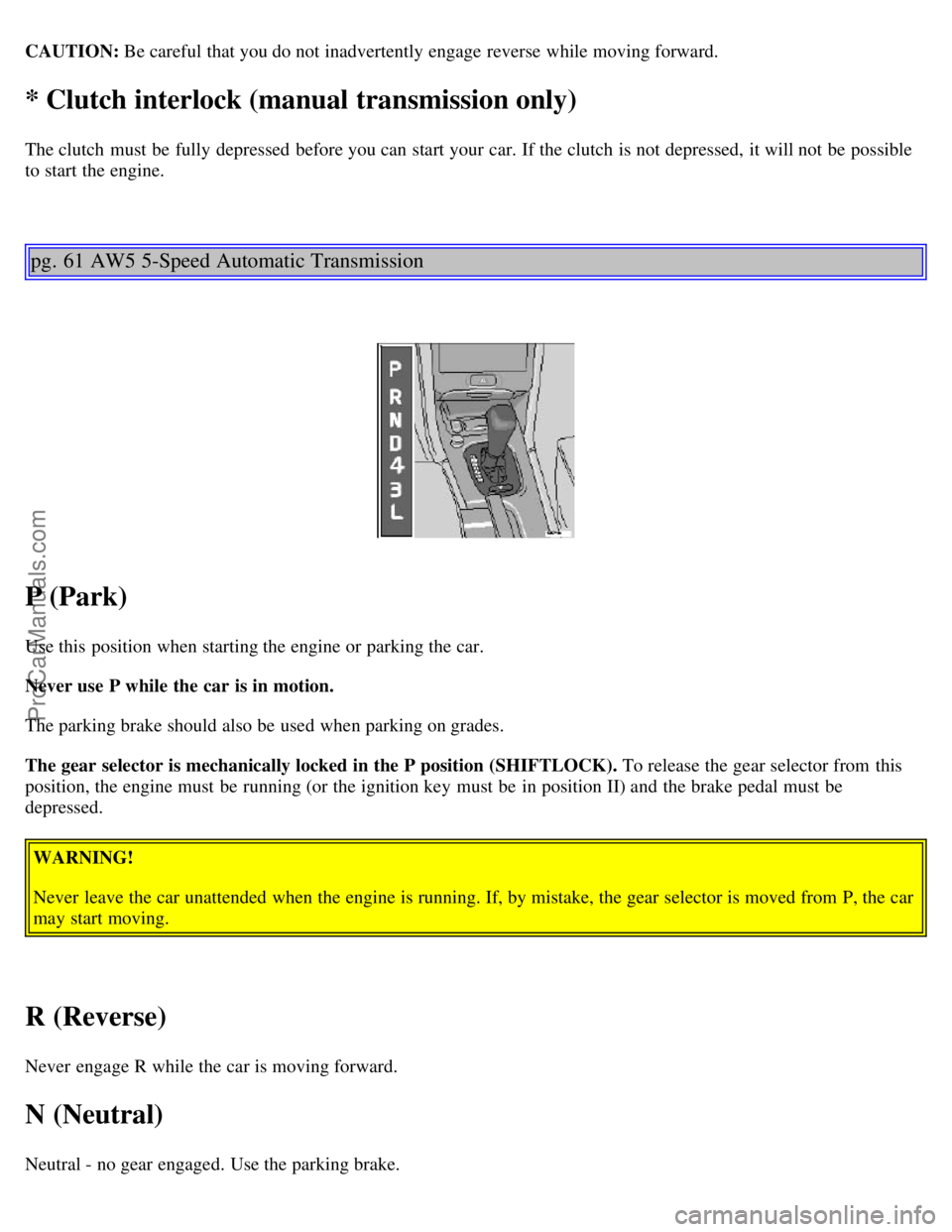
pg. 61 AW5 5-Speed Automatic Transmission
P (Park)
Use this position when starting the engine or parking the car.
Never use P while the car is in motion.
The parking brake should also be used when parking on grades.
The gear selector is mechanically locked in the P position (SHIFTLOCK). To release the gear selector from this
position, the engine must be running (or the ignition key must be in position II) and the brake pedal must be
depressed.
WARNING!
Never leave the car unattended when the engine is running. If, by mistake, the gear selector is moved from P, the car
may start moving.
R (Reverse)
Never engage R while the car is moving forward.
N (Neutral)
Neutral - no gear engaged. Use the parking brake.
ProCarManuals.com
Page 70 of 88

CD = Applicable only when in CD mode and connected to a CD changer.
pg. 129 Anti -theft code
Anti-theft code
The radio features anti-theft circuitry. If the set is removed from the vehicle or if the battery power is disconnected, a
special code must be entered to enable operation of the set.
Refer to the radio code card supplied with your vehicle or ask your retailer for the correct code.
When the car is parked with the ignition key removed, the anti-theft LED will flash.
To enter the code
After installation or when the set has been disconnected from power, the set displays "COdE" when it is switched on.
Enter the 4-digit code using the preset buttons.
If the correct code is entered, "on" is displayed and the set is ready to use.
If you enter an incorrect code you must enter the correct code again from the beginning.
ProCarManuals.com
Page 71 of 88

Incorrect code
If an incorrect code has been entered "rPt" is displayed. Enter the correct code.
After three unsuccessful coding attempts the set will lock and remain locked for two hours. "OFF" is displayed.
During this waiting period:
· the battery must be connected
· the ignition key must be turned to position I
· the unit must be turned on
Make sure the headlights are turned off to help prevent battery drain (please refer to page 24 for information on turning
the headlights off).
Enter the code again once this time has elapsed.
pg. 130 Radio SC -813
A - On/off switch
Push the button to switch on the radio. Press the button slightly longer to turn the radio off.
B - Volume control
Turn the button clockwise to increase the volume. The volume control is electronic and has no end stop.
C - Waveband selector
The desired waveband is set by pressing one of the waveband selector buttons. The frequency and waveband is shown
on the display.
NOTE: There are two FM wavebands and one AM waveband. This makes it possible to store 2 x 6 FM stations and 6
AM stations in memory.
ProCarManuals.com
Page 77 of 88

The programmed button on your HomeLink® Universal Transceiver should now operate your garage door opener. The
original hand -held transmitter can also be used, as desired, to operate the garage door.
Operating the HomeLink® Universal Transceiver Once programmed, the HomeLink® Universal Transceiver can
be used in place of your hand -held transmitters.
To operate, the key must be turned to the "accessory" position (II) or the engine must be running. Press the
programmed HomeLink® button to activate the garage door, driveway gate, security lighting, home security system,
etc.
Your original hand -held transmitters may, of course, be used at any time.
Erasing programmed buttons
Individual buttons cannot be erased. To erase all three programmed buttons:
1. 1. Turn the ignition key to the "accessory" position (II).
2. Hold down the two outside buttons on the HomeLink® Universal Transceiver for about 20 seconds, until
HomeLink® 's indicator light begins to flash.
3. Release both buttons.
The HomeLink® buttons can be reprogrammed using the procedures described on the previous page.
(HomeLink® information is continued on the next page)
pg. 186 HomeLink® Universal Transceiver (option)
Reprogramming a single HomeLink® button
1. Press and hold the desired HomeLink® button. Do not release the button until step 3 has been completed.
2. When the indicator light begins to flash slowly (after approximately 20 seconds), position the hand -held transmitter
2 to 5 in. (5 to 12 cm) away from the HomeLink® surface.
3. Press and hold the hand -held transmitter button.
The HomeLink® indicator light will begin to flash, first slowly then rapidly. When the indicator light flashes rapidly,
release both buttons.
The previously programmed device has now been erased and the new device can be activated by pressing the
HomeLink® button that has just been programmed. This procedure will not affect any other programmed HomeLink®
buttons.
NOTE:
· Retain the original transmitter(s) for future programming procedures (i.e., if you purchase a new car).
· It is also suggested that if you sell your car, the programmed channels on the HomeLink® Universal Transceiver be
erased for security purposes.
ProCarManuals.com
Page 82 of 88
Instruments14,15
J
Jack53
,80,81
Jump starting68
K
Keyless entry system43
Keylock59
Keys42
Kick -down62
Kickdown62
L
Label information104
Lifting the car108
Locks42
Long load storage50
Lubrication111
Lumbar support46
M
Maintenance schedule106
Maintenance service105
Malfunction indicator lamp17,18
Manual transmission60,123
Manual transmission fluid120
Memory function - front seats46
Mirrors - rear/side view48
O
Occupant safety13
Octane rating57
Odometer16
Oil (engine)112,113,120
Oil pressure warning light18
On-call126
P
Paint touchup98
Parking brake17,30
Parking brake reminder light18
Parking lights20
Polishing101
Power seats46,47
Power steering fluid114,120
R
Radio
General information180
SC813128
ProCarManuals.com
Page 83 of 88
SC-816141
SC-900/901157
Radio Data System - RDS162
Reading lights49
Rear (side) windows - opening37
Rear fog light17,22
Rear suspension122
Rear window demister23
Rear/side-view mirrors48
Refueling57
Remote control (central locking system)43
Remote keyless entry system43
Replacing bulbs84,85,86,87,88
Replacing fuses89
Reporting safety defects13
Roadholding65
Roof rails/racks65
S
Safety defects - reporting13
Seat belt maintenance13
Seat belts2,3,11
Automatic Locking Retractor11
Emergency Locking Retractor11
Seat belts - cleaning102
Seats46
Seats - heated30
Securing cargo54
Service reminder indicator17,19
Servicing108,109,110
Shift lock59
Shiftlock release (override)95
Side Impact Protection System (SIPS)8
Side-view mirrors - heated23
SIPS8
Snow chains75
Snow tires75
Spare tire82
Spare tire (sedan)53
Spark plugs122
Spark plugs - replacing122
Specifications119
SRS5,6,7
SRS diagnostic system19
SRS warning light5,17,19
ProCarManuals.com