light VOLVO C70 2004 Owner's Guide
[x] Cancel search | Manufacturer: VOLVO, Model Year: 2004, Model line: C70, Model: VOLVO C70 2004Pages: 99, PDF Size: 1.79 MB
Page 67 of 99

CAUTION: Certain models have reduced ground clearance due to the design of the front spoiler. Please observe
caution when driving the car onto a garage hoist.
pg. 113 Emission Maintenance
Periodic maintenance helps minimize emissions
Periodic maintenance will help keep your vehicle running well. Your Warranty and Service Records Information
booklet provides a comprehensive periodic maintenance schedule up to 150,000 miles (240,000 km) of vehicle service.
The schedule includes components that affect vehicle emissions. This page describes some of the emission-related
components.
Engine air filter
The engine air filter cleans particles from air entering the engine. Replace the engine air filter cartridge with a new one
every 37,500 miles (60,000 km) under normal driving conditions. Replace the cartridge more often when the vehicle is
driven under dirty and dusty conditions. The cartridge cannot be cleaned, and should always be replaced with a new
one.
Fuel filter
The fuel filter should be replaced at 105,000 miles (168,000 km). The filter is replaced as a complete unit. Replace
more frequently if contaminated fuel is introduced into the tank, or if there is reason to suspect that this has occurred.
Fuel system, including filler cap, tank and lines and connections
The ability of the fuel system to contain hydrocarbons depends upon a leak-free system. Inspect fuel lines every
30,000 miles (48,000 km). Check for proper sealing of the fuel filler cap which contains "O" ring seals.
NOTE: If the fuel filler cap is not closed tightly or if the engine is running when the car is refueled, the Check Engine
light (Malfunction indicator) may indicate a fault. However, your vehicle's performance will not be affected. Use only
Volvo original or approved fuel filler caps.
Timing belt
For proper functioning of the vehicle and its emission control systems, the timing belt and belt tensioner must be
replaced every 105,000 miles (168,000 km). Engine damage will occur if the belt fails.
PCV system
(on turbocharged models)
The nipple in the intake manifold and the filter at the end of the PCV hose in the air cleaner should be inspected and
cleaned at 105,000 miles (168,000 km) and thereafter, again at 150,000 mile (240,000 km) intervals.
ProCarManuals.com
Page 74 of 99
Vehicle loading
The tires on your Volvo should perform to specifications at all normal loads when inflated as recommended on the tire
information label. The label is located on the inside of the fuel filler flap. The label lists vehicle load limits. Do not
load your car beyond the indicated limits.WARNING!
Improperly inflated tires will reduce tire life, adversely affect vehicle handling and can possibly lead to failure
resulting in loss of vehicle control without prior warning.
All specifications are subject to change without notice.
pg. 130 Specifications
Electrical system
12 Volt, negative ground.
Voltage-controlled generator. Single-wire system with chassis and engine used as conductors.
Battery Voltage 12,6 Volt
Capacity 520 A/100 min
(certain markets) 420 A/75 min
The battery contains corrosive and poisonous acids. It is of the utmost importance that old batteries are disposed of
correctly. Your Volvo retailer can assist you in this matter.
Generator Rated output 1400 W
Max. current 120 A
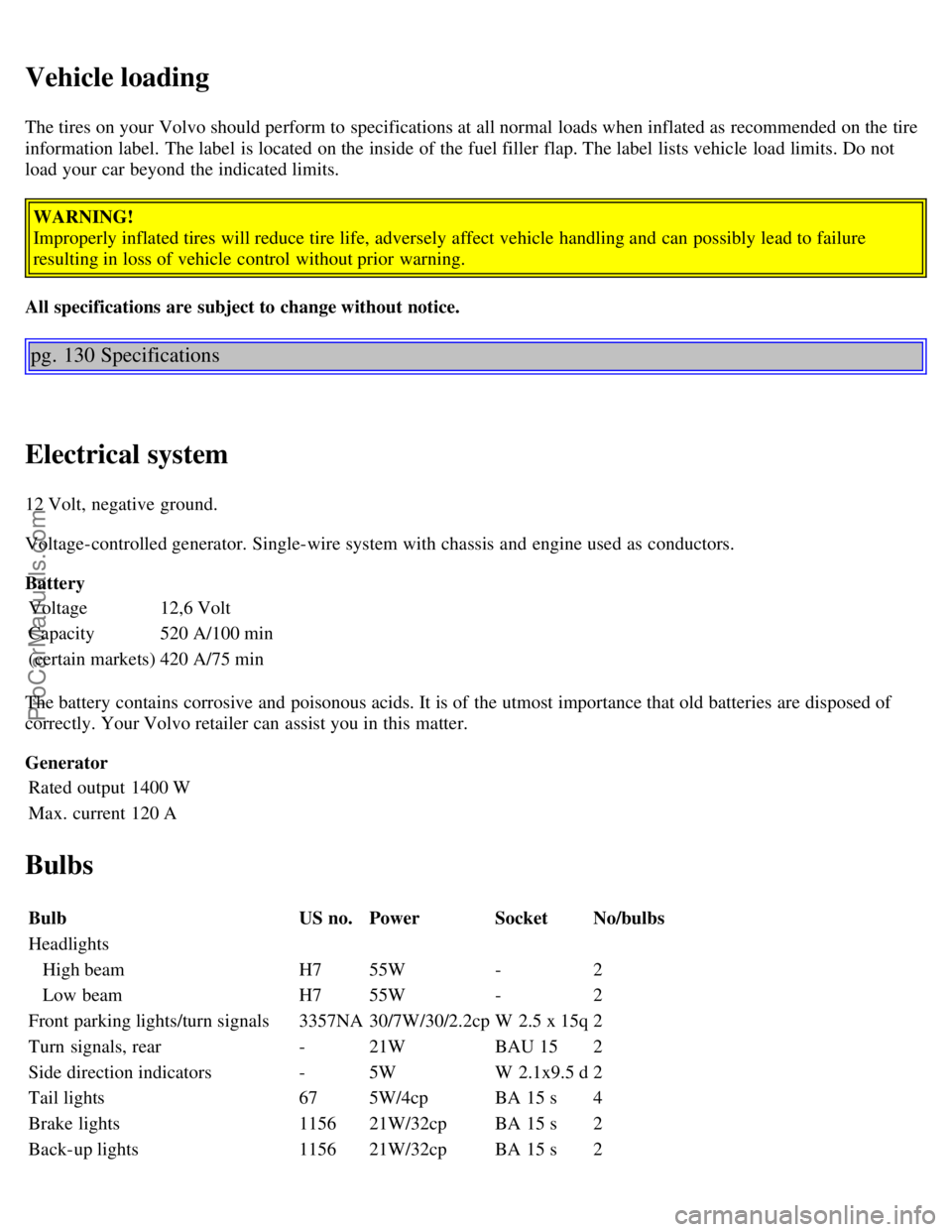
Bulbs
Bulb US no.Power SocketNo/bulbs
Headlights
ProCarManuals.com
Page 75 of 99

Rear fog light115621W/32cp BA 15 s1
Front fog lights H155 W P14.5s2
License plate light -5 W W 2.1x9.5d2
Door open warning light -3 W W 2.1x9.5d4
Door step courtesy lights -5W W 2.1x9.5d2
Trunk light -10 W SV 8.51
Glove compartment light -2 W BA 9s1
Vanity mirror lights -1.2 W -2
Instrument lighting -3 W W 2.1x9.5d3
Illumination, control panel -1.2 W W 2x4.6 d-
gear selector (automatic trans.) -1.2 W W 2x4.6d1
rear ashtray -1.2 W W 2x4.6d1
Instrument warning/indicator lights -1.2 W W 2x4.6d-
Front courtesy lights -5 W BA 9s2
Rear reading lights -5 W BA 9s2
All specifications are subject to change without notice.
pg. 131 Specifications
Dimensions
Length186 in. (472 cm)
Width 71.5 in. (182 cm)
Height C70 Convertible 56.3 in. (143 cm)
Wheelbase 105 in. (266 cm)
Track, front 59.9 in. (151.8 cm)
Track, rear 59.8 in. (151.6 cm)
Turning circle (between curbs) 38.4 ft. (11.7 m)
Cargo capacity C70 Convertible 8.1 cu. ft. (223 liters)
USA Canada
Max trunk -mounted luggage rack load
C70 Convertible 110 lbs (50 kg)50 kg
Max trailer weight(w/o brakes) 1100 lbs (500 kg)500 kg
Max trailer weight(with brakes)
2" ball 3300 lbs (1500 kg)1500 kg
1 7/8" ball 2000 lbs (908 kg)900 kg
Max tongue weight ** 165 lbs (75 kg)75 kg
Weights
USA Canada
ProCarManuals.com
Page 80 of 99
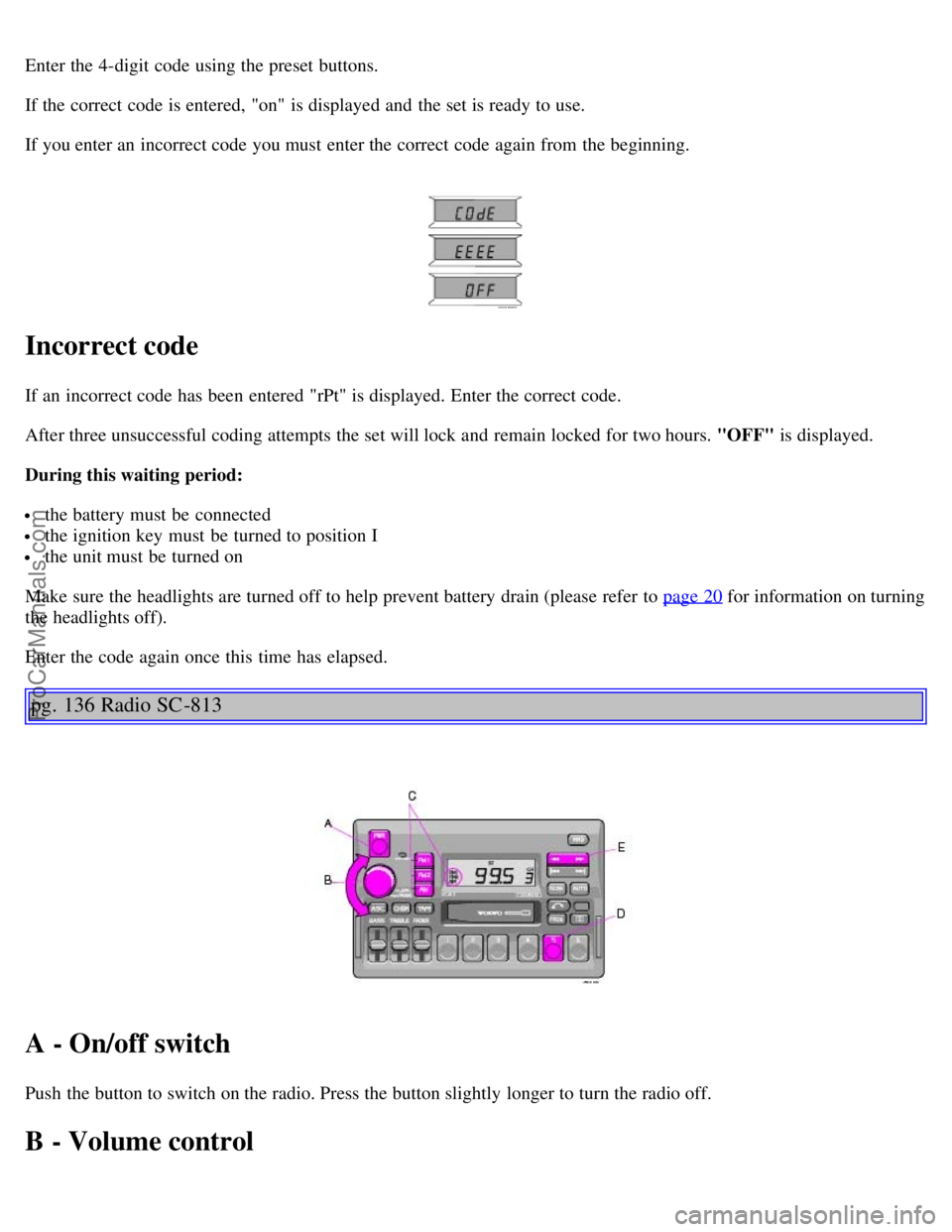
Enter the 4-digit code using the preset buttons.
If the correct code is entered, "on" is displayed and the set is ready to use.
If you enter an incorrect code you must enter the correct code again from the beginning.
Incorrect code
If an incorrect code has been entered "rPt" is displayed. Enter the correct code.
After three unsuccessful coding attempts the set will lock and remain locked for two hours. "OFF" is displayed.
During this waiting period:
the battery must be connected
the ignition key must be turned to position I
the unit must be turned on
Make sure the headlights are turned off to help prevent battery drain (please refer to page 20
for information on turning
the headlights off).
Enter the code again once this time has elapsed.
pg. 136 Radio SC -813
A - On/off switch
Push the button to switch on the radio. Press the button slightly longer to turn the radio off.
B - Volume control
ProCarManuals.com
Page 86 of 99

2 0 0 4
VOLVO C70
INDEX
pg. 190 HomeLink® Universal Transceiver (option)
HomeLink® Universal Transceiver
HomeLink® is an advanced system that can be programmed to learn the codes of three different remote controlled-
devices (e.g., garage door openers, remote lighting, entry door lock). HomeLink®'s sun visor-mounted transceiver,
powered by your car's electrical system, may then be used in place of your hand -held remote controls.
NOTE: For your security, the HomeLink® Universal Transceiver is designed to not function if you lock your car
from the outside.
Programming the transceiver
1. The ignition switch must be turned to the "accessory" position (II) before programming the HomeLink® Universal
Transceiver.
2. Begin by erasing all 3 factory default channels. Hold down the two outside buttons (buttons 1 and 3 in the
illustration) on the HomeLink® Universal Transceiver for about 20 seconds, until HomeLink® 's indicator light begins
to flash. Then release the buttons.
3. Hold your hand -held transmitter (garage door opener, for example) 2 to 5 in. (5 to 12 cm) away from the
HomeLink® surface, keeping the indicator light in view. For placement questions, contact HomeLink® toll-free 1-
800-355-3515 (Internet: www.HomeLink.com
).
4. Using two hands, push and hold both your hand -held transmitter's button and the transceiver button you wish to
program. The indicator light will flash first slowly, then rapidly. Rapid flashing tells you the HomeLink® button has
been successfully programmed. Release both buttons.
ProCarManuals.com
Page 87 of 99
5. If you are programming a rolling code-equipped device (e.g., garage door opener or entry door lock), refer to
"Programming rolling codes" on the next page to complete the programming process.
Repeat steps 3 and 4 to program the other two transceiver buttons.
If, after several attempts, you are unable to successfully train the HomeLink® Universal Transceiver to learn your
hand -held transmitter's signal, contact HomeLink® toll-free 1-800-355-3515 (Internet: www.HomeLink.com
).
WARNING!
If you use HomeLink® to open a garage door or gate, be sure no one is near the gate or door while it is in motion.
Do not use the HomeLink® Universal Transceiver with any garage door opener that lacks safety "stop" and
"reverse" features as required by federal safety standards. (This includes any garage door opener model manufactured
before April 1, 1982) A garage door opener that cannot "detect" an object, signalling the door to "stop" and "reverse"
does not meet current federal safety standards. Using a garage door opener without these features increases the risk of
serious injury or death. For more information on this matter, call toll-free 1-800-355- 3515 (Internet:
www.HomeLink.com
).
pg. 191 HomeLink® Universal Transceiver (option)
NOTE - Canadian residents:
During programming, your hand -held transmitter may automatically stop transmitting. To successfully train
HomeLink® , continue to hold the HomeLink® button. At the same time, repeatedly press and hold your hand -held
transmitter's button at two -second intervals until HomeLink® has learned your transmitter's code. The HomeLink®
indicator light will flash first slowly, and then rapidly to indicate that the button has been successfully programmed.
Determining if your garage door uses a rolling code
Determining if your garage door uses a rolling code Determine, in one of the following ways, if your garage door uses
a rolling code system and is manufactured after 1996:
Refer to the garage door opener owner's manual for verification.
If your hand -held transmitter appears to program the HomeLink® Universal Transceiver but the programmed button
does not activate the garage door, your garage door opener may have a rolling code.
Press the programmed HomeLink® button. If the garage door opener has the rolling code feature, the HomeLink®
indicator light flashes rapidly and then glows steadily after approximately 2 seconds.
To train a rolling code garage door opener , follow these instructions after programming the desired transceiver
button according to "Programming the transceiver." The help of a second person may make training easier.
1. Locate the training button on the garage door opener motor head unit. The location and color of the training button
may vary. If you encounter difficulty, refer to the garage door opener owner's manual or call toll-free 1-800-355-3515
(Internet: www.HomeLink.com
).
2. Press the "training" button on the garage door opener motor head unit until the "training" light comes on.
3. Press and release the programmed HomeLink® button. Press and release the programmed HomeLink® button a
second time to complete the training process. Some garage door openers may require you to do this procedure a third
time to complete the training.
The programmed button on your HomeLink® Universal Transceiver should now operate your garage door opener. The
original hand -held transmitter can also be used, as desired, to operate the garage door.
ProCarManuals.com
Page 88 of 99
The remaining two HomeLink® buttons can be programmed in the same way. In the event of any problems in
programming the HomeLink® Universal Transceiver, call toll-free 1-800-355-3515 (Internet: www.HomeLink.com
).
Operating the HomeLink® Universal Transceiver
Once programmed, the HomeLink® Universal Transceiver can be used in place of your hand -held transmitters.
To operate, the key must be turned to the "accessory" position (II) or the engine must be running. Press the
programmed HomeLink® button to activate the garage door, driveway gate, security lighting, home security system,
etc.
Your original hand -held transmitters may, of course, be used at any time.
Erasing programmed buttons
Individual buttons cannot be erased. To erase all three programmed buttons:
1. Turn the ignition key to the "accessory" position (II).
2. Hold down the two outside buttons on the HomeLink® Universal Transceiver for about 20 seconds, until
HomeLink® 's indicator light begins to flash.
3. Release both buttons.
The HomeLink® buttons can be reprogrammed using the procedures described on the previous page.
(HomeLink® information is continued on the next page)
pg. 192 HomeLink® Universal Transceiver (option)
Reprogramming a single HomeLink® button
1. Press and hold the desired HomeLink® button. Do not release the button until step 3 has been completed.
2. When the indicator light begins to flash slowly (after approximately 20 seconds), position the hand -held transmitter
2 to 5 in. (5 to 12 cm) away from the HomeLink® surface.
3. Press and hold the hand -held transmitter button.
The HomeLink® indicator light will begin to flash, first slowly then rapidly. When the indicator light flashes rapidly,
release both buttons.
The previously programmed device has now been erased and the new device can be activated by pressing the
HomeLink® button that has just been programmed. This procedure will not affect any other programmed HomeLink®
buttons.
NOTE:
Retain the original transmitter(s) for future programming procedures (i.e., if you purchase a new car).
It is also suggested that if you sell your car, the programmed channels on the HomeLink® Universal Transceiver be
erased for security purposes.
ProCarManuals.com
Page 90 of 99
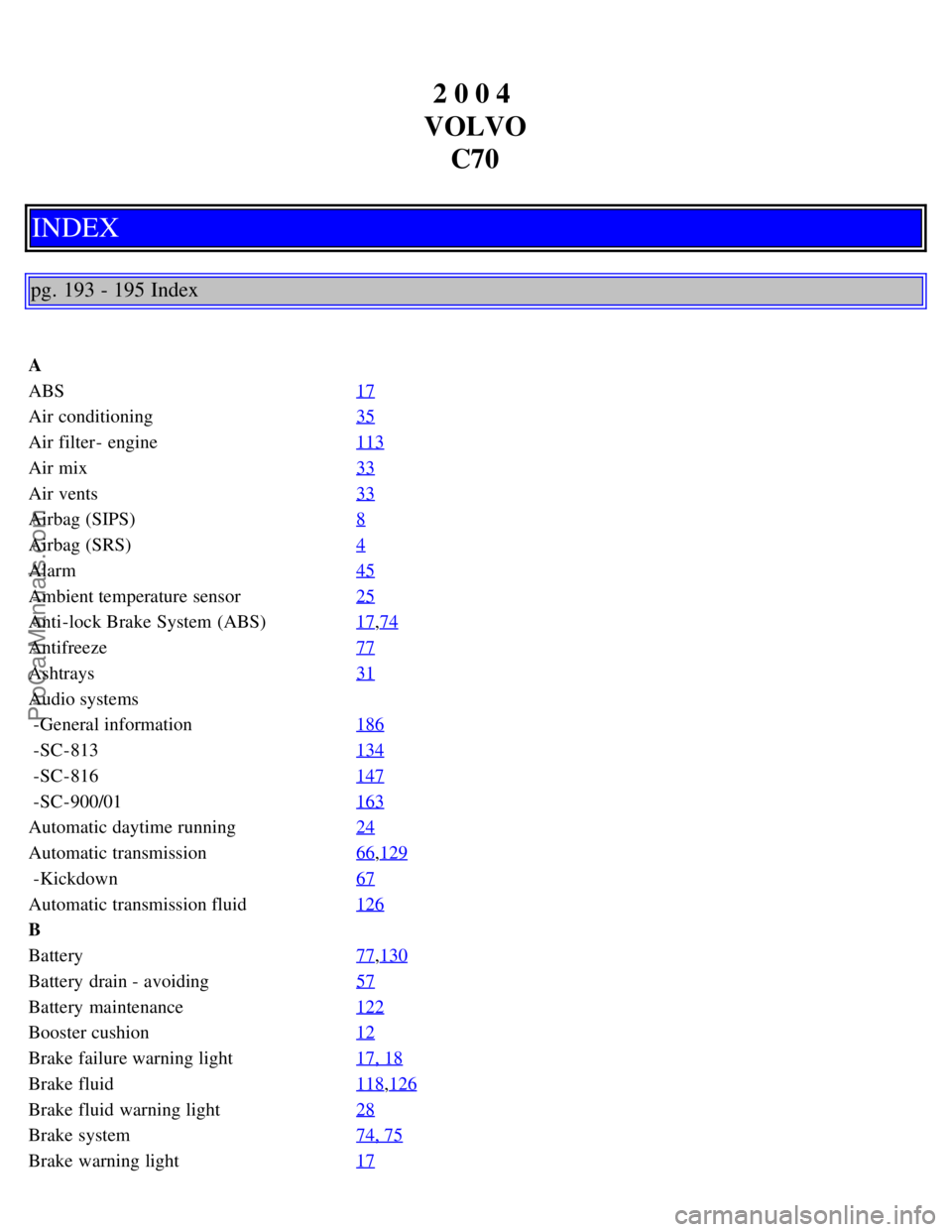
2 0 0 4
VOLVO C70
INDEX
pg. 193 - 195 Index
A
ABS 17
Air conditioning35
Air filter - engine113
Air mix33
Air vents33
Airbag (SIPS)8
Airbag (SRS)4
Alarm45
Ambient temperature sensor25
Anti-lock Brake System (ABS)17,74
Antifreeze77
Ashtrays31
Audio systems
-General information186
-SC-813134
-SC-816147
-SC-900/01163
Automatic daytime running24
Automatic transmission66,129
-Kickdown67
Automatic transmission fluid126
B
Battery77
,130
Battery drain - avoiding57
Battery maintenance122
Booster cushion12
Brake failure warning light17, 18
Brake fluid118,126
Brake fluid warning light28
Brake system74, 75
Brake warning light17
ProCarManuals.com
Page 91 of 99

Bulb failure warning17,19
Bulbs130
C
Capacities129
Catalytic converter123
Central locking system44
Chains (snow)81
Changing a wheel86
Child booster cushion12
Child safety12
Cleaning the convertible top107
Climate control systems34
Clock16
Clock - resetting25
Clutch fluid118
Clutch interlock65
Convertible top - cleaning107
Convertible top - electrically operated40
Convertible top - manually raising102
Coolant - checking/changing120
Coolant level sensor19
Coolant level warning light17
Cooling system69,128
Courtesy lights - exterior20
Courtesy lights - front51
Cruise control29
D
Daytime running lights24
Demister - rear window23
Dimensions131
Distributor ignition system128
Diversity antenna189
Doors and locks43
Driving economy63
Driving mode W67, 77
E
EBD (Electronic Brake-force Distribution)75
ECC - Electronic Climate Control34, 35
Electrical system69,130
Electrically heated front seats30
Electrically operated convertible top40
Electrically operated front seats47
Electrically operated windows36
Electronic Brake Distribution (EBD)75
ProCarManuals.com
Page 92 of 99

Electronic Brake-force Distribution (EBD)75
Emergency towing71, 72
Emergency warning flashers23
Engine127
Engine air filter113
Engine compartment121
Engine oil116, 117,126
Engine oil - checking/changing116
Engine oil pressure17
Exterior courtesy lights20
F
Fog light - rear17
,22
Fog lights - front22
Front courtesy lights51
Front fog lights22
Front seats47
Front seats - heated30
Front seats - memory function47
Fuel filter113
Fuel gauge16
Fuel level17
Fuel requirements60, 61
Fuel system113, 128
Fuel tank cover - opening37, 62
opening manually101, 102
Fuses95, 96, 97
Fuses - replacing95
G
Gas tank cover - opening37
, 62
opening manually101, 102
Generator17, 130
H
Hand brake30
Handling68
Hazard warning flashers23
Headlight wiper blades - replacing100
Headlights20
Heated front seats30
Heated side-view mirrors23
Heating35
Heating and air conditioning33
High beams17
Hoisting the car112
Homelink®190-192
ProCarManuals.com