reset VOLVO C70 2006 User Guide
[x] Cancel search | Manufacturer: VOLVO, Model Year: 2006, Model line: C70, Model: VOLVO C70 2006Pages: 182, PDF Size: 3.35 MB
Page 161 of 182
Select ASC in the menu and press ENTER.
Select Low, Medium , or High and press ENTER.
1. Dynaudio Sound System only
pg. 178 Audio
Radio functions
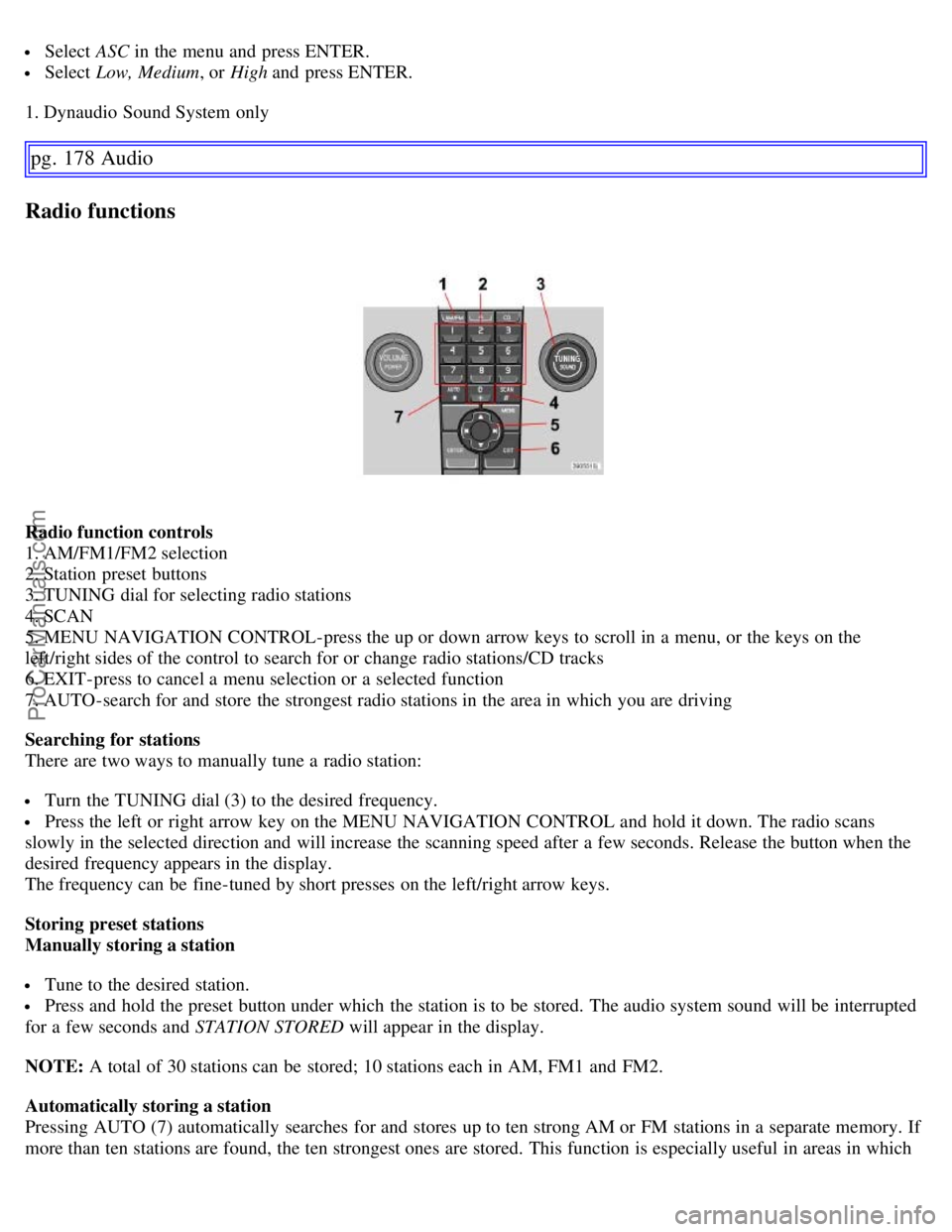
Radio function controls
1. AM/FM1/FM2 selection
2. Station preset buttons
3. TUNING dial for selecting radio stations
4. SCAN
5. MENU NAVIGATION CONTROL-press the up or down arrow keys to scroll in a menu, or the keys on the
left/right sides of the control to search for or change radio stations/CD tracks
6. EXIT-press to cancel a menu selection or a selected function
7. AUTO-search for and store the strongest radio stations in the area in which you are driving
Searching for stations
There are two ways to manually tune a radio station:
Turn the TUNING dial (3) to the desired frequency.
Press the left or right arrow key on the MENU NAVIGATION CONTROL and hold it down. The radio scans
slowly in the selected direction and will increase the scanning speed after a few seconds. Release the button when the
desired frequency appears in the display.
The frequency can be fine-tuned by short presses on the left/right arrow keys.
Storing preset stations
Manually storing a station
Tune to the desired station.
Press and hold the preset button under which the station is to be stored. The audio system sound will be interrupted
for a few seconds and STATION STORED will appear in the display.
NOTE: A total of 30 stations can be stored; 10 stations each in AM, FM1 and FM2.
Automatically storing a station
Pressing AUTO (7) automatically searches for and stores up to ten strong AM or FM stations in a separate memory. If
more than ten stations are found, the ten strongest ones are stored. This function is especially useful in areas in which
ProCarManuals.com
Page 162 of 182
you are not familiar with radio stations or their frequencies.
To use the AUTO function:
Select a waveband using the AM/FM button (1).
Start the search by pressing AUTO until AUTO STORING appears in the display.
When the search is completed, AUTO STORING will no longer be displayed. If there are no stations with sufficient
signal strength, NO AST FOUND is displayed.
The auto-stored stations can be selected using the preset buttons (2).
Press EXIT (6) to terminate the automatic storing function.
When the radio is in auto-store mode, AUTO is shown in the display. AUTO disappears when you return to normal
radio mode, which can be done by briefly pressing AM/FM (1), EXIT (6), or AUTO (7).
pg. 179 Audio
Radio functions
To return to the Auto-store mode, press the AUTO button briefly and select a stored station by pressing one of the
preset buttons (2).
Saving auto-stored stations in the preset memory
An auto-stored station can be saved in the memory for manually preset stations.
Press AUTO (7) briefly.
Auto is displayed.
Press one of the preset buttons (2) under which the station is to be stored. Hold down the button until STATION
STORED is displayed .
The radio will then exit auto-store mode and the stored station can be selected by pressing the preset button.
Scanning
SCAN (4) automatically searches through the selected waveband for strong AM or FM stations. When the radio finds a
station, that station will be played for approximately 8 seconds, after which scanning resumes.
Activating/deactivating SCAN
Select radio mode using the AM/FM button (2).
Press SCAN to activate the function. SCAN is shown in the display.
Press the SCAN or EXIT button to deactivate the scan function and listen to the selected station.
Storing a station found with SCAN
A station can be stored as a preset while the SCAN function is activated.
Press one of the preset buttons (2) under which the station is to be stored. Hold down the button until STATION
STORED is displayed .
The SCAN function will be deactivated and the station can be selected by pressing the preset button.
Radio Broadcast Data System - RBDS
This feature, which may not be available in your area, functions only with FM broadcasts. The radio in your car is
equipped with an advanced system allowing information from broadcasters to be transmitted visually, as text, together
with the audio signal. This information is then decoded by the radio and made available for several new and unique
features.
The RBDS or Radio Broadcast Data System operates in the FM band only, and the information transmitted is
supplied exclusively by participating broadcasters.
ProCarManuals.com
Page 163 of 182
Volvo has no control over the accuracy of the data or information.
Coverage by local broadcasters may be limited at this time, but as the technology and benefits grow, you will find the
radio in your car is equipped to take advantage of this system.
PI (Program Information) seek
When an FM station has been stored as a preset, the radio also stores RBDS program information if it is available.
When the preset is selected at a later time, the radio tries to access updated program information. In weak signal areas,
there may be a delay before the station becomes audible. During this delay, there will be no sound.
PI seek can be interrupted by pressing EXIT.
Radio text
Certain RBDS stations broadcast program information, which can be shown in the display.
To start this function:
Select FM1 or FM2 and press the MENU button.
Press ENTER.
Select RADIOTEXT in the menu and press ENTER.
pg. 180 Audio
Radio functions
To deactivate this function, select RADIOTEXT again and press ENTER.
Alarm
Alarms bulletins are transmitted automatically by certain RBDS stations. The function cannot be deactivated.
"Alarm!" is shown in the radio display when an alarm message is sent. The function is used to warn motorists of
serious accidents, etc.
Program type/station format - PTY
The PTY function allows you to find stations whose programs suit your taste. Use the PTY function to select among
the different station formats shown in the list. To show the format of the current station:
Select FM1 or FM2 and press the MENU button.
Press ENTER.
Select PTY from the menu and press ENTER.
Select SHOW PTY and press ENTER.
The PTY (program type) of the selected station is now shown in the display.
NOTE: Not all RBDS radio stations have PTY designations.
Station formats
Switch off/deactivate (Clear all PTY)
News
Information
Sports
Talk
Rock
Classic rock
Adult hits
Soft rock
Top 40
Country
Oldies
Soft
ProCarManuals.com
Page 164 of 182
Nostalgia
Jazz
Classical
Rhythm and Blues
Soft R&B
Language
Religious music
Religious talk
Personality
Public
College
Weather
Search for a specific station format
This functions enables you to search for a certain station format by searching through the entire FM waveband.
Select FM1 or FM2 and press the MENU button.
Press ENTER.
Select PTY and press ENTER.
Choose SELECT PTY and press ENTER.
Press ENTER for one or more of the listed station formats. Once you have selected all the desired types, select
EXIT to exit the PTY list.
Select SEARCH PTY and press ENTER. If the radio finds a station with the selected format, it will tune to this
station.
If you would like to continue searching, press the left or right arrow on the MENU NAVIGATION control.
If no stations with the selected station format are found, the radio resumes its previous frequency.
pg. 181 Audio
Radio functions
Automatic frequency update - AF
The AF function ensures that one of the strongest available transmitters for a radio station is used. This function is only
available on RBDS stations. To activate this function:
Select FM1 or FM2 and press the MENU button.
Press ENTER
Select ADVANCED RADIO SETTINGS in the menu and press ENTER.
Select AF and press ENTER.
To deactivate this function, select AF and press ENTER.
Resetting RBDS functions
This function restores all radio settings to the original factory settings.
Select FM1 or FM2 and press the MENU button.
Press ENTER.
Select ADVANCED RADIO SETTINGS in the menu and press ENTER.
Select RESET ALL in the menu and press ENTER. Press ENTER again to confirm your selection.
pg. 182 Audio
CD changer
ProCarManuals.com
Page 167 of 182
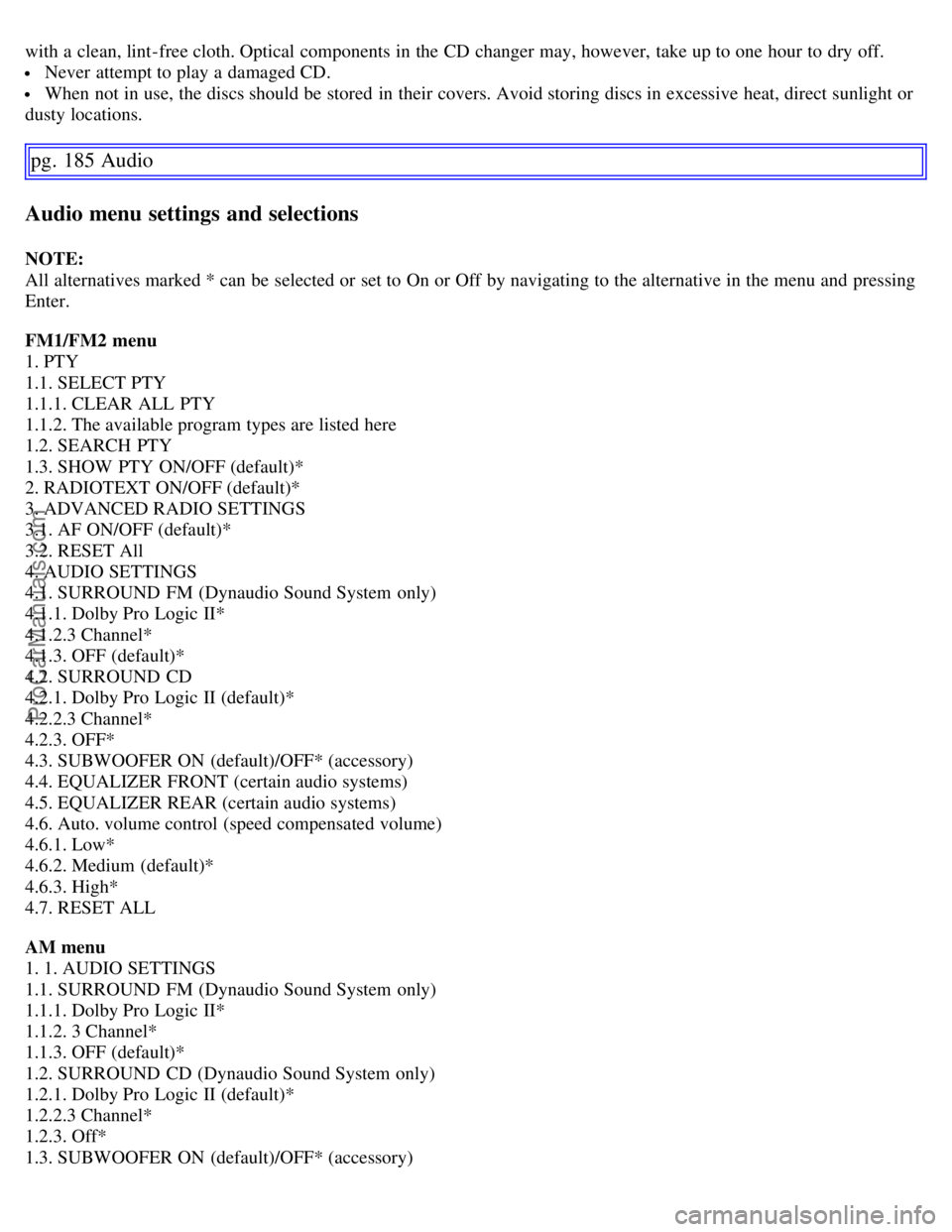
with a clean, lint-free cloth. Optical components in the CD changer may, however, take up to one hour to dry off.
Never attempt to play a damaged CD.
When not in use, the discs should be stored in their covers. Avoid storing discs in excessive heat, direct sunlight or
dusty locations.
pg. 185 Audio
Audio menu settings and selections
NOTE:
All alternatives marked * can be selected or set to On or Off by navigating to the alternative in the menu and pressing
Enter.
FM1/FM2 menu
1. PTY
1.1. SELECT PTY
1.1.1. CLEAR ALL PTY
1.1.2. The available program types are listed here
1.2. SEARCH PTY
1.3. SHOW PTY ON/OFF (default)*
2. RADIOTEXT ON/OFF (default)*
3. ADVANCED RADIO SETTINGS
3.1. AF ON/OFF (default)*
3.2. RESET All
4. AUDIO SETTINGS
4.1. SURROUND FM (Dynaudio Sound System only)
4.1.1. Dolby Pro Logic II*
4.1.2.3 Channel*
4.1.3. OFF (default)*
4.2. SURROUND CD
4.2.1. Dolby Pro Logic II (default)*
4.2.2.3 Channel*
4.2.3. OFF*
4.3. SUBWOOFER ON (default)/OFF* (accessory)
4.4. EQUALIZER FRONT (certain audio systems)
4.5. EQUALIZER REAR (certain audio systems)
4.6. Auto. volume control (speed compensated volume)
4.6.1. Low*
4.6.2. Medium (default)*
4.6.3. High*
4.7. RESET ALL
AM menu
1. 1. AUDIO SETTINGS
1.1. SURROUND FM (Dynaudio Sound System only)
1.1.1. Dolby Pro Logic II*
1.1.2. 3 Channel*
1.1.3. OFF (default)*
1.2. SURROUND CD (Dynaudio Sound System only)
1.2.1. Dolby Pro Logic II (default)*
1.2.2.3 Channel*
1.2.3. Off*
1.3. SUBWOOFER ON (default)/OFF* (accessory)
ProCarManuals.com
Page 168 of 182
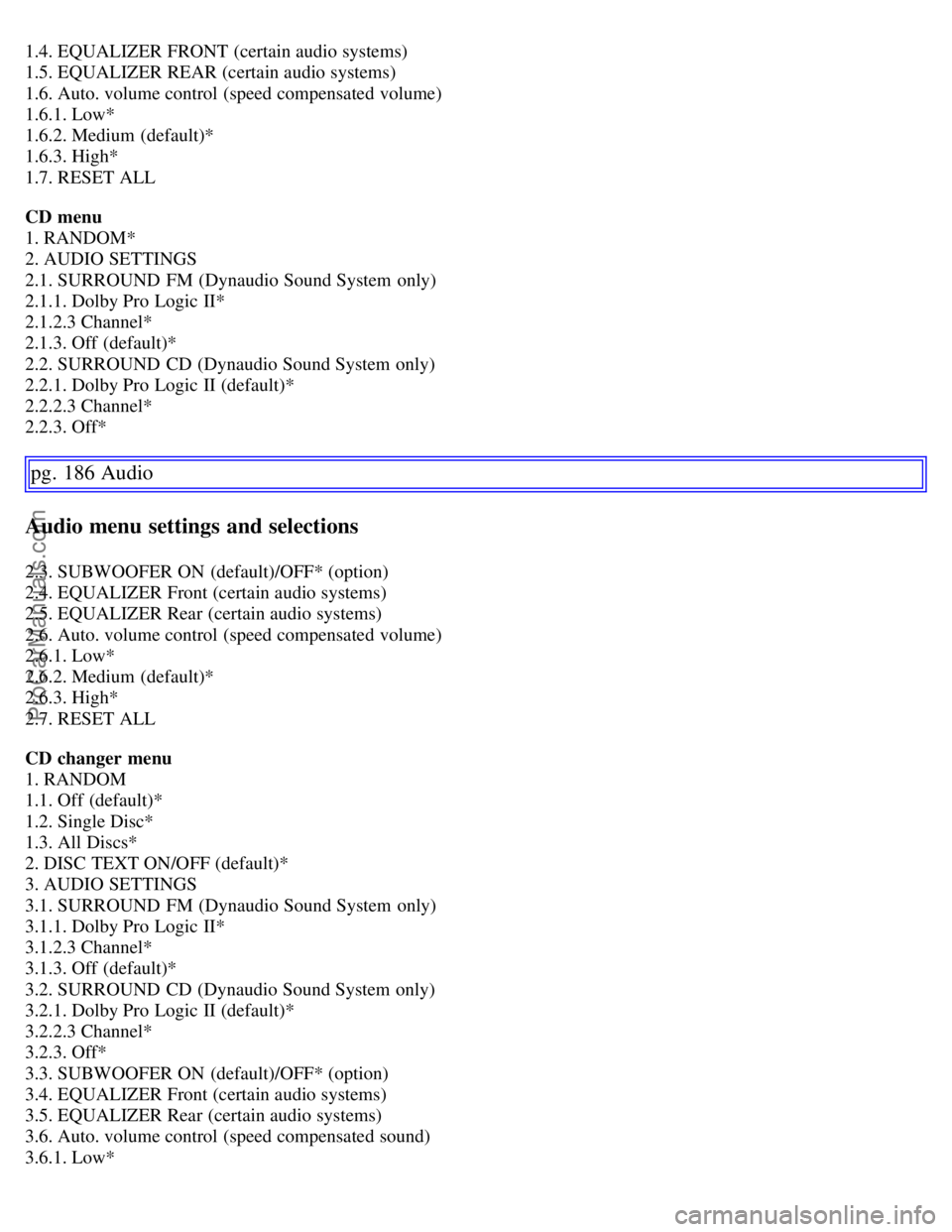
1.4. EQUALIZER FRONT (certain audio systems)
1.5. EQUALIZER REAR (certain audio systems)
1.6. Auto. volume control (speed compensated volume)
1.6.1. Low*
1.6.2. Medium (default)*
1.6.3. High*
1.7. RESET ALL
CD menu
1. RANDOM*
2. AUDIO SETTINGS
2.1. SURROUND FM (Dynaudio Sound System only)
2.1.1. Dolby Pro Logic II*
2.1.2.3 Channel*
2.1.3. Off (default)*
2.2. SURROUND CD (Dynaudio Sound System only)
2.2.1. Dolby Pro Logic II (default)*
2.2.2.3 Channel*
2.2.3. Off*
pg. 186 Audio
Audio menu settings and selections
2.3. SUBWOOFER ON (default)/OFF* (option)
2.4. EQUALIZER Front (certain audio systems)
2.5. EQUALIZER Rear (certain audio systems)
2.6. Auto. volume control (speed compensated volume)
2.6.1. Low*
2.6.2. Medium (default)*
2.6.3. High*
2.7. RESET ALL
CD changer menu
1. RANDOM
1.1. Off (default)*
1.2. Single Disc*
1.3. All Discs*
2. DISC TEXT ON/OFF (default)*
3. AUDIO SETTINGS
3.1. SURROUND FM (Dynaudio Sound System only)
3.1.1. Dolby Pro Logic II*
3.1.2.3 Channel*
3.1.3. Off (default)*
3.2. SURROUND CD (Dynaudio Sound System only)
3.2.1. Dolby Pro Logic II (default)*
3.2.2.3 Channel*
3.2.3. Off*
3.3. SUBWOOFER ON (default)/OFF* (option)
3.4. EQUALIZER Front (certain audio systems)
3.5. EQUALIZER Rear (certain audio systems)
3.6. Auto. volume control (speed compensated sound)
3.6.1. Low*
ProCarManuals.com
Page 169 of 182
3.6.2. Medium (default)*
3.6.3. High*
3.7. RESET ALL
Contents | Top of Page
ProCarManuals.com