warning light VOLVO C70 2008 User Guide
[x] Cancel search | Manufacturer: VOLVO, Model Year: 2008, Model line: C70, Model: VOLVO C70 2008Pages: 246, PDF Size: 5.14 MB
Page 44 of 246
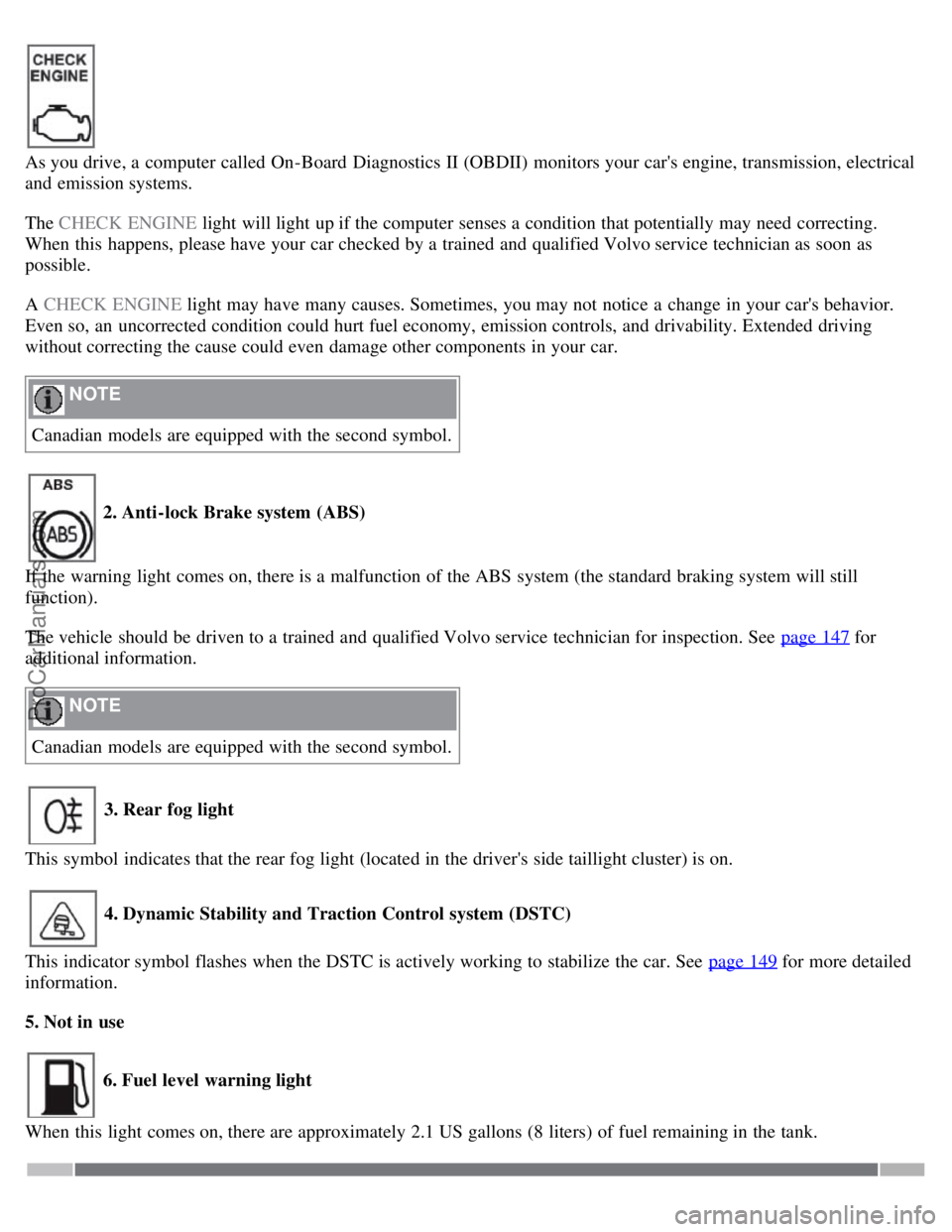
As you drive, a computer called On-Board Diagnostics II (OBDII) monitors your car's engine, transmission, electrical
and emission systems.
The CHECK ENGINE light will light up if the computer senses a condition that potentially may need correcting.
When this happens, please have your car checked by a trained and qualified Volvo service technician as soon as
possible.
A CHECK ENGINE light may have many causes. Sometimes, you may not notice a change in your car's behavior.
Even so, an uncorrected condition could hurt fuel economy, emission controls, and drivability. Extended driving
without correcting the cause could even damage other components in your car.
NOTE
Canadian models are equipped with the second symbol.
2. Anti-lock Brake system (ABS)
If the warning light comes on, there is a malfunction of the ABS system (the standard braking system will still
function).
The vehicle should be driven to a trained and qualified Volvo service technician for inspection. See page 147
for
additional information.
NOTE
Canadian models are equipped with the second symbol.
3. Rear fog light
This symbol indicates that the rear fog light (located in the driver's side taillight cluster) is on.
4. Dynamic Stability and Traction Control system (DSTC)
This indicator symbol flashes when the DSTC is actively working to stabilize the car. See page 149
for more detailed
information.
5. Not in use
6. Fuel level warning light
When this light comes on, there are approximately 2.1 US gallons (8 liters) of fuel remaining in the tank.
ProCarManuals.com
Page 45 of 246

51 02 Instruments and controls
Symbols - instrument panel
Symbols - right side
1. Turn signal indicator for trailer (certain models)
If you are towing a trailer, this light will flash simultaneously with the turn signals on the trailer. If the light does not
flash when signaling, one of the turn signals on the trailer or on the car are not functioning properly.
2. Parking brake applied
This light is on when the parking brake (hand brake) is applied. The parking brake lever is situated between the front
seats. Always pull up this lever as far as possible when applying the parking brake.
NOTE
Canadian models are equipped with the second symbol.
3. SRS warning light
If this light comes on while the car is being driven, or remains on for longer than approximately 10 seconds after the
car has been started, the SRS system's diagnostic functions have detected a fault in a seat belt lock or pretensioner, a
front airbag, side impact airbag, and/or an inflatable curtain. Have the system(s) inspected by a trained and qualified
Volvo service technician as soon as possible.
4. Oil pressure warning light1
If the light comes on while driving, stop the car, stop the engine immediately, and check the engine oil level. If the oil
level is normal and the light stays on after restart, have the car towed to the nearest trained and qualified Volvo service
technician. After hard driving, the light may come on occasionally when the engine is idling. This is normal, provided
it goes off when the engine speed is increased.
ProCarManuals.com
Page 46 of 246

5. Seat belt reminder
See page 16
for detailed information.
6. Generator warning light
If the light comes on while the engine is running, have the charging system checked by a trained and qualified Volvo
service technician.
7. Brake failure warning light
If this light comes on while driving or braking, stop the car as quickly as possible in a safe place, open the hood, and
check
1On certain engines, this symbol is not used to indicate low oil pressure. Instead, a text warning is provided in the information display, see also
page 210
.
52 02 Instruments and controls
Symbols - instrument panel
the brake fluid level in the reservoir. See page 208 for the location of the reservoir.
NOTE
Canadian models are equipped with the second symbol.
WARNING
If the fluid level is below the MIN mark in the reservoir or if a "Brake failure - Service urgent" message is displayed
in the information display: DO NOT DRIVE . Have the car towed to a trained and qualified Volvo service technician
and have the brake system inspected.
If the fluid level is below the MIN mark in the reservoir or if a " BRAKE FAILURE - SERVICE URGENT" message
is displayed in the information display: DO NOT DRIVE. Have the car towed to a trained and qualified Volvo service
technician and have the brake system inspected.
If the BRAKE and ABS warning lights come on at the same time, this could indicate a fault in the brake system.
In this case:
1. Stop the car in a suitable place and switch off the engine.
ProCarManuals.com
Page 47 of 246

2. Restart the engine.
3. If both warning lights go off, no further action is required and the car can be driven.
4. If both lights remain on after the engine has been restarted, switch off the engine again and check the brake fluid
level. See page 208
for the location of the reservoir.
Door open warning
The driver will be alerted if either door, the hood, or the trunk lid are open or ajar.
At low speeds
If the car is moving at a speed of less than approximately 3 m.p.h. (5 km/h), the Information symbol in the instrument
panel will light up and a message will be shown in the information display indicating which door(s), etc is not
completely closed.
At higher speeds
If the car is moving at a speed above approximately 6 m.p.h. (10 km/h), the Warning symbol in the instrument panel
will light up and a message will be shown in the information display indicating which door(s), etc is not completely
closed.
Hood and trunk
If the hood and/or trunk lid is not completely closed, the Information symbol in the instrument panel will light up and a
message will be displayed, regardless of the vehicle's speed.
53 02 Instruments and controls
Information display
Messages
When an indicator or warning light in the instrument panel comes on, a message is also shown in the information
display. To read a message:
ProCarManuals.com
Page 59 of 246
2. Adjust the steering wheel to a suitable position
3. Press the lever back into place to lock the steering wheel in the new position. If necessary, press the steering wheel
slightly while pressing the lever into the locked position.
Check that the steering wheel is locked in the new position.
WARNING
Never adjust the steering wheel while driving.
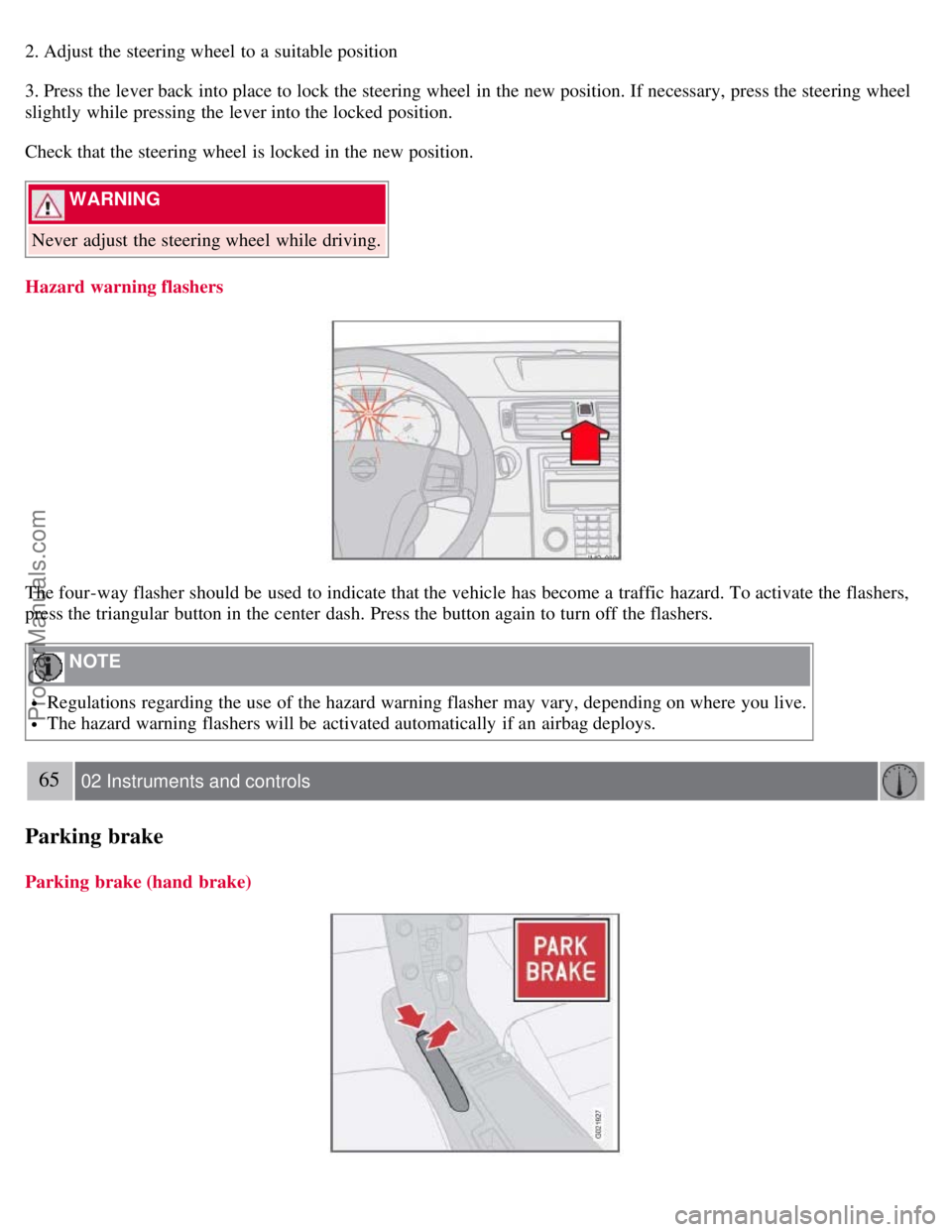
Hazard warning flashers
The four-way flasher should be used to indicate that the vehicle has become a traffic hazard. To activate the flashers,
press the triangular button in the center dash. Press the button again to turn off the flashers.
NOTE
Regulations regarding the use of the hazard warning flasher may vary, depending on where you live.
The hazard warning flashers will be activated automatically if an airbag deploys.
65 02 Instruments and controls
Parking brake
Parking brake (hand brake)
ProCarManuals.com
Page 60 of 246
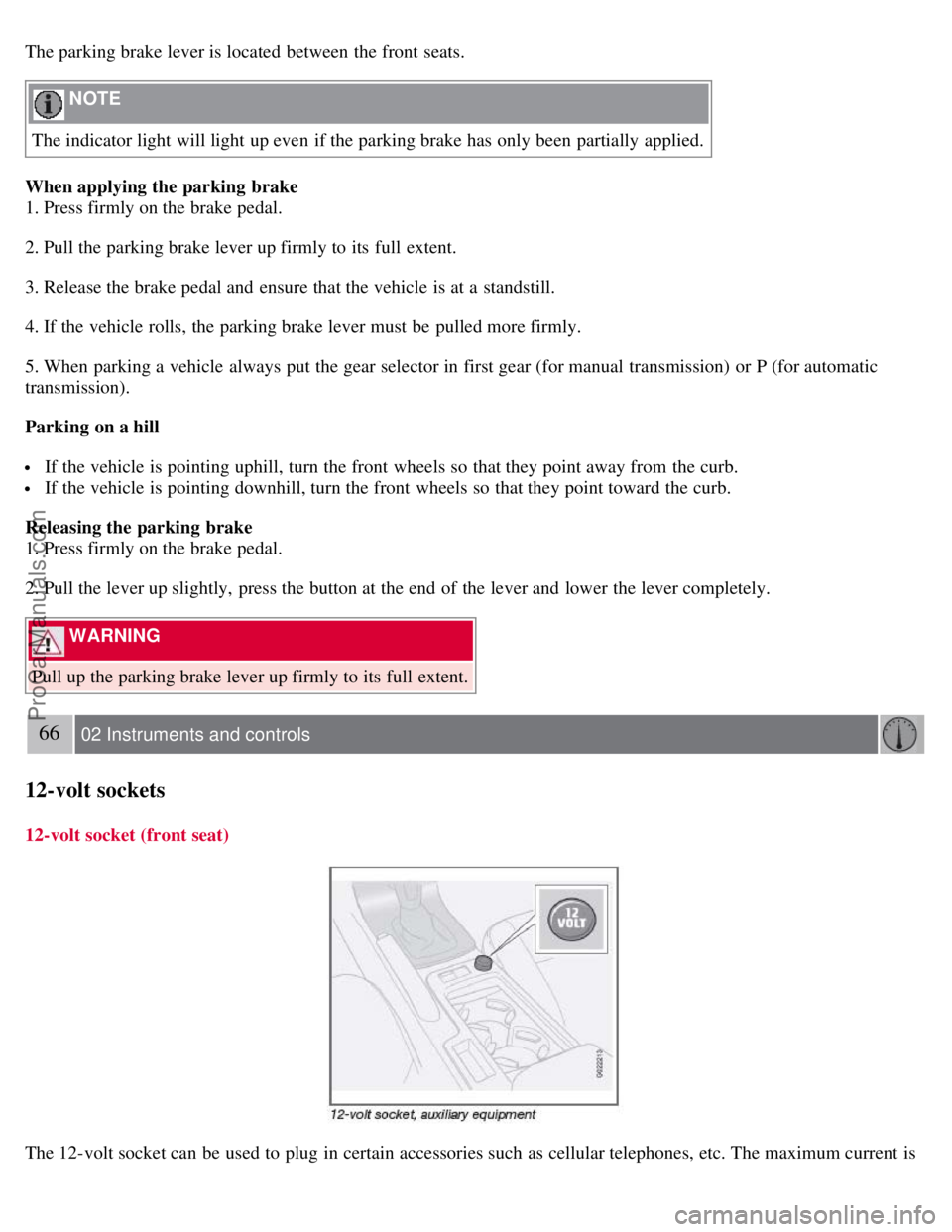
The parking brake lever is located between the front seats.
NOTE
The indicator light will light up even if the parking brake has only been partially applied.
When applying the parking brake
1. Press firmly on the brake pedal.
2. Pull the parking brake lever up firmly to its full extent.
3. Release the brake pedal and ensure that the vehicle is at a standstill.
4. If the vehicle rolls, the parking brake lever must be pulled more firmly.
5. When parking a vehicle always put the gear selector in first gear (for manual transmission) or P (for automatic
transmission).
Parking on a hill
If the vehicle is pointing uphill, turn the front wheels so that they point away from the curb.
If the vehicle is pointing downhill, turn the front wheels so that they point toward the curb.
Releasing the parking brake
1. Press firmly on the brake pedal.
2. Pull the lever up slightly, press the button at the end of the lever and lower the lever completely.
WARNING
Pull up the parking brake lever up firmly to its full extent.
66 02 Instruments and controls
12-volt sockets
12-volt socket (front seat)
The 12-volt socket can be used to plug in certain accessories such as cellular telephones, etc. The maximum current is
ProCarManuals.com
Page 62 of 246

WARNING
Always remove the ignition key when the vehicle is unattended.
Never leave children unattended in the vehicle.
Make sure that the windows are completely unobstructed before they are operated.
Press down the front part of one or both buttons 3 as far as possible and release to automatically open the front
window(s) completely.
To stop the window at any time, pull the button up.
NOTE
To reduce buffeting wind noise if the rear windows are opened, also open the front windows slightly.
Closing a window
Lightly pull up the front edge of any of the buttons (2 or 3) to the first detent ("stop") to close a window to the
position of your choice.
Pull up the front part of one or both buttons 3 as far as possible and release to automatically close the front
window(s) completely.
All windows
Button 1 can be used to open or close all of the windows at the same time.
Briefly press the right side of the button to automatically open all of the windows.
Press and hold down the left side of the button to close all of the windows.
68 02 Instruments and controls
Mirrors
Rearview mirror
Auto-dim function
An optional integrated sensor reacts to headlights from following traffic and automatically reduces glare.
Rearview mirror with compass (option)
ProCarManuals.com
Page 64 of 246
Calibration is complete.
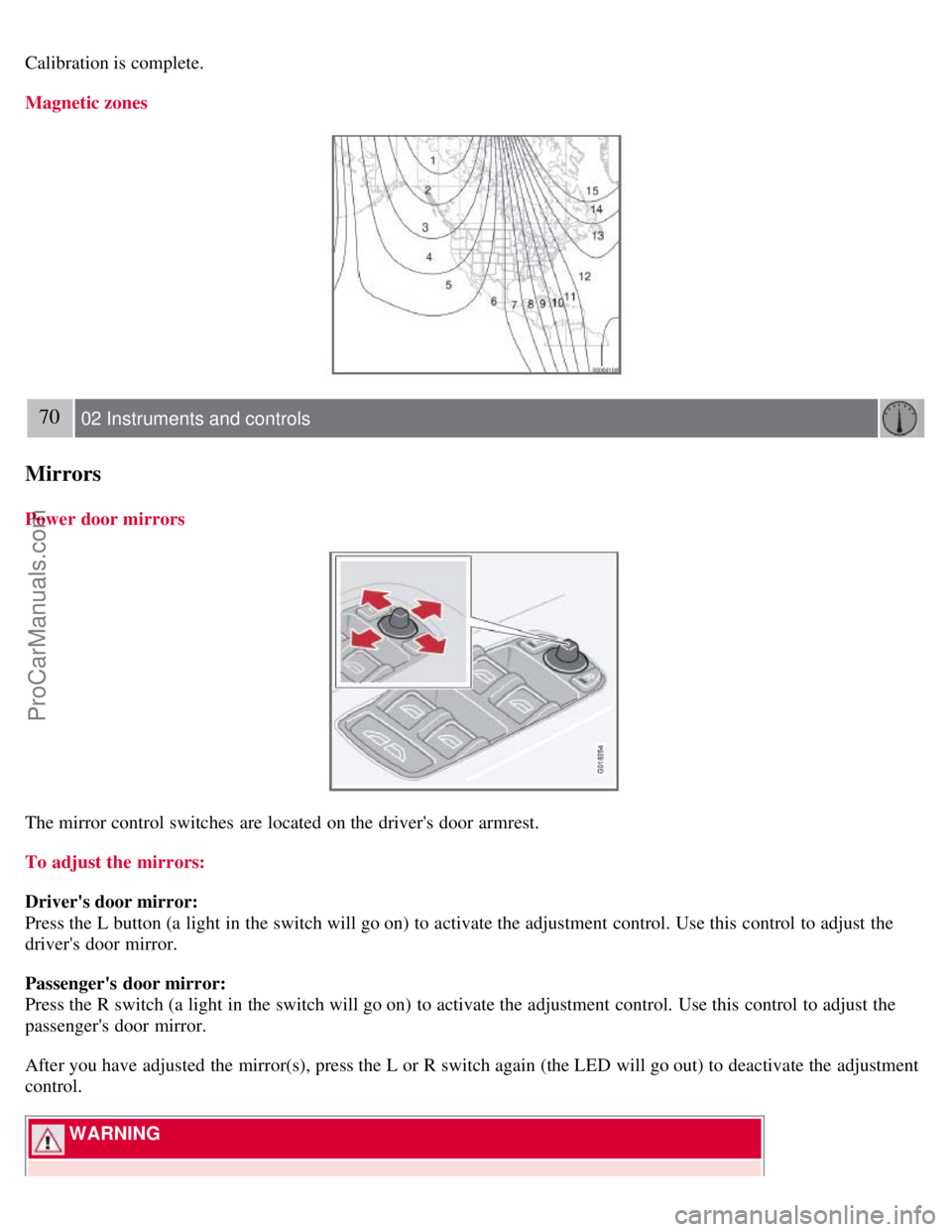
Magnetic zones
70 02 Instruments and controls
Mirrors
Power door mirrors
The mirror control switches are located on the driver's door armrest.
To adjust the mirrors:
Driver's door mirror:
Press the L button (a light in the switch will go on) to activate the adjustment control. Use this control to adjust the
driver's door mirror.
Passenger's door mirror:
Press the R switch (a light in the switch will go on) to activate the adjustment control. Use this control to adjust the
passenger's door mirror.
After you have adjusted the mirror(s), press the L or R switch again (the LED will go out) to deactivate the adjustment
control.
WARNING
ProCarManuals.com
Page 68 of 246
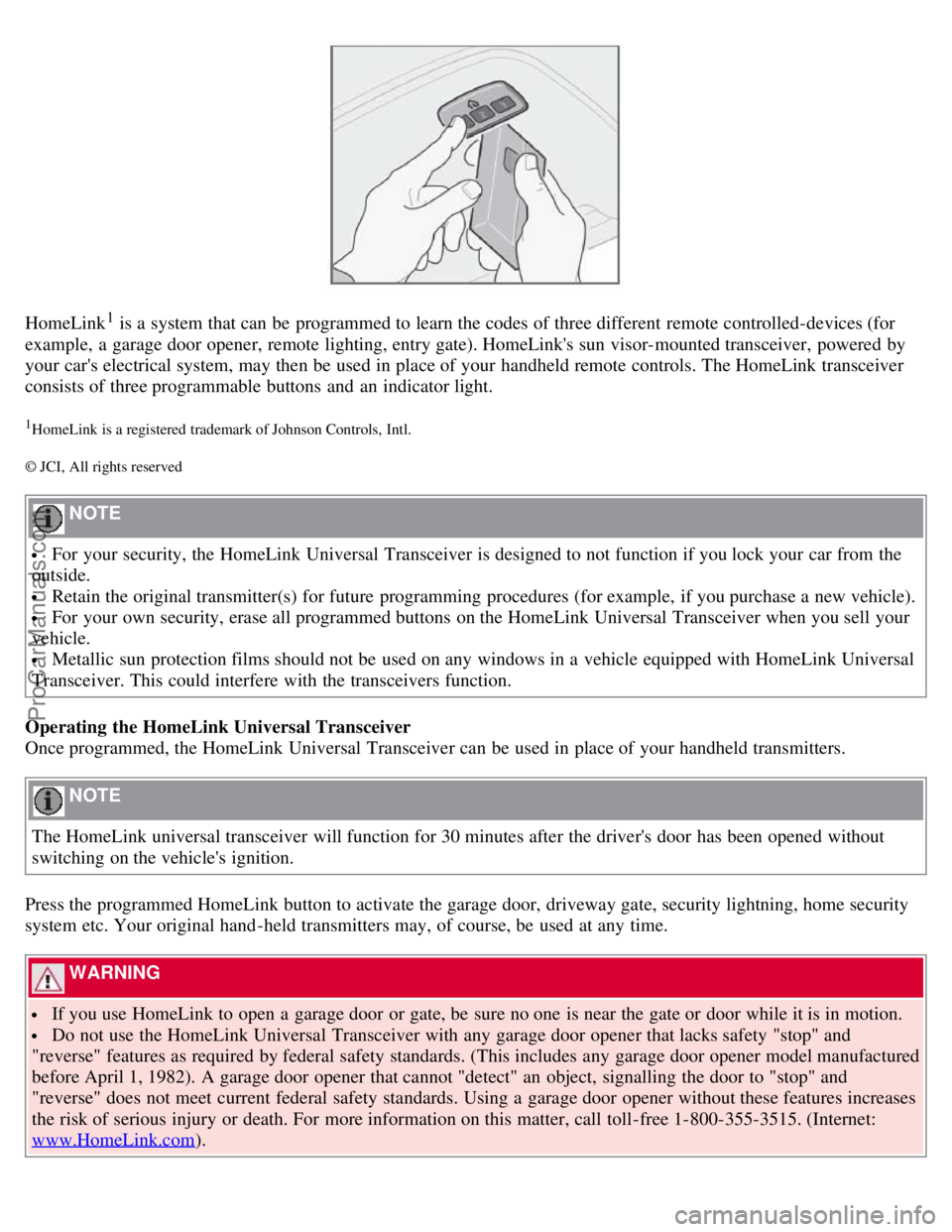
HomeLink1 is a system that can be programmed to learn the codes of three different remote controlled-devices (for
example, a garage door opener, remote lighting, entry gate). HomeLink's sun visor-mounted transceiver, powered by
your car's electrical system, may then be used in place of your handheld remote controls. The HomeLink transceiver
consists of three programmable buttons and an indicator light.
1HomeLink is a registered trademark of Johnson Controls, Intl.
© JCI, All rights reserved
NOTE
For your security, the HomeLink Universal Transceiver is designed to not function if you lock your car from the
outside.
Retain the original transmitter(s) for future programming procedures (for example, if you purchase a new vehicle).
For your own security, erase all programmed buttons on the HomeLink Universal Transceiver when you sell your
vehicle.
Metallic sun protection films should not be used on any windows in a vehicle equipped with HomeLink Universal
Transceiver. This could interfere with the transceivers function.
Operating the HomeLink Universal Transceiver
Once programmed, the HomeLink Universal Transceiver can be used in place of your handheld transmitters.
NOTE
The HomeLink universal transceiver will function for 30 minutes after the driver's door has been opened without
switching on the vehicle's ignition.
Press the programmed HomeLink button to activate the garage door, driveway gate, security lightning, home security
system etc. Your original hand -held transmitters may, of course, be used at any time.
WARNING
If you use HomeLink to open a garage door or gate, be sure no one is near the gate or door while it is in motion.
Do not use the HomeLink Universal Transceiver with any garage door opener that lacks safety "stop" and
"reverse" features as required by federal safety standards. (This includes any garage door opener model manufactured
before April 1, 1982). A garage door opener that cannot "detect" an object, signalling the door to "stop" and
"reverse" does not meet current federal safety standards. Using a garage door opener without these features increases
the risk of serious injury or death. For more information on this matter, call toll-free 1-800-355-3515. (Internet:
www.HomeLink.com
).
ProCarManuals.com
Page 91 of 246

backrest.
4. Press the side lock tabs into the holes in the side panels until they click into place.
5. Raise the wind blocker.
The zipper in the wind blocker can be opened to place or access objects in the rear seat.
CAUTION
Slide in the supports carefully to avoid damaging the upholstery.
WARNING
Make sure the wind blocker is securely attached. An improperly secured wind blocker may cause injury to
occupants of the vehicle or to other motorists.
No one should be allowed to sit in the rear seat when the wind blocker is in place.
When not in use, the wind blocker should be stored in its bag, in the trunk, against the rear seat backrest.
100 04 Interior
Interior lighting
Interior lighting
1. Driver's side reading light
2. Courtesy lighting
3. Passenger's side reading light
The front seat reading lights can be switched on and off by pressing buttons 1 or 3.
The courtesy lighting (2) can be set to three positions:
Off - Press the right side of the button.
Neutral position - the interior courtesy lighting comes on when a door is opened, and is switched off when the door
is closed.
ON - Press the left side of the button.
ProCarManuals.com