ignition VOLVO C70 2008 Workshop Manual
[x] Cancel search | Manufacturer: VOLVO, Model Year: 2008, Model line: C70, Model: VOLVO C70 2008Pages: 246, PDF Size: 5.14 MB
Page 193 of 246

PROPOSITION 65 WARNING!
Battery posts, terminals, and related accessories contain lead and lead compounds, chemicals known to the state of
California to cause cancer and reproductive harm. Wash hands after handling.
215 09 Maintenance and servicing
Battery
Battery symbols
Battery replacement
Removing the battery
1. Switch off the ignition and remove the key.
2. Wait at least 5 minutes after switching off the ignition before disconnecting the battery so that all information in the
vehicle's electrical system can be stored in the control modules.
3. Remove the cover over the battery.
4. Disconnect the battery negative (ground) cable.
5. Disconnect the positive cable.
6. Remove the front side of the battery box with a screwdriver.
7. Release the clamp holding the battery.
8. Lift out the battery.
ProCarManuals.com
Page 195 of 246

Replacing bulbs
Removing the headlight housing
The entire headlight housing must be lifted out when replacing the high/low beam, parking light, turn signal, and side
marker bulbs.
To lift out the housing:
1. Remove the key from the ignition and turn the headlight switch to position 0.
2. Open the hood.
3. Pull up the headlight housing's retaining pin (1)
4. Pull the headlight housing to one side and then forward (2)
5. Disconnect the wiring connector by pressing down the clip with your thumb
6. (3) and pulling out the connector (4) with your other hand.
7. Lift out the headlight housing and place it on a soft surface to avoid scratching the lens.
After the defective bulb has been replaced, reinsert the housing in the reverse order. Check that the retaining pin is
correctly inserted.
WARNING
Bi -Xenon® headlights (option) - due to the high voltage used by these headlights, these bulbs should only be
replaced by a trained and qualified Volvo service technician.
ProCarManuals.com
Page 206 of 246

228 09 Maintenance and servicing
Fuses
23. Engine control module (ECM)/transmission control module (TCM)10A
24. Not in use
25. Not in use
26. Ignition switch 15A
27. A/C compressor 10A
28. Not in use
29. Front fog lights (option) 15A
30. Not in use
31. Not in use
32. Fuel injectors 10A
33. Heated oxygen sensor, vacuum pump 20A
34. Ignition coils, climate unit pressure sensor 10A
35. Engine sensor valves, A/C relay, PTC element oil trap, charcoal filter, air mass sensor 15A
36. Engine control module (ECM), throttle sensor 10A
229 09 Maintenance and servicing
Fuses
Fuses in the passenger compartment
37. Not in use
38. Not in use
39. Not in use
40. Not in use
41. Not in use
42. Not in use
43. Audio system, Volvo Navigation system (option)15A
44. Supplemental Restrain System (SRS), engine control module 10A
45. 12-volt socket in passenger compartment15A
ProCarManuals.com
Page 210 of 246
3. MODE - select a sound source
4. TUNING dial
5. SOUND button
On/off
Press POWER (1) to switch the audio system off or on.
If the system is on when the ignition is turned to position 0 it will remain on until the key has been removed from the
ignition switch.
Selecting a sound source
Press AM/FM (2) repeatedly to toggle between FM1, FM2, and AM.
Press MODE (3) repeatedly to toggle between the CD player and the optional external sound source AUX or the
optional Sirius satellite radio.
The currently selected sound source will be shown in the display.
AUX (option)
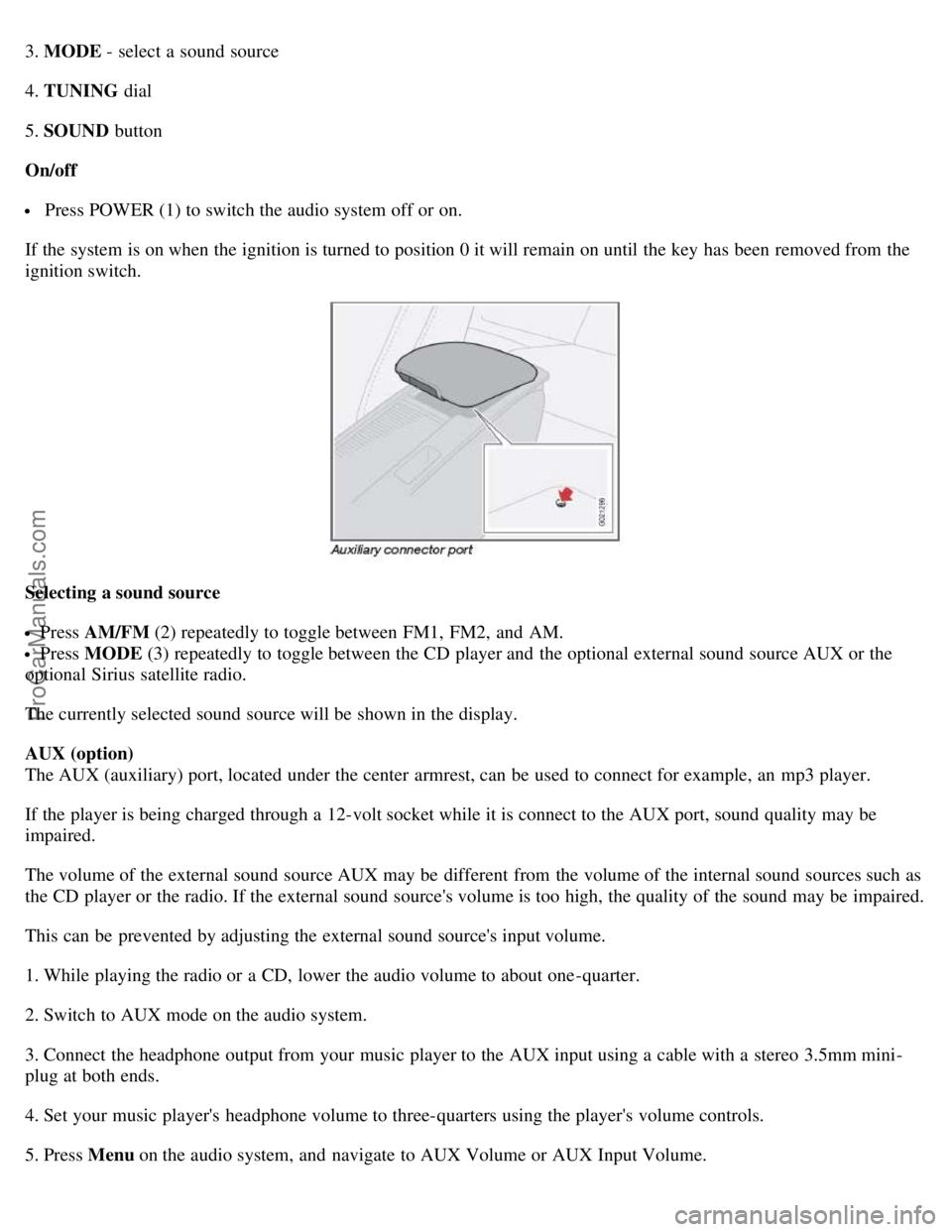
The AUX (auxiliary) port, located under the center armrest, can be used to connect for example, an mp3 player.
If the player is being charged through a 12-volt socket while it is connect to the AUX port, sound quality may be
impaired.
The volume of the external sound source AUX may be different from the volume of the internal sound sources such as
the CD player or the radio. If the external sound source's volume is too high, the quality of the sound may be impaired.
This can be prevented by adjusting the external sound source's input volume.
1. While playing the radio or a CD, lower the audio volume to about one -quarter.
2. Switch to AUX mode on the audio system.
3. Connect the headphone output from your music player to the AUX input using a cable with a stereo 3.5mm mini-
plug at both ends.
4. Set your music player's headphone volume to three-quarters using the player's volume controls.
5. Press Menu on the audio system, and navigate to AUX Volume or AUX Input Volume.
ProCarManuals.com
Page 221 of 246

skip list and will again be skipped the next time the ignition is switched on.
Channel lock
Access to specific channels can be restricted (locked). A locked channel will not provide audio, song titles, or artist
information.
NOTE
All channels are initially unlocked.
Locking a channel:
1. Select "Sirius ID" in the menu and select LOCK OPTIONS and press ENTER .
2. Select CHANNEL LOCK LIST and press ENTER
3. Enter the channel access code and press ENTER .
4. Select a category in the list and press ENTER .
5. Lock channels in the list presented by pressing ENTER or right arrow.
The channel is now locked and a checked box will be displayed to indicate this. It will be necessary to enter the
channel access code1 in order to listen to a locked channel.
Unlocking a channel
A channel's access code1 is required to unlock a channel.
Unlock all channels
This permanently removes all channels from the locked list and makes them available for selection.
Temp. unlock all ch.
This function will temporarily unlock all channels and make them available for selection. The channels remain on the
locked list and will again be locked the next time the ignition is switched on.
244 10 Audio
Radio functions
CHANGE CODE
This function makes it possible to change the channel access code. The default code is 0000.
To change the code:
1. Select CHANGE CODE and press ENTER .
2. Enter the current code and press ENTER .
3. Enter the code and press ENTER.
4. Confirm the new code and press ENTER .
If an incorrect code is entered, the text WRONG CODE! is displayed.
ProCarManuals.com
Page 235 of 246
262 11 Specifications
Three-way catalytic converter
General information
Keep your engine properly tuned. Certain engine malfunctions, particularly involving the electrical, fuel or distributor
ignition systems, may cause unusually high three-way catalytic converter temperatures. Do not continue to operate your
vehicle if you detect engine misfire, noticeable loss of power or other unusual operating conditions, such as engine
overheating or backfiring. A properly tuned engine will help avoid malfunctions that could damage the three-way
catalytic converter.
Do not park your vehicle over combustible materials, such as grass or leaves, which can come into contact with the hot
exhaust system and cause such materials to ignite under certain wind and weather conditions.
Excessive starter cranking (in excess of one minute), or an intermittently firing or flooded engine can cause three-way
catalytic converter or exhaust system overheating.
Remember that tampering or unauthorized modifications to the engine, the Electronic Control Module, or the vehicle
may be illegal and can cause three-way catalytic converter or exhaust system overheating.
This includes:
- Altering fuel injection settings or components.
- Altering emission system components or location or removing components.
- Repeated use of leaded fuel.
NOTE
Unleaded fuel is required for vehicles with three-way catalytic converters.
263 11 Specifications
Volvo programs
Volvo On Call Roadside Assistance
Your new Volvo comes with a four year ON CALL roadside assistance. Additional information, features, and benefits are
described in a separate information package in your glove compartment. If you have misplaced your package, dial:
In the U.S.A. 1-800-638-6586 (1-800-63-VOLVO)
ProCarManuals.com
Page 240 of 246
Front airbag system18, 19, 20
Front passenger's side airbag, disabling21, 22, 23
Front seats
easy entry function91
electrically operated92, 93
heated84
manual adjustment90
power91
whiplash protection system26, 27
Fuel filler cap6
Fuel filler door6, 56, 137
unlocking manually56
Fuel gauge47
fuel level warning light50
Fuel requirements136, 137
Fuses224 - 230
G
Gasoline requirements137
Generator warning light51
Glove compartment103
locking124
Gross vehicle weight177, 255
H
Hand brake (parking brake)65
Hard top94 - 99
Hazard warning flashers64
Headlights55
high beam flash57
switching between high/low beam57
washers60
Heated front seats84
Home safe lighting57, 72
Home Link Universal Transceiver73 - 76
Hood opening207
I
Ignition switch139
Immobilizer112, 140
Infant seats35
Inflatable curtain25
Inflation pressure checking170, 171
Inflation pressure tables
Canadian models173
US models172
Information symbol54
ProCarManuals.com