lights VOLVO C70 2013 Owner´s Manual
[x] Cancel search | Manufacturer: VOLVO, Model Year: 2013, Model line: C70, Model: VOLVO C70 2013Pages: 296, PDF Size: 7.18 MB
Page 77 of 296
02 Instruments and controls
Right-side steering wheel lever
02
* Option/accessory, for more information, see Introduction.75
Normal halogen headlights will not be washed.
When approx. 1 US quart (1 liter) of washer fluid
remains in the reservoir, the headlights will no
longer be washed. A text message will also be
displayed to remind the driver to fill the washer
fluid reservoir.
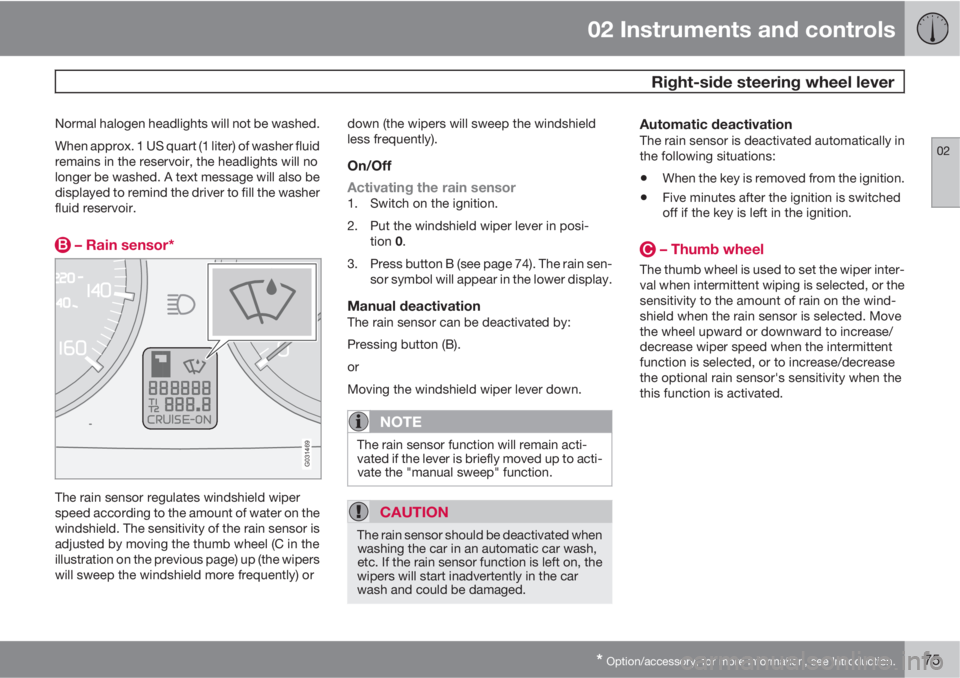
– Rain sensor*
G031469
The rain sensor regulates windshield wiper
speed according to the amount of water on the
windshield. The sensitivity of the rain sensor is
adjusted by moving the thumb wheel (C in the
illustration on the previous page) up (the wipers
will sweep the windshield more frequently) ordown (the wipers will sweep the windshield
less frequently).
On/Off
Activating the rain sensor
1. Switch on the ignition.
2. Put the windshield wiper lever in posi-
tion 0.
3. Press button B (see page 74). The rain sen-
sor symbol will appear in the lower display.
Manual deactivationThe rain sensor can be deactivated by:
Pressing button (B).
or
Moving the windshield wiper lever down.
NOTE
The rain sensor function will remain acti-
vated if the lever is briefly moved up to acti-
vate the "manual sweep" function.
CAUTION
The rain sensor should be deactivated when
washing the car in an automatic car wash,
etc. If the rain sensor function is left on, the
wipers will start inadvertently in the car
wash and could be damaged.
Automatic deactivationThe rain sensor is deactivated automatically in
the following situations:
•When the key is removed from the ignition.
•Five minutes after the ignition is switched
off if the key is left in the ignition.
– Thumb wheel
The thumb wheel is used to set the wiper inter-
val when intermittent wiping is selected, or the
sensitivity to the amount of rain on the wind-
shield when the rain sensor is selected. Move
the wheel upward or downward to increase/
decrease wiper speed when the intermittent
function is selected, or to increase/decrease
the optional rain sensor's sensitivity when the
this function is activated.
Page 80 of 296
02 Instruments and controls
Mirrors
02
78* Option/accessory, for more information, see Introduction.
Rearview mirror
G008130
Auto-dim functionAn integrated sensor reacts to headlights from
following traffic and automatically reduces
glare.
Rearview mirror with compass*
G020991
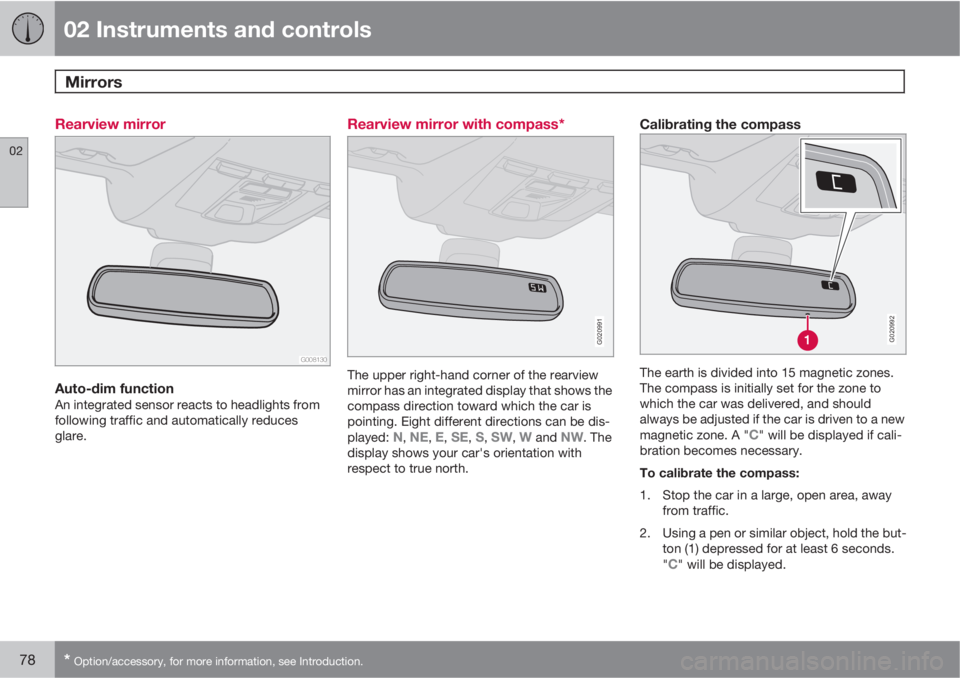
The upper right-hand corner of the rearview
mirror has an integrated display that shows the
compass direction toward which the car is
pointing. Eight different directions can be dis-
played:
N, NE, E, SE, S, SW, W and NW. The
display shows your car's orientation with
respect to true north.
Calibrating the compass
G020992
The earth is divided into 15 magnetic zones.
The compass is initially set for the zone to
which the car was delivered, and should
always be adjusted if the car is driven to a new
magnetic zone. A "
C" will be displayed if cali-
bration becomes necessary.
To calibrate the compass:
1. Stop the car in a large, open area, away
from traffic.
2. Using a pen or similar object, hold the but-
ton (1) depressed for at least 6 seconds.
"
C" will be displayed.
Page 84 of 296
02 Instruments and controls
Personal settings
02
82* Option/accessory, for more information, see Introduction.
•Global (All doors) – unlocks all doors and
the trunk with one press on the remote key.
•Two Step (Two-stage unlocking) – This
alternative unlocks the driver's door with
one press on the remote key. A second
press unlocks the passenger's door and
the trunk
Automatically folding the door mirrorsThe setting makes it possible to automatically
fold the door mirrors in or out when the vehicle
is locked or unlocked. See page 79.
Operating side windowsThe following alternative can be selected for
opening all side windows at the same time by
pressing and holding the Unlock button on the
central locking system’s remote key, (see
page 132 for additional information).
•Auto open all windows On/Off
Temporarily turning off the double
locking function and alarm sensor(s)
The double locking function and the alarm sen-
sors can be temporarily turned off (if, for exam-
ple, a person or a pet remains in the vehicle
when the doors are locked from outside with
the remote key, and the power retractable hard
top is down. There are two alternatives:
Activate once and Ask on exit, see
page 136 for additional information.
Approach lightingThis alternative determines the length of time
for which the car's lights will remain on when
the Approach light button on the central lock-
ing system's remote key is pressed. Intervals
of 30/60/90 seconds may be selected, see the
section "Remote key functions" for more infor-
mation.
Home safe lightingThis alternative determines the length of time
for which the car's lights will remain on when
the high beam lever on the steering column is
pulled toward the wheel with the ignition
switched off. Intervals of 30/60/90 seconds
may be selected, see page 68 for information
on using this function.
Information
•VIN number – The VIN (Vehicle Identifica-
tion Number) is the car's unique identity
number.
•Number of Keys – the number of keys reg-
istered for the car is displayed here.
Climate functions
•Blower speed in AUTO mode – the blower
speed can be set to AUTO mode in modelsequipped with ECC. Choose between
"Low", "Normal" and "High".
•Timer for recirculation – when the timer is
active, the air recirculates in the car for
3–12 minutes depending on the ambient
temperature. Select On/Off depending on
whether the recirculation timer is to be
active or not.
Keyless locking and unlocking*The following alternatives can be selected for
locking and unlocking the doors and trunk:
•All doors – all doors are locked or unlocked
at the same time.
•Doors on the same side – front and rear
doors on the same side are unlocked
together.
•Both front doors – both front doors are
unlocked together.
•One front door – either of the front doors
can be unlocked separately1.
Reset to factory settingsUse this alternative to return to the default cli-
mate system settings.
1Factory default.
Page 94 of 296
03 Climate
Electronic Climate Control (ECC)
03
92* Option/accessory, for more information, see Introduction.
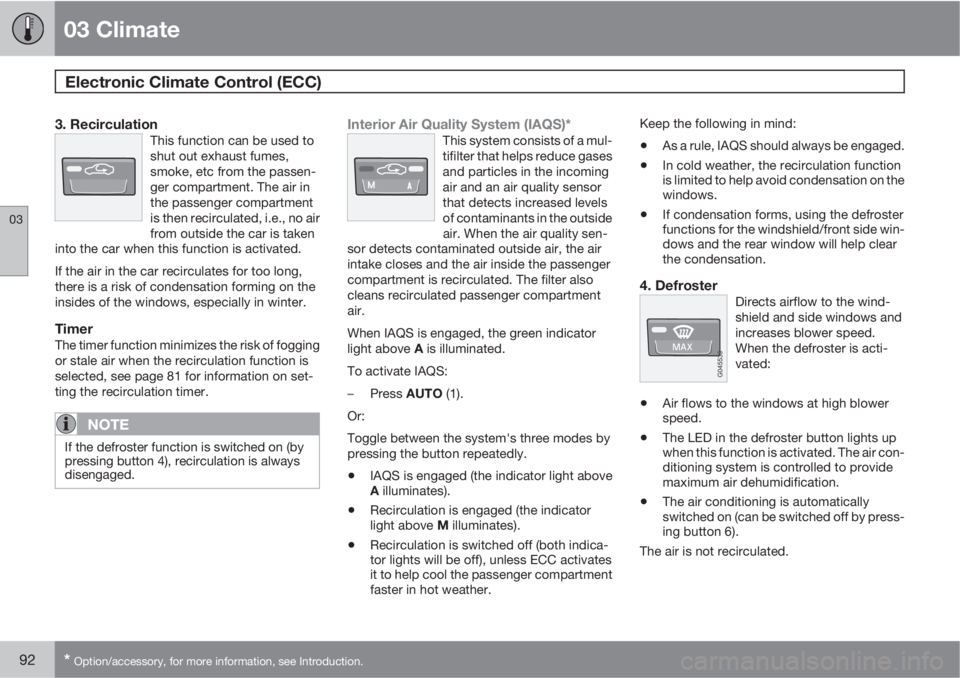
3. RecirculationThis function can be used to
shut out exhaust fumes,
smoke, etc from the passen-
ger compartment. The air in
the passenger compartment
is then recirculated, i.e., no air
from outside the car is taken
into the car when this function is activated.
If the air in the car recirculates for too long,
there is a risk of condensation forming on the
insides of the windows, especially in winter.
TimerThe timer function minimizes the risk of fogging
or stale air when the recirculation function is
selected, see page 81 for information on set-
ting the recirculation timer.
NOTE
If the defroster function is switched on (by
pressing button 4), recirculation is always
disengaged.
Interior Air Quality System (IAQS)*This system consists of a mul-
tifilter that helps reduce gases
and particles in the incoming
air and an air quality sensor
that detects increased levels
of contaminants in the outside
air. When the air quality sen-
sor detects contaminated outside air, the air
intake closes and the air inside the passenger
compartment is recirculated. The filter also
cleans recirculated passenger compartment
air.
When IAQS is engaged, the green indicator
light above A is illuminated.
To activate IAQS:
–
Press AUTO (1).
Or:
Toggle between the system's three modes by
pressing the button repeatedly.
•IAQS is engaged (the indicator light above
A illuminates).
•Recirculation is engaged (the indicator
light above M illuminates).
•Recirculation is switched off (both indica-
tor lights will be off), unless ECC activates
it to help cool the passenger compartment
faster in hot weather.Keep the following in mind:
•As a rule, IAQS should always be engaged.
•In cold weather, the recirculation function
is limited to help avoid condensation on the
windows.
•If condensation forms, using the defroster
functions for the windshield/front side win-
dows and the rear window will help clear
the condensation.
4. DefrosterDirects airflow to the wind-
shield and side windows and
increases blower speed.
When the defroster is acti-
vated:
•Air flows to the windows at high blower
speed.
•The LED in the defroster button lights up
when this function is activated. The air con-
ditioning system is controlled to provide
maximum air dehumidification.
•The air conditioning is automatically
switched on (can be switched off by press-
ing button 6).
The air is not recirculated.
Page 95 of 296
03 Climate
Electronic Climate Control (ECC)
03
* Option/accessory, for more information, see Introduction.93
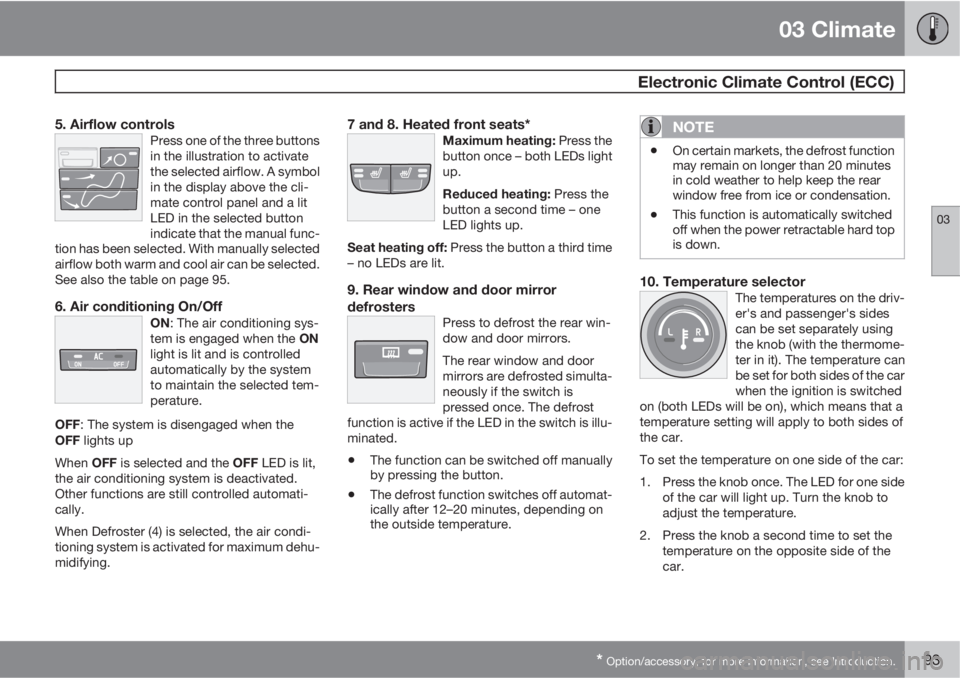
5. Airflow controlsPress one of the three buttons
in the illustration to activate
the selected airflow. A symbol
in the display above the cli-
mate control panel and a lit
LED in the selected button
indicate that the manual func-
tion has been selected. With manually selected
airflow both warm and cool air can be selected.
See also the table on page 95.
6. Air conditioning On/OffON: The air conditioning sys-
tem is engaged when the ON
light is lit and is controlled
automatically by the system
to maintain the selected tem-
perature.
OFF: The system is disengaged when the
OFF lights up
When OFF is selected and the OFF LED is lit,
the air conditioning system is deactivated.
Other functions are still controlled automati-
cally.
When Defroster (4) is selected, the air condi-
tioning system is activated for maximum dehu-
midifying.
7 and 8. Heated front seats*Maximum heating: Press the
button once – both LEDs light
up.
Reduced heating: Press the
button a second time – one
LED lights up.
Seat heating off: Press the button a third time
– no LEDs are lit.
9. Rear window and door mirror
defrosters
Press to defrost the rear win-
dow and door mirrors.
The rear window and door
mirrors are defrosted simulta-
neously if the switch is
pressed once. The defrost
function is active if the LED in the switch is illu-
minated.
•The function can be switched off manually
by pressing the button.
•The defrost function switches off automat-
ically after 12–20 minutes, depending on
the outside temperature.
NOTE
•On certain markets, the defrost function
may remain on longer than 20 minutes
in cold weather to help keep the rear
window free from ice or condensation.
•This function is automatically switched
off when the power retractable hard top
is down.
10. Temperature selectorThe temperatures on the driv-
er's and passenger's sides
can be set separately using
the knob (with the thermome-
ter in it). The temperature can
be set for both sides of the car
when the ignition is switched
on (both LEDs will be on), which means that a
temperature setting will apply to both sides of
the car.
To set the temperature on one side of the car:
1. Press the knob once. The LED for one side
of the car will light up. Turn the knob to
adjust the temperature.
2. Press the knob a second time to set the
temperature on the opposite side of the
car.
Page 112 of 296
04 Interior
Interior lighting
04
110
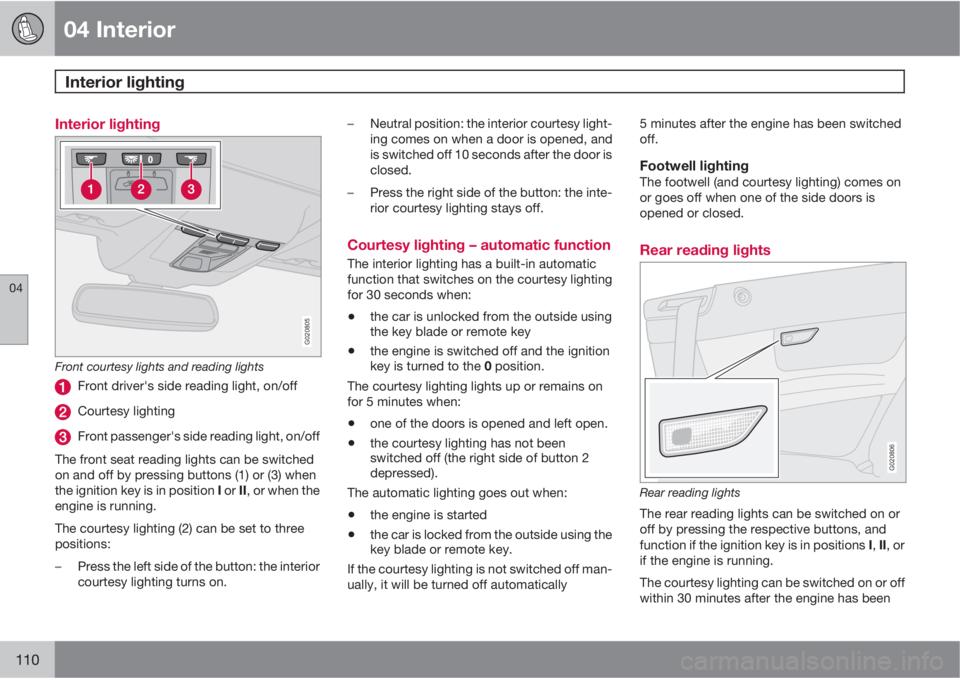
Interior lighting
G020805
Front courtesy lights and reading lights
Front driver's side reading light, on/off
Courtesy lighting
Front passenger's side reading light, on/off
The front seat reading lights can be switched
on and off by pressing buttons (1) or (3) when
the ignition key is in position I or II, or when the
engine is running.
The courtesy lighting (2) can be set to three
positions:
–Press the left side of the button: the interior
courtesy lighting turns on.–Neutral position: the interior courtesy light-
ing comes on when a door is opened, and
is switched off 10 seconds after the door is
closed.
–Press the right side of the button: the inte-
rior courtesy lighting stays off.
Courtesy lighting – automatic function
The interior lighting has a built-in automatic
function that switches on the courtesy lighting
for 30 seconds when:
•the car is unlocked from the outside using
the key blade or remote key
•the engine is switched off and the ignition
key is turned to the 0 position.
The courtesy lighting lights up or remains on
for 5 minutes when:
•one of the doors is opened and left open.
•the courtesy lighting has not been
switched off (the right side of button 2
depressed).
The automatic lighting goes out when:
•the engine is started
•the car is locked from the outside using the
key blade or remote key.
If the courtesy lighting is not switched off man-
ually, it will be turned off automatically5 minutes after the engine has been switched
off.
Footwell lightingThe footwell (and courtesy lighting) comes on
or goes off when one of the side doors is
opened or closed.
Rear reading lights
G020806
Rear reading lights
The rear reading lights can be switched on or
off by pressing the respective buttons, and
function if the ignition key is in positions I, II, or
if the engine is running.
The courtesy lighting can be switched on or off
within 30 minutes after the engine has been
Page 113 of 296
04 Interior
Interior lighting
04
111
switched off, or after a door has been opened
or closed.
These lights switch off automatically 5 minutes
after the engine has been switched off.
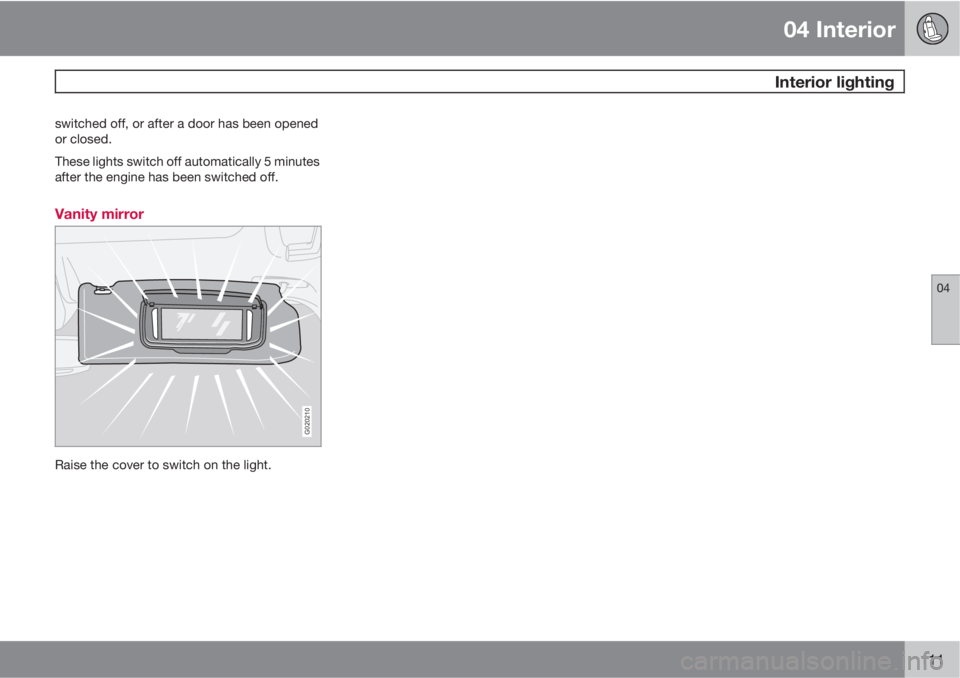
Vanity mirror
G020210
Raise the cover to switch on the light.
Page 125 of 296
05 Locks and alarm
Remote key and key blade
05
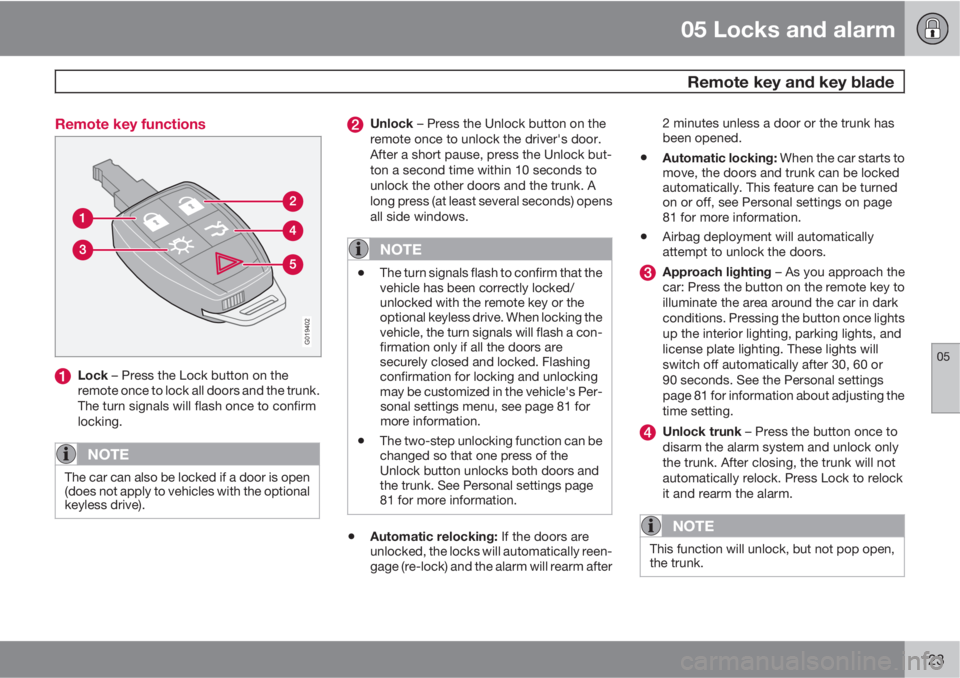
123 Remote key functions
G019402
Lock – Press the Lock button on the
remote once to lock all doors and the trunk.
The turn signals will flash once to confirm
locking.
NOTE
The car can also be locked if a door is open
(does not apply to vehicles with the optional
keyless drive).
Unlock – Press the Unlock button on the
remote once to unlock the driver's door.
After a short pause, press the Unlock but-
ton a second time within 10 seconds to
unlock the other doors and the trunk. A
long press (at least several seconds) opens
all side windows.
NOTE
•The turn signals flash to confirm that the
vehicle has been correctly locked/
unlocked with the remote key or the
optional keyless drive. When locking the
vehicle, the turn signals will flash a con-
firmation only if all the doors are
securely closed and locked. Flashing
confirmation for locking and unlocking
may be customized in the vehicle's Per-
sonal settings menu, see page 81 for
more information.
•The two-step unlocking function can be
changed so that one press of the
Unlock button unlocks both doors and
the trunk. See Personal settings page
81 for more information.
•Automatic relocking: If the doors are
unlocked, the locks will automatically reen-
gage (re-lock) and the alarm will rearm after2 minutes unless a door or the trunk has
been opened.
•Automatic locking: When the car starts to
move, the doors and trunk can be locked
automatically. This feature can be turned
on or off, see Personal settings on page
81 for more information.
•Airbag deployment will automatically
attempt to unlock the doors.
Approach lighting – As you approach the
car: Press the button on the remote key to
illuminate the area around the car in dark
conditions. Pressing the button once lights
up the interior lighting, parking lights, and
license plate lighting. These lights will
switch off automatically after 30, 60 or
90 seconds. See the Personal settings
page 81 for information about adjusting the
time setting.
Unlock trunk – Press the button once to
disarm the alarm system and unlock only
the trunk. After closing, the trunk will not
automatically relock. Press Lock to relock
it and rearm the alarm.
NOTE
This function will unlock, but not pop open,
the trunk.
Page 126 of 296
05 Locks and alarm
Remote key and key blade
05
124
Panic alarm – This button can be used to
attract attention during emergency situa-
tions. To activate the panic alarm, press
and hold the red button for at least 3 sec-
onds or press it twice within 3 seconds.
The turn signals and horn will be activated.
The panic alarm will stop automatically
after 30 seconds. To deactivate, wait
approximately 5 seconds and press the red
button again.
NOTE
This button will NOT unlock the car.
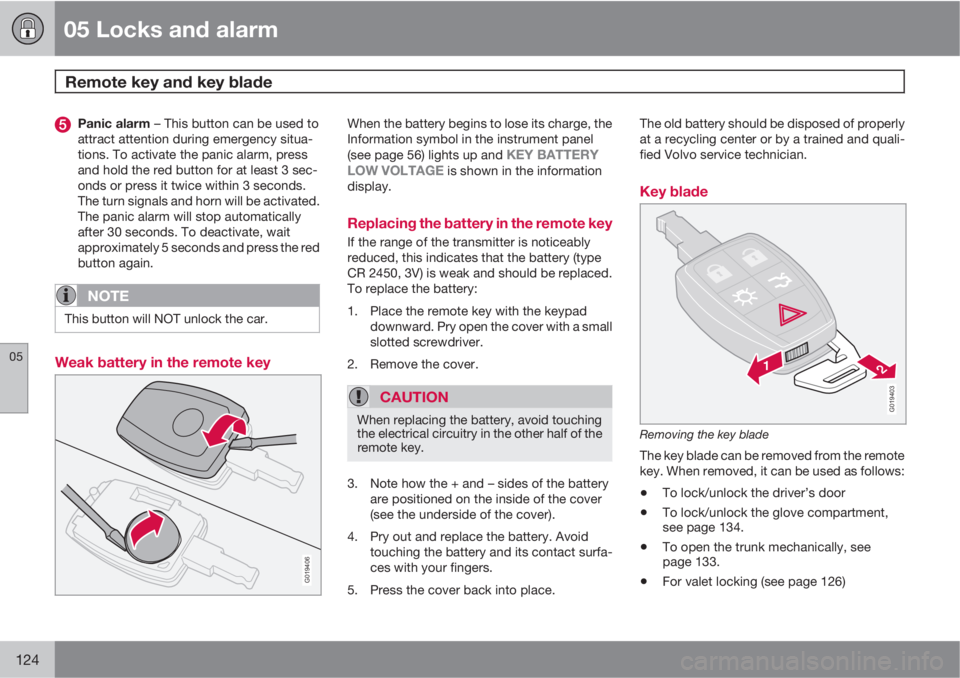
Weak battery in the remote key
G019406
When the battery begins to lose its charge, the
Information symbol in the instrument panel
(see page 56) lights up and
KEY BATTERY
LOW VOLTAGE is shown in the information
display.
Replacing the battery in the remote key
If the range of the transmitter is noticeably
reduced, this indicates that the battery (type
CR 2450, 3V) is weak and should be replaced.
To replace the battery:
1. Place the remote key with the keypad
downward. Pry open the cover with a small
slotted screwdriver.
2. Remove the cover.
CAUTION
When replacing the battery, avoid touching
the electrical circuitry in the other half of the
remote key.
3. Note how the + and – sides of the battery
are positioned on the inside of the cover
(see the underside of the cover).
4. Pry out and replace the battery. Avoid
touching the battery and its contact surfa-
ces with your fingers.
5. Press the cover back into place.The old battery should be disposed of properly
at a recycling center or by a trained and quali-
fied Volvo service technician.
Key blade
G019403
Removing the key blade
The key blade can be removed from the remote
key. When removed, it can be used as follows:
•To lock/unlock the driver’s door
•To lock/unlock the glove compartment,
see page 134.
•To open the trunk mechanically, see
page 133.
•For valet locking (see page 126)
Page 134 of 296
05 Locks and alarm
Locking and unlocking
05
132
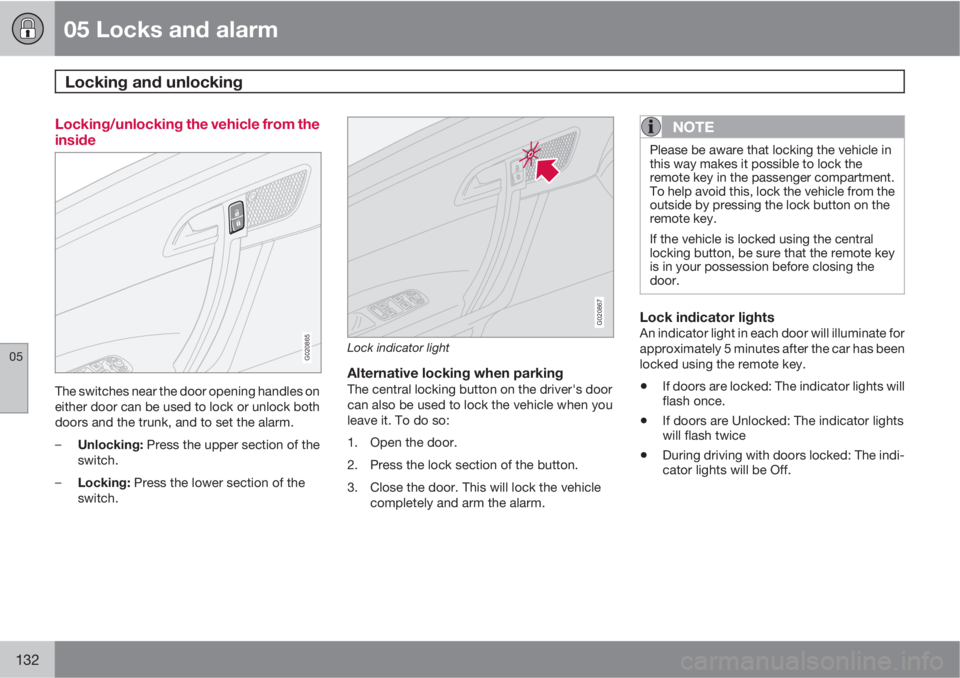
Locking/unlocking the vehicle from the
inside
G020865
The switches near the door opening handles on
either door can be used to lock or unlock both
doors and the trunk, and to set the alarm.
–
Unlocking: Press the upper section of the
switch.
–
Locking: Press the lower section of the
switch.
G020867
Lock indicator light
Alternative locking when parkingThe central locking button on the driver's door
can also be used to lock the vehicle when you
leave it. To do so:
1. Open the door.
2. Press the lock section of the button.
3. Close the door. This will lock the vehicle
completely and arm the alarm.
NOTE
Please be aware that locking the vehicle in
this way makes it possible to lock the
remote key in the passenger compartment.
To help avoid this, lock the vehicle from the
outside by pressing the lock button on the
remote key.
If the vehicle is locked using the central
locking button, be sure that the remote key
is in your possession before closing the
door.
Lock indicator lightsAn indicator light in each door will illuminate for
approximately 5 minutes after the car has been
locked using the remote key.
•If doors are locked: The indicator lights will
flash once.
•If doors are Unlocked: The indicator lights
will flash twice
•During driving with doors locked: The indi-
cator lights will be Off.