engine VOLVO S40 2006 User Guide
[x] Cancel search | Manufacturer: VOLVO, Model Year: 2006, Model line: S40, Model: VOLVO S40 2006Pages: 127, PDF Size: 2.26 MB
Page 25 of 127
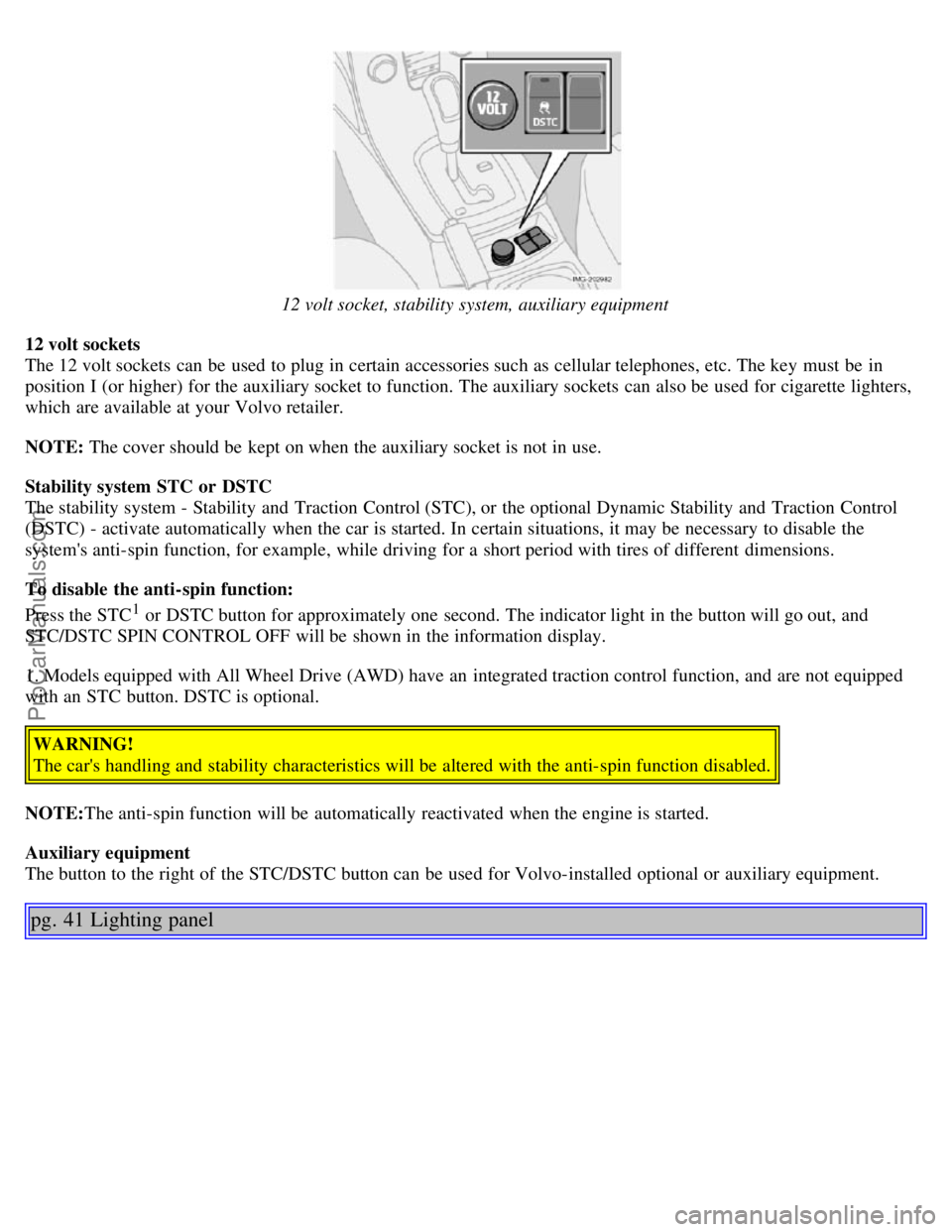
12 volt socket, stability system, auxiliary equipment
12 volt sockets
The 12 volt sockets can be used to plug in certain accessories such as cellular telephones, etc. The key must be in
position I (or higher) for the auxiliary socket to function. The auxiliary sockets can also be used for cigarette lighters,
which are available at your Volvo retailer.
NOTE: The cover should be kept on when the auxiliary socket is not in use.
Stability system STC or DSTC
The stability system - Stability and Traction Control (STC), or the optional Dynamic Stability and Traction Control
(DSTC) - activate automatically when the car is started. In certain situations, it may be necessary to disable the
system's anti-spin function, for example, while driving for a short period with tires of different dimensions.
To disable the anti-spin function:
Press the STC
1 or DSTC button for approximately one second. The indicator light in the button will go out, and
STC/DSTC SPIN CONTROL OFF will be shown in the information display.
1. Models equipped with All Wheel Drive (AWD) have an integrated traction control function, and are not equipped
with an STC button. DSTC is optional.
WARNING!
The car's handling and stability characteristics will be altered with the anti-spin function disabled.
NOTE: The anti-spin function will be automatically reactivated when the engine is started.
Auxiliary equipment
The button to the right of the STC/DSTC button can be used for Volvo-installed optional or auxiliary equipment.
pg. 41 Lighting panel
ProCarManuals.com
Page 29 of 127
in either direction. Twisting a fifth time (sixth time on Canadian models) returns you to the original function.
The trip computer can be reset (average fuel consumption and average speed will be erased from system memory) by
pressing RESET (C) for at least five seconds.
Driving distance on current fuel reserve
This function shows the approximate distance that can be driven on the fuel remaining in the tank. This calculation is
based on average fuel consumption during the last 20 miles (30 km) of driving and the amount of fuel remaining in the
tank when the reading was taken. When the driving distance on current fuel reserve is less than 12 miles (20 km), "---"
will be displayed in the information display.
Average fuel consumption
This value indicates fuel consumption since the last time the trip computer was reset (by pressing RESET, button C).
When the engine is switched off, information on fuel consumption is stored and remains in system memory until the
RESET (button C) is pressed again.
Current fuel consumption
This value indicates the current fuel consumption, based on readings taken once per second. When the car is not
moving, "----" will be displayed.
Average speed
This value indicates average speed since the last time the trip computer was reset (by pressing RESET, button C).
When the engine is switched off, information on average speed is stored and remains in system memory until the
RESET (button C) is pressed again.
Current speed in m.p.h. (Canadian models only)
This function provides the driver with an instantaneous conversion of the car's current speed from km/h to m.p.h.
NOTE: Trip computer readings may vary slightly depending on the circumference of the tires on the car or on tire
inflation.
pg. 44 Cruise control (option)
Cruise control
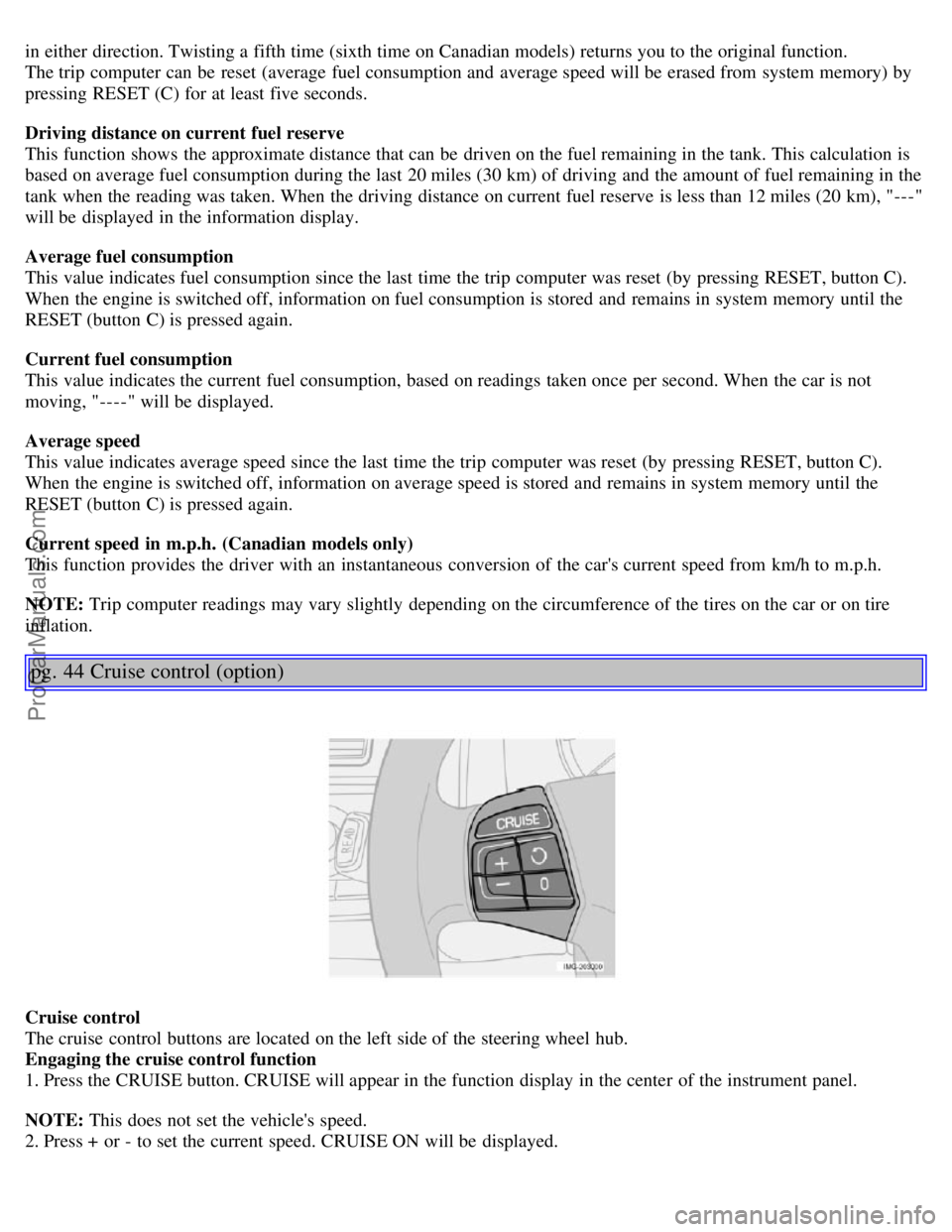
The cruise control buttons are located on the left side of the steering wheel hub.
Engaging the cruise control function
1. Press the CRUISE button. CRUISE will appear in the function display in the center of the instrument panel.
NOTE: This does not set the vehicle's speed.
2. Press + or - to set the current speed. CRUISE ON will be displayed.
ProCarManuals.com
Page 44 of 127
If the ignition key is in position I or II.
During a 10 minute period after the doors have been unlocked if the door remains open.
If the door is closed and the ignition key is not yet in the ignition, or if the key is in position 0, the seat can be
adjusted or during a period of 40 seconds. The power passenger's seat can only be adjusted if the ignition key is in
position I or II, or if the engine is running.
Adjusting the seat
Controls 5, 6, and 7 on the side of the seat can be used to make adjustments.
5. Backrest tilt
6. Move this section of the control up or down to raise/lower the rear section of the seat. Move the control forward to
move the seat forward.
7. Move this section of the control up or down to raise/lower the front section of the seat. Move the control rearward
to move the seat rearward.
NOTE: The power seats have an overload protector that activates if a seat is blocked by any object. If this occurs,
switch off the ignition (key in position 0) and wait for approximately 20 seconds before operating the seat again.
Emergency stop
If the seat inadvertently begins to move, press any of the buttons to stop the seat.
Programming the seat memory, driver's seat only (option)
Three different seating positions can be stored in the seat's memory.
The following example explains how button 1 can be programmed. Buttons 2 and 3 can be programmed in the same
way.
To program (store) a seat position in button 1:
1. Use controls 5, 6, and 7 to adjust the seat to the desired position.
2. Press and hold down the M (memory) button.
3. With the M button depressed, press button 1 to store the seat's current position.
To move the seat to the position that it was in when button 1 was programmed, press and hold down button 1 until the
seat stops moving.
As a safety precaution, the seat will stop automatically if the button is released before the seat has reached the preset
position.
Central locking system remote control and driver's seat memory
The remote control transmitter can also be equipped with an optional function that controls the electrically operated
driver's seat in the following way:
1. Adjust the seat to the desired position.
2. When you leave the car, lock it using the remote control.
3. The next time the driver's door is unlocked with the same remote control and the driver's door is opened, the
pg. 74 Front seats
driver's seat will automatically move to the position that it was in when the door was most recently locked with that
remote control.
WARNING!
Because the driver's seat can be adjusted with the ignition off, children should never be left unattended in the car.
Movement of the seat can be STOPPED at any time by pressing any button on the power seat control panel.
Do not adjust the seat while driving. The seat should be adjusted so that the brake pedal can be depressed fully. In
addition, position the seat as far rearward as comfort and control allow.
The seat rails on the floor must not be obstructed in any way when the seat is in motion.
ProCarManuals.com
Page 45 of 127
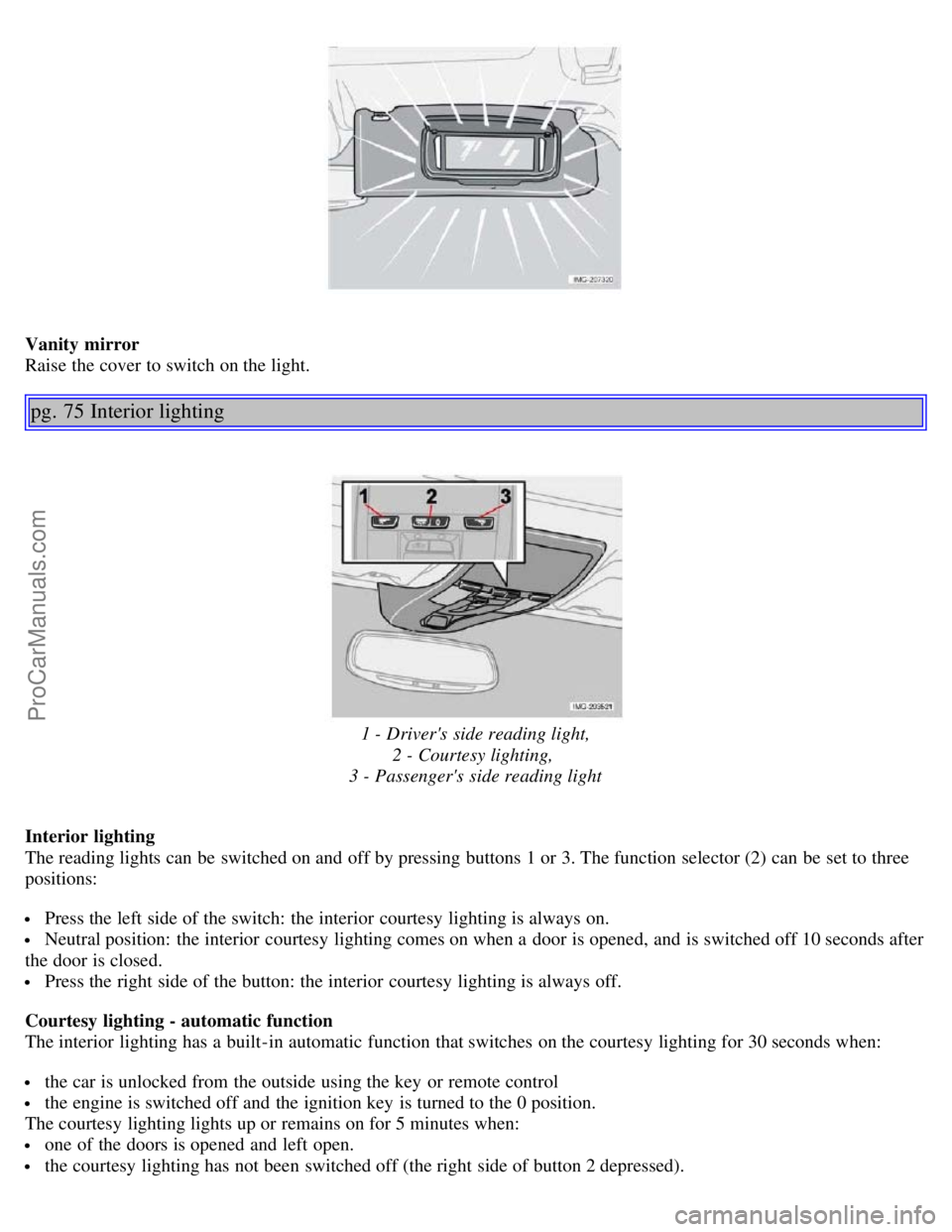
Vanity mirror
Raise the cover to switch on the light.
pg. 75 Interior lighting
1 - Driver's side reading light,2 - Courtesy lighting,
3 - Passenger's side reading light
Interior lighting
The reading lights can be switched on and off by pressing buttons 1 or 3. The function selector (2) can be set to three
positions:
Press the left side of the switch: the interior courtesy lighting is always on.
Neutral position: the interior courtesy lighting comes on when a door is opened, and is switched off 10 seconds after
the door is closed.
Press the right side of the button: the interior courtesy lighting is always off.
Courtesy lighting - automatic function
The interior lighting has a built-in automatic function that switches on the courtesy lighting for 30 seconds when:
the car is unlocked from the outside using the key or remote control
the engine is switched off and the ignition key is turned to the 0 position.
The courtesy lighting lights up or remains on for 5 minutes when:
one of the doors is opened and left open.
the courtesy lighting has not been switched off (the right side of button 2 depressed).
ProCarManuals.com
Page 46 of 127
The automatic lighting goes out when:
the engine is started
the car is locked from the outside using the key or remote control.
If the courtesy lighting is not switched off manually, it will be turned off automatically 5 minutes after the engine has
been switched off.
The courtesy lighting can be switched on or off within 30 minutes after the key has been turned to position 0 by
pressing the left side of button 2.
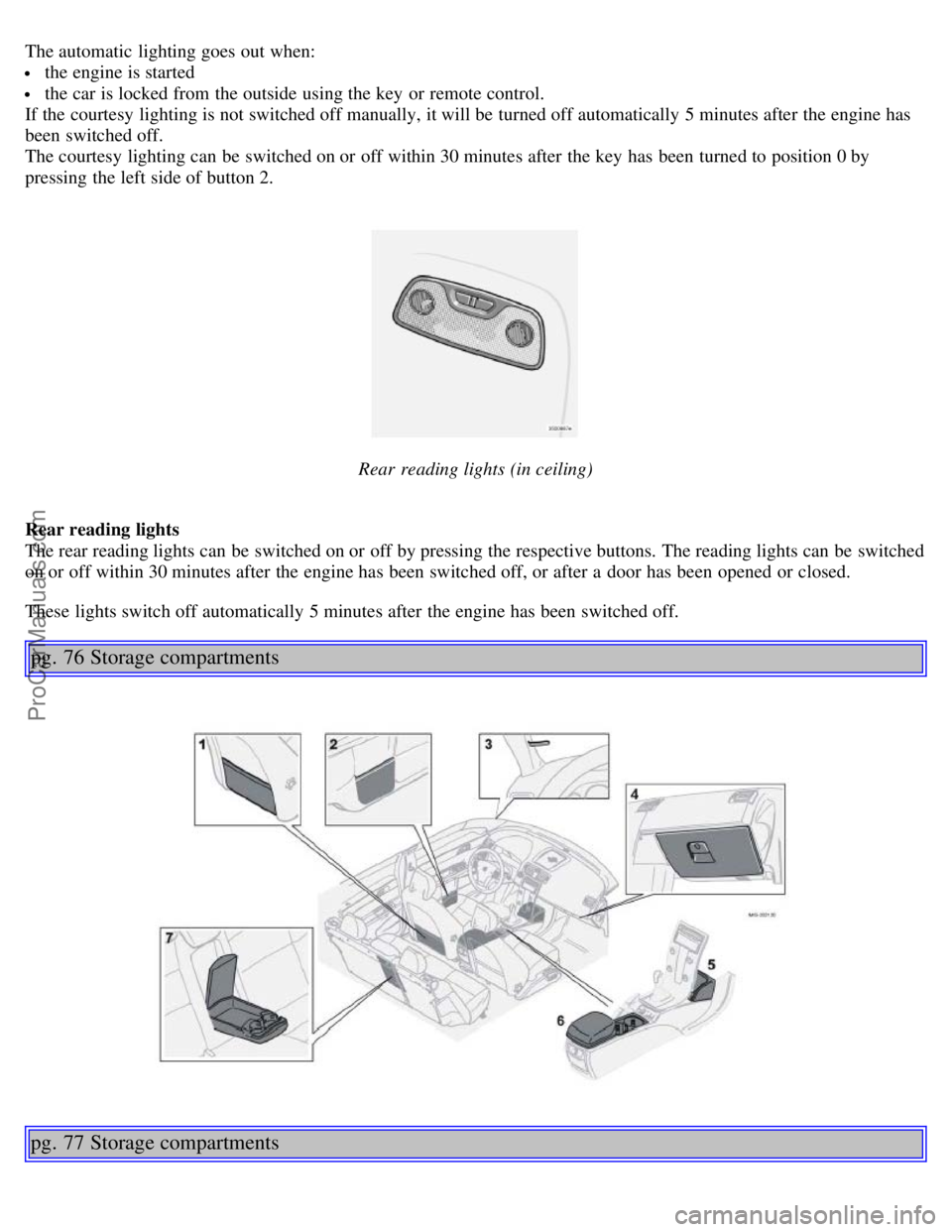
Rear reading lights (in ceiling)
Rear reading lights
The rear reading lights can be switched on or off by pressing the respective buttons. The reading lights can be switched
on or off within 30 minutes after the engine has been switched off, or after a door has been opened or closed.
These lights switch off automatically 5 minutes after the engine has been switched off.
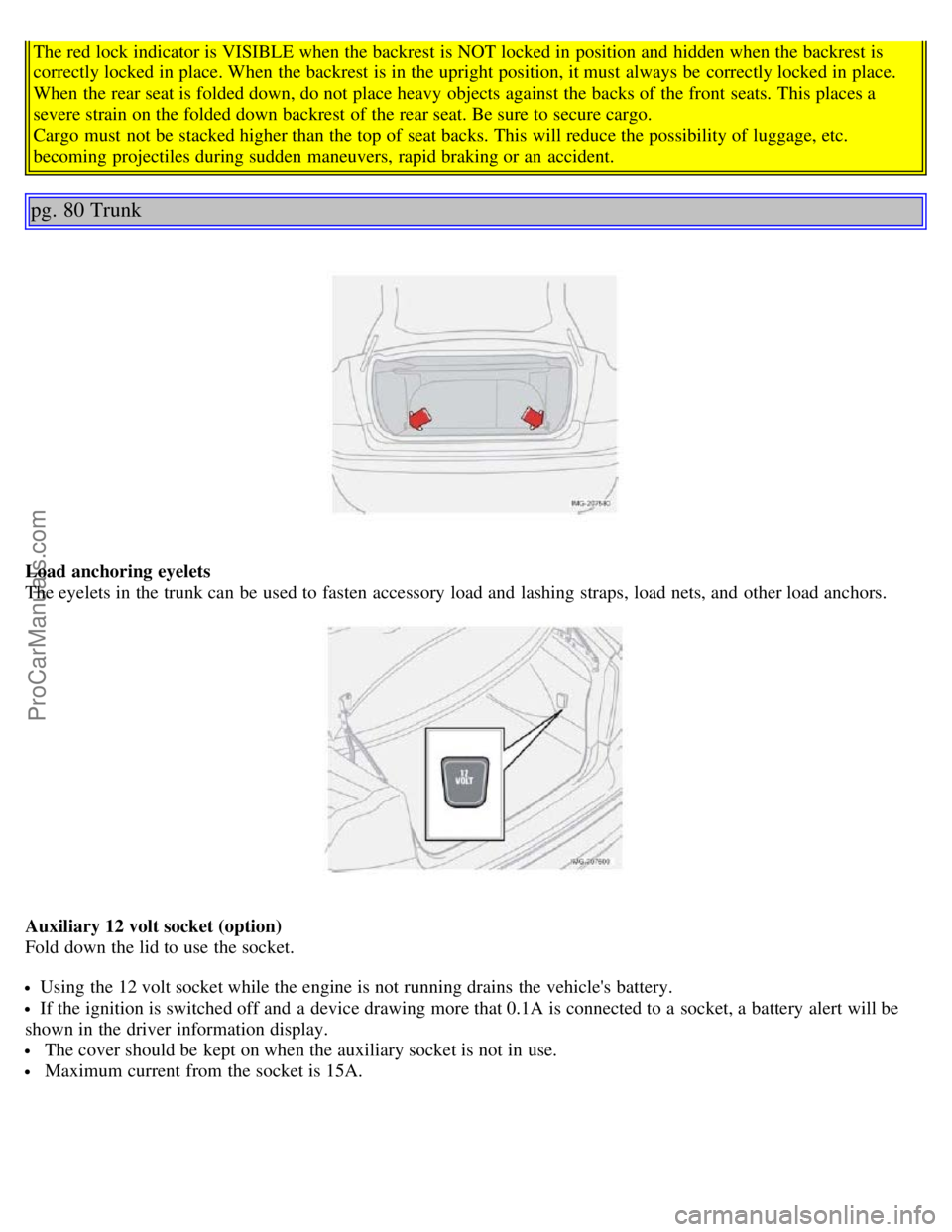
pg. 76 Storage compartments
pg. 77 Storage compartments
ProCarManuals.com
Page 49 of 127
The red lock indicator is VISIBLE when the backrest is NOT locked in position and hidden when the backrest is
correctly locked in place. When the backrest is in the upright position, it must always be correctly locked in place.
When the rear seat is folded down, do not place heavy objects against the backs of the front seats. This places a
severe strain on the folded down backrest of the rear seat. Be sure to secure cargo.
Cargo must not be stacked higher than the top of seat backs. This will reduce the possibility of luggage, etc.
becoming projectiles during sudden maneuvers, rapid braking or an accident.
pg. 80 Trunk
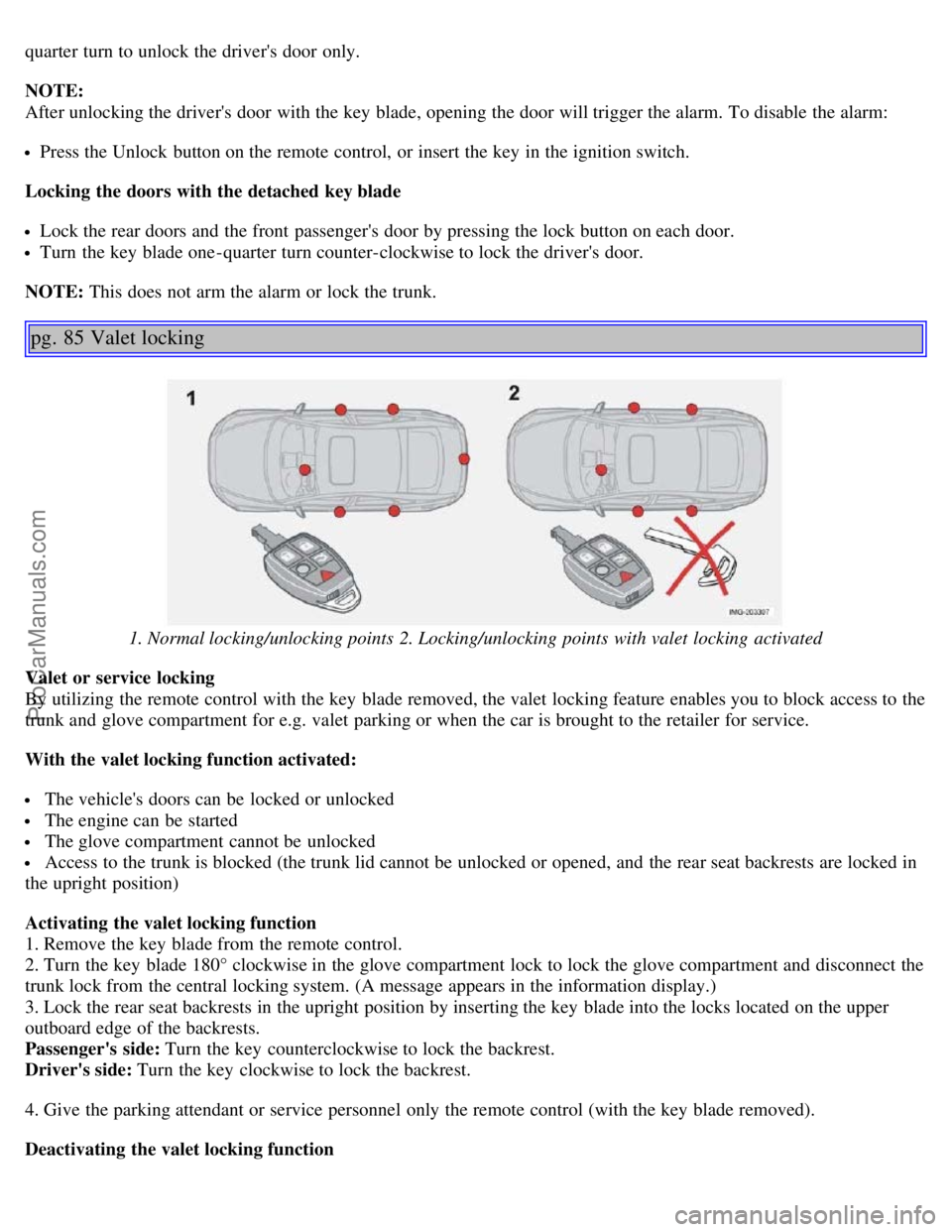
Load anchoring eyelets
The eyelets in the trunk can be used to fasten accessory load and lashing straps, load nets, and other load anchors.
Auxiliary 12 volt socket (option)
Fold down the lid to use the socket.
Using the 12 volt socket while the engine is not running drains the vehicle's battery.
If the ignition is switched off and a device drawing more that 0.1A is connected to a socket, a battery alert will be
shown in the driver information display.
The cover should be kept on when the auxiliary socket is not in use.
Maximum current from the socket is 15A.
ProCarManuals.com
Page 54 of 127
quarter turn to unlock the driver's door only.
NOTE:
After unlocking the driver's door with the key blade, opening the door will trigger the alarm. To disable the alarm:
Press the Unlock button on the remote control, or insert the key in the ignition switch.
Locking the doors with the detached key blade
Lock the rear doors and the front passenger's door by pressing the lock button on each door.
Turn the key blade one -quarter turn counter-clockwise to lock the driver's door.
NOTE: This does not arm the alarm or lock the trunk.
pg. 85 Valet locking
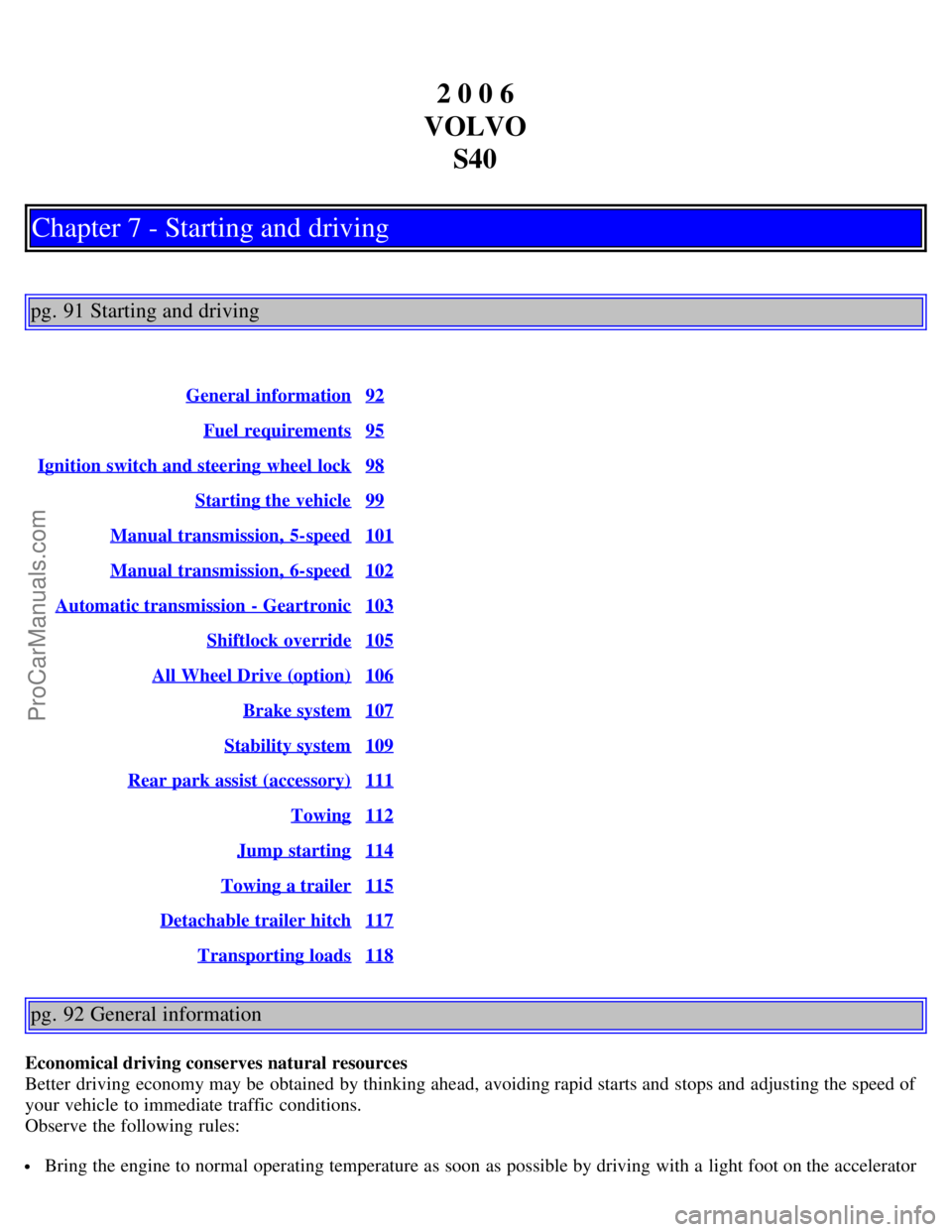
1. Normal locking/unlocking points 2. Locking/unlocking points with valet locking activated
Valet or service locking
By utilizing the remote control with the key blade removed, the valet locking feature enables you to block access to the
trunk and glove compartment for e.g. valet parking or when the car is brought to the retailer for service.
With the valet locking function activated:
The vehicle's doors can be locked or unlocked
The engine can be started
The glove compartment cannot be unlocked
Access to the trunk is blocked (the trunk lid cannot be unlocked or opened, and the rear seat backrests are locked in
the upright position)
Activating the valet locking function
1. Remove the key blade from the remote control.
2. Turn the key blade 180° clockwise in the glove compartment lock to lock the glove compartment and disconnect the
trunk lock from the central locking system. (A message appears in the information display.)
3. Lock the rear seat backrests in the upright position by inserting the key blade into the locks located on the upper
outboard edge of the backrests.
Passenger's side: Turn the key counterclockwise to lock the backrest.
Driver's side: Turn the key clockwise to lock the backrest.
4. Give the parking attendant or service personnel only the remote control (with the key blade removed).
Deactivating the valet locking function
ProCarManuals.com
Page 60 of 127
2 0 0 6
VOLVO S40
Chapter 7 - Starting and driving
pg. 91 Starting and driving
General information92
Fuel requirements95
Ignition switch and steering wheel lock98
Starting the vehicle99
Manual transmission, 5-speed101
Manual transmission, 6-speed102
Automatic transmission - Geartronic103
Shiftlock override105
All Wheel Drive (option)106
Brake system107
Stability system109
Rear park assist (accessory)111
Towing112
Jump starting114
Towing a trailer115
Detachable trailer hitch117
Transporting loads118
pg. 92 General information
Economical driving conserves natural resources
Better driving economy may be obtained by thinking ahead, avoiding rapid starts and stops and adjusting the speed of
your vehicle to immediate traffic conditions.
Observe the following rules:
Bring the engine to normal operating temperature as soon as possible by driving with a light foot on the accelerator
ProCarManuals.com
Page 61 of 127
pedal for the first few minutes of operation. A cold engine uses more fuel and is subject to increased wear.
Whenever possible, avoid using the vehicle for driving short distances. This does not allow the engine to reach
normal operating temperature.
Drive carefully and avoid rapid acceleration and hard braking.
Use the transmission's (D)rive position as often as possible and avoid using kickdown.
Do not exceed posted speed limits.
Avoid carrying unnecessary items (extra load) in the vehicle.
Maintain correct tire pressure. Check tire pressure regularly (when tires are cold).
Remove snow tires when threat of snow or ice has ended.
Note that roof racks, ski racks, etc, increase air resistance and also fuel consumption.
At highway driving speeds, fuel consumption will be lower with the air conditioning on and the windows closed
than with the air conditioning off and the windows open.
Using the onboard trip computer's fuel consumption modes can help you learn how to drive more economically.
Other factors that decrease gas mileage are:
Dirty air cleaner
Dirty engine oil and clogged oil filter
Dragging brakes
Incorrect front end alignment
Some of the above mentioned items and others are checked at the standard maintenance intervals.
Weight distribution affects handling
At the specified curb weight your vehicle has a tendency to understeer, which means that the steering wheel has to be
turned more than might seem appropriate for the curvature of a bend. This ensures good stability and reduces the risk
of rear wheel skid. Remember that these properties can alter with the vehicle load. The heavier the load in the cargo
area, the less the tendency to understeer.
WARNING!
Driving with the trunk open: Driving with the trunk open could lead to poisonous exhaust gases entering the
passenger compartment. If the trunk must be kept open for any reason, proceed as follows:
Close the windows
Set the ventilation system control to air flow to floor, windshield and side windows and the blower control to its
highest setting.
CAUTION!
Drive slowly and carefully if going through standing water (i.e. flooded roadways, etc.). Damage to the engine could
result if excess water is drawn in through the air intake system. Never drive the vehicle in water deeper than 18
inches (48 cm).
pg. 93 General information
Handling, roadholding
Vehicle load, tire design and inflation pressure all affect vehicle handling. Therefore, check that the tires are inflated to
the recommended pressure according to the vehicle load. See the "Tire pressure" section. Loads should be distributed
so that capacity weight or maximum permissible axle loads are not exceeded.
Cold weather precautions
If you wish to check your vehicle before the approach of cold weather, the following advice is worth noting:
Make sure that the engine coolant contains 50 percent antifreeze. Any other mixture will reduce freeze protection.
This gives protection against freezing down to -31°F (-35°C). See section "Coolant". The use of "recycled" antifreeze
ProCarManuals.com
Page 62 of 127
is not approved by Volvo. Different types of antifreeze must not be mixed.
Volvo recommends using only genuine Volvo antifreeze in your vehicle's radiator.
Try to keep the fuel tank well filled - this prevents the formation of condensation in the tank. In addition, in
extremely cold weather conditions it is worthwhile to add fuel line de -icer before refueling.
The viscosity of the engine oil is important. Oil with low viscosity (thinner oil) improves cold-weather starting as
well as decreasing fuel consumption while the engine is warming up. For winter use, 5W -30 oil, particularly the
synthetic type
1 , is recommended. Be sure to use good quality oil but do not use cold-weather oil for hard driving or in
warm weather. See page 179
for more information.
The load placed on the battery is greater during the winter since the windshield wipers, lighting, etc. are used more
often. Moreover, the capacity of the battery decreases as the temperature drops. In very cold weather, a poorly charged
battery can freeze and be damaged. It is therefore advisable to check the state of charge more frequently and spray an
anti-rust oil on the battery posts.
Volvo recommends the use of snow tires on all four wheels for winter driving - see the chapter "Wheels and tires."
To prevent the washer fluid reservoir from freezing, add washer solvents containing antifreeze (see page 145 for the
location of the washer fluid reservoir). This is important since dirt is often splashed on the windshield during winter
driving, requiring the frequent use of the washers and wipers. Volvo Washer Solvent should be diluted as follows:
Down to 14° F (-10° C): 1 part washer solvent and 4 parts water, Down to 5° F (-15° C): 1 part washer solvent and 3
parts water, Down to 0° F (-18° C): 1 part washer solvent and 2 parts water, Down to -18° F (-28° C): 1 part washer
solvent and 1 part water.
Use Volvo Teflon Lock Spray in the locks.
NOTE: Avoid using de -icing sprays as they can cause damage to the locks.
1. Synthetic oil is not used when the oil is changed at the normal maintenance intervals except at owner request and at
additional charge.
Conserving electrical current
Keep the following in mind to help minimize battery drain:
When the engine is not running, avoid turning the ignition key to position II. Many electrical systems (the audio
pg. 94 General information
system, the optional navigation system, power windows, etc) will function with the ignition key in position I. This
position reduces drain on the battery.
Please keep in mind that using systems, accessories, etc that consume a great deal of current when the engine is not
running could result in the battery being completely drained.
The optional 12 volt socket in the trunk provides electrical current even with the ignition switched off, which drains
the battery.
NOTE: If the ignition is switched on, a warning message will be displayed in the text window in the instrument panel
when the battery charge is low.
An energy conserving function designed into the vehicle's electrical system will switch off certain functions or reduce
the load on the battery by, e.g., reducing the audio system's volume.
Before a long distance trip
It is always worthwhile to have your vehicle checked by a trained and qualified Volvo service technician before
driving long distances. Your retailer will also be able to supply you with bulbs, fuses, spark plugs and wiper blades for
your use in the event that problems occur.
As a minimum, the following items should be checked before any long trip:
Check that engine runs smoothly and that fuel consumption is normal.
Check for fuel, oil, and fluid leakage
ProCarManuals.com