mirror VOLVO S40 2006 User Guide
[x] Cancel search | Manufacturer: VOLVO, Model Year: 2006, Model line: S40, Model: VOLVO S40 2006Pages: 127, PDF Size: 2.26 MB
Page 45 of 127
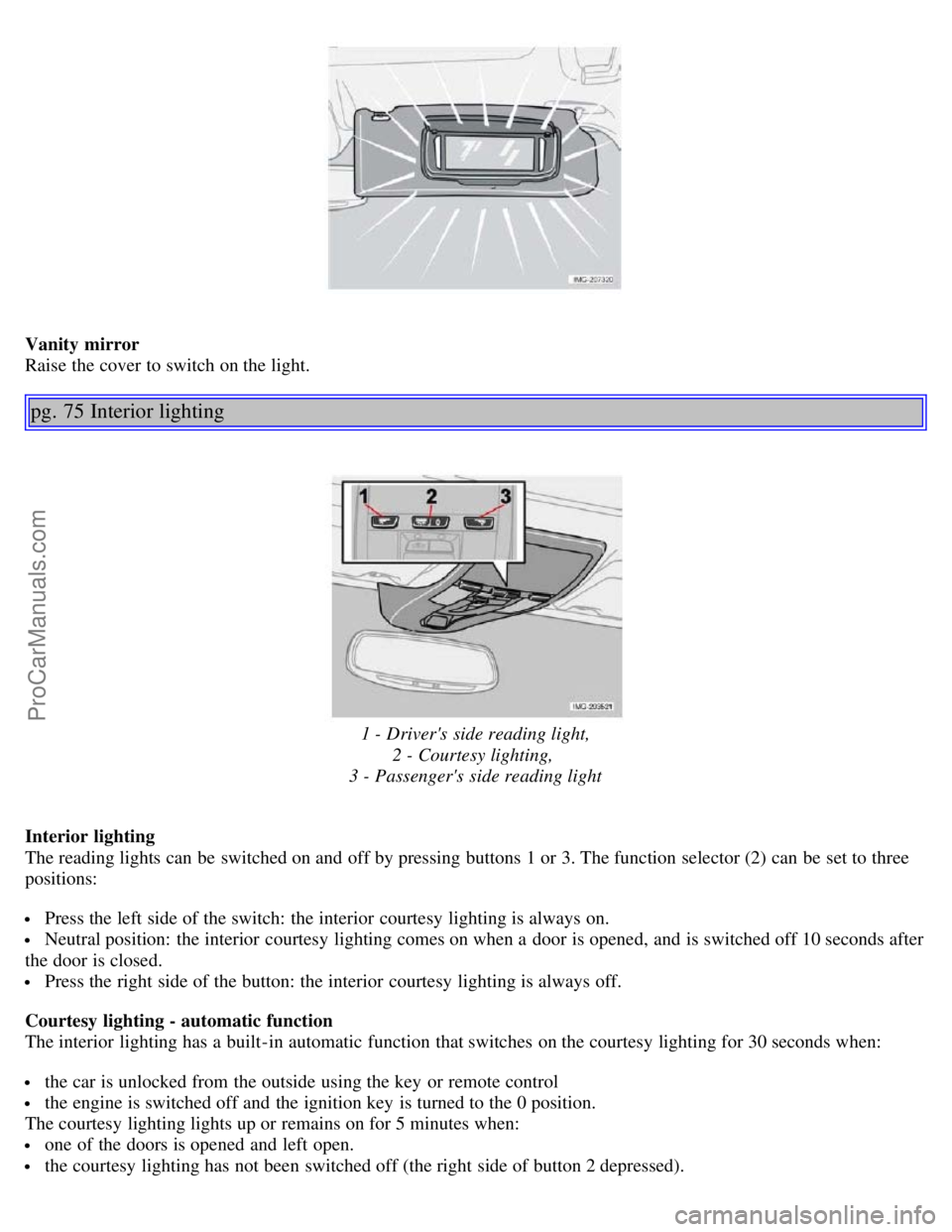
Vanity mirror
Raise the cover to switch on the light.
pg. 75 Interior lighting
1 - Driver's side reading light,2 - Courtesy lighting,
3 - Passenger's side reading light
Interior lighting
The reading lights can be switched on and off by pressing buttons 1 or 3. The function selector (2) can be set to three
positions:
Press the left side of the switch: the interior courtesy lighting is always on.
Neutral position: the interior courtesy lighting comes on when a door is opened, and is switched off 10 seconds after
the door is closed.
Press the right side of the button: the interior courtesy lighting is always off.
Courtesy lighting - automatic function
The interior lighting has a built-in automatic function that switches on the courtesy lighting for 30 seconds when:
the car is unlocked from the outside using the key or remote control
the engine is switched off and the ignition key is turned to the 0 position.
The courtesy lighting lights up or remains on for 5 minutes when:
one of the doors is opened and left open.
the courtesy lighting has not been switched off (the right side of button 2 depressed).
ProCarManuals.com
Page 53 of 127
rearm after 2 minutes unless a door or the trunk has been opened.
Automatic locking: When the car starts to move, the doors and trunk can be locked automatically. This feature can
be turned on or off, see Personal settings on page 56
for more information.
Airbag deployment will automatically attempt to unlock the doors.
3. Approach lighting - As you approach the car:
Press the yellow button on the remote control to light the interior lighting, position/parking lamps, license plate
lighting and the lights in the door mirrors (option). These lights will switch off automatically after 30, 60 or 90
seconds. See the Personal settings on page 56
for information about adjusting the time setting.
4. Unlock trunk - Press the button once to disarm the alarm system and unlock only the trunk. After closing, the trunk
will not automatically relock. Press Lock to relock it and rearm the alarm.
5. Panic alarm : - This button can be used to attract attention during emergency situations.
To activate the panic alarm, press and hold the red button for at least 3 seconds or press it twice within 3 seconds. The
turn signals and horn will be activated. The panic alarm will stop automatically after 30 seconds. To deactivate, wait
approximately 5 seconds and press the red button again.
NOTE: This button will NOT unlock the car.
pg. 84 Remote control and key blade
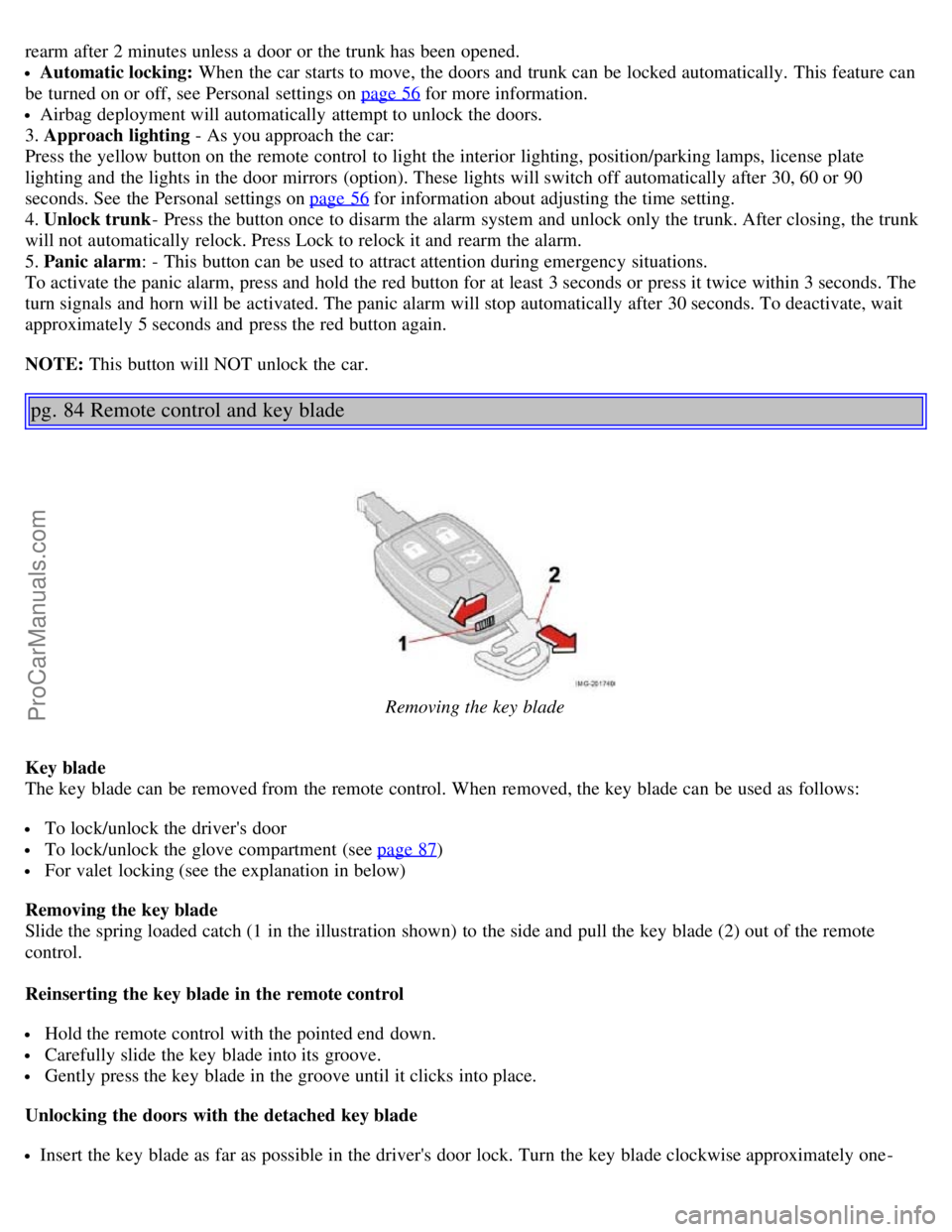
Removing the key blade
Key blade
The key blade can be removed from the remote control. When removed, the key blade can be used as follows:
To lock/unlock the driver's door
To lock/unlock the glove compartment (see page 87)
For valet locking (see the explanation in below)
Removing the key blade
Slide the spring loaded catch (1 in the illustration shown) to the side and pull the key blade (2) out of the remote
control.
Reinserting the key blade in the remote control
Hold the remote control with the pointed end down.
Carefully slide the key blade into its groove.
Gently press the key blade in the groove until it clicks into place.
Unlocking the doors with the detached key blade
Insert the key blade as far as possible in the driver's door lock. Turn the key blade clockwise approximately one -
ProCarManuals.com
Page 66 of 127

Release the key when the engine starts. The key returns automatically to the Drive position.
A chime will sound if the key is left in the ignition and the driver's door is opened.
Steering wheel lock
When the key is removed from the ignition, the steering wheel locks so that it cannot be turned.
If the front wheels are hard up against a curb, the steering wheel lock may be under too much tension to unlock.
If so, the key will turn in the ignition switch but the car will not start.
At the same time, a message "Steering locked" will appear in the driver information text display.
If this happens:
1. Remove the key from the ignition.
2. Turn the steering wheel slightly and hold it to relieve pressure on the lock mechanism. Reinsert it the key.
The steering should immediately unlock. If not, try again.
NOTE: In order to help reduce vehicle theft, make sure the steering wheel lock is engaged before leaving the vehicle.
WARNING!
Never switch off the ignition (turn the ignition key to position 0) or remove the key from the ignition switch while
the vehicle is in motion. This could cause the steering wheel to lock, which would make the vehicle impossible to
steer.
pg. 99 Starting the vehicle
Starting the vehicle
To start the engine:
1. Fasten the seat belt. WARNING!
Before starting, check that the seat, steering wheel and mirrors are adjusted properly. Make sure the brake pedal can
be depressed completely. Adjust the seat if necessary.
2. Apply the parking brake if not already set. The gear selector (automatic transmission) is locked in the (P)ark position
(SHIFTLOCK). See also page 103.
Manual transmission: the clutch must be fully depressed.
3. Without touching the accelerator pedal, turn the ignition key to the starting position. Allow the starter to operate for
up to 10 seconds. Release the key as soon as the engine starts. If the engine fails to start, repeat this step.
Autostart (T5 turbo with automatic transmission only)
This function makes it possible to start the vehicle without holding the key in position III. Turn the key to position III
and release it. The starter motor will then operate automatically (for up to ten seconds) until the engine starts.
NOTE:
On certain models, when the vehicle is started, idle speed may be noticeably higher than normal for a short period,
depending on the temperature of the engine. This has been done to help bring components in the emission control
system to their normal operating temperature as quickly as possible, which enables them to function normally.
For cold starts at altitudes above 6000 ft. (1800 meters), depress the accelerator pedal halfway and turn the key to
ProCarManuals.com
Page 88 of 127
When washing or steam cleaning the engine, avoid spraying water or steam directly on the electrical components or
toward the rear side of the engine. Special moonroof cautions:
Always close the moonroof and sun shade before washing your vehicle.
Never use abrasive cleaning agents on the moonroof.
Never use wax on the rubber seals around the moonroof.
Automatic washing - simple and quick
We do NOT recommend washing your car in an automatic wash during the first six months (because the paint will
not have hardened sufficiently).
An automatic wash is a simple and quick way to clean your car, but it is worth remembering that it may not be as
thorough as when you yourself go over the car with sponge and water. Keeping the underbody clean is most important,
pg. 137 Washing and cleaning the car
especially in the winter. Some automatic washers do not have facilities for washing the underbody.
CAUTION!
Before driving into an automatic carwash, turn off the optional rain sensor to avoid damaging the windshield wipers.
Make sure that side view mirrors, auxiliary lamps, etc, are secure, and that any antenna(s) are retracted or removed.
Otherwise there is risk of the machine dislodging them.
WARNING!
When the car is driven immediately after being washed, apply the brakes several times in order to remove any
moisture from the brake linings.
Engine cleaning agents should not be used when the engine is warm. This constitutes a fire risk.
Polishing and Waxing
Normally, polishing is not required during the first year after delivery, however, waxing may be beneficial.
Before applying polish or wax the vehicle must be washed and dried. Tar spots can be removed with kerosene or tar
remover. Difficult spots may require a fine rubbing compound.
After polishing use liquid or paste wax.
Several commercially available products contain both polish and wax.
Waxing alone does not substitute for polishing a dull surface.
A wide range of polymer-based waxes can be purchased today. These waxes are easy to use and produce a long-
lasting, high-gloss finish that protects the bodywork against oxidation, road dirt and fading.
Do not polish or wax your vehicle in direct sunlight (the surface of the vehicle should not be warmer than 113° F
(45° C).
CAUTION!
Volvo does not recommend the use of long-life or durable paint protection coatings, some of which may claim to
prevent pitting, fading, oxidation, etc. These coatings have not been tested by Volvo for compatibility with your
vehicle's clear coat. Some of them may cause the clear coat to soften, crack, or cloud. Damage caused by application
of paint protection coatings may not be covered under your vehicle's paint warranty.
pg. 138 Washing and cleaning the car
Upholstery care
Fabric
ProCarManuals.com
Page 122 of 127
Bulbs152
C
Capacities, fluids178
Catalytic converter, three-way182
CD player170
Central locking system, remote controls82
Changing a tire133
Changing oil146
Charge air cooler180
Child restraint anchorages30
Child safety27
Child safety locks88
Clock setting button34
Cold weather precautions93
Collision status25
Compact disc care172
Compass in rearview mirror52
Coolant147
Courtesy lighting75
Cruise control44
D
Dimensions177
Disabling the passenger's side front airbag18
Display, instrument panel34
Door mirrors53
Door open warning42
Driving after a collision25
DSTC40
E
Economical driving92
Electrical current - conserving93
Electrical system181
Electronic Brake Force Distribution (EBD)108
Emission inspection readiness144
Engine compartment145
Engine oil, changing146
Engine specifications180
Environment3
Equalizer, audio system165
F
Federal Clean Air Act142
Flash, high beam42
Floor mats99
Floor mats, cleaning138
ProCarManuals.com
Page 124 of 127
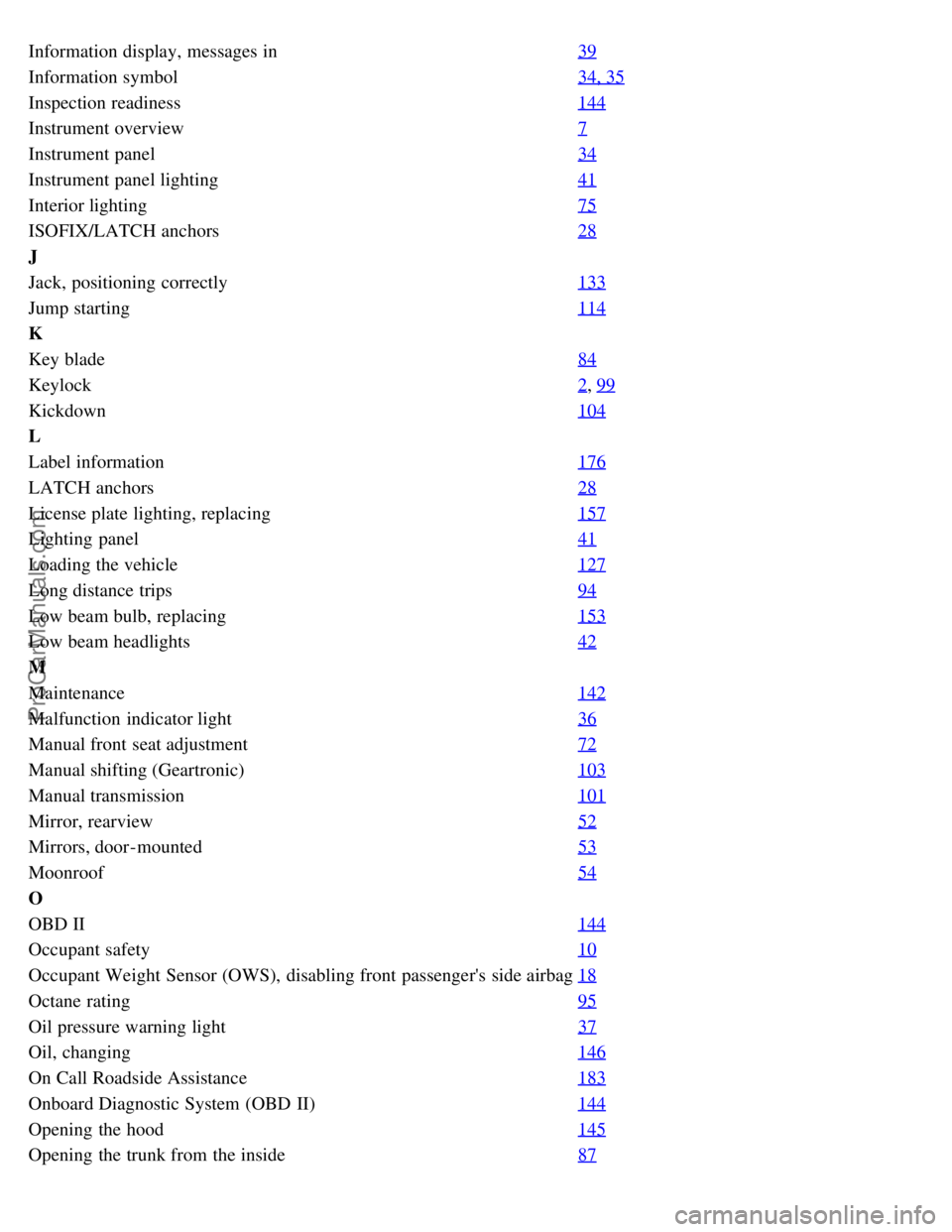
Information display, messages in39
Information symbol34, 35
Inspection readiness144
Instrument overview7
Instrument panel34
Instrument panel lighting41
Interior lighting75
ISOFIX/LATCH anchors28
J
Jack, positioning correctly133
Jump starting114
K
Key blade84
Keylock2, 99
Kickdown104
L
Label information176
LATCH anchors28
License plate lighting, replacing157
Lighting panel41
Loading the vehicle127
Long distance trips94
Low beam bulb, replacing153
Low beam headlights42
M
Maintenance142
Malfunction indicator light36
Manual front seat adjustment72
Manual shifting (Geartronic)103
Manual transmission101
Mirror, rearview52
Mirrors, door-mounted53
Moonroof54
O
OBD II144
Occupant safety10
Occupant Weight Sensor (OWS), disabling front passenger's side airbag18
Octane rating95
Oil pressure warning light37
Oil, changing146
On Call Roadside Assistance183
Onboard Diagnostic System (OBD II)144
Opening the hood145
Opening the trunk from the inside87
ProCarManuals.com
Page 125 of 127
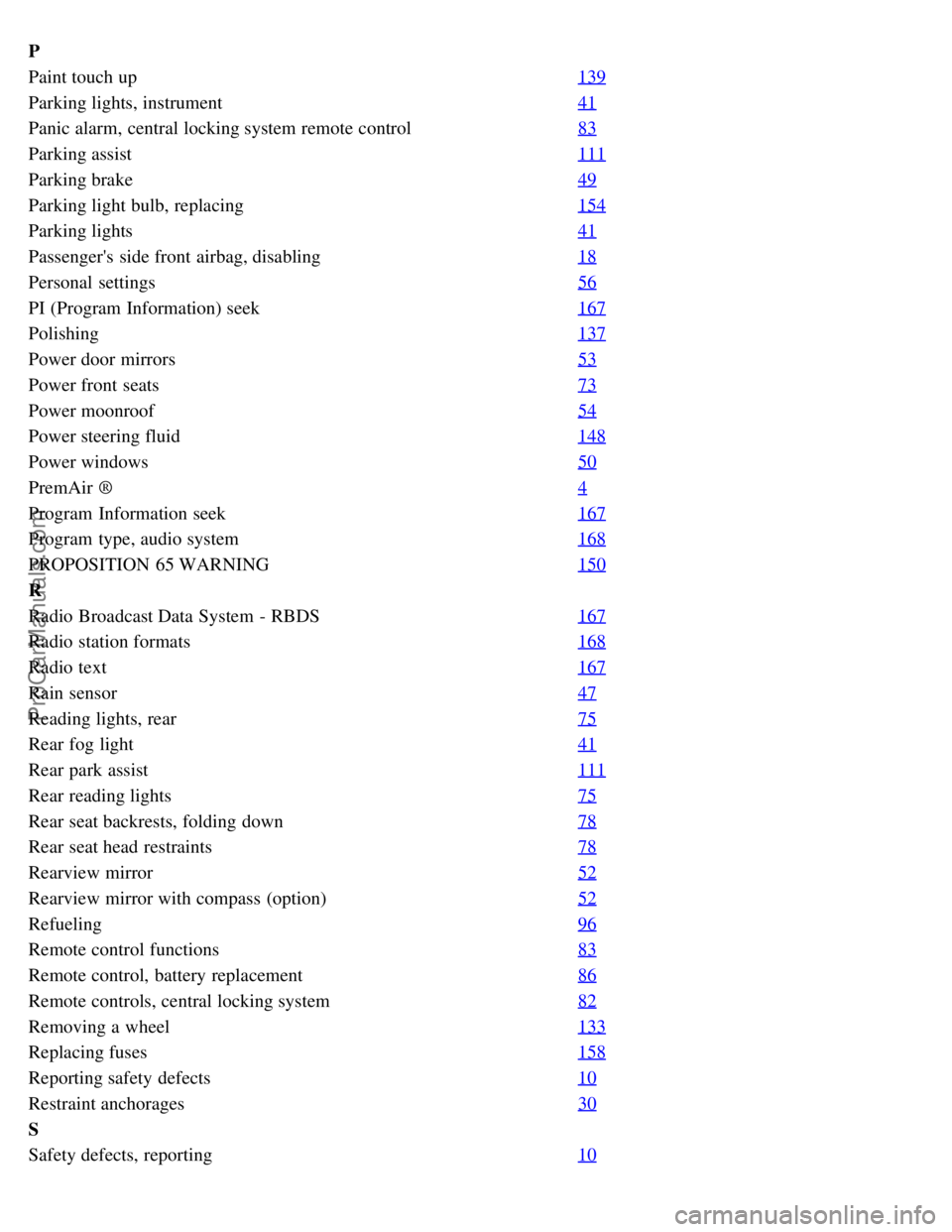
P
Paint touch up139
Parking lights, instrument41
Panic alarm, central locking system remote control83
Parking assist111
Parking brake49
Parking light bulb, replacing154
Parking lights41
Passenger's side front airbag, disabling18
Personal settings56
PI (Program Information) seek167
Polishing137
Power door mirrors53
Power front seats73
Power moonroof54
Power steering fluid148
Power windows50
PremAir ®4
Program Information seek167
Program type, audio system168
PROPOSITION 65 WARNING150
R
Radio Broadcast Data System - RBDS167
Radio station formats168
Radio text167
Rain sensor47
Reading lights, rear75
Rear fog light41
Rear park assist111
Rear reading lights75
Rear seat backrests, folding down78
Rear seat head restraints78
Rearview mirror52
Rearview mirror with compass (option)52
Refueling96
Remote control functions83
Remote control, battery replacement86
Remote controls, central locking system82
Removing a wheel133
Replacing fuses158
Reporting safety defects10
Restraint anchorages30
S
Safety defects, reporting10
ProCarManuals.com
Page 127 of 127
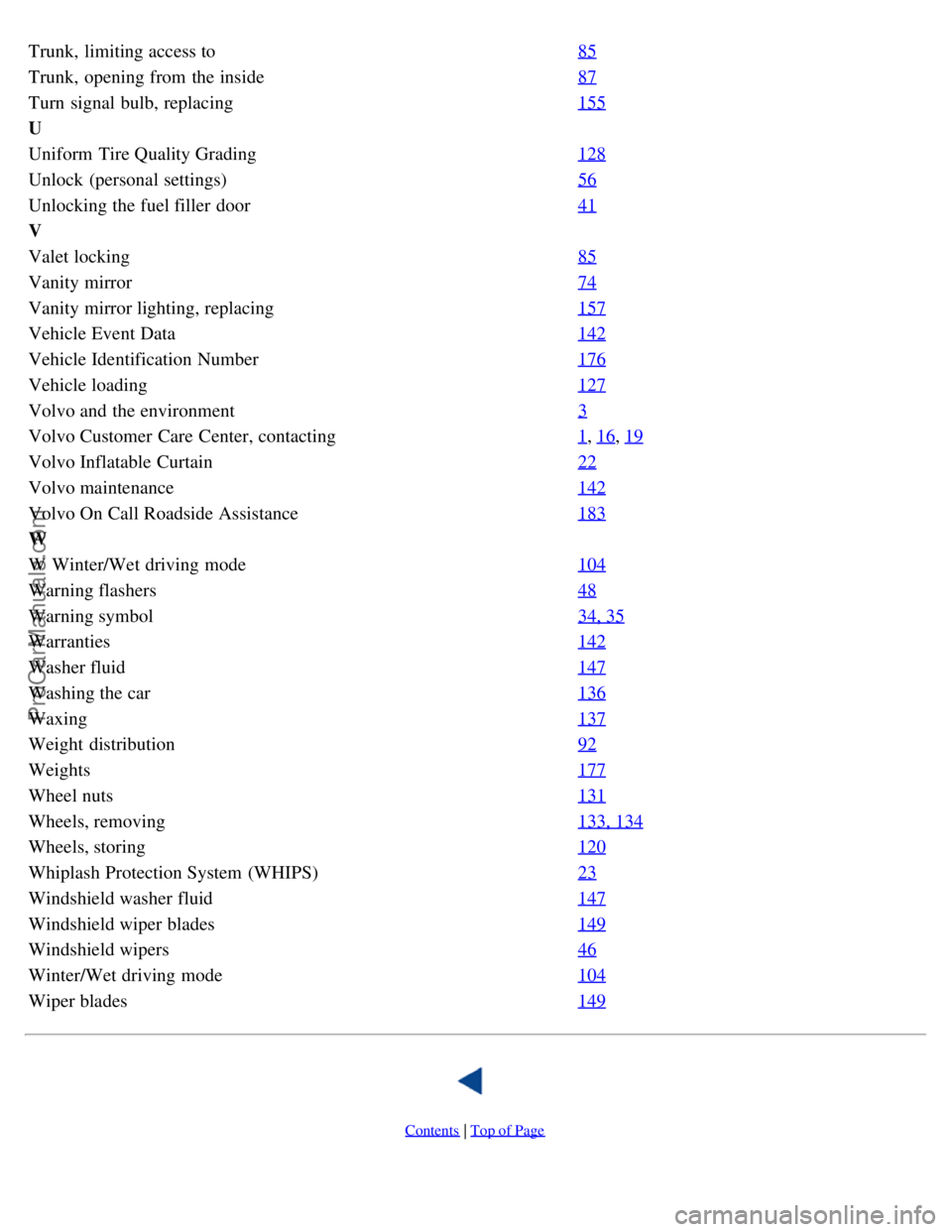
Trunk, limiting access to85
Trunk, opening from the inside87
Turn signal bulb, replacing155
U
Uniform Tire Quality Grading128
Unlock (personal settings)56
Unlocking the fuel filler door41
V
Valet locking85
Vanity mirror74
Vanity mirror lighting, replacing157
Vehicle Event Data142
Vehicle Identification Number176
Vehicle loading127
Volvo and the environment3
Volvo Customer Care Center, contacting1, 16, 19
Volvo Inflatable Curtain22
Volvo maintenance142
Volvo On Call Roadside Assistance183
W
W Winter/Wet driving mode104
Warning flashers48
Warning symbol34, 35
Warranties142
Washer fluid147
Washing the car136
Waxing137
Weight distribution92
Weights177
Wheel nuts131
Wheels, removing133, 134
Wheels, storing120
Whiplash Protection System (WHIPS)23
Windshield washer fluid147
Windshield wiper blades149
Windshield wipers46
Winter/Wet driving mode104
Wiper blades149
Contents | Top of Page
ProCarManuals.com