light VOLVO S40 2008 Owners Manual
[x] Cancel search | Manufacturer: VOLVO, Model Year: 2008, Model line: S40, Model: VOLVO S40 2008Pages: 239, PDF Size: 5.94 MB
Page 196 of 239
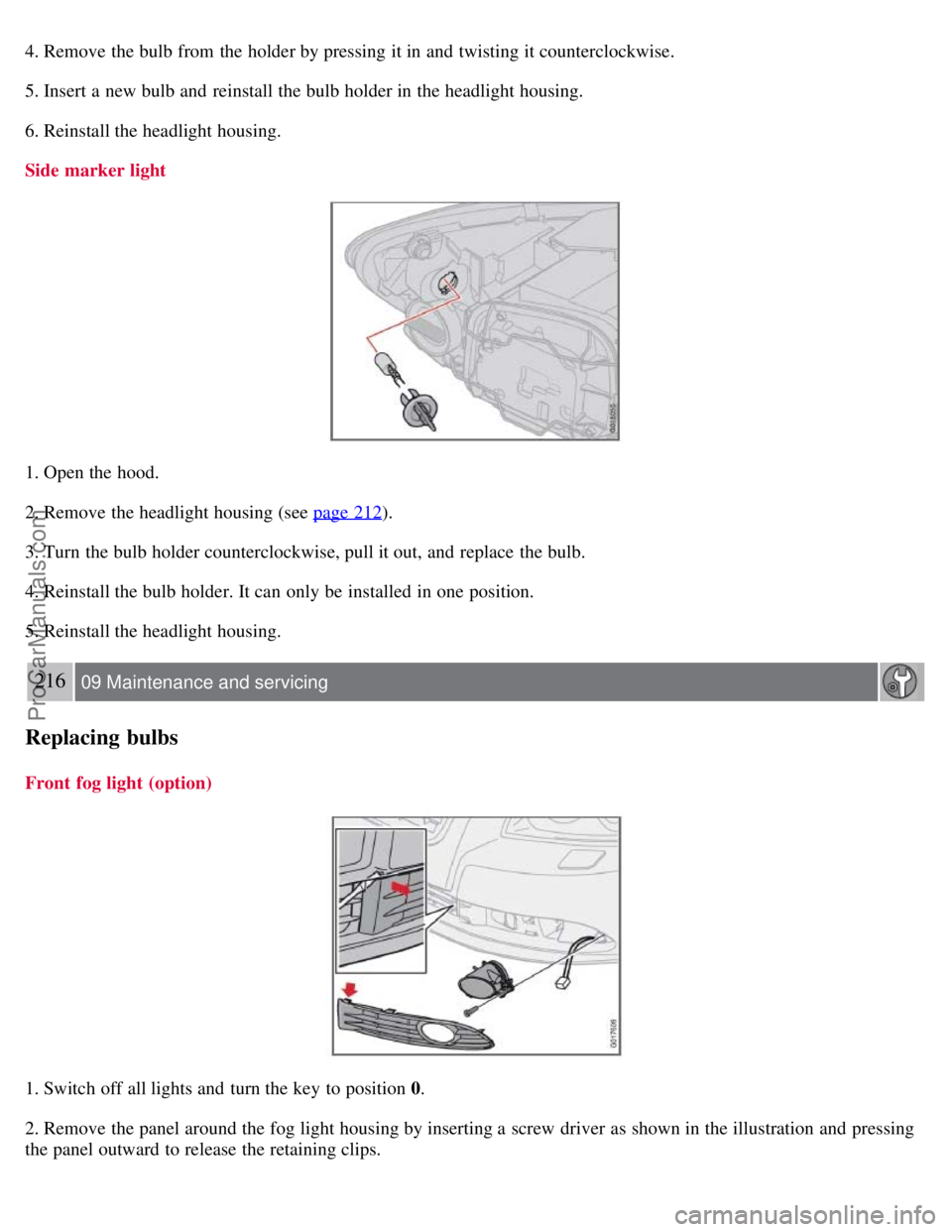
4. Remove the bulb from the holder by pressing it in and twisting it counterclockwise.
5. Insert a new bulb and reinstall the bulb holder in the headlight housing.
6. Reinstall the headlight housing.
Side marker light
1. Open the hood.
2. Remove the headlight housing (see page 212
).
3. Turn the bulb holder counterclockwise, pull it out, and replace the bulb.
4. Reinstall the bulb holder. It can only be installed in one position.
5. Reinstall the headlight housing.
216 09 Maintenance and servicing
Replacing bulbs
Front fog light (option)
1. Switch off all lights and turn the key to position 0.
2. Remove the panel around the fog light housing by inserting a screw driver as shown in the illustration and pressing
the panel outward to release the retaining clips.
ProCarManuals.com
Page 197 of 239
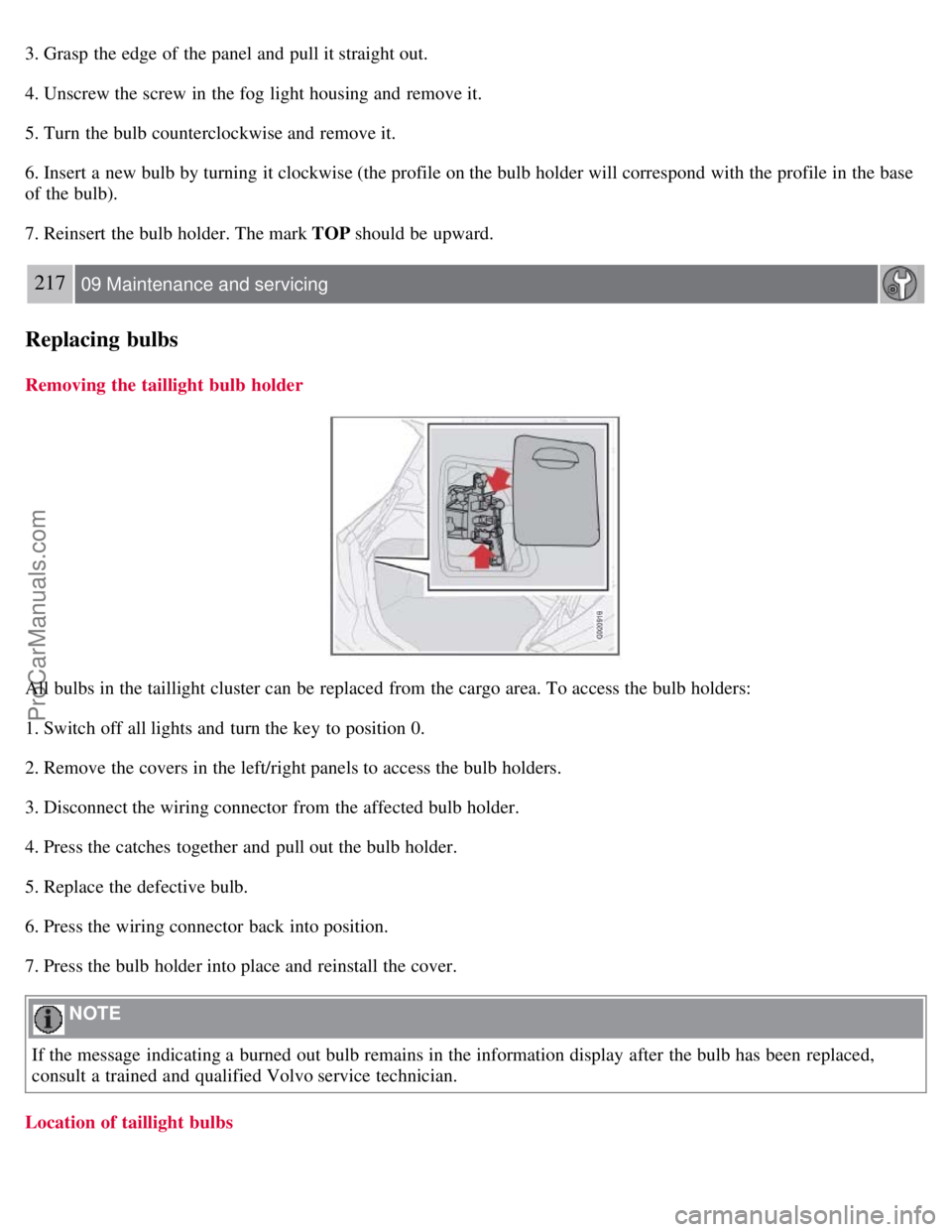
3. Grasp the edge of the panel and pull it straight out.
4. Unscrew the screw in the fog light housing and remove it.
5. Turn the bulb counterclockwise and remove it.
6. Insert a new bulb by turning it clockwise (the profile on the bulb holder will correspond with the profile in the base
of the bulb).
7. Reinsert the bulb holder. The mark TOP should be upward.
217 09 Maintenance and servicing
Replacing bulbs
Removing the taillight bulb holder
All bulbs in the taillight cluster can be replaced from the cargo area. To access the bulb holders:
1. Switch off all lights and turn the key to position 0.
2. Remove the covers in the left/right panels to access the bulb holders.
3. Disconnect the wiring connector from the affected bulb holder.
4. Press the catches together and pull out the bulb holder.
5. Replace the defective bulb.
6. Press the wiring connector back into position.
7. Press the bulb holder into place and reinstall the cover.
NOTE
If the message indicating a burned out bulb remains in the information display after the bulb has been replaced,
consult a trained and qualified Volvo service technician.
Location of taillight bulbs
ProCarManuals.com
Page 198 of 239
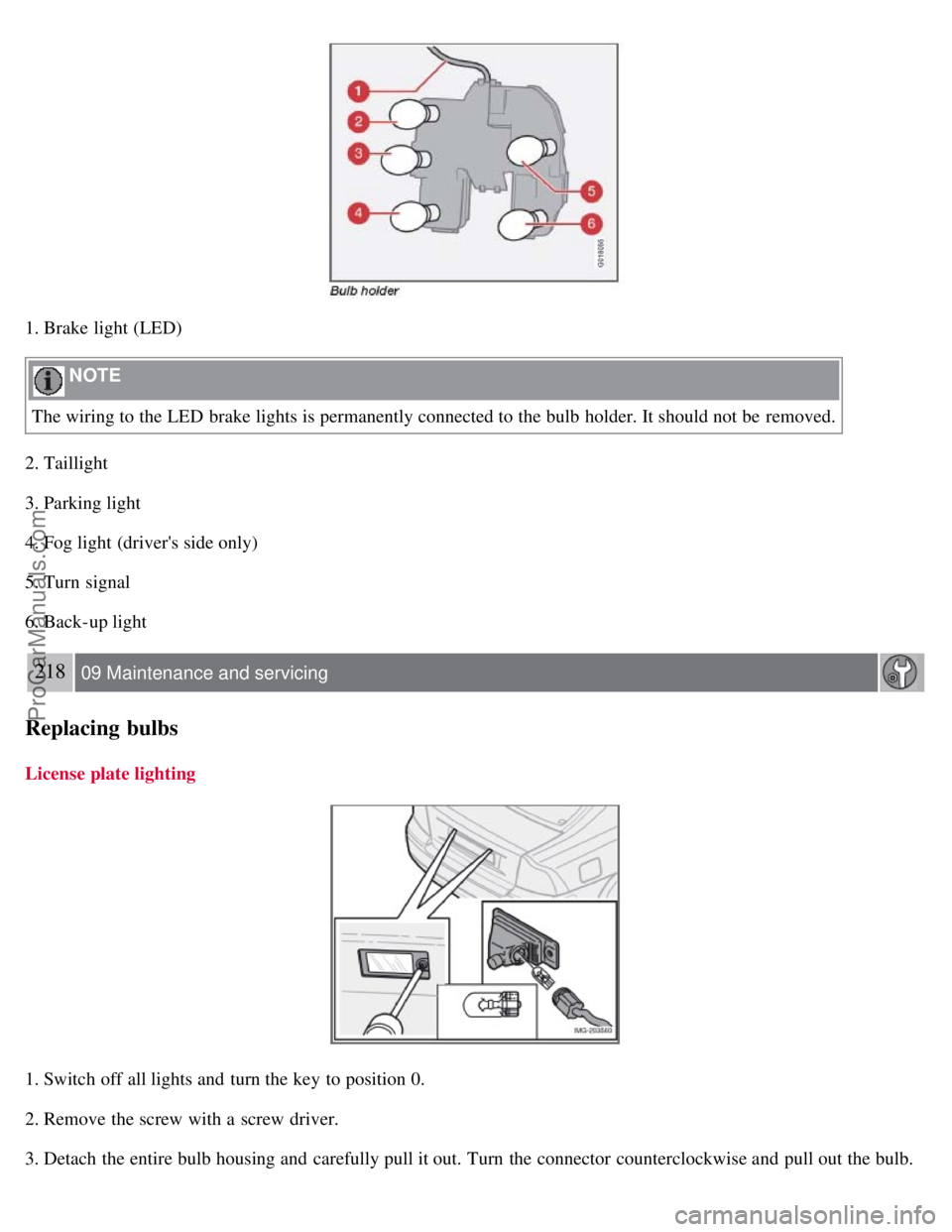
1. Brake light (LED)
NOTE
The wiring to the LED brake lights is permanently connected to the bulb holder. It should not be removed.
2. Taillight
3. Parking light
4. Fog light (driver's side only)
5. Turn signal
6. Back-up light
218 09 Maintenance and servicing
Replacing bulbs
License plate lighting
1. Switch off all lights and turn the key to position 0.
2. Remove the screw with a screw driver.
3. Detach the entire bulb housing and carefully pull it out. Turn the connector counterclockwise and pull out the bulb.
ProCarManuals.com
Page 199 of 239
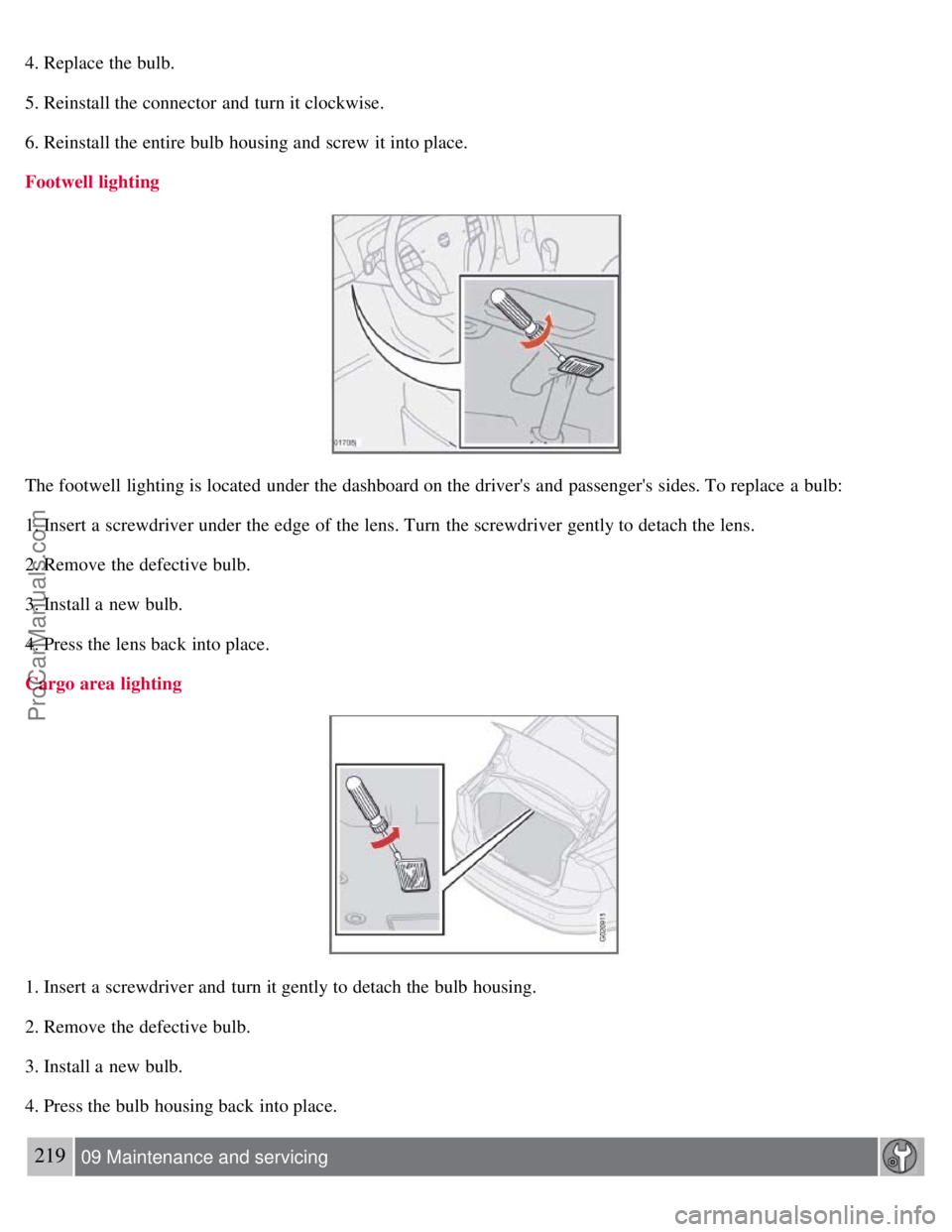
4. Replace the bulb.
5. Reinstall the connector and turn it clockwise.
6. Reinstall the entire bulb housing and screw it into place.
Footwell lighting
The footwell lighting is located under the dashboard on the driver's and passenger's sides. To replace a bulb:
1. Insert a screwdriver under the edge of the lens. Turn the screwdriver gently to detach the lens.
2. Remove the defective bulb.
3. Install a new bulb.
4. Press the lens back into place.
Cargo area lighting
1. Insert a screwdriver and turn it gently to detach the bulb housing.
2. Remove the defective bulb.
3. Install a new bulb.
4. Press the bulb housing back into place.
219 09 Maintenance and servicing
ProCarManuals.com
Page 200 of 239
Replacing bulbs
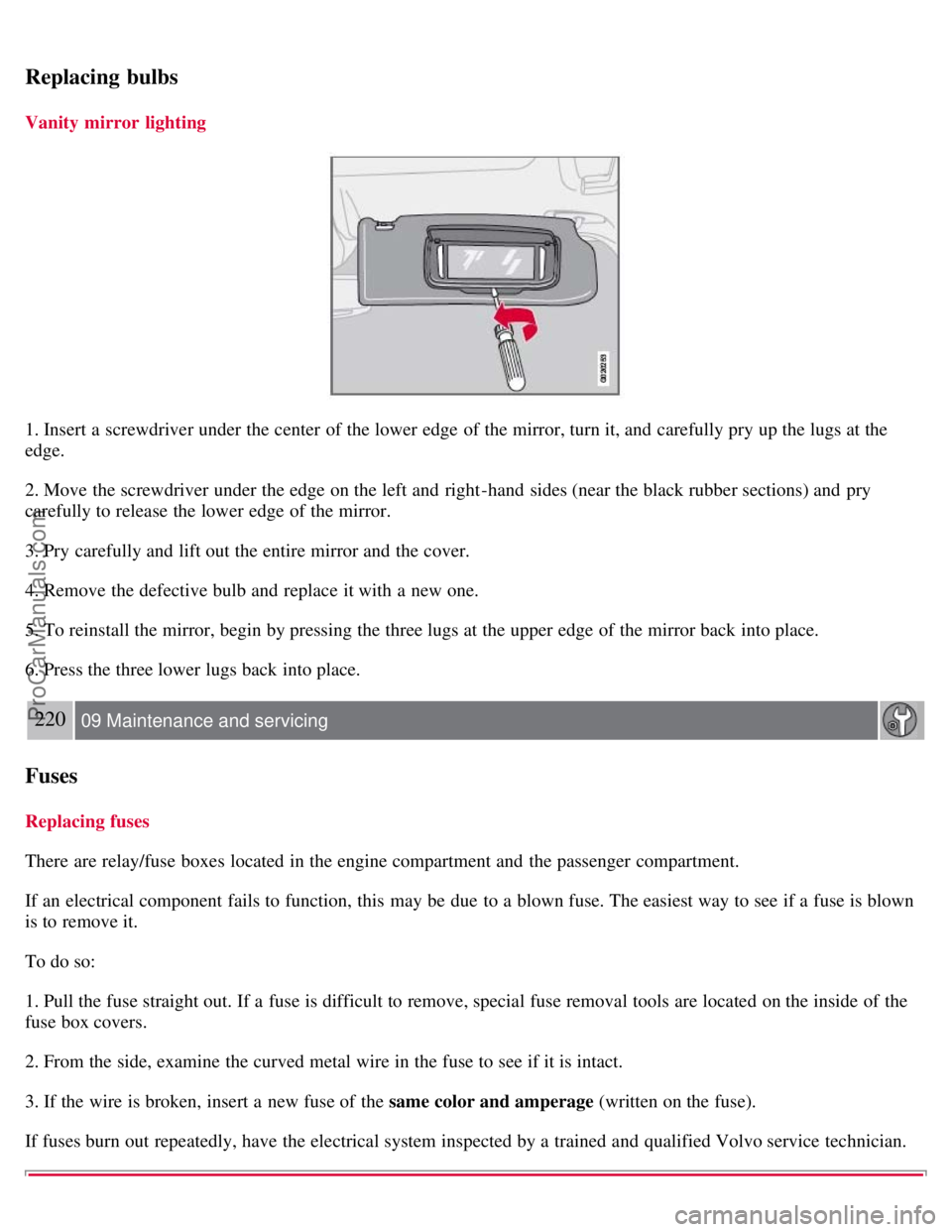
Vanity mirror lighting
1. Insert a screwdriver under the center of the lower edge of the mirror, turn it, and carefully pry up the lugs at the
edge.
2. Move the screwdriver under the edge on the left and right-hand sides (near the black rubber sections) and pry
carefully to release the lower edge of the mirror.
3. Pry carefully and lift out the entire mirror and the cover.
4. Remove the defective bulb and replace it with a new one.
5. To reinstall the mirror, begin by pressing the three lugs at the upper edge of the mirror back into place.
6. Press the three lower lugs back into place.
220 09 Maintenance and servicing
Fuses
Replacing fuses
There are relay/fuse boxes located in the engine compartment and the passenger compartment.
If an electrical component fails to function, this may be due to a blown fuse. The easiest way to see if a fuse is blown
is to remove it.
To do so:
1. Pull the fuse straight out. If a fuse is difficult to remove, special fuse removal tools are located on the inside of the
fuse box covers.
2. From the side, examine the curved metal wire in the fuse to see if it is intact.
3. If the wire is broken, insert a new fuse of the same color and amperage (written on the fuse).
If fuses burn out repeatedly, have the electrical system inspected by a trained and qualified Volvo service technician.
ProCarManuals.com
Page 207 of 239
Audio functions
7. If there is distortion, lower your music player's headphone volume until the distortion goes away.
8. Finally, exit the menu and adjust the audio volume to a comfortable level.
Volume
Use the volume dial (1) or the buttons in the optional steering wheel keypad to adjust the volume level. The volume
level is also adjusted automatically according to the vehicle's speed, see page 234
for more information on this
function.
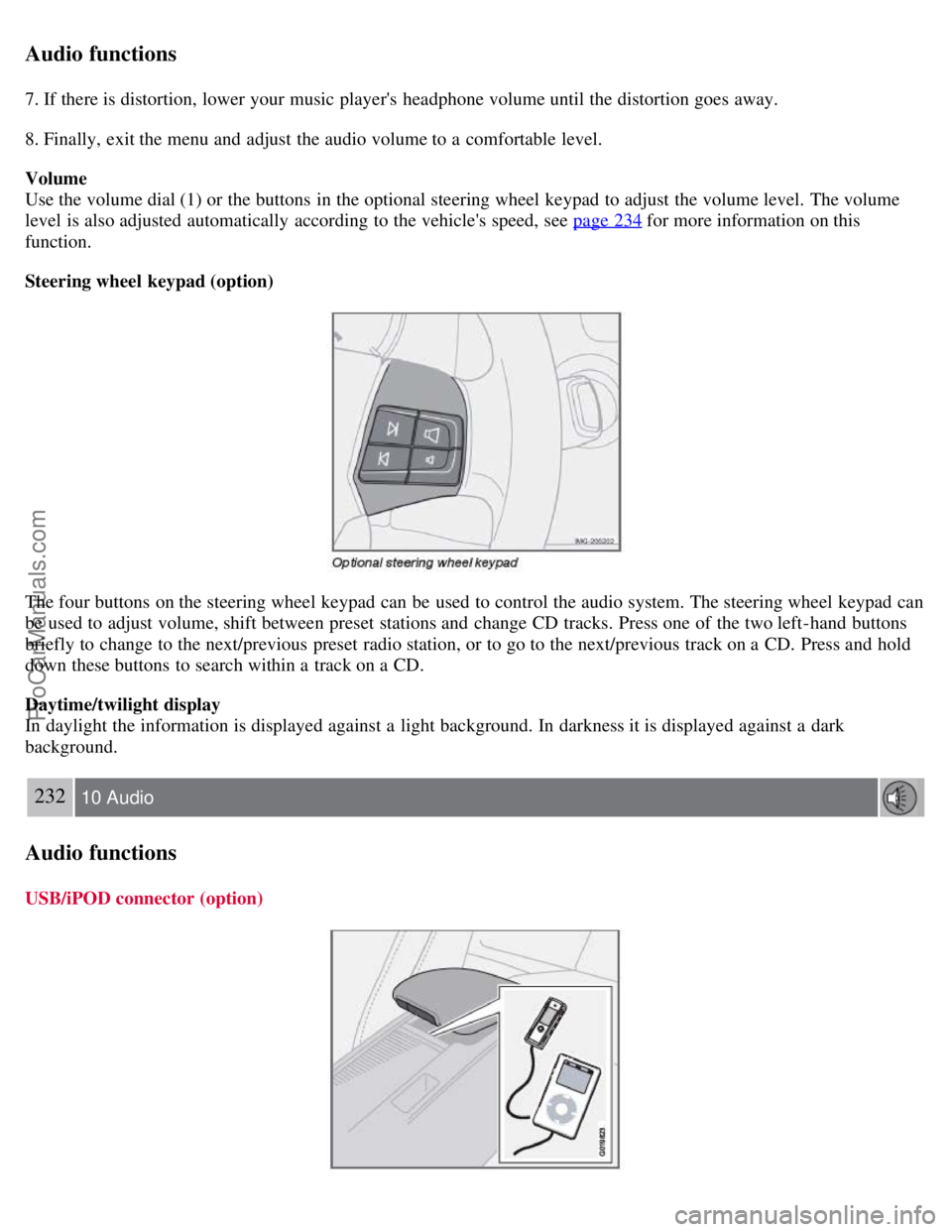
Steering wheel keypad (option)
The four buttons on the steering wheel keypad can be used to control the audio system. The steering wheel keypad can
be used to adjust volume, shift between preset stations and change CD tracks. Press one of the two left-hand buttons
briefly to change to the next/previous preset radio station, or to go to the next/previous track on a CD. Press and hold
down these buttons to search within a track on a CD.
Daytime/twilight display
In daylight the information is displayed against a light background. In darkness it is displayed against a dark
background.
232 10 Audio
Audio functions
USB/iPOD connector (option)
ProCarManuals.com
Page 222 of 239
CD player/CD changer (option)
DualDisc: The audio side of a DualDisc (combined CD/DVD) does not meet CD specifications and may not play in
your audio system.
Keep the discs clean. Wipe them with a soft, clean, lint-free cloth, working from the center outward. If necessary,
dampen the cloth with a neutral soap solution. Dry thoroughly before using.
Never use cleaning spray or antistatic liquid. Use only cleaners specifically made for CDs.
Use discs of the correct size only (3.5" discs should never be used).
Volvo does not recommend the use of plastic outer rings on the disc.
Condensation may occur on discs/optical components of the changer in cold winter weather. The disc can be dried
with a clean, lint-free cloth. Optical components in the CD changer may, however, take up to one hour to dry off.
Never attempt to play a damaged CD.
When not in use, the discs should be stored in their covers. Avoid storing discs in excessive heat, direct sunlight or
in dusty locations.
245 10 Audio
Audio menu
FM1/FM2 menu
1. RADIOTEXT ON/OFF
2. ADVANCED RADIO SETTINGS
3. AUDIO SETTINGS
AM menu
1. 1. AUDIO SETTINGS
CD menu
1. RANDOM
2. AUDIO SETTINGS
CD changer menu
1. RANDOM
2. DISC TEXT ON/OFF
3. AUDIO SETTINGS
AUX menu
1. AUX VOLUME
2. SOUND SETTINGS
Contents | Top of Page
ProCarManuals.com
Page 232 of 239
2 0 0 8
VOLVO S40
260-265 12 Index
12-volt socket 58
A
ABS6
, 147
malfunction of the ABS system53
Accessory Installation- Important Warning8
Active Bi -Xenon® headlights59
Active yaw control - AYC149
Air conditioning86
Air distribution95, 251
Air vents88
Airbag system17
Alarm124
All Wheel Drive146
Antifreeze206
Anti-lock Brake System (ABS)6
Approach lighting78, 113
Audio system
CD player242
menu settings245
radio functions235
Sirius satellite radio237
system introduction230
USB/iPOD connector232
Autolock78
Automatic sound control234
Automatic transmission - Geartronic141
Autostart136
AUX (audio system)230
AUX menu245
Auxiliary equipment58
AWD146
B
Backrests, rear seat108
Battery
avoiding drain130
ProCarManuals.com
Page 233 of 239
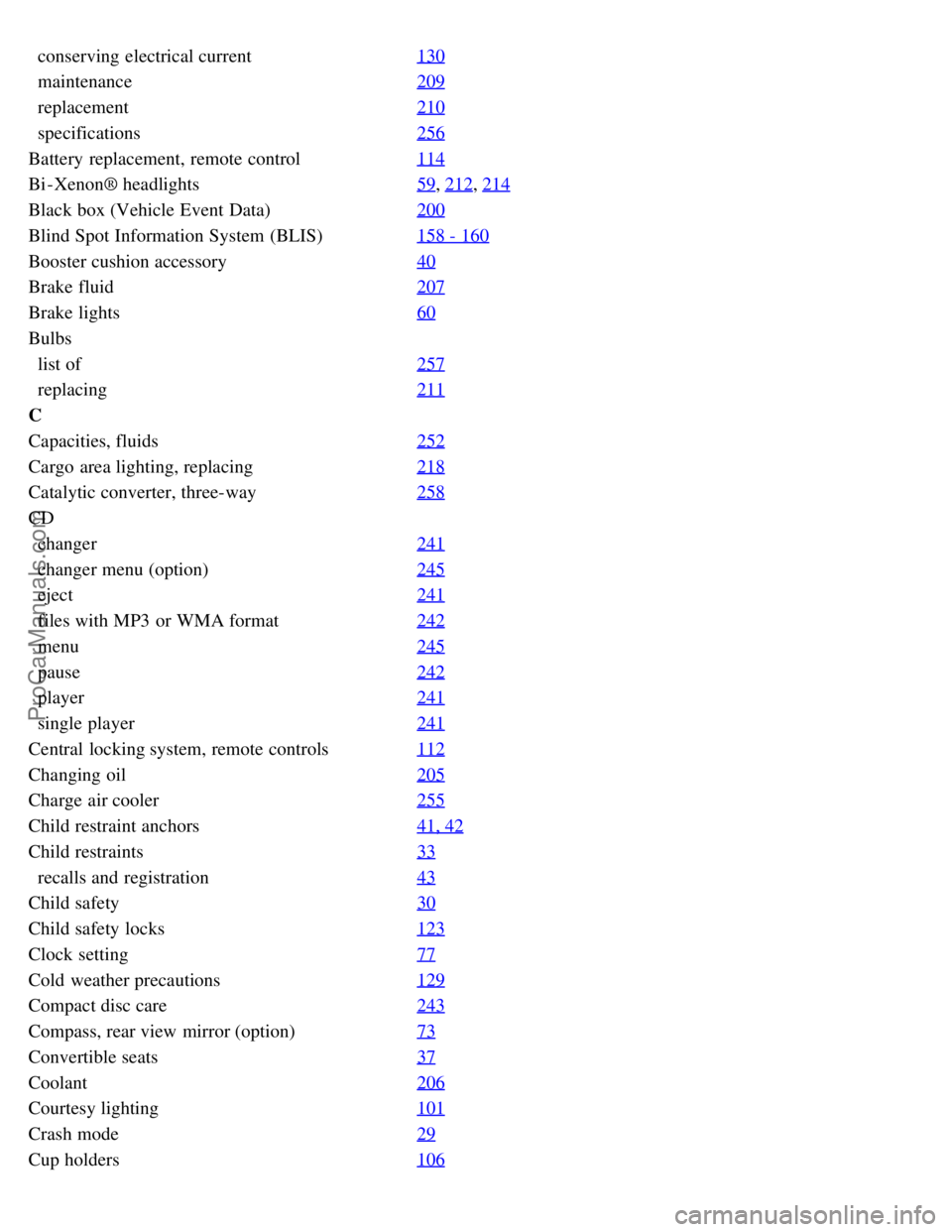
conserving electrical current130
maintenance209
replacement210
specifications256
Battery replacement, remote control114
Bi -Xenon® headlights59, 212, 214
Black box (Vehicle Event Data)200
Blind Spot Information System (BLIS)158 - 160
Booster cushion accessory40
Brake fluid207
Brake lights60
Bulbs
list of257
replacing211
C
Capacities, fluids252
Cargo area lighting, replacing218
Catalytic converter, three-way258
CD
changer241
changer menu (option)245
eject241
files with MP3 or WMA format242
menu245
pause242
player241
single player241
Central locking system, remote controls112
Changing oil205
Charge air cooler255
Child restraint anchors41, 42
Child restraints33
recalls and registration43
Child safety30
Child safety locks123
Clock setting77
Cold weather precautions129
Compact disc care243
Compass, rear view mirror (option)73
Convertible seats37
Coolant206
Courtesy lighting101
Crash mode29
Cup holders106
ProCarManuals.com
Page 234 of 239
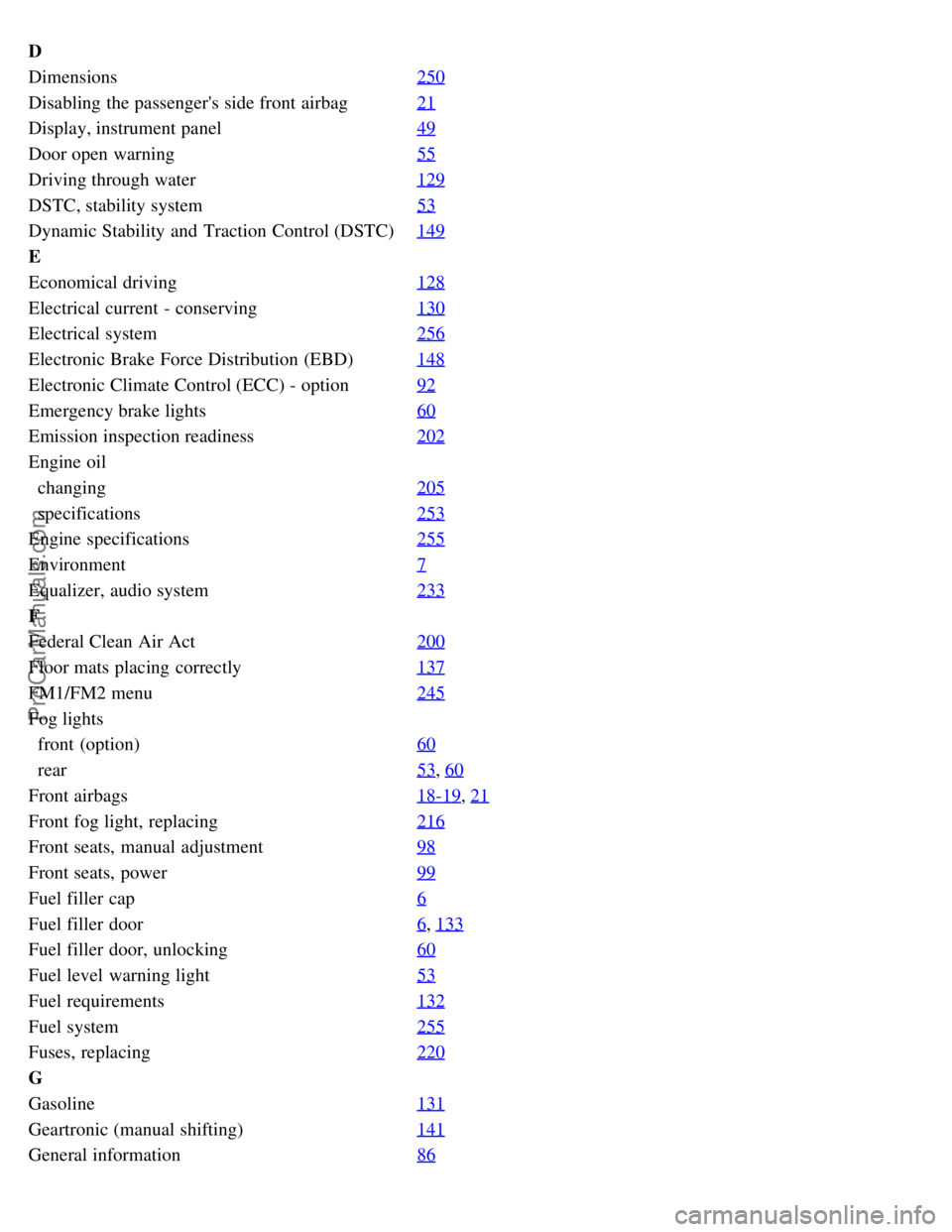
D
Dimensions250
Disabling the passenger's side front airbag21
Display, instrument panel49
Door open warning55
Driving through water129
DSTC, stability system53
Dynamic Stability and Traction Control (DSTC)149
E
Economical driving128
Electrical current - conserving130
Electrical system256
Electronic Brake Force Distribution (EBD)148
Electronic Climate Control (ECC) - option92
Emergency brake lights60
Emission inspection readiness202
Engine oil
changing205
specifications253
Engine specifications255
Environment7
Equalizer, audio system233
F
Federal Clean Air Act200
Floor mats placing correctly137
FM1/FM2 menu245
Fog lights
front (option)60
rear53, 60
Front airbags18-19, 21
Front fog light, replacing216
Front seats, manual adjustment98
Front seats, power99
Fuel filler cap6
Fuel filler door6, 133
Fuel filler door, unlocking60
Fuel level warning light53
Fuel requirements132
Fuel system255
Fuses, replacing220
G
Gasoline131
Geartronic (manual shifting)141
General information86
ProCarManuals.com