remote control VOLVO S40 2008 Owner's Manual
[x] Cancel search | Manufacturer: VOLVO, Model Year: 2008, Model line: S40, Model: VOLVO S40 2008Pages: 239, PDF Size: 5.94 MB
Page 115 of 239
Turning off (stopping) the alarm
If the alarm is sounding, it can be stopped by pressing the UNLOCK button on the remote control or by inserting the
key in the ignition
1On vehicles with the optional keyless drive, press in the start control in the ignition switch.
125 05 Locks and alarm
Alarm
switch. The driver's door must first be unlocked with the key blade.
NOTE
On vehicles equipped with the optional keyless drive, the start control must be removed from the ignition switch
before the key can be inserted. See page 138
for instructions.
Audible/visual alarm signal
An audible alarm signal is given by a battery powered siren. The alarm cycle lasts for 30 seconds.
NOTE
The visual alarm signal is given by flashing all turn signals and turning on the interior lighting for approximately 5
minutes.
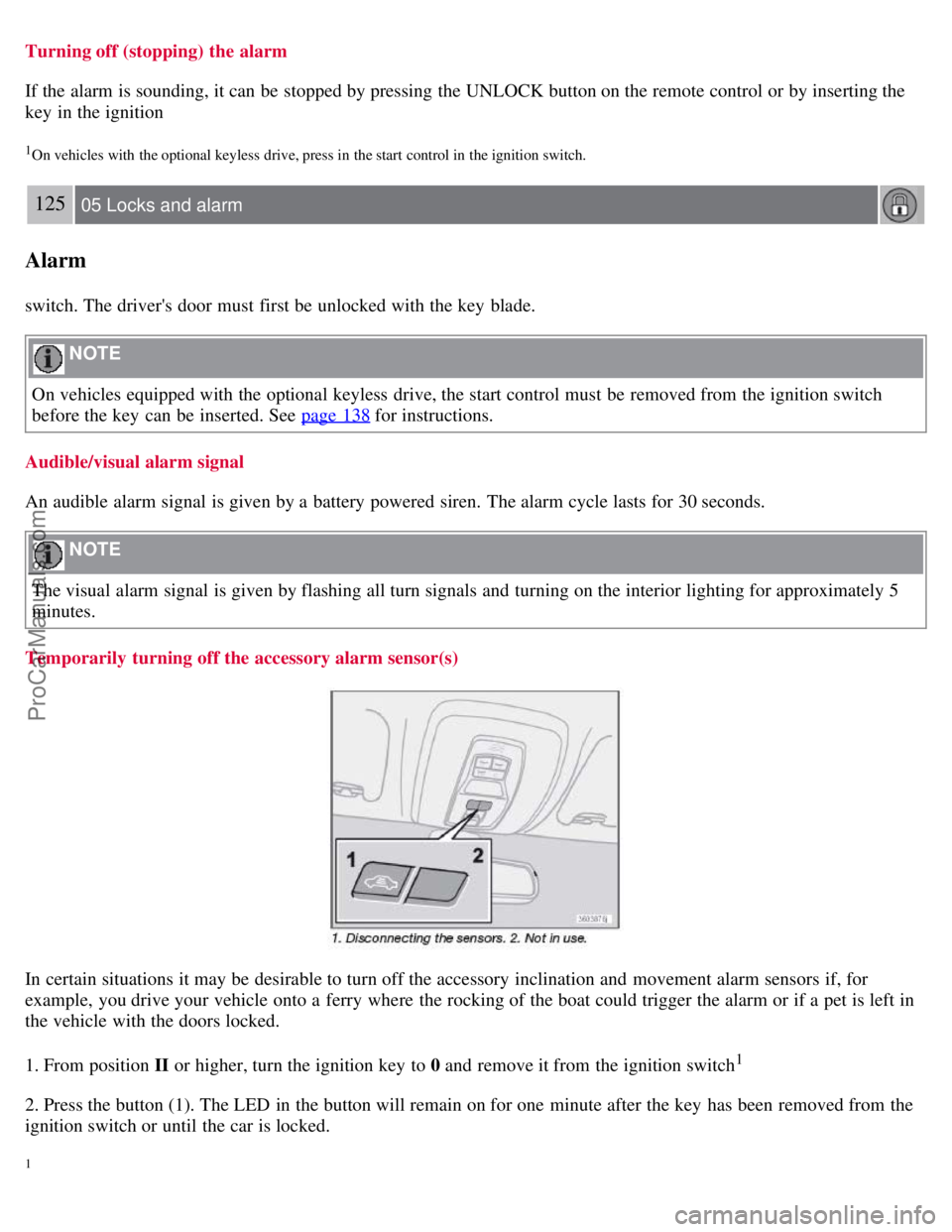
Temporarily turning off the accessory alarm sensor(s)
In certain situations it may be desirable to turn off the accessory inclination and movement alarm sensors if, for
example, you drive your vehicle onto a ferry where the rocking of the boat could trigger the alarm or if a pet is left in
the vehicle with the doors locked.
1. From position II or higher, turn the ignition key to 0 and remove it from the ignition switch
1
2. Press the button (1). The LED in the button will remain on for one minute after the key has been removed from the
ignition switch or until the car is locked.
1
ProCarManuals.com
Page 128 of 239
Keyless drive makes it possible to unlock, start and lock the vehicle without using a remote control.
A start control is fitted in the ignition switch on vehicles equipped with the optional keyless drive. This control is used
in the same way as the ignition key to start the engine. See also page 136
for general information on starting the
engine.
NOTE
A keyless drive remote control must be in the passenger's compartment or in the trunk/cargo area in order to start the
engine.
1. Press the brake pedal (the clutch pedal must also be fully depressed on models with a manual transmission).
2. Press in the keyless drive start control and turn it to position III.
NOTE
The vehicle is equipped with an autostart function that makes it possible to start the engine without holding the start
control in position III. Turn the start control to position III and release it. The starter motor will then operate
automatically (for up to ten seconds) until the engine starts.
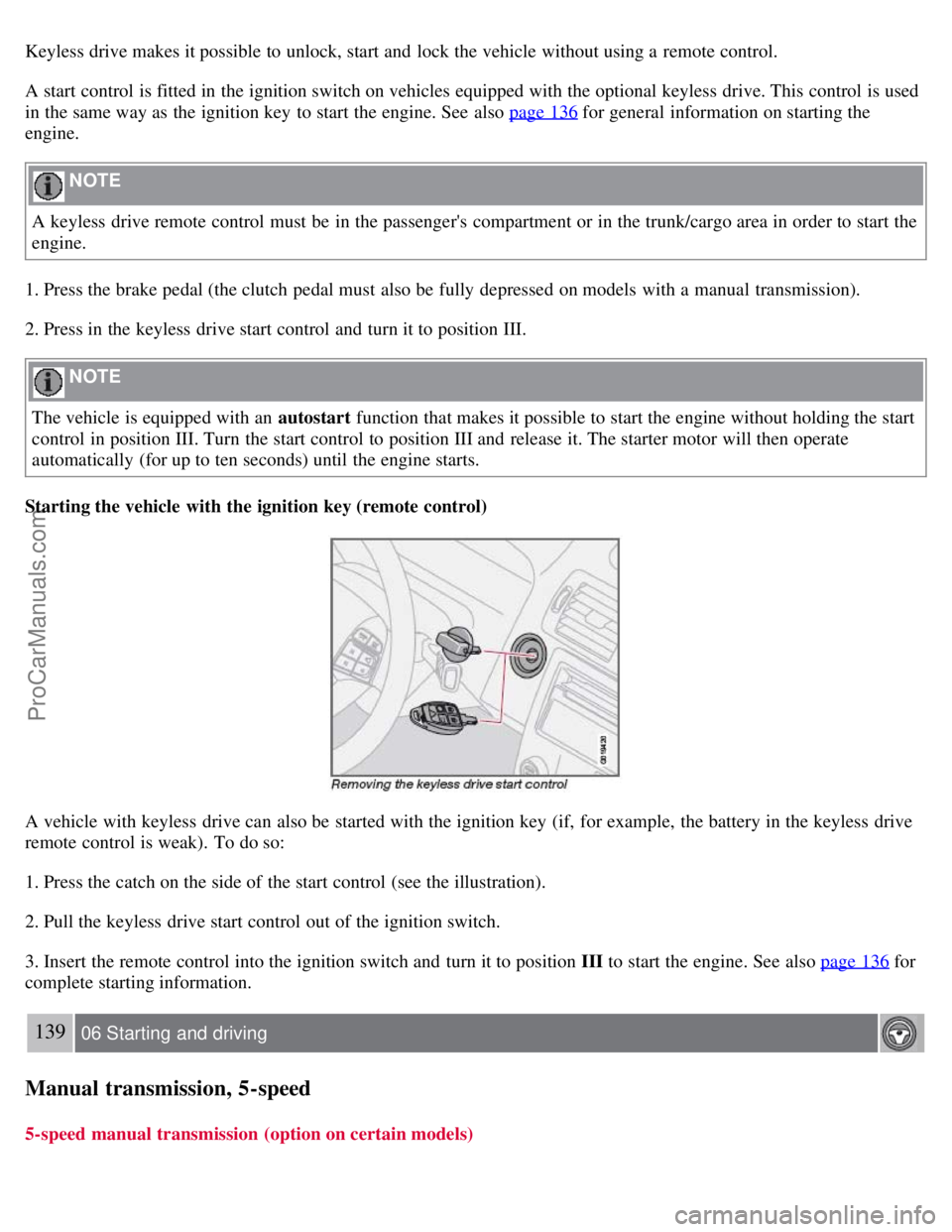
Starting the vehicle with the ignition key (remote control)
A vehicle with keyless drive can also be started with the ignition key (if, for example, the battery in the keyless drive
remote control is weak). To do so:
1. Press the catch on the side of the start control (see the illustration).
2. Pull the keyless drive start control out of the ignition switch.
3. Insert the remote control into the ignition switch and turn it to position III to start the engine. See also page 136
for
complete starting information.
139 06 Starting and driving
Manual transmission, 5-speed
5-speed manual transmission (option on certain models)
ProCarManuals.com
Page 233 of 239
conserving electrical current130
maintenance209
replacement210
specifications256
Battery replacement, remote control114
Bi -Xenon® headlights59, 212, 214
Black box (Vehicle Event Data)200
Blind Spot Information System (BLIS)158 - 160
Booster cushion accessory40
Brake fluid207
Brake lights60
Bulbs
list of257
replacing211
C
Capacities, fluids252
Cargo area lighting, replacing218
Catalytic converter, three-way258
CD
changer241
changer menu (option)245
eject241
files with MP3 or WMA format242
menu245
pause242
player241
single player241
Central locking system, remote controls112
Changing oil205
Charge air cooler255
Child restraint anchors41, 42
Child restraints33
recalls and registration43
Child safety30
Child safety locks123
Clock setting77
Cold weather precautions129
Compact disc care243
Compass, rear view mirror (option)73
Convertible seats37
Coolant206
Courtesy lighting101
Crash mode29
Cup holders106
ProCarManuals.com
Page 236 of 239
using118
Keylock6, 136
Kickdown143
L
Label information249
License plate lighting, replacing218
Lighting panel59
Locking
from the inside122
valet116
Long distance trips131
Low beam bulb, replacing213
Low beam headlight62
M
Maintenance200
Malfunction indicator light53
Manual climate control89
Manual front seat adjustment98
Manual shifting (Geartronic)142
Mirrors, rearview mirror73
Moonroof75
MP3 files, CDs containing242
MP3 player, connecting230
O
OBD II202
Occupant safety12
Octane rating132
Oil pressure warning light54
Oil, changing205
On Call Roadside Assistance259
Onboard Diagnostic System (OBD II)202
Opening the hood203
Opening the trunk from the inside122
P
Pacemaker (keyless drive warning)121
Panel lighting, instrument60
Panic alarm, central locking system remote control113
Park assist162-164
Parking brake54, 70
Parking light bulb, replacing214
Parking lights59
Passenger's side front airbag, disabling21
Personal settings77
Power door mirrors74
ProCarManuals.com
Page 237 of 239
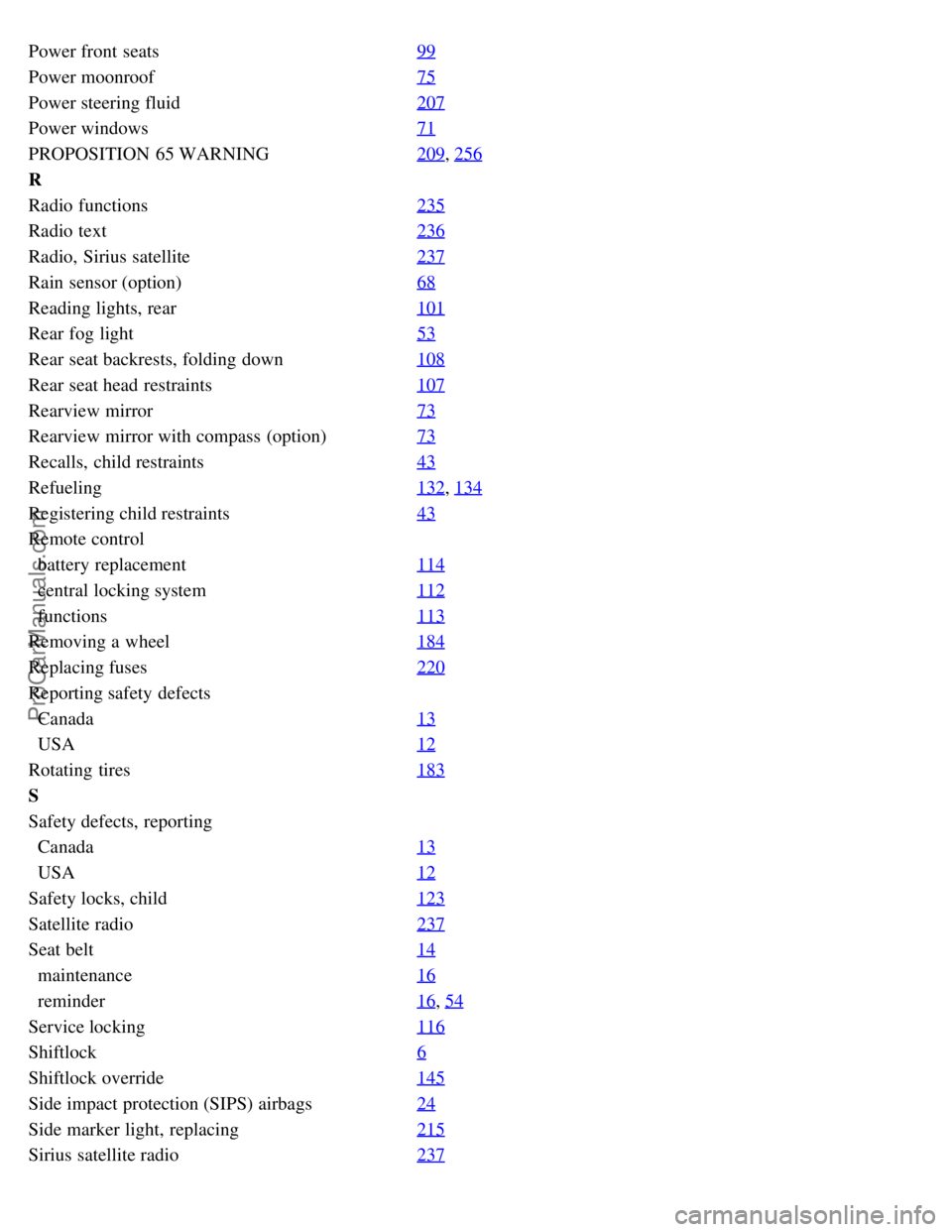
Power front seats99
Power moonroof75
Power steering fluid207
Power windows71
PROPOSITION 65 WARNING209, 256
R
Radio functions235
Radio text236
Radio, Sirius satellite237
Rain sensor (option)68
Reading lights, rear101
Rear fog light53
Rear seat backrests, folding down108
Rear seat head restraints107
Rearview mirror73
Rearview mirror with compass (option)73
Recalls, child restraints43
Refueling132, 134
Registering child restraints43
Remote control
battery replacement114
central locking system112
functions113
Removing a wheel184
Replacing fuses220
Reporting safety defects
Canada13
USA12
Rotating tires183
S
Safety defects, reporting
Canada13
USA12
Safety locks, child123
Satellite radio237
Seat belt14
maintenance16
reminder16, 54
Service locking116
Shiftlock6
Shiftlock override145
Side impact protection (SIPS) airbags24
Side marker light, replacing215
Sirius satellite radio237
ProCarManuals.com