instrument panel VOLVO S40 2008 Owners Manual
[x] Cancel search | Manufacturer: VOLVO, Model Year: 2008, Model line: S40, Model: VOLVO S40 2008Pages: 239, PDF Size: 5.94 MB
Page 2 of 239
In Canada: Volvo Cars of Canada Corp.
National Customer Service
175 Gordon Baker Road
North York, Ontario M2H 2N7
1-800-663-8255
www.volvocanada.com
2007 © Volvo Car Corporation. All rights reserved.
2 Contents
00 Introduction
General information 6
Volvo and the environment7
Important warnings8
01 Safety
Occupant safety 12
Seat belts14
Supplemental Restraint System17
Front airbags18
Occupant Weight Sensor (OWS)21
Side impact protection airbags24
Volvo Inflatable Curtain (VIC)25
Whiplash Protection System27
Crash mode29
Child safety30
Child restraint systems33
Infant seats35
Convertible seats37
Booster cushions40
ISOFIX lower anchors41
Top tether anchors42
Child restraint registration and
recalls43
02 Instruments and controls
Instrument overview
46
Instrument panel49
Indicator and warning symbols51
Symbols - instrument panel53
Information display56
12-volt sockets58
Lighting panel59
Left-side steering wheel lever62
Trip computer63
Cruise control65
Right-side steering wheel lever67
Rain sensor68
Steering wheel adjustment, Hazard
warning flashers69
Parking brake
70
Power windows71
Mirrors73
Power moonroof (option)75
ProCarManuals.com
Page 12 of 239
Child seats
Please refer to page 35
for information on securing child seats with the seat belts.
16 01 Safety
Seat belts
Seat belt reminder
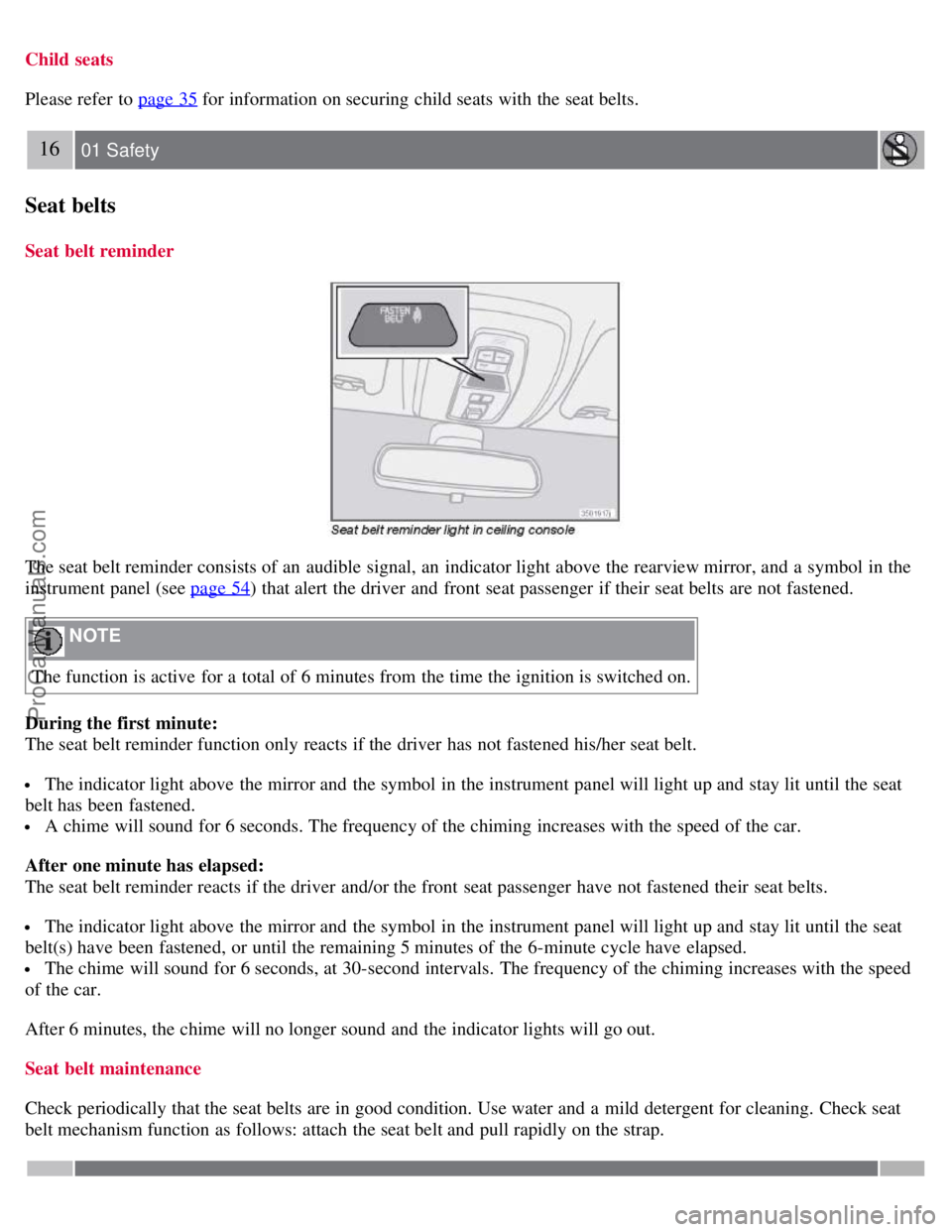
The seat belt reminder consists of an audible signal, an indicator light above the rearview mirror, and a symbol in the
instrument panel (see page 54
) that alert the driver and front seat passenger if their seat belts are not fastened.
NOTE
The function is active for a total of 6 minutes from the time the ignition is switched on.
During the first minute:
The seat belt reminder function only reacts if the driver has not fastened his/her seat belt.
The indicator light above the mirror and the symbol in the instrument panel will light up and stay lit until the seat
belt has been fastened.
A chime will sound for 6 seconds. The frequency of the chiming increases with the speed of the car.
After one minute has elapsed:
The seat belt reminder reacts if the driver and/or the front seat passenger have not fastened their seat belts.
The indicator light above the mirror and the symbol in the instrument panel will light up and stay lit until the seat
belt(s) have been fastened, or until the remaining 5 minutes of the 6-minute cycle have elapsed.
The chime will sound for 6 seconds, at 30-second intervals. The frequency of the chiming increases with the speed
of the car.
After 6 minutes, the chime will no longer sound and the indicator lights will go out.
Seat belt maintenance
Check periodically that the seat belts are in good condition. Use water and a mild detergent for cleaning. Check seat
belt mechanism function as follows: attach the seat belt and pull rapidly on the strap.
ProCarManuals.com
Page 13 of 239
17 01 Safety
Supplemental Restraint System
Supplemental Restraint System (SRS)
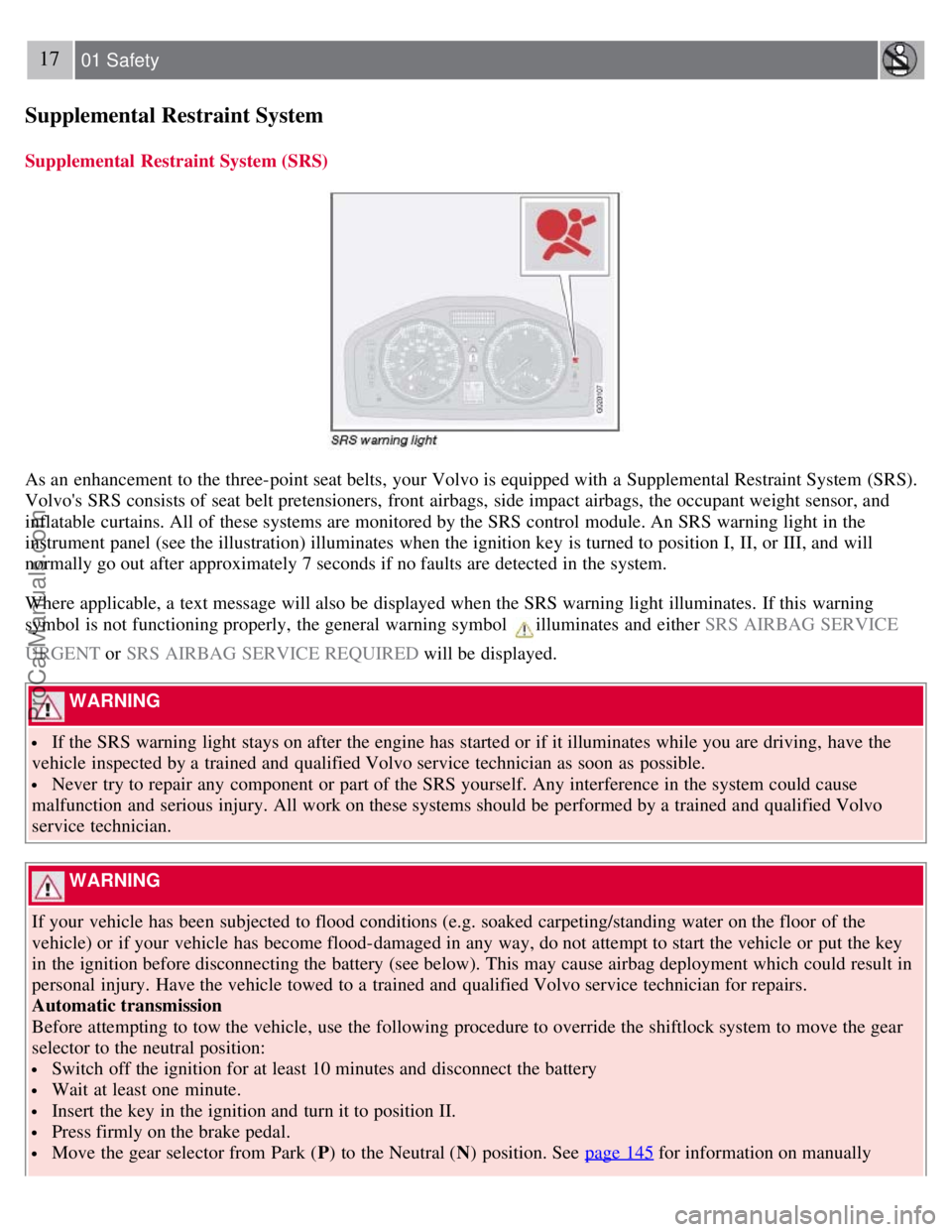
As an enhancement to the three-point seat belts, your Volvo is equipped with a Supplemental Restraint System (SRS).
Volvo's SRS consists of seat belt pretensioners, front airbags, side impact airbags, the occupant weight sensor, and
inflatable curtains. All of these systems are monitored by the SRS control module. An SRS warning light in the
instrument panel (see the illustration) illuminates when the ignition key is turned to position I, II, or III, and will
normally go out after approximately 7 seconds if no faults are detected in the system.
Where applicable, a text message will also be displayed when the SRS warning light illuminates. If this warning
symbol is not functioning properly, the general warning symbol
illuminates and either SRS AIRBAG SERVICE
URGENT or SRS AIRBAG SERVICE REQUIRED will be displayed.
WARNING
If the SRS warning light stays on after the engine has started or if it illuminates while you are driving, have the
vehicle inspected by a trained and qualified Volvo service technician as soon as possible.
Never try to repair any component or part of the SRS yourself. Any interference in the system could cause
malfunction and serious injury. All work on these systems should be performed by a trained and qualified Volvo
service technician.
WARNING
If your vehicle has been subjected to flood conditions (e.g. soaked carpeting/standing water on the floor of the
vehicle) or if your vehicle has become flood-damaged in any way, do not attempt to start the vehicle or put the key
in the ignition before disconnecting the battery (see below). This may cause airbag deployment which could result in
personal injury. Have the vehicle towed to a trained and qualified Volvo service technician for repairs.
Automatic transmission
Before attempting to tow the vehicle, use the following procedure to override the shiftlock system to move the gear
selector to the neutral position:
Switch off the ignition for at least 10 minutes and disconnect the battery
Wait at least one minute.
Insert the key in the ignition and turn it to position II.
Press firmly on the brake pedal.
Move the gear selector from Park ( P) to the Neutral ( N) position. See page 145 for information on manually
ProCarManuals.com
Page 17 of 239
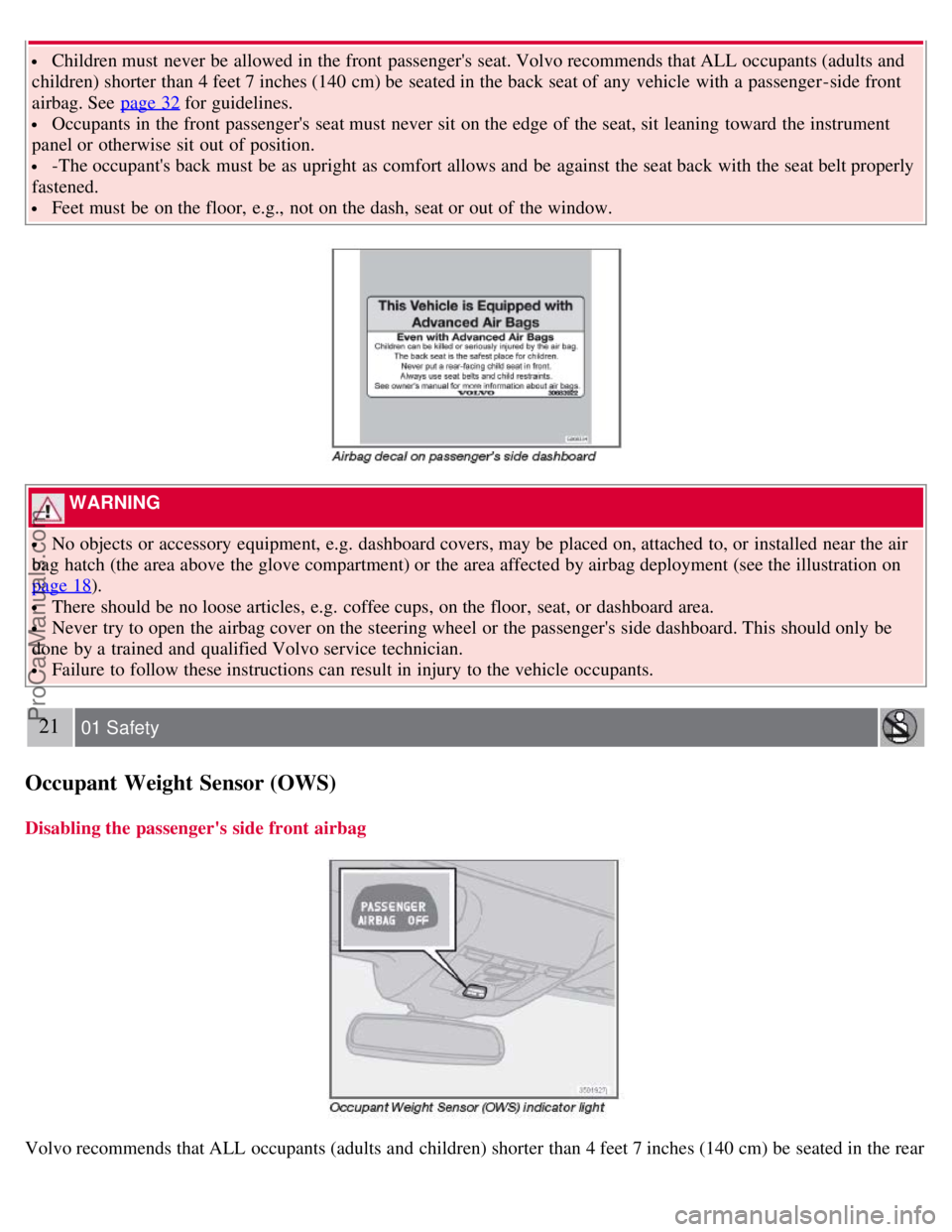
Children must never be allowed in the front passenger's seat. Volvo recommends that ALL occupants (adults and
children) shorter than 4 feet 7 inches (140 cm) be seated in the back seat of any vehicle with a passenger -side front
airbag. See page 32
for guidelines.
Occupants in the front passenger's seat must never sit on the edge of the seat, sit leaning toward the instrument
panel or otherwise sit out of position.
-The occupant's back must be as upright as comfort allows and be against the seat back with the seat belt properly
fastened.
Feet must be on the floor, e.g., not on the dash, seat or out of the window.
WARNING
No objects or accessory equipment, e.g. dashboard covers, may be placed on, attached to, or installed near the air
bag hatch (the area above the glove compartment) or the area affected by airbag deployment (see the illustration on
page 18
).
There should be no loose articles, e.g. coffee cups, on the floor, seat, or dashboard area.
Never try to open the airbag cover on the steering wheel or the passenger's side dashboard. This should only be
done by a trained and qualified Volvo service technician.
Failure to follow these instructions can result in injury to the vehicle occupants.
21 01 Safety
Occupant Weight Sensor (OWS)
Disabling the passenger's side front airbag
Volvo recommends that ALL occupants (adults and children) shorter than 4 feet 7 inches (140 cm) be seated in the rear
ProCarManuals.com
Page 39 of 239
2 0 0 8
VOLVO S40
44 02 Instruments and controls
Instrument overview 46
Instrument panel49
Indicator and warning symbols51
Symbols - instrument panel53
Information display56
12-volt sockets58
Lighting panel59
Left-side steering wheel lever62
Trip computer63
Cruise control65
Right-side steering wheel lever67
Rain sensor68
Steering wheel adjustment, Hazard warning flashers69
Parking brake70
Power windows71
Mirrors73
Power moonroof (option)75
Personal settings77
HomeLink® Universal Transceiver (option)80
45 02 Instruments and controls
46 02 Instruments and controls
Instrument overview
ProCarManuals.com
Page 40 of 239
47 02 Instruments and controls
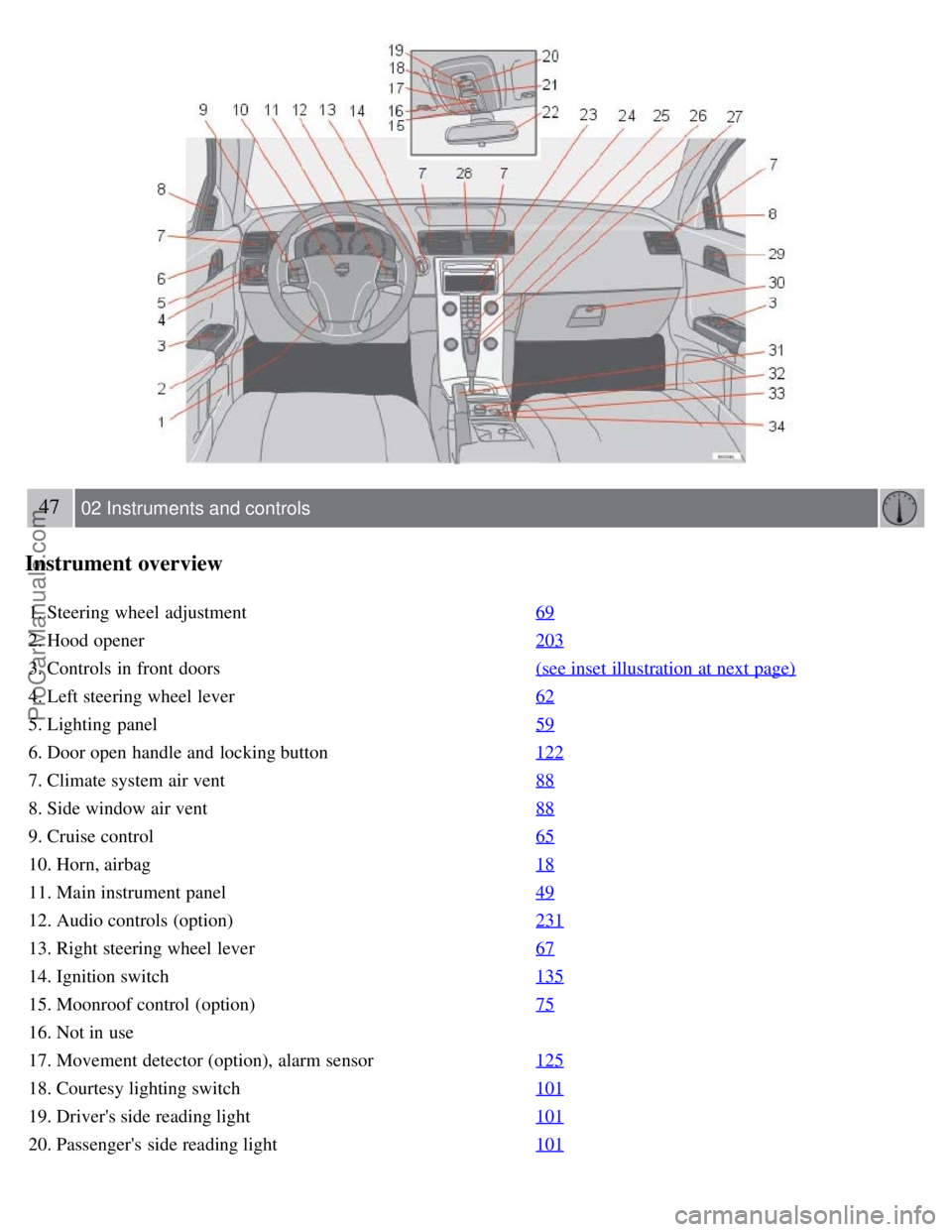
Instrument overview
1. Steering wheel adjustment69
2. Hood opener203
3. Controls in front doors(see inset illustration at next page)
4. Left steering wheel lever62
5. Lighting panel59
6. Door open handle and locking button122
7. Climate system air vent88
8. Side window air vent88
9. Cruise control65
10. Horn, airbag18
11. Main instrument panel49
12. Audio controls (option)231
13. Right steering wheel lever67
14. Ignition switch135
15. Moonroof control (option)75
16. Not in use
17. Movement detector (option), alarm sensor125
18. Courtesy lighting switch101
19. Driver's side reading light101
20. Passenger's side reading light101
ProCarManuals.com
Page 41 of 239
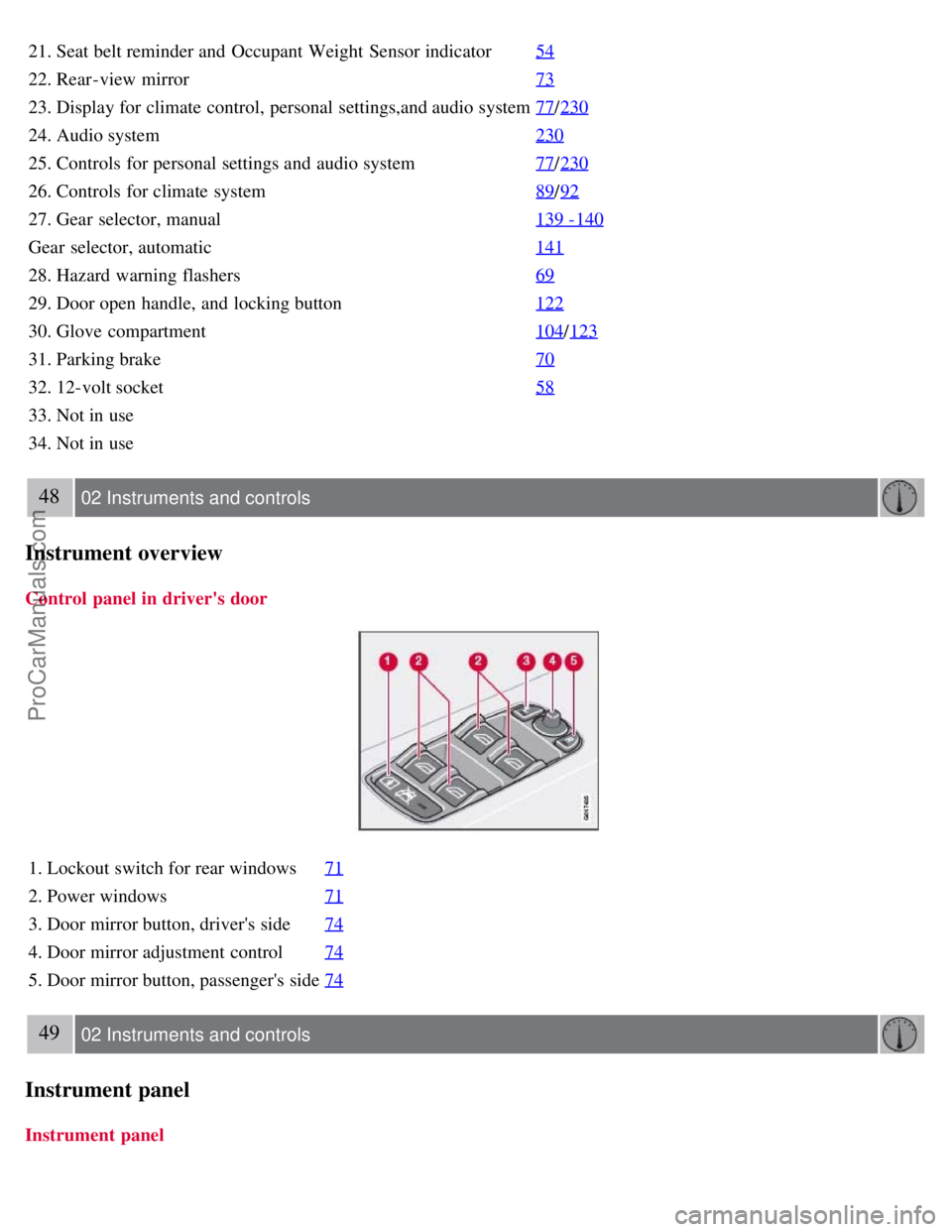
21. Seat belt reminder and Occupant Weight Sensor indicator54
22. Rear-view mirror73
23. Display for climate control, personal settings,and audio system77/230
24. Audio system 230
25. Controls for personal settings and audio system77/230
26. Controls for climate system 89/92
27. Gear selector, manual 139 -140
Gear selector, automatic141
28. Hazard warning flashers69
29. Door open handle, and locking button122
30. Glove compartment104/123
31. Parking brake 70
32. 12-volt socket58
33. Not in use
34. Not in use
48 02 Instruments and controls
Instrument overview
Control panel in driver's door
1. Lockout switch for rear windows71
2. Power windows71
3. Door mirror button, driver's side74
4. Door mirror adjustment control74
5. Door mirror button, passenger's side74
49 02 Instruments and controls
Instrument panel
Instrument panel
ProCarManuals.com
Page 42 of 239
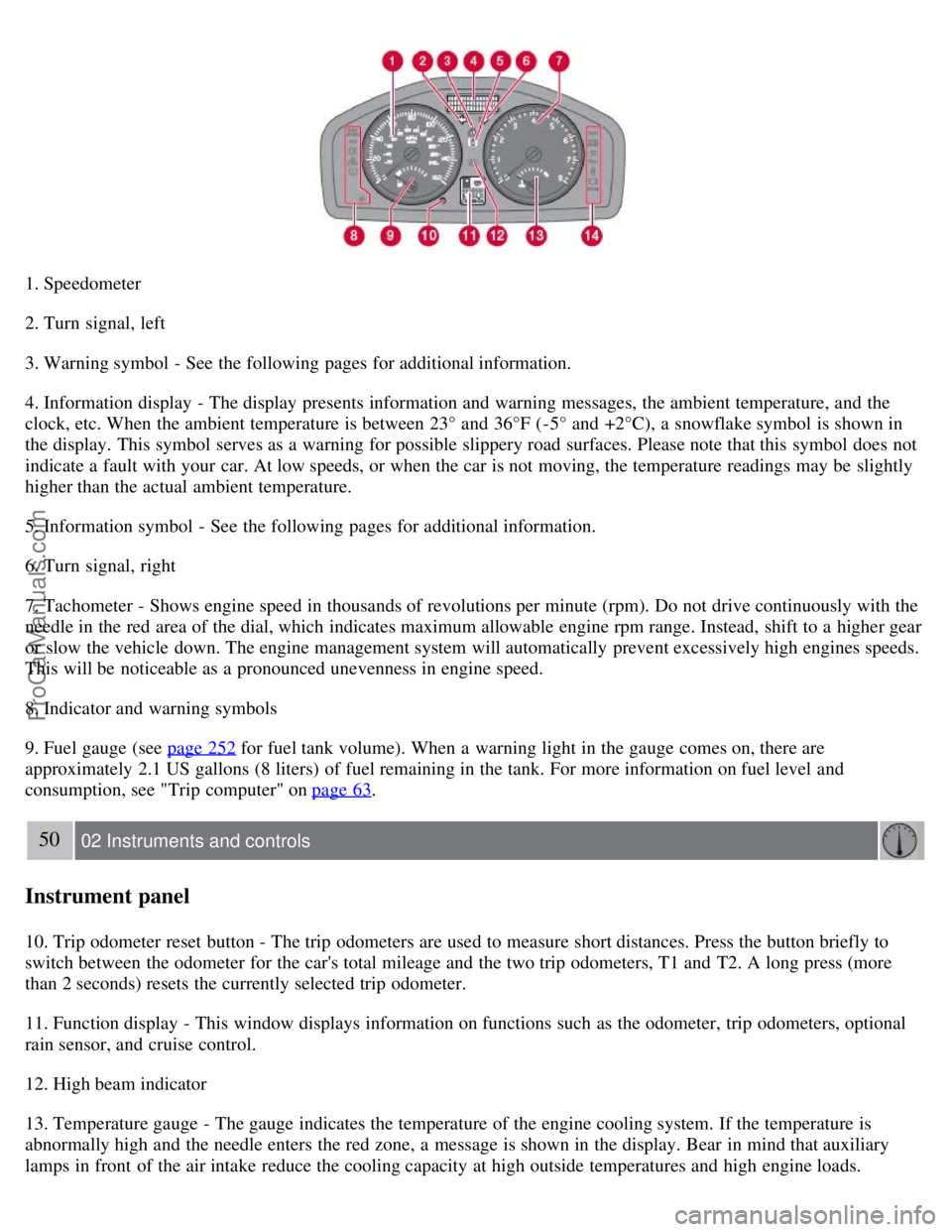
1. Speedometer
2. Turn signal, left
3. Warning symbol - See the following pages for additional information.
4. Information display - The display presents information and warning messages, the ambient temperature, and the
clock, etc. When the ambient temperature is between 23° and 36°F (-5° and +2°C), a snowflake symbol is shown in
the display. This symbol serves as a warning for possible slippery road surfaces. Please note that this symbol does not
indicate a fault with your car. At low speeds, or when the car is not moving, the temperature readings may be slightly
higher than the actual ambient temperature.
5. Information symbol - See the following pages for additional information.
6. Turn signal, right
7. Tachometer - Shows engine speed in thousands of revolutions per minute (rpm). Do not drive continuously with the
needle in the red area of the dial, which indicates maximum allowable engine rpm range. Instead, shift to a higher gear
or slow the vehicle down. The engine management system will automatically prevent excessively high engines speeds.
This will be noticeable as a pronounced unevenness in engine speed.
8. Indicator and warning symbols
9. Fuel gauge (see page 252
for fuel tank volume). When a warning light in the gauge comes on, there are
approximately 2.1 US gallons (8 liters) of fuel remaining in the tank. For more information on fuel level and
consumption, see "Trip computer" on page 63
.
50 02 Instruments and controls
Instrument panel
10. Trip odometer reset button - The trip odometers are used to measure short distances. Press the button briefly to
switch between the odometer for the car's total mileage and the two trip odometers, T1 and T2. A long press (more
than 2 seconds) resets the currently selected trip odometer.
11. Function display - This window displays information on functions such as the odometer, trip odometers, optional
rain sensor, and cruise control.
12. High beam indicator
13. Temperature gauge - The gauge indicates the temperature of the engine cooling system. If the temperature is
abnormally high and the needle enters the red zone, a message is shown in the display. Bear in mind that auxiliary
lamps in front of the air intake reduce the cooling capacity at high outside temperatures and high engine loads.
ProCarManuals.com
Page 43 of 239
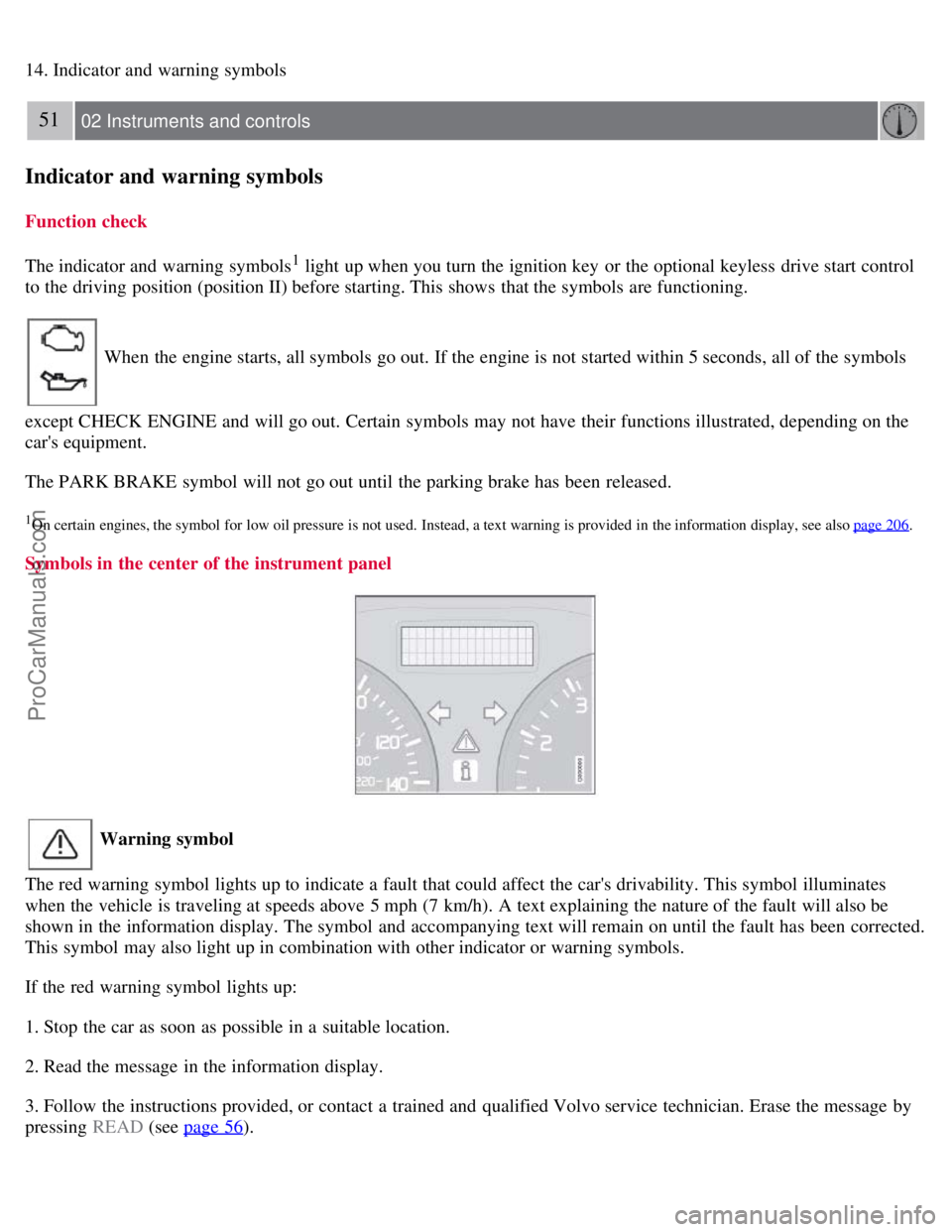
14. Indicator and warning symbols
51 02 Instruments and controls
Indicator and warning symbols
Function check
The indicator and warning symbols
1 light up when you turn the ignition key or the optional keyless drive start control
to the driving position (position II) before starting. This shows that the symbols are functioning.
When the engine starts, all symbols go out. If the engine is not started within 5 seconds, all of the symbols
except CHECK ENGINE and will go out. Certain symbols may not have their functions illustrated, depending on the
car's equipment.
The PARK BRAKE symbol will not go out until the parking brake has been released.
1On certain engines, the symbol for low oil pressure is not used. Instead, a text warning is provided in the information display, see also page 206.
Symbols in the center of the instrument panel
Warning symbol
The red warning symbol lights up to indicate a fault that could affect the car's drivability. This symbol illuminates
when the vehicle is traveling at speeds above 5 mph (7 km/h). A text explaining the nature of the fault will also be
shown in the information display. The symbol and accompanying text will remain on until the fault has been corrected.
This symbol may also light up in combination with other indicator or warning symbols.
If the red warning symbol lights up:
1. Stop the car as soon as possible in a suitable location.
2. Read the message in the information display.
3. Follow the instructions provided, or contact a trained and qualified Volvo service technician. Erase the message by
pressing READ (see page 56
).
ProCarManuals.com
Page 44 of 239
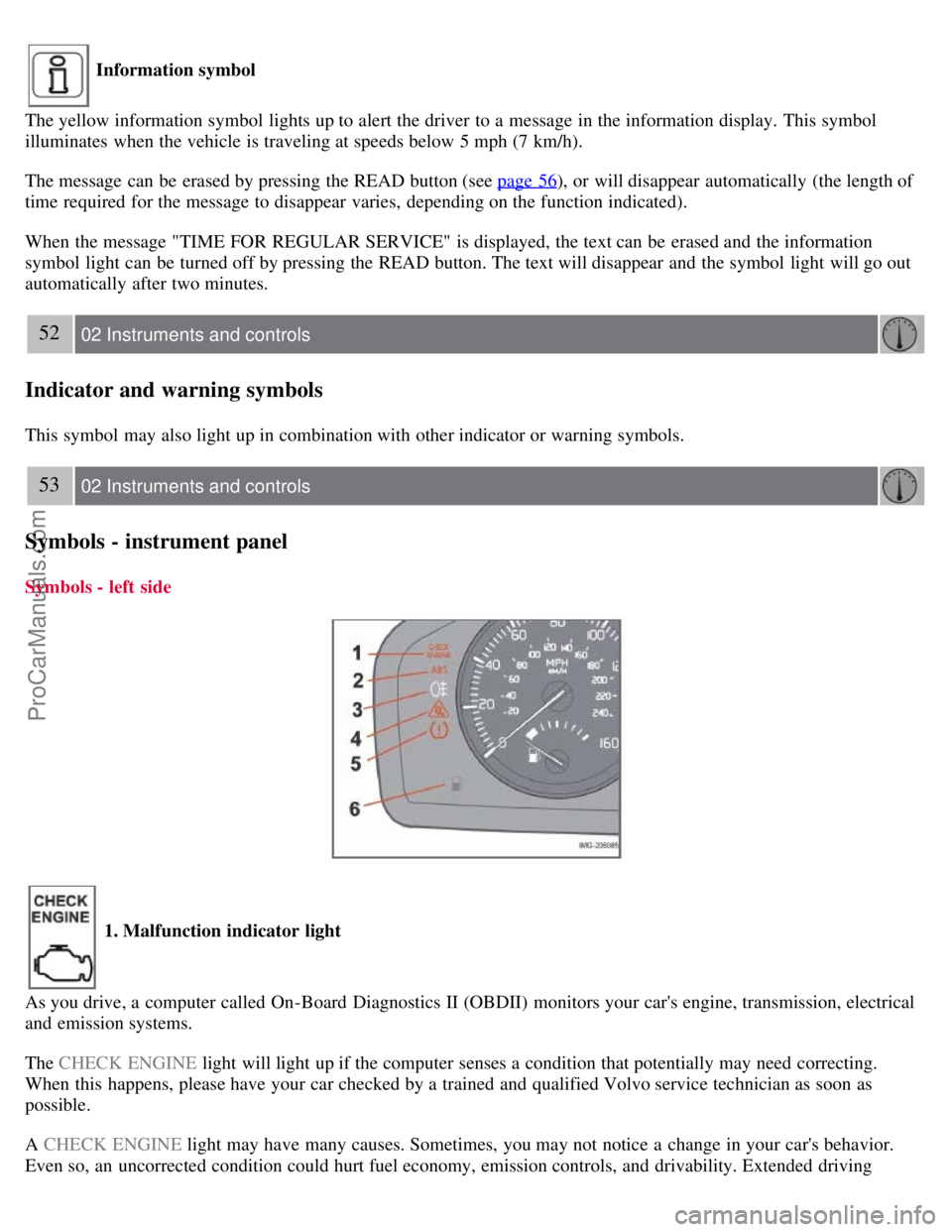
Information symbol
The yellow information symbol lights up to alert the driver to a message in the information display. This symbol
illuminates when the vehicle is traveling at speeds below 5 mph (7 km/h).
The message can be erased by pressing the READ button (see page 56
), or will disappear automatically (the length of
time required for the message to disappear varies, depending on the function indicated).
When the message "TIME FOR REGULAR SERVICE" is displayed, the text can be erased and the information
symbol light can be turned off by pressing the READ button. The text will disappear and the symbol light will go out
automatically after two minutes.
52 02 Instruments and controls
Indicator and warning symbols
This symbol may also light up in combination with other indicator or warning symbols.
53 02 Instruments and controls
Symbols - instrument panel
Symbols - left side
1. Malfunction indicator light
As you drive, a computer called On-Board Diagnostics II (OBDII) monitors your car's engine, transmission, electrical
and emission systems.
The CHECK ENGINE light will light up if the computer senses a condition that potentially may need correcting.
When this happens, please have your car checked by a trained and qualified Volvo service technician as soon as
possible.
A CHECK ENGINE light may have many causes. Sometimes, you may not notice a change in your car's behavior.
Even so, an uncorrected condition could hurt fuel economy, emission controls, and drivability. Extended driving
ProCarManuals.com