buttons VOLVO S40 2009 Owner´s Manual
[x] Cancel search | Manufacturer: VOLVO, Model Year: 2009, Model line: S40, Model: VOLVO S40 2009Pages: 286, PDF Size: 7.08 MB
Page 105 of 286
04 Interior
Front seats
04``105
WARNING
Cover sharp edges on the load to help pre-
vent injury to occupants. Secure the load to
help prevent shifting during sudden stops.Power seats (option)The power driver's seat can be adjusted:•
If the ignition key is in position I or II.
•
During a 10 minute period after the doors
have been unlocked if the door remains
open.
•
If the door is closed and the ignition key is
not yet in the ignition, or if the key is in
position0, the seat can be adjusted or dur-
ing a period of 40 seconds. The power
passenger's seat can only be adjusted if
the ignition key is in position I or II, or if the
engine is running.
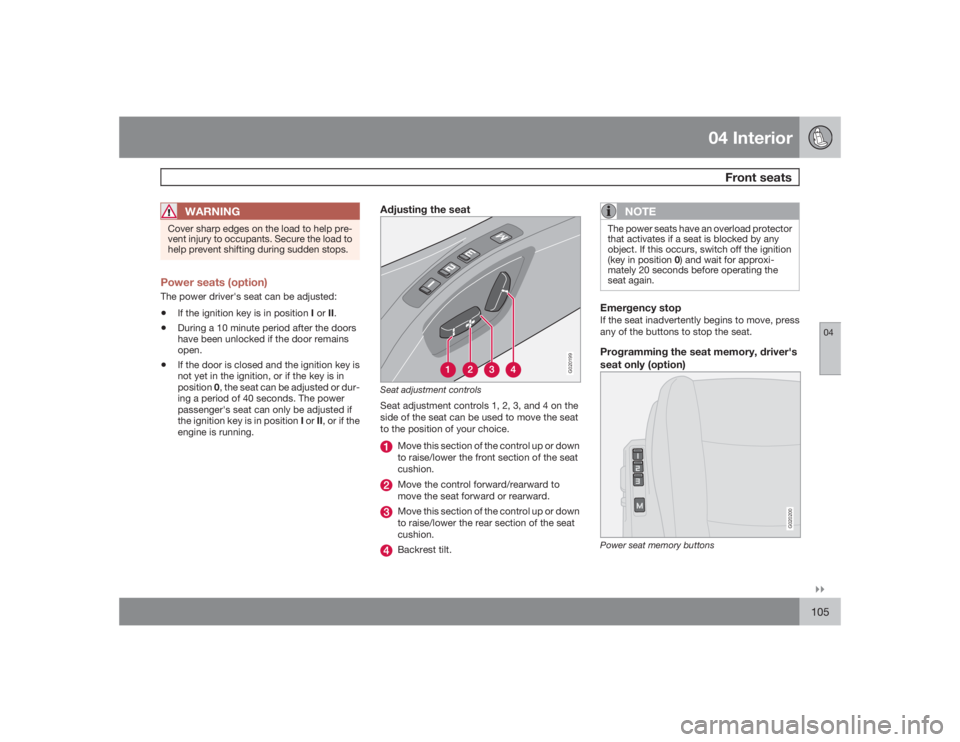
Adjusting the seat
G020199
Seat adjustment controlsSeat adjustment controls 1, 2, 3, and 4 on the
side of the seat can be used to move the seat
to the position of your choice.
Move this section of the control up or down
to raise/lower the front section of the seat
cushion.Move the control forward/rearward to
move the seat forward or rearward.Move this section of the control up or down
to raise/lower the rear section of the seat
cushion.Backrest tilt.
NOTE
The power seats have an overload protector
that activates if a seat is blocked by any
object. If this occurs, switch off the ignition
(key in position 0) and wait for approxi-
mately 20 seconds before operating the
seat again.Emergency stopIf the seat inadvertently begins to move, press
any of the buttons to stop the seat.Programming the seat memory, driver's
seat only (option)
G020200
Power seat memory buttons
Page 106 of 286
04 InteriorFront seats
04106
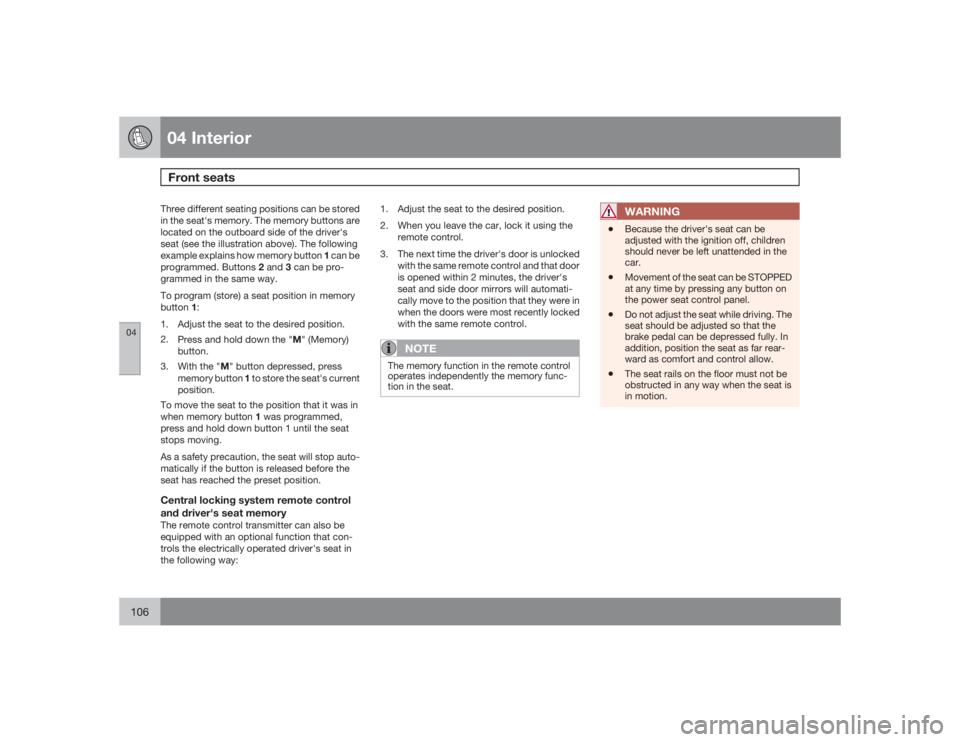
Three different seating positions can be stored
in the seat's memory. The memory buttons are
located on the outboard side of the driver's
seat (see the illustration above). The following
example explains how memory button 1 can be
programmed. Buttons 2 and 3 can be pro-
grammed in the same way.
To program (store) a seat position in memory
button1:
1. Adjust the seat to the desired position.
2.
Press and hold down the "M" (Memory)
button.
3.
With the "M" button depressed, press
memory button 1 to store the seat's current
position.
To move the seat to the position that it was in
when memory button 1 was programmed,
press and hold down button 1 until the seat
stops moving.
As a safety precaution, the seat will stop auto-
matically if the button is released before the
seat has reached the preset position.Central locking system remote control
and driver's seat memoryThe remote control transmitter can also be
equipped with an optional function that con-
trols the electrically operated driver's seat in
the following way:1. Adjust the seat to the desired position.
2. When you leave the car, lock it using the
remote control.
3. The next time the driver's door is unlocked
with the same remote control and that door
is opened within 2 minutes, the driver's
seat and side door mirrors will automati-
cally move to the position that they were in
when the doors were most recently locked
with the same remote control.
NOTE
The memory function in the remote control
operates independently the memory func-
tion in the seat.
WARNING
•
Because the driver's seat can be
adjusted with the ignition off, children
should never be left unattended in the
car.
•
Movement of the seat can be STOPPED
at any time by pressing any button on
the power seat control panel.
•
Do not adjust the seat while driving. The
seat should be adjusted so that the
brake pedal can be depressed fully. In
addition, position the seat as far rear-
ward as comfort and control allow.
•
The seat rails on the floor must not be
obstructed in any way when the seat is
in motion.
Page 108 of 286
04 InteriorInterior lighting
04108
The rear reading lights can be switched on or
off by pressing the respective buttons, and
function if the ignition key is in positions I,II, or
if the engine is running.
The courtesy lighting can be switched on or off
within 30 minutes after the engine has been
switched off, or after a door has been opened
or closed.
These lights switch off automatically 5 minutes
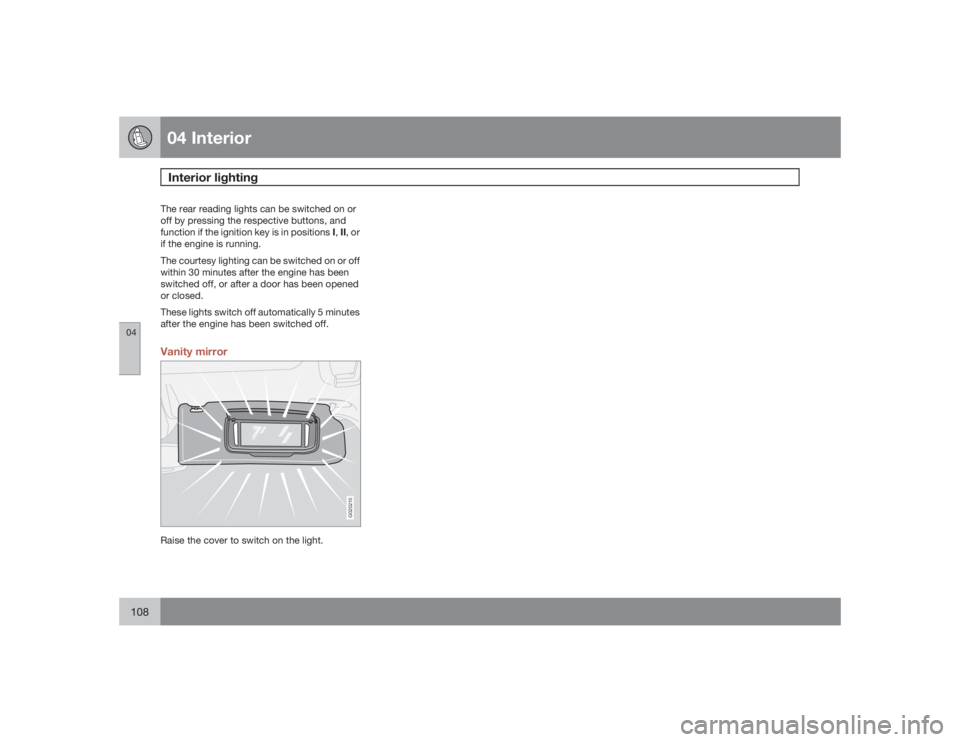
after the engine has been switched off.Vanity mirror
G020210
Raise the cover to switch on the light.
Page 112 of 286
04 InteriorStorage compartments
04112
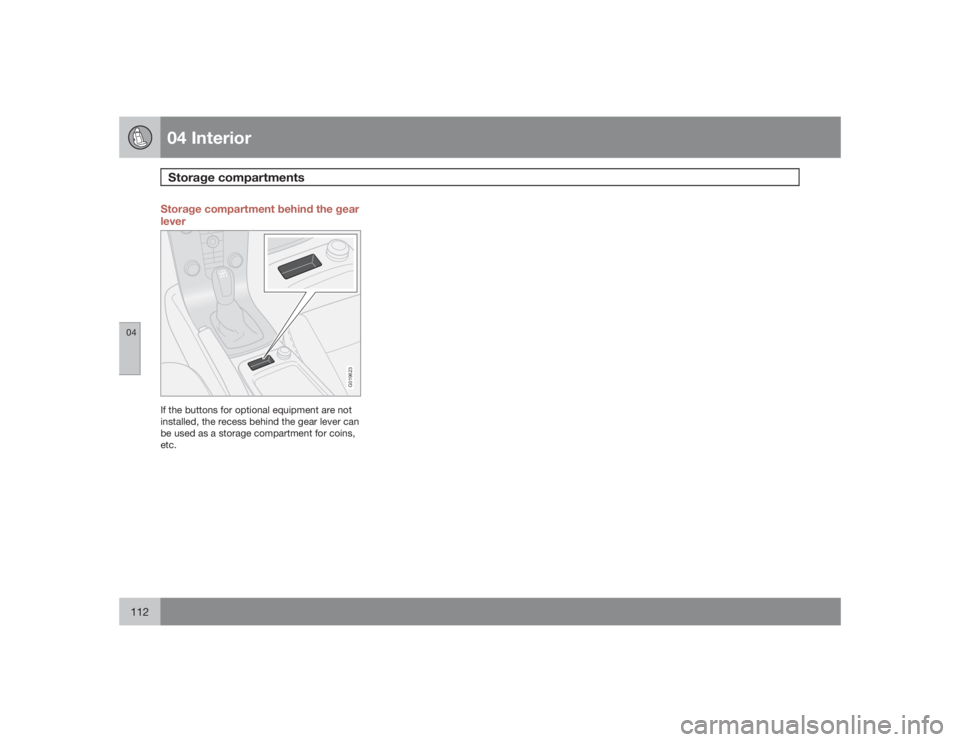
Storage compartment behind the gear
lever
G019623
If the buttons for optional equipment are not
installed, the recess behind the gear lever can
be used as a storage compartment for coins,
etc.
Page 123 of 286
05 Locks and alarm
Keyless drive (option as available)
05``123 Keyless locking and unlocking
G019423
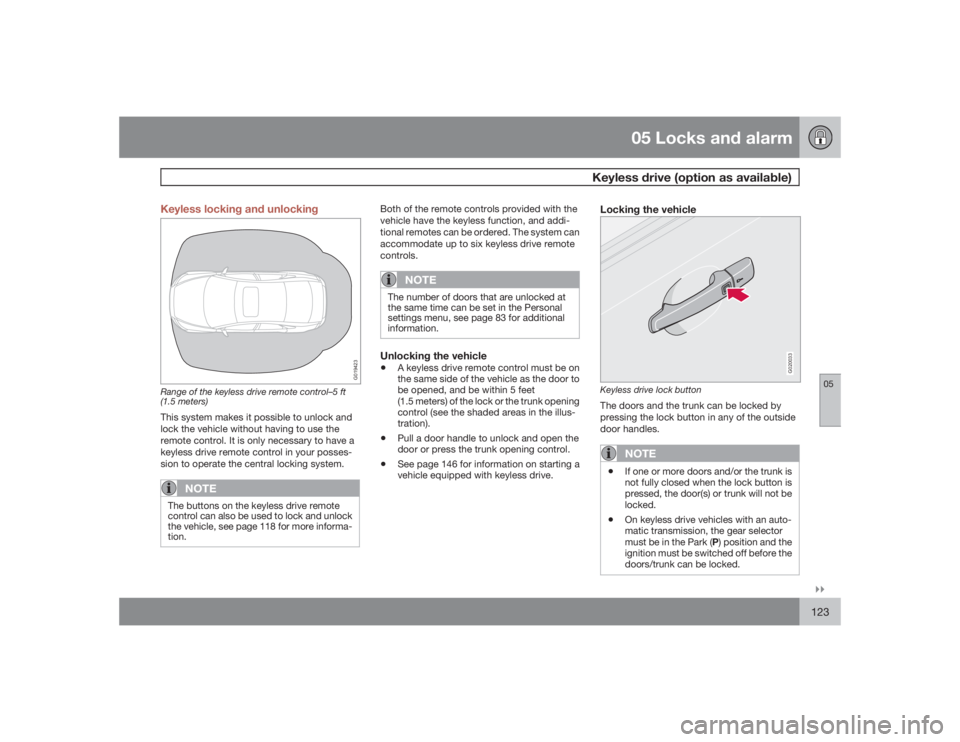
Range of the keyless drive remote control–5 ft
(1.5 meters)This system makes it possible to unlock and
lock the vehicle without having to use the
remote control. It is only necessary to have a
keyless drive remote control in your posses-
sion to operate the central locking system.
NOTE
The buttons on the keyless drive remote
control can also be used to lock and unlock
the vehicle, see page 118 for more informa-
tion.
Both of the remote controls provided with the
vehicle have the keyless function, and addi-
tional remotes can be ordered. The system can
accommodate up to six keyless drive remote
controls.
NOTE
The number of doors that are unlocked at
the same time can be set in the Personal
settings menu, see page 83 for additional
information.Unlocking the vehicle•
A keyless drive remote control must be on
the same side of the vehicle as the door to
be opened, and be within 5 feet
(1.5 meters) of the lock or the trunk opening
control (see the shaded areas in the illus-
tration).
•
Pull a door handle to unlock and open the
door or press the trunk opening control.
•
See page 146 for information on starting a
vehicle equipped with keyless drive.
Locking the vehicle
G020033
Keyless drive lock buttonThe doors and the trunk can be locked by
pressing the lock button in any of the outside
door handles.
NOTE
•
If one or more doors and/or the trunk is
not fully closed when the lock button is
pressed, the door(s) or trunk will not be
locked.
•
On keyless drive vehicles with an auto-
matic transmission, the gear selector
must be in the Park (P) position and the
ignition must be switched off before the
doors/trunk can be locked.
Page 127 of 286

05 Locks and alarm
Locking and unlocking
05``127 Locking/unlocking the vehicle from the
inside
G007451
The switches near the door opening handles on
the driver's and front passenger's doors can be
used to lock or unlock all doors and the trunk,
open the side windows
1, and to set the alarm.
•
Unlocking: Press the upper section of the
switch. A long press (for several seconds)
also opens all the side windows.
•
Locking: Press the lower section of the
lock button.
NOTE
•
The ignition key must be in position I or
higher (see page 143) before all side
windows can be opened using the
switches in the front doors.
•
The doors cannot be opened by pulling
up the lock buttons.
•
Each door can also be locked manually
using the lock button on that particular
door. This applies only if the car has not
been locked from the outside.
•
The doors can also be unlocked (and
the door opened) by pulling the handle
in the door twice.
Opening the trunk from the inside
2
G030709
The vehicle is equipped with a florescent han-
dle on the inside of the trunk lid, which can be
used in an emergency situation to open the
trunk from the inside.
Pull the handle down to release the trunk lid.
After use, the handle must be pushed back into
its original position before the trunk can be
closed.
1This function must be set to On in the Personal settings menu (see page 84)2U.S. models only
Page 155 of 286
06 Starting and driving
Stability system
06``155 Stability Traction Control (STC)/
Dynamic Stability Traction Control
(DSTC)
The stability system consists of a number of
functions designed help reduce wheel spin,
counteract skidding, and to generally help
improve directional stability.
A pulsating sound will be audible when the
system is actively operating and is normal.Function/
system
STC
DSTC
A
TC
X
X
SC
X
X
AYC
X
AOption on certain models.Traction control – TCThis function is designed to help reduce wheel
spin by transferring power from a drive wheel
that begins to lose traction to the wheel on the
opposite side of the vehicle (on the same axle).
TC is most active at low speeds.
This is one of the stability system's permanent
functions and cannot be switched off.
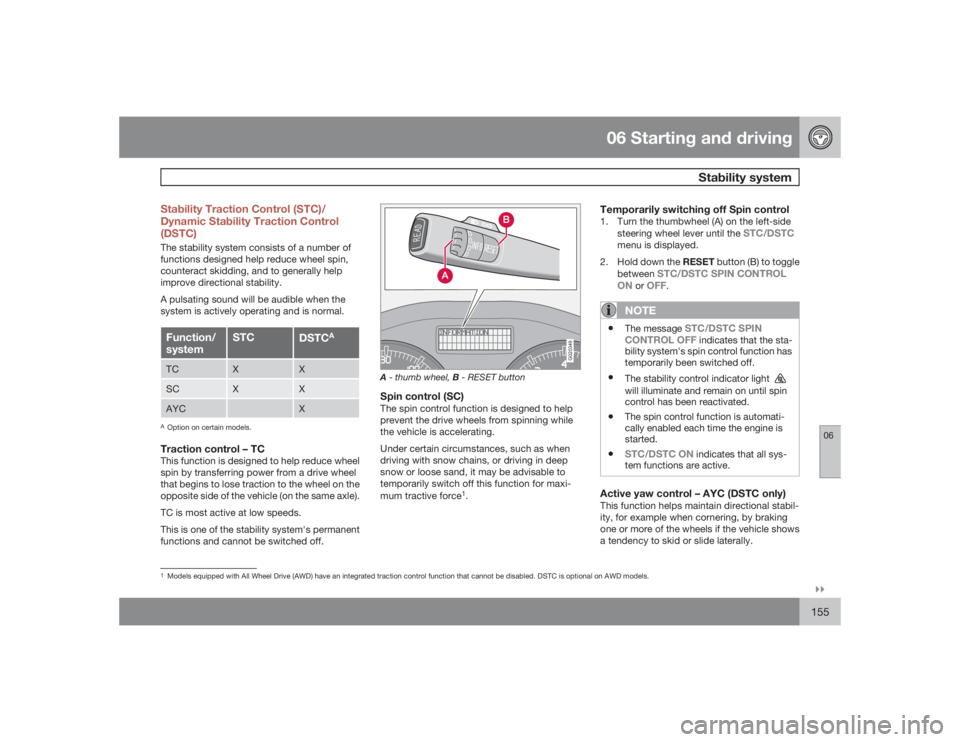
G020349
A- thumb wheel, B - RESET buttonSpin control (SC)The spin control function is designed to help
prevent the drive wheels from spinning while
the vehicle is accelerating.
Under certain circumstances, such as when
driving with snow chains, or driving in deep
snow or loose sand, it may be advisable to
temporarily switch off this function for maxi-
mum tractive force
1.
Temporarily switching off Spin control1. Turn the thumbwheel (A) on the left-side
steering wheel lever until the
STC/DSTC
menu is displayed.
2.
Hold down the RESET button (B) to toggle
between
STC/DSTC SPIN CONTROL
ON
or
OFF
.
NOTE
•
The message
STC/DSTC SPIN
CONTROL OFF indicates that the sta-
bility system's spin control function has
temporarily been switched off.
•
The stability control indicator light will illuminate and remain on until spin
control has been reactivated.
•
The spin control function is automati-
cally enabled each time the engine is
started.
•
STC/DSTC ON
indicates that all sys-
tem functions are active.
Active yaw control – AYC (DSTC only)This function helps maintain directional stabil-
ity, for example when cornering, by braking
one or more of the wheels if the vehicle shows
a tendency to skid or slide laterally.
1Models equipped with All Wheel Drive (AWD) have an integrated traction control function that cannot be disabled. DSTC is optional on AWD models.
Page 241 of 286
10 Audio
Audio functions
10``241
7. If there is distortion, lower your music play-
er's headphone volume until the distortion
goes away.
8. Finally, exit the menu and adjust the audio
volume to a comfortable level.VolumeUse the volume dial (1) or the buttons in the
steering wheel keypad to adjust the volume
level. The volume level is also adjusted auto-
matically according to the vehicle's speed, see
page 243 for more information on this func-
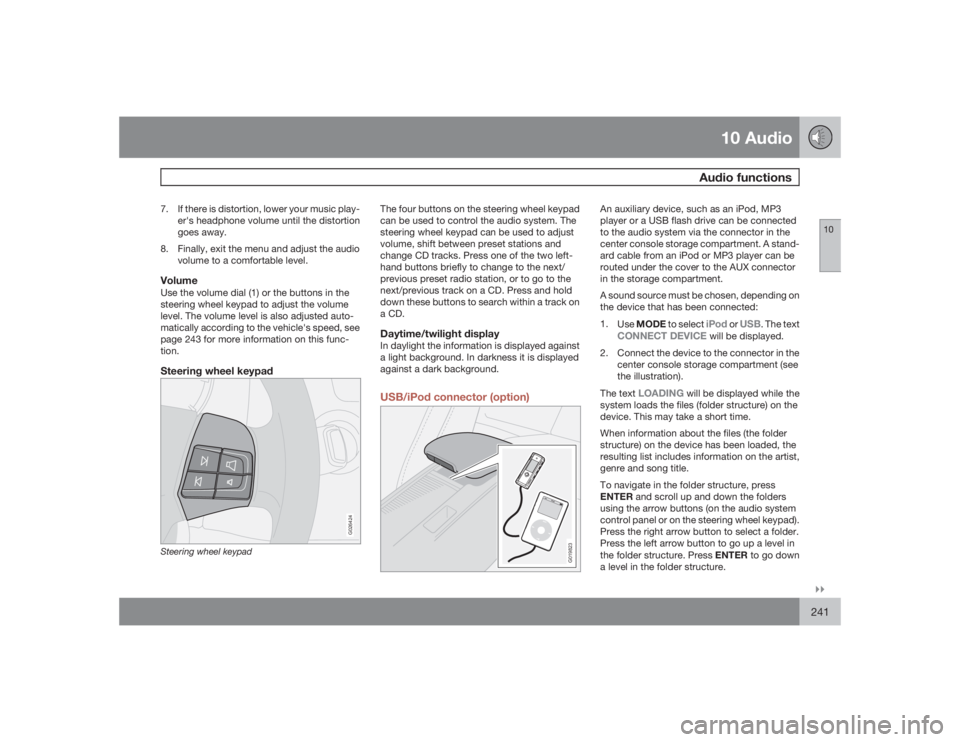
tion.Steering wheel keypad
G026424
Steering wheel keypad
The four buttons on the steering wheel keypad
can be used to control the audio system. The
steering wheel keypad can be used to adjust
volume, shift between preset stations and
change CD tracks. Press one of the two left-
hand buttons briefly to change to the next/
previous preset radio station, or to go to the
next/previous track on a CD. Press and hold
down these buttons to search within a track on
a CD.Daytime/twilight displayIn daylight the information is displayed against
a light background. In darkness it is displayed
against a dark background.USB/iPod connector (option)
G019823
An auxiliary device, such as an iPod, MP3
player or a USB flash drive can be connected
to the audio system via the connector in the
center console storage compartment. A stand-
ard cable from an iPod or MP3 player can be
routed under the cover to the AUX connector
in the storage compartment.
A sound source must be chosen, depending on
the device that has been connected:
1.
UseMODE to select
iPod
or
USB
. The text
CONNECT DEVICE
will be displayed.
2. Connect the device to the connector in the
center console storage compartment (see
the illustration).
The text
LOADING
will be displayed while the
system loads the files (folder structure) on the
device. This may take a short time.
When information about the files (the folder
structure) on the device has been loaded, the
resulting list includes information on the artist,
genre and song title.
To navigate in the folder structure, press
ENTER and scroll up and down the folders
using the arrow buttons (on the audio system
control panel or on the steering wheel keypad).
Press the right arrow button to select a folder.
Press the left arrow button to go up a level in
the folder structure. Press ENTER to go down
a level in the folder structure.
Page 244 of 286
10 AudioRadio functions
10244
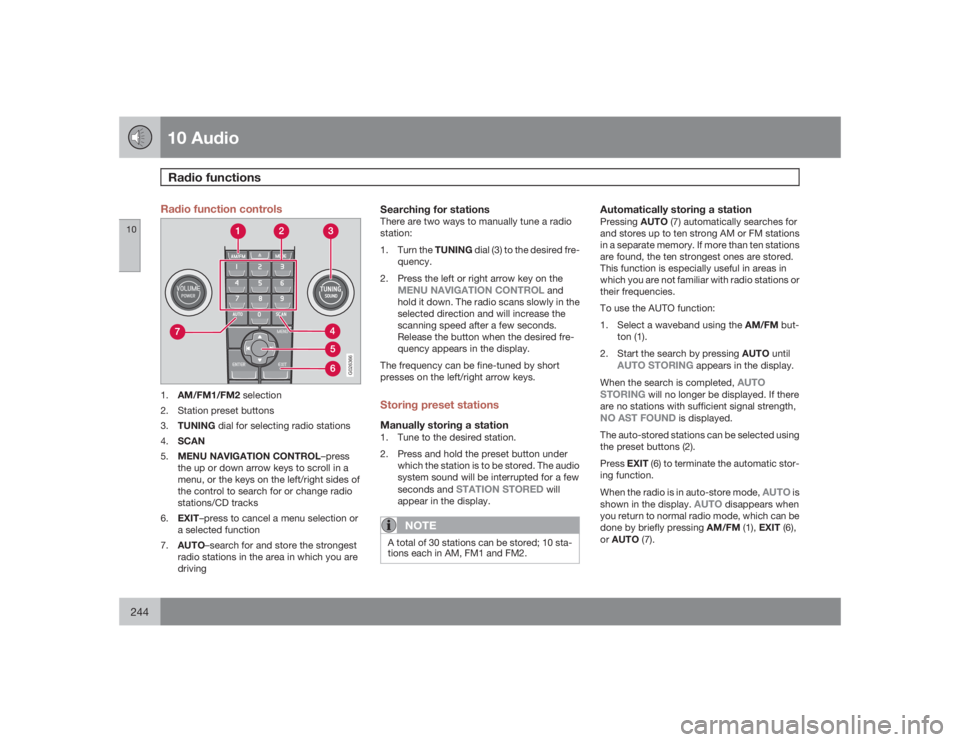
Radio function controls
G026366
1.
AM/FM1/FM2 selection
2. Station preset buttons
3.
TUNING dial for selecting radio stations
4.
SCAN
5.
MENU NAVIGATION CONTROL–press
the up or down arrow keys to scroll in a
menu, or the keys on the left/right sides of
the control to search for or change radio
stations/CD tracks
6.
EXIT–press to cancel a menu selection or
a selected function
7.
AUTO–search for and store the strongest
radio stations in the area in which you are
driving
Searching for stationsThere are two ways to manually tune a radio
station:
1.
Turn the TUNING dial (3) to the desired fre-
quency.
2. Press the left or right arrow key on the
MENU NAVIGATION CONTROL
and
hold it down. The radio scans slowly in the
selected direction and will increase the
scanning speed after a few seconds.
Release the button when the desired fre-
quency appears in the display.
The frequency can be fine-tuned by short
presses on the left/right arrow keys.
Storing preset stationsManually storing a station1. Tune to the desired station.
2. Press and hold the preset button under
which the station is to be stored. The audio
system sound will be interrupted for a few
seconds and
STATION STORED
will
appear in the display.
NOTE
A total of 30 stations can be stored; 10 sta-
tions each in AM, FM1 and FM2.
Automatically storing a stationPressingAUTO (7) automatically searches for
and stores up to ten strong AM or FM stations
in a separate memory. If more than ten stations
are found, the ten strongest ones are stored.
This function is especially useful in areas in
which you are not familiar with radio stations or
their frequencies.
To use the AUTO function:
1.
Select a waveband using the AM/FM but-
ton (1).
2.
Start the search by pressing AUTO until
AUTO STORING
appears in the display.
When the search is completed,
AUTO
STORING
will no longer be displayed. If there
are no stations with sufficient signal strength,
NO AST FOUND
is displayed.
The auto-stored stations can be selected using
the preset buttons (2).
PressEXIT (6) to terminate the automatic stor-
ing function.
When the radio is in auto-store mode,
AUTO
is
shown in the display.
AUTO
disappears when
you return to normal radio mode, which can be
done by briefly pressing AM/FM (1), EXIT (6),
orAUTO (7).
Page 245 of 286
10 Audio
Radio functions
10``245
To return to the Auto-store mode, press the
AUTO button briefly and select a stored station
by pressing one of the preset buttons (2).Saving auto-stored stations in the preset
memoryAn auto-stored station can be saved in the
memory for manually preset stations.
1.
PressAUTO (7) briefly.
> Auto is displayed.
2. Press one of the preset buttons (2) under
which the station is to be stored. Hold
down the button until
STATION
STORED
is displayed.
The radio will then exit auto-store mode and
the stored station can be selected by pressing
the preset button.
ScanningSCAN (4) automatically searches through the
selected waveband for strong AM or FM sta-
tions. When the radio finds a station, that sta-
tion will be played for approximately 8 sec-
onds, after which scanning resumes.Activating/deactivating SCAN1.
Select radio mode using the AM/FM but-
ton (2).2.
PressSCAN to activate the function.
SCAN
is shown in the display.
3.
Press the SCAN or EXIT button to deacti-
vate the scan function and listen to the
selected station.
Storing a station found with SCANA station can be stored as a preset while the
SCAN function is activated.•
Press one of the preset buttons (2) under
which the station is to be stored. Hold
down the button until
STATION
STORED
is displayed.
The SCAN function will be deactivated and the
station can be selected by pressing the preset
button.
Radio textCertain stations broadcast program informa-
tion, which can be shown in the display.
To start this function:
1.
Select FM1 or FM2 and press the MENU
button.
2.
PressENTER.
3.
Select
RADIOTEXT
in the menu and press
ENTER.
To deactivate this function, select
RADIOTEXT
again and press ENTER.
Listening to satellite radioThe Sirius satellite system consists of a number
of high elevation satellites in geosynchronous
orbit.
NOTE
•
The digital signals from the Sirius satel-
lites are line-of-sight, which means that
physical obstructions such as bridges,
tunnels, etc, may temporarily interfere
with signal reception.
•
Avoid any obstructions, such as metal-
lic objects transported on roof racks or
in a ski box, or other antennas that may
impede signals from the SIRIUS satel-
lites.
Selecting Sirius radio mode1. Press Power to switch on the audio system
(see page 244 for information on the stand-
ard radio functions).
2.
Press the MODE button repeatedly until
Sirius 1 or 2 is displayed.Activating Sirius radio1. Tune to a satellite channel that has no
audio, which means that the channel is
unsubscribed and the text "
Call 888-539-
SIRIUS TO SUBSCRIBE" is displayed