key VOLVO S60 2003 Owner's Manual
[x] Cancel search | Manufacturer: VOLVO, Model Year: 2003, Model line: S60, Model: VOLVO S60 2003Pages: 120, PDF Size: 2.43 MB
Page 61 of 120
Do not use gasolines containing methanol (methyl alcohol, wood alcohol). This practice can result in vehicle
performance deterioration and can damage critical parts in the fuel system. Such damage may not be covered under the
New Vehicle Limited Warranty.
* If the fuel filler cap is not closed tightly or if the engine is running when the car is refueled, the Check Engine Light
(malfunction indicator lamp) may indicate a fault. However, your vehicle's performance will not be affected. Use only
Volvo original or approved fuel filler caps.
pg. 81 Starting and driving
Starting the car
Starting the engine
1. Fasten the seat belt.
WARNING!
Before starting, check that the seat, steering wheel and mirrors are adjusted properly. Make sure the brake pedal can
be depressed completely. Adjust the seat if necessary. See pages 54, 56.
2. Apply the parking brake (hand brake) if not already set. The gear selector (automatic transmission) is locked in the
(P)ark position (SHIFTLOCK).
Manual transmission: the clutch must be fully depressed.
3. Without touching the accelerator pedal, turn the ignition key* to the starting position. Allow the starter to operate for
up to 10 seconds. Release the key as soon as the engine starts. If the engine fails to start, repeat this step.
NOTE: On certain models, when the car is started, idle speed may be noticeably higher than normal for a short period,
depending on the temperature of the engine. This has been done to help bring components in the emission control
system to their normal operating temperature as quickly as possible, which enables them to function normally.
For cold starts at altitudes above 6000 ft (1800 meters), depress the accelerator pedal halfway and turn the key to the
starting position. Release the pedal slowly when the engine starts.
4. To release the gear selector from the ( P)ark position, the engine must be running (or the ignition key must be in
position II) and the brake pedal must be depressed.
5. Select the desired gear. The gear engages after a very slight delay which is especially noticeable when selecting R.
NOTE: Your car is equipped with a KEYLOCK system (automatic transmission). When the engine is switched off,
the gear selector must be in the ( P)ark position before the key can be removed from the ignition switch.
When starting in cold weather, the transmission may shift up at slightly higher engine speeds than normal until the
automatic transmission fluid reaches normal operating temperature.
CAUTION:
Automatic transmission
The engine should be idling when you move the gear selector. Never accelerate until after you feel the transmission
engage! Accelerating immediately after selecting a gear will cause harsh engagement and premature transmission wear.
Selecting P or N when idling at a standstill for prolonged periods of time will help prevent overheating of the
automatic transmission fluid.
ProCarManuals.com
Page 62 of 120
WARNING!
Always place the gear selector in Park and apply the parking brake before leaving the vehicle. Never leave the car
unattended with the engine running.
Always open garage doors fully before starting the engine inside a garage to ensure adequate ventilation. The
exhaust gases contain carbon monoxide, which is invisible and odorless but very poisonous
Do not race a cold engine immediately after starting. Oil flow may not reach some lubrication points fast enough to
prevent engine damage.
* If two of the keys to your car are close together, e.g., on the same key ring, when you try to start the car, this could
cause interference in the immobilizer system and result in the car not starting. If this should occur, remove one of the
keys from the key ring before trying to start the car again.
pg. 82 Starting and driving
Starting the car (contd)
Ignition switch and steering wheel lock
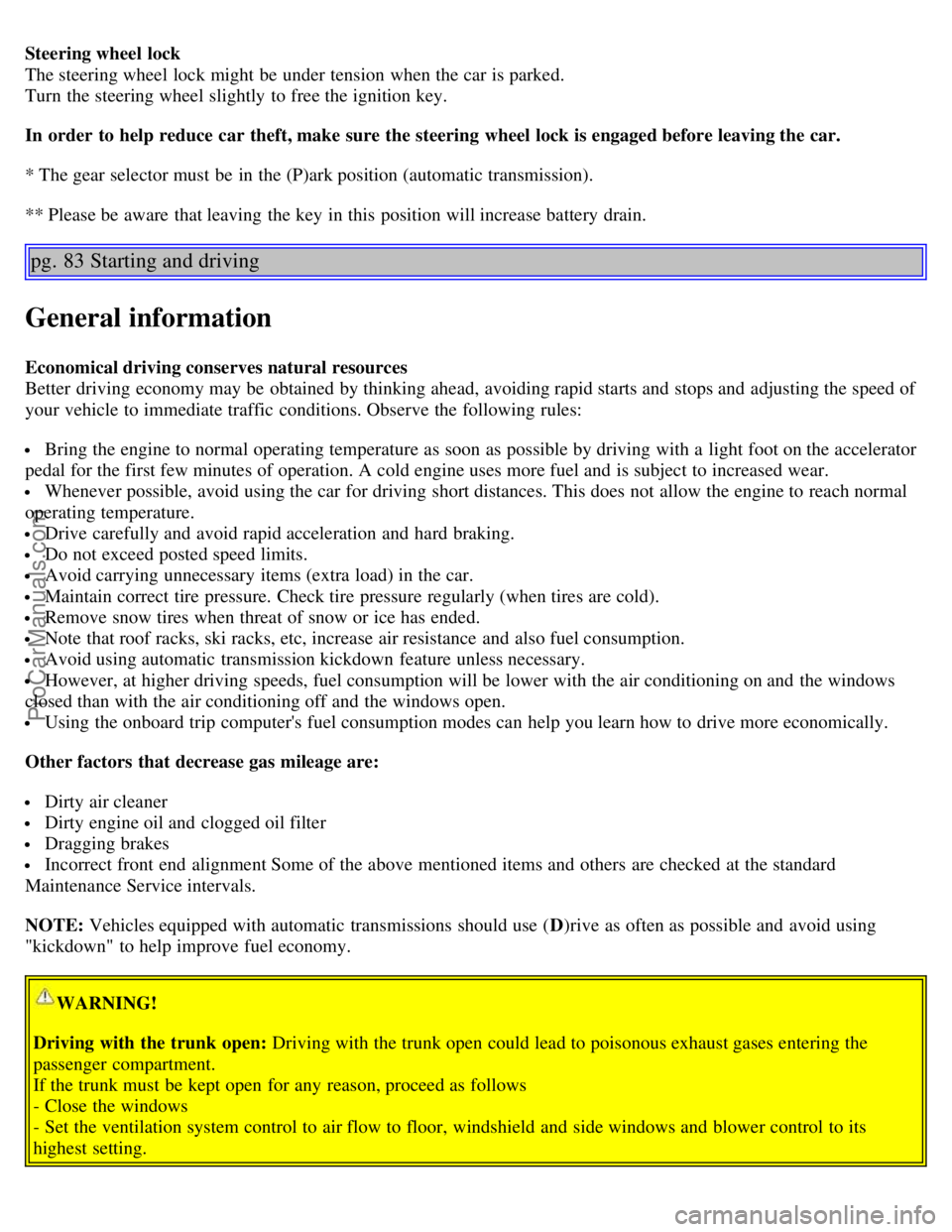
0 Locked position: Remove the key to lock the steering wheel *.
WARNING!
Never turn the key to position O while driving or when the car is being towed.
I Intermediate position - "radio position": Certain accessories, radio, etc. on, daytime running lights off.
II Drive position: The key position when driving. The car's entire electrical system is connected.
III Start position: Release the key when the engine starts. The key returns automatically to the Drive position.
A chime will sound if the key is left in the ignition and the driver's door is opened.
ProCarManuals.com
Page 63 of 120
Steering wheel lock
The steering wheel lock might be under tension when the car is parked.
Turn the steering wheel slightly to free the ignition key.
In order to help reduce car theft, make sure the steering wheel lock is engaged before leaving the car.
* The gear selector must be in the (P)ark position (automatic transmission).
** Please be aware that leaving the key in this position will increase battery drain.
pg. 83 Starting and driving
General information
Economical driving conserves natural resources
Better driving economy may be obtained by thinking ahead, avoiding rapid starts and stops and adjusting the speed of
your vehicle to immediate traffic conditions. Observe the following rules:
Bring the engine to normal operating temperature as soon as possible by driving with a light foot on the accelerator
pedal for the first few minutes of operation. A cold engine uses more fuel and is subject to increased wear.
Whenever possible, avoid using the car for driving short distances. This does not allow the engine to reach normal
operating temperature.
Drive carefully and avoid rapid acceleration and hard braking.
Do not exceed posted speed limits.
Avoid carrying unnecessary items (extra load) in the car.
Maintain correct tire pressure. Check tire pressure regularly (when tires are cold).
Remove snow tires when threat of snow or ice has ended.
Note that roof racks, ski racks, etc, increase air resistance and also fuel consumption.
Avoid using automatic transmission kickdown feature unless necessary.
However, at higher driving speeds, fuel consumption will be lower with the air conditioning on and the windows
closed than with the air conditioning off and the windows open.
Using the onboard trip computer's fuel consumption modes can help you learn how to drive more economically.
Other factors that decrease gas mileage are:
Dirty air cleaner
Dirty engine oil and clogged oil filter
Dragging brakes
Incorrect front end alignment Some of the above mentioned items and others are checked at the standard
Maintenance Service intervals.
NOTE: Vehicles equipped with automatic transmissions should use ( D)rive as often as possible and avoid using
"kickdown" to help improve fuel economy.
WARNING!
Driving with the trunk open: Driving with the trunk open could lead to poisonous exhaust gases entering the
passenger compartment.
If the trunk must be kept open for any reason, proceed as follows
- Close the windows
- Set the ventilation system control to air flow to floor, windshield and side windows and blower control to its
highest setting.
ProCarManuals.com
Page 66 of 120
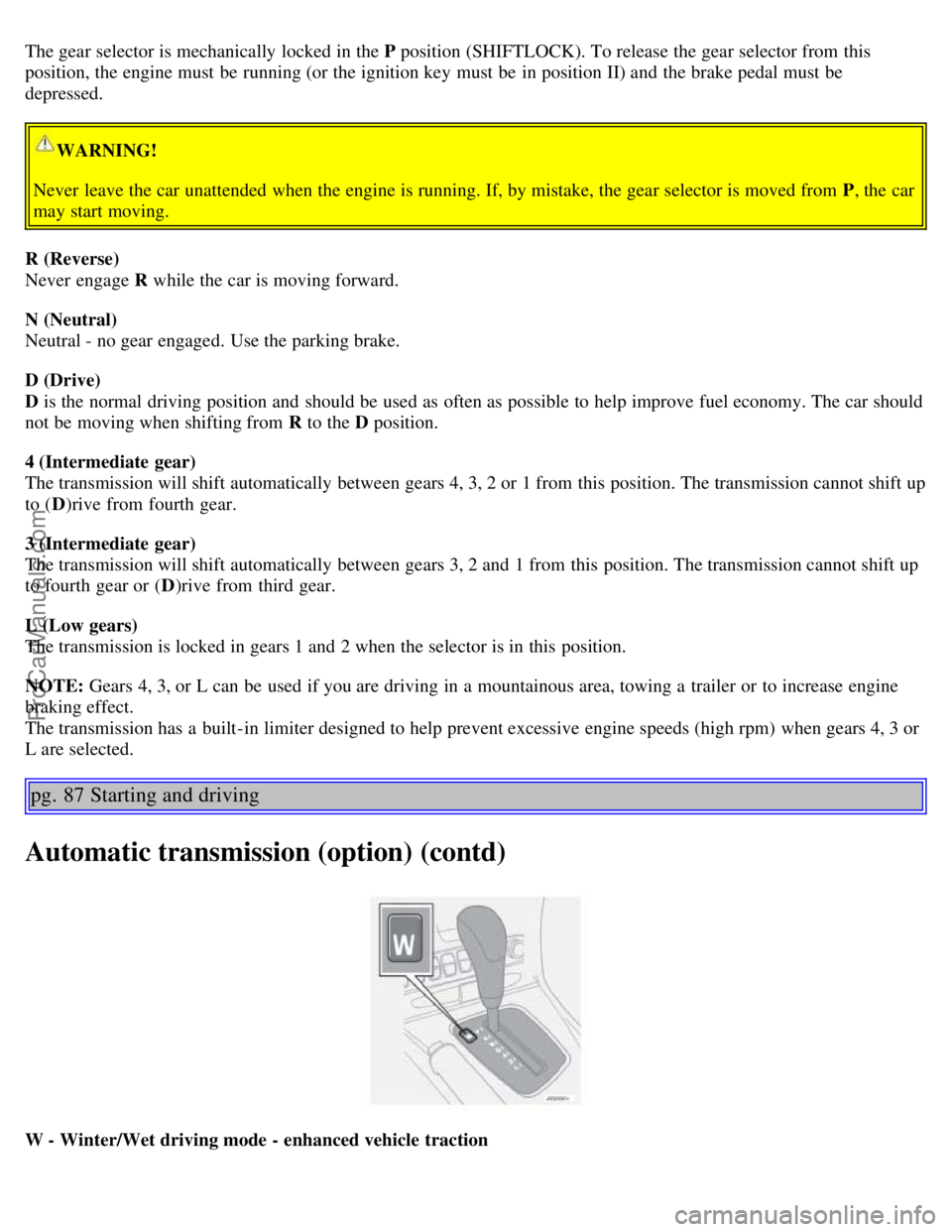
The gear selector is mechanically locked in the P position (SHIFTLOCK). To release the gear selector from this
position, the engine must be running (or the ignition key must be in position II) and the brake pedal must be
depressed.
WARNING!
Never leave the car unattended when the engine is running. If, by mistake, the gear selector is moved from P , the car
may start moving.
R (Reverse)
Never engage R while the car is moving forward.
N (Neutral)
Neutral - no gear engaged. Use the parking brake.
D (Drive)
D is the normal driving position and should be used as often as possible to help improve fuel economy. The car should
not be moving when shifting from R to the D position.
4 (Intermediate gear)
The transmission will shift automatically between gears 4, 3, 2 or 1 from this position. The transmission cannot shift up
to ( D)rive from fourth gear.
3 (Intermediate gear)
The transmission will shift automatically between gears 3, 2 and 1 from this position. The transmission cannot shift up
to fourth gear or ( D)rive from third gear.
L (Low gears)
The transmission is locked in gears 1 and 2 when the selector is in this position.
NOTE: Gears 4, 3, or L can be used if you are driving in a mountainous area, towing a trailer or to increase engine
braking effect.
The transmission has a built-in limiter designed to help prevent excessive engine speeds (high rpm) when gears 4, 3 or
L are selected.
pg. 87 Starting and driving
Automatic transmission (option) (contd)
W - Winter/Wet driving mode - enhanced vehicle traction
ProCarManuals.com
Page 68 of 120
P Park
Use this position when starting the engine or parking the car.
Never use P while the car is in motion.
The parking brake should also be set whenever the car is parked.
The gear selector is mechanically locked in the P position (SHIFTLOCK). To release the gear selector from this
position, the engine must be running (or the ignition key must be in position II) and the brake pedal must be
depressed.
WARNING!
Never leave the car unattended when the engine is running. If, by mistake, the gear selector is moved from P, the car
may start moving.
R (Reverse)
Never engage R while the car is moving forward.
N (Neutral)
Neutral - no gear engaged. Use the parking brake.
D (Drive)
D is the normal driving position and should be used as often as possible to help improve fuel economy. The car should
not be moving when shifting from R to the D position.
Automatic transmission - adaptive system
The automatic transmission is controlled by an adaptive control system that constantly monitors the way in which the
transmission functions. It senses and adapts each gear shift for optimal performance. The system also monitors your
particular driving style and adapts gear shifting accordingly.
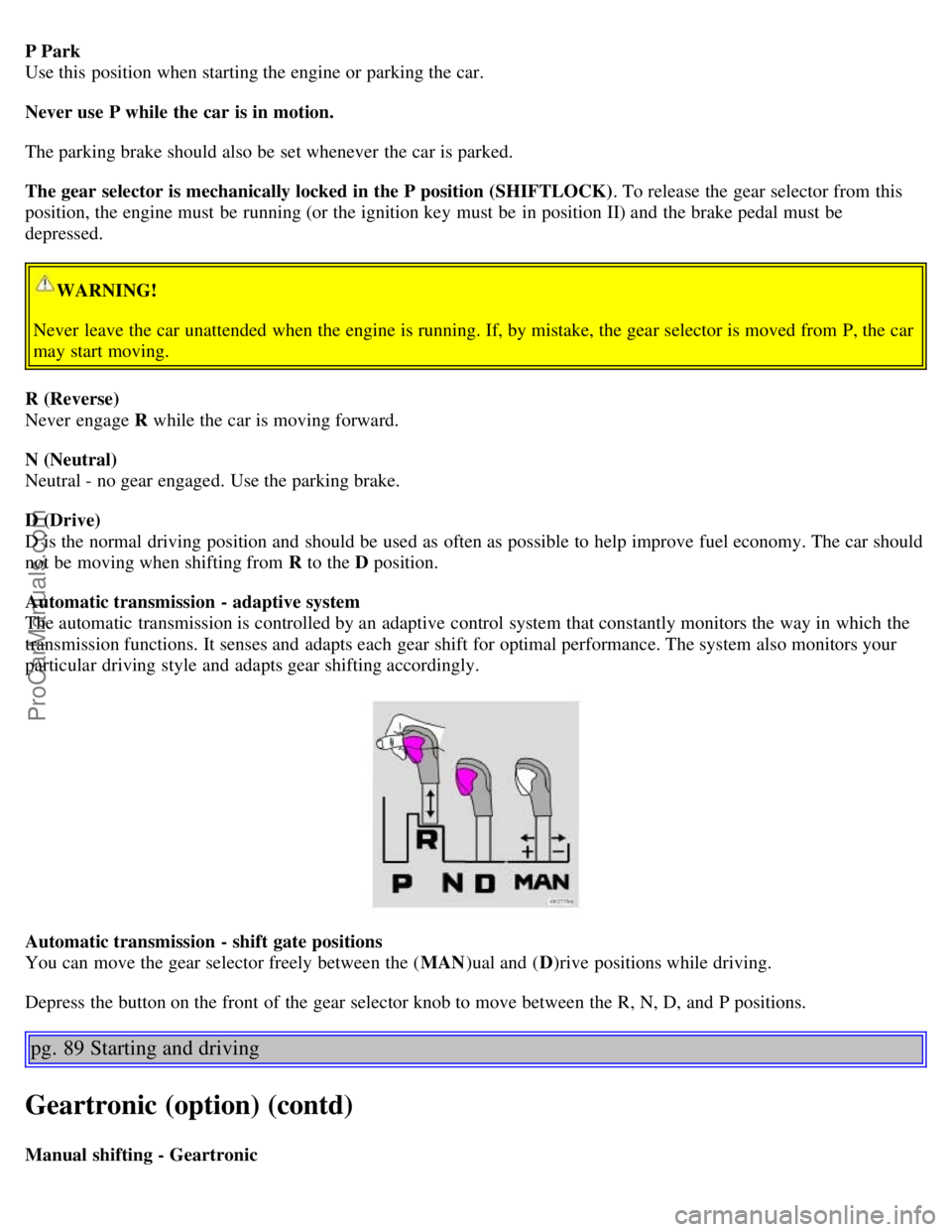
Automatic transmission - shift gate positions
You can move the gear selector freely between the ( MAN)ual and ( D)rive positions while driving.
Depress the button on the front of the gear selector knob to move between the R, N, D, and P positions.
pg. 89 Starting and driving
Geartronic (option) (contd)
Manual shifting - Geartronic
ProCarManuals.com
Page 103 of 120
Station scan - press
External CD changer (option)
7. Radio - Station seek up/down
CD - Selecting next/previous track
8. Radio - Manual station selection
CD - Fast forward/backward
9. CD eject
10. Dolby Pro Logic - switching on
11. 2 channel stereo
12. 3 channel stereo
13. CD slot
14. CD random play
15. Program type
16. News
17. Traffic information
18. Automatic presetting of radio stations
19. Display
pg. 160 Audio
Audio systems HU-613/HU-803
Switch on/off
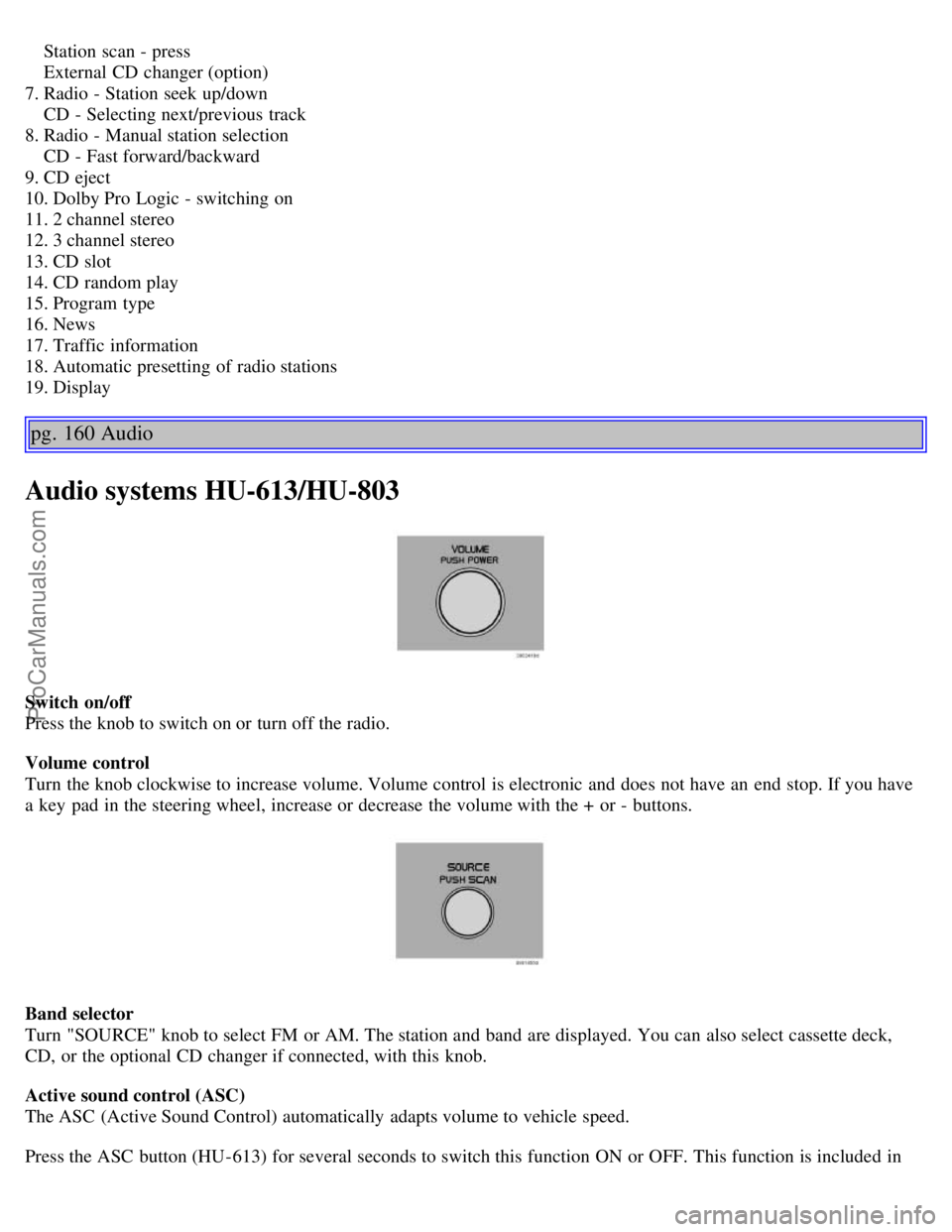
Press the knob to switch on or turn off the radio.
Volume control
Turn the knob clockwise to increase volume. Volume control is electronic and does not have an end stop. If you have
a key pad in the steering wheel, increase or decrease the volume with the + or - buttons.
Band selector
Turn "SOURCE" knob to select FM or AM. The station and band are displayed. You can also select cassette deck,
CD, or the optional CD changer if connected, with this knob.
Active sound control (ASC)
The ASC (Active Sound Control) automatically adapts volume to vehicle speed.
Press the ASC button (HU-613) for several seconds to switch this function ON or OFF. This function is included in
ProCarManuals.com
Page 105 of 120

seeks the next audible station and tunes it in. Repeat the procedure to continue the seek function.
pg. 162 Audio
Audio systems HU-613/HU-803 (contd)
Station setting
Press the left button
to select a lower frequency and the right button for a higher frequency. The set frequency is
shown in the display.
Station seek up/down
Press the left
or right-hand side of the button to seek lower or higher frequencies. The radio seeks the next
audible station and sets it. Press the button again to continue seek.
Steering wheel keypad
If you have a keypad in the steering wheel, press the right or left arrow to select preset stations.
Scan function
Press the SCAN button (HU-613) or the SOURCE knob (HU-803) to start the station scan function. When a station is
found, scanning stops for several seconds, after which scanning will continue.
Press the SCAN button or SOURCE knob when a station has been found if you would like to listen to that station and
to discontinue the scan function.
pg. 163 Audio
Automatic station preset
This function seeks and stores up to 10 strong AM or FM stations in a separate memory. This function is especially
useful in areas where you are not familiar with the radio stations.
1.Press in the "AUTO" button for at least 2 seconds. A number of strong signal stations (max. 10) from the currently
selected waveband are now stored automatically in the memory. An "A" and "AUTO" is displayed. If there is no
station with sufficient signal strength "NO STATION" is displayed.
2. Turn "1- 20/DISC" knob if you wish to change to another of the auto-stored stations.
ProCarManuals.com
Page 113 of 120
J
Jack65 , 111
Jump starting97
K
Keylockii
, 81
Keys68
Kickdown87
L
LED illumination32
Lighting panel30
Load carriers102
Locking71
Locking steering wheel82
Locks67
Long distance trips104
Long loads - carrying64
Low beam bulb132
Lubricants148
M
Maintenance Schedule118
Malfunction indicator light25
Manual climate control with air conditioning50
Manual transmission85
Messages in the display26
Multifilter with air quality sensor49
O
Occupant safety20
Octane rating78
Odometer22
Oil pressure25
Oil quality123
Oil viscosity123
Opening the trunk from the inside72
Opening/ locking the trunk72
P
P Park86
, 88
Paint116
Paint - color code116
Paintwork damage116
Parking brake25 , 37
Parking lamps30
Parking lights30
Pen holder62
Polishing115
ProCarManuals.com
Page 114 of 120
Power seat56
Power steering fluid126
Power sun roof41
PremAiriii
Programme type PT165
PROPOSITION 65 WARNING97
R
Radiator122
Radio160
Rain sensor33
Rain sensor - windshield wipers33
Reading lamps58
Rear fog lights30
Rear seat63
Rear suspension151
Rear window defroster34 , 51
Rearview mirror/door mirrors40
Recirculation48 , 51
REDUCE SPEED26
Refrigerant (A/C system)44
Refueling48 , 52
Remote control - central locking system69
Replacing the battery129
Reporting safety defects20
Reverse gear inhibitor85
Roadholding84
Roof racks (load carriers)102
S
Safety1
Safety defects - reporting20
Seat belt2
Seat belt maintenance20
Seat belt reminder40
Seat belts (keeping child seats in place)19
Service118
Service key68
Service reminder25
SERVICE REQUIRED26
SERVICE URGENT26
Shiftlockii , 81
Side airbags10
Side marker lamp135
SIPS airbags10
Ski hatch64
ProCarManuals.com
Page 116 of 120
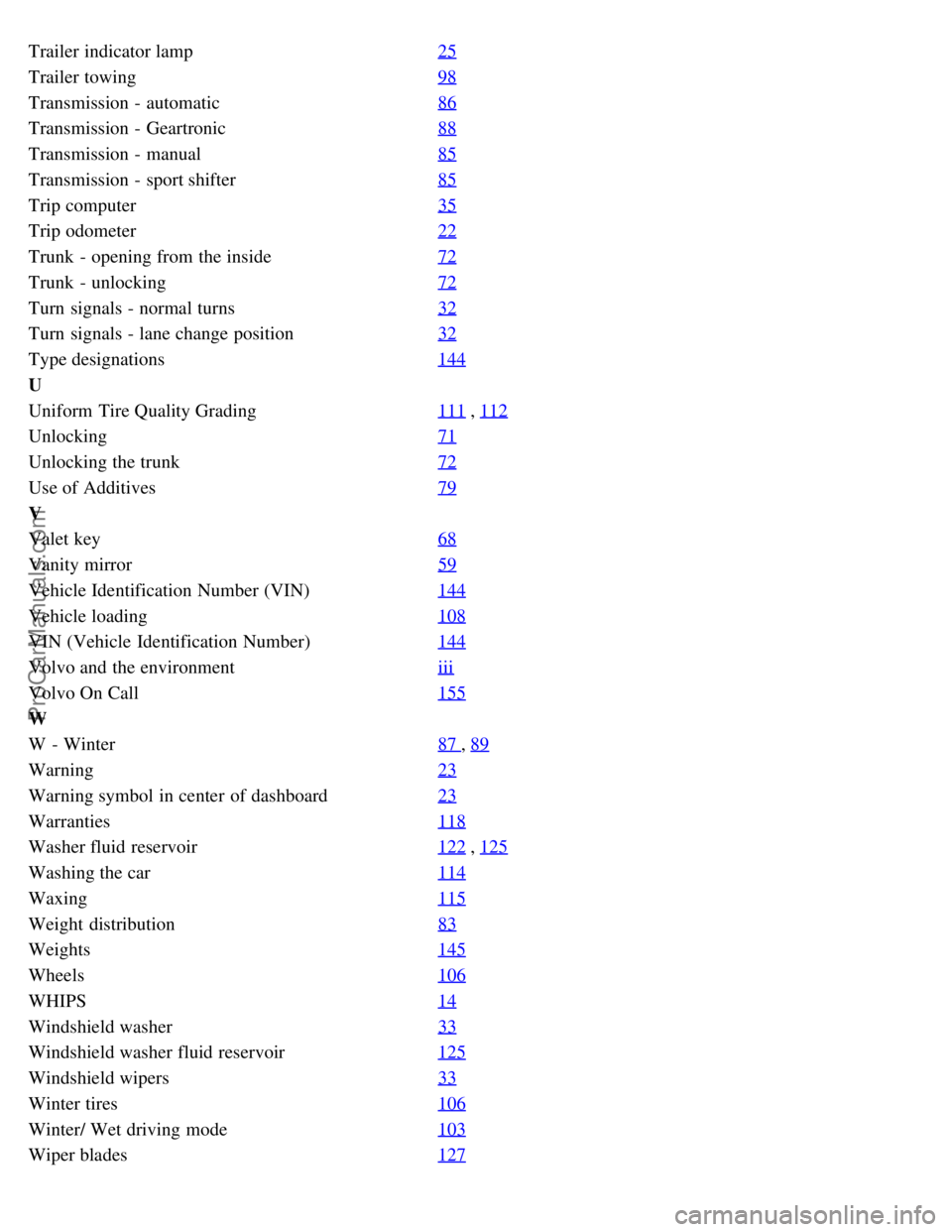
Trailer indicator lamp25
Trailer towing98
Transmission - automatic86
Transmission - Geartronic88
Transmission - manual85
Transmission - sport shifter85
Trip computer35
Trip odometer22
Trunk - opening from the inside72
Trunk - unlocking72
Turn signals - normal turns32
Turn signals - lane change position32
Type designations144
U
Uniform Tire Quality Grading111
, 112
Unlocking71
Unlocking the trunk72
Use of Additives79
V
Valet key68
Vanity mirror59
Vehicle Identification Number (VIN)144
Vehicle loading108
VIN (Vehicle Identification Number)144
Volvo and the environmentiii
Volvo On Call155
W
W - Winter87
, 89
Warning23
Warning symbol in center of dashboard23
Warranties118
Washer fluid reservoir122 , 125
Washing the car114
Waxing115
Weight distribution83
Weights145
Wheels106
WHIPS14
Windshield washer33
Windshield washer fluid reservoir125
Windshield wipers33
Winter tires106
Winter/ Wet driving mode103
Wiper blades127
ProCarManuals.com