reset VOLVO S60 2003 Owners Manual
[x] Cancel search | Manufacturer: VOLVO, Model Year: 2003, Model line: S60, Model: VOLVO S60 2003Pages: 120, PDF Size: 2.43 MB
Page 18 of 120
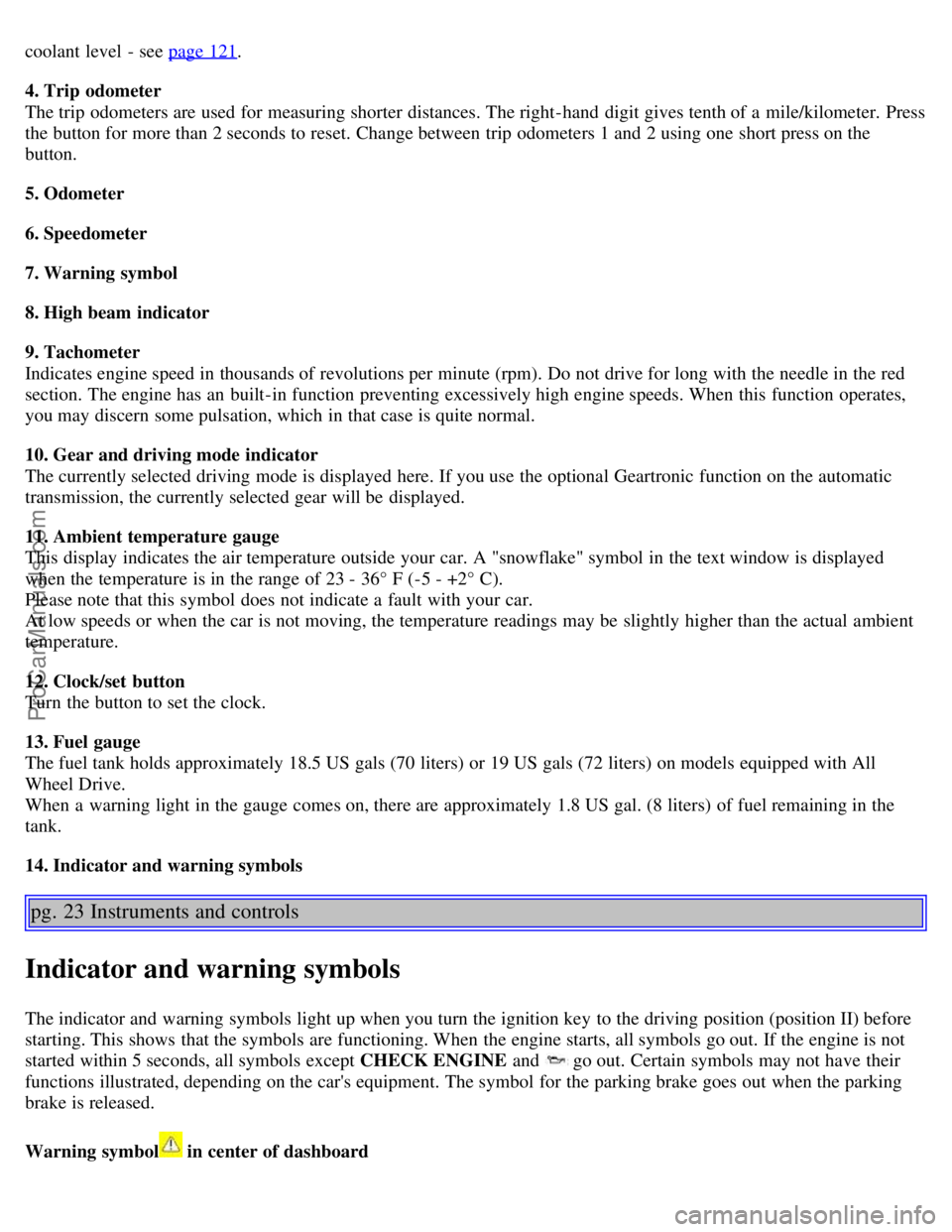
coolant level - see page 121.
4. Trip odometer
The trip odometers are used for measuring shorter distances. The right-hand digit gives tenth of a mile/kilometer. Press
the button for more than 2 seconds to reset. Change between trip odometers 1 and 2 using one short press on the
button.
5. Odometer
6. Speedometer
7. Warning symbol
8. High beam indicator
9. Tachometer
Indicates engine speed in thousands of revolutions per minute (rpm). Do not drive for long with the needle in the red
section. The engine has an built-in function preventing excessively high engine speeds. When this function operates,
you may discern some pulsation, which in that case is quite normal.
10. Gear and driving mode indicator
The currently selected driving mode is displayed here. If you use the optional Geartronic function on the automatic
transmission, the currently selected gear will be displayed.
11. Ambient temperature gauge
This display indicates the air temperature outside your car. A "snowflake" symbol in the text window is displayed
when the temperature is in the range of 23 - 36° F (-5 - +2° C).
Please note that this symbol does not indicate a fault with your car.
At low speeds or when the car is not moving, the temperature readings may be slightly higher than the actual ambient
temperature.
12. Clock/set button
Turn the button to set the clock.
13. Fuel gauge
The fuel tank holds approximately 18.5 US gals (70 liters) or 19 US gals (72 liters) on models equipped with All
Wheel Drive.
When a warning light in the gauge comes on, there are approximately 1.8 US gal. (8 liters) of fuel remaining in the
tank.
14. Indicator and warning symbols
pg. 23 Instruments and controls
Indicator and warning symbols
The indicator and warning symbols light up when you turn the ignition key to the driving position (position II) before
starting. This shows that the symbols are functioning. When the engine starts, all symbols go out. If the engine is not
started within 5 seconds, all symbols except CHECK ENGINE and
go out. Certain symbols may not have their
functions illustrated, depending on the car's equipment. The symbol for the parking brake goes out when the parking
brake is released.
Warning symbol
in center of dashboard
ProCarManuals.com
Page 21 of 120
Messages in the text window
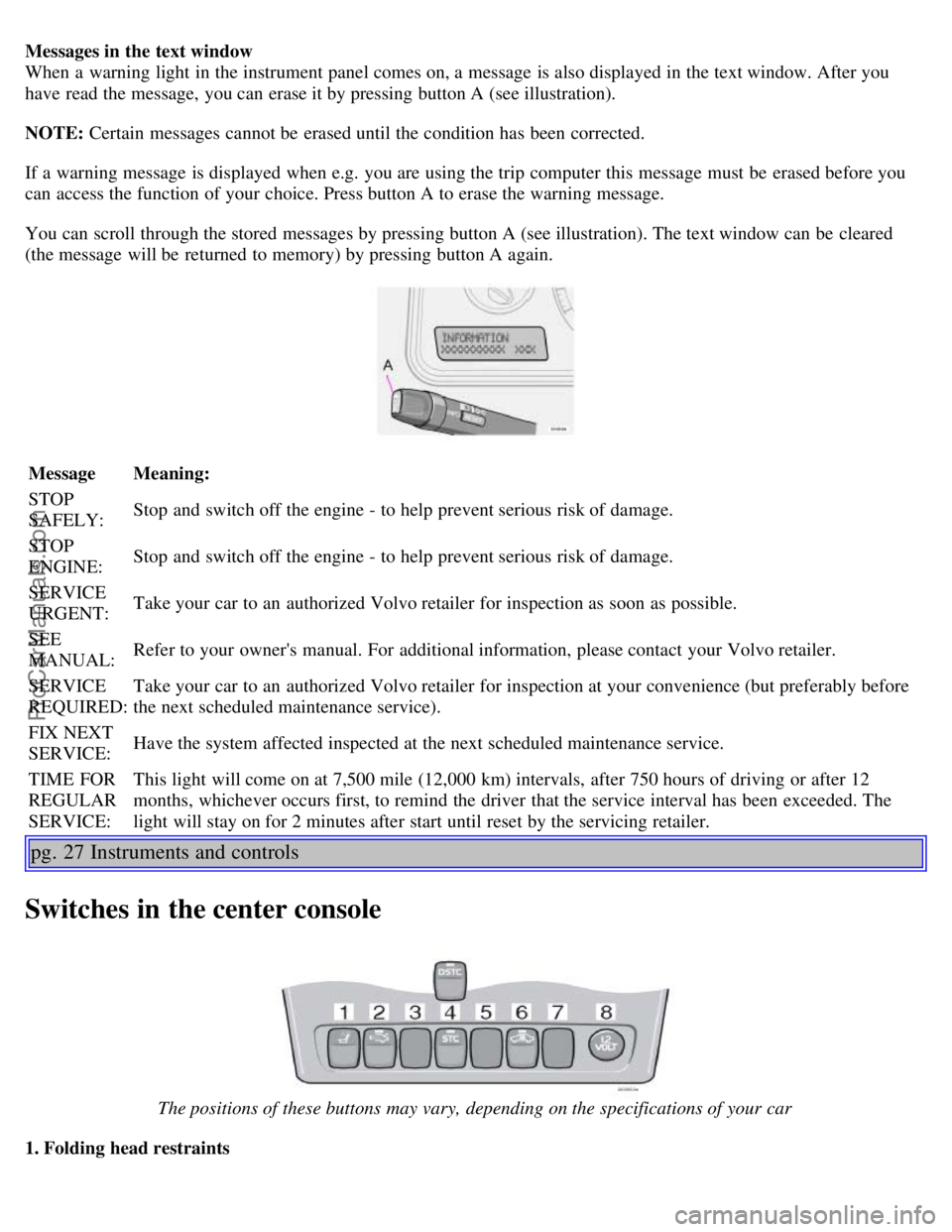
When a warning light in the instrument panel comes on, a message is also displayed in the text window. After you
have read the message, you can erase it by pressing button A (see illustration).
NOTE: Certain messages cannot be erased until the condition has been corrected.
If a warning message is displayed when e.g. you are using the trip computer this message must be erased before you
can access the function of your choice. Press button A to erase the warning message.
You can scroll through the stored messages by pressing button A (see illustration). The text window can be cleared
(the message will be returned to memory) by pressing button A again.
MessageMeaning:
STOP
SAFELY: Stop and switch off the engine - to help prevent serious risk of damage.
STOP
ENGINE: Stop and switch off the engine - to help prevent serious risk of damage.
SERVICE
URGENT: Take your car to an authorized Volvo retailer for inspection as soon as possible.
SEE
MANUAL: Refer to your owner's manual. For additional information, please contact your Volvo retailer.
SERVICE
REQUIRED: Take your car to an authorized Volvo retailer for inspection at your convenience (but preferably before
the next scheduled maintenance service).
FIX NEXT
SERVICE: Have the system affected inspected at the next scheduled maintenance service.
TIME FOR
REGULAR
SERVICE: This light will come on at 7,500 mile (12,000 km) intervals, after 750 hours of driving or after 12
months, whichever occurs first, to remind the driver that the service interval has been exceeded. The
light will stay on for 2 minutes after start until reset by the servicing retailer.
pg. 27 Instruments and controls
Switches in the center console
The positions of these buttons may vary, depending on the specifications of your car
1. Folding head restraints
ProCarManuals.com
Page 28 of 120
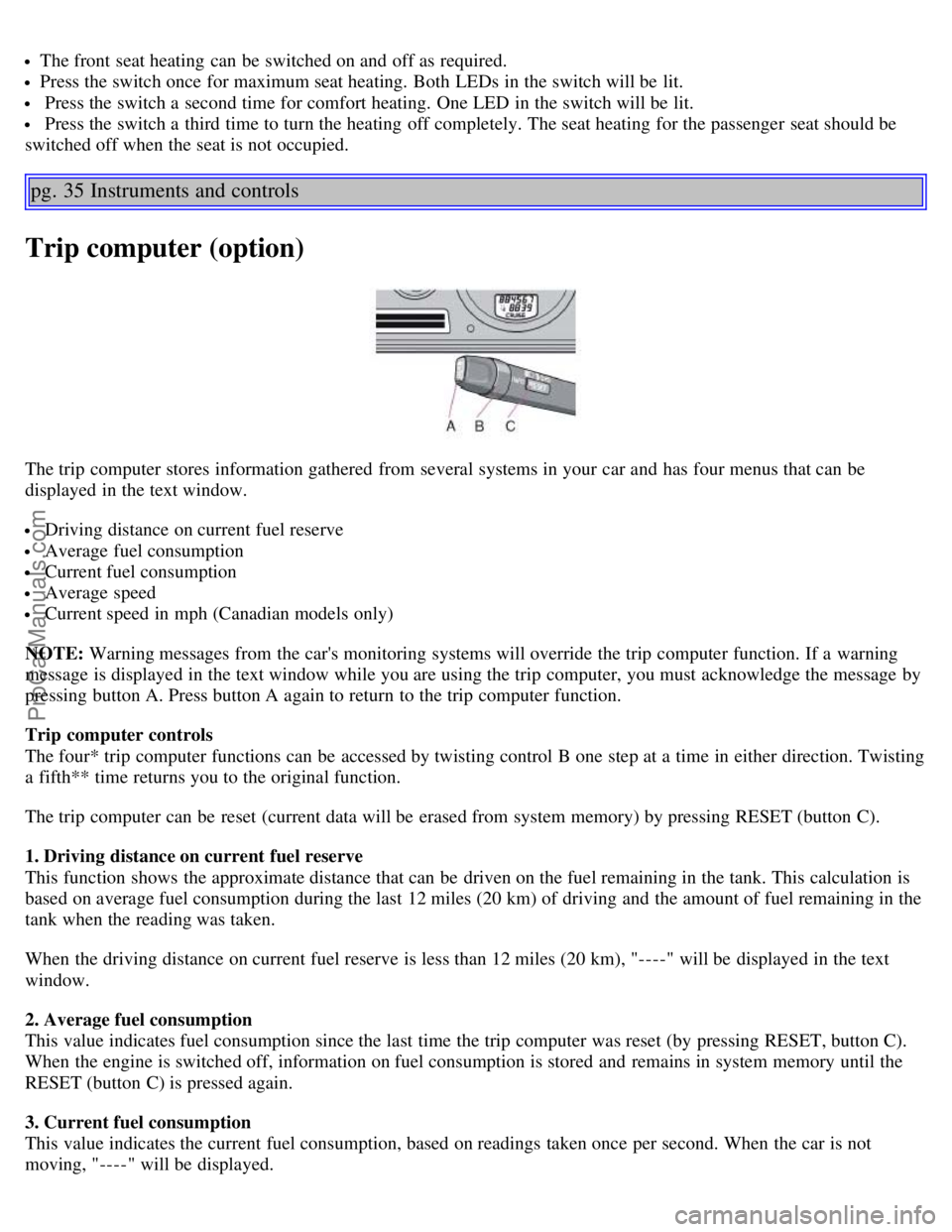
The front seat heating can be switched on and off as required.
Press the switch once for maximum seat heating. Both LEDs in the switch will be lit.
Press the switch a second time for comfort heating. One LED in the switch will be lit.
Press the switch a third time to turn the heating off completely. The seat heating for the passenger seat should be
switched off when the seat is not occupied.
pg. 35 Instruments and controls
Trip computer (option)
The trip computer stores information gathered from several systems in your car and has four menus that can be
displayed in the text window.
Driving distance on current fuel reserve
Average fuel consumption
Current fuel consumption
Average speed
Current speed in mph (Canadian models only)
NOTE: Warning messages from the car's monitoring systems will override the trip computer function. If a warning
message is displayed in the text window while you are using the trip computer, you must acknowledge the message by
pressing button A. Press button A again to return to the trip computer function.
Trip computer controls
The four* trip computer functions can be accessed by twisting control B one step at a time in either direction. Twisting
a fifth** time returns you to the original function.
The trip computer can be reset (current data will be erased from system memory) by pressing RESET (button C).
1. Driving distance on current fuel reserve
This function shows the approximate distance that can be driven on the fuel remaining in the tank. This calculation is
based on average fuel consumption during the last 12 miles (20 km) of driving and the amount of fuel remaining in the
tank when the reading was taken.
When the driving distance on current fuel reserve is less than 12 miles (20 km), "----" will be displayed in the text
window.
2. Average fuel consumption
This value indicates fuel consumption since the last time the trip computer was reset (by pressing RESET, button C).
When the engine is switched off, information on fuel consumption is stored and remains in system memory until the
RESET (button C) is pressed again.
3. Current fuel consumption
This value indicates the current fuel consumption, based on readings taken once per second. When the car is not
moving, "----" will be displayed.
ProCarManuals.com
Page 29 of 120

4. Average speed
This value indicates average speed since the last time the trip computer was reset (by pressing RESET, button C).
When the engine is switched off, information on average speed is stored and remains in system memory until the
RESET (button C) is pressed again.
5. Current speed in miles per hour (Canadian models only)
This function provides the driver with an instantaneous conversion of the car's current speed from km/h to mph.
*Five functions on Canadian models
**A sixth time on Canadian models
pg. 36 Instruments and controls
Cruise control
Cruise control
The cruise control panel is located on the left side of the steering wheel hub.
Engaging cruise control/setting speed
Press the CRUISE button
Press + or - to set the current speed
Increase or decrease speed as desired
NOTE: Cruise control will not function at speeds below 22 mph (35 km/h).
Braking
Cruise control is automatically disengaged when the brake pedal is depressed. The currently set speed is stored in
memory. Quickly pressing resume
will return the car to the previously set speed.
Acceleration
Momentary acceleration, such as when passing another car, does not affect cruise control operation. The car will
automatically return to the previously set speed when you release the accelerator pedal.
When the cruise control is already engaged, the car's speed can be increased or decreased by holding down + or -
until the car reaches the desired speed. One short press on either symbol corresponds to a speed change of
approximately 1 mph (1.6 km/h).
Disengaging cruise control
Cruise control can also be disengaged by:
Pressing the CRUISE button.
Putting the gear selector in (N)eutral.
ProCarManuals.com
Page 47 of 120
Because the driver's seat can be adjusted with the ignition off, children should never be left unattended in the car.
Movement of the seat can be STOPPED at any time by pressing any button on the power seat control panel.
Do not adjust the seat while driving. The seat should be adjusted so that the brake pedal can be depressed fully. In
addition, position the seat as far rearward as comfort and control allow.
The seat rails on the floor must not be obstructed in any way when the seat is in motion.
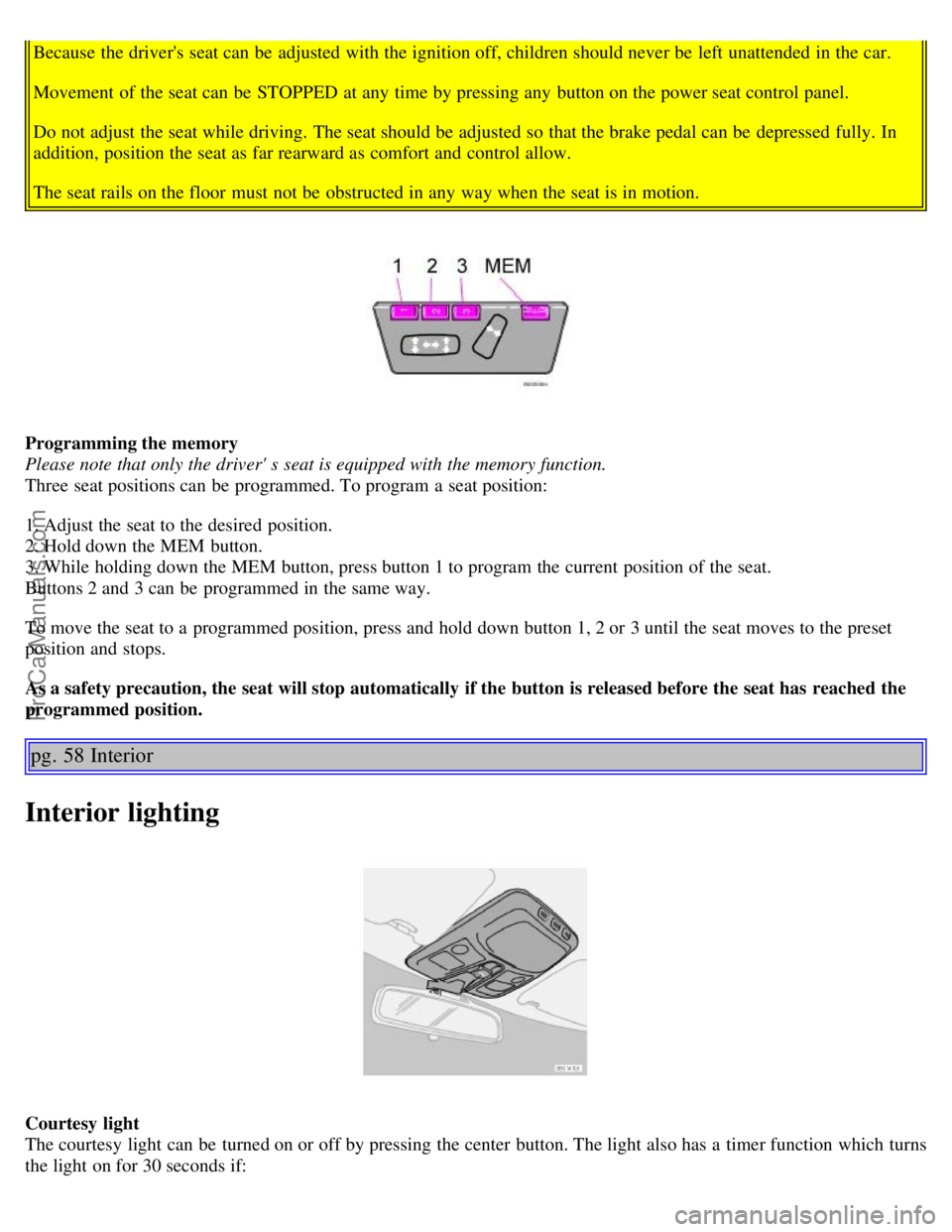
Programming the memory
Please note that only the driver' s seat is equipped with the memory function.
Three seat positions can be programmed. To program a seat position:
1. Adjust the seat to the desired position.
2. Hold down the MEM button.
3. While holding down the MEM button, press button 1 to program the current position of the seat.
Buttons 2 and 3 can be programmed in the same way.
To move the seat to a programmed position, press and hold down button 1, 2 or 3 until the seat moves to the preset
position and stops.
As a safety precaution, the seat will stop automatically if the button is released before the seat has reached the
programmed position.
pg. 58 Interior
Interior lighting
Courtesy light
The courtesy light can be turned on or off by pressing the center button. The light also has a timer function which turns
the light on for 30 seconds if:
ProCarManuals.com
Page 102 of 120
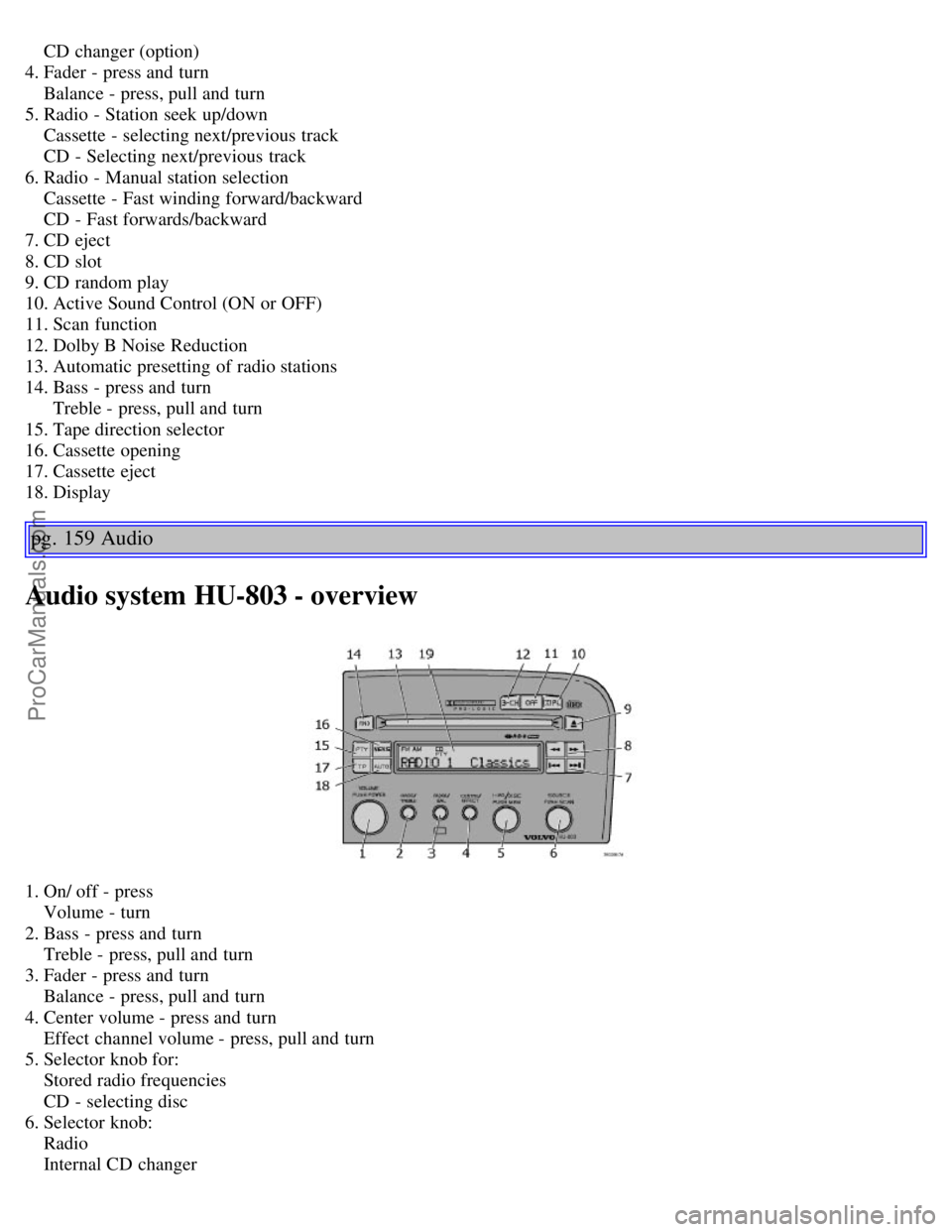
CD changer (option)
4. Fader - press and turn
Balance - press, pull and turn
5. Radio - Station seek up/down
Cassette - selecting next/previous track
CD - Selecting next/previous track
6. Radio - Manual station selection
Cassette - Fast winding forward/backward
CD - Fast forwards/backward
7. CD eject
8. CD slot
9. CD random play
10. Active Sound Control (ON or OFF)
11. Scan function
12. Dolby B Noise Reduction
13. Automatic presetting of radio stations
14. Bass - press and turn
Treble - press, pull and turn
15. Tape direction selector
16. Cassette opening
17. Cassette eject
18. Display
pg. 159 Audio
Audio system HU-803 - overview
1. On/ off - press
Volume - turn
2. Bass - press and turn
Treble - press, pull and turn
3. Fader - press and turn
Balance - press, pull and turn
4. Center volume - press and turn
Effect channel volume - press, pull and turn
5. Selector knob for:
Stored radio frequencies
CD - selecting disc
6. Selector knob:
Radio
Internal CD changer
ProCarManuals.com
Page 103 of 120
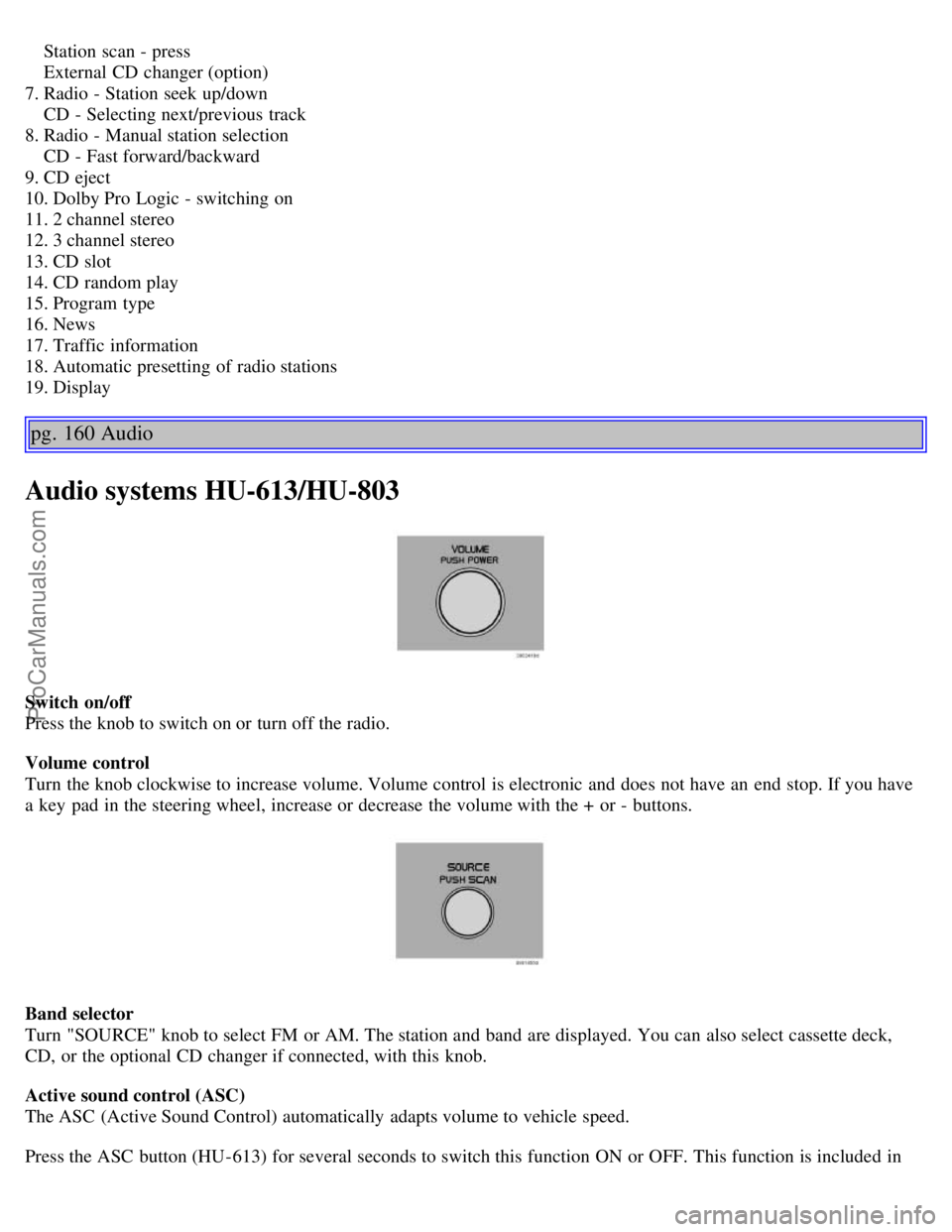
Station scan - press
External CD changer (option)
7. Radio - Station seek up/down
CD - Selecting next/previous track
8. Radio - Manual station selection
CD - Fast forward/backward
9. CD eject
10. Dolby Pro Logic - switching on
11. 2 channel stereo
12. 3 channel stereo
13. CD slot
14. CD random play
15. Program type
16. News
17. Traffic information
18. Automatic presetting of radio stations
19. Display
pg. 160 Audio
Audio systems HU-613/HU-803
Switch on/off
Press the knob to switch on or turn off the radio.
Volume control
Turn the knob clockwise to increase volume. Volume control is electronic and does not have an end stop. If you have
a key pad in the steering wheel, increase or decrease the volume with the + or - buttons.
Band selector
Turn "SOURCE" knob to select FM or AM. The station and band are displayed. You can also select cassette deck,
CD, or the optional CD changer if connected, with this knob.
Active sound control (ASC)
The ASC (Active Sound Control) automatically adapts volume to vehicle speed.
Press the ASC button (HU-613) for several seconds to switch this function ON or OFF. This function is included in
ProCarManuals.com
Page 105 of 120

seeks the next audible station and tunes it in. Repeat the procedure to continue the seek function.
pg. 162 Audio
Audio systems HU-613/HU-803 (contd)
Station setting
Press the left button
to select a lower frequency and the right button for a higher frequency. The set frequency is
shown in the display.
Station seek up/down
Press the left
or right-hand side of the button to seek lower or higher frequencies. The radio seeks the next
audible station and sets it. Press the button again to continue seek.
Steering wheel keypad
If you have a keypad in the steering wheel, press the right or left arrow to select preset stations.
Scan function
Press the SCAN button (HU-613) or the SOURCE knob (HU-803) to start the station scan function. When a station is
found, scanning stops for several seconds, after which scanning will continue.
Press the SCAN button or SOURCE knob when a station has been found if you would like to listen to that station and
to discontinue the scan function.
pg. 163 Audio
Automatic station preset
This function seeks and stores up to 10 strong AM or FM stations in a separate memory. This function is especially
useful in areas where you are not familiar with the radio stations.
1.Press in the "AUTO" button for at least 2 seconds. A number of strong signal stations (max. 10) from the currently
selected waveband are now stored automatically in the memory. An "A" and "AUTO" is displayed. If there is no
station with sufficient signal strength "NO STATION" is displayed.
2. Turn "1- 20/DISC" knob if you wish to change to another of the auto-stored stations.
ProCarManuals.com
Page 106 of 120
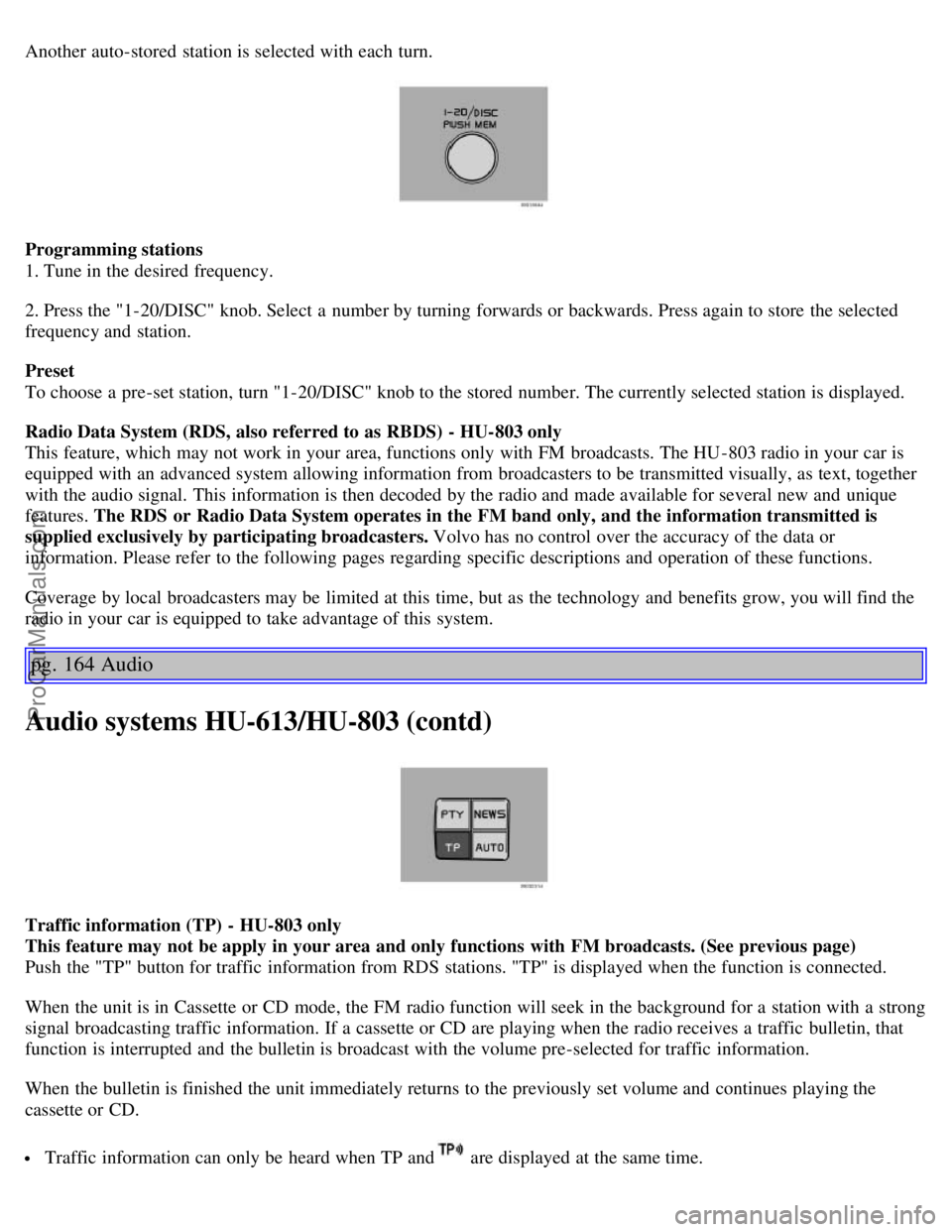
Another auto-stored station is selected with each turn.
Programming stations
1. Tune in the desired frequency.
2. Press the "1-20/DISC" knob. Select a number by turning forwards or backwards. Press again to store the selected
frequency and station.
Preset
To choose a pre-set station, turn "1-20/DISC" knob to the stored number. The currently selected station is displayed.
Radio Data System (RDS, also referred to as RBDS) - HU-803 only
This feature, which may not work in your area, functions only with FM broadcasts. The HU -803 radio in your car is
equipped with an advanced system allowing information from broadcasters to be transmitted visually, as text, together
with the audio signal. This information is then decoded by the radio and made available for several new and unique
features. The RDS or Radio Data System operates in the FM band only, and the information transmitted is
supplied exclusively by participating broadcasters. Volvo has no control over the accuracy of the data or
information. Please refer to the following pages regarding specific descriptions and operation of these functions.
Coverage by local broadcasters may be limited at this time, but as the technology and benefits grow, you will find the
radio in your car is equipped to take advantage of this system.
pg. 164 Audio
Audio systems HU-613/HU-803 (contd)
Traffic information (TP) - HU-803 only
This feature may not be apply in your area and only functions with FM broadcasts. (See previous page)
Push the "TP" button for traffic information from RDS stations. "TP" is displayed when the function is connected.
When the unit is in Cassette or CD mode, the FM radio function will seek in the background for a station with a strong
signal broadcasting traffic information. If a cassette or CD are playing when the radio receives a traffic bulletin, that
function is interrupted and the bulletin is broadcast with the volume pre-selected for traffic information.
When the bulletin is finished the unit immediately returns to the previously set volume and continues playing the
cassette or CD.
Traffic information can only be heard when TP and are displayed at the same time.
ProCarManuals.com
Page 118 of 120
2 0 0 3
VOLVO S60
Back Cover
Back Cover
Accessory Installation - Important Warning
We strongly recommend that Volvo owners install only genuine, Volvo-approved accessories, and that accessory
installations be performed only by the factory-trained technicians at your authorized Volvo retailer.
Genuine Volvo accessories are tested to ensure compatibility with the performance, safety, and emission systems in
your car. Additionally, your authorized Volvo retailer knows where accessories may and may not be safely installed in
your Volvo. In all cases, please consult your authorized Volvo retailer before installing any accessory in or on your
car.
Accessories that have not been approved by Volvo may or may not be specifically tested for compatibility with your
car. Additionally, an inexperienced installer may not be familiar with some of your car's systems.
Any of your car's performance and safety systems could be adversely affected if you install accessories that Volvo
has not tested, or if you allow accessories to be installed by someone unfamiliar with your car.
Damage caused by unapproved or improperly installed accessories may not be covered by your new car warranty.
See your Warranty and Service Records Information booklet for more warranty information. Volvo assumes no
responsibility for death, injury, or expenses that may result from the installation of non-genuine accessories.
Driver Distraction
Driver distraction results from driver activities that are not directly related to controlling the car in the driving
environment. Your new Volvo is, or can be, equipped with many feature-rich entertainment and communication
systems. These include hands-free cellular telephones, navigation systems, and multipurpose audio systems. You may
also own other portable electronic devices for your own convenience. When used properly and safely, they enrich the
driving experience. Improperly used, any of these could cause a distraction.
For all of these systems, we want to provide the following warning that reflects the strong Volvo concern for your
safety:
Never use these devices or any feature of your vehicle in a way that distracts you from the task of driving safely.
Distraction can lead to a serious accident. In addition to this general warning, we offer the following guidance
regarding specific newer features that may be found in your vehicles:
Never use a hand -held cellular telephone while driving. Some jurisdictions prohibit cellular telephone use by a
driver while the vehicle is moving.
If your car is equipped with a navigation system, set and make changes to your travel itinerary only with the vehicle
parked.
Never program your audio system while the vehicle is moving. Program radio presets with the vehicle parked, and
use your programmed presets to make radio use quicker and simpler.
Never use portable computers or personal digital assistants while the vehicle is moving.
A driver has a responsibility to do everything possible to ensure his or her own safety and the safety of passengers in
the vehicle and others sharing the roadway. Avoiding distractions is part of that responsibility.
ProCarManuals.com