steering wheel VOLVO S60 2006 Owner's Manual
[x] Cancel search | Manufacturer: VOLVO, Model Year: 2006, Model line: S60, Model: VOLVO S60 2006Pages: 132, PDF Size: 2.33 MB
Page 118 of 132

Selecting a sound source
The sound source (e.g. AM, FM, etc.) can be selected in two ways:
Use the sound source buttons (see the center illustration above).
Turn the SOURCE knob (see illustration above) to select a sound source (AM1, AM2, FM1, FM2, FM3, or CD).
Press the knob to select the AM or FM band of your choice.
The sound source selected will be shown in the display.
Scan
Press the SCAN button to start the station scan function. When a station is found, scanning stops for approximately 10
seconds, after which scanning will continue.
Press the SCAN or SOURCE button when a station has been found if you would like to listen to that station and to
discontinue the scan function.
Station seek up/down
Press
or to start the seek function. The radio seeks the next audible station and tunes it in. Repeat the procedure
to continue the seek function.
Manual station search
Press
or and hold it down. MAN will be shown in the display. The radio scans slowly in the selected direction
and will increase the scanning speed after a few seconds. Release the button when the desired frequency appears in the
display.
The frequency can be fine-tuned by short presses on the
or keys.
The system will remain in manual search mode for 5 seconds after the button is released, after which it will return to
seek mode.
pg. 183 Audio
Steering wheel key pad (option)
If the vehicle is equipped with the key pad in the steering wheel press the right or left arrow to switch between preset
stations.
ProCarManuals.com
Page 119 of 132
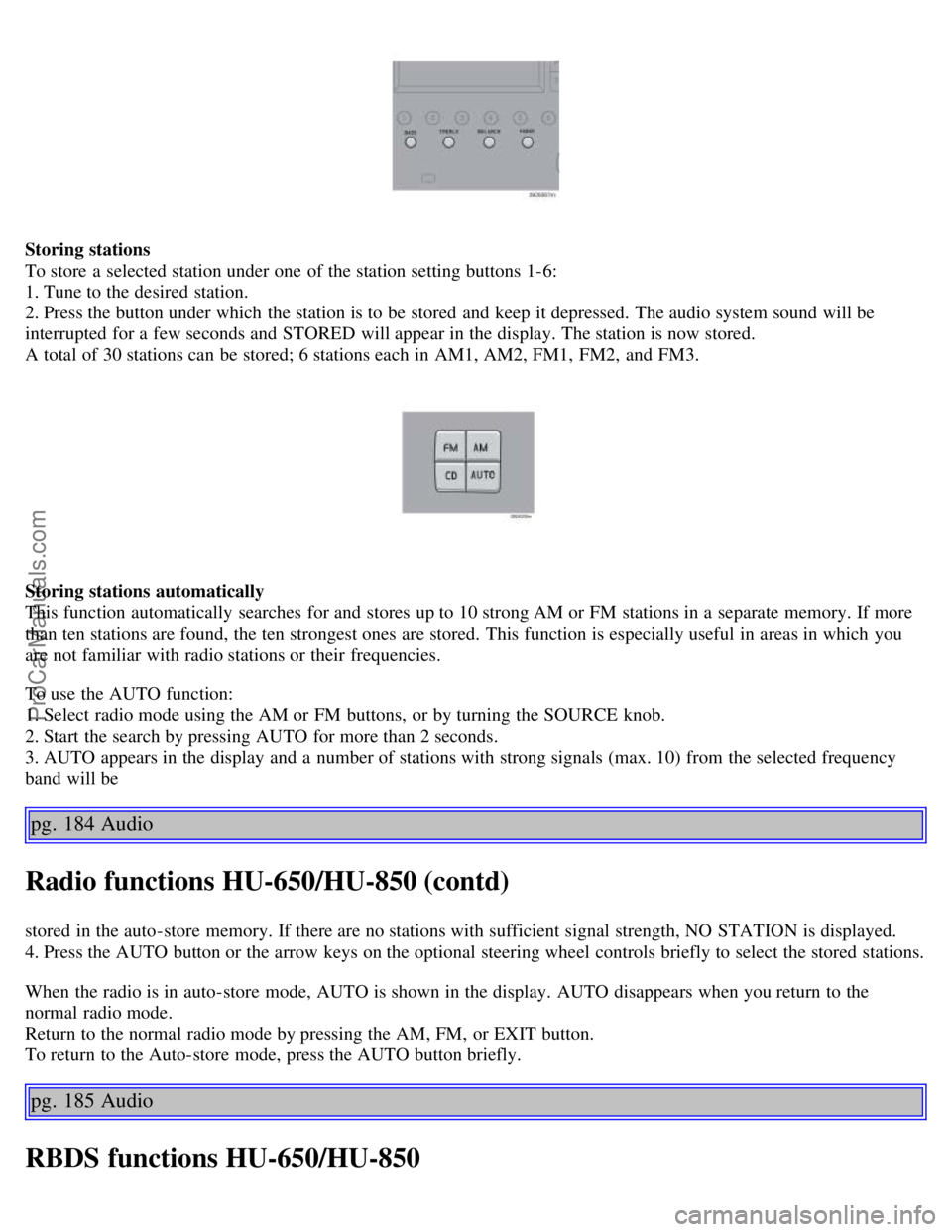
Storing stations
To store a selected station under one of the station setting buttons 1-6:
1. Tune to the desired station.
2. Press the button under which the station is to be stored and keep it depressed. The audio system sound will be
interrupted for a few seconds and STORED will appear in the display. The station is now stored.
A total of 30 stations can be stored; 6 stations each in AM1, AM2, FM1, FM2, and FM3.
Storing stations automatically
This function automatically searches for and stores up to 10 strong AM or FM stations in a separate memory. If more
than ten stations are found, the ten strongest ones are stored. This function is especially useful in areas in which you
are not familiar with radio stations or their frequencies.
To use the AUTO function:
1. Select radio mode using the AM or FM buttons, or by turning the SOURCE knob.
2. Start the search by pressing AUTO for more than 2 seconds.
3. AUTO appears in the display and a number of stations with strong signals (max. 10) from the selected frequency
band will be
pg. 184 Audio
Radio functions HU-650/HU-850 (contd)
stored in the auto-store memory. If there are no stations with sufficient signal strength, NO STATION is displayed.
4. Press the AUTO button or the arrow keys on the optional steering wheel controls briefly to select the stored stations.
When the radio is in auto-store mode, AUTO is shown in the display. AUTO disappears when you return to the
normal radio mode.
Return to the normal radio mode by pressing the AM, FM, or EXIT button.
To return to the Auto-store mode, press the AUTO button briefly.
pg. 185 Audio
RBDS functions HU-650/HU-850
ProCarManuals.com
Page 122 of 132
2 0 0 6
VOLVO S60
Index
pg. 197 Index
A
A/C (air conditioning) 54
ABSii , 25 , 97
Adjustable steering wheel31
Air distribution51 , 54
Air quality sensor55
Air vents51
Alarm71 , 78
All Wheel Drive94
All Wheel Drive - towing101
Anti-lock Brake System (ABS)ii , 25
Ashtray41
Audio177
AUTO (climate control)53
Automatic Climate Control, ECC52
Automatic transmission90
Automatic transmission - kickdown91
Automatic transmission - Sport mode93
Average speed38
AWD94
B
Back up light154
Backrest, rear seat, folding68
Battery139, 147, 173
Battery - replacing148
Belt check140
Black Box (Vehicle Event Data)136
Blower (fan)53
Booster cushion (integrated)19
Brake circuit96
Brake fluid145
Brake light154
Brake system25 , 96
Bulbs150
ProCarManuals.com
Page 125 of 132
High beam headlights34
High beam indicator24
Hoisting the car139
Home safe lighting34
HomeLink® Universal Transceiver194
Hood - opening141
I
Ignition switch86
Immobilizer (start inhibitor)72
Indicator and warning symbols24 , 25
Inflation pressure tables116
Inflation pressure, checking115
Inspection, preparing for138
Instrument panel24
Integrated booster cushion19
Interior57
Interior lighting62
Introductioni
ISOFIX/LATCH anchors20
J
Jack126
Jack, location of70
Jump starting102
K
Keylockii
, 85
Keys71
Kickdown91
L
LATCH (ISOFIX) anchors20
Lighting panel32
Load carriers106
Locking steering wheel86
Locking the car75
Locks71
Long distance trips108
Long loads - carrying69
Low beam bulb, changing151
Low beam headlights34
M
Maintenance service136
Maintenance, periodic137
Malfunction indicator light27
Manual transmission89
Messages in the display28
ProCarManuals.com
Page 127 of 132
Reporting safety defects2
Roadholding88
Roof racks (load carriers)106
Run flat tires118
S
Safety1
Safety defects - reporting2
Seat belt3
Seat belt reminder44
SEE MANUAL28
Self supporting run flat tires118
Service136
Service key72
Service reminder27
SERVICE REQUIRED27
SERVICE URGENT28
Shiftlockii , 85
Side marker lamp154
Side marker light, changing153
Ski hatch69
Snow chains123, 125
Snow tires123
Spare wheel69
Spark plugs173
Specifications163
Speedometer24
Sport mode93
Stability systems98
Stability Traction Control (STC)98
Start inhibitor (immobilizer)72
Starting the car85
STC29
Steering wheel adjustment31
Steering wheel lock86
Stone chips, touching up133
STOP ENGINE28
Storage compartments65
Studded tires123
Sun visor46
Supplemental Restraint System (SRS) - warning light27
Suspension171
Switches in the center console29
T
Tachometer24
ProCarManuals.com