ESP VOLVO S60 2007 Owner's Manual
[x] Cancel search | Manufacturer: VOLVO, Model Year: 2007, Model line: S60, Model: VOLVO S60 2007Pages: 200, PDF Size: 4.03 MB
Page 140 of 200
- Under no circumstances should gasoline, naphtha or similar cleaning agents be used on the plastic or the leather
since these can cause damage.
- Take extra care when removing stains such as ink or lipstick since the coloring can spread.
- Use solvents sparingly. Too much solvent can damage the seat padding.
- Start from the outside of the stain and work toward the center.
- Sharp objects (e.g. pencils or pens in a pocket) or velcro fasteners on clothing may damage the textile upholstery.
- Clothing that is not colorfast, such as new jeans or suede garments, may stain the upholstery.
Cleaning the seat belts
Clean only with lukewarm water and a mild soap solution.
Cleaning floor mats
The floor mats should be vacuumed or brushed clean regularly, especially during winter when they should be taken out
for drying. Spots on textile mats can be removed with a mild detergent.
Bear in mind
Take extra care when removing stains such as ink or lipstick since the coloring can spread.
Use solvents sparingly. Too much solvent can damage the seat padding.
Start from the outside of the stain and work toward the center.
pg. 166 Vehicle care
Paint touch up
Paint damage requires immediate attention to avoid rusting. Make it a habit to check the finish regularly - when
washing the vehicle for instance. Touch-up if necessary.
Paint repairs require special equipment and skill. Contact your Volvo retailer for any extensive damage.
Color code
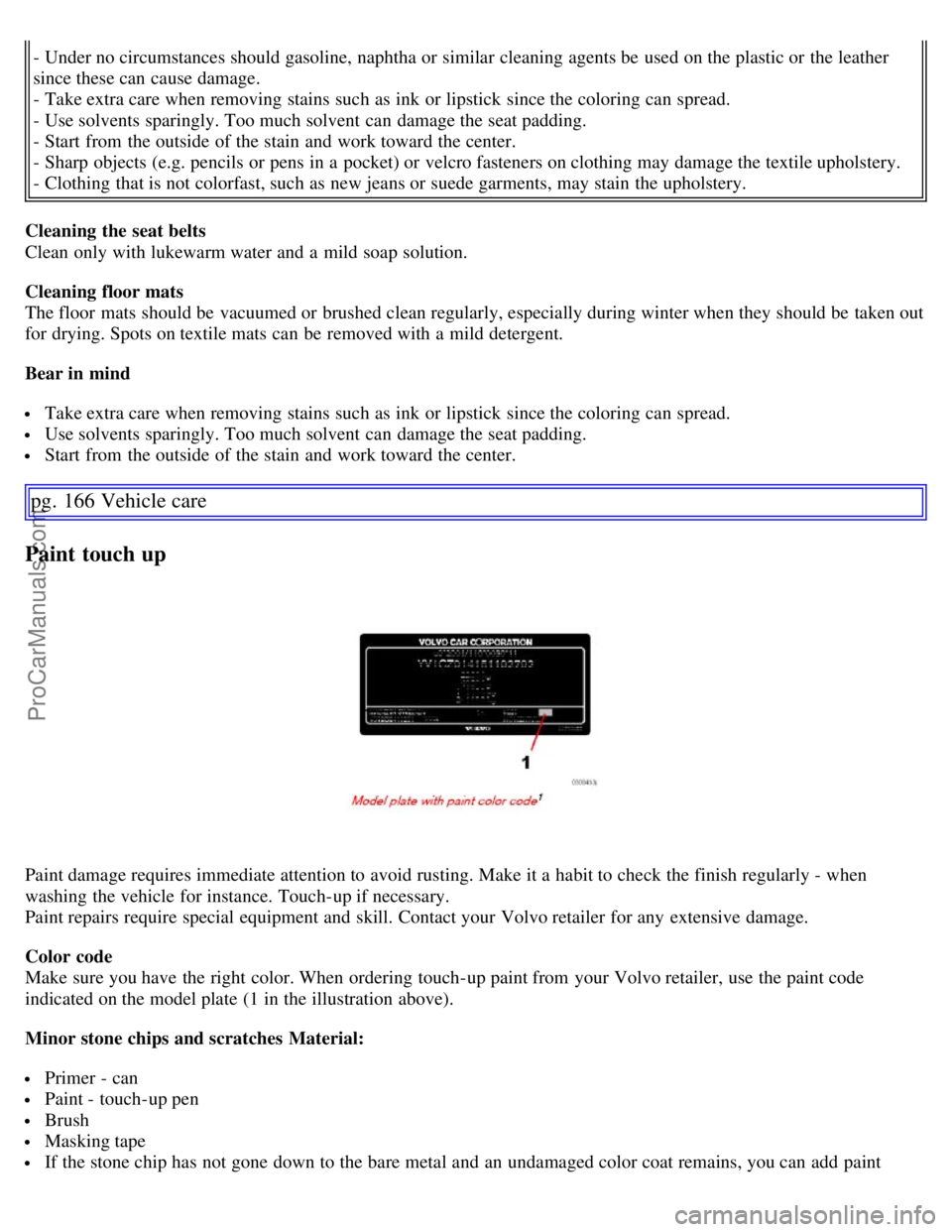
Make sure you have the right color. When ordering touch-up paint from your Volvo retailer, use the paint code
indicated on the model plate (1 in the illustration above).
Minor stone chips and scratches Material:
Primer - can
Paint - touch-up pen
Brush
Masking tape
If the stone chip has not gone down to the bare metal and an undamaged color coat remains, you can add paint
ProCarManuals.com
Page 149 of 200
Synthetic oil is not used when the oil is changed at the normal maintenance intervals except at owner request and at
additional charge. Please consult your Volvo retailer.
Checking and adding oil
The oil level should be checked every time the vehicle is refueled. This is especially important during the period up to
the first scheduled maintenance service.
The vehicle should be parked on a level surface when the oil is checked.
If the engine is warm, wait for at least 10-15 minutes after the engine has been switched off before checking the oil.
Checking the oil
- Pull out the dipstick and wipe it with a lint-free rag.
- Reinsert the dipstick, pull it out, and check the oil level.
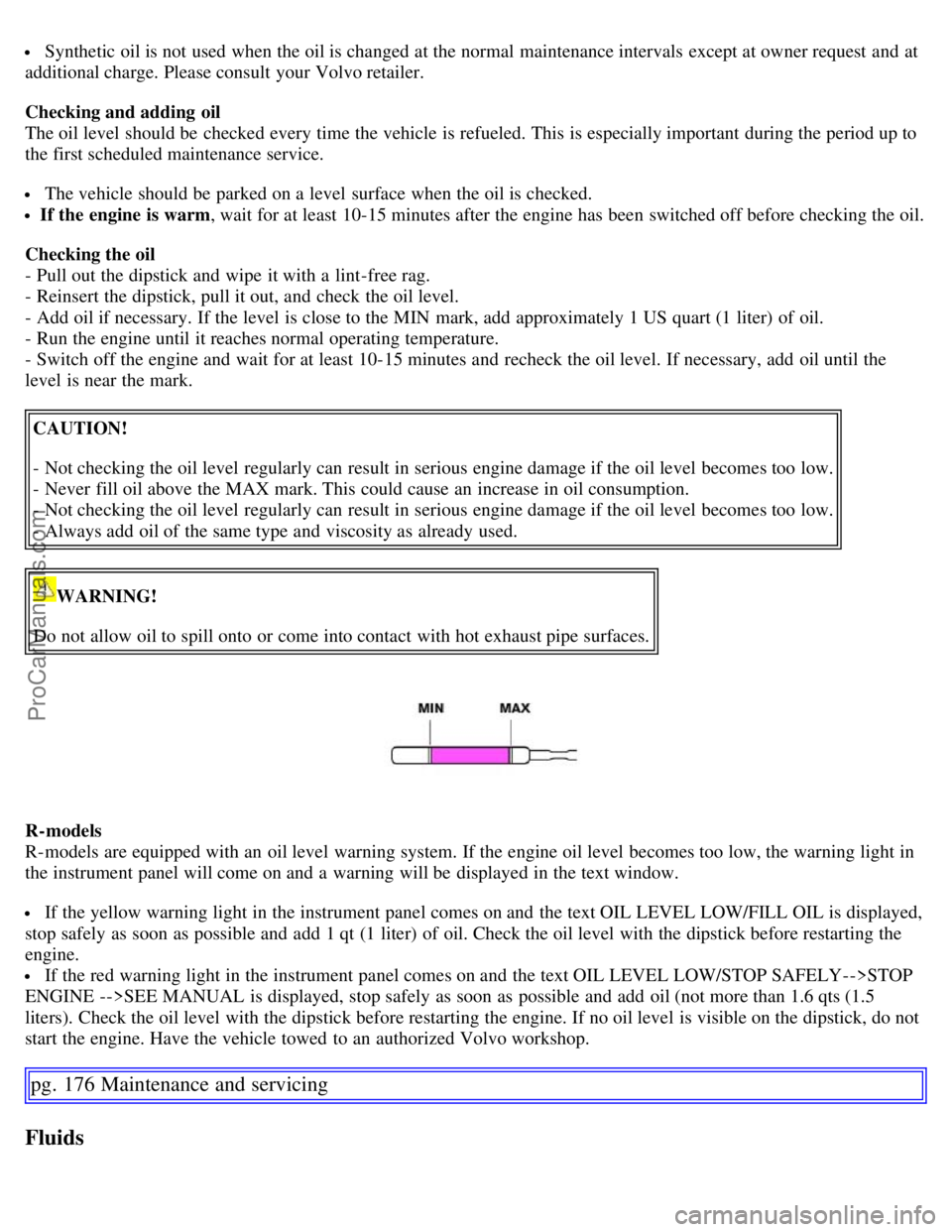
- Add oil if necessary. If the level is close to the MIN mark, add approximately 1 US quart (1 liter) of oil.
- Run the engine until it reaches normal operating temperature.
- Switch off the engine and wait for at least 10-15 minutes and recheck the oil level. If necessary, add oil until the
level is near the mark.
CAUTION!
- Not checking the oil level regularly can result in serious engine damage if the oil level becomes too low.
- Never fill oil above the MAX mark. This could cause an increase in oil consumption.
- Not checking the oil level regularly can result in serious engine damage if the oil level becomes too low.
- Always add oil of the same type and viscosity as already used.
WARNING!
Do not allow oil to spill onto or come into contact with hot exhaust pipe surfaces.
R-models
R-models are equipped with an oil level warning system. If the engine oil level becomes too low, the warning light in
the instrument panel will come on and a warning will be displayed in the text window.
If the yellow warning light in the instrument panel comes on and the text OIL LEVEL LOW/FILL OIL is displayed,
stop safely as soon as possible and add 1 qt (1 liter) of oil. Check the oil level with the dipstick before restarting the
engine.
If the red warning light in the instrument panel comes on and the text OIL LEVEL LOW/STOP SAFELY-->STOP
ENGINE -->SEE MANUAL is displayed, stop safely as soon as possible and add oil (not more than 1.6 qts (1.5
liters). Check the oil level with the dipstick before restarting the engine. If no oil level is visible on the dipstick, do not
start the engine. Have the vehicle towed to an authorized Volvo workshop.
pg. 176 Maintenance and servicing
Fluids
ProCarManuals.com
Page 171 of 200

Label information
1. Model plate
Vehicle Identification Number (VIN). Codes for color and upholstery, etc.
2. Child safety lock labels
1
3. Federal Motor Vehicle Safety Standards (FMVSS) specifications (USA) and Ministry of Transport (CMVSS)
standards (Canada)
Your Volvo is designed to meet all applicable safety standards, as evidenced by the certification label on the facing
side of the driver's door. For further information regarding these regulations, please consult your Volvo retailer.
4. Loads and Tire Pressures
The appearance of the decal will vary, depending on the market for which the vehicle is intended.
Canadian models: upper decal
U.S. models: lower decal
5. Vehicle Identification Number (VIN)
The VIN plate is located on the top left surface of the dashboard. The VIN is also stamped on the right hand door
pillar.
The Vehicle Identification Number (VIN) should always be quoted in all correspondence concerning your vehicle with
the retailer and when ordering parts.
6. Vehicle Emission Control Information/ Vacuum hose routing
Your Volvo is designed to meet all applicable emission standards, as evidenced by the certification label on the
underside of the hood. For further information regarding these regulations, please consult your Volvo retailer.
1. Not on vehicles equipped with the optional power child safety locks.
pg. 200 Specifications
Dimensions and weights
Dimensions Length 180 in. (458 cm)
S60R - 181.7 in. (462 cm)
Width 71 in. (180 cm)
S60R - 71 in. (180 cm)
Height 56.2 in. (143 cm)
S60R - 55.7 in. (142 cm)
Wheelbase 107 in. (272 cm)
Front track 61.5 in. (156 cm)
Rear track 61.4 in. (156 cm)
Turning circle 35.4-38.7 ft.
(10.8-11.8 m)
S60R: 42.7 ft (13 m)
Cargo capacity, trunk SAE V1 - 13.9 (394)
Max. loads
ProCarManuals.com
Page 183 of 200
Steering wheel key pad (option)
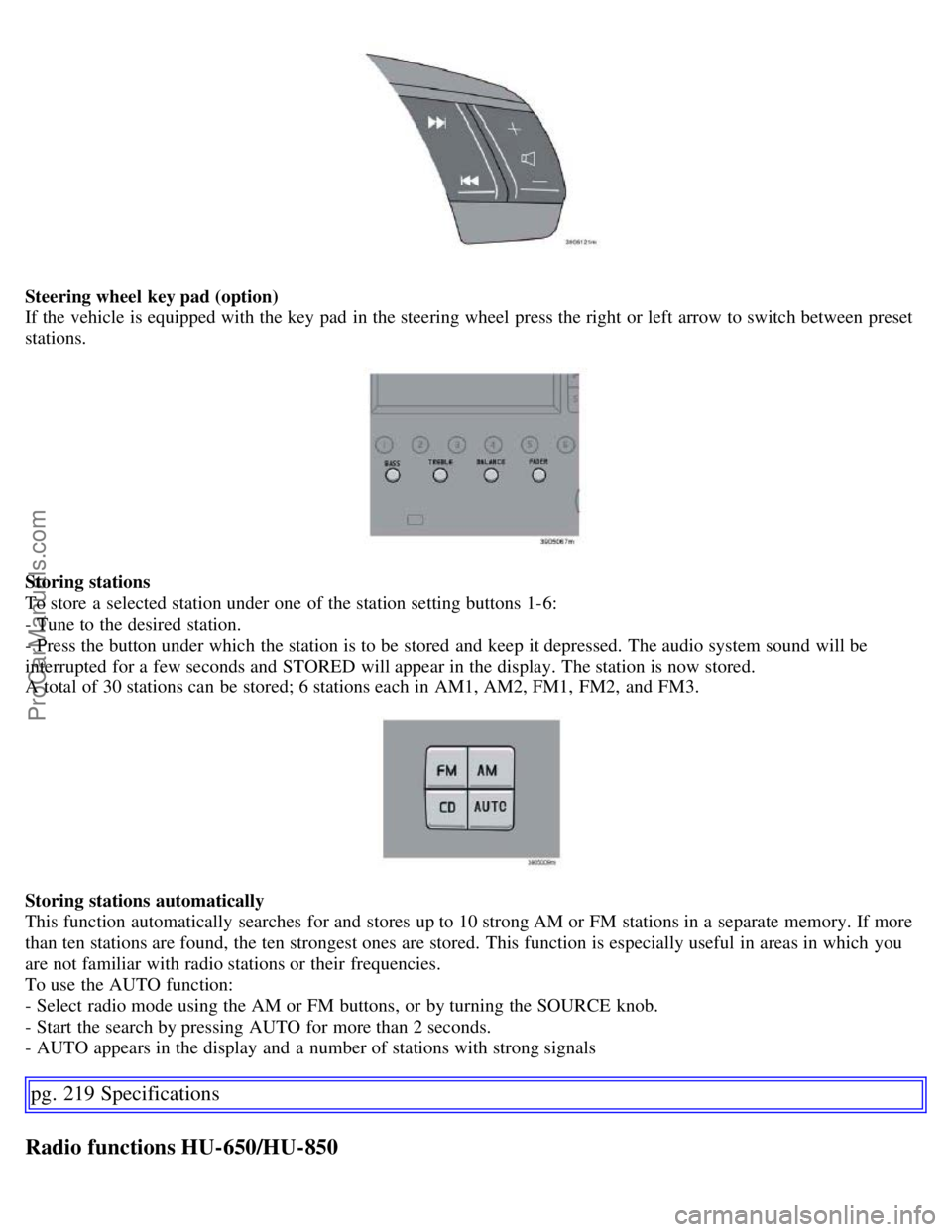
If the vehicle is equipped with the key pad in the steering wheel press the right or left arrow to switch between preset
stations.
Storing stations
To store a selected station under one of the station setting buttons 1-6:
- Tune to the desired station.
- Press the button under which the station is to be stored and keep it depressed. The audio system sound will be
interrupted for a few seconds and STORED will appear in the display. The station is now stored.
A total of 30 stations can be stored; 6 stations each in AM1, AM2, FM1, FM2, and FM3.
Storing stations automatically
This function automatically searches for and stores up to 10 strong AM or FM stations in a separate memory. If more
than ten stations are found, the ten strongest ones are stored. This function is especially useful in areas in which you
are not familiar with radio stations or their frequencies.
To use the AUTO function:
- Select radio mode using the AM or FM buttons, or by turning the SOURCE knob.
- Start the search by pressing AUTO for more than 2 seconds.
- AUTO appears in the display and a number of stations with strong signals
pg. 219 Specifications
Radio functions HU-650/HU-850
ProCarManuals.com
Page 186 of 200
- Turn the SOURCE knob, select ADVANCED MENU and press SOURCE.
- Turn the SOURCE knob, select RADIO SETTINGS and press SOURCE.
- Turn the SOURCE knob, select AF ON/ OFF (flashing text) and press SOURCE.
- Press EXIT.
To reactivate the function, follow the procedure above and select AF ON in step 5.
Resetting RBDS functions
RBDS functions can be returned to their factory settings as follows:
- Select radio mode using the FM button, or by turning the SOURCE knob.
- Press SOURCE.
- Turn the SOURCE knob, select ADVANCED MENU and press SOURCE.
- Turn the SOURCE knob, select RESET TO DEFAULT and press SOURCE. - Press EXIT.
ASC - speed compensated volume
The audio system's volume is adjusted automatically according to the speed of the vehicle. There are three settings
available: low, medium, or high.
To activate ASC:
- Select radio mode using the FM button, or by turning the SOURCE knob.
- Press SOURCE.
- Turn the SOURCE knob, select ADVANCED MENU and press SOURCE.
- Turn the SOURCE knob, select AUDIO SETTINGS and press SOURCE.
- Turn the SOURCE knob, select ASC LEVEL (flashing text) and press SOURCE.
- Turn the SOURCE knob to select LOW, MEDIUM, HIGH, or OFF and press SOURCE.
- Press EXIT.
NOTE: Please be aware that there are certain RBDS menu selections, for example EON, TP search, News, etc, that
may not be available in North America.
pg. 223 Specifications
HU-650 - CD player
Starting the CD player
Please refer to the illustration on page 213
for the location of the buttons referred to on this page.
- Insert a disc into the player.
- Press the CD button or turn the SOURCE knob to CD.
Changing tracks
Briefly press the
or keys (or the corresponding keys on the optional steering wheel keypad) to skip to the
previous or next track. The track number is shown in the display.
Fast forward/back
Press and hold down the
or keys to search within a track or the entire disc. The search continues for as long
as the buttons are held in.
NOTE: The corresponding keys on the optional steering wheel keypad cannot be used for fast forward/back.
Random play
This function plays the tracks on a CD in random order (shuffle).
Select CD mode and press the RND button. RND is shown in the display as long as the function is activated.
Press RND again to stop random play.
ProCarManuals.com
Page 187 of 200
Scan
This function plays the first 10 seconds of each track on the CD.
Press SCAN to start the function.
Press SCAN again or EXIT to stop the scan function and listen to an entire track.
CD eject
Press the button (no. 11 in the illustration on page 213
) to eject the disc.
NOTE:
For reasons of traffic safety, the ejected CD must be removed within 12 seconds or it will be automatically drawn
back into the slot and the CD player will resume playing the most recently selected track.
See page 212 for information on caring for compact discs.
pg. 224 Specifications
HU-850 - internal CD changer
Starting the CD changer
The HU -850 is equipped with an internal, 6- disc CD changer.
Please refer to the illustration on page 214
for the location of the buttons referred to on this page.
To load discs into the changer:
- Press the CD button or turn the SOURCE knob to CD.
- Select an empty position by pressing one of the preset buttons. The display shows which positions are empty. LOAD
DISC must be displayed before a disc is inserted into the player.
- Insert a disc.
If there are discs in the player when CD mode is selected, the changer will resume playing the disc and track that were
most recently played.
Selecting a disc position (number)
Use the station setting buttons 1-6 to select the disc to be played. The number of the disc and the track being played
are shown in the display.
Changing tracks
Briefly press the for compact discs.
or keys (or the corresponding keys on the optional steering wheel
keypad) to skip to the previous or next track. The track number is shown in the display.
Fast forward/back
Press and hold down the
or keys to search within a track or the entire disc. The search continues for as long
as the buttons are held in.
The corresponding keys on the optional steering wheel keypad cannot be used for fast forward/back.
Random play
This function plays the tracks on a CD in random order (shuffle).
Select CD mode and press the RND button. RND is shown in the display as long as the function is activated.
Random tracks from randomly selected discs will be played.
Press RND again to stop random play.
Scan
This function plays the first 10 seconds of each track on the CD.
ProCarManuals.com
Page 188 of 200
Press SCAN to start the function.
Press SCAN again or EXIT to stop the scan function and listen to an entire track. Scan only works on the selected
disc.
CD eject
This function makes it possible to eject a single disc, or to eject all of the discs in the changer.
Press the eject button briefly to eject the disc that is currently playing.
A longer press (more than two seconds) starts the process of ejecting all of the discs in the changer.
NOTE:
The EJECT ALL function can only be used while the vehicle is at a standstill and will be cancelled if the vehicle
begins to move.
For reasons of traffic safety, you have 12 seconds in which to remove the ejected disc. After that, the disc
automatically reinserts into the player, and the CD player will resume playing the most recently selected track.
See page 212 for information on caring for compact discs.
pg. 225 Specifications
External CD changer (option)
External CD changer
The optional 10-CD changer is mounted in the cargo compartment.
Please refer to the illustration on pages 214
and 218 for the location of the buttons referred to on this page.
Turn the SOURCE knob to select the external CD changer.
To load discs into the changer:
- Slide the cover on the CD change open.
- Press the eject button on the CD changer.
- Pull the magazine out of the changer and insert the disc(s).
- Press the magazine back into the changer and slide the cover back into place.
If there are discs in the player when CD mode is selected, the changer will resume playing the disc and track that were
most recently played.
Selecting a disc position (number)
Use the station setting buttons 1-6 to select the disc to be played. Continue to press button 6 to select discs 7-10.
The number of the disc and the track being played are shown in the display.
Changing tracks
Briefly press the
or keys (or the corresponding keys on the optional steering wheel keypad) to skip to the
previous or next track. The track number is shown in the display.
ProCarManuals.com
Page 189 of 200
Fast forward/back
Press and hold down the
or keys to search within a track or the entire disc. The search continues for as long
as the buttons are held in.
The corresponding keys on the optional steering wheel keypad cannot be used for fast forward/back.
Random play
This function plays the tracks on a CD in random order (shuffle).
Select CD mode and press the RND button. RND is shown in the display as long as the function is activated.
Random tracks from randomly selected discs will be played.
Press RND again to stop random play.
Scan
This function plays the first 10 seconds of each track on the CD.
Press SCAN to start the function.
Press SCAN or EXIT to stop the scan function and listen to an entire track.
Scan only works on the selected disc.
pg. 226 Specifications
Dolby Surround Pro Logic II - HU-850 only
Dolby Surround Pro Logic II
Dolby Surround Pro Logic II is a further development of the previous version of the system and provides enhanced
sound quality. The improved sound is particularly apparent to passengers in the rear seat.
Dolby Surround Pro Logic II, together with a center speaker in the dashboard, offers you a sound experience very
close to a live performance. The normal left-right stereo channels are divided to left-center -right. In addition, surround
sound is produced by the rear speakers. This surround sound mirrors the ambience of a concert hall.
NOTE:
Dolby Surround Pro Logic II is optimized for CD mode.
When listening to FM radio stations, Dolby Surround Pro Logic II functions best in areas with strong reception. If
reception is weak, selecting 2 or 3- channel stereo may provide better sound quality.
3 channel stereo is recommended for AM and FM broadcasts.
Dolby Surround Pro Logic II and the Dolby icon are trademarks of Dolby Laboratories Licensing Corporation.
Dolby Pro Logic II Surround System is manufactured under license from Dolby Laboratories Licensing Corporation.
Selecting Dolby Surround Pro Logic II
To select Dolby Surround Pro Logic II mode during CD playback, press "
". "Dolby Pro Logic II" is displayed.
Press "OFF" to return to 2 channel stereo.
ProCarManuals.com