ignition VOLVO S60 2008 Owners Manual
[x] Cancel search | Manufacturer: VOLVO, Model Year: 2008, Model line: S60, Model: VOLVO S60 2008Pages: 230, PDF Size: 5.33 MB
Page 4 of 230
09 Maintenance and servicing
Volvo service186
Maintaining your vehicle187
Emission inspection readiness188
Working on your vehicle189
Hood and engine compartment191
Engine oil192
Fluids195
Wiper blades197
Battery198
Replacing bulbs201
Fuses211
10 Audio
Introduction 222
Audio system HU -650 - overview223
Audio system HU -850 - overview224
Radio functions HU -650/HU-850225
RBDS functions HU -650/HU-850231
HU -650 - CD player234
HU -850 - internal CD changer235
External CD changer (option)236
Dolby Surround Pro Logic II -
HU -850 only237
Audio systems - specifications
239
11 Specifications
Label information242
Dimensions and weights244
Capacities246
Engine specifications247
Bulbs248
Electrical system249
Three-way catalytic converter250
Suspension251
Volvo programs252
5 -
cont. Contents
12 Index
Index 254
6 Introduction
General information
Shiftlock
When your vehicle is parked, the gear selector is locked in the (P)ark position. To release the selector from this
position, turn the ignition key to position II (or start the engine), depress the brake pedal, press the button on the front
side of the gear selector and move the selector from (P)ark.
Keylock (automatic transmission)
When you switch off the ignition, the gear selector must be in the ( P)ark position before the key can be removed from
the ignition switch.
Anti-lock Brake System (ABS)
The ABS system in your vehicle performs a self -diagnostic test when the vehicle first reaches the speed of
approximately 12 mph (20 km/h). The brake pedal will pulsate several times and a sound may be audible from the
ABS control module. This is normal.
Fuel filler door
Press the button on the light switch panel when the car is at a standstill to open the fuel filler door.
Fuel filler cap
The fuel filler door, located on the right rear fender, is connected to your vehicle's central locking system. Press the
button on the light switch panel (see illustration on page 57
) when the vehicle is at a standstill to unlock the fuel filler
door. Please note that the fuel filler door will remain unlocked until the vehicle begins to move forward. An audible
ProCarManuals.com
Page 11 of 230
09 Maintenance and servicing
Volvo service186
Maintaining your vehicle187
Emission inspection readiness188
Working on your vehicle189
Hood and engine compartment191
Engine oil192
Fluids195
Wiper blades197
Battery198
Replacing bulbs201
Fuses211
10 Audio
Introduction 222
Audio system HU -650 - overview223
Audio system HU -850 - overview224
Radio functions HU -650/HU-850225
RBDS functions HU -650/HU-850231
HU -650 - CD player234
HU -850 - internal CD changer235
External CD changer (option)236
Dolby Surround Pro Logic II -
HU -850 only237
Audio systems - specifications
239
11 Specifications
Label information242
Dimensions and weights244
Capacities246
Engine specifications247
Bulbs248
Electrical system249
Three-way catalytic converter250
Suspension251
Volvo programs252
5 -
cont. Contents
12 Index
Index 254
6 Introduction
General information
Shiftlock
When your vehicle is parked, the gear selector is locked in the (P)ark position. To release the selector from this
position, turn the ignition key to position II (or start the engine), depress the brake pedal, press the button on the front
side of the gear selector and move the selector from (P)ark.
Keylock (automatic transmission)
When you switch off the ignition, the gear selector must be in the ( P)ark position before the key can be removed from
the ignition switch.
Anti-lock Brake System (ABS)
The ABS system in your vehicle performs a self -diagnostic test when the vehicle first reaches the speed of
approximately 12 mph (20 km/h). The brake pedal will pulsate several times and a sound may be audible from the
ABS control module. This is normal.
Fuel filler door
Press the button on the light switch panel when the car is at a standstill to open the fuel filler door.
Fuel filler cap
The fuel filler door, located on the right rear fender, is connected to your vehicle's central locking system. Press the
button on the light switch panel (see illustration on page 57
) when the vehicle is at a standstill to unlock the fuel filler
door. Please note that the fuel filler door will remain unlocked until the vehicle begins to move forward. An audible
ProCarManuals.com
Page 19 of 230
The seat back should not be tilted too far back. The shoulder belt must be taut in order to function properly.
Do not use child safety seats or child booster cushions/backrests in the front passenger's seat. We also recommend
that children who have outgrown these devices sit in the rear seat with the seat belt properly fastened.
16 01 Safety
Supplemental Restraint System
Supplemental Restraint System (SRS)
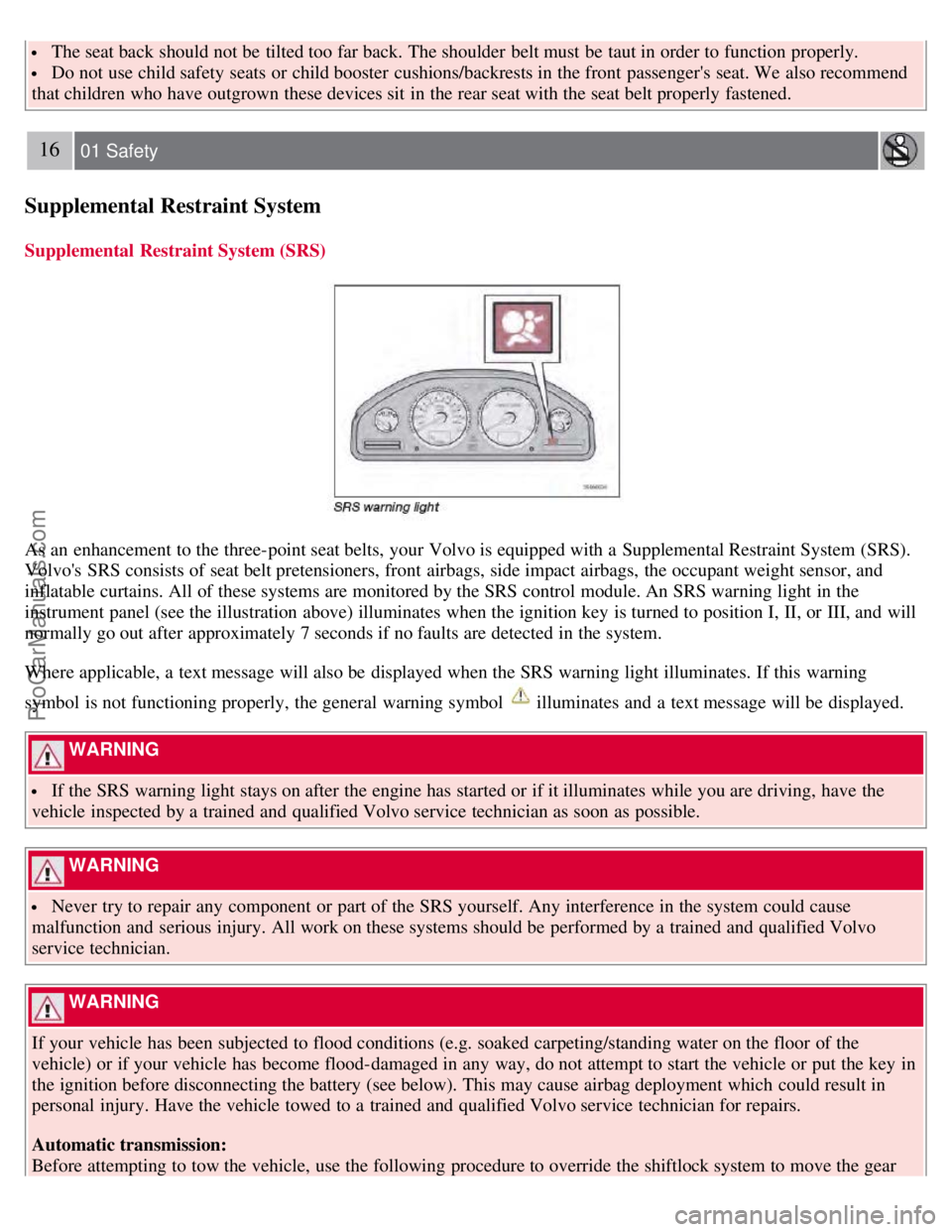
As an enhancement to the three-point seat belts, your Volvo is equipped with a Supplemental Restraint System (SRS).
Volvo's SRS consists of seat belt pretensioners, front airbags, side impact airbags, the occupant weight sensor, and
inflatable curtains. All of these systems are monitored by the SRS control module. An SRS warning light in the
instrument panel (see the illustration above) illuminates when the ignition key is turned to position I, II, or III, and will
normally go out after approximately 7 seconds if no faults are detected in the system.
Where applicable, a text message will also be displayed when the SRS warning light illuminates. If this warning
symbol is not functioning properly, the general warning symbol
illuminates and a text message will be displayed.
WARNING
If the SRS warning light stays on after the engine has started or if it illuminates while you are driving, have the
vehicle inspected by a trained and qualified Volvo service technician as soon as possible.
WARNING
Never try to repair any component or part of the SRS yourself. Any interference in the system could cause
malfunction and serious injury. All work on these systems should be performed by a trained and qualified Volvo
service technician.
WARNING
If your vehicle has been subjected to flood conditions (e.g. soaked carpeting/standing water on the floor of the
vehicle) or if your vehicle has become flood-damaged in any way, do not attempt to start the vehicle or put the key in
the ignition before disconnecting the battery (see below). This may cause airbag deployment which could result in
personal injury. Have the vehicle towed to a trained and qualified Volvo service technician for repairs.
Automatic transmission:
Before attempting to tow the vehicle, use the following procedure to override the shiftlock system to move the gear
ProCarManuals.com
Page 20 of 230
selector to the neutral position:
Switch off the ignition for at least 10 minutes and disconnect the battery
Wait at least one minute.
Insert the key in the ignition and turn it to position II.
Press firmly on the brake pedal.
Move the gear selector from (P)ark to the (N)eutral position. See page 132 for information on manually overriding
the shiftlock system.
17 01 Safety
Front airbags
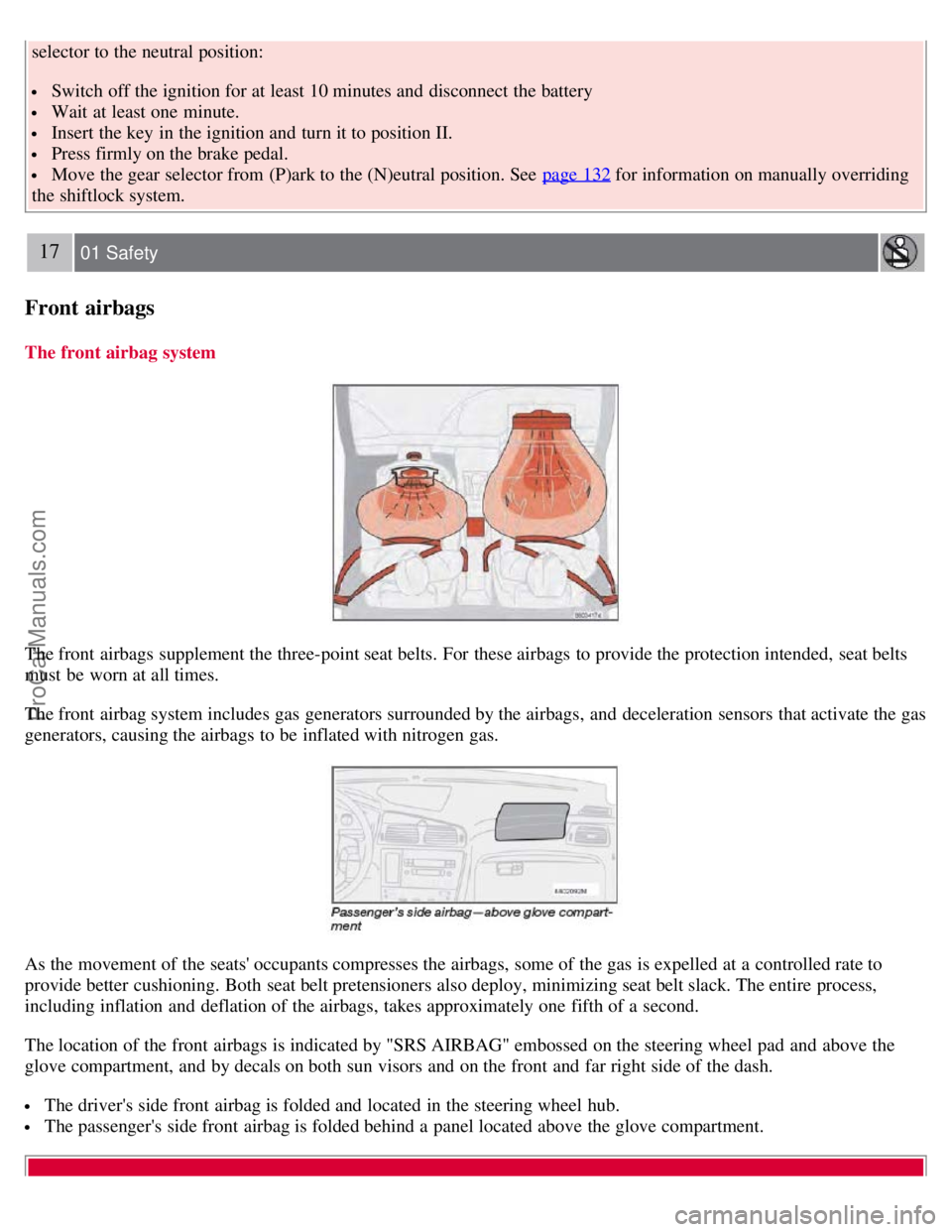
The front airbag system
The front airbags supplement the three-point seat belts. For these airbags to provide the protection intended, seat belts
must be worn at all times.
The front airbag system includes gas generators surrounded by the airbags, and deceleration sensors that activate the gas
generators, causing the airbags to be inflated with nitrogen gas.
As the movement of the seats' occupants compresses the airbags, some of the gas is expelled at a controlled rate to
provide better cushioning. Both seat belt pretensioners also deploy, minimizing seat belt slack. The entire process,
including inflation and deflation of the airbags, takes approximately one fifth of a second.
The location of the front airbags is indicated by "SRS AIRBAG" embossed on the steering wheel pad and above the
glove compartment, and by decals on both sun visors and on the front and far right side of the dash.
The driver's side front airbag is folded and located in the steering wheel hub.
The passenger's side front airbag is folded behind a panel located above the glove compartment.
ProCarManuals.com
Page 24 of 230
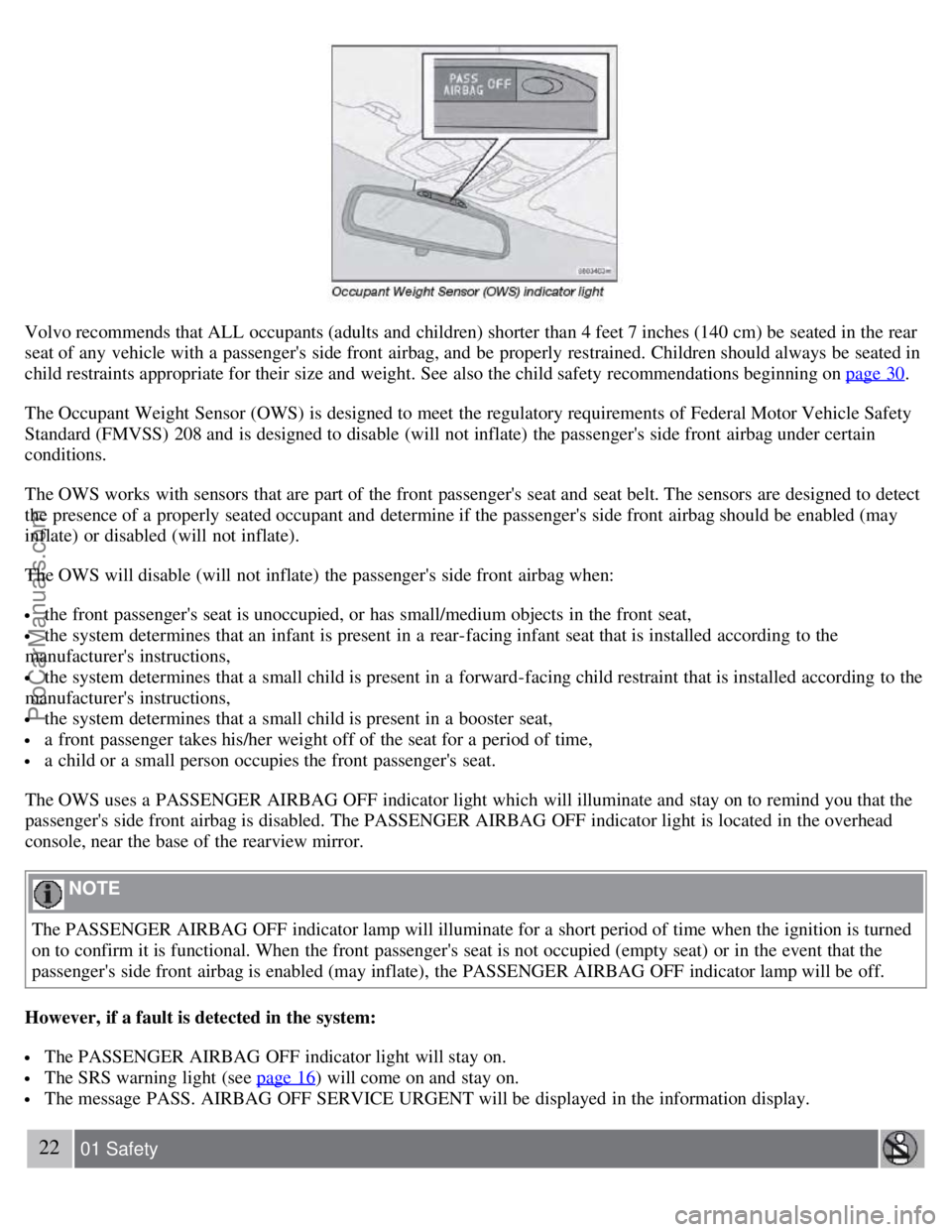
Volvo recommends that ALL occupants (adults and children) shorter than 4 feet 7 inches (140 cm) be seated in the rear
seat of any vehicle with a passenger's side front airbag, and be properly restrained. Children should always be seated in
child restraints appropriate for their size and weight. See also the child safety recommendations beginning on page 30
.
The Occupant Weight Sensor (OWS) is designed to meet the regulatory requirements of Federal Motor Vehicle Safety
Standard (FMVSS) 208 and is designed to disable (will not inflate) the passenger's side front airbag under certain
conditions.
The OWS works with sensors that are part of the front passenger's seat and seat belt. The sensors are designed to detect
the presence of a properly seated occupant and determine if the passenger's side front airbag should be enabled (may
inflate) or disabled (will not inflate).
The OWS will disable (will not inflate) the passenger's side front airbag when:
the front passenger's seat is unoccupied, or has small/medium objects in the front seat,
the system determines that an infant is present in a rear-facing infant seat that is installed according to the
manufacturer's instructions,
the system determines that a small child is present in a forward-facing child restraint that is installed according to the
manufacturer's instructions,
the system determines that a small child is present in a booster seat,
a front passenger takes his/her weight off of the seat for a period of time,
a child or a small person occupies the front passenger's seat.
The OWS uses a PASSENGER AIRBAG OFF indicator light which will illuminate and stay on to remind you that the
passenger's side front airbag is disabled. The PASSENGER AIRBAG OFF indicator light is located in the overhead
console, near the base of the rearview mirror.
NOTE
The PASSENGER AIRBAG OFF indicator lamp will illuminate for a short period of time when the ignition is turned
on to confirm it is functional. When the front passenger's seat is not occupied (empty seat) or in the event that the
passenger's side front airbag is enabled (may inflate), the PASSENGER AIRBAG OFF indicator lamp will be off.
However, if a fault is detected in the system:
The PASSENGER AIRBAG OFF indicator light will stay on.
The SRS warning light (see page 16) will come on and stay on.
The message PASS. AIRBAG OFF SERVICE URGENT will be displayed in the information display.
22 01 Safety
ProCarManuals.com
Page 47 of 230
6. Speedometer
7. Warning symbol
8. High beam indicator
9. Tachometer
Indicates engine speed in thousands of revolutions per minute (rpm). Do not drive for long with the needle in the red
section. The engine has an built-in function preventing excessively high engine speeds. When this function operates, you
may discern some pulsation, which in that case is quite normal.
10. Gear and driving mode indicator
The currently selected driving mode is displayed here. If you use the optional Geartronic function on the automatic
transmission, the currently selected gear will be displayed.
11. Ambient temperature gauge
This display indicates the air temperature outside your vehicle. A "snowflake" symbol in the text window is displayed
when the temperature is in the range of 23 - 36 °F (-5 - +2 °C).
Please note that this symbol does not indicate a fault with your vehicle.
At low speeds or when the vehicle is not moving, the temperature readings may be slightly higher than the actual
ambient temperature.
12. Clock/set button
Turn the button to set the clock.
13. Fuel gauge
See page 246
for fuel tank volume. When the warning light in the gauge comes on, there are approximately 1.8 US gal.
(8 liters) of fuel remaining in the tank. For more information on fuel level and consumption, see "Trip computer" on page
64.
14. Indicator and warning symbols
49 02 Instruments and controls
Instrument and warning symbols
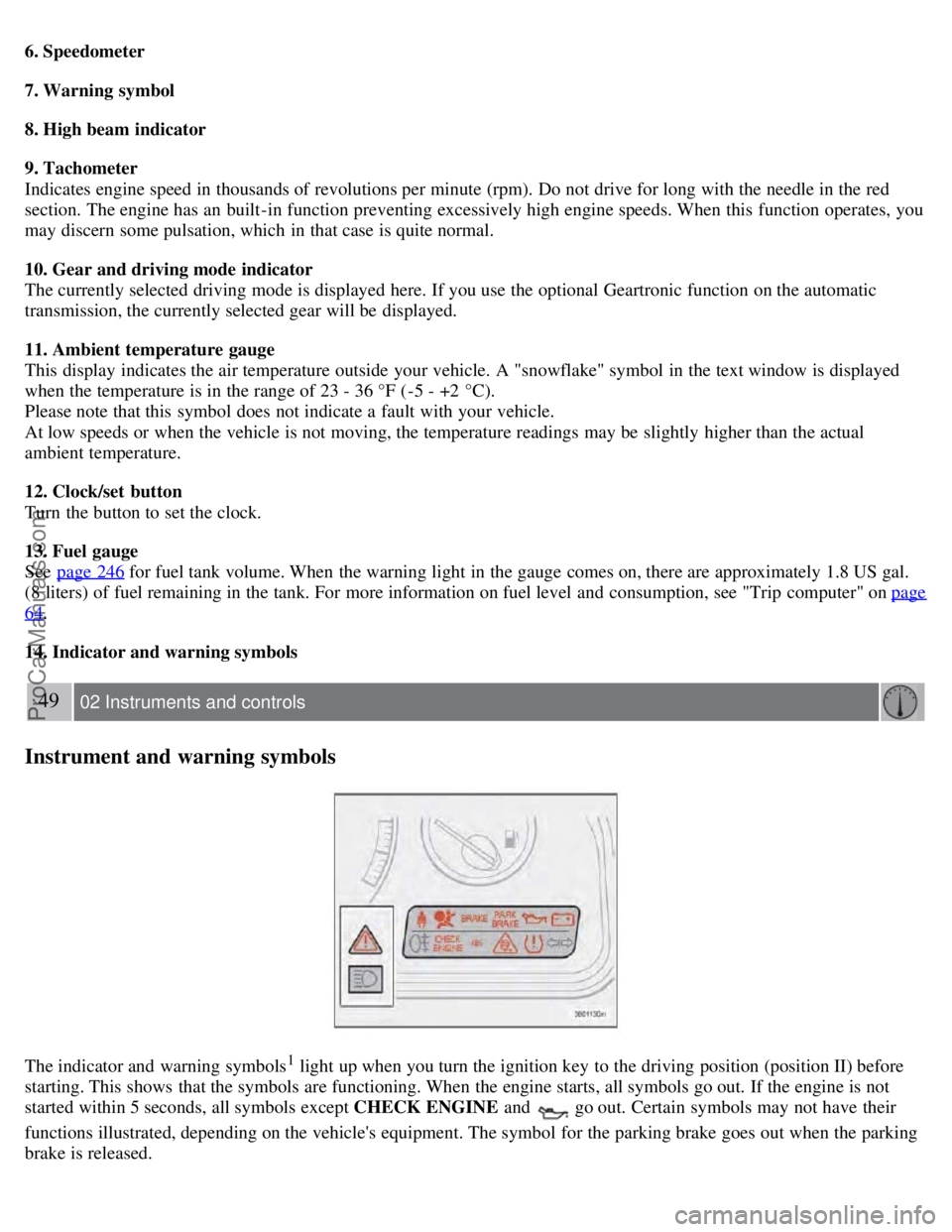
The indicator and warning symbols1 light up when you turn the ignition key to the driving position (position II) before
starting. This shows that the symbols are functioning. When the engine starts, all symbols go out. If the engine is not
started within 5 seconds, all symbols except CHECK ENGINE and
go out. Certain symbols may not have their
functions illustrated, depending on the vehicle's equipment. The symbol for the parking brake goes out when the parking
brake is released.
ProCarManuals.com
Page 51 of 230
54 02 Instruments and controls
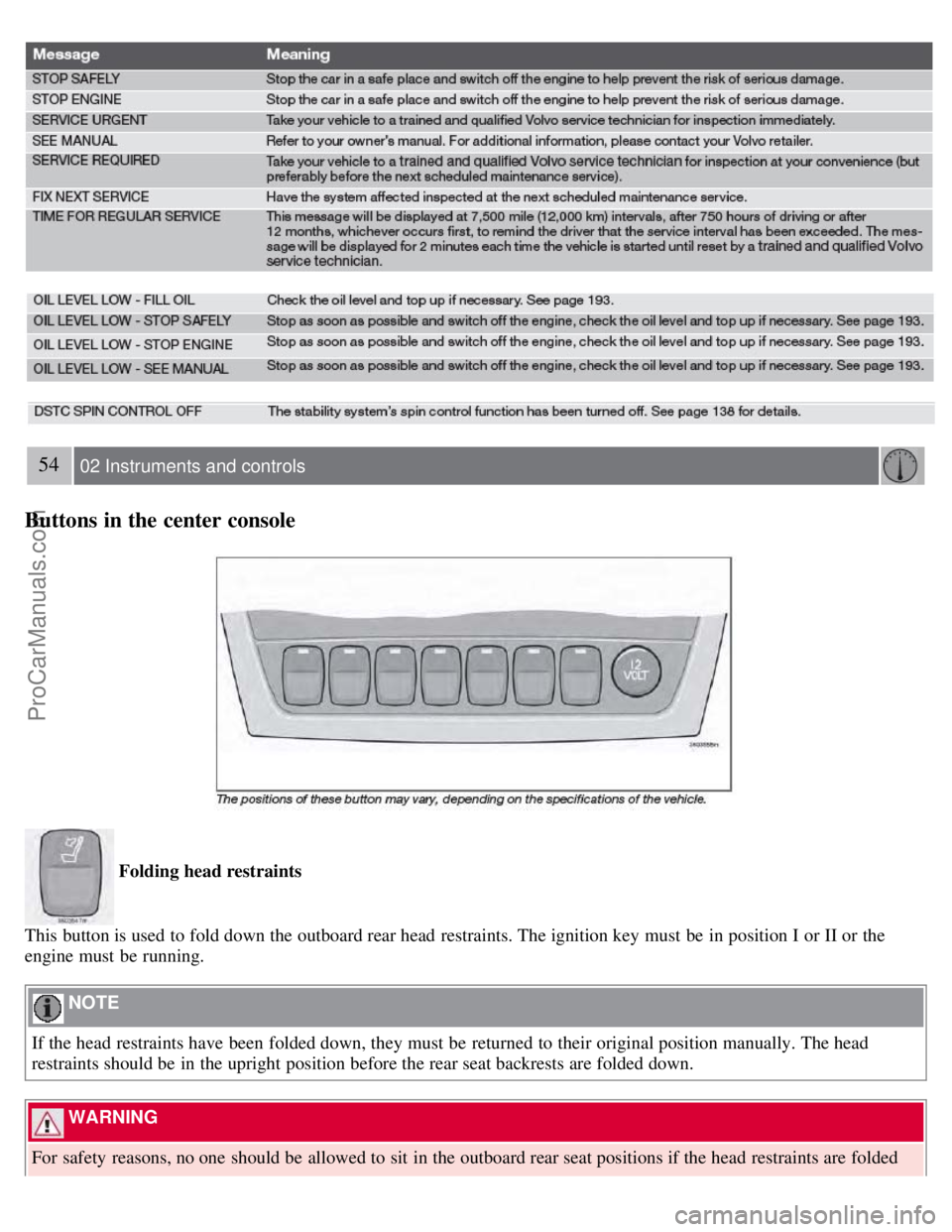
Buttons in the center console
Folding head restraints
This button is used to fold down the outboard rear head restraints. The ignition key must be in position I or II or the
engine must be running.
NOTE
If the head restraints have been folded down, they must be returned to their original position manually. The head
restraints should be in the upright position before the rear seat backrests are folded down.
WARNING
For safety reasons, no one should be allowed to sit in the outboard rear seat positions if the head restraints are folded
ProCarManuals.com
Page 52 of 230
down. If these positions are occupied, the head restraints should be in the upright (fixed) position.
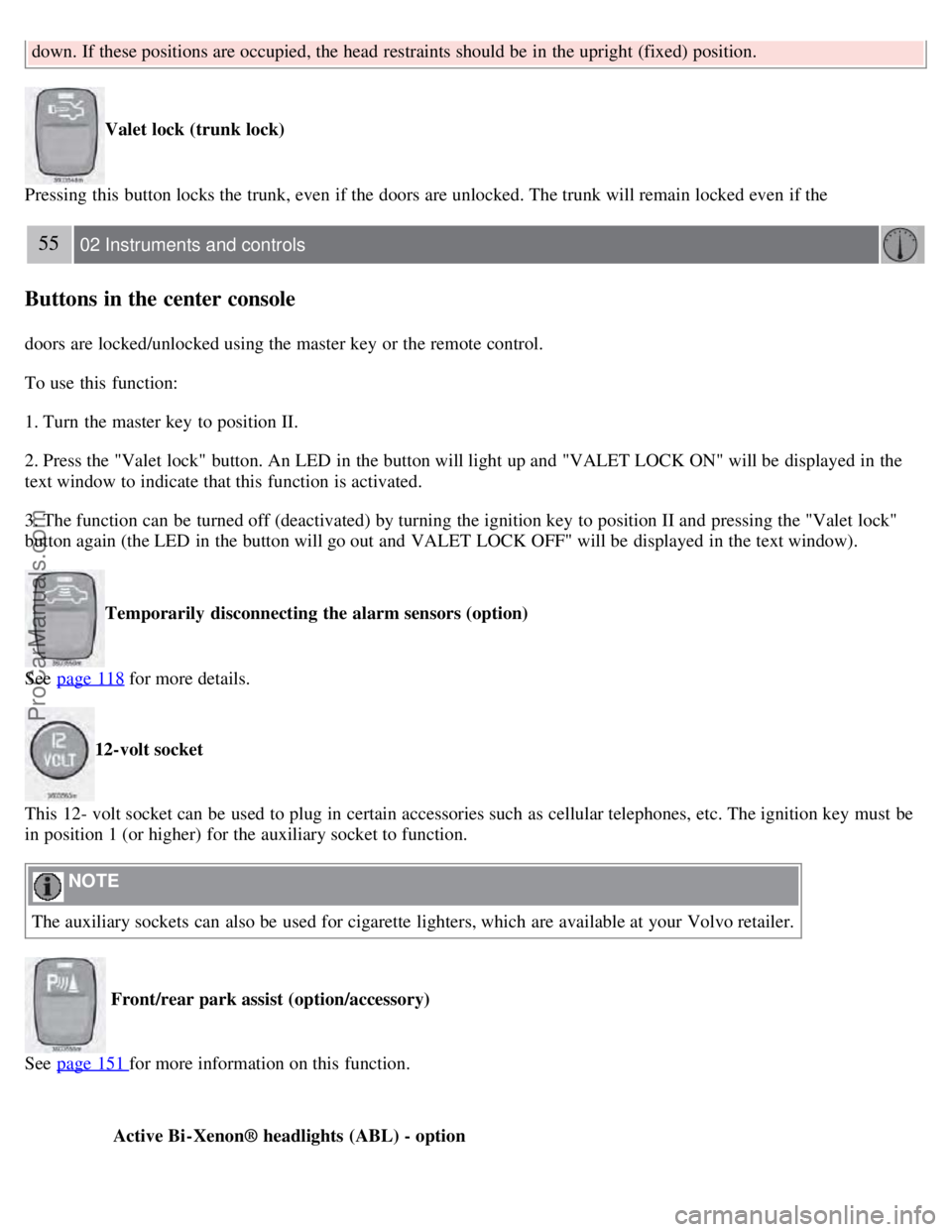
Valet lock (trunk lock)
Pressing this button locks the trunk, even if the doors are unlocked. The trunk will remain locked even if the
55 02 Instruments and controls
Buttons in the center console
doors are locked/unlocked using the master key or the remote control.
To use this function:
1. Turn the master key to position II.
2. Press the "Valet lock" button. An LED in the button will light up and "VALET LOCK ON" will be displayed in the
text window to indicate that this function is activated.
3. The function can be turned off (deactivated) by turning the ignition key to position II and pressing the "Valet lock"
button again (the LED in the button will go out and VALET LOCK OFF" will be displayed in the text window).
Temporarily disconnecting the alarm sensors (option)
See page 118
for more details.
12-volt socket
This 12- volt socket can be used to plug in certain accessories such as cellular telephones, etc. The ignition key must be
in position 1 (or higher) for the auxiliary socket to function.
NOTE
The auxiliary sockets can also be used for cigarette lighters, which are available at your Volvo retailer.
Front/rear park assist (option/accessory)
See page 151
for more information on this function.
Active Bi -Xenon® headlights (ABL) - option
ProCarManuals.com
Page 54 of 230
2. Front fog lights
3. Rear fog light
4. Instrument panel lighting
5. Fuel filler door unlock button
Parking lights
The front and rear parking lights can be turned on even when the ignition is switched off.
Turn switch 1 to position .
The license plate lights also illuminate when the parking lights are switched on.
Headlights
Turn the ignition key to position II.
The low beam headlights (daytime running lights) illuminate automatically, except when the light switch (1) is in
position
1.
See page 60
for information on switching between high and low beams.
NOTE
Active Bi -Xenon® headlights (option): Turn the headlight switch to position 0 to activate a daylight sensor, which
automatically switches the low beams on or off, depending on ambient light conditions. When driving in daylight, the
headlights will switch off and the daytime running lights will come on. In darkness, the daytime running lights will
switch off and the Active Bi -Xenon® headlights will switch on.
1On Canadian models, the daytime running lights will remain on with the light switch in this position.
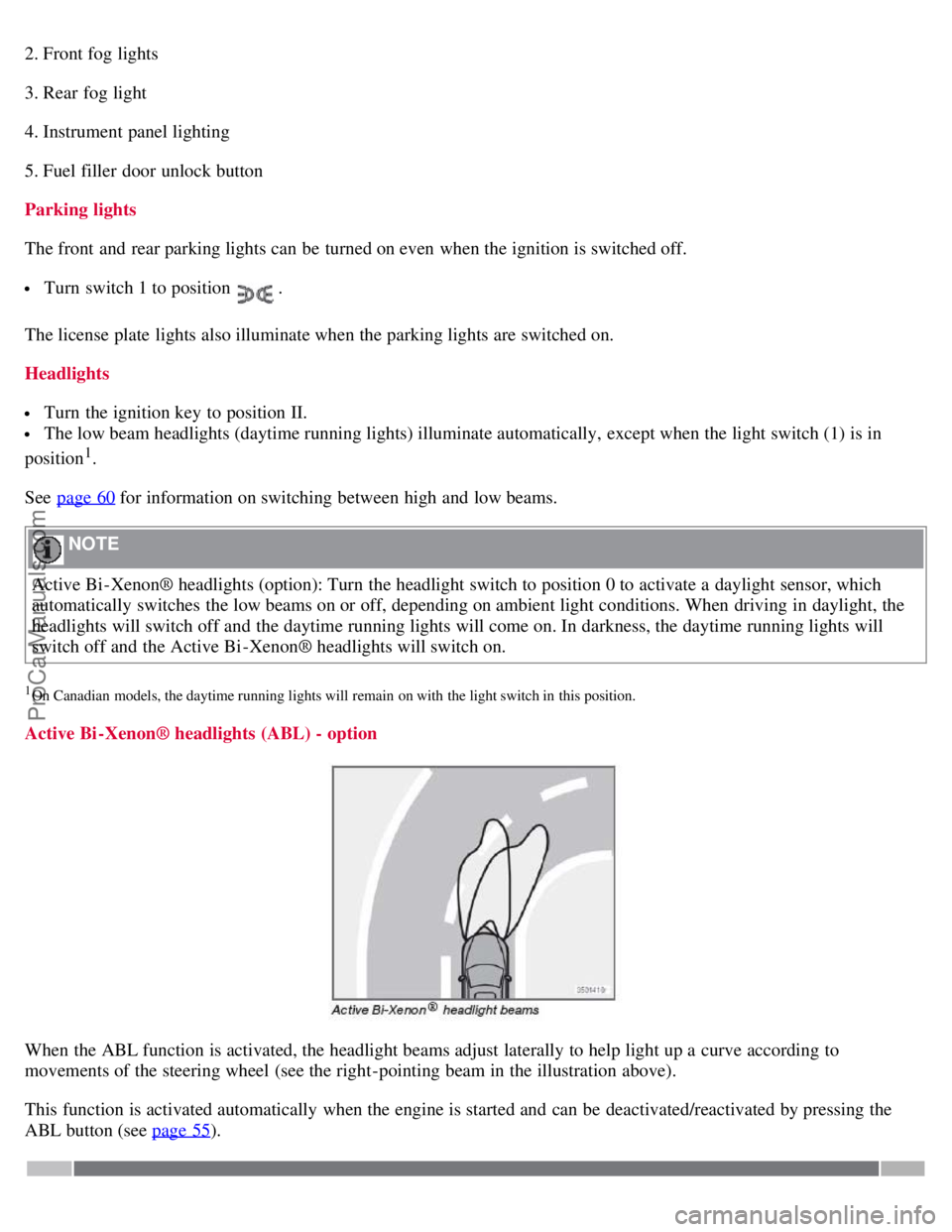
Active Bi -Xenon® headlights (ABL) - option
When the ABL function is activated, the headlight beams adjust laterally to help light up a curve according to
movements of the steering wheel (see the right-pointing beam in the illustration above).
This function is activated automatically when the engine is started and can be deactivated/reactivated by pressing the
ABL button (see page 55
).
ProCarManuals.com
Page 55 of 230
58 02 Instruments and controls
Lighting panel
Fog lights
Front fog lights (option)
The front fog lights can be used in combination with either the headlights or the parking lights.
Turn the ignition key to position II.
Press button 2 to turn on the front fog lights.
An indicator light in the button illuminates when the front fog lights are on.
Rear fog light
The single rear fog light is located in the driver's side tail light cluster. The rear fog light will only function in
combination with the high/low beam headlights or the optional front fog lights.
Turn the ignition key to position II.
Press button 3 to turn on the rear fog light.
An indicator light in the button illuminates when the rear fog light is on.
NOTE
The rear fog light is considerably brighter than the normal tail lights and should be used only when conditions such as
fog, rain, snow, smoke or dust reduce visibility for other vehicles to less than 500 ft. (150 meters).
Instrument panel lighting
The instrument panel lighting illuminates when the ignition key is in position II and the light switch (1) is in either
position
.
Move the thumb wheel (4) up to increase brightness or down to decrease brightness.
Unlocking the fuel filler door
Press button 5 when the vehicle is at a standstill to unlock the fuel filler door. Please note that the fuel filler door will
remain unlocked until the vehicle begins to move forward. An audible click will be heard when the fuel filler door
relocks.
NOTE
If the fuel filler door does not unlock after the button has been pressed, drive the vehicle at a speed of at least 5 mph (8
km/h), stop the vehicle, and press the button again.
See the information below on unlocking the fuel filler door manually.
59 02 Instruments and controls
Fuel filler door-unlocking manually
ProCarManuals.com