park assist VOLVO S60 2008 Owners Manual
[x] Cancel search | Manufacturer: VOLVO, Model Year: 2008, Model line: S60, Model: VOLVO S60 2008Pages: 230, PDF Size: 5.33 MB
Page 3 of 230
Power moonroof (option)76
Home Link® Universal
Transceiver (option)78
3 Contents
03 Climate
Climate control systems - general
information84
Air distribution
85
Electronic Climate Control, ECC86
04 Interior
Front seats92
Interior lighting97
Storage compartments99
Rear seat and trunk103
Spare wheel, tools and jack106
05 Locks and alarm
Keys110
Remote control112
Locking and unlocking115
Child safety locks117
Alarm118
4 Contents
06 Starting and driving
General information 122
Fuel requirements124
Refueling125
Starting the vehicle127
Economical driving129
Handling and road holding130
Manual transmission131
Automatic transmission (option)132
All Wheel Drive (option)136
Brake system137
Stability system139
Towing141
Jump starting143
Towing a trailer144
Detachable trailer hitch146
Load carriers (accessory)147
Cold weather precautions149
Before a long distance trip150
Front/rear park assist
(option/accessory)151
07 Wheels and tires
General information
156
Tire inflation158
Tire inflation pressure table -U.S.
models160
Tire inflation pressure table -
Canadian models161
Tire Pressure Monitoring
System(TPMS) - U.S. models162
Tire designations
164
Glossary of tire terminology165
Vehicle loading166
Uniform Tire Quality Grading168
Snow chains, snow tires, studded
tires169
Temporary spare
170
Changing wheels171
Tire rotation174
08 Car care
Washing and cleaning the vehicle178
Paint touch up181
5 Contents
ProCarManuals.com
Page 7 of 230
no responsibility for death, injury, or expenses that may result from the installation of non-genuine accessories.
Driver distraction
Driver distraction results from driver activities that are not directly related to controlling the vehicle in the driving
environment. Your new Volvo is, or can be, equipped with many feature-rich entertainment and communication
systems. These include hands-free cellular telephones, navigation systems, and multipurpose audio systems. You may
also own other portable electronic devices for your own convenience. When used properly and safely, they enrich the
driving experience. Improperly used, any of these could cause a distraction.
For all of these systems, we want to provide the following warning that reflects the strong Volvo concern for your
safety:
Never use these devices or any feature of your vehicle in a way that distracts you from the task of driving safely.
Distraction can lead to a serious accident.In addition to this general warning, we offer the following guidance
regarding specific newer features that may be found in your vehicle:
Never use a hand -held cellular telephone while driving. Some jurisdictions prohibit cellular telephone use by a
driver while the vehicle is moving.
If your vehicle is equipped with a navigation system, set and make changes to your travel itinerary only with the
vehicle parked.
Never program your audio system while the vehicle is moving. Program radio presets with the vehicle parked, and
use your programmed presets to make radio use quicker and simpler.
Never use portable computers or personal digital assistants while the vehicle is moving.
A driver has a responsibility to do everything possible to ensure his or her own safety and the safety of passengers in
the vehicle and others sharing the roadway. Avoiding distractions is part of that responsibility.
Contents | Top of Page
ProCarManuals.com
Page 10 of 230
Power moonroof (option)76
Home Link® Universal
Transceiver (option)78
3 Contents
03 Climate
Climate control systems - general
information84
Air distribution
85
Electronic Climate Control, ECC86
04 Interior
Front seats92
Interior lighting97
Storage compartments99
Rear seat and trunk103
Spare wheel, tools and jack106
05 Locks and alarm
Keys110
Remote control112
Locking and unlocking115
Child safety locks117
Alarm118
4 Contents
06 Starting and driving
General information 122
Fuel requirements124
Refueling125
Starting the vehicle127
Economical driving129
Handling and road holding130
Manual transmission131
Automatic transmission (option)132
All Wheel Drive (option)136
Brake system137
Stability system139
Towing141
Jump starting143
Towing a trailer144
Detachable trailer hitch146
Load carriers (accessory)147
Cold weather precautions149
Before a long distance trip150
Front/rear park assist
(option/accessory)151
07 Wheels and tires
General information
156
Tire inflation158
Tire inflation pressure table -U.S.
models160
Tire inflation pressure table -
Canadian models161
Tire Pressure Monitoring
System(TPMS) - U.S. models162
Tire designations
164
Glossary of tire terminology165
Vehicle loading166
Uniform Tire Quality Grading168
Snow chains, snow tires, studded
tires169
Temporary spare
170
Changing wheels171
Tire rotation174
08 Car care
Washing and cleaning the vehicle178
Paint touch up181
5 Contents
ProCarManuals.com
Page 14 of 230
no responsibility for death, injury, or expenses that may result from the installation of non-genuine accessories.
Driver distraction
Driver distraction results from driver activities that are not directly related to controlling the vehicle in the driving
environment. Your new Volvo is, or can be, equipped with many feature-rich entertainment and communication
systems. These include hands-free cellular telephones, navigation systems, and multipurpose audio systems. You may
also own other portable electronic devices for your own convenience. When used properly and safely, they enrich the
driving experience. Improperly used, any of these could cause a distraction.
For all of these systems, we want to provide the following warning that reflects the strong Volvo concern for your
safety:
Never use these devices or any feature of your vehicle in a way that distracts you from the task of driving safely.
Distraction can lead to a serious accident.In addition to this general warning, we offer the following guidance
regarding specific newer features that may be found in your vehicle:
Never use a hand -held cellular telephone while driving. Some jurisdictions prohibit cellular telephone use by a
driver while the vehicle is moving.
If your vehicle is equipped with a navigation system, set and make changes to your travel itinerary only with the
vehicle parked.
Never program your audio system while the vehicle is moving. Program radio presets with the vehicle parked, and
use your programmed presets to make radio use quicker and simpler.
Never use portable computers or personal digital assistants while the vehicle is moving.
A driver has a responsibility to do everything possible to ensure his or her own safety and the safety of passengers in
the vehicle and others sharing the roadway. Avoiding distractions is part of that responsibility.
Contents | Top of Page
ProCarManuals.com
Page 52 of 230
down. If these positions are occupied, the head restraints should be in the upright (fixed) position.
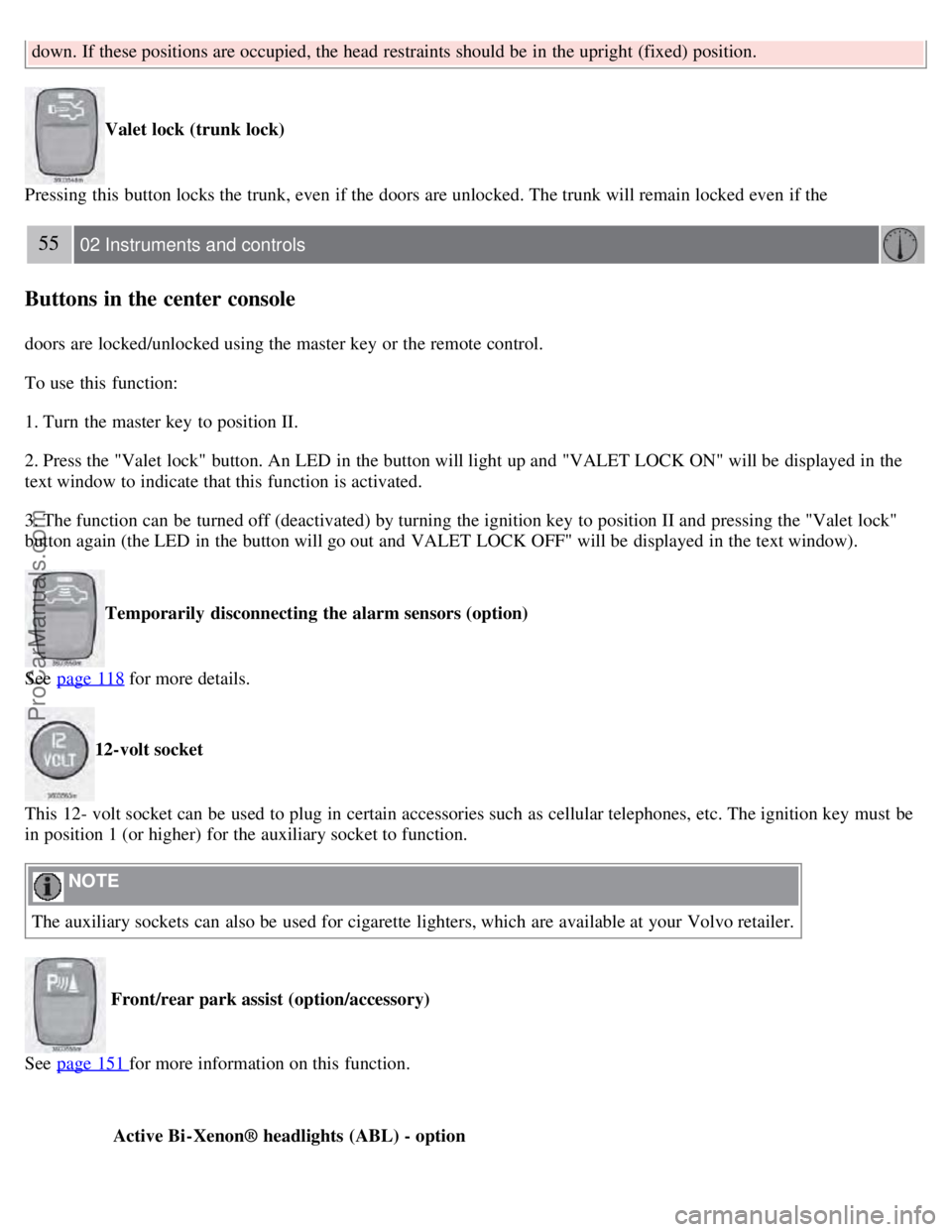
Valet lock (trunk lock)
Pressing this button locks the trunk, even if the doors are unlocked. The trunk will remain locked even if the
55 02 Instruments and controls
Buttons in the center console
doors are locked/unlocked using the master key or the remote control.
To use this function:
1. Turn the master key to position II.
2. Press the "Valet lock" button. An LED in the button will light up and "VALET LOCK ON" will be displayed in the
text window to indicate that this function is activated.
3. The function can be turned off (deactivated) by turning the ignition key to position II and pressing the "Valet lock"
button again (the LED in the button will go out and VALET LOCK OFF" will be displayed in the text window).
Temporarily disconnecting the alarm sensors (option)
See page 118
for more details.
12-volt socket
This 12- volt socket can be used to plug in certain accessories such as cellular telephones, etc. The ignition key must be
in position 1 (or higher) for the auxiliary socket to function.
NOTE
The auxiliary sockets can also be used for cigarette lighters, which are available at your Volvo retailer.
Front/rear park assist (option/accessory)
See page 151
for more information on this function.
Active Bi -Xenon® headlights (ABL) - option
ProCarManuals.com
Page 111 of 230
2 0 0 8
VOLVO S60
120 06 Starting and driving
General information 122
Fuel requirements124
Refueling125
Starting the vehicle127
Economical driving129
Handling and road holding130
Manual transmission131
Automatic transmission (option)132
All Wheel Drive (option)136
Brake system137
Stability system139
Towing141
Jump starting143
Towing a trailer144
Detachable trailer hitch146
Load carriers (accessory)147
Cold weather precautions149
Before a long distance trip150
Front/rear park assist (option/accessory)151
121 06 Starting and driving
122 06 Starting and driving
General information
Engine oil
ProCarManuals.com
Page 133 of 230
Follow these instructions to jump start your vehicle's dead battery or to jump start another vehicle's dead battery using
your vehicle. Although your vehicle's battery is located under the floor of the trunk, jumper cables should be
connected in the engine compartment, to the points shown in the illustrations.
If the 12-volt auxiliary battery to be used is in another vehicle, check that the vehicles are not touching to prevent
premature completion of a circuit. Be sure to follow jump starting instructions provided for the other vehicle.
To jump start your vehicle:
1. Switch off the ignition.
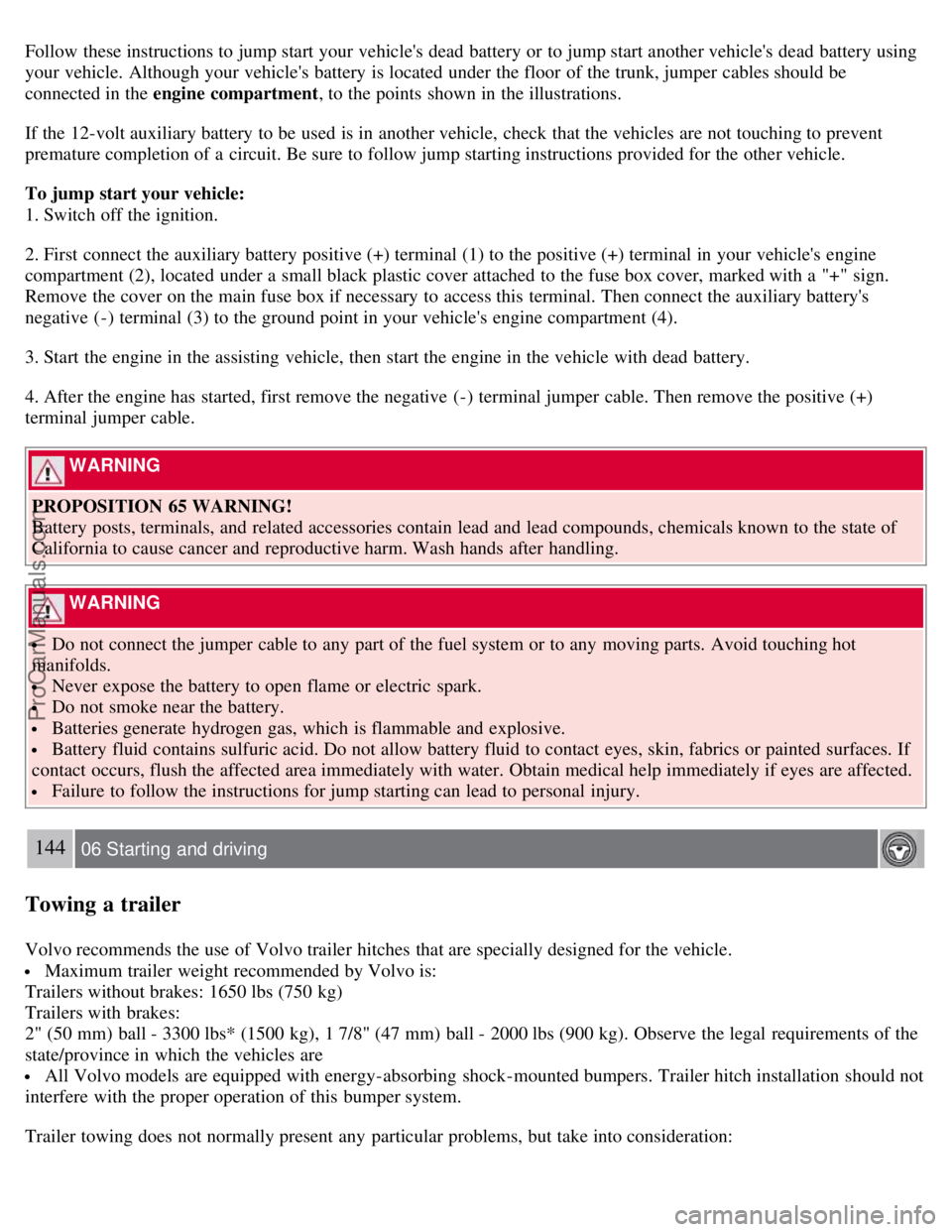
2. First connect the auxiliary battery positive (+) terminal (1) to the positive (+) terminal in your vehicle's engine
compartment (2), located under a small black plastic cover attached to the fuse box cover, marked with a "+" sign.
Remove the cover on the main fuse box if necessary to access this terminal. Then connect the auxiliary battery's
negative (-) terminal (3) to the ground point in your vehicle's engine compartment (4).
3. Start the engine in the assisting vehicle, then start the engine in the vehicle with dead battery.
4. After the engine has started, first remove the negative (-) terminal jumper cable. Then remove the positive (+)
terminal jumper cable.
WARNING
PROPOSITION 65 WARNING!
Battery posts, terminals, and related accessories contain lead and lead compounds, chemicals known to the state of
California to cause cancer and reproductive harm. Wash hands after handling.
WARNING
Do not connect the jumper cable to any part of the fuel system or to any moving parts. Avoid touching hot
manifolds.
Never expose the battery to open flame or electric spark.
Do not smoke near the battery.
Batteries generate hydrogen gas, which is flammable and explosive.
Battery fluid contains sulfuric acid. Do not allow battery fluid to contact eyes, skin, fabrics or painted surfaces. If
contact occurs, flush the affected area immediately with water. Obtain medical help immediately if eyes are affected.
Failure to follow the instructions for jump starting can lead to personal injury.
144 06 Starting and driving
Towing a trailer
Volvo recommends the use of Volvo trailer hitches that are specially designed for the vehicle.
Maximum trailer weight recommended by Volvo is:
Trailers without brakes: 1650 lbs (750 kg)
Trailers with brakes:
2" (50 mm) ball - 3300 lbs* (1500 kg), 1 7/8" (47 mm) ball - 2000 lbs (900 kg). Observe the legal requirements of the
state/province in which the vehicles are
All Volvo models are equipped with energy-absorbing shock-mounted bumpers. Trailer hitch installation should not
interfere with the proper operation of this bumper system.
Trailer towing does not normally present any particular problems, but take into consideration:
ProCarManuals.com
Page 139 of 230
Have a word with your Volvo retailer if you intend to drive in countries where it may be difficult to obtain the
correct fuel.
Consider your destination. If you will be driving through an area where snow or ice are likely to occur, consider
snow tires.
1To prevent injury from contact with hot surfaces, do not inspect your vehicle's transmission fluid yourself. Have your vehicle's transmission fluid
level inspected by a qualified Volvo service technician.
151 06 Starting and driving
Front/rear park assist (option/accessory)
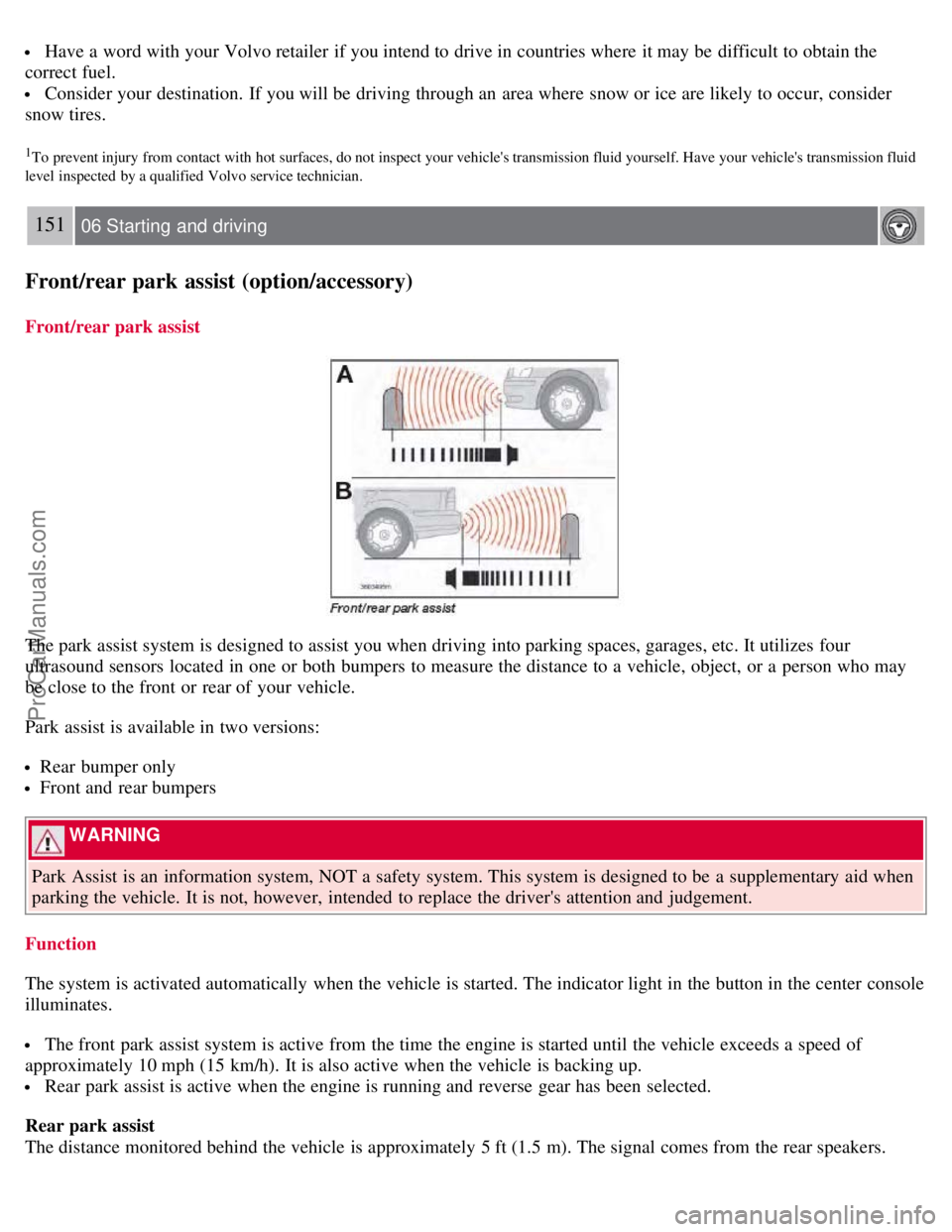
Front/rear park assist
The park assist system is designed to assist you when driving into parking spaces, garages, etc. It utilizes four
ultrasound sensors located in one or both bumpers to measure the distance to a vehicle, object, or a person who may
be close to the front or rear of your vehicle.
Park assist is available in two versions:
Rear bumper only
Front and rear bumpers
WARNING
Park Assist is an information system, NOT a safety system. This system is designed to be a supplementary aid when
parking the vehicle. It is not, however, intended to replace the driver's attention and judgement.
Function
The system is activated automatically when the vehicle is started. The indicator light in the button in the center console
illuminates.
The front park assist system is active from the time the engine is started until the vehicle exceeds a speed of
approximately 10 mph (15 km/h). It is also active when the vehicle is backing up.
Rear park assist is active when the engine is running and reverse gear has been selected.
Rear park assist
The distance monitored behind the vehicle is approximately 5 ft (1.5 m). The signal comes from the rear speakers.
ProCarManuals.com
Page 140 of 230
The system must be deactivated when towing a trailer, carrying bicycles in a rear-mounted carrier, etc, which could
trigger the rear park assist system's sensors.
NOTE
Rear park assist is deactivated automatically when towing a trailer if Volvo genuine trailer wiring is used.
Front park assist
The distance monitored in front of the vehicle is approximately 2.5 ft (0.8 m). The audible signal comes from the audio
system's front speakers.
It may not be possible to combine auxiliary headlights and front park assist since these lights could trigger the
system's sensors.
152 06 Starting and driving
Front/rear park assist (option/accessory)
Activating/deactivating park assist
The system is activated automatically when the vehicle is started.
Press the Park assist button on the center console (see page 55) to temporarily deactivate the system(s). The
indicator light in the button will go out when the system has been deactivated.
Park assist will be automatically reactivated the next time the engine is started, or if the button is pressed (the
indicator light in the button will illuminate).
NOTE
Front park assist is disengaged automatically when the parking brake is applied.
If the vehicle is equipped with front and rear park assist, both systems will be deactivated by pressing the button.
Audible signals from the park assist system
The Park Assist system uses an intermittent tone that pulses faster as you come close to an object, and becomes
constant when you are within approximately 1 ft (30 cm) of an object in front of or behind the vehicle. If the volume
of another source from the audio system is high, this will be automatically lowered.
If there are objects within this distance both behind and in front of the vehicle, the signal alternates between front and
rear speakers.
Faults in the system
If the yellow warning symbol illuminates and PARK ASSIST SERVICE REQUIRED is shown on the
information display, this indicates that the system is not functioning properly and has been disengaged. Consult a
trained and qualified Volvo service technician.
CAUTION
In certain circumstances, the park assist system may give unexpected warning signals that can be caused by external
ProCarManuals.com
Page 141 of 230
sound sources that use the same ultrasound frequencies as the system. This may include such things as the horns of
other vehicles, wet tires on asphalt, pneumatic brakes, motorcycle exhaust pipes, etc. This does not indicate a fault in
the system.
153 06 Starting and driving
Front/rear park assist (option/accessory)
Cleaning the sensors
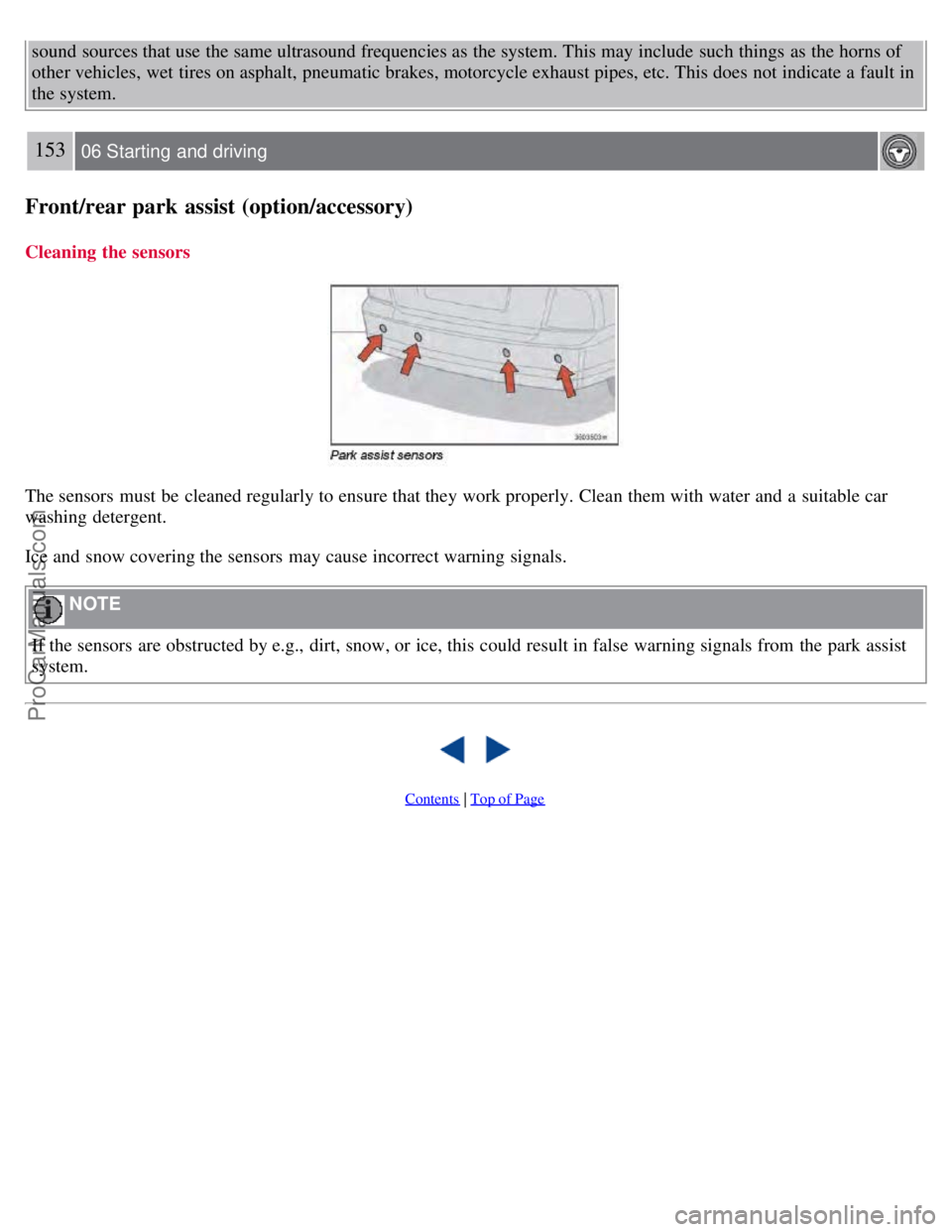
The sensors must be cleaned regularly to ensure that they work properly. Clean them with water and a suitable car
washing detergent.
Ice and snow covering the sensors may cause incorrect warning signals.
NOTE
If the sensors are obstructed by e.g., dirt, snow, or ice, this could result in false warning signals from the park assist
system.
Contents | Top of Page
ProCarManuals.com