radio VOLVO S60 2008 Owners Manual
[x] Cancel search | Manufacturer: VOLVO, Model Year: 2008, Model line: S60, Model: VOLVO S60 2008Pages: 230, PDF Size: 5.33 MB
Page 4 of 230
09 Maintenance and servicing
Volvo service186
Maintaining your vehicle187
Emission inspection readiness188
Working on your vehicle189
Hood and engine compartment191
Engine oil192
Fluids195
Wiper blades197
Battery198
Replacing bulbs201
Fuses211
10 Audio
Introduction 222
Audio system HU -650 - overview223
Audio system HU -850 - overview224
Radio functions HU -650/HU-850225
RBDS functions HU -650/HU-850231
HU -650 - CD player234
HU -850 - internal CD changer235
External CD changer (option)236
Dolby Surround Pro Logic II -
HU -850 only237
Audio systems - specifications
239
11 Specifications
Label information242
Dimensions and weights244
Capacities246
Engine specifications247
Bulbs248
Electrical system249
Three-way catalytic converter250
Suspension251
Volvo programs252
5 -
cont. Contents
12 Index
Index 254
6 Introduction
General information
Shiftlock
When your vehicle is parked, the gear selector is locked in the (P)ark position. To release the selector from this
position, turn the ignition key to position II (or start the engine), depress the brake pedal, press the button on the front
side of the gear selector and move the selector from (P)ark.
Keylock (automatic transmission)
When you switch off the ignition, the gear selector must be in the ( P)ark position before the key can be removed from
the ignition switch.
Anti-lock Brake System (ABS)
The ABS system in your vehicle performs a self -diagnostic test when the vehicle first reaches the speed of
approximately 12 mph (20 km/h). The brake pedal will pulsate several times and a sound may be audible from the
ABS control module. This is normal.
Fuel filler door
Press the button on the light switch panel when the car is at a standstill to open the fuel filler door.
Fuel filler cap
The fuel filler door, located on the right rear fender, is connected to your vehicle's central locking system. Press the
button on the light switch panel (see illustration on page 57
) when the vehicle is at a standstill to unlock the fuel filler
door. Please note that the fuel filler door will remain unlocked until the vehicle begins to move forward. An audible
ProCarManuals.com
Page 7 of 230
no responsibility for death, injury, or expenses that may result from the installation of non-genuine accessories.
Driver distraction
Driver distraction results from driver activities that are not directly related to controlling the vehicle in the driving
environment. Your new Volvo is, or can be, equipped with many feature-rich entertainment and communication
systems. These include hands-free cellular telephones, navigation systems, and multipurpose audio systems. You may
also own other portable electronic devices for your own convenience. When used properly and safely, they enrich the
driving experience. Improperly used, any of these could cause a distraction.
For all of these systems, we want to provide the following warning that reflects the strong Volvo concern for your
safety:
Never use these devices or any feature of your vehicle in a way that distracts you from the task of driving safely.
Distraction can lead to a serious accident.In addition to this general warning, we offer the following guidance
regarding specific newer features that may be found in your vehicle:
Never use a hand -held cellular telephone while driving. Some jurisdictions prohibit cellular telephone use by a
driver while the vehicle is moving.
If your vehicle is equipped with a navigation system, set and make changes to your travel itinerary only with the
vehicle parked.
Never program your audio system while the vehicle is moving. Program radio presets with the vehicle parked, and
use your programmed presets to make radio use quicker and simpler.
Never use portable computers or personal digital assistants while the vehicle is moving.
A driver has a responsibility to do everything possible to ensure his or her own safety and the safety of passengers in
the vehicle and others sharing the roadway. Avoiding distractions is part of that responsibility.
Contents | Top of Page
ProCarManuals.com
Page 11 of 230
09 Maintenance and servicing
Volvo service186
Maintaining your vehicle187
Emission inspection readiness188
Working on your vehicle189
Hood and engine compartment191
Engine oil192
Fluids195
Wiper blades197
Battery198
Replacing bulbs201
Fuses211
10 Audio
Introduction 222
Audio system HU -650 - overview223
Audio system HU -850 - overview224
Radio functions HU -650/HU-850225
RBDS functions HU -650/HU-850231
HU -650 - CD player234
HU -850 - internal CD changer235
External CD changer (option)236
Dolby Surround Pro Logic II -
HU -850 only237
Audio systems - specifications
239
11 Specifications
Label information242
Dimensions and weights244
Capacities246
Engine specifications247
Bulbs248
Electrical system249
Three-way catalytic converter250
Suspension251
Volvo programs252
5 -
cont. Contents
12 Index
Index 254
6 Introduction
General information
Shiftlock
When your vehicle is parked, the gear selector is locked in the (P)ark position. To release the selector from this
position, turn the ignition key to position II (or start the engine), depress the brake pedal, press the button on the front
side of the gear selector and move the selector from (P)ark.
Keylock (automatic transmission)
When you switch off the ignition, the gear selector must be in the ( P)ark position before the key can be removed from
the ignition switch.
Anti-lock Brake System (ABS)
The ABS system in your vehicle performs a self -diagnostic test when the vehicle first reaches the speed of
approximately 12 mph (20 km/h). The brake pedal will pulsate several times and a sound may be audible from the
ABS control module. This is normal.
Fuel filler door
Press the button on the light switch panel when the car is at a standstill to open the fuel filler door.
Fuel filler cap
The fuel filler door, located on the right rear fender, is connected to your vehicle's central locking system. Press the
button on the light switch panel (see illustration on page 57
) when the vehicle is at a standstill to unlock the fuel filler
door. Please note that the fuel filler door will remain unlocked until the vehicle begins to move forward. An audible
ProCarManuals.com
Page 14 of 230
no responsibility for death, injury, or expenses that may result from the installation of non-genuine accessories.
Driver distraction
Driver distraction results from driver activities that are not directly related to controlling the vehicle in the driving
environment. Your new Volvo is, or can be, equipped with many feature-rich entertainment and communication
systems. These include hands-free cellular telephones, navigation systems, and multipurpose audio systems. You may
also own other portable electronic devices for your own convenience. When used properly and safely, they enrich the
driving experience. Improperly used, any of these could cause a distraction.
For all of these systems, we want to provide the following warning that reflects the strong Volvo concern for your
safety:
Never use these devices or any feature of your vehicle in a way that distracts you from the task of driving safely.
Distraction can lead to a serious accident.In addition to this general warning, we offer the following guidance
regarding specific newer features that may be found in your vehicle:
Never use a hand -held cellular telephone while driving. Some jurisdictions prohibit cellular telephone use by a
driver while the vehicle is moving.
If your vehicle is equipped with a navigation system, set and make changes to your travel itinerary only with the
vehicle parked.
Never program your audio system while the vehicle is moving. Program radio presets with the vehicle parked, and
use your programmed presets to make radio use quicker and simpler.
Never use portable computers or personal digital assistants while the vehicle is moving.
A driver has a responsibility to do everything possible to ensure his or her own safety and the safety of passengers in
the vehicle and others sharing the roadway. Avoiding distractions is part of that responsibility.
Contents | Top of Page
ProCarManuals.com
Page 101 of 230
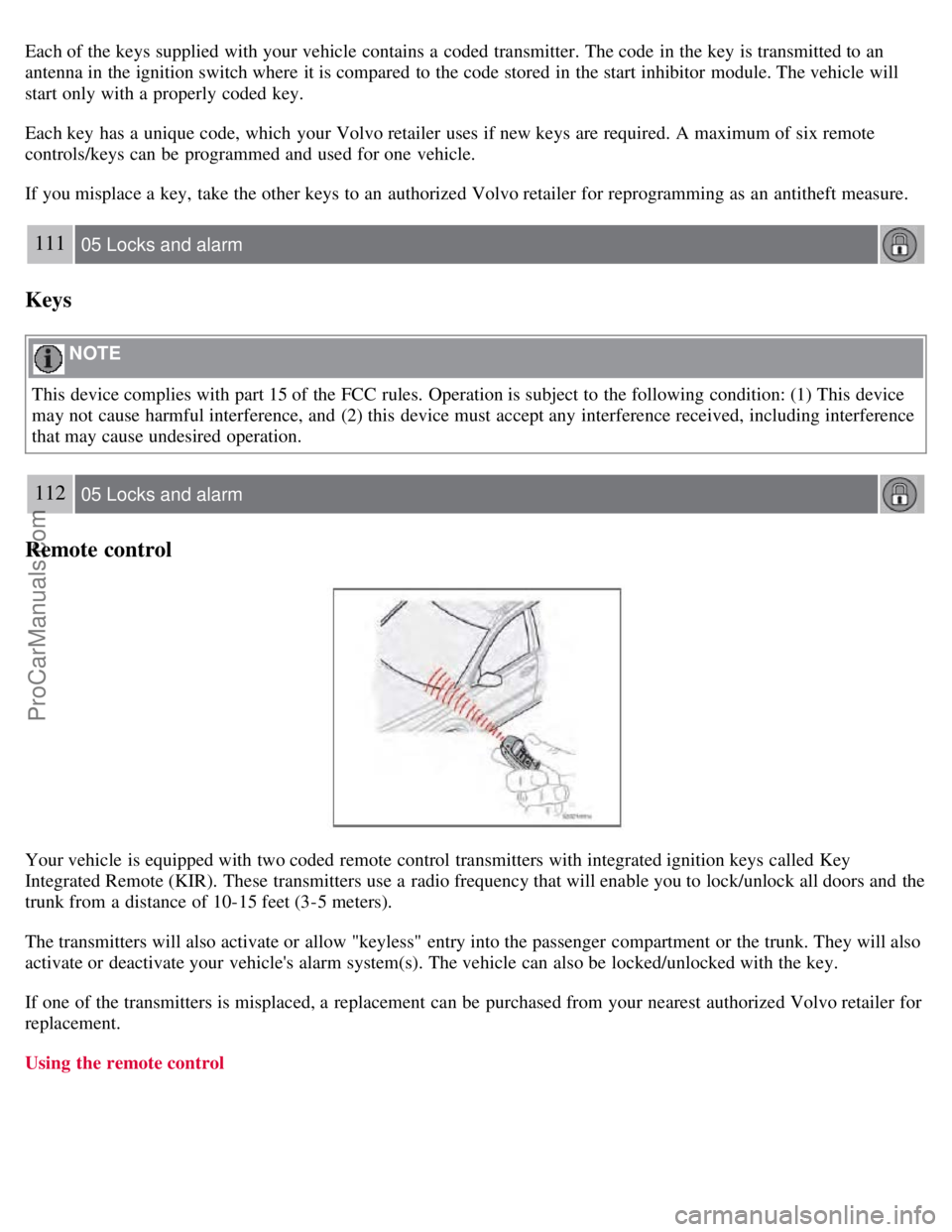
Each of the keys supplied with your vehicle contains a coded transmitter. The code in the key is transmitted to an
antenna in the ignition switch where it is compared to the code stored in the start inhibitor module. The vehicle will
start only with a properly coded key.
Each key has a unique code, which your Volvo retailer uses if new keys are required. A maximum of six remote
controls/keys can be programmed and used for one vehicle.
If you misplace a key, take the other keys to an authorized Volvo retailer for reprogramming as an antitheft measure.
111 05 Locks and alarm
Keys
NOTE
This device complies with part 15 of the FCC rules. Operation is subject to the following condition: (1) This device
may not cause harmful interference, and (2) this device must accept any interference received, including interference
that may cause undesired operation.
112 05 Locks and alarm
Remote control
Your vehicle is equipped with two coded remote control transmitters with integrated ignition keys called Key
Integrated Remote (KIR). These transmitters use a radio frequency that will enable you to lock/unlock all doors and the
trunk from a distance of 10-15 feet (3-5 meters).
The transmitters will also activate or allow "keyless" entry into the passenger compartment or the trunk. They will also
activate or deactivate your vehicle's alarm system(s). The vehicle can also be locked/unlocked with the key.
If one of the transmitters is misplaced, a replacement can be purchased from your nearest authorized Volvo retailer for
replacement.
Using the remote control
ProCarManuals.com
Page 196 of 230
2 0 0 8
VOLVO S60
220 10 Audio
Introduction 222
Audio system HU -650 - overview223
Audio system HU -850 - overview224
Radio functions HU -650/HU-850225
RBDS functions HU -650/HU-850231
HU -650 - CD player234
HU -850 - internal CD changer235
External CD changer (option)236
Dolby Surround Pro Logic II - HU -850 only237
Audio systems - specifications239
221 10 Audio
222 10 Audio
Introduction
The audio system in your vehicle is operated with the buttons and knobs in the system's front panel. Certain functions,
such as adjusting the volume, changing radio stations or tracks on a CD, etc, can also be controlled with the optional
steering wheel-mounted keypad.
The audio system is available in two versions:
HU-650
Features: AM/FM radio, single-disc CD player, 4x25W output, six
1 speakers.
HU-850
Features: AM/FM radio, integrated 6-disc CD changer, 4x50W or 4x70W output plus 25W Dolby Pro Logic II, eleven
speakers.
ProCarManuals.com
Page 197 of 230
Compact disc care
Keep the discs clean. Wipe them with a soft, clean, lint-free cloth, working from the center outwards. If necessary,
dampen the cloth with a neutral soap solution. Dry thoroughly before using.
Never use cleaning spray or antistatic liquid. Use only cleaners specifically made for CDs.
Use discs of the correct size only (3.5" discs should never be used).
The discs should conform to the norms EN60908 (IEC60908). CDR discs can cause listening problems due to the
quality of the disc or recording equipment used.
Do not put tape or labels on the disc itself.
Volvo does not recommend the use of plastic outer rings on the disc.
Condensation may occur on discs/optical components of the changer in cold winter weather. The disc can be dried
with a clean, lint-free cloth. Optical components in the CD changer may, however, take up to one hour to dry off.
Never attempt to play a disc which is damaged in any way.
When not in use, the discs should be stored in their covers. Avoid storing discs in excessive heat, direct sunlight or
dusty locations.
1T5 and 2.5T/2.5T AWD with the Premium package): eight speakers
223 10 Audio
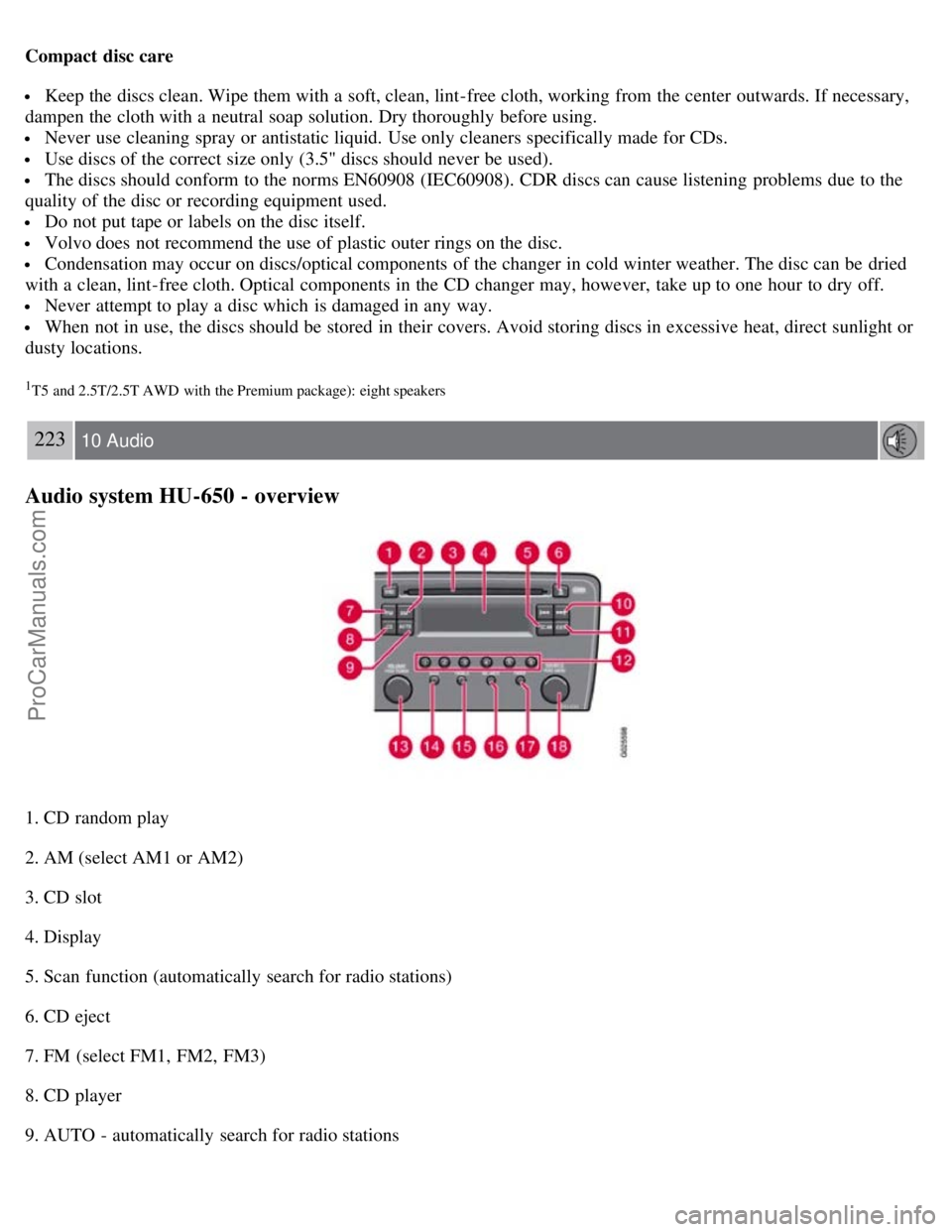
Audio system HU-650 - overview
1. CD random play
2. AM (select AM1 or AM2)
3. CD slot
4. Display
5. Scan function (automatically search for radio stations)
6. CD eject
7. FM (select FM1, FM2, FM3)
8. CD player
9. AUTO - automatically search for radio stations
ProCarManuals.com
Page 198 of 230
10. Navigation buttons (seek/change radio station or CD track)
11. Exit (exit the menu)
12. Buttons for selecting stored radio stations/ discs in optional CD changer
13. On/off - press Volume - turn
14. Bass (press to release control and turn to adjust)
15. Treble (press to release control and turn to adjust)
16. Balance (left/right) - press to release control and turn to adjust
17. Fader (front/rear) - press to release control and turn to adjust
18. Source/Menu
Press to open main menu
Turn to select FM, AM, CD, CD changer (option), or AUX (option)
224 10 Audio
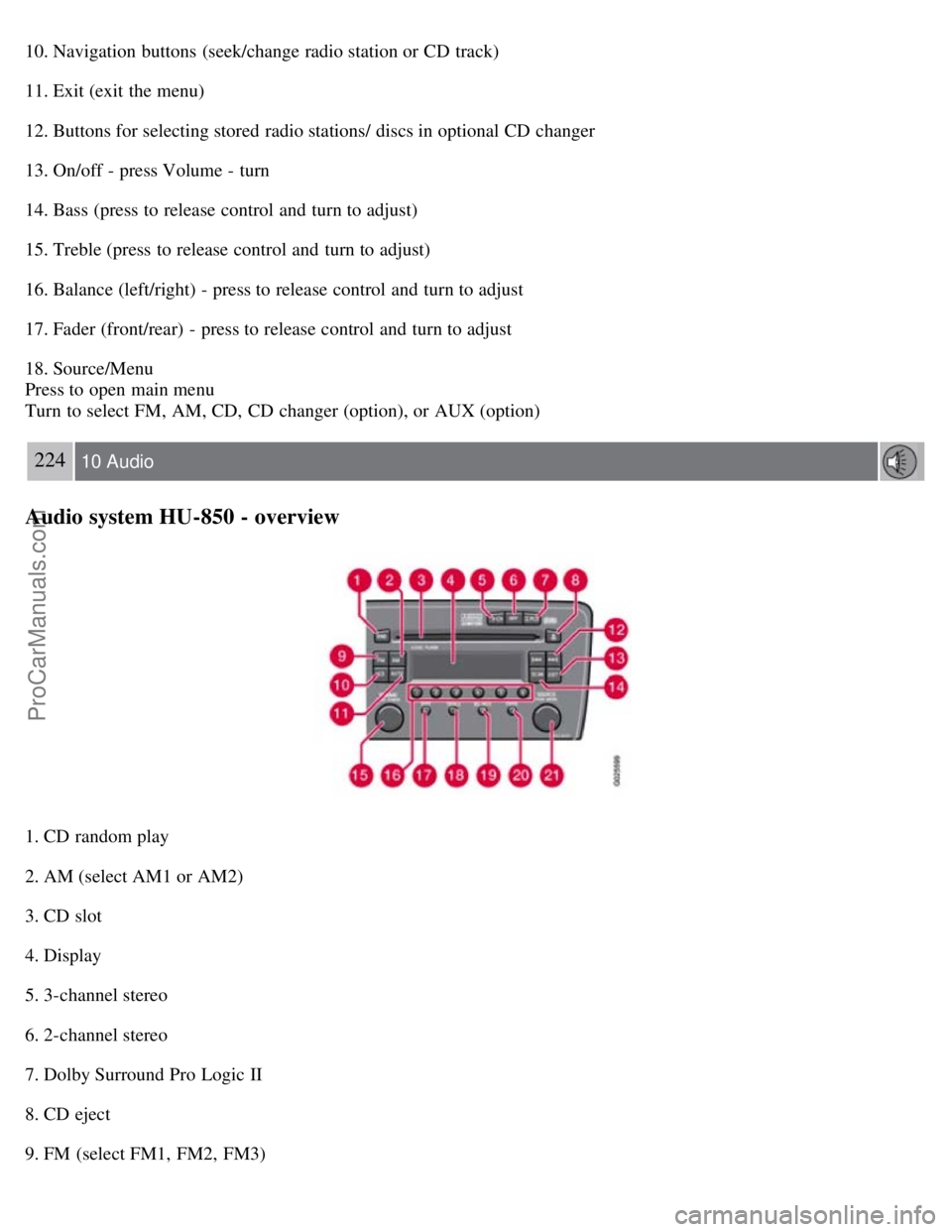
Audio system HU-850 - overview
1. CD random play
2. AM (select AM1 or AM2)
3. CD slot
4. Display
5. 3-channel stereo
6. 2-channel stereo
7. Dolby Surround Pro Logic II
8. CD eject
9. FM (select FM1, FM2, FM3)
ProCarManuals.com
Page 199 of 230
10. CD player
11. AUTO - automatically search for radio stations
12. Navigation buttons (seek/change radio station or CD track)
13. Exit (exit the menu)
14. Scan function (automatically search for radio stations)
15. On/off - press Volume - turn
16. Buttons for selecting stored radio stations/discs in optional CD changer
17. Bass (press to release control and turn to adjust)
18. Treble (press to release control and turn to adjust)
19. Balance (left/right) - press to release control and turn to adjust
20. Fader (front/rear) - press to release control and turn to adjust
21. Source/Menu
Press to open main menu
Turn to select FM, AM, CD, CD changer (option), or AUX (option)
225 10 Audio
Radio functions HU-650/HU-850
Switch on/off
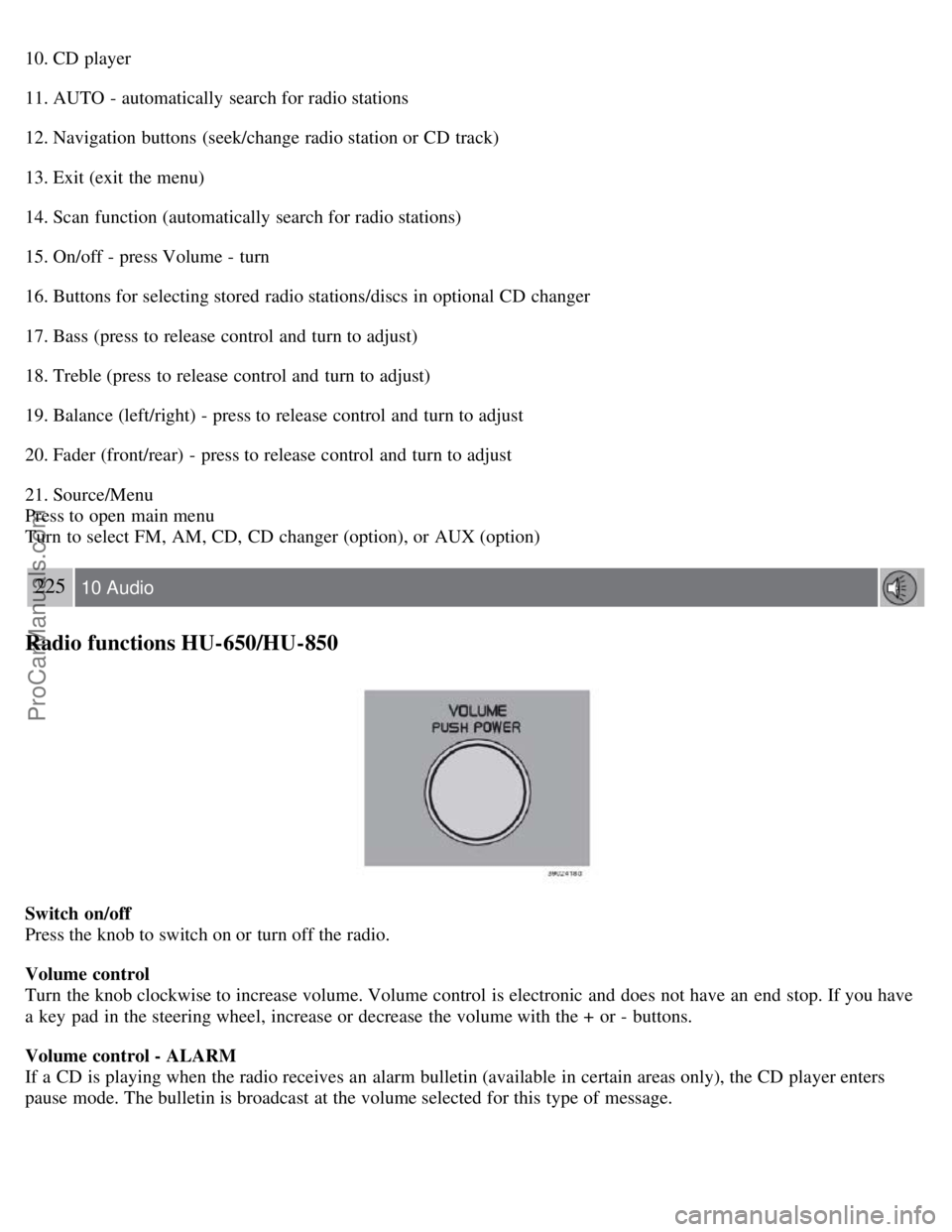
Press the knob to switch on or turn off the radio.
Volume control
Turn the knob clockwise to increase volume. Volume control is electronic and does not have an end stop. If you have
a key pad in the steering wheel, increase or decrease the volume with the + or - buttons.
Volume control - ALARM
If a CD is playing when the radio receives an alarm bulletin (available in certain areas only), the CD player enters
pause mode. The bulletin is broadcast at the volume selected for this type of message.
ProCarManuals.com
Page 200 of 230
After the bulletin has been completed, the audio system reverts to the originally selected sound.
AUX connector (option)
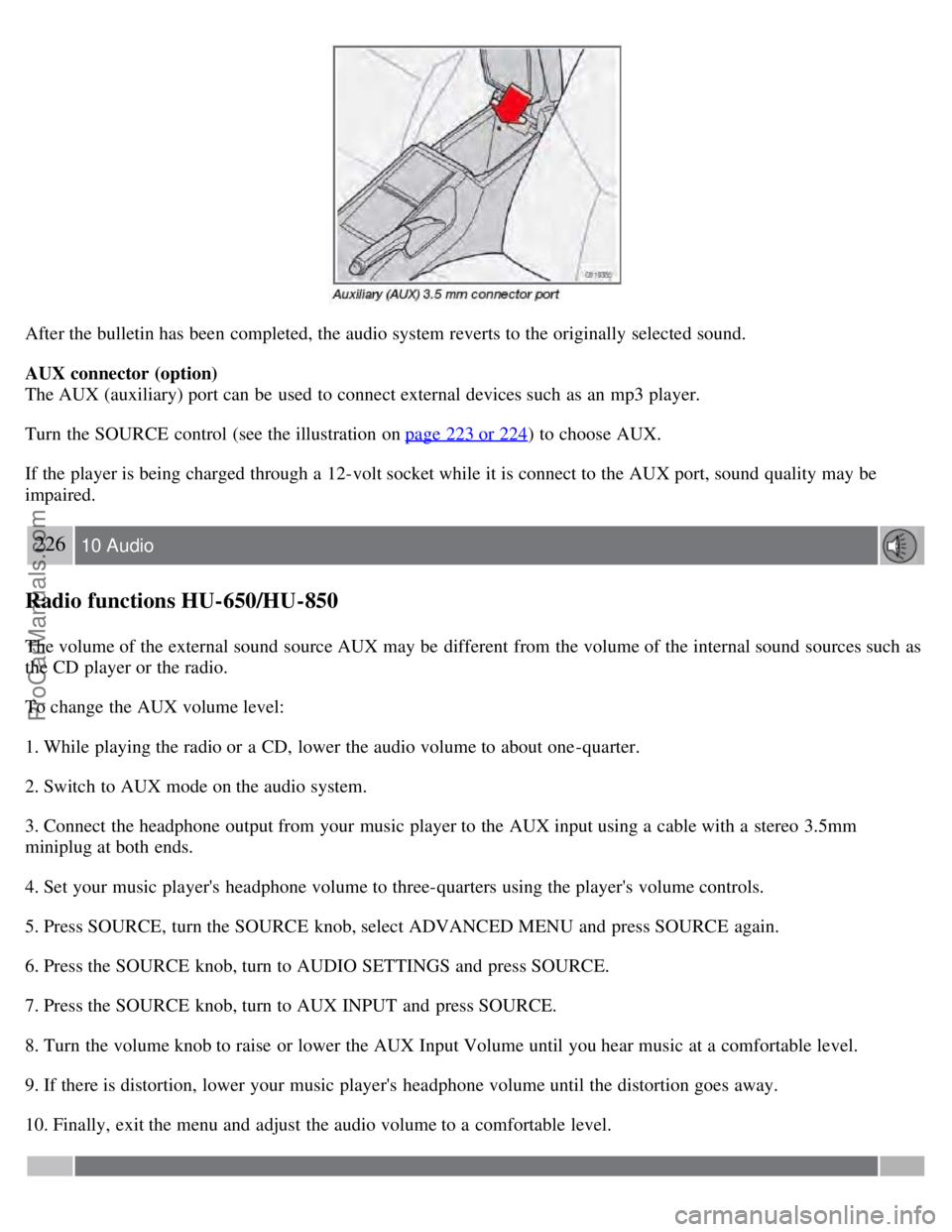
The AUX (auxiliary) port can be used to connect external devices such as an mp3 player.
Turn the SOURCE control (see the illustration on page 223 or 224
) to choose AUX.
If the player is being charged through a 12-volt socket while it is connect to the AUX port, sound quality may be
impaired.
226 10 Audio
Radio functions HU-650/HU-850
The volume of the external sound source AUX may be different from the volume of the internal sound sources such as
the CD player or the radio.
To change the AUX volume level:
1. While playing the radio or a CD, lower the audio volume to about one -quarter.
2. Switch to AUX mode on the audio system.
3. Connect the headphone output from your music player to the AUX input using a cable with a stereo 3.5mm
miniplug at both ends.
4. Set your music player's headphone volume to three-quarters using the player's volume controls.
5. Press SOURCE, turn the SOURCE knob, select ADVANCED MENU and press SOURCE again.
6. Press the SOURCE knob, turn to AUDIO SETTINGS and press SOURCE.
7. Press the SOURCE knob, turn to AUX INPUT and press SOURCE.
8. Turn the volume knob to raise or lower the AUX Input Volume until you hear music at a comfortable level.
9. If there is distortion, lower your music player's headphone volume until the distortion goes away.
10. Finally, exit the menu and adjust the audio volume to a comfortable level.
ProCarManuals.com