stop start VOLVO S60 2016 Owner´s Manual
[x] Cancel search | Manufacturer: VOLVO, Model Year: 2016, Model line: S60, Model: VOLVO S60 2016Pages: 392, PDF Size: 10.04 MB
Page 101 of 392
03 Instruments and controls
03
}}
* Option/accessory, for more information, see Introduction.99
Interior rearview mirror
The interior rearview mirror has an auto-dim function that helps reduce glare from follow-ing vehicle's headlights.
Auto-dim functionThe interior rearview mirror’s auto-dim func-tion is controlled by two sensors: one point-ing forward (located on the forward-facingside of the mirror, which monitors the amountof ambient light) and one pointing rearward(located on the side of the mirror facing thedriver at the upper edge, which senses thestrength of following vehicles' headlights), and work together to help eliminate glare. 21
NOTE
Obstructing the forward sensor with e.g., parking stickers, transponders, etc., or therear sensor by placing objects on the par-cel shelf or the rear seat in such a way thatlight is prevented from reaching the sensorwill reduce the auto-dim function in theinterior rearview mirror and optional auto-dim function in the door mirrors.
Related information
•
Power door mirrors (p. 96)
Digital compass*
The rear-view mirror has an integrated display that shows the compass direction in whichthe vehicle is traveling.
Operation
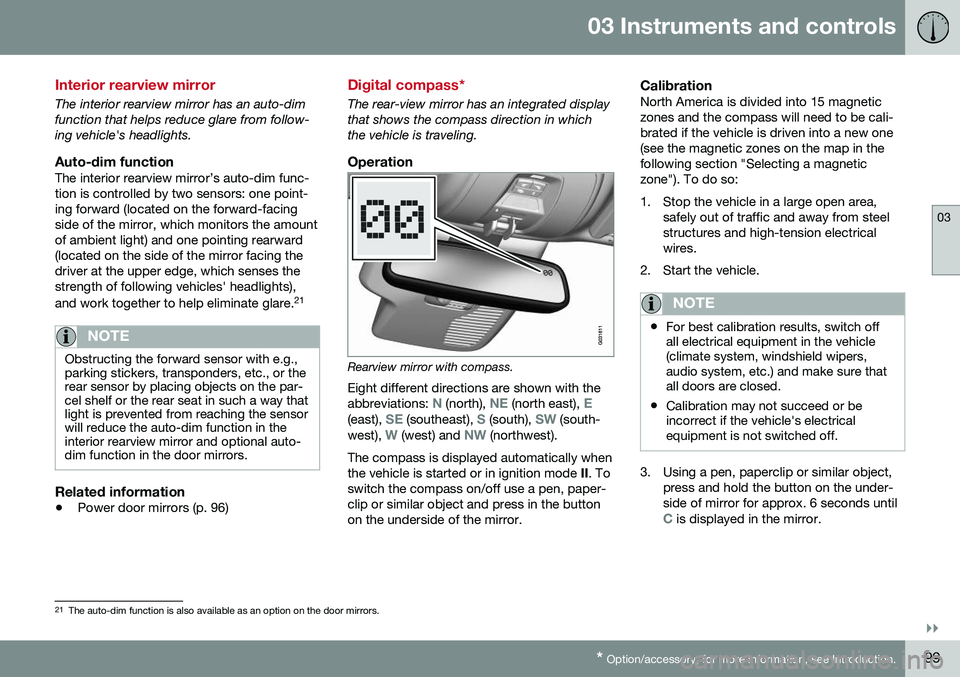
Rearview mirror with compass.
Eight different directions are shown with the abbreviations:
N (north), NE (north east), E(east), SE (southeast), S (south), SW (south-
west), W (west) and NW (northwest).
The compass is displayed automatically when the vehicle is started or in ignition mode II. To
switch the compass on/off use a pen, paper-clip or similar object and press in the buttonon the underside of the mirror.
CalibrationNorth America is divided into 15 magneticzones and the compass will need to be cali-brated if the vehicle is driven into a new one(see the magnetic zones on the map in thefollowing section "Selecting a magneticzone"). To do so:
1. Stop the vehicle in a large open area, safely out of traffic and away from steel structures and high-tension electricalwires.
2. Start the vehicle.
NOTE
• For best calibration results, switch off all electrical equipment in the vehicle(climate system, windshield wipers,audio system, etc.) and make sure thatall doors are closed.
• Calibration may not succeed or beincorrect if the vehicle's electricalequipment is not switched off.
3. Using a pen, paperclip or similar object,
press and hold the button on the under- side of mirror for approx. 6 seconds until
C is displayed in the mirror.
21The auto-dim function is also available as an option on the door mirrors.
Page 110 of 392
03 Instruments and controls
03
108
Information display – messages
The controls on the left steering wheel lever are used to scroll among messages displayedin the instrument panel and to confirm selec-tions. When information, indicator or warning sym- bols illuminate, an explanatory message willbe displayed in the instrument panel. When a warning (p. 68), information (p. 66) or indicator symbol (p. 66) comes on, a corres-ponding message appears in the informationpanel. An error message is stored in a mem-ory list until the fault is rectified. Press OK to acknowledge and scroll among
the messages.
NOTE
If a warning message appears while you are using the trip computer, the messagemust be read and confirmed by pressingOK before the previous activity can be
resumed.
MessageDescription
Stop engineAStop and switch off the engine as soon as possi-ble. Serious risk of dam-age. Contact an author-ized Volvo workshop.
Stop safelyAStop and switch off the engine. Serious risk ofdamage. Contact anauthorized Volvo work-shop.
Service urgentAHave the vehicle checked by an authorized Volvoworkshop immediately.
Service requiredAHave the vehicle checked by an authorized Volvoworkshop as soon as pos-sible.
See man- ualARead the owner's manual.
Book time for mainte-nanceTime to book service at an authorized Volvo retailer.
MessageDescription
Time for regularmainte-nanceTime for regular service at an authorized Volvo work-shop. The timing is deter-mined by the number ofmiles driven, number ofmonths since the lastservice, engine runningtime.
Mainte- nance over-dueIf the service intervals are not followed, the warrantydoes not cover any dam-aged parts. Contact anauthorized Volvo work-shop for service.
Temporarily OFFAA function has been tem- porarily switched off andis reset automatically whiledriving or after startingagain.
Low battery Power savemodeThe audio system is switched off to save cur-rent. Charge the battery.
A There will also be a system-specific part of this message
Page 165 of 392
07 Driver support
07
}}
163
Spin Control (SC)The SC function is designed to help prevent the drive wheels from spinning while the vehi-cle is accelerating.
Active Yaw Control (AYC)This function helps maintain directional stabil- ity, for example when cornering, by brakingone or more of the wheels if the vehicleshows a tendency to skid or slide laterally.
Corner Traction Control (CTC)CTC compensates for understeering and helps provide additional stability when accel-erating through a curve by preventing theinside wheel from spinning. This is particularlyuseful when accelerating on a curving high-way on-ramp. CTC is most effective if the stability system's Sport mode is selected. See the section
about Sport mode.
Engine Drag Control (EDC)EDC helps keep the engine running if the wheels show a tendency to lock, e.g., whenshifting down in the Geartronic manual shift-ing mode or while using the engine's brakingfunction on a slippery surface. If the enginewere to stop, power steering would not func-tion, making the vehicle more difficult tosteer.
Trailer Stability Assist (TSA)The TSA helps stabilize a vehicle that is tow- ing a trailer when the vehicle and trailer have begun to sway. See Trailer Stability Assist(TSA) (p. 280) for more information. This system is automatically deactivated if the driver selects
Sport mode.
Related information
•Stability system – operation (p. 163)
• Stability system – symbols and messages (p. 165)
• Trailer Stability Assist (TSA) (p. 280)
Stability system – operation
Operation
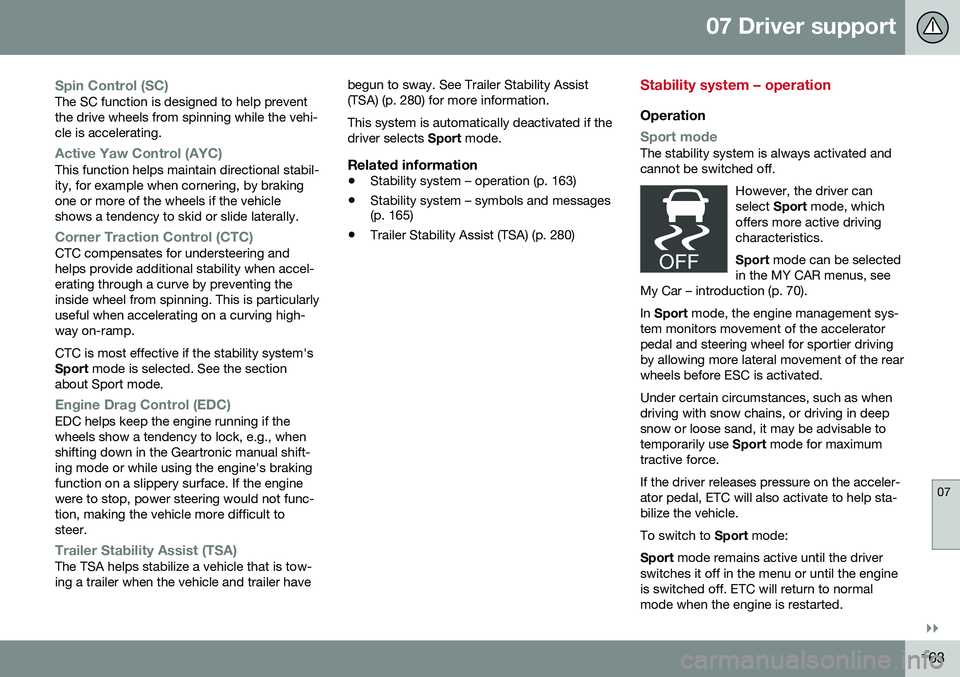
Sport modeThe stability system is always activated and cannot be switched off.
However, the driver canselect Sport mode, which
offers more active drivingcharacteristics. Sport mode can be selected
in the MY CAR menus, see
My Car – introduction (p. 70).
In Sport mode, the engine management sys-
tem monitors movement of the accelerator pedal and steering wheel for sportier drivingby allowing more lateral movement of the rearwheels before ESC is activated. Under certain circumstances, such as when driving with snow chains, or driving in deepsnow or loose sand, it may be advisable totemporarily use Sport mode for maximum
tractive force. If the driver releases pressure on the acceler- ator pedal, ETC will also activate to help sta-bilize the vehicle. To switch to Sport mode:
Sport mode remains active until the driver
switches it off in the menu or until the engine is switched off. ETC will return to normalmode when the engine is restarted.
Page 167 of 392
07 Driver support
07
}}
165
Stability system – symbols and messages
Symbols and messages in the main
instrument panel
A text message can be erased by pressing briefly the OK button on the turn signal lever.
SymbolMessageDescription
ESC Temporarily OFFThe ESC system function has been temporarily reduced due to high brake disc temperature. The function reactivates automatically when the brakes have cooled.
ESC Service requiredThe ESC system is not functioning properly. • Stop the vehicle in a safe place, turn off the engine and restart it.
• If the message is still displayed when the engine has restarted, drive to an authorized Volvo work- shop to have the system inspected.
and
"Message"Read the message in the instrument panel.
Steady glow for 2 seconds.The system is performing a self-diagnostic test.
Page 207 of 392
07 Driver support
07
* Option/accessory, for more information, see Introduction.205
The camera’s limitations
The camera has the same limitations as the human eye. The camera is used by Pedestrian and Cyclist Detection with Full Auto Brake Collision warn-ing – introduction (p. 197), Active High Beams(Active high beams (AHB)* (p. 84)), Road SignInformation (Road Sign Information (RSI)* –introduction (p. 167)) and Driver Alert System(Driver Alert System (p. 210)) with LaneDeparture Warning or Lane Keeping Aid.
NOTE
• To help protect the camera in very hot conditions, it may be temporarilyswitched off for approximately 15minutes after the engine has beenstarted.
• Keep the section of the windshield infront of the camera clean and free ofice, snow, or condensation.
WARNING
•
The camera has the same type of limi- tations as the human eye, i.e., it can-not see as well in heavy snowfall orrain, thick fog or in heavy blowing dustor snow. In such conditions, systemsdepending on the camera may experi-ence greatly reduced functionality ormay be temporarily deactivated.
• Never place any objects, decals, etc.,on the windshield in front of the cam-era. This could reduce or block thecamera’s function, and could causeone or more of the systems that utilizethe camera to stop functioning.
• Strong sunlight, reflections from theroad surface, ice or snow covering theroad, a dirty road surface, or unclearlane marker lines may drasticallyreduce the camera’s capacity todetect the side of a lane, a pedestrian,a cyclist or another vehicle.
Related information
•
Collision warning – introduction (p. 197)
• Collision warning* – function (p. 199)
• Collision warning* – operation (p. 200)
• Collision warning* – Pedestrian detection (p. 202)
• Collision warning* – Cyclist detection(p. 201)
• Collision warning* – limitations (p. 203) •
Collision warning – troubleshooting(p. 206)
• Collision warning – symbols and mes-sages (p. 208)
• Road Sign Information (RSI)* – introduc-tion (p. 167)
• Driver Alert System (p. 210)
• Active high beams (AHB)* (p. 84)
Page 232 of 392
||
07 Driver support
07
230* Option/accessory, for more information, see Introduction.
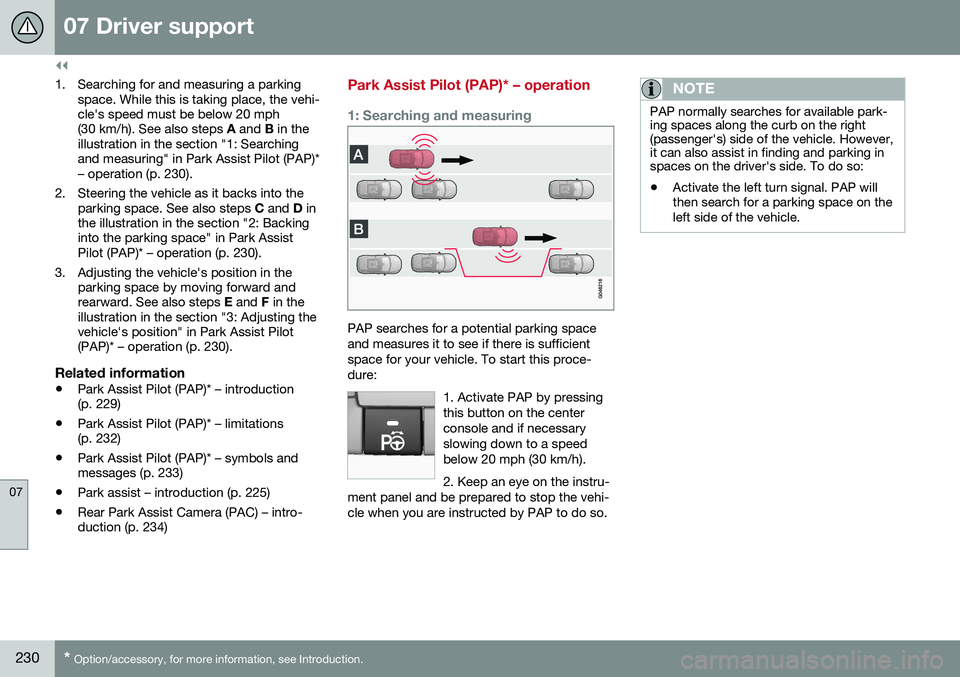
1. Searching for and measuring a parking
space. While this is taking place, the vehi- cle's speed must be below 20 mph(30 km/h). See also steps A and B in the
illustration in the section "1: Searchingand measuring" in Park Assist Pilot (PAP)*– operation (p. 230).
2. Steering the vehicle as it backs into the parking space. See also steps C and D in
the illustration in the section "2: Backinginto the parking space" in Park AssistPilot (PAP)* – operation (p. 230).
3. Adjusting the vehicle's position in the parking space by moving forward andrearward. See also steps E and F in the
illustration in the section "3: Adjusting thevehicle's position" in Park Assist Pilot(PAP)* – operation (p. 230).
Related information
• Park Assist Pilot (PAP)* – introduction(p. 229)
• Park Assist Pilot (PAP)* – limitations(p. 232)
• Park Assist Pilot (PAP)* – symbols andmessages (p. 233)
• Park assist – introduction (p. 225)
• Rear Park Assist Camera (PAC) – intro-duction (p. 234)
Park Assist Pilot (PAP)* – operation
1: Searching and measuring
PAP searches for a potential parking space and measures it to see if there is sufficientspace for your vehicle. To start this proce-dure:
1. Activate PAP by pressingthis button on the centerconsole and if necessaryslowing down to a speedbelow 20 mph (30 km/h). 2. Keep an eye on the instru-
ment panel and be prepared to stop the vehi- cle when you are instructed by PAP to do so.
NOTE
PAP normally searches for available park- ing spaces along the curb on the right(passenger's) side of the vehicle. However,it can also assist in finding and parking inspaces on the driver's side. To do so: • Activate the left turn signal. PAP will then search for a parking space on theleft side of the vehicle.
Page 247 of 392
08 Starting and driving
08
}}
* Option/accessory, for more information, see Introduction.245
Starting the engine
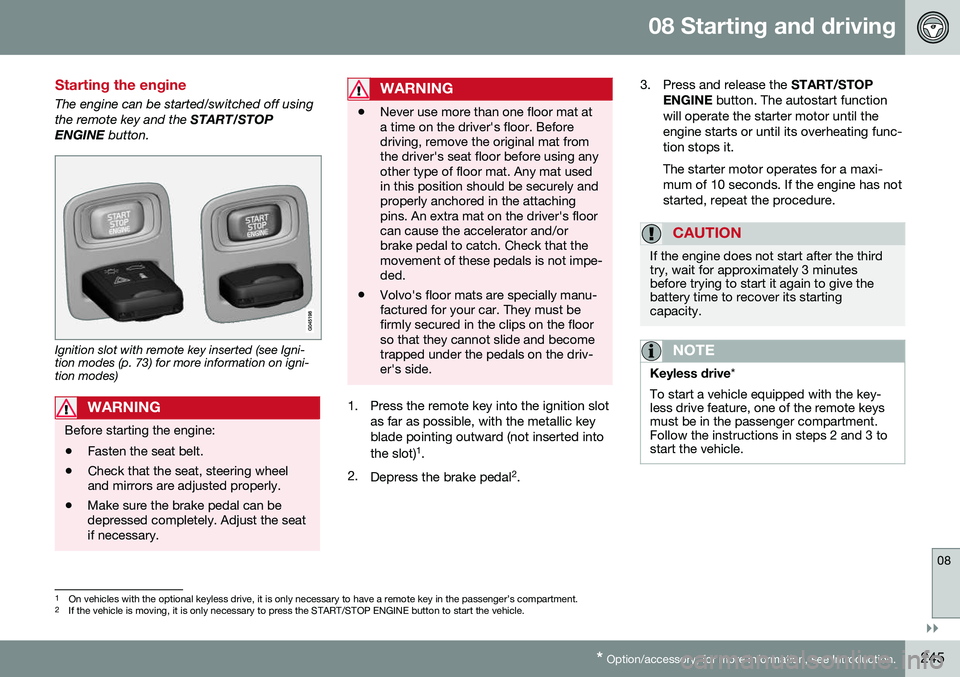
The engine can be started/switched off using the remote key and the START/STOP
ENGINE button.
Ignition slot with remote key inserted (see Igni- tion modes (p. 73) for more information on igni-tion modes)
WARNING
Before starting the engine:
• Fasten the seat belt.
• Check that the seat, steering wheel and mirrors are adjusted properly.
• Make sure the brake pedal can bedepressed completely. Adjust the seatif necessary.
WARNING
•Never use more than one floor mat at a time on the driver's floor. Beforedriving, remove the original mat fromthe driver's seat floor before using anyother type of floor mat. Any mat usedin this position should be securely andproperly anchored in the attachingpins. An extra mat on the driver's floorcan cause the accelerator and/orbrake pedal to catch. Check that themovement of these pedals is not impe-ded.
• Volvo's floor mats are specially manu-factured for your car. They must befirmly secured in the clips on the floorso that they cannot slide and becometrapped under the pedals on the driv-er's side.
1. Press the remote key into the ignition slot
as far as possible, with the metallic key blade pointing outward (not inserted into the slot) 1
.
2. Depress the brake pedal 2
. 3. Press and release the
START/STOP
ENGINE button. The autostart function
will operate the starter motor until the engine starts or until its overheating func-tion stops it. The starter motor operates for a maxi- mum of 10 seconds. If the engine has notstarted, repeat the procedure.
CAUTION
If the engine does not start after the third try, wait for approximately 3 minutesbefore trying to start it again to give thebattery time to recover its startingcapacity.
NOTE
Keyless drive *
To start a vehicle equipped with the key- less drive feature, one of the remote keysmust be in the passenger compartment.Follow the instructions in steps 2 and 3 tostart the vehicle.
1 On vehicles with the optional keyless drive, it is only necessary to have a remote key in the passenger’s compartment.
2 If the vehicle is moving, it is only necessary to press the START/STOP ENGINE button to start the vehicle.
Page 249 of 392
08 Starting and driving
08
* Option/accessory, for more information, see Introduction.247
Switching off the engine
Switch off the engine by pressing the START/
STOP ENGINE button.
If the gear selector is not in the P position or
if the vehicle is moving, press the START/
STOP ENGINE button twice or press and
hold it in until the engine switches off.
Related information
• Ignition modes (p. 73)
Engine Remote Start (ERS)* – introduction
ERS is a feature that makes it possible to remotely start the engine using the remotekey to cool or heat the passenger compart-ment before driving. The climate/ and infotainment systems will start using the same settings as when theengine was switched off. When the engine is started using ERS, it will run for a maximum of 15 minutes beforeautomatically switching off again. After 2 ERSstarts, the engine must be started in the nor-mal way before ERS can be used again.
NOTE
•Always adhere to applicable State, Province and/or Local laws regardingengine idling when using ERS.
• The service life of the remote key'sbattery is affected by ERS use. If thisfeature is used frequently, the batteryshould be replaced once a year, seeRemote key – replacing the battery(p. 146).
WARNING
Keep the following in mind before using ERS:
• The vehicle should be in view.
• The vehicle should be unoccupied.
• The vehicle must not be parked indoors or in an enclosed area.Exhaust fumes are harmful to thehealth.
Related information
•
Engine Remote Start (ERS)* – starting the engine (p. 248)
• Engine Remote Start (ERS)* – switchingoff the engine (p. 248)
Page 257 of 392
08 Starting and driving
08
}}
255
Start/Stop – Hill Start Assist (HSA)
When starting on steep hills, HSA (see Trans- mission – general information (p. 250)) retainspressure on the brake pedal for several sec-onds after the pedal has been released inorder to keep the vehicle at a standstill. Thebrakes will be released after several secondsor when the driver presses the acceleratorpedal. The pedal will return to its normal posi-tion somewhat slower than normal.
Related information
•Start/Stop – introduction (p. 255)
• Start/Stop – function (p. 255)
• Start/Stop – settings (p. 258)
• Start/Stop – Auto-stop exceptions (p. 256)
• Start/Stop – Auto-start exceptions(p. 257)
• Start/Stop – symbols and messages(p. 259)
Start/Stop – introduction
Start/Stop is a function that temporarily switches off the engine when the vehicle isnot moving, for instance in heavy traffic or at atraffic light to help reduce fuel consumption. Start/Stop is available with certain engines/ transmissions.
Related information
•Start/Stop – function (p. 255)
• Start/Stop – settings (p. 258)
• Start/Stop – Auto-stop exceptions (p. 256)
• Start/Stop – Auto-start exceptions(p. 257)
• Start/Stop – Hill Start Assist (HSA)(p. 255)
• Start/Stop – symbols and messages(p. 259)
Start/Stop – function
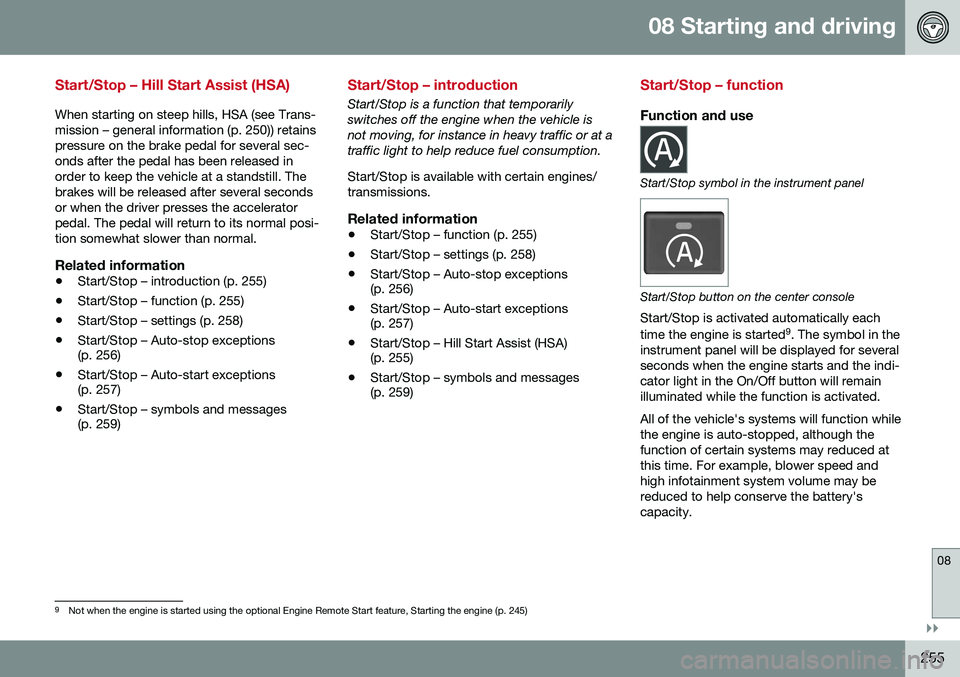
Function and use
Start/Stop symbol in the instrument panel
Start/Stop button on the center console
Start/Stop is activated automatically each time the engine is started 9
. The symbol in the
instrument panel will be displayed for several seconds when the engine starts and the indi-cator light in the On/Off button will remainilluminated while the function is activated. All of the vehicle's systems will function while the engine is auto-stopped, although thefunction of certain systems may reduced atthis time. For example, blower speed andhigh infotainment system volume may bereduced to help conserve the battery'scapacity.
9 Not when the engine is started using the optional Engine Remote Start feature, Starting the engine (p. 245)
Page 258 of 392
||
08 Starting and driving
08
256* Option/accessory, for more information, see Introduction.
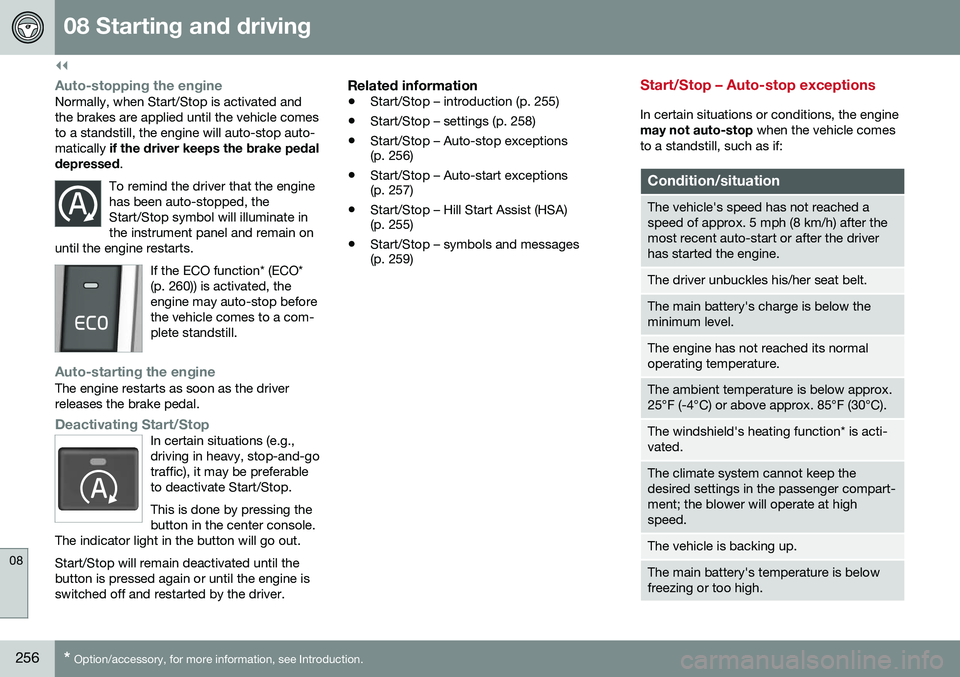
Auto-stopping the engineNormally, when Start/Stop is activated and the brakes are applied until the vehicle comesto a standstill, the engine will auto-stop auto-matically if the driver keeps the brake pedal
depressed .
To remind the driver that the enginehas been auto-stopped, theStart/Stop symbol will illuminate inthe instrument panel and remain on
until the engine restarts.
If the ECO function* (ECO* (p. 260)) is activated, theengine may auto-stop beforethe vehicle comes to a com-plete standstill.
Auto-starting the engineThe engine restarts as soon as the driver releases the brake pedal.
Deactivating Start/StopIn certain situations (e.g., driving in heavy, stop-and-gotraffic), it may be preferableto deactivate Start/Stop. This is done by pressing the button in the center console.
The indicator light in the button will go out. Start/Stop will remain deactivated until the button is pressed again or until the engine isswitched off and restarted by the driver.
Related information
• Start/Stop – introduction (p. 255)
• Start/Stop – settings (p. 258)
• Start/Stop – Auto-stop exceptions (p. 256)
• Start/Stop – Auto-start exceptions(p. 257)
• Start/Stop – Hill Start Assist (HSA)(p. 255)
• Start/Stop – symbols and messages(p. 259)
Start/Stop – Auto-stop exceptions
In certain situations or conditions, the engine may not auto-stop
when the vehicle comes
to a standstill, such as if:
Condition/situation
The vehicle's speed has not reached a speed of approx. 5 mph (8 km/h) after themost recent auto-start or after the driverhas started the engine.
The driver unbuckles his/her seat belt.
The main battery's charge is below the minimum level.
The engine has not reached its normal operating temperature.
The ambient temperature is below approx. 25°F (-4°C) or above approx. 85°F (30°C).
The windshield's heating function* is acti- vated.
The climate system cannot keep the desired settings in the passenger compart-ment; the blower will operate at highspeed.
The vehicle is backing up.
The main battery's temperature is below freezing or too high.