cruise control VOLVO S60 2017 Owner´s Manual
[x] Cancel search | Manufacturer: VOLVO, Model Year: 2017, Model line: S60, Model: VOLVO S60 2017Pages: 398, PDF Size: 9.46 MB
Page 192 of 398
DRIVER SUPPORT
190
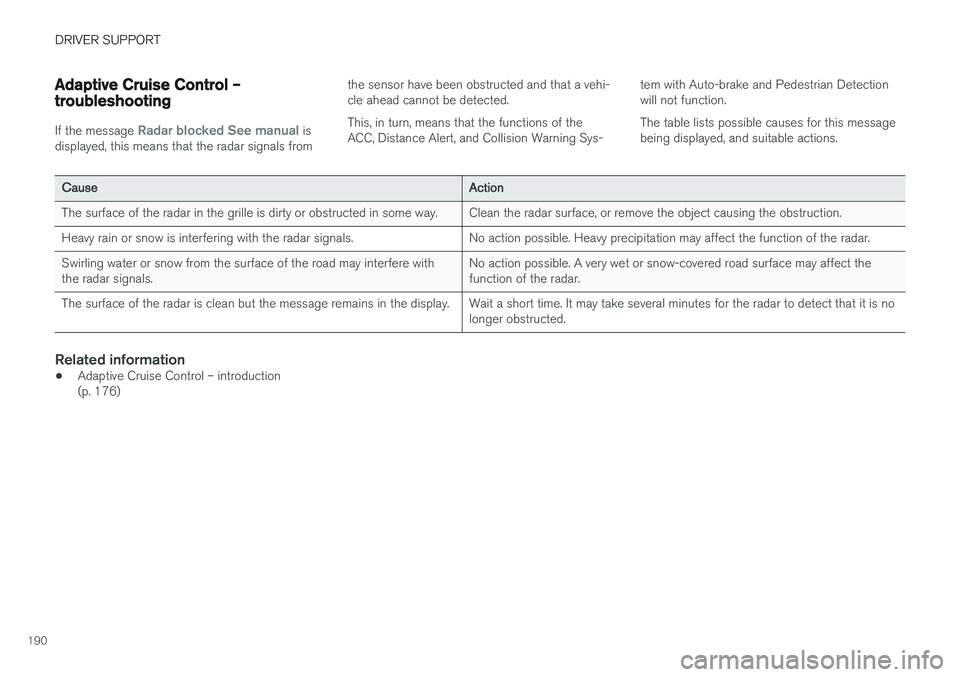
Adaptive Cruise Control – troubleshooting
If the message Radar blocked See manual is
displayed, this means that the radar signals from the sensor have been obstructed and that a vehi- cle ahead cannot be detected. This, in turn, means that the functions of the ACC, Distance Alert, and Collision Warning Sys-
tem with Auto-brake and Pedestrian Detectionwill not function. The table lists possible causes for this message being displayed, and suitable actions.
CauseAction
The surface of the radar in the grille is dirty or obstructed in some way.Clean the radar surface, or remove the object causing the obstruction.
Heavy rain or snow is interfering with the radar signals.No action possible. Heavy precipitation may affect the function of the radar.
Swirling water or snow from the surface of the road may interfere with the radar signals.No action possible. A very wet or snow-covered road surface may affect the function of the radar.
The surface of the radar is clean but the message remains in the display.Wait a short time. It may take several minutes for the radar to detect that it is no longer obstructed.
Related information
•
Adaptive Cruise Control – introduction (p. 176)
Page 193 of 398
DRIVER SUPPORT
}}
191
Distance Alert – introduction
Distance Alert is part of Adaptive Cruise Control and is a function that provides information aboutthe time interval to the vehicle ahead.
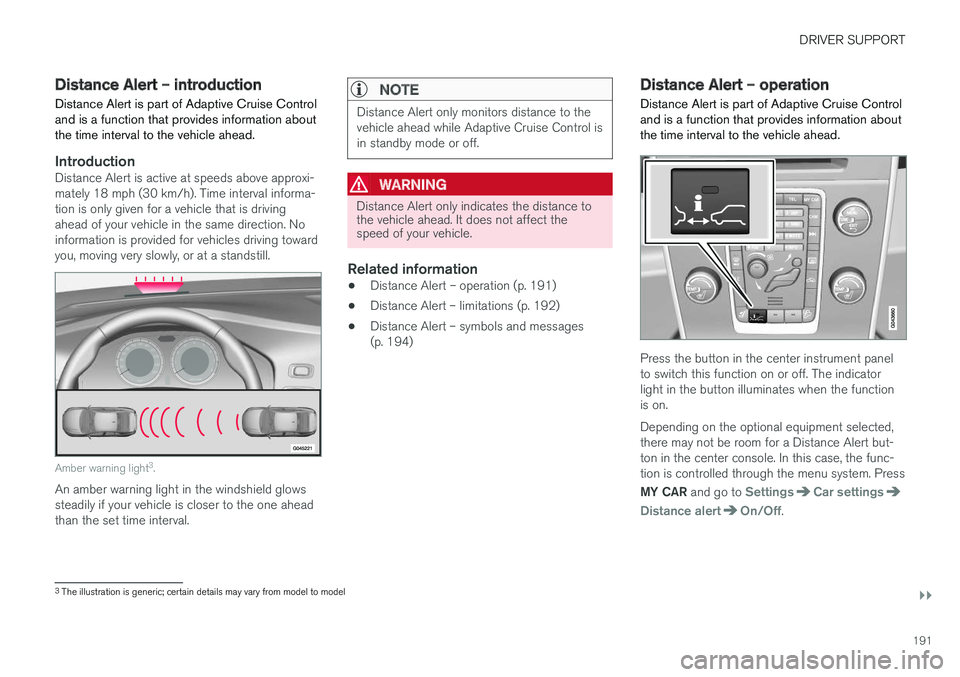
IntroductionDistance Alert is active at speeds above approxi- mately 18 mph (30 km/h). Time interval informa-tion is only given for a vehicle that is drivingahead of your vehicle in the same direction. Noinformation is provided for vehicles driving towardyou, moving very slowly, or at a standstill.
Amber warning light 3
.
An amber warning light in the windshield glows steadily if your vehicle is closer to the one aheadthan the set time interval.
NOTE
Distance Alert only monitors distance to the vehicle ahead while Adaptive Cruise Control isin standby mode or off.
WARNING
Distance Alert only indicates the distance to the vehicle ahead. It does not affect thespeed of your vehicle.
Related information
• Distance Alert – operation (p. 191)
• Distance Alert – limitations (p. 192)
• Distance Alert – symbols and messages (p. 194)
Distance Alert – operation
Distance Alert is part of Adaptive Cruise Control and is a function that provides information aboutthe time interval to the vehicle ahead.
Press the button in the center instrument panel to switch this function on or off. The indicatorlight in the button illuminates when the functionis on. Depending on the optional equipment selected, there may not be room for a Distance Alert but-ton in the center console. In this case, the func-tion is controlled through the menu system. Press MY CAR and go to
SettingsCar settings
Distance alertOn/Off.
3
The illustration is generic; certain details may vary from model to model
Page 196 of 398
DRIVER SUPPORT
194
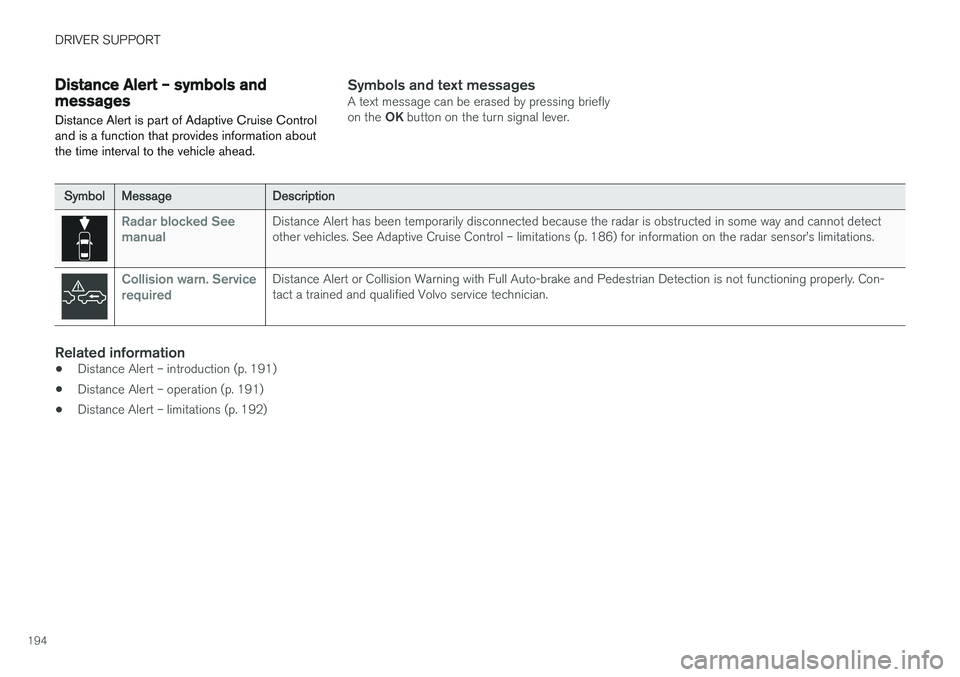
Distance Alert – symbols and messagesDistance Alert is part of Adaptive Cruise Control and is a function that provides information aboutthe time interval to the vehicle ahead.Symbols and text messagesA text message can be erased by pressing briefly on the OK button on the turn signal lever.
SymbolMessageDescription
Radar blocked See manualDistance Alert has been temporarily disconnected because the radar is obstructed in some way and cannot detect other vehicles. See Adaptive Cruise Control – limitations (p. 186) for information on the radar sensor
Page 218 of 398
||
DRIVER SUPPORT
216
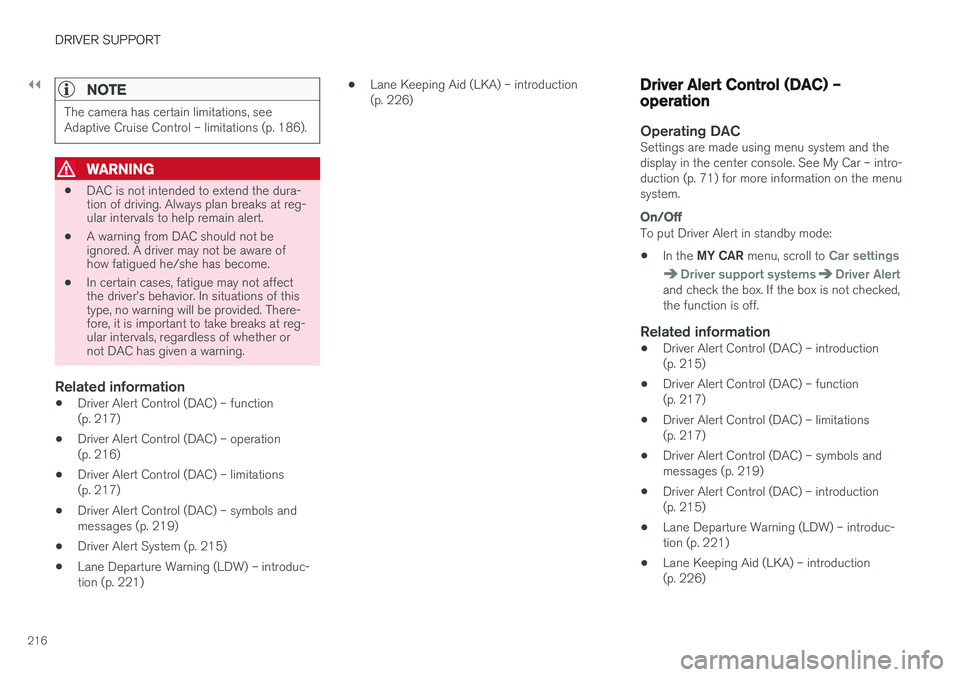
NOTE
The camera has certain limitations, see Adaptive Cruise Control – limitations (p. 186).
WARNING
•DAC is not intended to extend the dura- tion of driving. Always plan breaks at reg-ular intervals to help remain alert.
• A warning from DAC should not beignored. A driver may not be aware ofhow fatigued he/she has become.
• In certain cases, fatigue may not affectthe driver
Page 265 of 398
STARTING AND DRIVING
* Option/accessory, for more information, see Introduction.263
Related information
•Start/Stop – introduction (p. 262)
• Start/Stop – settings (p. 265)
• Start/Stop – Auto-stop exceptions (p. 263)
• Start/Stop – Auto-start exceptions (p. 264)
• Start/Stop – Hill Start Assist (HSA) (p. 261)
• Start/Stop – symbols and messages (p. 266)
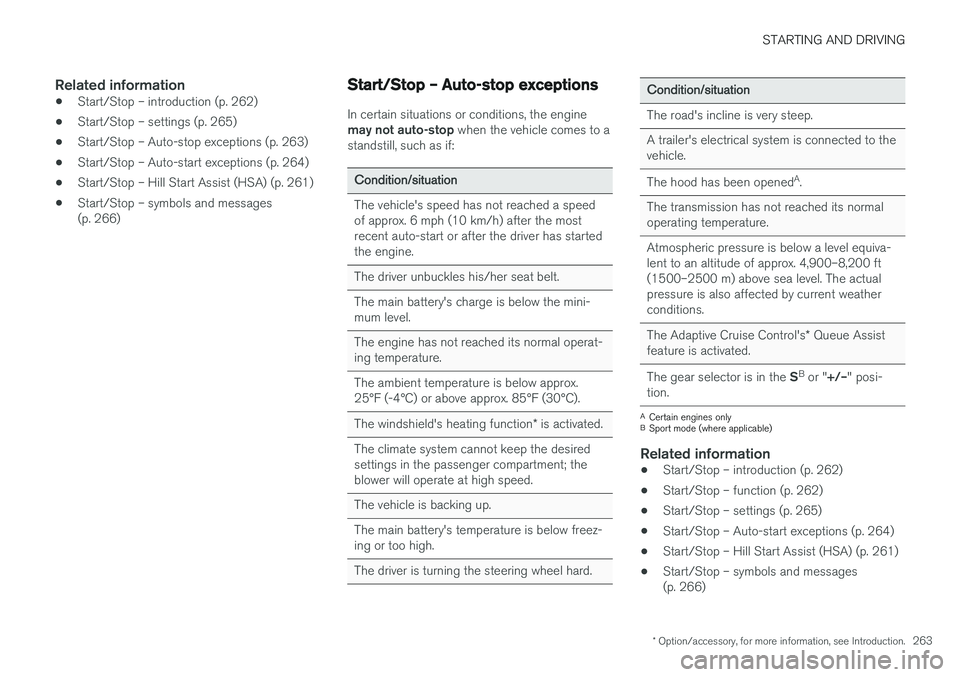
Start/Stop – Auto-stop exceptions
In certain situations or conditions, the engine may not auto-stop
when the vehicle comes to a
standstill, such as if:
Condition/situation
The vehicle's speed has not reached a speed of approx. 6 mph (10 km/h) after the mostrecent auto-start or after the driver has startedthe engine.
The driver unbuckles his/her seat belt.
The main battery's charge is below the mini- mum level.
The engine has not reached its normal operat- ing temperature.
The ambient temperature is below approx. 25°F (-4°C) or above approx. 85°F (30°C).
The windshield's heating function * is activated.
The climate system cannot keep the desired settings in the passenger compartment; theblower will operate at high speed.
The vehicle is backing up.
The main battery's temperature is below freez- ing or too high.
The driver is turning the steering wheel hard.
Condition/situation
The road's incline is very steep.
A trailer's electrical system is connected to the vehicle.
The hood has been opened A
.
The transmission has not reached its normal operating temperature.
Atmospheric pressure is below a level equiva- lent to an altitude of approx. 4,900–8,200 ft(1500–2500 m) above sea level. The actualpressure is also affected by current weatherconditions.
The Adaptive Cruise Control's * Queue Assist
feature is activated.
The gear selector is in the SB
or " +/–" posi-
tion.
A Certain engines only
B Sport mode (where applicable)
Related information
• Start/Stop – introduction (p. 262)
• Start/Stop – function (p. 262)
• Start/Stop – settings (p. 265)
• Start/Stop – Auto-start exceptions (p. 264)
• Start/Stop – Hill Start Assist (HSA) (p. 261)
• Start/Stop – symbols and messages (p. 266)
Page 270 of 398
||
STARTING AND DRIVING
* Option/accessory, for more information, see Introduction.
268 This feature is primarily intended to be used in driving situations where a decrease in speed isexpected, such as when entering a zone with alower speed limit. Eco Coast enables proactive driving with as little braking as possible.
Combinations of On and Off
Depending on the driving situation, Eco can be used in different ways to help reduce fuel con-sumption:
• With Eco activated
: this enables Eco Coast,
which allows the vehicle to roll freely for as
far as possible when the driver releases the
accelerator pedal (e.g., when approaching atraffic light or intersection).
or
• With Eco deactivated
: engine braking can
be used when the vehicle will only roll for
a short distance (in heavy traffic, etc.) or
when driving down hills .
To help keep fuel consumption as low as possi-ble, Eco Coast should not be used in traffic situa-tions where the brakes have to be used fre-quently.
Activating Eco Coast
Eco Coast is activated when the accelerator pedal is released completely if:
• Eco is activated
• The gear selector is in
D •
The vehicle's speed is between approxi-mately 40–85 mph (65–140 km/h). Alwaysobserve posted speed limits
• The gradient of a down-slope is less thanapproximately 6%
Deactivating
Eco Coast
In certain situations, it may be advisable to switch off the Eco Coast function, such as:
• When driving down steep hills, in order to uti-lize engine braking
• Prior to passing another vehicle, in order todo so as safely as possible
Deactivating Eco Coast (and reactivating enginebraking) can be done in the following ways: • Press the
ECO button on the center console
• Move the gear selector to the manual "
S+/–"
position
• Change gears using the steering wheel pad- dles
*
• Press the brake or accelerator pedal
Eco Coast limitationsThis function will not be available if:
• Cruise control is activated
• The gradient of a down-slope is more than approximately 6%
• The steering wheel paddles
* are used to
manually change gears •
The engine and/or transmission have notreached their normal operating temperature
• The gear selector is moved from
D to the
manual " S+/–" position
• The vehicle's speed is not within the40–85 mph (65–140 km/h). interval
Additional information and settings
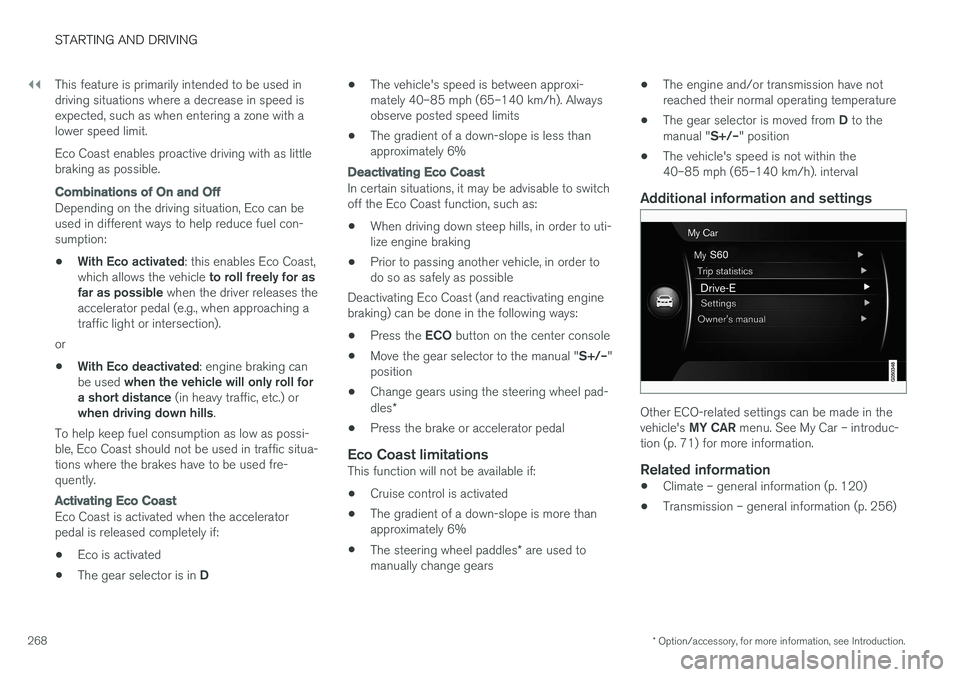
Other ECO-related settings can be made in the vehicle's
MY CAR menu. See My Car – introduc-
tion (p. 71) for more information.
Related information
• Climate – general information (p. 120)
• Transmission – general information (p. 256)
Page 358 of 398
||
MAINTENANCE AND SERVICING
* Option/accessory, for more information, see Introduction.
356
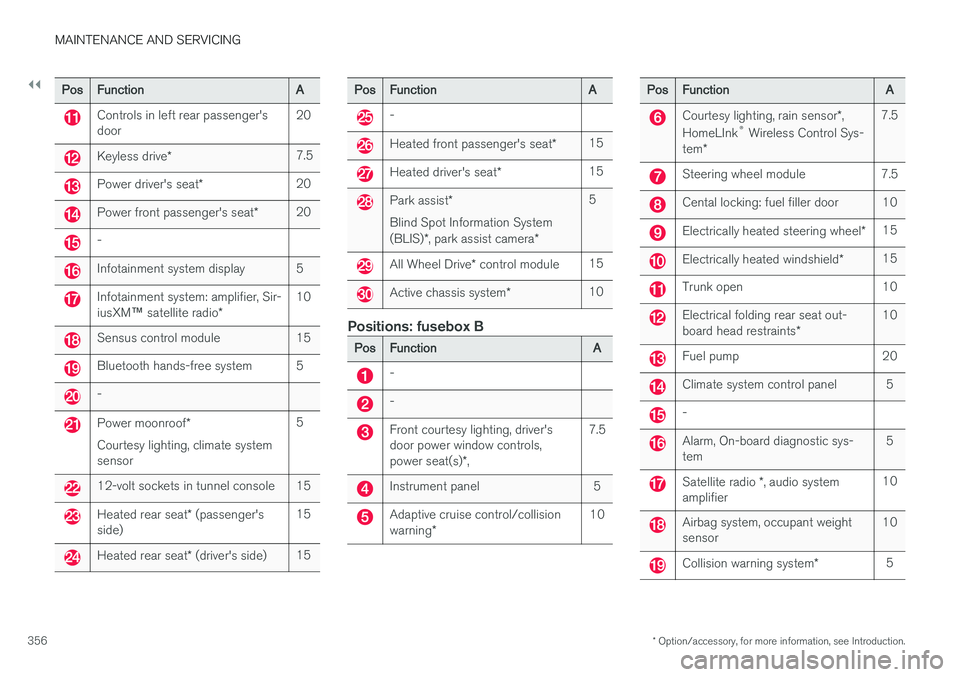
PosFunctionA
Controls in left rear passenger's door20
Keyless drive *7.5
Power driver's seat *20
Power front passenger's seat *20
-
Infotainment system display5
Infotainment system: amplifier, Sir- iusXM™ satellite radio *10
Sensus control module15
Bluetooth hands-free system5
-
Power moonroof *
Courtesy lighting, climate system sensor5
12-volt sockets in tunnel console15
Heated rear seat * (passenger's
side)15
Heated rear seat * (driver's side)15
PosFunctionA
-
Heated front passenger's seat *15
Heated driver's seat*15
Park assist*
Blind Spot Information System (BLIS) *, park assist camera *5
All Wheel Drive* control module15
Active chassis system *10
Positions: fusebox B
PosFunctionA
-
-
Front courtesy lighting, driver's door power window controls, power seat(s)*,7.5
Instrument panel5
Adaptive cruise control/collision warning *10
PosFunctionA
Courtesy lighting, rain sensor *,
HomeLInk ®
Wireless Control Sys-
tem *7.5
Steering wheel module7.5
Cental locking: fuel filler door10
Electrically heated steering wheel *15
Electrically heated windshield*15
Trunk open10
Electrical folding rear seat out- board head restraints*10
Fuel pump20
Climate system control panel5
-
Alarm, On-board diagnostic sys- tem5
Satellite radio *, audio system
amplifier10
Airbag system, occupant weight sensor10
Collision warning system *5
Page 389 of 398
INDEX
387
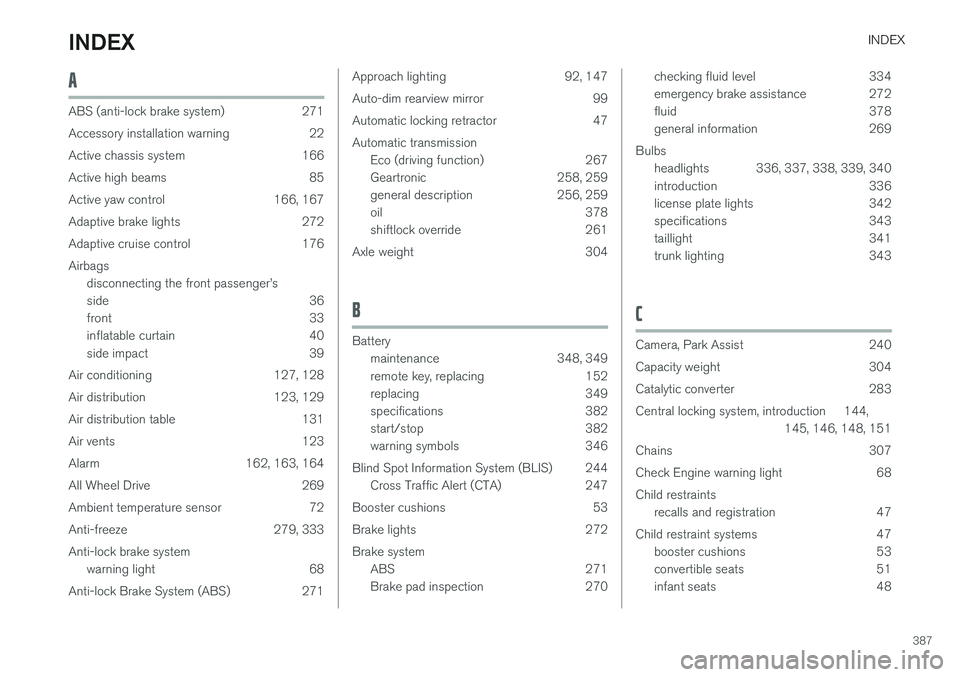
A
ABS (anti-lock brake system) 271
Accessory installation warning 22
Active chassis system 166
Active high beams 85
Active yaw control 166, 167
Adaptive brake lights 272
Adaptive cruise control 176Airbagsdisconnecting the front passenger
Page 390 of 398
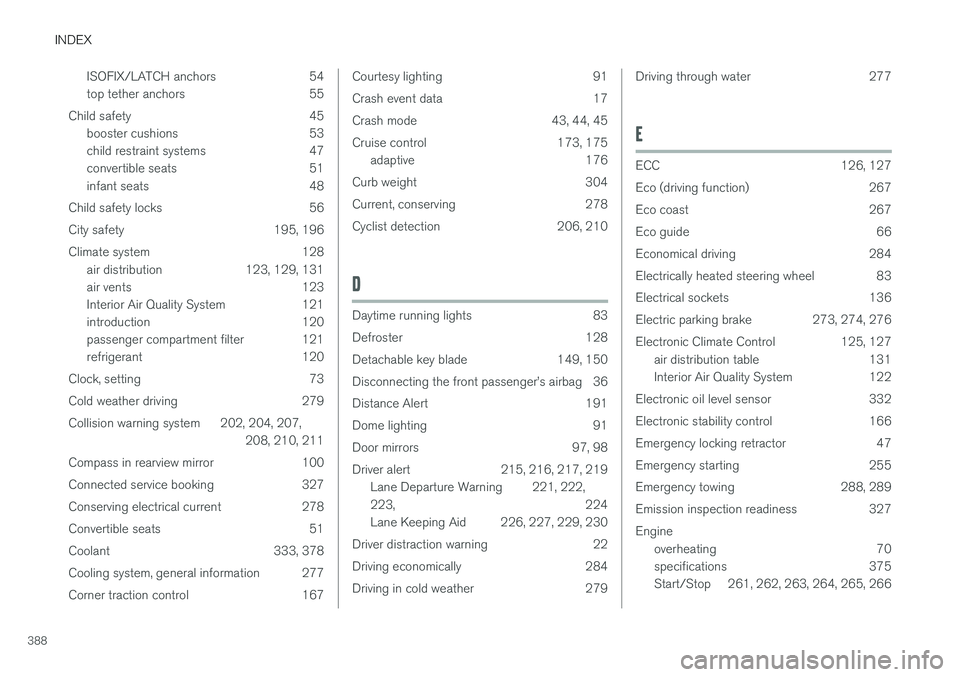
INDEX
388ISOFIX/LATCH anchors 54
top tether anchors 55
Child safety 45 booster cushions 53
child restraint systems 47
convertible seats 51
infant seats 48
Child safety locks 56
City safety 195, 196
Climate system 128 air distribution 123, 129, 131
air vents 123
Interior Air Quality System 121
introduction 120
passenger compartment filter 121
refrigerant 120
Clock, setting 73
Cold weather driving 279
Collision warning system 202, 204, 207, 208, 210, 211
Compass in rearview mirror 100
Connected service booking 327
Conserving electrical current 278
Convertible seats 51
Coolant 333, 378
Cooling system, general information 277
Corner traction control 167
Courtesy lighting 91
Crash event data 17
Crash mode 43, 44, 45
Cruise control 173, 175 adaptive 176
Curb weight 304
Current, conserving 278
Cyclist detection 206, 210
D
Daytime running lights 83
Defroster 128
Detachable key blade 149, 150
Disconnecting the front passenger