fuel VOLVO S60 2017 Owner´s Manual
[x] Cancel search | Manufacturer: VOLVO, Model Year: 2017, Model line: S60, Model: VOLVO S60 2017Pages: 398, PDF Size: 9.46 MB
Page 260 of 398
||
STARTING AND DRIVING
* Option/accessory, for more information, see Introduction.
258
Neutral: position NNo gear is engaged and the engine can be started with the gear selector in this position.Apply the parking brake if the vehicle is stationary with the gear selector in position N. In order to
move the gear selector from the N position, the
brake pedal must be depressed and the ignitionmust be in at least mode II.
Drive: position DD is the normal driving position. The car automat-
ically shifts between the various forward gears, based on the level of acceleration and speed.The car must be at a standstill when shifting from position R to position D.
Related information
• Transmission – general information (p. 256)
• Transmission – Geartronic (p. 258)
• Transmission – shiftlock override (p. 261)
• Fuel tank volume – specification and volume (p. 379)
Transmission – Geartronic
Geartronic allows you to manually shift among your vehicle's forward gears. The manual posi-tion ( +S–) can be selected at any time.
Geartronic: manual shifting (+S–)To shift gears manually, move the gear selector to the side from D toward
+S– . The +S– symbol in the instrument
panel will change from white to
orange and the number of the gear currently
being used (
1, 2, 3, etc.) will be displayed (see
the following illustration) 5
.
• To return to automatic shifting mode from +S–
, move the gear selector to the side
toward D.
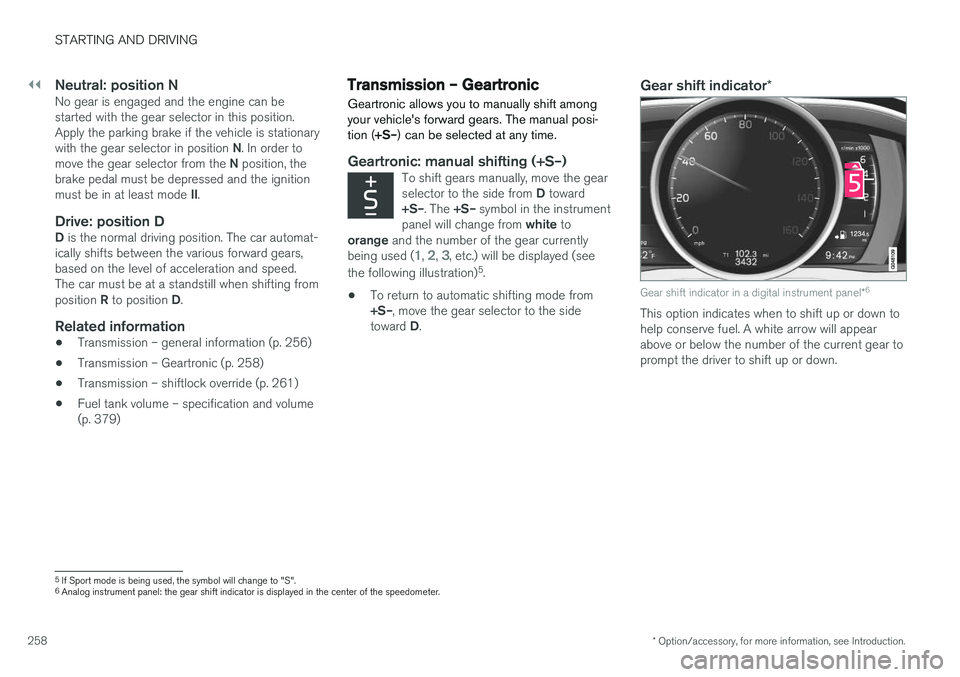
Gear shift indicator *
Gear shift indicator in a digital instrument panel *6
This option indicates when to shift up or down to help conserve fuel. A white arrow will appearabove or below the number of the current gear toprompt the driver to shift up or down.
5
If Sport mode is being used, the symbol will change to "S".
6 Analog instrument panel: the gear shift indicator is displayed in the center of the speedometer.
Page 262 of 398
||
STARTING AND DRIVING
260
•during active driving (e.g., on a winding road, while accelerating, etc)
• if the gear selector was in
S when the
paddles were activated
If the transmission reverts to D, the paddles
will have to be reactivated (pull either paddletoward the steering wheel and release it)before they can be used to shift gears again. The paddles can also be manually deactivated by pulling both paddles toward the steeringwheel and holding them until the gear num-ber shown in the instrument panel changes to D .
Geartronic : Sport mode ( S)7
This transmission mode provides sportier shifting characteristics and enables a more active drivingstyle by making it possible to drive at higher rpmin each gear before shifting up. The engine alsoresponds faster when the accelerator pedal ispressed. To access Sport mode from Drive (
D), move the
gear selector to the left. The transmission will not switch to manual shifting mode until the gearselector is moved forward or rearward toward +or –. Sport mode can be selected any time.
NOTE
• On vehicles equipped with Sport mode, the transmission symbol in the main instrument panel will change from
D to S
when the gear selector is moved to the manual shifting mode. If the gear selectoris moved toward "+" or "-", the number ofthe gear currently being used will be dis-played, see Information displays – intro-duction (p. 63).
• Please be aware that using Sport modemay result in a slight decrease in fuel economy. Driving in
D can help improve
fuel economy.
Geartronic : starting on slippery surfaces
Selecting 3rd gear in Geartronic
Page 263 of 398
STARTING AND DRIVING
261
Transmission – shiftlock override
If the vehicle cannot be driven, for example because of a dead battery, the gear selectormust be moved from the P position before the
vehicle can be moved 8
.
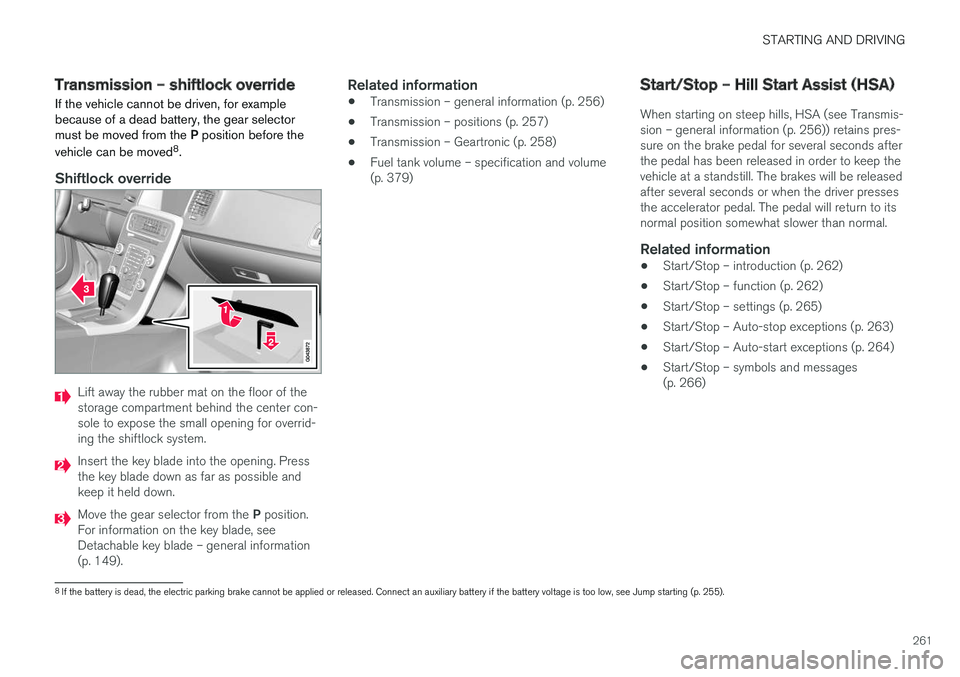
Shiftlock override
Lift away the rubber mat on the floor of the storage compartment behind the center con-sole to expose the small opening for overrid-ing the shiftlock system.
Insert the key blade into the opening. Press the key blade down as far as possible andkeep it held down.
Move the gear selector from the P position.
For information on the key blade, see Detachable key blade – general information(p. 149).
Related information
• Transmission – general information (p. 256)
• Transmission – positions (p. 257)
• Transmission – Geartronic (p. 258)
• Fuel tank volume – specification and volume(p. 379)
Start/Stop – Hill Start Assist (HSA)
When starting on steep hills, HSA (see Transmis- sion – general information (p. 256)) retains pres-sure on the brake pedal for several seconds afterthe pedal has been released in order to keep thevehicle at a standstill. The brakes will be releasedafter several seconds or when the driver pressesthe accelerator pedal. The pedal will return to itsnormal position somewhat slower than normal.
Related information
• Start/Stop – introduction (p. 262)
• Start/Stop – function (p. 262)
• Start/Stop – settings (p. 265)
• Start/Stop – Auto-stop exceptions (p. 263)
• Start/Stop – Auto-start exceptions (p. 264)
• Start/Stop – symbols and messages(p. 266)
8
If the battery is dead, the electric parking brake cannot be applied or released. Connect an auxiliary battery if the battery voltage is too low, see Jump starting (p. 255).
Page 264 of 398
STARTING AND DRIVING
* Option/accessory, for more information, see Introduction.
262
Start/Stop – introduction
Start/Stop is a function that temporarily switches off the engine when the vehicle is not moving,for instance in heavy traffic or at a traffic light tohelp reduce fuel consumption.
Start/Stop is available with certain engines/ transmissions.
Related information
• Start/Stop – function (p. 262)
• Start/Stop – settings (p. 265)
• Start/Stop – Auto-stop exceptions (p. 263)
• Start/Stop – Auto-start exceptions (p. 264)
• Start/Stop – Hill Start Assist (HSA) (p. 261)
• Start/Stop – symbols and messages(p. 266)
Start/Stop – function
Function and use
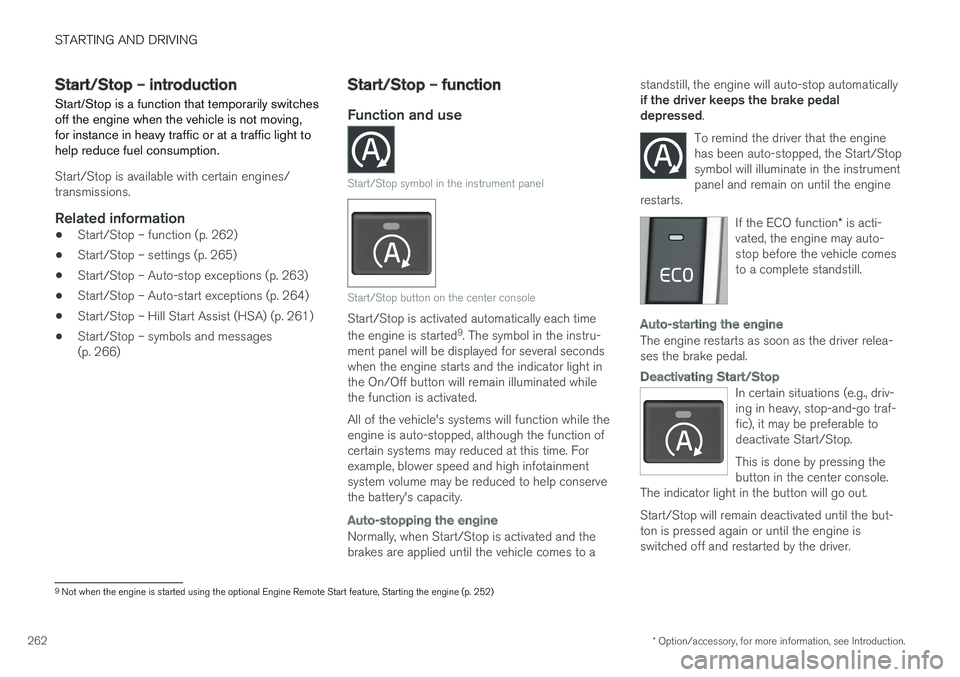
Start/Stop symbol in the instrument panel
Start/Stop button on the center console
Start/Stop is activated automatically each time the engine is started 9
. The symbol in the instru-
ment panel will be displayed for several seconds when the engine starts and the indicator light inthe On/Off button will remain illuminated whilethe function is activated. All of the vehicle's systems will function while the engine is auto-stopped, although the function ofcertain systems may reduced at this time. Forexample, blower speed and high infotainmentsystem volume may be reduced to help conservethe battery's capacity.
Auto-stopping the engine
Normally, when Start/Stop is activated and the brakes are applied until the vehicle comes to a standstill, the engine will auto-stop automatically if the driver keeps the brake pedal depressed
.
To remind the driver that the enginehas been auto-stopped, the Start/Stopsymbol will illuminate in the instrumentpanel and remain on until the engine
restarts.
If the ECO function * is acti-
vated, the engine may auto- stop before the vehicle comesto a complete standstill.
Auto-starting the engine
The engine restarts as soon as the driver relea- ses the brake pedal.
Deactivating Start/Stop
In certain situations (e.g., driv- ing in heavy, stop-and-go traf-fic), it may be preferable todeactivate Start/Stop. This is done by pressing the button in the center console.
The indicator light in the button will go out. Start/Stop will remain deactivated until the but- ton is pressed again or until the engine isswitched off and restarted by the driver.
9 Not when the engine is started using the optional Engine Remote Start feature, Starting the engine (p. 252)
Page 269 of 398
STARTING AND DRIVING
}}
* Option/accessory, for more information, see Introduction.267
ECO*
Eco is a function 10
developed by Volvo to give
the driver the opportunity to actively drive more economically and to help reduce fuel consump-tion.
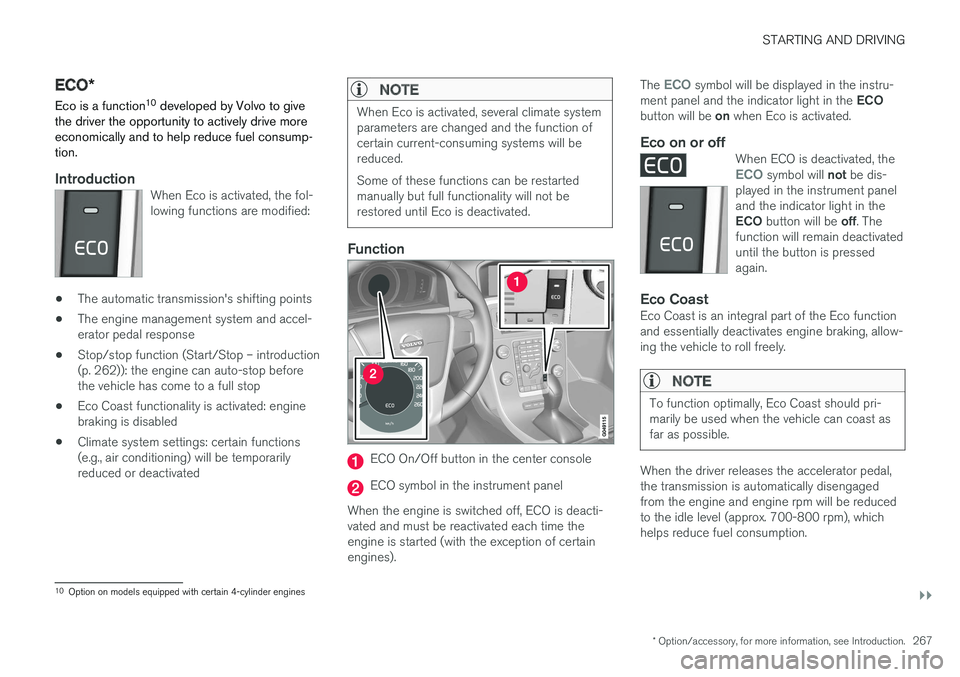
IntroductionWhen Eco is activated, the fol- lowing functions are modified:
• The automatic transmission's shifting points
• The engine management system and accel- erator pedal response
• Stop/stop function (Start/Stop – introduction(p. 262)): the engine can auto-stop beforethe vehicle has come to a full stop
• Eco Coast functionality is activated: enginebraking is disabled
• Climate system settings: certain functions(e.g., air conditioning) will be temporarilyreduced or deactivated
NOTE
When Eco is activated, several climate system parameters are changed and the function ofcertain current-consuming systems will bereduced. Some of these functions can be restarted manually but full functionality will not berestored until Eco is deactivated.
Function
ECO On/Off button in the center console
ECO symbol in the instrument panel
When the engine is switched off, ECO is deacti- vated and must be reactivated each time theengine is started (with the exception of certainengines). The
ECO symbol will be displayed in the instru-
ment panel and the indicator light in the ECO
button will be on when Eco is activated.
Eco on or offWhen ECO is deactivated, theECO symbol will not be dis-
played in the instrument panel and the indicator light in the ECO button will be off. The
function will remain deactivated until the button is pressedagain.
Eco CoastEco Coast is an integral part of the Eco function and essentially deactivates engine braking, allow-ing the vehicle to roll freely.
NOTE
To function optimally, Eco Coast should pri- marily be used when the vehicle can coast asfar as possible.
When the driver releases the accelerator pedal, the transmission is automatically disengagedfrom the engine and engine rpm will be reducedto the idle level (approx. 700-800 rpm), whichhelps reduce fuel consumption.
10 Option on models equipped with certain 4-cylinder engines
Page 270 of 398
||
STARTING AND DRIVING
* Option/accessory, for more information, see Introduction.
268 This feature is primarily intended to be used in driving situations where a decrease in speed isexpected, such as when entering a zone with alower speed limit. Eco Coast enables proactive driving with as little braking as possible.
Combinations of On and Off
Depending on the driving situation, Eco can be used in different ways to help reduce fuel con-sumption:
• With Eco activated
: this enables Eco Coast,
which allows the vehicle to roll freely for as
far as possible when the driver releases the
accelerator pedal (e.g., when approaching atraffic light or intersection).
or
• With Eco deactivated
: engine braking can
be used when the vehicle will only roll for
a short distance (in heavy traffic, etc.) or
when driving down hills .
To help keep fuel consumption as low as possi-ble, Eco Coast should not be used in traffic situa-tions where the brakes have to be used fre-quently.
Activating Eco Coast
Eco Coast is activated when the accelerator pedal is released completely if:
• Eco is activated
• The gear selector is in
D •
The vehicle's speed is between approxi-mately 40–85 mph (65–140 km/h). Alwaysobserve posted speed limits
• The gradient of a down-slope is less thanapproximately 6%
Deactivating
Eco Coast
In certain situations, it may be advisable to switch off the Eco Coast function, such as:
• When driving down steep hills, in order to uti-lize engine braking
• Prior to passing another vehicle, in order todo so as safely as possible
Deactivating Eco Coast (and reactivating enginebraking) can be done in the following ways: • Press the
ECO button on the center console
• Move the gear selector to the manual "
S+/–"
position
• Change gears using the steering wheel pad- dles
*
• Press the brake or accelerator pedal
Eco Coast limitationsThis function will not be available if:
• Cruise control is activated
• The gradient of a down-slope is more than approximately 6%
• The steering wheel paddles
* are used to
manually change gears •
The engine and/or transmission have notreached their normal operating temperature
• The gear selector is moved from
D to the
manual " S+/–" position
• The vehicle's speed is not within the40–85 mph (65–140 km/h). interval
Additional information and settings
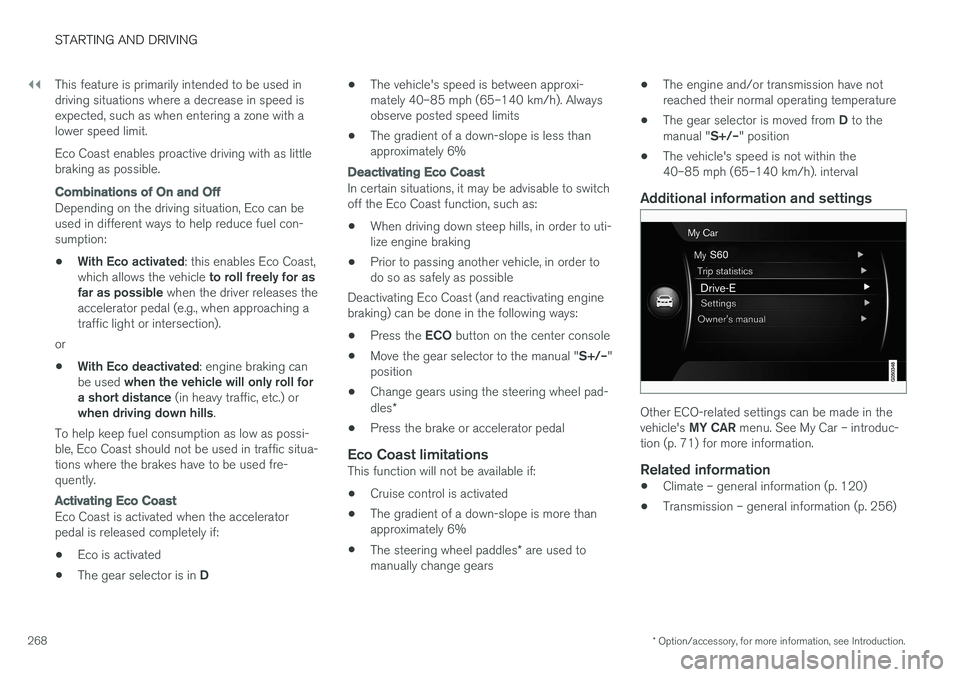
Other ECO-related settings can be made in the vehicle's
MY CAR menu. See My Car – introduc-
tion (p. 71) for more information.
Related information
• Climate – general information (p. 120)
• Transmission – general information (p. 256)
Page 280 of 398
STARTING AND DRIVING
278
Conserving electrical current
Keep the following in mind to help minimize bat- tery drain:
• When the engine is not running, avoid using ignition mode
II. Many electrical systems (the
audio system, the optional navigation system, power windows, etc) will function in ignition modes 0 and I. These modes reduce drain
on the battery.
• Please keep in mind that using systems, accessories, etc., that consume a great dealof current when the engine is not runningcould result in the battery being completelydrained. Driving or having the engine runningfor approximately 15 minutes will help keepthe battery charged.
• The optional 12-volt socket in thetrunk (p. 137) area provides electrical currenteven with the ignition switched off, whichdrains the battery.
Before a long distance trip
It is always worthwhile to have your vehicle checked by a trained and qualified Volvo servicetechnician before driving long distances. Yourretailer will also be able to supply you with bulbs,fuses, spark plugs and wiper blades for your usein the event that problems occur.
As a minimum, the following items should be checked before any long trip:
• Check that engine runs smoothly and thatfuel consumption is normal.
• Check for fuel, oil, and fluid leakage.
• Have the transmission oil level checked.
• Check condition of drive belts.
• Check state of the battery's charge.
• Examine tires carefully (the spare tire aswell), and replace those that areworn (p. 294). Check tire pressure (p. 301).
• The brakes, front wheel alignment, and steer-ing gear should be checked by a trained andqualified Volvo service technician only.
• Check all lights, including high beams.
• Reflective warning triangles are legallyrequired in some states/provinces.
• Have a word with a trained and qualifiedVolvo service technician if you intend to drivein countries where it may be difficult toobtain the correct fuel. •
Consider your destination. If you will be driv-ing through an area where snow or ice arelikely to occur, consider snow tires (p. 308).
Related information
•
Changing a wheel – removing wheel (p. 295)
• Bulbs – introduction (p. 336)
Page 281 of 398
STARTING AND DRIVING
}}
279
Driving in cold weather
Check your vehicle before the approach of cold weather.
The following advice is worth noting:
• Make sure that the engine coolant (p. 333) contains 50 percent antifreeze. Any othermixture will reduce freeze protection. Thisgives protection against freezing down to–31 °F (–35 °C). The use of "recycled" anti-freeze is not approved by Volvo. Differenttypes of antifreeze must not be mixed.
• Volvo recommends using only genuine Volvoantifreeze in your vehicle's radiator.
• Try to keep the fuel tank well filled – thishelps prevent the formation of condensationin the tank. In addition, in extremely coldweather conditions it is worthwhile to addfuel line de-icer before refueling.
• The viscosity of the engine oil is important.Oil with low viscosity (thinner oil) improvescold-weather starting as well as decreasingfuel consumption while the engine is warm-ing up. Full synthetic 0W-30 oil is recom-mended for driving in areas with sustainedlow temperatures.
• The load placed on the battery is greater dur-ing the winter since the windshield wipers,lighting, etc., are used more often. Moreover,the capacity of the battery decreases as thetemperature drops. In very cold weather, apoorly charged battery can freeze and be damaged. It is therefore advisable to checkthe state of charge more frequently andspray an anti-rust oil on the battery posts.
• Volvo recommends the use of snow tires onall four wheels for winter driving, see Snowtires/studded tires (p. 308).
• To prevent the washer fluid (p. 346)reservoirfrom freezing, add washer solvents contain-ing antifreeze. This is important since dirt isoften splashed on the windshield during win-ter driving, requiring the frequent use of thewashers and wipers. Volvo Washer Solventshould be diluted as follows: Down to 14 °F(–10 °C): 1 part washer solvent and 4 partswater Down to 5 °F (–15 °C): 1 part washersolvent and 3 parts water Down to 0 °F(–18 °C): 1 part washer solvent and 2 partswater Down to –18 °F (–28 °C): 1 partwasher solvent and 1 part water.
• Use Volvo Teflon Lock Spray in the locks.
• Avoid using de-icing sprays as they cancause damage to the locks.
Refueling – fuel requirements
Volvo recommends the use of detergent gaso- line to control engine deposits.
Deposit control gasoline (detergent
additives)
Detergent gasoline is effective in keeping injec- tors and intake valves clean. Consistent use ofdeposit control gasolines will help ensure gooddrivability and fuel economy. If you are not surewhether the gasoline contains deposit controladditives, check with the service station operator.
NOTE
Volvo does not recommend the use of exter- nal fuel injector cleaning systems.
Unleaded fuelEach Volvo has a three-way catalytic converter and must use only unleaded gasoline. U.S. andCanadian regulations require that pumps deliver-ing unleaded gasoline be labeled "UNLEADED".Only these pumps have nozzles which fit yourvehicle's filler inlet. It is unlawful to dispense lea-ded fuel into a vehicle labeled "unleaded gaso-line only". Leaded gasoline damages the three-way catalytic converter and the heated oxygensensor system. Repeated use of leaded gasolinewill lessen the effectiveness of the emission con-trol system (p. 283) and could result in loss ofemission warranty coverage. State and local vehi-
Page 282 of 398
||
STARTING AND DRIVING
280cle inspection programs will make detection of misfueling easier, possibly resulting in emissiontest failure for misfueled vehicles.
NOTE
Some U.S. and Canadian gasolines contain an octane enhancing additive called methyl-cyclopentadienyl manganese tricarbonyl(MMT). If such fuels are used, your EmissionControl System performance may be affected,and the Check Engine Light (malfunctionindicator light) located on your instrumentpanel may light. If this occurs, please returnyour vehicle to a trained and qualified Volvoservice technician for service.
Gasoline containing alcohol and ethers, "Oxygenated fuels"
Some fuel suppliers sell gasoline containing "oxygenates" which are usually alcohols orethers. In some areas, state or local laws requirethat the service pump be marked indicating useof alcohols or ethers. However, there are areas inwhich the pumps are unmarked. If you are notsure whether there is alcohol or ethers in thegasoline you buy, check with the service stationoperator. To meet seasonal air quality standards,some areas require the use of "oxygenated" fuel. Volvo allows the use of the following "oxygen- ated" fuels; however, the octane ratings (p. 280)listed must still be met.
Alcohol – Ethanol
Fuels containing up to 10% ethanol by volume may be used. Ethanol may also be referred to asEthyl alcohol, or "Gasohol". Ethers – MTBE: Fuels containing up to 15% MTBE may be used.
MethanolDo not use gasolines containing methanol(methyl alcohol, wood alcohol). This practice canresult in vehicle performance deterioration andcan damage critical parts in the fuel system. Suchdamage may not be covered under the NewVehicle Limited Warranty.
Refueling – octane rating Volvo recommends premium fuel for best per- formance, but using 87 octane
11
or above will
not affect engine reliability.
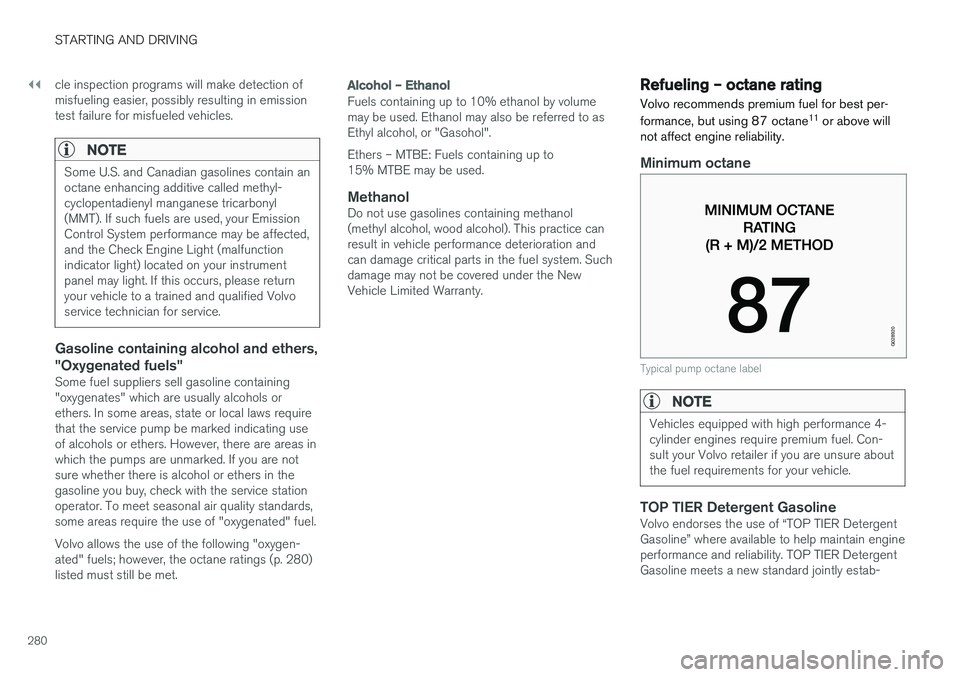
Minimum octane
G028920
Typical pump octane label
NOTE
Vehicles equipped with high performance 4- cylinder engines require premium fuel. Con-sult your Volvo retailer if you are unsure aboutthe fuel requirements for your vehicle.
TOP TIER Detergent GasolineVolvo endorses the use of “TOP TIER Detergent Gasoline” where available to help maintain engineperformance and reliability. TOP TIER DetergentGasoline meets a new standard jointly estab-
Page 284 of 398
STARTING AND DRIVING
282
Refueling – opening/closing fuel filler door
The fuel filler door is located on the right rear fender (indicated by an arrow beside the fuel tank symbol on the information display
)
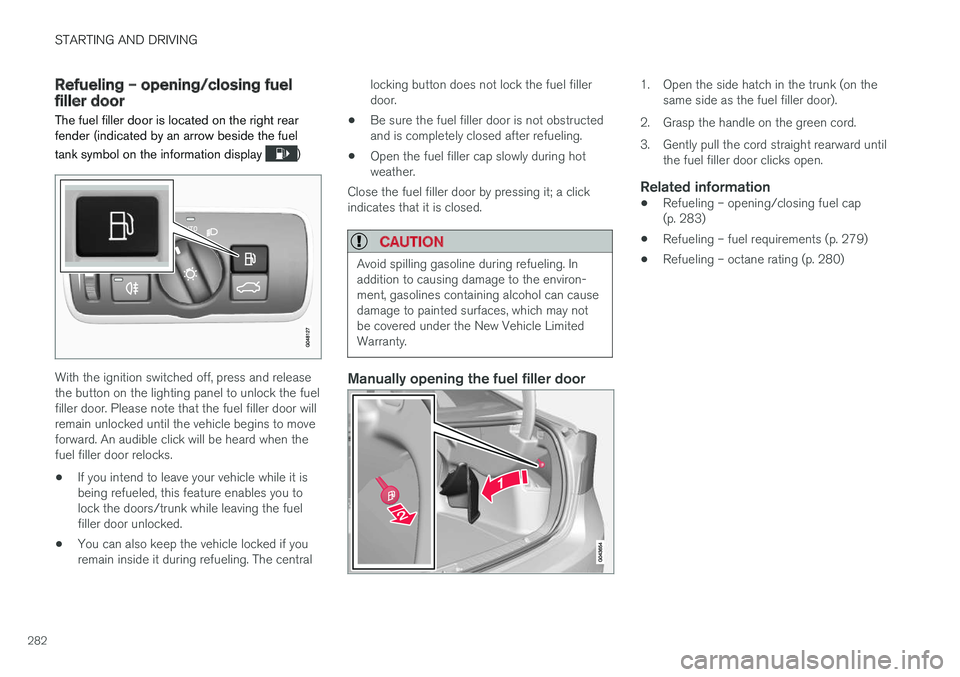
With the ignition switched off, press and release the button on the lighting panel to unlock the fuelfiller door. Please note that the fuel filler door willremain unlocked until the vehicle begins to moveforward. An audible click will be heard when thefuel filler door relocks.
• If you intend to leave your vehicle while it isbeing refueled, this feature enables you tolock the doors/trunk while leaving the fuelfiller door unlocked.
• You can also keep the vehicle locked if youremain inside it during refueling. The central locking button does not lock the fuel fillerdoor.
• Be sure the fuel filler door is not obstructedand is completely closed after refueling.
• Open the fuel filler cap slowly during hotweather.
Close the fuel filler door by pressing it; a clickindicates that it is closed.
CAUTION
Avoid spilling gasoline during refueling. In addition to causing damage to the environ-ment, gasolines containing alcohol can causedamage to painted surfaces, which may notbe covered under the New Vehicle LimitedWarranty.
Manually opening the fuel filler door
1. Open the side hatch in the trunk (on the same side as the fuel filler door).
2. Grasp the handle on the green cord.
3. Gently pull the cord straight rearward until the fuel filler door clicks open.
Related information
• Refueling – opening/closing fuel cap (p. 283)
• Refueling – fuel requirements (p. 279)
• Refueling – octane rating (p. 280)