buttons VOLVO S60 2018 Owner´s Manual
[x] Cancel search | Manufacturer: VOLVO, Model Year: 2018, Model line: S60, Model: VOLVO S60 2018Pages: 396, PDF Size: 9.4 MB
Page 175 of 396
DRIVER SUPPORT
}}
173
Related information
•Cruise control (CC) – engaging and setting speed (p. 173)
• Cruise control (CC) – deactivating (p. 175)
Cruise control (CC) – engaging and setting speed
Cruise control is designed to assist the driver by maintaining a set speed. It is primarily intendedfor use on long straight roads in steady traffic,such as on highways and other main roads.
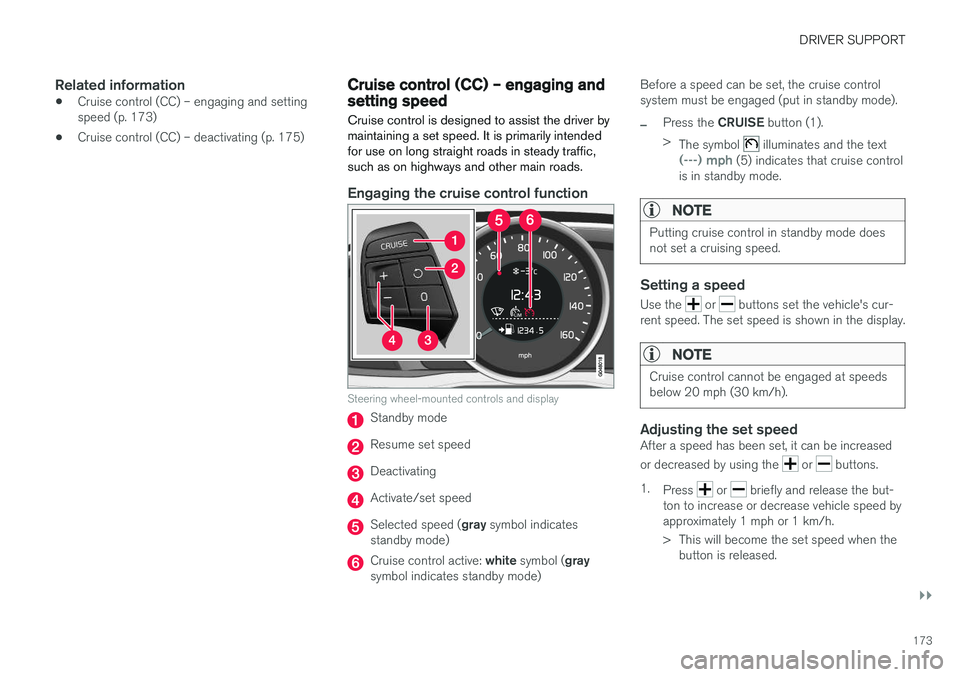
Engaging the cruise control function
Steering wheel-mounted controls and display
Standby mode
Resume set speed
Deactivating
Activate/set speed
Selected speed ( gray symbol indicates
standby mode)
Cruise control active: white symbol ( gray
symbol indicates standby mode) Before a speed can be set, the cruise control system must be engaged (put in standby mode).
–Press the
CRUISE button (1).
> The symbol
illuminates and the text(---) mph (5) indicates that cruise control
is in standby mode.
NOTE
Putting cruise control in standby mode does not set a cruising speed.
Setting a speed
Use the or buttons set the vehicle's cur-
rent speed. The set speed is shown in the display.
NOTE
Cruise control cannot be engaged at speeds below 20 mph (30 km/h).
Adjusting the set speedAfter a speed has been set, it can be increased or decreased by using the
or buttons.
1. Press
or briefly and release the but-
ton to increase or decrease vehicle speed by approximately 1 mph or 1 km/h.
> This will become the set speed when the button is released.
Page 176 of 396
||
DRIVER SUPPORT
1742. Press and hold one of these buttons to
increase/decrease the speed in 1-mph or 1- km/h increments. Release the button whenyou have reached the desired speed.
NOTE
• A temporary increase in speed by press- ing the accelerator pedal, for less than1 minute (e.g. when passing another car),does not affect the current cruise controlsetting. The vehicle will automaticallyreturn to the previously set speed whenthe accelerator pedal is released.
• If one of the cruise control buttons iskept depressed for more than approx.1 minute cruise control is disengaged.The engine must then be switched off inorder to reset cruise control.
Related information
•Cruise control (CC) – introduction (p. 172)
• Cruise control (CC) – deactivating (p. 175)
Toggling between ACC and CC (standard Cruise Control)
Adaptive Cruise Control (ACC) helps the driver maintain a safe distance/time interval to the vehi-cle ahead.
Switching from ACC to CCThis may be useful if, for example, the radar sen- sor is obstructed in some way. See AdaptiveCruise Control – limitations (p. 185) for addi-tional information.
• Press and hold the
button; the symbol in
the instrument panel will switch from
to
.
> This activates the standard cruise control function (see Cruise control (CC) – introduc- tion (p. 172)).
WARNING
Switching from ACC to CC means that:
• Your vehicle will
no longer automatically
maintain a set distance to a vehicle ahead.
• Only the set speed will be maintained andthe driver will have to apply the brakeswhen needed.
Switching from CC to ACC
Switch off cruise control by pressing once or
twice as needed according to the instructions in the previous section "Turning ACC off com- pletely." The next time the system is switched on,ACC will be reactivated.
Related information
•
Adaptive Cruise Control – introduction(p. 175)
• Adaptive Cruise Control – function (p. 177)
Page 182 of 396
||
DRIVER SUPPORT
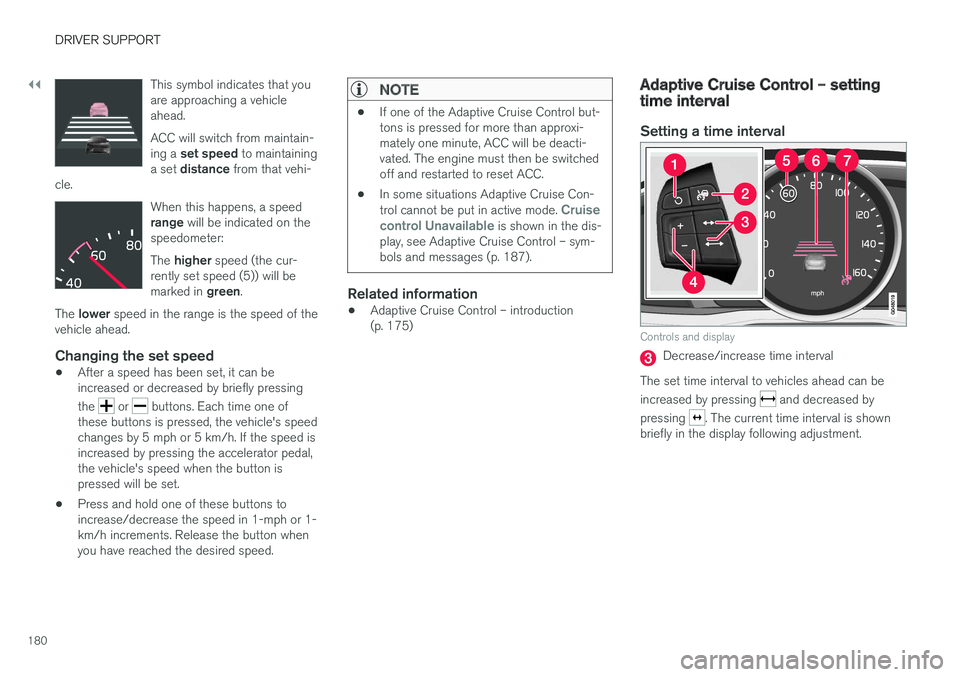
180This symbol indicates that you are approaching a vehicleahead. ACC will switch from maintain- ing a
set speed to maintaining
a set distance from that vehi-
cle.
When this happens, a speed range will be indicated on the
speedometer: The higher speed (the cur-
rently set speed (5)) will be marked in green.
The lower speed in the range is the speed of the
vehicle ahead.
Changing the set speed
• After a speed has been set, it can be increased or decreased by briefly pressing the
or buttons. Each time one of
these buttons is pressed, the vehicle's speed changes by 5 mph or 5 km/h. If the speed isincreased by pressing the accelerator pedal,the vehicle's speed when the button ispressed will be set.
• Press and hold one of these buttons toincrease/decrease the speed in 1-mph or 1-km/h increments. Release the button whenyou have reached the desired speed.
NOTE
•
If one of the Adaptive Cruise Control but- tons is pressed for more than approxi-mately one minute, ACC will be deacti-vated. The engine must then be switchedoff and restarted to reset ACC.
• In some situations Adaptive Cruise Con- trol cannot be put in active mode.
Cruise
control Unavailable is shown in the dis-
play, see Adaptive Cruise Control – sym- bols and messages (p. 187).
Related information
• Adaptive Cruise Control – introduction (p. 175)
Adaptive Cruise Control – setting time interval
Setting a time interval
Controls and display
Decrease/increase time interval
The set time interval to vehicles ahead can be increased by pressing
and decreased by
pressing
. The current time interval is shown
briefly in the display following adjustment.
Page 183 of 396
DRIVER SUPPORT
}}
181
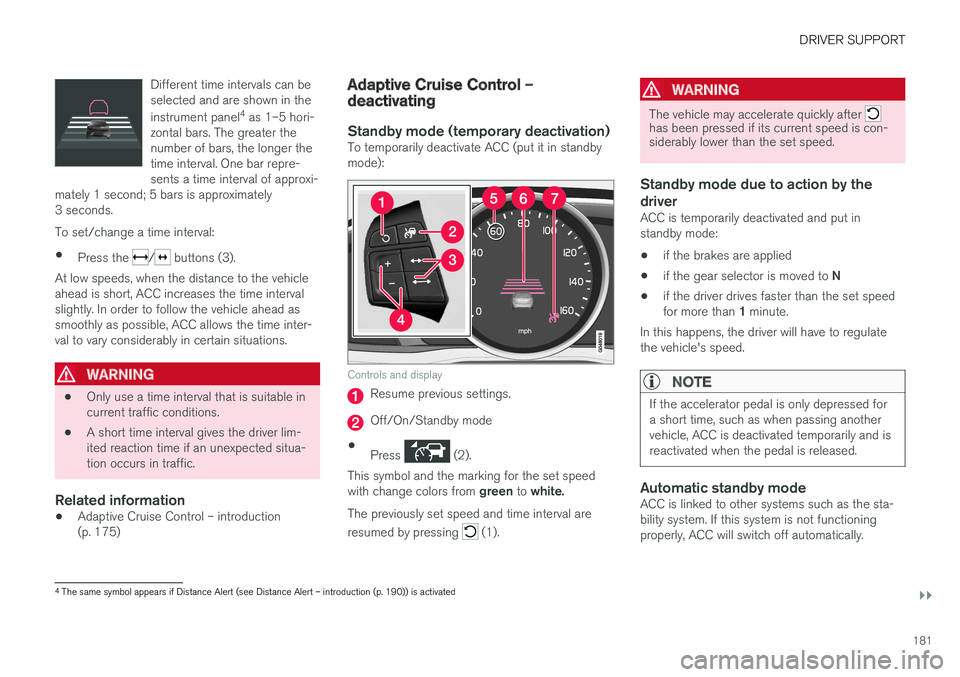
Different time intervals can be selected and are shown in the instrument panel
4
as 1–5 hori-
zontal bars. The greater the number of bars, the longer thetime interval. One bar repre-sents a time interval of approxi-
mately 1 second; 5 bars is approximately3 seconds.
To set/change a time interval:
• Press the
/ buttons (3).
At low speeds, when the distance to the vehicle ahead is short, ACC increases the time intervalslightly. In order to follow the vehicle ahead assmoothly as possible, ACC allows the time inter-val to vary considerably in certain situations.
WARNING
• Only use a time interval that is suitable in current traffic conditions.
• A short time interval gives the driver lim-ited reaction time if an unexpected situa-tion occurs in traffic.
Related information
• Adaptive Cruise Control – introduction(p. 175)
Adaptive Cruise Control – deactivating
Standby mode (temporary deactivation)To temporarily deactivate ACC (put it in standby mode):
Controls and display
Resume previous settings.
Off/On/Standby mode
• Press
(2).
This symbol and the marking for the set speed with change colors from green to white.
The previously set speed and time interval are resumed by pressing
(1).
WARNING
The vehicle may accelerate quickly after has been pressed if its current speed is con- siderably lower than the set speed.
Standby mode due to action by the driver
ACC is temporarily deactivated and put in standby mode:
• if the brakes are applied
• if the gear selector is moved to
N
• if the driver drives faster than the set speed for more than
1 minute.
In this happens, the driver will have to regulate
the vehicle's speed.
NOTE
If the accelerator pedal is only depressed for a short time, such as when passing anothervehicle, ACC is deactivated temporarily and isreactivated when the pedal is released.
Automatic standby modeACC is linked to other systems such as the sta- bility system. If this system is not functioningproperly, ACC will switch off automatically.
4 The same symbol appears if Distance Alert (see Distance Alert – introduction (p. 190)) is activated
Page 255 of 396
STARTING AND DRIVING
* Option/accessory.253
Engine Remote Start (ERS) * –
starting the engine
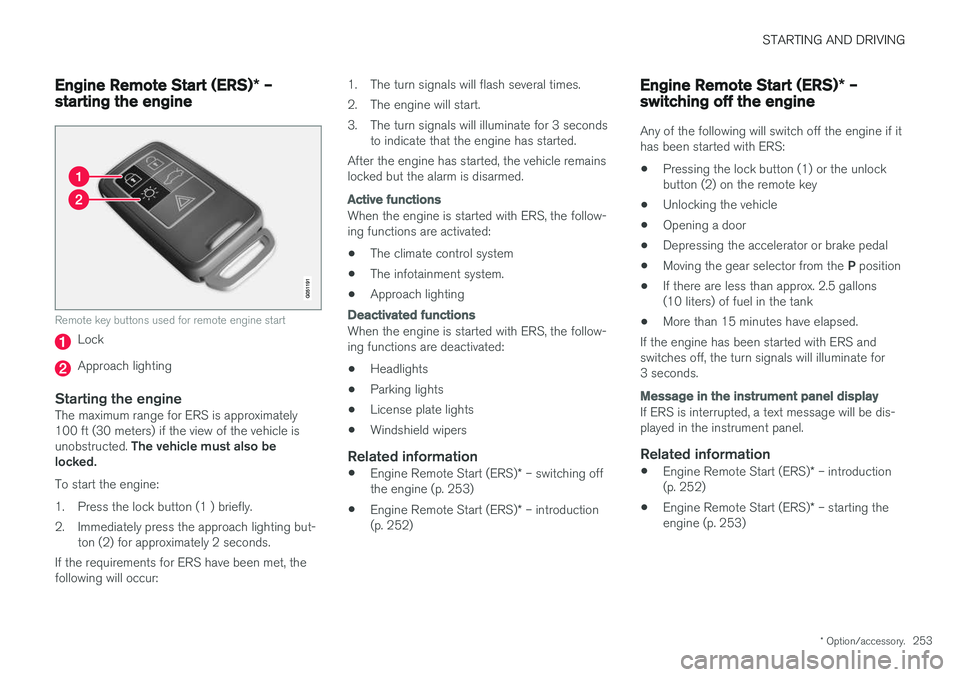
Remote key buttons used for remote engine start
Lock
Approach lighting
Starting the engineThe maximum range for ERS is approximately 100 ft (30 meters) if the view of the vehicle is unobstructed. The vehicle must also be
locked. To start the engine:
1. Press the lock button (1 ) briefly.
2. Immediately press the approach lighting but- ton (2) for approximately 2 seconds.
If the requirements for ERS have been met, the following will occur: 1. The turn signals will flash several times.
2. The engine will start.
3. The turn signals will illuminate for 3 seconds
to indicate that the engine has started.
After the engine has started, the vehicle remains locked but the alarm is disarmed.
Active functions
When the engine is started with ERS, the follow- ing functions are activated: • The climate control system
• The infotainment system.
• Approach lighting
Deactivated functions
When the engine is started with ERS, the follow- ing functions are deactivated: •
Headlights
• Parking lights
• License plate lights
• Windshield wipers
Related information
•
Engine Remote Start (ERS)
* – switching off
the engine (p. 253)
• Engine Remote Start (ERS)
* – introduction
(p. 252)
Engine Remote Start (ERS) * –
switching off the engine
Any of the following will switch off the engine if it has been started with ERS: • Pressing the lock button (1) or the unlock button (2) on the remote key
• Unlocking the vehicle
• Opening a door
• Depressing the accelerator or brake pedal
• Moving the gear selector from the
P position
• If there are less than approx. 2.5 gallons(10 liters) of fuel in the tank
• More than 15 minutes have elapsed.
If the engine has been started with ERS andswitches off, the turn signals will illuminate for3 seconds.
Message in the instrument panel display
If ERS is interrupted, a text message will be dis- played in the instrument panel.
Related information
• Engine Remote Start (ERS)
* – introduction
(p. 252)
• Engine Remote Start (ERS)
* – starting the
engine (p. 253)
Page 365 of 396
MAINTENANCE AND SERVICING
}}
363
Cleaning the seat beltsClean only with lukewarm water and a mild soap solution.
Cleaning floor matsThe floor mats should be vacuumed or brushedclean regularly, especially during winter whenthey should be taken out for drying. Spots on tex-tile mats can be removed with a mild detergent.For best protection in winter, Volvo recommendsthe use of Volvo rubber floor mats. Consult yourVolvo retailer.
Spots on interior plastic, metal, or wood
surfaces
Cleaning interior plastic components should bedone with a cleaning agent specially designed forthis purpose. Consult your Volvo retailer.
CAUTION
• Do not use cleaning agents with high alcohol content such as washer fluid toclean instrument panel glass.
• Never spray cleaning agents or waterdirectly onto components with electricalbuttons or controls. Clean components ofthis type by applying the cleaning agent/water sparingly to a cloth and wiping thecomponents so that no liquid penetratesinto these components.
Related information
•Washing the vehicle (p. 359)
Touching up paintwork
Paint damage requires immediate attention to avoid rusting. Make it a habit to check the finishregularly, for instance washing the vehicle.Touch-up if necessary.
Paint repairs require special equipment and skill. Contact your Volvo retailer for any extensive dam-age. Minor scratches can be repaired by using Volvo touch-up paint.
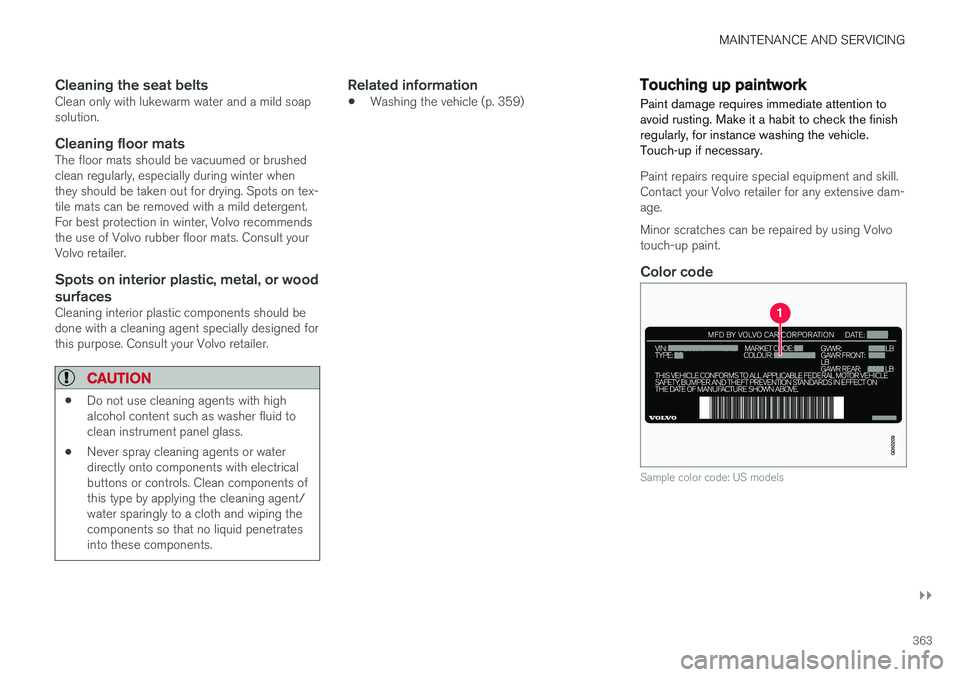
Color code
Sample color code: US models