INTERNET VOLVO S60 2018 Owner´s Manual
[x] Cancel search | Manufacturer: VOLVO, Model Year: 2018, Model line: S60, Model: VOLVO S60 2018Pages: 396, PDF Size: 9.4 MB
Page 4 of 396
2
INTRODUCTION
On-board owner's manual10
Owner's information 12
Contacting Volvo 13
About this manual 13
Change of ownership 17
Crash event data 17
Volvo Structural Parts Statement 18
Information on the Internet 19
Volvo ID 20
Open Source Software Notice 20
Volvo and the environment 21
Important warnings 22
Volvo Roadside Assistance 23
Technician certification 23
SAFETY
Occupant safety26
Recall information 26
Reporting safety defects 27
Seat belts – general 28
Seat belts – buckling/unbuckling 29
Seat belt reminder 30
Seat belts – pregnancy 31
Supplemental Restraint System (SRS) 31
Front airbags 33
Occupant Weight Sensor 36
Side impact protection (SIPS) airbags 39
Inflatable Curtain (IC) 41
Whiplash Protection System (WHIPS) 42
Crash mode – general information 44
Crash mode – starting the vehicle 45
Crash mode – moving the vehicle 45
Child safety 46
Child restraints 47
Infant seats 49
Convertible seats 52
Booster cushions 54
ISOFIX/LATCH lower anchors 55
Top tether anchors 56
Child safety locks 58
INSTRUMENTS AND CONTROLS
Instrument overview 60
Information displays – introduction 63
Eco Guide * and Power Meter *
66
Information displays – indicator symbols 67
Information displays – warning symbols 69
My Car – introduction 71
Information displays – ambient tem- perature sensor 72
Information displays – trip odometerand clock 73
Inserting/removing remote key 73
Ignition modes 74
Front seats 75
Front seats – folding backrest *
76
Front seats – power seat 76
Key memory – power driver's seat *
and door mirrors 78
Rear seats – head restraints 79
Rear seats – folding backrest 81
Steering wheel 82
Electrically heated * steering wheel
83
Lighting panel 83
High/low beam headlights 84
Active high beams (AHB) *
85
Tunnel detection (models with the rain sensor * only) 86
TABLE OF CONTENTS
Page 14 of 396
||
INTRODUCTION
12such texts in the article will be displayed here.
Turn TUNE to navigate among the links or scroll
in an article. When you have scrolled to thebeginning/end of an article, you can return to thestart page or a favorite by scrolling one additional step up/down. Press OK/MENU to activate a
selection or highlighted link. Press EXIT to return
to the previous view.
Related information
• Information on the Internet (p. 19)
Owner's information
Your vehicle is equipped with a screen on which you can display information about your vehicle'sfeatures and functions. The printed owner'smanual supplements the on-board informationand contains important texts, the latest updatesand instructions that can be useful in situationswhen it is not practical to read the information onthe screen. Changing the language used for the on-board information could mean that some of the infor-mation displayed may not comply with nationalor local statutes and regulations.NOTE
• Do not export your Volvo to another country before investigating that coun-try's applicable safety and exhaust emis-sion requirements. In some cases it maybe difficult or impossible to comply withthese requirements. Modifications to theemission control system(s) may renderyour Volvo not certifiable for legal opera-tion in the U.S., Canada and other coun-tries.
• All information, illustrations and specifica-tions contained in this manual are basedon the latest product information availa-ble at the time of publication. Please notethat some vehicles may be equipped dif-ferently, depending on market-specificadaptations or special legal requirements.Optional equipment described in thismanual may not be available in all mar-kets.
• Some of the illustrations shown aregeneric and are intended as examplesonly, and may not depict the exact modelfor which this owner's information isintended.
• Volvo reserves the right to make modeland product changes at any time, or tochange specifications or design withoutnotice and without incurring obligation.
Page 19 of 396
INTRODUCTION
}}
17
operation in the U.S., Canada and other countries.
• All information, illustrations and specifica-tions contained in this manual are based onthe latest product information available at thetime of publication. Please note that somevehicles may be equipped differently,depending on special legal requirements.Optional equipment described in this manualmay not be available in all markets.
• Some of the illustrations shown are genericand may not depict the exact model forwhich this manual is intended.
• Volvo reserves the right to make modelchanges at any time, or to change specifica-tions or design without notice and withoutincurring obligation.
Related information
•
Information on the Internet (p. 19)
• Volvo and the environment (p. 21)
• Important warnings (p. 22)
Change of ownership
When the vehicle changes owners, all personal settings should be reset to the factory defaults.
To reset, press the MY CAR button in the center
console followed by OK/MENU and select
SettingsReset to factory settings.
User data e.g., for apps, the web browser and for personal settings in menus such as the climatesystem and vehicle settings should be reset tofactory defaults. For vehicles equipped with the optional Volvo On Call, personal settings stored in the vehicleshould be deleted, see Changing ownership of avehicle with Volvo On Call.
Related information
• Volvo ID (p. 20)
Crash event data
This vehicle is equipped with an event data recorder (EDR). The main purpose of an EDR isto record, in certain crash or near crash-like sit-uations, such as an air bag deployment or hittinga road obstacle, data that will assist in under-standing how a vehicle's systems performed.The EDR is designed to record data related tovehicle dynamics and safety systems for a shortperiod of time, typically 30 seconds or less. TheEDR in this vehicle is designed to record suchdata as:
• How various systems in your vehicle were operating;
• Whether or not the driver and passengersafety belts were buckled/fastened;
• How far (if at all) the driver was depressingthe accelerator and/or brake pedal; and,
• How fast the vehicle was traveling.
These data can help provide a better understand-ing of the circumstances in which crashes andinjuries occur. EDR data are recorded by your vehicle only if a non-trivial crash situation occurs; no data arerecorded by the EDR under normal driving condi-tions and the EDR never registers who is drivingthe vehicle or the location of a crash or a nearcrash-like situation. However, other parties, suchas law enforcement, could combine the EDR datawith the type of personally identifying data rou-
Page 21 of 396
INTRODUCTION
* Option/accessory.19
quality of these used parts may also have been affected due to environmental exposure.
Related information
•
Important warnings (p. 22)
• Information on the Internet (p. 19)
• Contacting Volvo (p. 13)
Information on the Internet
Additional information regarding your vehicle can
be found at www.volvocars.com.
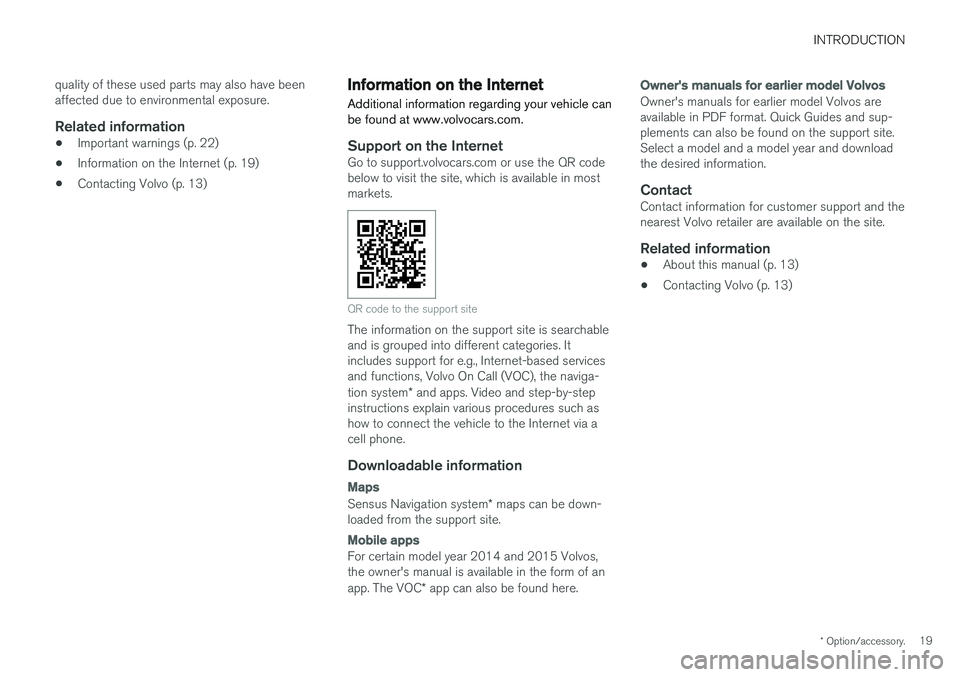
Support on the InternetGo to support.volvocars.com or use the QR code below to visit the site, which is available in mostmarkets.
QR code to the support site
The information on the support site is searchable and is grouped into different categories. Itincludes support for e.g., Internet-based servicesand functions, Volvo On Call (VOC), the naviga- tion system * and apps. Video and step-by-step
instructions explain various procedures such as how to connect the vehicle to the Internet via acell phone.
Downloadable information
Maps
Sensus Navigation system * maps can be down-
loaded from the support site.
Mobile apps
For certain model year 2014 and 2015 Volvos, the owner's manual is available in the form of an app. The VOC * app can also be found here.
Owner's manuals for earlier model Volvos
Owner's manuals for earlier model Volvos are available in PDF format. Quick Guides and sup-plements can also be found on the support site.Select a model and a model year and downloadthe desired information.
ContactContact information for customer support and thenearest Volvo retailer are available on the site.
Related information
• About this manual (p. 13)
• Contacting Volvo (p. 13)
Page 22 of 396
INTRODUCTION
* Option/accessory.
20
Volvo ID
This is your personal ID that can be used to access a number of services 1
Creating a Volvo IDTo create a Volvo ID, provide your personal email address and then follow the instructions providedin the email that you will receive from Volvo. Thiscan be done from: •
An Internet-connected vehicle: Enter your email address in the app that requires aVolvo ID and follow the instructions provides or press the Internet connect (
) button on
the center console and select Apps,Settings and follow the instructions provi-
ded.
• Volvo On Call (VOC
*): download the latest
version of the VOC app and create a Volvo ID on the start page.
Open Source Software Notice
The systems in your Volvo contain certain free/ open source and other software.
This product uses certain free / open source and other software originating from third parties, thatis subject to the GNU General Public Licenseversion 2 and 3 (GPLv2/GPLv3), GNU LesserGeneral Public License version 3 (LGPLv3), TheFreeType Project License (“FreeType License”)and other different and/or additional copyrightlicenses, disclaimers and notices. The links howto access the exact terms of GPLv2, GPLv3,LGPLv3, and the other open source softwarelicenses, disclaimers, acknowledgements andnotices are provided to you below. Please refer tothe exact terms of the relevant License, regardingyour rights under said licenses. Volvo CarCorporation (VCC) offers to provide the sourcecode of said free/open source software to youfor a charge covering the cost of performing suchdistribution, such as the cost of media, shippingand handling, upon written request. Pleasecontact your nearest Volvo retailer. This offer is valid for a period of at least three (3) years from the date of the distribution of thisproduct by VCC / or for as long as VCC offersspare parts or customer support. Portions of this product uses software copyrighted
© v2.4.3/2010 The FreeTypeProject
(www.freetype.org). All rights reserved. This product includes software under following licenses: GPL v2 : http://www.gnu.org/licenses/old- licenses/gpl-2.0.html
• Linux kernel (merge between MontaVista2.6.31 kernel and kernel fromL2.6.31_MX51_ER_1007 BSP)
• uBoot (based on v2009.08)
• busybox (based on version 1.13.2.)
GCC runtime library exception: http://www.gnu.org/licenses/gcc-exception.html
• libgcc_s.so.1
LGPL v3: http://www.gnu.org/licenses/lgpl.html • Libc.so.6, libpthread.so.0, Librt.so.1
The FreeType Project License: http:// www.freetype.org/FTL.TXT
• libfreetype.so.6 (version 2.4.3)
Related information
•
About this manual (p. 13)
1
These services vary and may be subject to change. Consult your Volvo retailer.
Page 25 of 396
INTRODUCTION
23
Volvo Roadside Assistance
Your new Volvo comes with a four year roadside assistance program.
Additional information, features, and benefits of this program are described in a separate informa-tion package in your glove compartment. If you require assistance, dial: In the U.S. 1-800-638-6586 (1-800-63-
VOLVO)In Canada 1-800-263-0475
Related information
•Information on the Internet (p. 19)
Technician certification
In addition to Volvo factory training, Volvo sup- ports certification by the National Institute forAutomotive Service Excellence (A.S.E.).
Certified technicians have demonstrated a high degree of competence in specific areas. Besidespassing exams, each technician must also haveworked in the field for two or more years before acertificate is issued. These professional techni-cians are best able to analyze vehicle problemsand perform the necessary maintenance proce-dures to keep your Volvo at peak operating con-dition.
Page 29 of 396
SAFETY
27
Reporting safety defects
The following information will help you report any perceived safety-related defects in your vehicle.
Reporting safety defects in the U.S.
If you believe that your vehicle has a defect which could cause a crash orcould cause injury or death, you shouldimmediately inform the National High-way Traffic Safety Administration(NHTSA) in addition to notifying VolvoCar USA, LLC. If NHTSA receives simi-lar complaints, it may open an investi-gation, and if it finds that a safetydefect exists in a group of vehicles, itmay order a recall and remedy cam-paign. However, NHTSA cannotbecome involved in individual problemsbetween you, your retailer, or Volvo CarUSA, LLC. To contact NHTSA, you mayeither call the Auto Safety Hotline toll-free at 1-888-327-4236(TTY: 1-800-424-9153) or write to: NHTSA, U.S. Department of Transpor-tation, Washington D.C. 20590. You can also obtain other informationabout motor vehicle safety from http://www.safercar.gov, where you can alsoenter your vehicle's VIN (Vehicle Identi-fication Number) to see if it has anyopen recalls. Volvo strongly recommends that if your vehicle is covered under a service cam-paign, safety or emission recall or simi-lar action, it should be completed assoon as possible. Please check withyour local retailer or Volvo Car USA,LLC if your vehicle is covered underthese conditions. NHTSA can be reached at:Internet:http://www.nhtsa.govTelephone:1-888-DASH-2-DOT (1-888-327-4236).
Reporting safety defects in CanadaIf you believe your vehicle has a defect that could cause a crash or could cause injury or death, youshould immediately inform Transport Canada inaddition to notifying Volvo Car Canada Ltd.
Transport Canada can be contacted at:
1-800-333-0510 Teletypewriter (TTY): 613 990-4500Fax: 1-819-994-3372Mailing Address: Transport Canada - Road Safety, 80 rue Noël, Gatineau, (Quebec) J8Z 0A1
Related information
•
Occupant safety (p. 26)
• Recall information (p. 26)
Page 106 of 396
||
INSTRUMENTS AND CONTROLS
* Option/accessory.
104
WARNING
• If you use HomeLink ®
to open a garage
door or gate, be sure no one is near the gate or door while it is in motion.
• When programming a garage dooropener, it is advised to park outside of thegarage.
• Do not use HomeLink ®
with any garage
door opener that lacks safety stop andreverse features as required by U.S. fed-eral safety standards (this includes anygarage door opener model manufacturedbefore April 1, 1982). A garage door thatcannot detect an object - signaling thedoor to stop and reverse - does not meetcurrent U.S. federal safety standards. Formore information, contact HomeLink at:www.homelink.com.
The HomeLink ®
19
Wireless Control System pro-
vides a convenient way to replace up to threehand-held radio-frequency (RF) transmitters usedto activate devices such as gate operators,garage door openers, entry door locks, securitysystems, even home lighting. Additional informa-tion can be found on the Internet at,www.homelink.com/www.youtube.com/HomeLinkGentex or by phoning the hotline at 1–800–355–3515. Retain the original transmitter of the RF deviceyou are programming for use in other vehicles aswell as for future HomeLink programming. It isalso suggested that upon the sale of the vehicle,the programmed HomeLink buttons be erasedfor security purposes. Refer to “Resetting Home- Link Buttons” in HomeLink
®
Wireless Control
System * – programming (p. 104).
Using HomeLinkTo operate, simply press and hold the pro- grammed HomeLink button until the traineddevice begins to operate (this may take severalseconds). Activation will now occur for the traineddevice (i.e., garage door opener, gate operator,security system, entry door lock, home/officelighting, etc.). For convenience, the hand-heldtransmitter of the device may also be used at anytime. In the event that there are still programmingdifficulties or questions, contact HomeLink at:www.homelink.com/www.youtube.com/HomeLinkGentex or by phoning the hotline at 1–800–355–3515.
NOTE
If the ignition is switched off, HomeLink will function for 30 minutes after the driver's doorhas been opened.
HomeLink ®
Wireless Control
System * – programming
The HomeLink Wireless Control System pro- vides a convenient way to replace up to threehand-held radio-frequency (RF) transmittersused to activate devices such as gate operators,garage door openers, entry door locks, securitysystems, even home lighting. Additional informa-tion can be found on the Internetatwww.homelink.com/www.youtube.com/HomeLinkGentex or by phoning the hotline at 1–800–355–3515.
NOTE
Some vehicles may require the ignition to be switched on or be in the “accessories” posi-tion for programming and/or operation ofHomeLink. It is also recommended that a newbattery be placed in the hand-held transmitterof the device being programmed to Home-Link for quicker training and accurate trans-mission of the radio-frequency signal. TheHomeLink buttons must be reset first. Whenthis has been completed, Homelink is inlearning mode so that you can perform pro-gramming.
19 HomeLink and the HomeLink house are registered trademarks of Gentex Corporation.
Page 327 of 396
MAINTENANCE AND SERVICING
}}
* Option/accessory.325
Onboard Diagnostic System OBD II is part of your vehicle's computerized engine management system. It stores diagnosticinformation about your vehicle's emission con-trols. It can light the Check Engine light (MIL) if itdetects an emission control "fault." A "fault" is acomponent or system that is not performingwithin an expected range. A fault may be perma-nent or temporary. OBD II will store a messageabout any fault.
Emission inspection readiness
How do states use OBD II for emission inspections?
Many states connect a computer directly to a vehicle's OBD II system. The inspector can thenread "faults." In some states, this type of inspec-tion has replaced the tailpipe emission test.
How can my vehicle fail OBD II emission inspection?
Your vehicle can fail OBD II emission inspection for any of the following reasons.
• If your Check Engine (MIL) light is lit, yourvehicle may fail inspection.
• If your vehicle's Check Engine light was lit,but went out without any action on your part,OBD II will still have a recorded fault. Yourvehicle may pass or fail, depending on theinspection practices in your area.
• If you had recent service that required dis-connecting the battery, OBD II diagnostic information may be incomplete and "notready" for inspection. A vehicle that is notready may fail inspection.
How can I prepare for my next OBD II
emission inspection?
• If your Check Engine (MIL) light is lit – or was lit but went out without service, have yourvehicle diagnosed and, if necessary, servicedby a qualified Volvo technician.
• If you recently had service for a lit CheckEngine light, or if you had service thatrequired disconnecting the battery, a periodof driving is necessary to bring the OBD IIsystem to "ready" for inspection. Two half-hour trips of mixed stop-and-go/highwaydriving are typically needed to allow OBD II toreach readiness. Your Volvo retailer can pro-vide you with more information on planning atrip.
• Maintain your vehicle in accordance with yourvehicle's maintenance schedule.
Booking service and repairs
Connected Service Booking (CSB) makes set- ting up a time for service, maintenance and/orrepairs directly from the vehicle quick and con-venient.
Prerequisites
• The owner (primary driver) must have a valid Volvo ID. See Volvo ID (p. 20) for additionalinformation.
• The vehicle must be connected to the Inter- net using a paired Bluetooth ®
cell phone.
See your Sensus Infotainment supplement for information on pairing a cell phone. On models equipped with Volvo On Call (VOC) *,
you can connect to the Internet using your separate VOC data plan. Refer to your sepa-rate Volvo On Call manual.
• By default, the retailer where you purchasedyour vehicle will be your preferred (primary)retailer/Volvo authorized workshop who willperform service and repairs on your vehicle.To change the preferred retailer, go to DealerLocator at volvocars.com and select aretailer, click on Service Scheduler and bookan appointment at the new preferred retailer.
• In order to be guided through the on-screen steps, the menu alternative
Display
notifications must be activated.
Page 390 of 396
INDEX
388Horn
82
I
ID, Volvo 20
Ignition modes 73, 74
Immobilizer 146
Important information 13
Indicator lights 63, 65, 69
Infant seats 49
Inflatable Curtain 41
Inflation pressure 298, 299
Inflation pressure table 378
Information and warning symbols, table of 379
Information lights 63, 65, 69
Inspection readiness 325
Instrument lighting 88
"theater" lighting 88
Instrument overview 60, 63
Instrument panel 63, 108, 109
Interior Air Quality System 121
Interior lighting 91Internet connection booking service 325
ISOFIX/LATCH anchors 55
J
Jack attaching 293
location of 293
Jump starting 254
K
Key blade 144, 145, 146, 148, 149, 150, 151, 154
private locking 150
valet locking 150
Keyless drive 153 general description 155, 156
starting the vehicle 250
Keyless locking/unlocking 153
L
Labels list of 367
location of 367
Lane Departure Warning (LDW) 220, 221, 222, 223
Lane Keeping Aid 225, 226, 228, 229
LATCH anchors 55
Leather care 362
Lighting panel 83
Loading the vehicle 138, 140, 302 roof loads 139
Locking 157, 158, 160
Locking the vehicle 147
Locks, child safety 58
Low beams 84
Low coolant level 332
Low oil pressure warning light 69
M
Main instrument panel 108, 109
Maintenance 322 hoisting the vehicle 324
performed by the owner 323
Malfunction indicator light 68
Messages in the instrument panel 108, 109Mirrors defroster 99
power door 97, 98
rearview, auto-dim function 99
retractable 97, 98
vanity 137
Moonroof 101, 102