top view VOLVO S60 2020 Quick Guide
[x] Cancel search | Manufacturer: VOLVO, Model Year: 2020, Model line: S60, Model: VOLVO S60 2020Pages: 43, PDF Size: 7.97 MB
Page 2 of 43
VÄLKOMMEN!
This Quick Guide describes a selection of features and functions in your Volvo. Additional owner's information is available in your vehicle, in an app and on the Internet.
THE CENTER DISPLAY
The Owner's Manual is available in the center display in top view.
MOBILE APP
The Owner's Manual is available as an app (Volvo Manual) for smart- phones and tablets. The app also contains instructional videos for cer-tain functions.
VOLVO'S SUPPORT SITE
Go to Volvo Cars' support site (support.volvocars.com) for manuals and instructional videos. Additional assistance and information aboutyour vehicle and owning a Volvo is also available on the support site.
PRINTED INFORMATION
The glove compartment contains a printed supplement to the Own- er
Page 5 of 43
GETTING STARTEDThe following functions, concepts and tips are intended to help familiarize you with your Volvo as quickly as possible. Volvo IDVolvo ID is a personal ID that gives you access to a number of ser- vices with a single username and password. Some examples are Volvo On Call, navigation * and the opportunity to schedule service
and repairs. You can create a Volvo ID via the Volvo On Call app or directly in your vehicle. Sensus Sensus is your vehicle's intelligent interface and includes all of its solutions relating to entertainment, connecting to the Internet, nav- igation * and information services. Sensus enables communication
between you, the vehicle and the digital world around you. Volvo On Call Volvo On Call gives you direct contact 1
with your vehicle and
enhanced comfort and assistance 24 hours a day. With the Volvo On Call app, you can see if e.g. any bulbs need replacing and ifwasher fluid needs to be filled. You can lock and unlock the vehicle,check the fuel level and find your nearest service station. Precondi-tioning can also be set and started via the vehicle's parking climate or the engine remote start function 2
. Download the Volvo On Call
app to get started. Volvo On Call also gives you access to roadside assistance, other security services and emergency assistance using the ON CALL
and SOS buttons in the ceiling console.
Driver profiles Many of the vehicle's settings can be adapted to the driver's per- sonal preferences and saved in one or more driver profiles. Each ofthe remote keys can be linked to a driver profile. See the section"Top view" in this Quick Guide for more information on driver pro-files.
1 Both the vehicle and the mobile device must have cellular coverage or another Internet con- nection.
2 Available on certain markets and models.
01
Page 7 of 43
EXTERIOR OVERVIEW
Check and save the new inflation pressure (TPMS)* viaTPMS in the Car Status app in the center display's App view. If
inflation pressure is too low, the
symbol will be steadily illu-
minated in the instrument panel. If inflation pressure is low, check and adjust the inflation pressure in all four tires and tap
Store Pressure to store the new tire pressure.
The Car Status app is used to check engine oil level . You can
also view any status-related messages and schedule service and repairs *.
The door mirrors can be automatically * tilted down when
reverse gear is engaged. When the vehicle is locked/unlocked using the remote key, the door mirrors will automatically fold in/out. Activate these functions under
SettingsMy Car
Mirrors and Convenience in the center display's Top view.
Keyless locking/unlocking * makes it possible to lock or
unlock the vehicle simply by having a remote key in your pos- session, e.g. in a pocket. The remote key must be withinapproximately 1 meter (3 feet) from the vehicle. To unlock the vehicle, grasp one of the door handles or press the rubberized button under the trunk lid's handle. To lock thevehicle, press one of the indentations on the outside of a doorhandle. Avoid touching both the outside and inside of the doorhandles at the same time.
The panoramic roof * has an opening glass section with a sun
shade and can be operated using a control above the rearview mirror when the vehicle is in at least ignition mode I. Open to
ventilation position by pressing the control upward and closeby pulling the control downward. To fully open the panoramicroof, pull the control rearward twice. Close by pulling the con-trol downward twice.
Foot-operated opening of the trunk lid * is possible by making
a slow forward kicking motion under the left-hand part of the rear bumper. For it to be possible to open the trunk lid using the foot movement sensor, the vehicle must be equipped with keyless locking/unlocking
*. The remote key must be within a
range of approximately 1 meter (3 feet) behind the vehicle for foot movement operation to be possible.
01
Page 11 of 43
INTERIOR OVERVIEW
Center display is used to control many of the vehicle's main
functions, e.g. media, navigation *, climate control, driver sup-
port systems and in-vehicle apps.
The instrument panel displays information about driving, e.g.
speed, rpm, navigation * and active driver support. You can
select which information should be shown in the instrument panel in the app menu, which is opened using the right-handsteering wheel keypad. Settings can also be made via
Settings
My CarDisplays in the center display's top view.
The head-up display * supplements the vehicle's instrument
panel and projects information on the windshield. It can be activated in the center display's Function view.
Start knob is used to start the vehicle. Turn clockwise and
release into the ignition position I. Hold the brake pedal
depressed and turn the start knob clockwise to start the vehi- cle. Switch off the vehicle by turning the start knob clockwise.
Drive modes * are selected using the control in the tunnel con-
sole. The vehicle always starts in Comfort mode. Press in the control and roll it to select between
Comfort, Eco, Dynamic/
Polestar Engineered* and Individual in the center display. Con-
firm by pressing the control. Individual drive mode enables you
to customize a drive mode's characteristics to your preferen- ces. To activate individual drive mode, tap
SettingsMy Car
Individual Drive Mode in the center display's Top view.
The parking brake is activated by pulling up the control. A
symbol will appear in the instrument panel. Release it manually by pressing the control down while depressing the brake pedal. Auto-hold brakes (
) keep the vehicle stationary when it is
stopped, e.g. at a traffic light, even if the brake pedal is not depressed. Before driving the vehicle into a car wash, deactivate the Auto- matic Braking and Automatic Parking Brake Application func- tions. Deactivate Automatic Parking Brake Application in the center display's Top view by tapping
SettingsMy Car
Parking Brake and Suspension.
Passenger airbag
: A sensor system determines what is occu-
pying the front passenger seat and activates/deactivates the front passenger side's airbag. See the Owner's Manual forimportant safety-related information regarding this.
01
Page 13 of 43
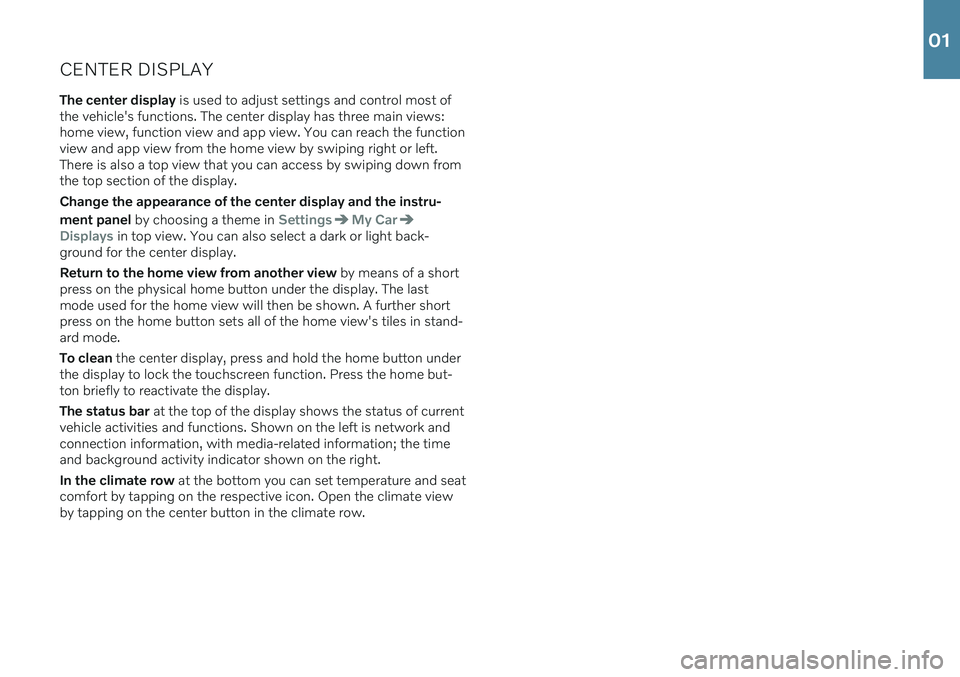
CENTER DISPLAYThe center display is used to adjust settings and control most of
the vehicle's functions. The center display has three main views: home view, function view and app view. You can reach the functionview and app view from the home view by swiping right or left.There is also a top view that you can access by swiping down fromthe top section of the display. Change the appearance of the center display and the instru- ment panel by choosing a theme in
SettingsMy Car
Displays in top view. You can also select a dark or light back-
ground for the center display. Return to the home view from another view by means of a short
press on the physical home button under the display. The last mode used for the home view will then be shown. A further shortpress on the home button sets all of the home view's tiles in stand-ard mode. To clean the center display, press and hold the home button under
the display to lock the touchscreen function. Press the home but- ton briefly to reactivate the display. The status bar at the top of the display shows the status of current
vehicle activities and functions. Shown on the left is network and connection information, with media-related information; the timeand background activity indicator shown on the right. In the climate row at the bottom you can set temperature and seat
comfort by tapping on the respective icon. Open the climate view by tapping on the center button in the climate row.
01
Page 21 of 43

PASSENGER COMPARTMENT CLIMATEClimate system functions for the front and rear sections of the pas- senger compartment are controlled from the center display andfrom the buttons on the center console and the rear side of the tun- nel console *. Some functions can also be controlled using voice
commands.
The icon for opening Climate view is located at the center of the climate bar at the bottom of the center display.When the
Clean Zone text is BLUE, this indicates that the
conditions for good air quality in the passenger compart- ment have been met.
–Tap AUTO in climate view for automatic control of several cli-
mate system functions. Tap for automatic control of air recircula- tion, air conditioning and air distribution. Press and hold for automatic control of air recirculation, air con- ditioning and air distribution and to change temperature andblower speed to standard settings: 22 °C (72 °F) and speed
3
(speed 2 in the rear seat 4
). It is possible to change the tempera-
ture and blower speed without deactivating automatic climate control.
–Tap any of the icons in the climate bar at the bottom of the cen- ter display to set temperature, seat heating * and blower speed.
To synchronize the temperature for all of the vehicle's zones with the driver side's temperature, tap the driver side's temperature iconand then tap
Synchronize temperature .
Preconditioning *
Preconditioning can be set in the vehicle's center display and with the Volvo On Call app. Preconditioning ventilates the passenger compartment before driv- ing. Preconditioning can be started directly from the vehicle or setto start automatically using a timer.
Preconditioning direct start
1. Open Climate view in the center display.
2. Tap the
Parking climate tab and then tap Preconditioning.
Setting a preconditioning timer
1. Open Climate view in the center display.
2. Select the
Parking climateAdd timer tab and set a date/day/
time.
Interior Air Quality System IAQS *
IAQS is part of the Clean Zone Interior Package * and is a fully auto-
matic system that filters passenger compartment air to help remove air contaminants such as particulates, hydrocarbons, nitric oxides and ground-level ozone. Tap
SettingsClimateAir
Quality Sensor
in the center display's top view to activate the
function.
4 For vehicles with 4-zone climate system *.
02
Page 22 of 43
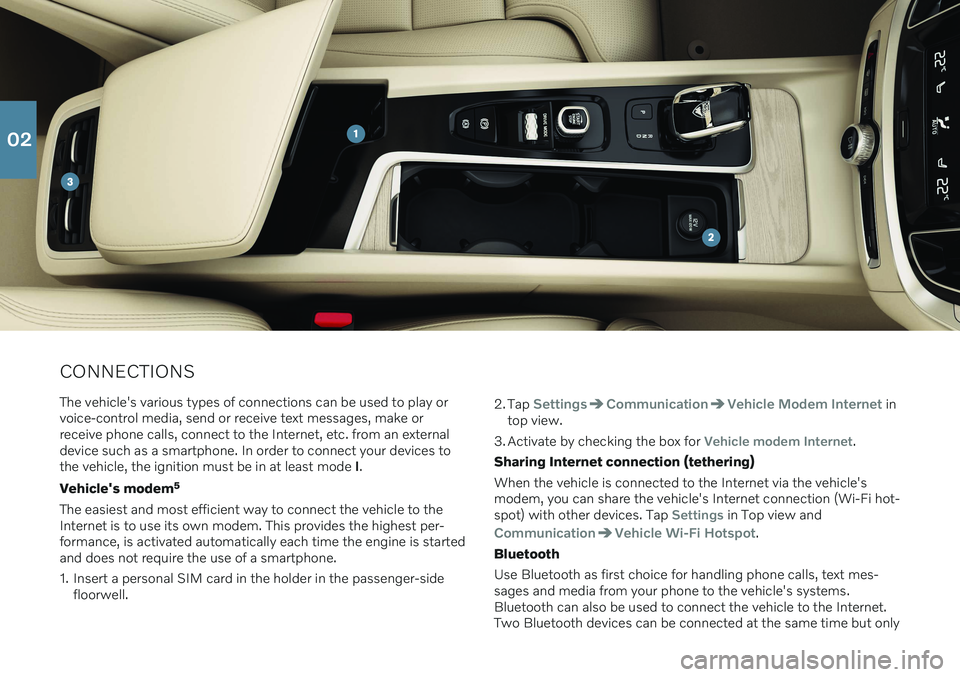
CONNECTIONSThe vehicle's various types of connections can be used to play or voice-control media, send or receive text messages, make orreceive phone calls, connect to the Internet, etc. from an externaldevice such as a smartphone. In order to connect your devices tothe vehicle, the ignition must be in at least mode I.
Vehicle's modem 5
The easiest and most efficient way to connect the vehicle to theInternet is to use its own modem. This provides the highest per-formance, is activated automatically each time the engine is startedand does not require the use of a smartphone.
1. Insert a personal SIM card in the holder in the passenger-side floorwell. 2. Tap
SettingsCommunicationVehicle Modem Internet in
top view.
3. Activate by checking the box for
Vehicle modem Internet.
Sharing Internet connection (tethering) When the vehicle is connected to the Internet via the vehicle's
modem, you can share the vehicle's Internet connection (Wi-Fi hot-spot) with other devices. Tap
Settings in Top view and
CommunicationVehicle Wi-Fi Hotspot.
Bluetooth Use Bluetooth as first choice for handling phone calls, text mes- sages and media from your phone to the vehicle's systems.Bluetooth can also be used to connect the vehicle to the Internet.Two Bluetooth devices can be connected at the same time but only
02
Page 23 of 43
one of them can be used to stream media. The two most recently connected phones will connect automatically when the ignition isswitched on (if the phone's Bluetooth function is activated). Up to20 devices are saved in a list to facilitate connection at a later time.
1. Activate Bluetooth in the phone. Also activate tethering/personalhotspot if you would like to connect to the Internet.
2. Open the phone tile in the center display.
3. Tap
Add phone or, if a phone is already connected, tap Changeand then Add phone.
4. Select the phone to be connected and then follow the steps on the center display and in the phone. Note that in certain phones, the message function is activated.
Wi-Fi Wi-Fi connections can be used to connect the vehicle to the Inter- net at greater speeds than are possible using Bluetooth to streamonline services such as web radio and music via apps in the vehicle,download/upload software, etc. A Wi-Fi connection from a smart-phone acts as a hotspot for the vehicle and any external devicesthat may be in the vehicle.
1. Activate tethering in the phone.
2. Tap
Settings in the center display's top view.
3. Tap
CommunicationWi-Fi and activate by checking the box
for Wi-Fi connection.
Please note that in certain phones, tethering is closed after contact with the vehicle has been broken. The phone's tethering functionwill then need to be reactivated before it can be used again. USB The USB ports can be used to connect an external device to e.g. play music. You can also use the USB port for Apple CarPlay * and
Android Auto *. If there are two USB ports, use the one with the
white frame. The external device will also be recharged while it is connected to the vehicle.
USB ports (type A) are provided in the armrest storage com- partment between the seats.
Electrical sockets Your vehicle contains the following electrical sockets:
12-volt electrical socket.
12-volt electrical socket and 120-volt electrical socket *. There is
also a 12-volt socket * in the trunk/cargo compartment.
5
Only vehicles with P-SIM. Vehicles equipped with Volvo On Call will use the vehicle modem Internet connection for the services.
02
Page 31 of 43
TOP VIEWThere is a tab in the upper part of the display that you can pull down to access top view. This view provides access to
Settings,Owner's manual, Profile and the vehicle's stored messages.
Personal settings Many personal settings can be changed under
Settings, e.g. dis-
plays, mirrors, front seat, navigation *, audio and media systems,
language and voice control. Driver profiles
If the vehicle is used by more than one driver, each driver can have a personal driver profile. Each time you enter thevehicle, you can select your driver profile where your per-sonal settings are stored. The number of profiles displayed
depends on how many keys are detected in the vehicle. The
Guestprofile is not connected to any specific key. The most recently active driver profile will be activated when the vehicle is unlocked. To change the driver profile, select
Profile in
top view. Driver profiles can be linked to specific vehicle keys and when the vehicle is unlocked, settings will be automatically adapted to your personal settings. To link a key, tap
SettingsSystemDriver
Profiles
. Select one of the driver profiles (the Guest profile cannot
be linked). Home view will reappear. Pull top view down again, repeat the above procedure and select
Edit for the selected profile
and then Connect key.
Individual drive mode To adapt the
Comfort, Eco or Dynamic drive modes to your per-
sonal preferences, activate the drive mode by tapping
Settings
My CarIndividual Drive Mode.
System volumes To adjust or switch off the volume of system sounds, e.g. screen tap sounds, go to
SettingsSoundSystem Volumes.
03
Page 33 of 43

DRIVER SUPPORTYour vehicle is equipped with a number of functions to help you drive safely and help prevent accidents. These functions are acti-vated in the center display's function view. Keep in mind that thesedriver support functions are only aids. The driver always has fullresponsibility for operating the vehicle in a safe manner. A selectionof these is listed below: City Safety ™
City Safety 10
can help assist the driver in critical situations in order
to help prevent or mitigate a collision with other vehicles, large ani- mals, pedestrians or cyclists. Visual, acoustic and haptic signals aregiven to alert the driver of a collision and assist you to act in time toavoid it. If the driver does not react quickly enough and a collision isimminent, the system can automatically apply the brakes. City Safety steering assistance can also strengthen your steering move-ments if you have begun evasive action and the system detectsthat the steering movements are not sufficient to avoid a collision.City Safety is activated when the engine is started and cannot bedisabled. Blind Spot Information (BLIS) *
BLIS can notify the driver of vehicles in your blind spot and of rapidly approaching vehicles in adjacent lanes.
Cross Traffic Alert (CTA) *
CTA with auto-brake is a supplementary driver support
system for BLIS that can alert the driver of crossing traffic behind the vehicle. If the driver does not notice the alertfrom CTA and a collision is unavoidable, the function canstop the vehicle. CTA is activated if reverse gear isengaged or if the vehicle is rolling backward. Lane Keeping Aid
Lane Keeping Aid can help the driver reduce the risk of the vehicle unintentionally veering out of the lane. To select thetype of assistance that should be provided, select
Settings
My CarIntelliSafeLane Keeping Aid Mode in
the center display's top view.
Steering assistance during collision risks
The Collision avoidance assistance function can help the
driver reduce the risk of the vehicle unintentionally veering out of the lane and/or colliding with another vehicle/obsta-cle by actively steering the vehicle back into the laneand/or swerving out of the way. The function consists ofthe sub-functions Run-Off Mitigation with steering assis-tance and Steering assistance during collision risks fromoncoming traffic.
Pilot Assist Pilot Assist 11
is a convenience function that can assist the driver in
keeping the vehicle in its own lane and at a set distance to the vehi- cle ahead. Pilot Assist is selected and activated using the left-sidesteering wheel keypad. For steering assistance to be possible, cer-
tain conditions must be met, e.g. both of the driver's hands mustbe on the steering wheel and the lane markings must be visible.When steering assistance is active, a GREEN steering wheel sym-bol will be displayed in the instrument panel.
10 Not available on all markets.
11 Depending on market, this function can be either standard or optional.
04