display VOLVO S60 INSCRIPTION 2018 Owner´s Manual
[x] Cancel search | Manufacturer: VOLVO, Model Year: 2018, Model line: S60 INSCRIPTION, Model: VOLVO S60 INSCRIPTION 2018Pages: 396, PDF Size: 9.39 MB
Page 189 of 396
DRIVER SUPPORT
}}
187
Adaptive Cruise Control – symbols and messages
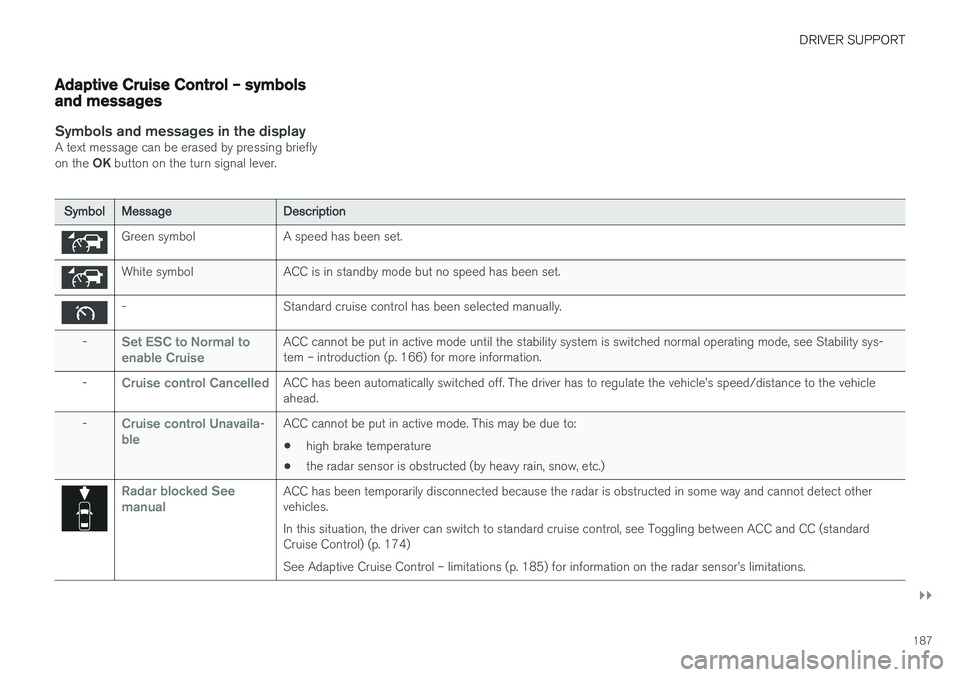
Symbols and messages in the displayA text message can be erased by pressing briefly on the OK button on the turn signal lever.
Symbol Message Description
Green symbol A speed has been set.
White symbol ACC is in standby mode but no speed has been set.
- Standard cruise control has been selected manually.
-
Set ESC to Normal to enable CruiseACC cannot be put in active mode until the stability system is switched normal operating mode, see Stability sys- tem – introduction (p. 166) for more information.
-
Cruise control CancelledACC has been automatically switched off. The driver has to regulate the vehicle
Page 190 of 396
||
DRIVER SUPPORT
188
SymbolMessage Description
-
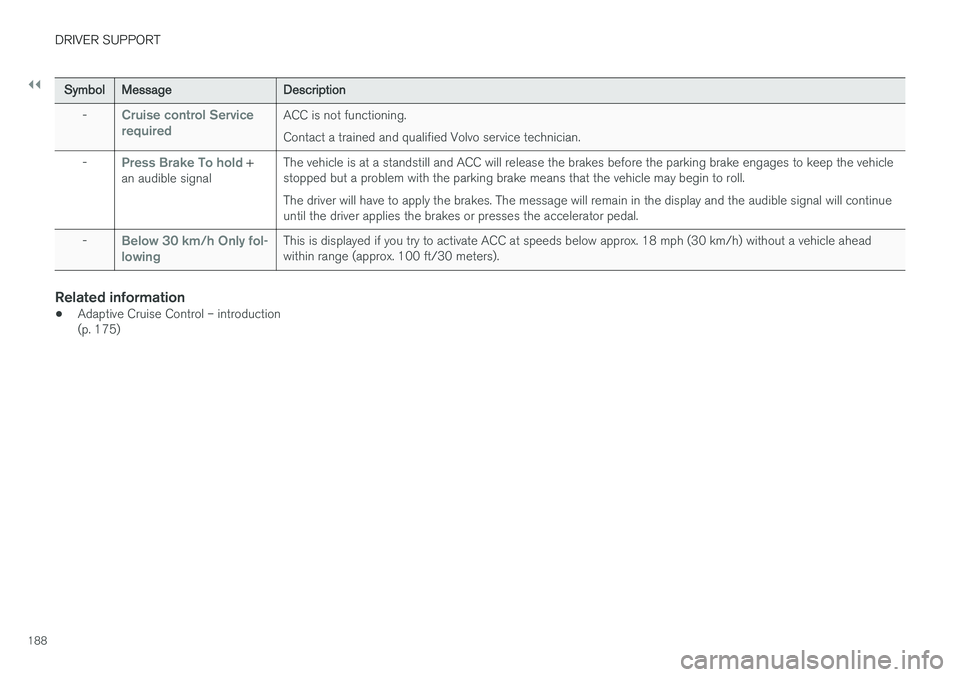
Cruise control Service requiredACC is not functioning. Contact a trained and qualified Volvo service technician.
-
Press Brake To hold +
an audible signal The vehicle is at a standstill and ACC will release the brakes before the parking brake engages to keep the vehicle stopped but a problem with the parking brake means that the vehicle may begin to roll. The driver will have to apply the brakes. The message will remain in the display and the audible signal will continue until the driver applies the brakes or presses the accelerator pedal.
-
Below 30 km/h Only fol- lowingThis is displayed if you try to activate ACC at speeds below approx. 18 mph (30 km/h) without a vehicle ahead within range (approx. 100 ft/30 meters).
Related information
• Adaptive Cruise Control – introduction (p. 175)
Page 191 of 396
DRIVER SUPPORT
189
Adaptive Cruise Control – troubleshooting
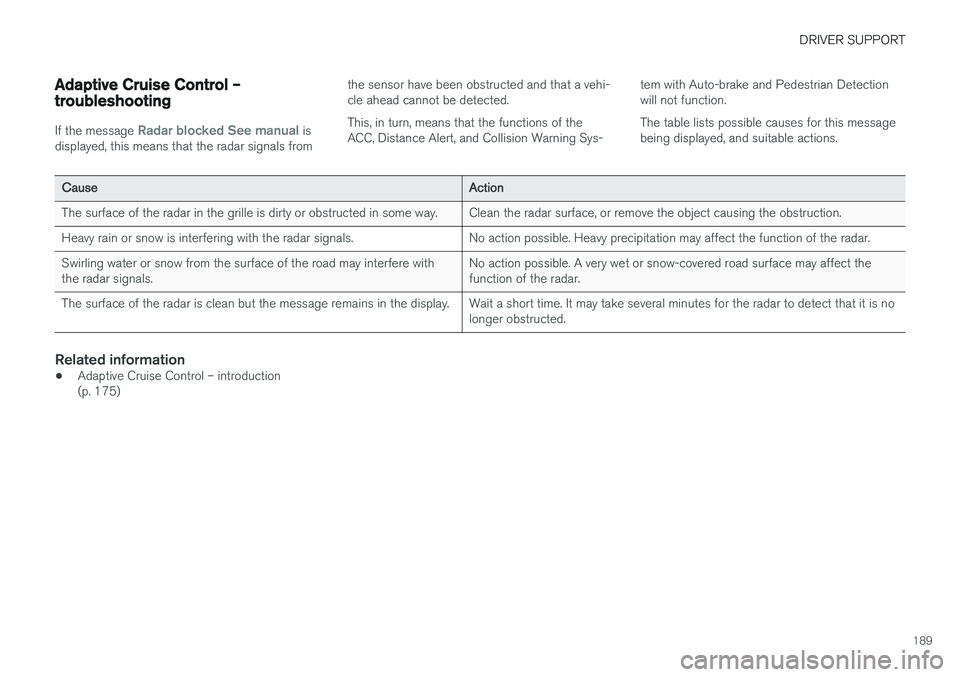
If the message Radar blocked See manual is
displayed, this means that the radar signals from the sensor have been obstructed and that a vehi- cle ahead cannot be detected. This, in turn, means that the functions of the ACC, Distance Alert, and Collision Warning Sys-
tem with Auto-brake and Pedestrian Detectionwill not function. The table lists possible causes for this message being displayed, and suitable actions.
Cause
Action
The surface of the radar in the grille is dirty or obstructed in some way. Clean the radar surface, or remove the object causing the obstruction.
Heavy rain or snow is interfering with the radar signals. No action possible. Heavy precipitation may affect the function of the radar.Swirling water or snow from the surface of the road may interfere with the radar signals. No action possible. A very wet or snow-covered road surface may affect thefunction of the radar.
The surface of the radar is clean but the message remains in the display. Wait a short time. It may take several minutes for the radar to detect that it is no longer obstructed.
Related information
•Adaptive Cruise Control – introduction (p. 175)
Page 193 of 396
DRIVER SUPPORT
}}
191
Setting a time interval
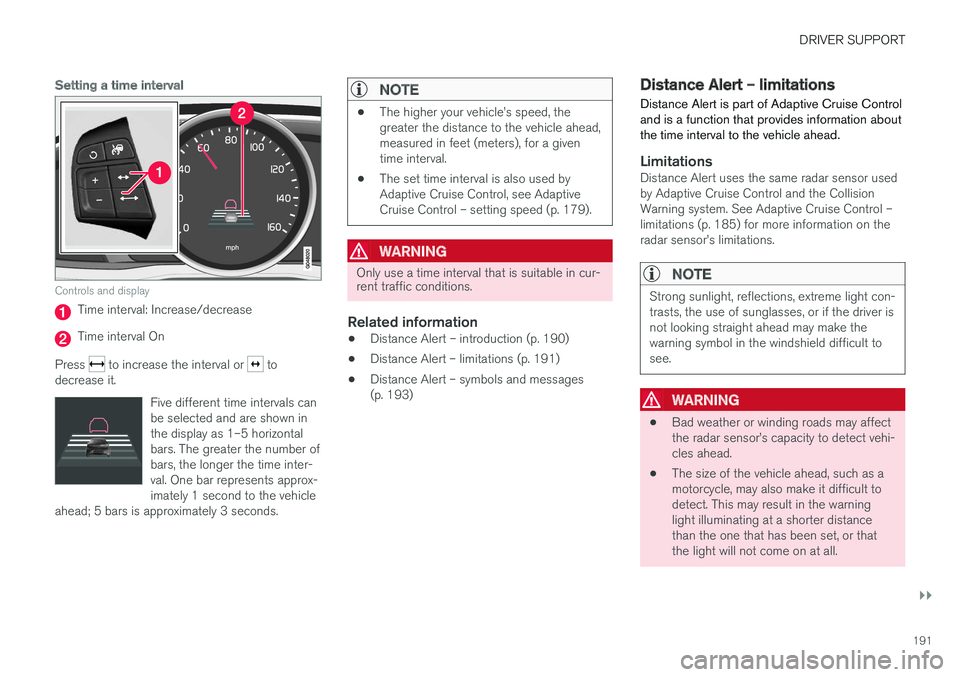
Controls and display
Time interval: Increase/decrease
Time interval On
Press
to increase the interval or to
decrease it.
Five different time intervals can be selected and are shown inthe display as 1–5 horizontalbars. The greater the number ofbars, the longer the time inter-val. One bar represents approx-imately 1 second to the vehicle
ahead; 5 bars is approximately 3 seconds.
NOTE
• The higher your vehicle
Page 197 of 396
DRIVER SUPPORT
195
•
City Safety – symbols and messages (p. 199)
• City Safety – Laser sensor (p. 200)
City Safety – function
Function
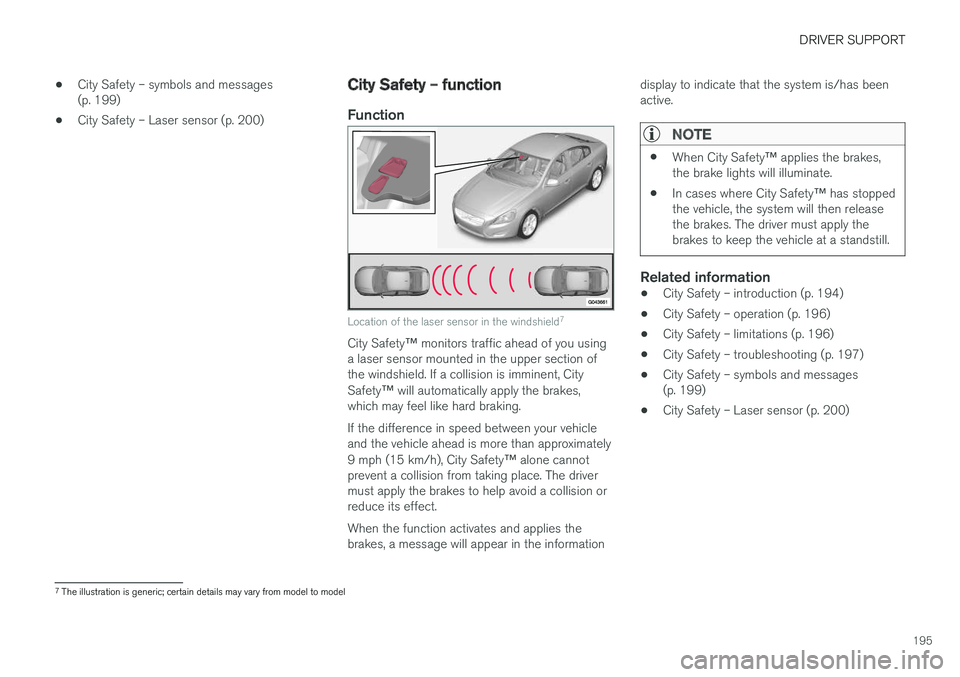
Location of the laser sensor in the windshield 7
City Safety
™ monitors traffic ahead of you using
a laser sensor mounted in the upper section of the windshield. If a collision is imminent, City Safety ™ will automatically apply the brakes,
which may feel like hard braking. If the difference in speed between your vehicle and the vehicle ahead is more than approximately 9 mph (15 km/h), City Safety ™ alone cannot
prevent a collision from taking place. The driver must apply the brakes to help avoid a collision orreduce its effect. When the function activates and applies the brakes, a message will appear in the information display to indicate that the system is/has beenactive.
NOTE
•
When City Safety
™ applies the brakes,
the brake lights will illuminate.
• In cases where City Safety
™ has stopped
the vehicle, the system will then release the brakes. The driver must apply thebrakes to keep the vehicle at a standstill.
Related information
• City Safety – introduction (p. 194)
• City Safety – operation (p. 196)
• City Safety – limitations (p. 196)
• City Safety – troubleshooting (p. 197)
• City Safety – symbols and messages (p. 199)
• City Safety – Laser sensor (p. 200)
7
The illustration is generic; certain details may vary from model to model
Page 199 of 396
DRIVER SUPPORT
}}
197
may not be detected. Normally, the license plate and taillight reflectors give the rear section of avehicle ahead sufficient reflective surfaces to bedetected.
NOTE
•
Keep the windshield in front of the laser sensor free of ice, snow, dirt, etc., see CitySafety – function (p. 195).
• Snow or ice on the hood deeper than2 inches (5 cm) may obstruct the sensor.Keep the hood free of ice and snow.
• Do not mount or in any way attach any-thing on the windshield that couldobstruct the laser sensor.
Related information
• City Safety – introduction (p. 194)
• City Safety – function (p. 195)
• City Safety – operation (p. 196)
• City Safety – troubleshooting (p. 197)
• City Safety – symbols and messages (p. 199)
• City Safety – Laser sensor (p. 200)
City Safety – troubleshooting
TroubleshootingIf Windscreen Sensors blocked appears in the
information display, this indicates that the City Safety ™ laser sensor is obstructed in some way
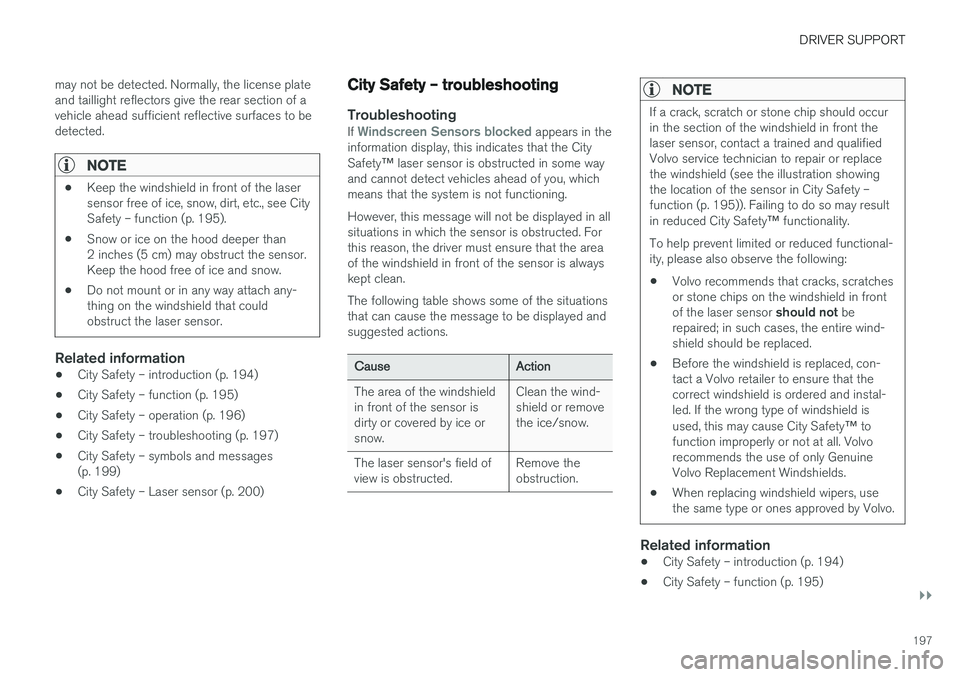
and cannot detect vehicles ahead of you, which means that the system is not functioning. However, this message will not be displayed in all situations in which the sensor is obstructed. Forthis reason, the driver must ensure that the areaof the windshield in front of the sensor is alwayskept clean. The following table shows some of the situations that can cause the message to be displayed andsuggested actions.
Cause Action
The area of the windshield in front of the sensor isdirty or covered by ice orsnow. Clean the wind-shield or removethe ice/snow.
The laser sensor's field ofview is obstructed. Remove theobstruction.
NOTE
If a crack, scratch or stone chip should occur in the section of the windshield in front thelaser sensor, contact a trained and qualifiedVolvo service technician to repair or replacethe windshield (see the illustration showingthe location of the sensor in City Safety –function (p. 195)). Failing to do so may result in reduced City Safety
™ functionality.
To help prevent limited or reduced functional- ity, please also observe the following:
• Volvo recommends that cracks, scratchesor stone chips on the windshield in front of the laser sensor
should not be
repaired; in such cases, the entire wind- shield should be replaced.
• Before the windshield is replaced, con-tact a Volvo retailer to ensure that thecorrect windshield is ordered and instal-led. If the wrong type of windshield is used, this may cause City Safety
™ to
function improperly or not at all. Volvo recommends the use of only GenuineVolvo Replacement Windshields.
• When replacing windshield wipers, usethe same type or ones approved by Volvo.
Related information
• City Safety – introduction (p. 194)
• City Safety – function (p. 195)
Page 201 of 396
DRIVER SUPPORT
199
City Safety – symbols and messages
Symbols and messages in the display
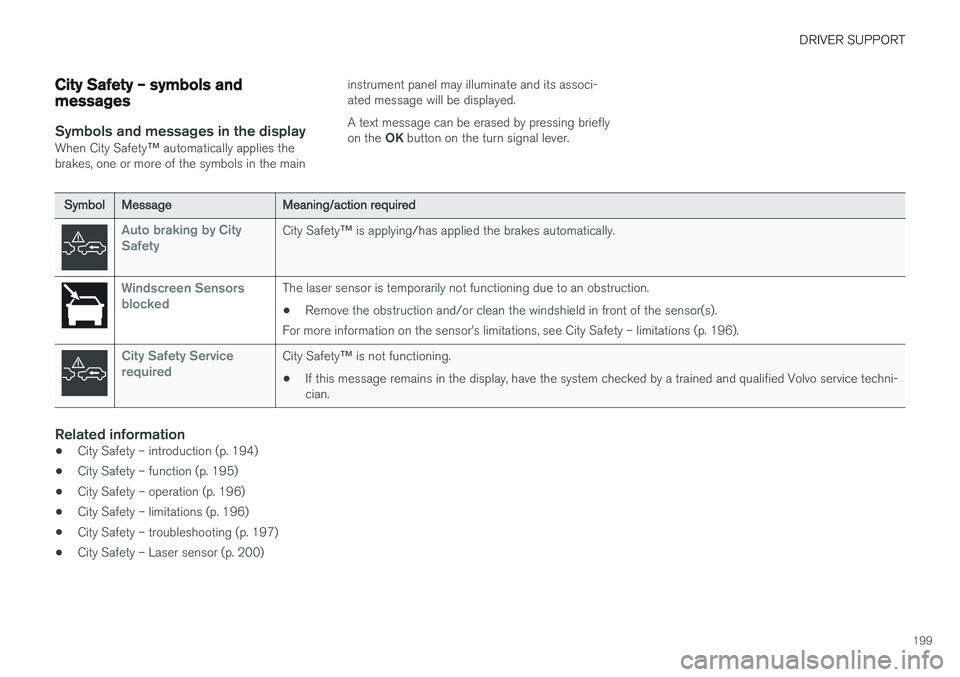
When City Safety™ automatically applies the
brakes, one or more of the symbols in the main instrument panel may illuminate and its associ- ated message will be displayed. A text message can be erased by pressing briefly on the
OK button on the turn signal lever.
Symbol Message Meaning/action required
Auto braking by City SafetyCity Safety™ is applying/has applied the brakes automatically.
Windscreen Sensors blockedThe laser sensor is temporarily not functioning due to an obstruction.
• Remove the obstruction and/or clean the windshield in front of the sensor(s).
For more information on the sensor
Page 206 of 396
DRIVER SUPPORT
* Option/accessory.
204
Collision warning * – operation
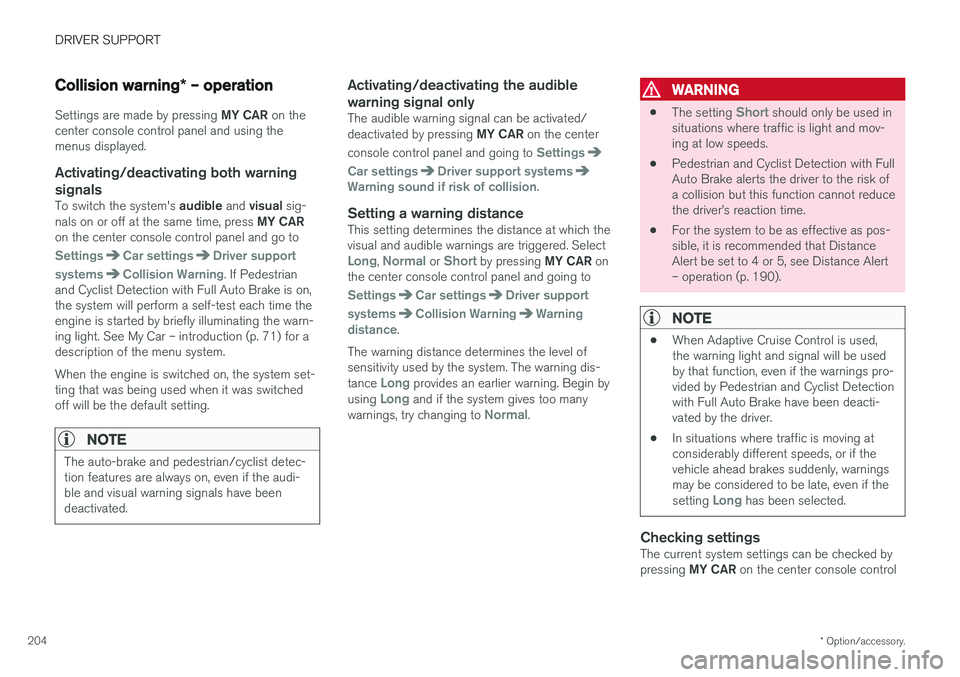
Settings are made by pressing MY CAR on the
center console control panel and using the menus displayed.
Activating/deactivating both warning
signals
To switch the system's audible and visual sig-
nals on or off at the same time, press MY CAR
on the center console control panel and go to
SettingsCar settingsDriver support
systems
Collision Warning. If Pedestrian
and Cyclist Detection with Full Auto Brake is on, the system will perform a self-test each time theengine is started by briefly illuminating the warn-ing light. See My Car – introduction (p. 71) for adescription of the menu system. When the engine is switched on, the system set- ting that was being used when it was switchedoff will be the default setting.
NOTE
The auto-brake and pedestrian/cyclist detec- tion features are always on, even if the audi-ble and visual warning signals have beendeactivated.
Activating/deactivating the audible warning signal only
The audible warning signal can be activated/ deactivated by pressing MY CAR on the center
console control panel and going to
Settings
Car settingsDriver support systemsWarning sound if risk of collision.
Setting a warning distanceThis setting determines the distance at which the visual and audible warnings are triggered. Select
Long, Normal or Short by pressing MY CAR on
the center console control panel and going to
SettingsCar settingsDriver support
systems
Collision WarningWarning
distance.
The warning distance determines the level of sensitivity used by the system. The warning dis- tance
Long provides an earlier warning. Begin by
using Long and if the system gives too many
warnings, try changing to Normal.
WARNING
• The setting Short should only be used in
situations where traffic is light and mov- ing at low speeds.
• Pedestrian and Cyclist Detection with FullAuto Brake alerts the driver to the risk ofa collision but this function cannot reducethe driver
Page 212 of 396
DRIVER SUPPORT
210
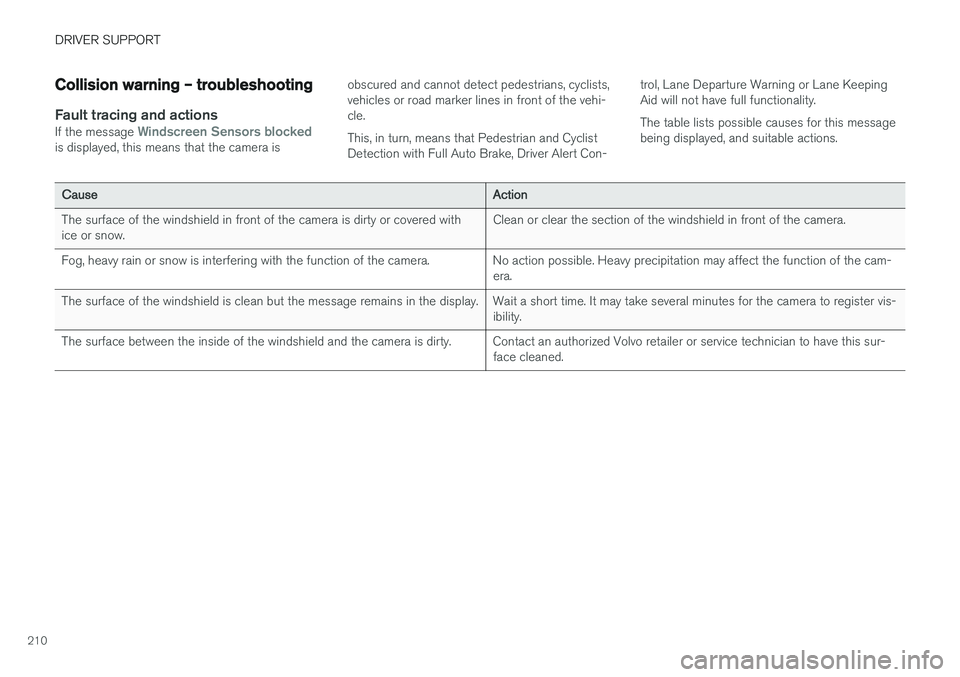
Collision warning – troubleshooting
Fault tracing and actionsIf the message Windscreen Sensors blockedis displayed, this means that the camera isobscured and cannot detect pedestrians, cyclists, vehicles or road marker lines in front of the vehi-cle. This, in turn, means that Pedestrian and Cyclist Detection with Full Auto Brake, Driver Alert Con-trol, Lane Departure Warning or Lane KeepingAid will not have full functionality. The table lists possible causes for this message being displayed, and suitable actions.
Cause
Action
The surface of the windshield in front of the camera is dirty or covered with ice or snow. Clean or clear the section of the windshield in front of the camera.
Fog, heavy rain or snow is interfering with the function of the camera. No action possible. Heavy precipitation may affect the function of the cam- era.
The surface of the windshield is clean but the message remains in the display. Wait a short time. It may take several minutes for the camera to register vis- ibility.
The surface between the inside of the windshield and the camera is dirty. Contact an authorized Volvo retailer or service technician to have this sur- face cleaned.
Page 214 of 396
DRIVER SUPPORT
212
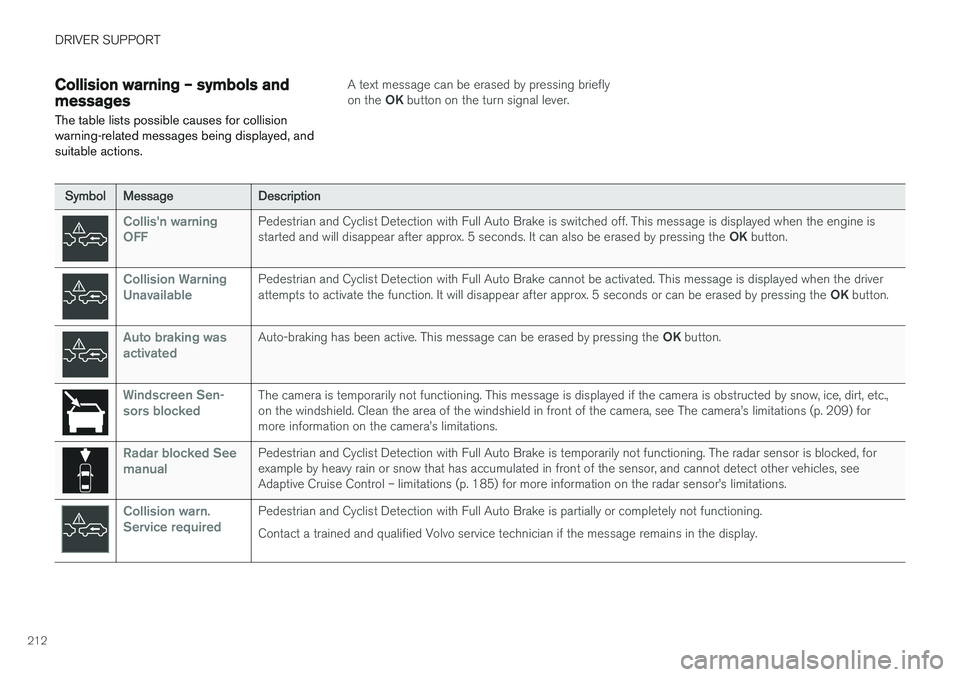
Collision warning – symbols and messages
The table lists possible causes for collision warning-related messages being displayed, andsuitable actions.A text message can be erased by pressing briefly on the OK button on the turn signal lever.
Symbol Message Description
Collis'n warning OFFPedestrian and Cyclist Detection with Full Auto Brake is switched off. This message is displayed when the engine is started and will disappear after approx. 5 seconds. It can also be erased by pressing the OK button.
Collision Warning UnavailablePedestrian and Cyclist Detection with Full Auto Brake cannot be activated. This message is displayed when the driver attempts to activate the function. It will disappear after approx. 5 seconds or can be erased by pressing the OK button.
Auto braking was activatedAuto-braking has been active. This message can be erased by pressing the OK button.
Windscreen Sen- sors blockedThe camera is temporarily not functioning. This message is displayed if the camera is obstructed by snow, ice, dirt, etc., on the windshield. Clean the area of the windshield in front of the camera, see The camera