low beam VOLVO S60 TWIN ENGINE 2019 User Guide
[x] Cancel search | Manufacturer: VOLVO, Model Year: 2019, Model line: S60 TWIN ENGINE, Model: VOLVO S60 TWIN ENGINE 2019Pages: 645, PDF Size: 13.96 MB
Page 156 of 645
LIGHTING
154
Low beams
When driving with the lighting ring in the position, low beam will be automatically acti-vated in weak daylight or dark conditions, whenthe ignition is in the II position.
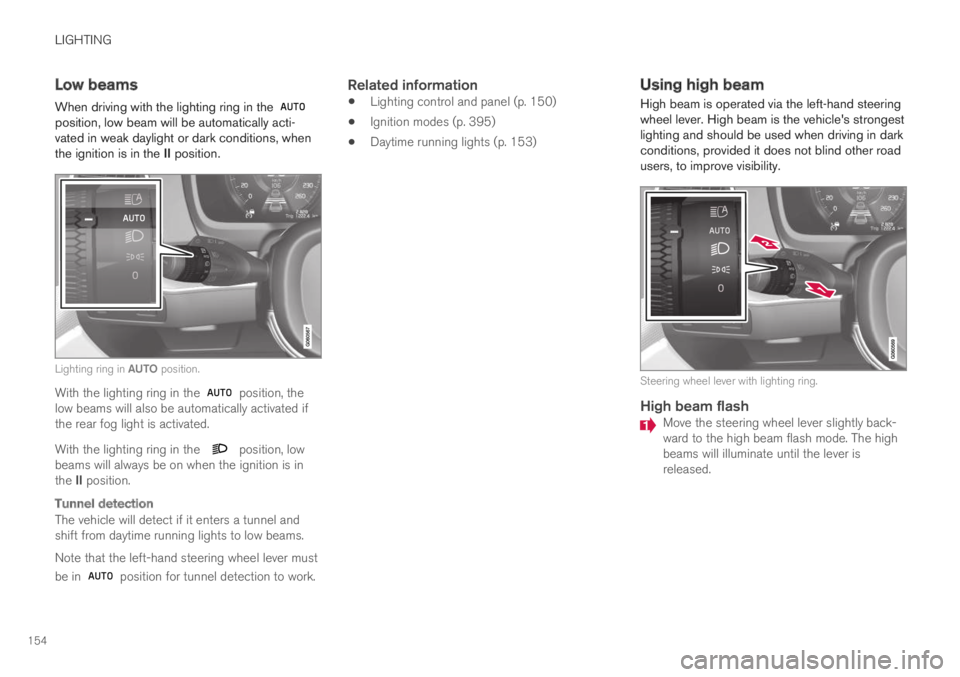
Lighting ring in AUTO position.
With the lighting ring in the position, thelow beams will also be automatically activated ifthe rear fog light is activated.
With the lighting ring in the position, lowbeams will always be on when the ignition is inthe II position.
Tunnel detection
The vehicle will detect if it enters a tunnel andshift from daytime running lights to low beams.
Note that the left-hand steering wheel lever must
be in position for tunnel detection to work.
Related information
Lighting control and panel (p. 150)
Ignition modes (p. 395)
Daytime running lights (p. 153)
Using high beam
High beam is operated via the left-hand steeringwheel lever. High beam is the vehicle's strongestlighting and should be used when driving in darkconditions, provided it does not blind other roadusers, to improve visibility.
Steering wheel lever with lighting ring.
High beam flash
Move the steering wheel lever slightly back-ward to the high beam flash mode. The highbeams will illuminate until the lever isreleased.
Page 157 of 645

LIGHTING
}}
155
High beams
The high beams can be activated when the
lighting ring is in mode 2 or .Activate high beams by moving the steeringwheel lever forward. Deactivate by movingthe steering wheel lever backward.
When the high beams are activated, the symbol will be illuminated in the instrument panel.
Related information
Lighting control and panel (p. 150)
Active high beam (p. 155)
Active high beam
Active high beams is a function that uses cam-era sensors in the upper edge of the windshieldto detect the headlights of approaching vehiclesor the taillights of the vehicle directly ahead.When either of these is detected, the vehicle'sheadlights will automatically switch from highbeams to low beams.
Active high beams is indicated by the symbol.
This function can be used in dark conditionswhen the vehicle's speed is approx. 20 km/h(approx. 12 mph) or higher. The function can alsodetect street lighting. When the camera sensorno longer detects an approaching vehicle or avehicle ahead, the headlights will return to highbeams after a second or two.
Activating active high beams
Active high beams can be activated and deacti-vated by turning the lighting ring on the right-side
steering wheel lever to position . The light-
ing ring will then return to . When active
high beams are activated, a white symbolwill be displayed in the instrument panel. Whenhigh beams are on, the symbol will be blue.
If active high beams are deactivated when thehigh beams are on, the headlights will automati-cally switch to low beams.
Limitations for active high beams
The camera sensor on which the function isbased has limitations.
If this symbol and the message ActiveHigh Beam Temporarilyunavailable is displayed in the instru-ment panel, switching between highand low beams must be done manually. The
symbol will go out when the message isdisplayed.
The same applies if this symbol alongwith the message Windscreensensor Sensor blocked, seeOwner's manual is displayed.
Active high beams may be temporarily unavailablein certain situations, e.g. heavy fog or rain. When
2When the low beams are on.
Page 158 of 645
||
LIGHTING
156
active high beams become available again, or thewindshield sensors are no longer blocked, the
message will disappear and the symbol willbe displayed.
WARNING
Automatic high beam is an aid in using thebest possible light based on prevailing condi-tions.
The driver is always responsible for manuallyswitching between high and low beam whentraffic situations or weather conditions requirethis.
Related information
Lighting control and panel (p. 150)
Using high beam (p. 154)
Camera/radar sensor limitations (p. 300)
Using turn signals
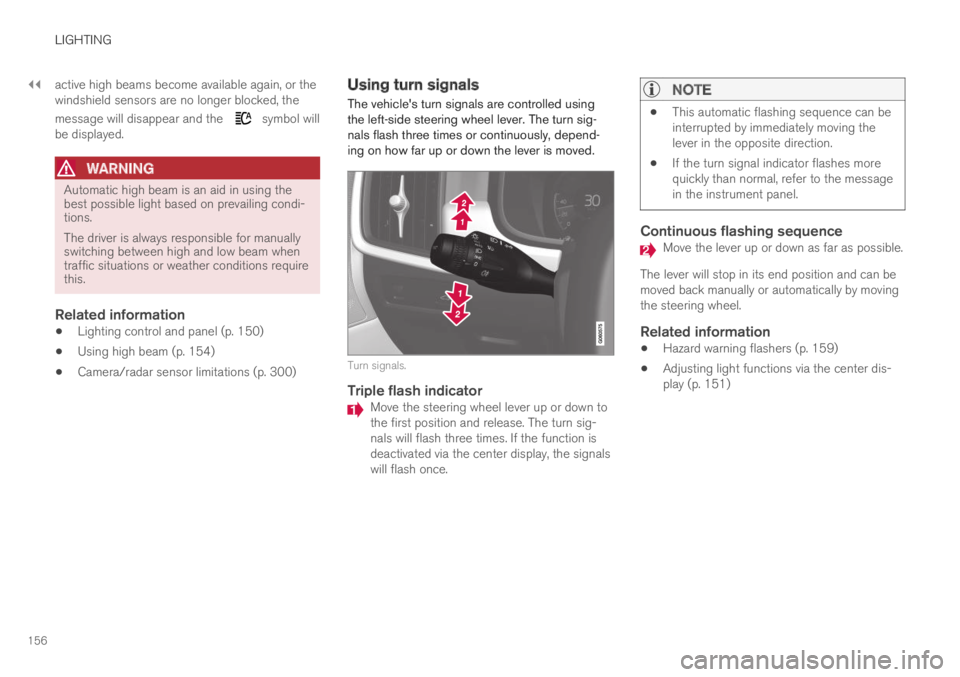
The vehicle's turn signals are controlled usingthe left-side steering wheel lever. The turn sig-nals flash three times or continuously, depend-ing on how far up or down the lever is moved.
Turn signals.
Triple flash indicator
Move the steering wheel lever up or down tothe first position and release. The turn sig-nals will flash three times. If the function isdeactivated via the center display, the signalswill flash once.
NOTE
This automatic flashing sequence can beinterrupted by immediately moving thelever in the opposite direction.
If the turn signal indicator flashes morequickly than normal, refer to the messagein the instrument panel.
Continuous flashing sequence
Move the lever up or down as far as possible.
The lever will stop in its end position and can bemoved back manually or automatically by movingthe steering wheel.
Related information
Hazard warning flashers (p. 159)
Adjusting light functions via the center dis-play (p. 151)
Page 159 of 645

LIGHTING
}}
* Option/accessory.157
Active Bending Lights*
Active Bending Lights (ABL) are designed tohelp provide maximum illumination in curves andintersections. Depending on equipment level,
vehicles with LED3 headlights* may be equippedwith Active Bending Lights.
Headlight pattern with function deactivated (left) andactivated (right).
Active Bending Lights follow the movement ofthe steering wheel to help provide maximum illu-mination in curves and intersections, helping toimprove visibility for the driver.
The function is automatically activated when theengine is started. If a fault is detected in the sys-
tem, the symbol will illuminate in theinstrument panel and a message will be dis-played.
The function is only active in weak daylight ordark conditions and only when the vehicle is mov-ing and the low beams are on.
Deactivating/activating the function
The function is activated as the default factorysetting and can be activated and deactivated inthe center display's Function view:
Tap the Active BendingLights button.
Related information
Adjusting light functions via the center dis-play (p. 151)
Front fog lights/cornering illumination*(p. 157)
Front fog lights/cornering
illumination*
The front fog lights have a stronger beam thanlow beam, making them particularly effective infog.
Front fog lights button.
The front fog lights can be turned on when theignition is in mode II and the lighting ring is in
position , or .
Tap the button to activate or deactivate the func-
tion. The symbol in the instrument panelcomes on when the front fog lights are on.
The front fog lights turn off automatically whenthe ignition is switched off or when the lighting
ring is in position .
3LED (Light Emitting Diode)
Page 179 of 645

WINDOWS, GLASS AND MIRRORS
* Option/accessory.177
Using the windshield and headlightwashers
The windshield and headlight washers clean thewindshield and headlights. Use the right-sidesteering wheel lever to start the windshield andheadlight washers.
Starting the windshield and headlight
washers
Washing function, right-hand steering wheel lever.
–Move the right-hand steering wheel levertoward the steering wheel to start the wind-shield and headlight washers.
>After the lever is released, the wipersmake several extra sweeps.
CAUTION
Avoid activating the washer system when it isfrozen or the fluid reservoir is empty. Other-wise, there is a risk of damaging the pump.
Headlight washer *
To save washer fluid, the headlights are washedautomatically according to a defined intervalwhen the headlights are on.
Reduced washing
When there is about 1 liter (1 qt) of washer fluidleft in the reservoir and the Washer fluid Levellow, refill message is displayed in the instrument
panel together with the symbol, the washerfluid supply to the headlights is cut off. This is toprioritize windshield cleaning and visibilitythrough it. The headlights are only washed if highor low beam is on.
Related information
Using the rain sensor (p. 175)
Wiper blades and washer fluid (p. 174)
Using the rain sensor's memory function(p. 176)
Filling washer fluid (p. 609)
Windshield wipers in the service position(p. 608)
Replacing windshield wiper blades (p. 607)
Using the windshield wipers (p. 175)
Page 301 of 645

DRIVER SUPPORT
* Option/accessory.299
Camera
The camera is used by several driver supportsystems to e.g. detect lane marker lines or roadsigns.
Location of the camera.
The camera is used by the following functions:
Adaptive Cruise Control*
Pilot Assist*
Lane Keeping Aid*
Steering assistance at risk of collision
City Safety
Driver Alert Control*
Road Sign Information*
Active high beams*
Related information
Driver support systems (p. 260)
Camera/radar sensor limitations (p. 300)
Recommended camera and radar sensormaintenance (p. 304)
Page 632 of 645

INDEX
630
Fuel 428
Travel Link service 468
Fuel filling 426
Fuel gauge 85
Fuel requirements 428, 429
Fuel tank
volume 622
Fuse box 580
Fuses 580
below the glove compartment 586
in engine compartment 582
in trunk 589
replacing 580
G
Gasoline grade428
Gauge
fuel gauge85
hybrid battery86
Gear selector positions
automatic transmission406
Glass, laminated/reinforced164
Glove compartment549
Gracenote®473
Grocery bag holders 553
Gross vehicle weight617
H
Handbrake400
Hand wash599
Hard disk
space500
Hazard warning flashers159
HD radio457
Headlamp beam
adjustment152
Headlight pattern, adjustment152
Head restraint191
Head-up display140
activating/deactivating141
cleaning594
Distance Alert270
replacing windshield566
settings142
store position142, 182, 183
Heated wiper blades174
Heater224
auxiliary heater224
parking heater224
Heating
Seats208, 209
steering wheel210
windows213
high beams154, 155
High engine temperature431
Hill Start Assist405
Hill Start Assist (HSA)405
Hoisting the vehicle564
Hold
vehicle function423
HomeLink®440
programming 441
type approval 443
use 442
HomeLink® remote control
programmable 440
Home safe lighting160
Honk192
Hood, opening566
Horn192
Hybrid battery578
Charging375
Hybrid battery gauge86
Hybrid gauge85
Hybrid mode412, 417
Page 634 of 645

INDEX
632
limitations 339
see Lane Keeping Aid 337
select assistance option 339
steering assistance 338
Symbols and messages 341, 343
Language 130
Large Animal Detection (LAD) 309
Leather upholstery, cleaning instructions 596
Leveling control
settings 420
suspension 418
License agreement 96, 501
Lifting tools 527
Light bulbs
changing 572
Light control 150, 162
Lighting
Active Bending Lights 157
approach lighting 160
automatic high beam 155
brake lights 159
control, instrument, display 162
controls 150, 160
cornering illumination 158
daytime running lights 153
emergency brake lights 159
front fog lights 157
Hazard warning flashers 159
high beams154, 155
home safe lighting160
in passenger compartment160
low beams154
position lights152
rear fog light158
settings151
Turn signals156
Lighting, replacing bulbs572
Limp home406
Load anchoring eyelets
cargo compartment553
Load anchoring hooks553
Load carriers552
Load index516
Loading
general551
load anchoring eyelets553
long load552
Lock indication 228
setting229
Locking/unlocking
trunk lid233, 247
Locking wheel bolts527
Locks
Locking232
unlocking232
Long-term storage389
Low battery charge level
start battery432
Low beams 154
Low oil level 570
M
Maintained climate comfort222
start/stop222
Maintenance556
corrosion protection604
Max. axle weight617
Max. roof load617
Media player470, 472
compatible file formats477, 478
voice control146
Messages and symbols
Adaptive Cruise Control279
Assistance at risk of collision 349
BLIS324
City Safety319
Cross Traffic Alert328
Lane Keeping Aid341, 343
Park Assist Camera363
Park Assist Pilot372
Parking Assist354