key VOLVO S80 1999 User Guide
[x] Cancel search | Manufacturer: VOLVO, Model Year: 1999, Model line: S80, Model: VOLVO S80 1999Pages: 96, PDF Size: 2.27 MB
Page 39 of 96
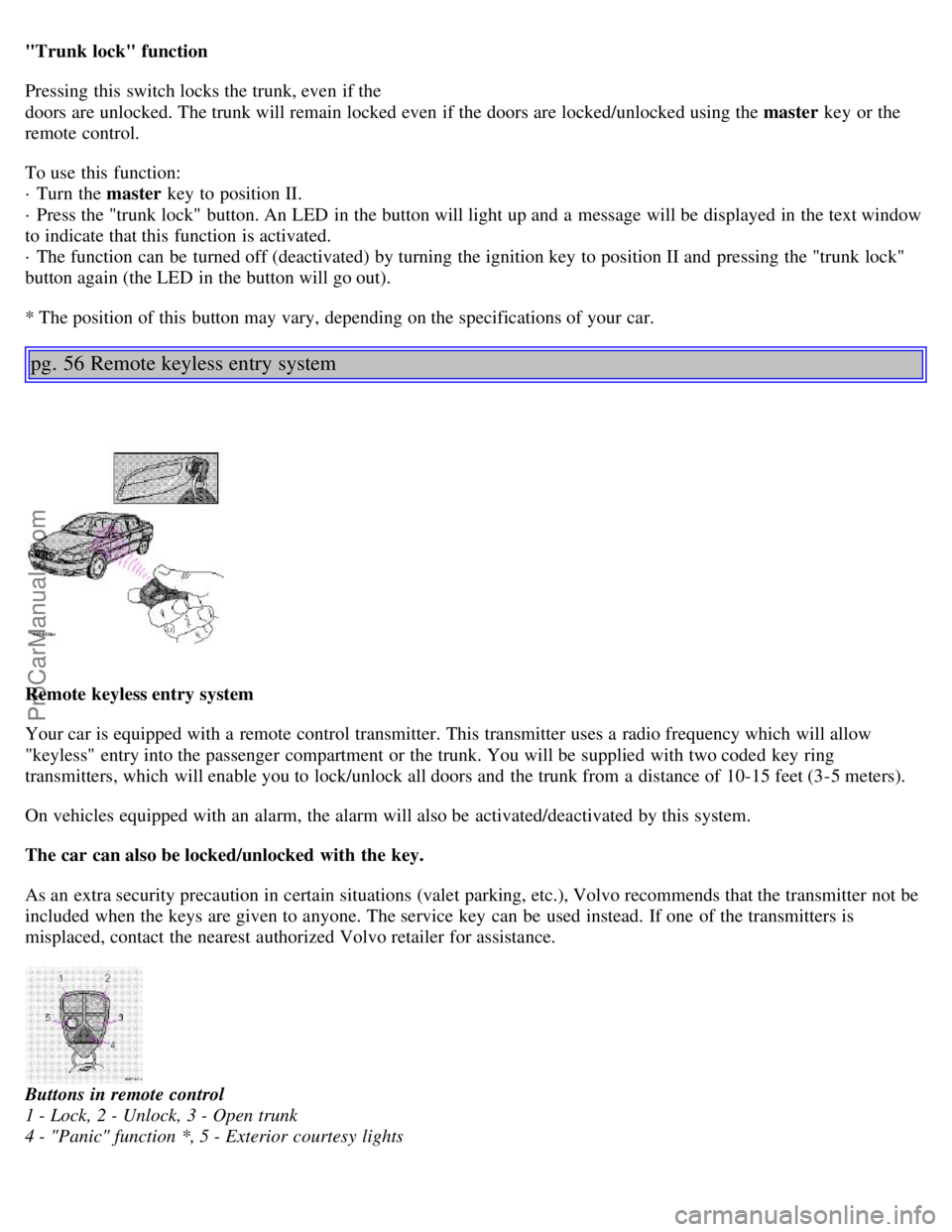
"Trunk lock" function
Pressing this switch locks the trunk, even if the
doors are unlocked. The trunk will remain locked even if the doors are locked/unlocked using the master key or the
remote control.
To use this function:
· Turn the master key to position II.
· Press the "trunk lock" button. An LED in the button will light up and a message will be displayed in the text window
to indicate that this function is activated.
· The function can be turned off (deactivated) by turning the ignition key to position II and pressing the "trunk lock"
button again (the LED in the button will go out).
* The position of this button may vary, depending on the specifications of your car.
pg. 56 Remote keyless entry system
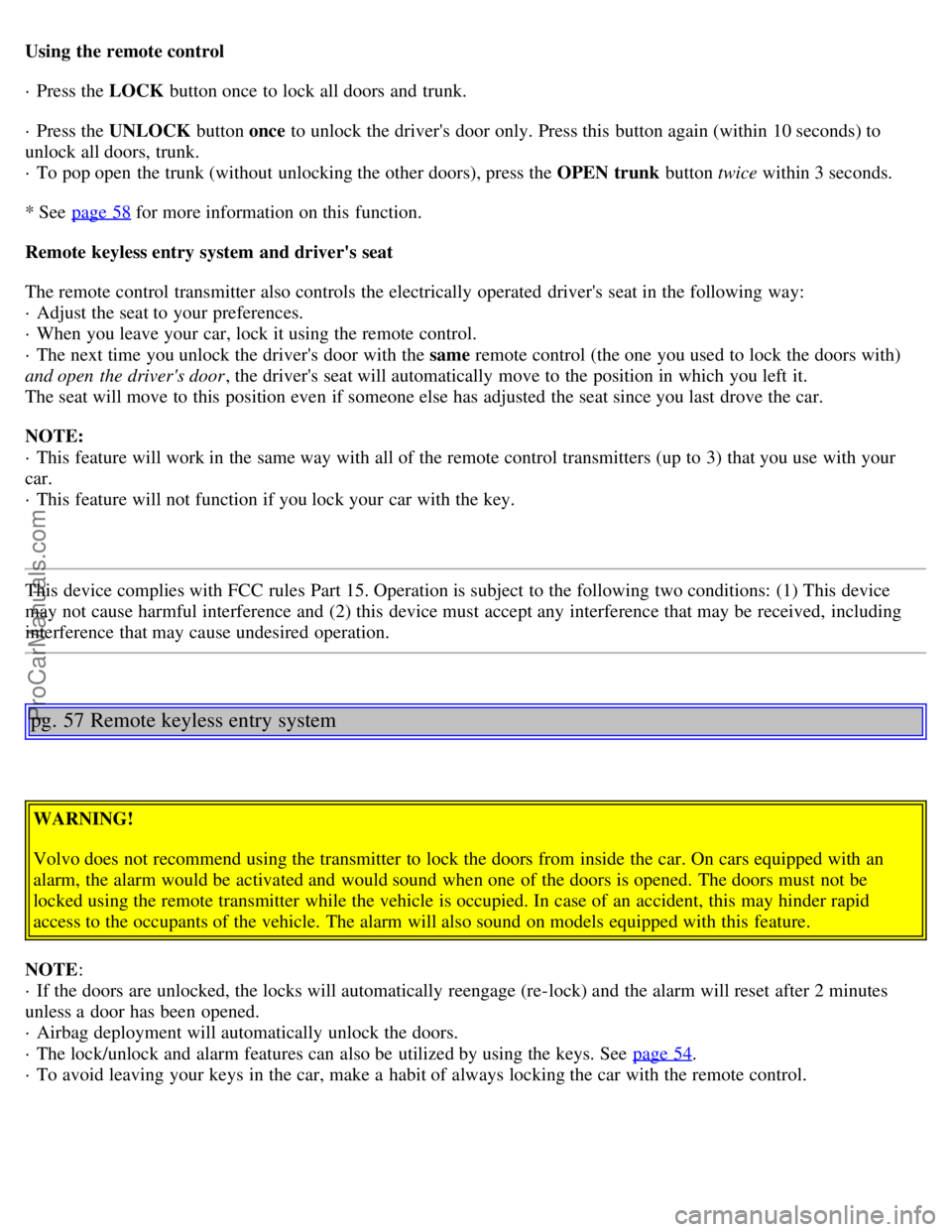
Remote keyless entry system
Your car is equipped with a remote control transmitter. This transmitter uses a radio frequency which will allow
"keyless" entry into the passenger compartment or the trunk. You will be supplied with two coded key ring
transmitters, which will enable you to lock/unlock all doors and the trunk from a distance of 10-15 feet (3-5 meters).
On vehicles equipped with an alarm, the alarm will also be activated/deactivated by this system.
The car can also be locked/unlocked with the key.
As an extra security precaution in certain situations (valet parking, etc.), Volvo recommends that the transmitter not be
included when the keys are given to anyone. The service key can be used instead. If one of the transmitters is
misplaced, contact the nearest authorized Volvo retailer for assistance.
Buttons in remote control
1 - Lock, 2 - Unlock, 3 - Open trunk
4 - "Panic" function *, 5 - Exterior courtesy lights
ProCarManuals.com
Page 40 of 96
Using the remote control
· Press the LOCK button once to lock all doors and trunk.
· Press the UNLOCK button once to unlock the driver's door only. Press this button again (within 10 seconds) to
unlock all doors, trunk.
· To pop open the trunk (without unlocking the other doors), press the OPEN trunk button twice within 3 seconds.
* See page 58
for more information on this function.
Remote keyless entry system and driver's seat
The remote control transmitter also controls the electrically operated driver's seat in the following way:
· Adjust the seat to your preferences.
· When you leave your car, lock it using the remote control.
· The next time you unlock the driver's door with the same remote control (the one you used to lock the doors with)
and open the driver's door , the driver's seat will automatically move to the position in which you left it.
The seat will move to this position even if someone else has adjusted the seat since you last drove the car.
NOTE:
· This feature will work in the same way with all of the remote control transmitters (up to 3) that you use with your
car.
· This feature will not function if you lock your car with the key.
This device complies with FCC rules Part 15. Operation is subject to the following two conditions: (1) This device
may not cause harmful interference and (2) this device must accept any interference that may be received, including
interference that may cause undesired operation.
pg. 57 Remote keyless entry system
WARNING!
Volvo does not recommend using the transmitter to lock the doors from inside the car. On cars equipped with an
alarm, the alarm would be activated and would sound when one of the doors is opened. The doors must not be
locked using the remote transmitter while the vehicle is occupied. In case of an accident, this may hinder rapid
access to the occupants of the vehicle. The alarm will also sound on models equipped with this feature.
NOTE :
· If the doors are unlocked, the locks will automatically reengage (re-lock) and the alarm will reset after 2 minutes
unless a door has been opened.
· Airbag deployment will automatically unlock the doors.
· The lock/unlock and alarm features can also be utilized by using the keys. See page 54
.
· To avoid leaving your keys in the car, make a habit of always locking the car with the remote control.
ProCarManuals.com
Page 41 of 96

Remote keyless entry system - replacing batteries
Each remote transmitter is powered by a three-volt, CR 2032 battery.
If the range of the transmitter is noticeably reduced, this indicates that the battery is weak and should be replaced.
Replacement: Remove the screw on the back of the transmitter cover. Replace the battery. Reinstall the cover and
tighten the screw to help protect the transmitter.
NOTE: The old battery should be disposed of properly at a recycling center or at your Volvo retailer.
pg. 58 Alarm
Alarm
The alarm is automatically set (armed) whenever you lock your car.
When armed (set), the alarm continuously monitors a number of points on the car. The following conditions will set off
the alarm:
· The hood is opened.
· The trunk is opened.
· A door is opened.
· The ignition switch is tampered with.
· If there is movement in the passenger compartment (if the car is equipped with the optional movement sensor).
· The car is lifted or towed (if the car is equipped with the optional inclination sensor).
· The battery is disconnected (while the alarm is set).
Arming (setting) the alarm
Press the LOCK button on the remote control, lock the car using the key in the driver's door or press the central lock
button on one of the front doors with the door open. One long flash of the turn signals will confirm that the alarm is
set.
Disarming the alarm
Press the UNLOCK button on the remote control or unlock the doors with the key.
Turning off (stopping) the alarm
If the alarm is sounding, it can be stopped by pressing the UNLOCK button on the remote control or by unlocking the
driver's door with the key.
ProCarManuals.com
Page 42 of 96
Visual alarm signal
The visual alarm signal is given by flashing all turn signals and turning on the interior lighting for approximately 5
minutes.
Audible alarm signal
An audible alarm signal is given by a battery powered siren. One alarm cycle lasts for 25 seconds.
"Panic" function
In an emergency situation, this feature can be used to attract attention.
Activate the "panic" function by pressing the red button on the remote control (see illustration on page 56
) for at least
3 seconds or by pressing this button twice within 3 seconds. The turn signals will flash, the interior lights will go on
and the car's horn will sound.
The function can be turned off by pressing any of the buttons on the remote control or will stop automatically
after 25 seconds.
NOTE: This button will NOT unlock the car.
pg. 59 Alarm
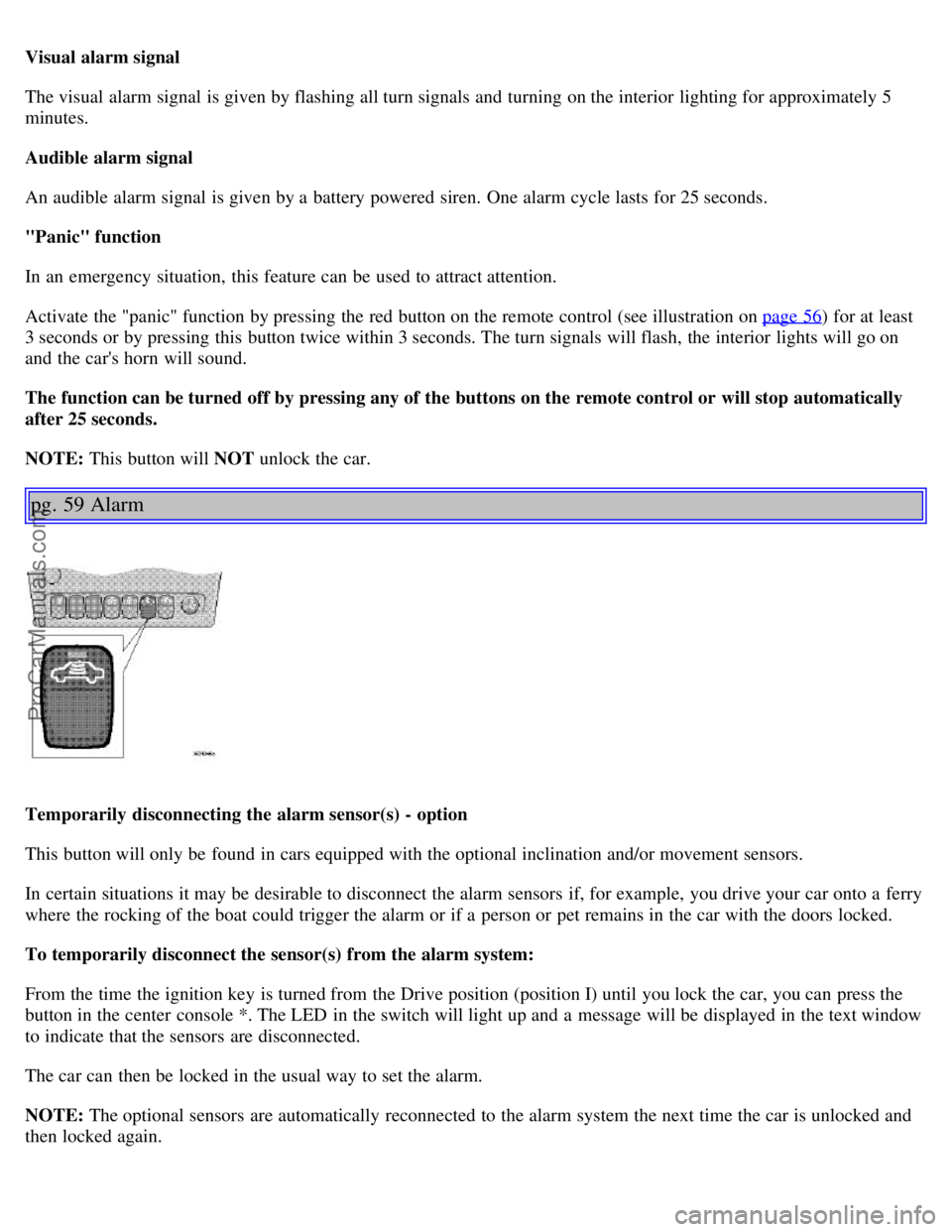
Temporarily disconnecting the alarm sensor(s) - option
This button will only be found in cars equipped with the optional inclination and/or movement sensors.
In certain situations it may be desirable to disconnect the alarm sensors if, for example, you drive your car onto a ferry
where the rocking of the boat could trigger the alarm or if a person or pet remains in the car with the doors locked.
To temporarily disconnect the sensor(s) from the alarm system:
From the time the ignition key is turned from the Drive position (position I) until you lock the car, you can press the
button in the center console *. The LED in the switch will light up and a message will be displayed in the text window
to indicate that the sensors are disconnected.
The car can then be locked in the usual way to set the alarm.
NOTE: The optional sensors are automatically reconnected to the alarm system the next time the car is unlocked and
then locked again.
ProCarManuals.com
Page 47 of 96
Starting the engine
1. Fasten the seat belt.WARNING!
Before starting, check that the seat, steering wheel and mirrors are adjusted properly. Make sure the brake pedal can
be depressed completely. Adjust the seat if necessary. See page 46
.
2. Apply the parking brake, if not already set. The gear selector is locked in the (P)ark position (SHIFTLOCK).
3. Without touching the accelerator pedal, turn the ignition key* to the starting position. Allow the starter to operate
for up to 5 seconds (turbo: 10 seconds). Release the key as soon as the engine starts. If the engine fails to start, repeat
this step.
For cold starts at altitudes above 6000 ft (1800 meters), depress the accelerator pedal halfway and turn the key to the
starting position. Release the pedal slowly when the engine starts.
4. To release the gear selector from the (P)ark position, the engine must be running (or the ignition key must be in
position II) and the brake pedal must be depressed.
5. Select the desired gear. The gear engages after a very slight delay which is especially noticeable when selecting R.
NOTE:
· Your car is equipped with a KEYLOCK system. When the engine is switched off, the gear selector must be in the
( P )ark position before the key can be removed from the ignition switch.
· When starting in cold weather, the transmission may shift up at slightly higher engine speeds than normal until the
automatic transmission fluid reaches normal operating temperature.
CAUTION :
· The engine should be idling when you move the gear selector. Never accelerate until after you feel the gear engage!
Accelerating immediately after selecting a gear will cause harsh gear engagement and premature transmission wear.
· Selecting P or N when idling at a standstill for prolonged periods of time will help prevent overheating of the
automatic transmission fluid.
· Do not race a cold engine immediately after starting. Oil flow may not reach some lubrication points fast enough to
prevent engine damage.
WARNING!
· Always place the gear selector in Park and apply the parking brake before leaving the vehicle. Never leave the car
unattended with the engine running.
· Always open the garage doors fully before starting the engine inside a garage to ensure adequate ventilation. The
exhaust gases contain carbon monoxide, which is invisible and odorless but very
poisonous.
* Your car is equipped with an electronic start inhibitor (immobilizer). The keys you received with your car are
specially coded. The code in the key is transmitted to an antenna in the ignition switch where it is compared to the
code stored in the start inhibitor module. The car can only be started if a properly coded key is used.
If two of the keys to your car are close together, e.g., on the same key ring, when you try to start the car, this could
cause interference in the immobilizer system and result in the car not starting. If this should occur, remove one of the
keys from the key ring before trying to start the car again.
ProCarManuals.com
Page 48 of 96
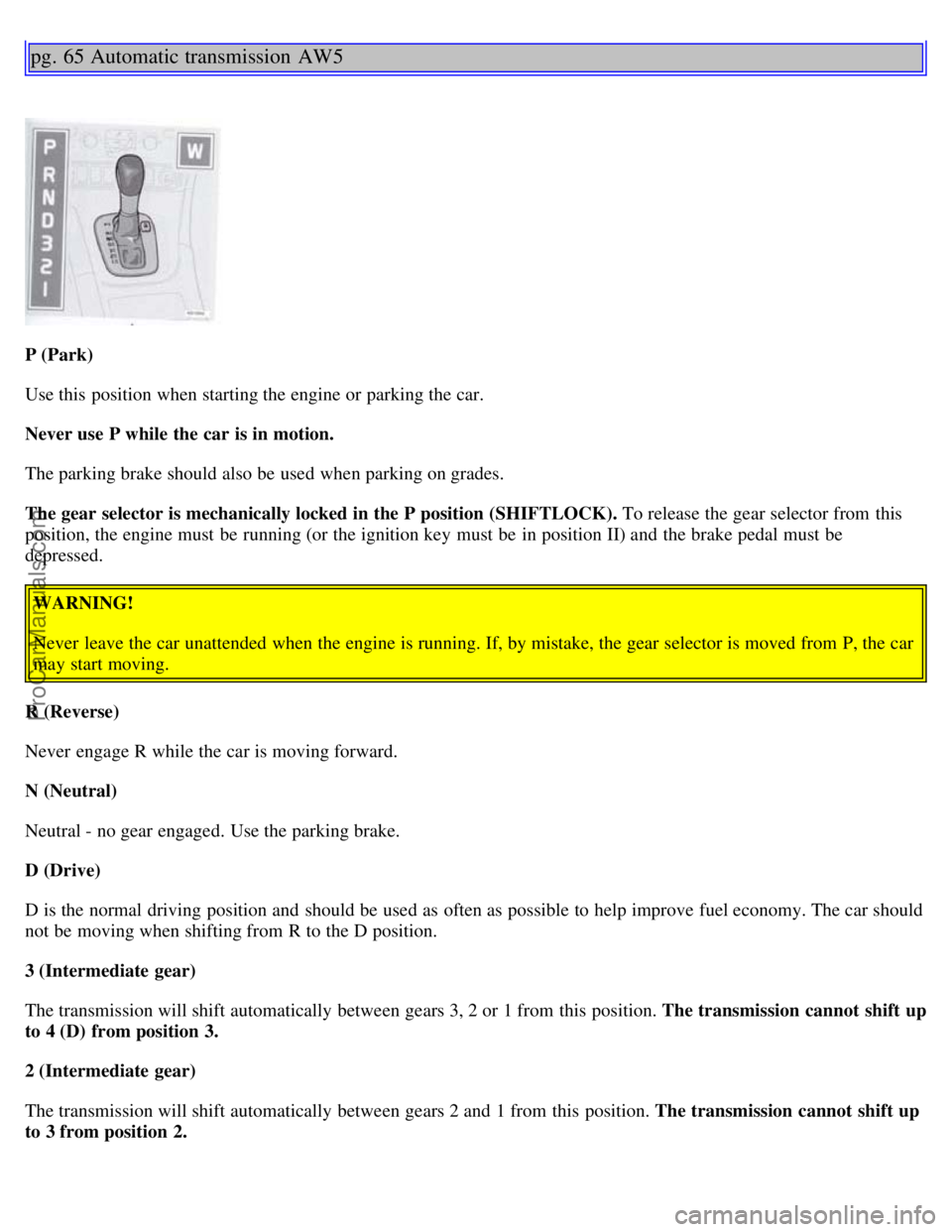
pg. 65 Automatic transmission AW5
P (Park)
Use this position when starting the engine or parking the car.
Never use P while the car is in motion.
The parking brake should also be used when parking on grades.
The gear selector is mechanically locked in the P position (SHIFTLOCK). To release the gear selector from this
position, the engine must be running (or the ignition key must be in position II) and the brake pedal must be
depressed.WARNING!
Never leave the car unattended when the engine is running. If, by mistake, the gear selector is moved from P, the car
may start moving.
R (Reverse)
Never engage R while the car is moving forward.
N (Neutral)
Neutral - no gear engaged. Use the parking brake.
D (Drive)
D is the normal driving position and should be used as often as possible to help improve fuel economy. The car should
not be moving when shifting from R to the D position.
3 (Intermediate gear)
The transmission will shift automatically between gears 3, 2 or 1 from this position. The transmission cannot shift up
to 4 (D) from position 3.
2 (Intermediate gear)
The transmission will shift automatically between gears 2 and 1 from this position. The transmission cannot shift up
to 3 from position 2.
ProCarManuals.com
Page 50 of 96
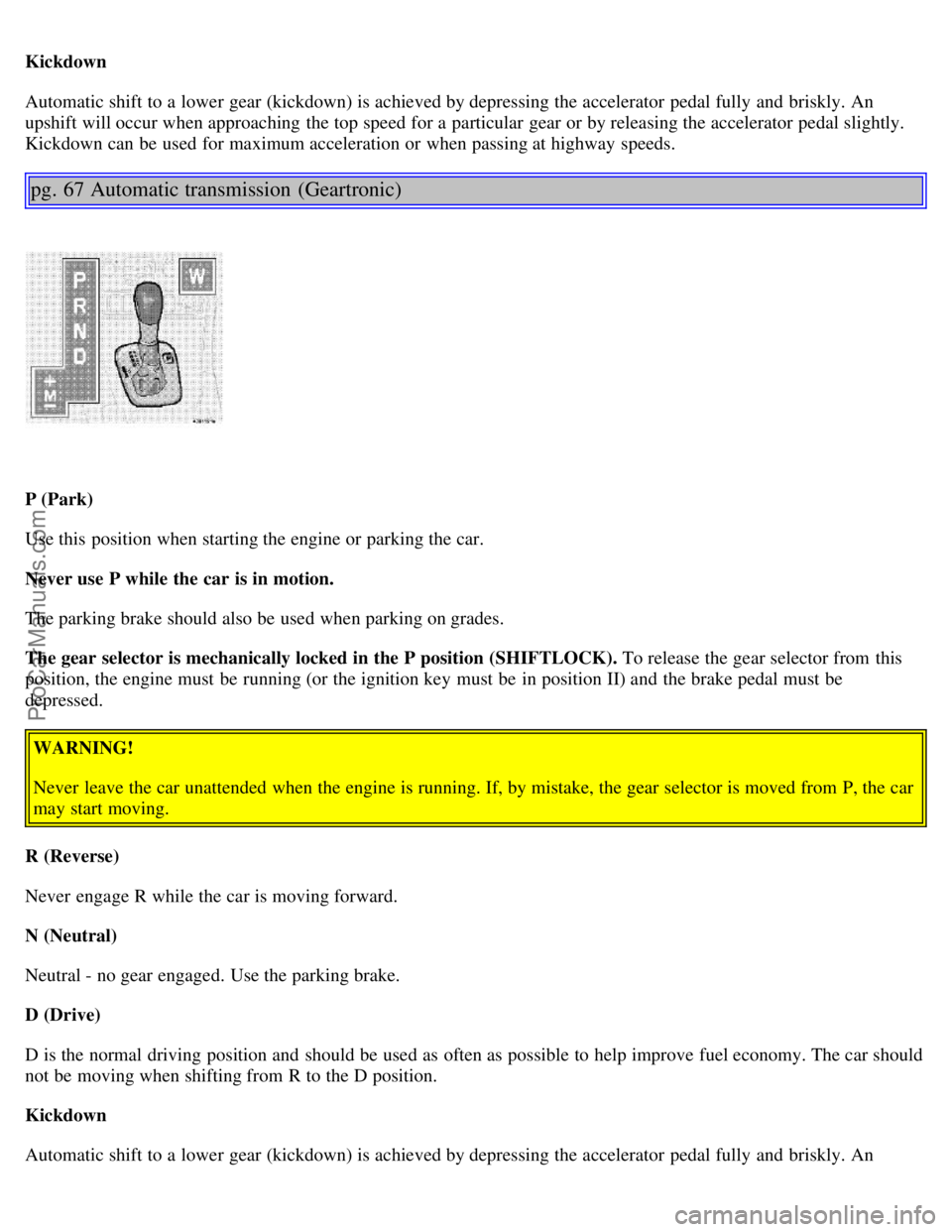
Kickdown
Automatic shift to a lower gear (kickdown) is achieved by depressing the accelerator pedal fully and briskly. An
upshift will occur when approaching the top speed for a particular gear or by releasing the accelerator pedal slightly.
Kickdown can be used for maximum acceleration or when passing at highway speeds.
pg. 67 Automatic transmission (Geartronic)
P (Park)
Use this position when starting the engine or parking the car.
Never use P while the car is in motion.
The parking brake should also be used when parking on grades.
The gear selector is mechanically locked in the P position (SHIFTLOCK). To release the gear selector from this
position, the engine must be running (or the ignition key must be in position II) and the brake pedal must be
depressed.WARNING!
Never leave the car unattended when the engine is running. If, by mistake, the gear selector is moved from P, the car
may start moving.
R (Reverse)
Never engage R while the car is moving forward.
N (Neutral)
Neutral - no gear engaged. Use the parking brake.
D (Drive)
D is the normal driving position and should be used as often as possible to help improve fuel economy. The car should
not be moving when shifting from R to the D position.
Kickdown
Automatic shift to a lower gear (kickdown) is achieved by depressing the accelerator pedal fully and briskly. An
ProCarManuals.com
Page 83 of 96
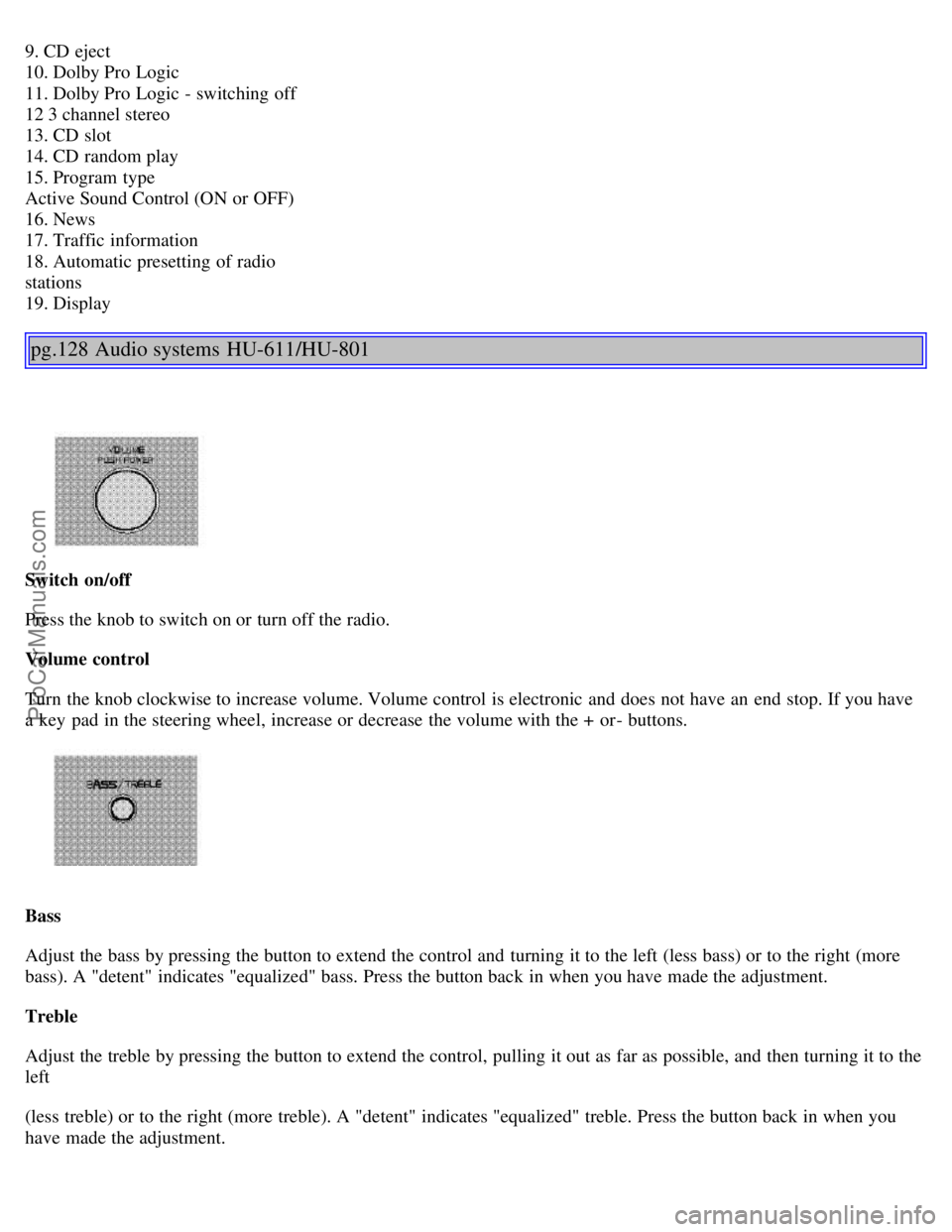
9. CD eject
10. Dolby Pro Logic
11. Dolby Pro Logic - switching off
12 3 channel stereo
13. CD slot
14. CD random play
15. Program type
Active Sound Control (ON or OFF)
16. News
17. Traffic information
18. Automatic presetting of radio
stations
19. Display
pg.128 Audio systems HU-611/HU-801
Switch on/off
Press the knob to switch on or turn off the radio.
Volume control
Turn the knob clockwise to increase volume. Volume control is electronic and does not have an end stop. If you have
a key pad in the steering wheel, increase or decrease the volume with the + or- buttons.
Bass
Adjust the bass by pressing the button to extend the control and turning it to the left (less bass) or to the right (more
bass). A "detent" indicates "equalized" bass. Press the button back in when you have made the adjustment.
Treble
Adjust the treble by pressing the button to extend the control, pulling it out as far as possible, and then turning it to the
left
(less treble) or to the right (more treble). A "detent" indicates "equalized" treble. Press the button back in when you
have made the adjustment.
ProCarManuals.com
Page 85 of 96

B - Station seek up/down
Press the left side (lower frequency) or right side (higher frequency) of the button to start the seek function. The radio
seeks the next audible station and tunes it in. Repeat the procedure to continue the seek function.
Audio system controls on the steering wheel
Station seek up/down
If you have a key pad in the steering wheel press the right or left arrow to switch between preset stations.
Scan function
Press the SCAN button (HU-611) or the SOURCE button (HU-801) to start the station scan function. When a station
is found, scanning stops for several seconds, after which scanning will continue.
Press the SCAN or SOURCE button when a station has been found if you would like to listen to that station and to
discontinue the scan function.
pg.130 Audio systems HU-611/HU-801 - radio
A - Automatic station preset
This function seeks and stores up to 10 strong AM or FM stations in a separate memory. This function is especially
useful in areas where you are not familiar with the radio stations.
1. Press in the "AUTO" button. A number of strong signal stations (max. 10) from the currently selected waveband are
now stored automatically in the memory. An "A" and "AUTO" is displayed. If there is no station with sufficient signal
strength "NO STATION" is displayed.
2. Turn "1-20/DISC" button if you wish to change to another of the auto-stored stations.
Another auto-stored station is selected with each turn.
ProCarManuals.com
Page 93 of 96
Jump starting75
K
Key - removing from ignition switch64
Keyless entry system56-57
Keyless entry system - replacing batteries57
Keylock64
Keys54
Kickdown66-67
L
Label information118
License plate lights - replacing96
Lifting the car108
Lights - accessory27
Locking and unlocking the car54
Locking steering wheel32
Long distance trip77
Long loads47, 52
M
Maintenance schedule103-104
Maintenance service102
Malfunction indicator lamp25
Memory function - front seats46
Mirrors36
Mirrors, sideview - folding27
O
Occupant safety11
Octane rating62
Odometer23
Oil - engine62, 76, 110-111, 121
Oil pressure warning light24
On-call124
Opening the hood109
P
Paint touch-up99
Panic function (alarm)58
Parking brake34
Parking brake reminder light24
Parking lights30
Passenger's seat backrest - folding47
Polishing101
Power seats46
Power steering - speed-sensitive70
Power steering fluid112, 121
Power windows35
ProCarManuals.com