reset VOLVO S80 2001 Owners Manual
[x] Cancel search | Manufacturer: VOLVO, Model Year: 2001, Model line: S80, Model: VOLVO S80 2001Pages: 106, PDF Size: 2.54 MB
Page 19 of 106
Instrument panel lighting30
pg. 23 Instrument panel
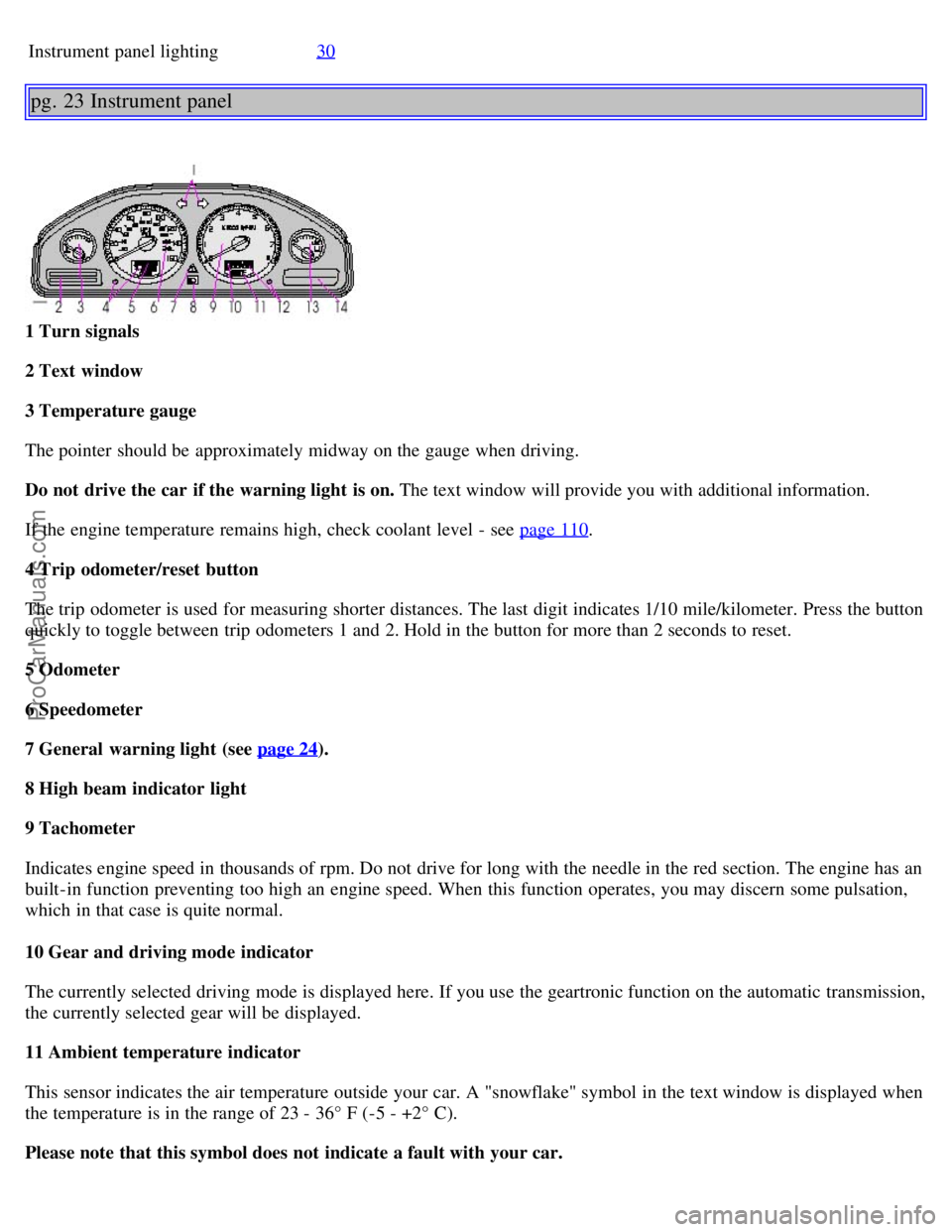
1 Turn signals
2 Text window
3 Temperature gauge
The pointer should be approximately midway on the gauge when driving.
Do not drive the car if the warning light is on. The text window will provide you with additional information.
If the engine temperature remains high, check coolant level - see page 110
.
4 Trip odometer/reset button
The trip odometer is used for measuring shorter distances. The last digit indicates 1/10 mile/kilometer. Press the button
quickly to toggle between trip odometers 1 and 2. Hold in the button for more than 2 seconds to reset.
5 Odometer
6 Speedometer
7 General warning light (see page 24
).
8 High beam indicator light
9 Tachometer
Indicates engine speed in thousands of rpm. Do not drive for long with the needle in the red section. The engine has an
built-in function preventing too high an engine speed. When this function operates, you may discern some pulsation,
which in that case is quite normal.
10 Gear and driving mode indicator
The currently selected driving mode is displayed here. If you use the geartronic function on the automatic transmission,
the currently selected gear will be displayed.
11 Ambient temperature indicator
This sensor indicates the air temperature outside your car. A "snowflake" symbol in the text window is displayed when
the temperature is in the range of 23 - 36° F (-5 - +2° C).
Please note that this symbol does not indicate a fault with your car.
ProCarManuals.com
Page 20 of 106
At low speeds or when the car is not moving, the temperature readings may be slightly higher than the actual ambient
temperature.
12 Clock/reset button
Turn the button to adjust the clock.
13 Fuel gauge
The fuel tank holds approximately 21.1 US gal. (80 liters).
When the warning light comes on there is approximately 1.8 US gal. (8 liters) of fuel remaining.
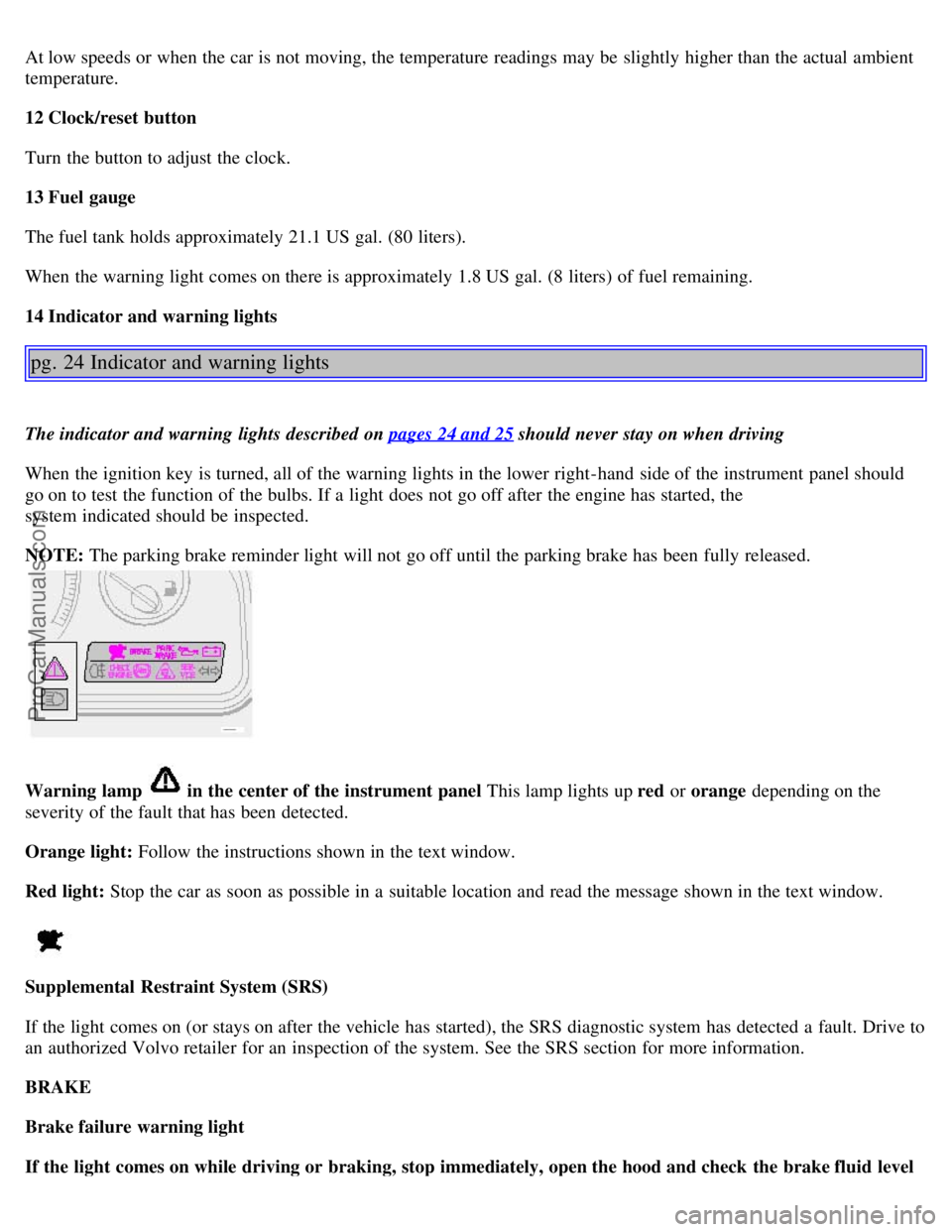
14 Indicator and warning lights
pg. 24 Indicator and warning lights
The indicator and warning lights described on pages 24 and 25 should never stay on when driving
When the ignition key is turned, all of the warning lights in the lower right-hand side of the instrument panel should
go on to test the function of the bulbs. If a light does not go off after the engine has started, the
system indicated should be inspected.
NOTE: The parking brake reminder light will not go off until the parking brake has been fully released.
Warning lamp in the center of the instrument panel This lamp lights up red or orange depending on the
severity of the fault that has been detected.
Orange light: Follow the instructions shown in the text window.
Red light: Stop the car as soon as possible in a suitable location and read the message shown in the text window.
Supplemental Restraint System (SRS)
If the light comes on (or stays on after the vehicle has started), the SRS diagnostic system has detected a fault. Drive to
an authorized Volvo retailer for an inspection of the system. See the SRS section for more information.
BRAKE
Brake failure warning light
If the light comes on while driving or braking, stop immediately, open the hood and check the brake fluid level
ProCarManuals.com
Page 22 of 106
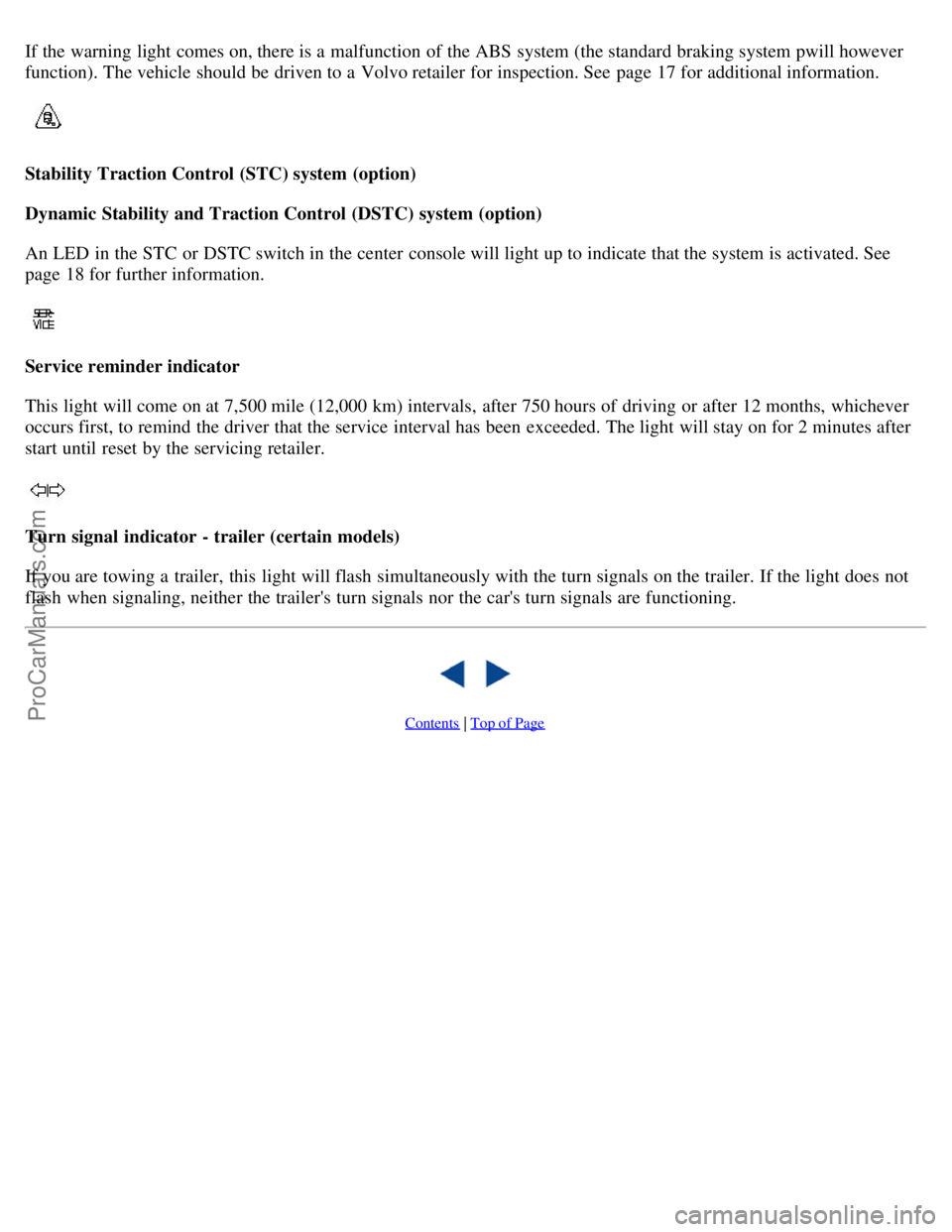
If the warning light comes on, there is a malfunction of the ABS system (the standard braking system pwill however
function). The vehicle should be driven to a Volvo retailer for inspection. See page 17 for additional information.
Stability Traction Control (STC) system (option)
Dynamic Stability and Traction Control (DSTC) system (option)
An LED in the STC or DSTC switch in the center console will light up to indicate that the system is activated. See
page 18 for further information.
Service reminder indicator
This light will come on at 7,500 mile (12,000 km) intervals, after 750 hours of driving or after 12 months, whichever
occurs first, to remind the driver that the service interval has been exceeded. The light will stay on for 2 minutes after
start until reset by the servicing retailer.
Turn signal indicator - trailer (certain models)
If you are towing a trailer, this light will flash simultaneously with the turn signals on the trailer. If the light does not
flash when signaling, neither the trailer's turn signals nor the car's turn signals are functioning.
Contents | Top of Page
ProCarManuals.com
Page 31 of 106
Move the seat as far rearward as possible for easiest access to the lumbar support control.
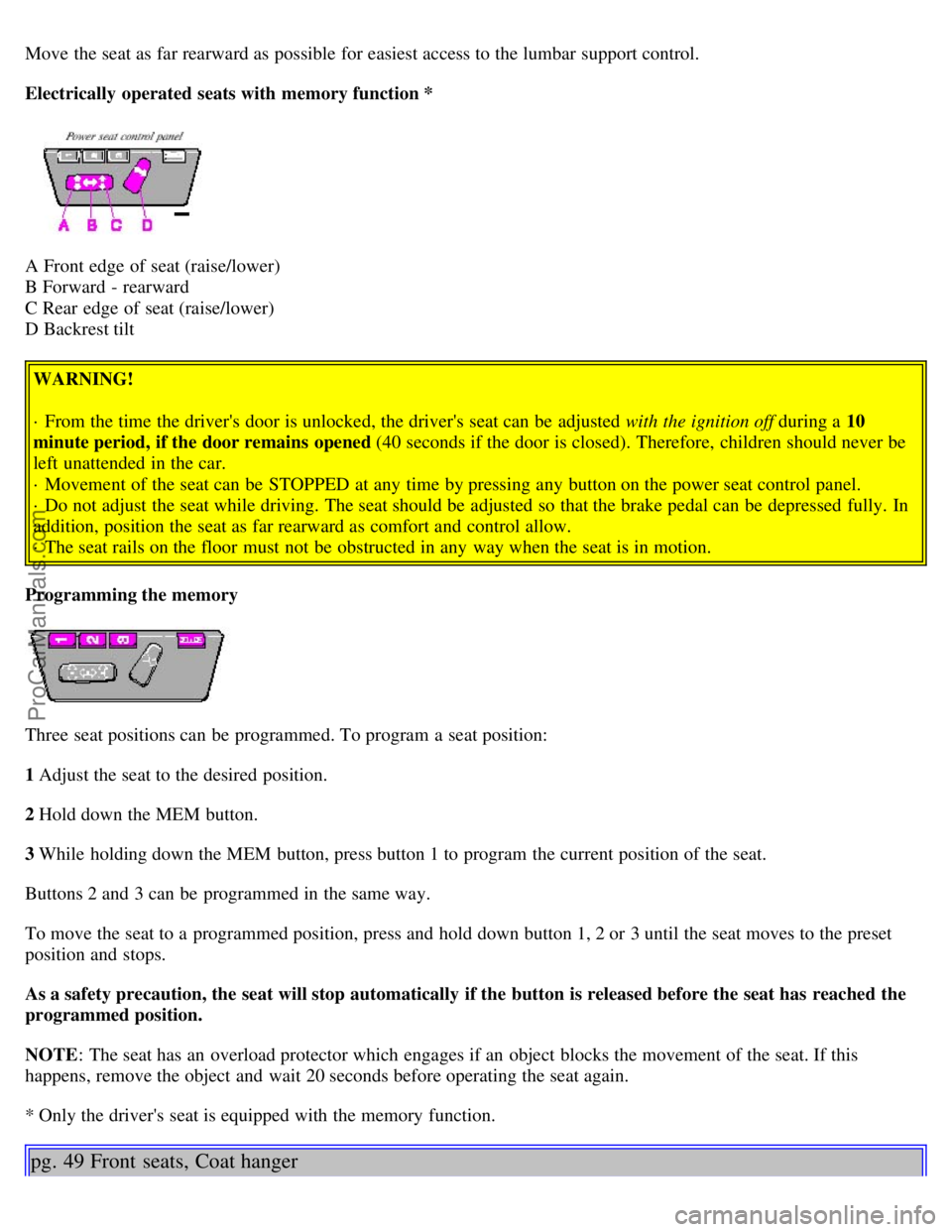
Electrically operated seats with memory function *
A Front edge of seat (raise/lower)
B Forward - rearward
C Rear edge of seat (raise/lower)
D Backrest tilt WARNING!
· From the time the driver's door is unlocked, the driver's seat can be adjusted with the ignition off during a 10
minute period, if the door remains opened (40 seconds if the door is closed). Therefore, children should never be
left unattended in the car.
· Movement of the seat can be STOPPED at any time by pressing any button on the power seat control panel.
· Do not adjust the seat while driving. The seat should be adjusted so that the brake pedal can be depressed fully. In
addition, position the seat as far rearward as comfort and control allow.
· The seat rails on the floor must not be obstructed in any way when the seat is in motion.
Programming the memory
Three seat positions can be programmed. To program a seat position:
1 Adjust the seat to the desired position.
2 Hold down the MEM button.
3 While holding down the MEM button, press button 1 to program the current position of the seat.
Buttons 2 and 3 can be programmed in the same way.
To move the seat to a programmed position, press and hold down button 1, 2 or 3 until the seat moves to the preset
position and stops.
As a safety precaution, the seat will stop automatically if the button is released before the seat has reached the
programmed position.
NOTE : The seat has an overload protector which engages if an object blocks the movement of the seat. If this
happens, remove the object and wait 20 seconds before operating the seat again.
* Only the driver's seat is equipped with the memory function.
pg. 49 Front seats, Coat hanger
ProCarManuals.com
Page 42 of 106
NOTE:
· This feature will work in the same way with all of the remote control transmitters (up to 3) that you use with your
car.
· This feature will not function if you lock your car with the key.
This device complies with FCC rules Part 15. Operation is subject to the following two conditions: (1) This device
may not cause harmful interference and (2) this device must accept any interference that may be received, including
interference that may cause undesired operation.
pg. 58 Remote keyless entry system
NOTE :
· If the doors are unlocked, the locks will automatically reengage (re-lock) and the alarm will reset after 2 minutes
unless a door has been opened.
· The keys may also be used to lock and unlock the doors, and to activate and deactivate the alarm system.
· To avoid leaving your keys in the car, make a habit of always locking the car with the remote control.
Automatic locking (Retailer installed option on certain models) If your car is equipped with this option, all
unlocked doors will automatically be locked when the car exceeds a speed of 3 mph (5 km/h). Please be aware of the
following:
· If the doors are unlocked using the central locking button after the doors have automatically locked and no door has
been opened, the doors will not automatically re-lock the next time the car exceeds 3 mph (5 km/h).
· If any doors are unlocked by pulling up the lock knob after the doors have been automatically locked and no door has
been opened, the doors will not automatically re-lock the next time the car exceeds 3 mph (5 km/h).
· If a door is opened after the car has exceeded 3 mph (5 km/h), that door will not be re-locked.
WARNING!
Never use the transmitter to lock the doors from inside the car.
Doing so would ACTIVATE:
· the break-in alarm, which would sound if one of the doors were opened.
· the interior motion and inclination alarm sensors, if equipped. Doing so would DEACTIVATE:
· the sunroof and interior courtesy light controls.
· the central locking buttons on the front door armrests, although the interior door handles would still function to
allow occupants to leave the car.
Disabled features would remain disabled until the remote were used again to unlock the car.
In addition, locking an occupied vehicle would hinder rapid access to the occupants in an accident or emergency.
td>
ProCarManuals.com
Page 46 of 106
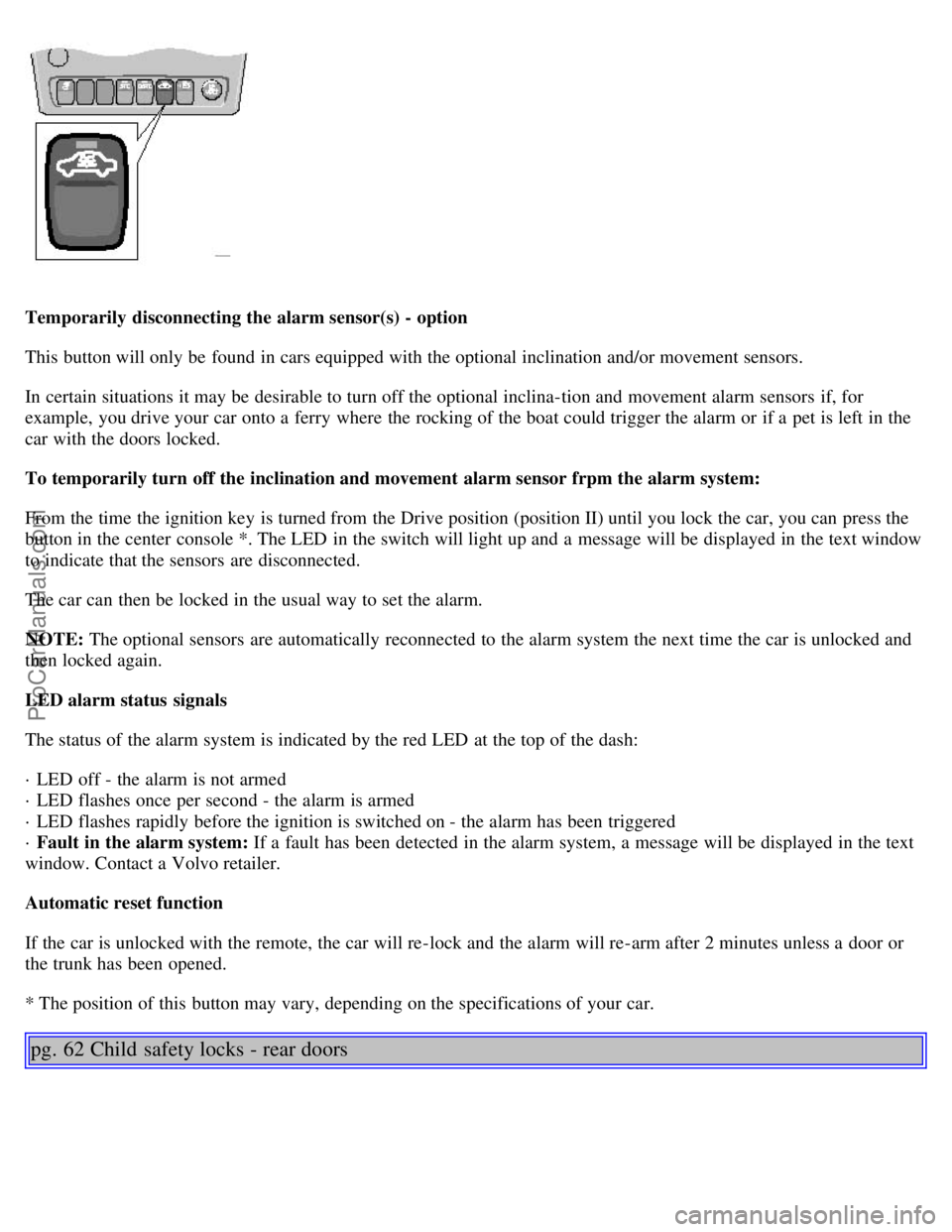
Temporarily disconnecting the alarm sensor(s) - option
This button will only be found in cars equipped with the optional inclination and/or movement sensors.
In certain situations it may be desirable to turn off the optional inclina-tion and movement alarm sensors if, for
example, you drive your car onto a ferry where the rocking of the boat could trigger the alarm or if a pet is left in the
car with the doors locked.
To temporarily turn off the inclination and movement alarm sensor frpm the alarm system:
From the time the ignition key is turned from the Drive position (position II) until you lock the car, you can press the
button in the center console *. The LED in the switch will light up and a message will be displayed in the text window
to indicate that the sensors are disconnected.
The car can then be locked in the usual way to set the alarm.
NOTE: The optional sensors are automatically reconnected to the alarm system the next time the car is unlocked and
then locked again.
LED alarm status signals
The status of the alarm system is indicated by the red LED at the top of the dash:
· LED off - the alarm is not armed
· LED flashes once per second - the alarm is armed
· LED flashes rapidly before the ignition is switched on - the alarm has been triggered
· Fault in the alarm system: If a fault has been detected in the alarm system, a message will be displayed in the text
window. Contact a Volvo retailer.
Automatic reset function
If the car is unlocked with the remote, the car will re-lock and the alarm will re-arm after 2 minutes unless a door or
the trunk has been opened.
* The position of this button may vary, depending on the specifications of your car.
pg. 62 Child safety locks - rear doors
ProCarManuals.com
Page 87 of 106
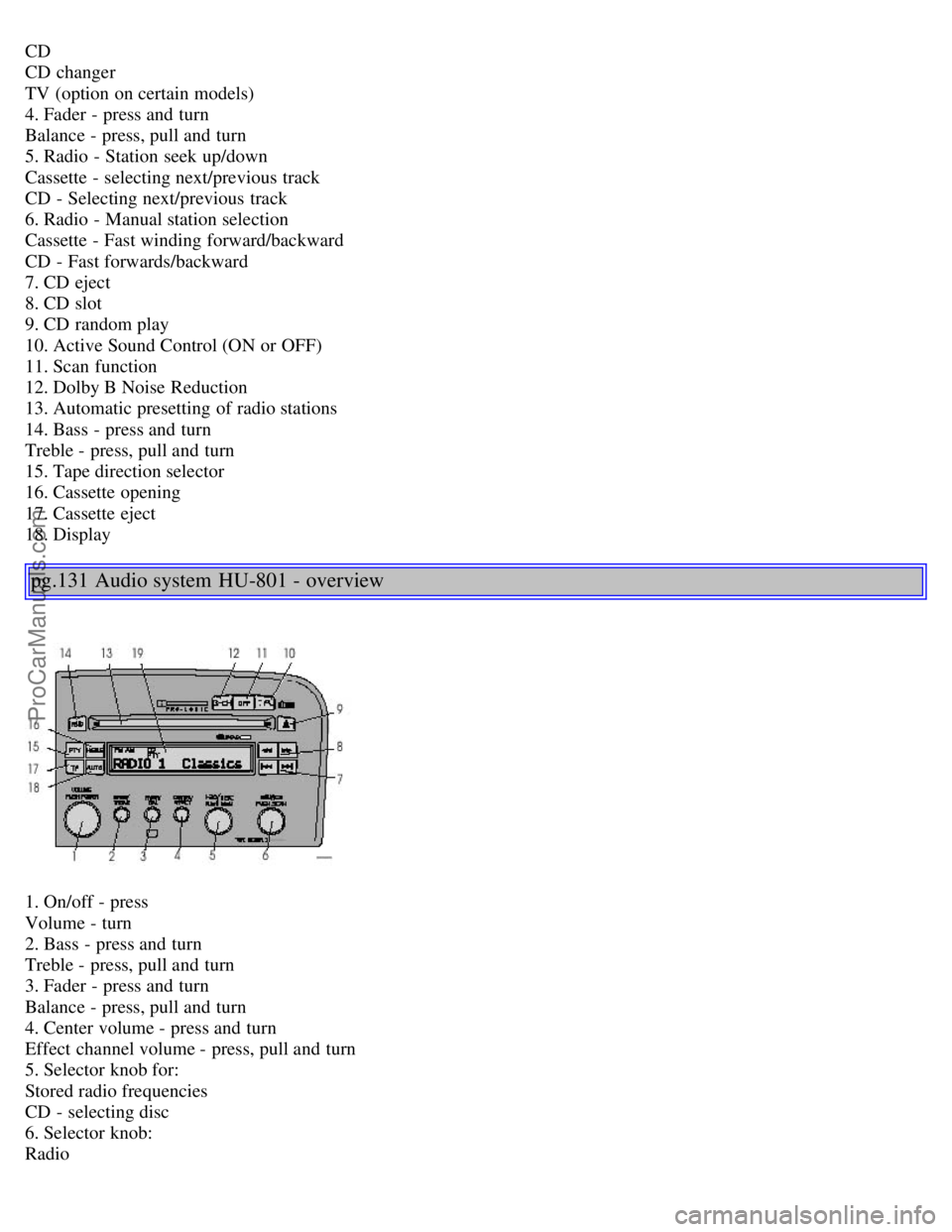
CD
CD changer
TV (option on certain models)
4. Fader - press and turn
Balance - press, pull and turn
5. Radio - Station seek up/down
Cassette - selecting next/previous track
CD - Selecting next/previous track
6. Radio - Manual station selection
Cassette - Fast winding forward/backward
CD - Fast forwards/backward
7. CD eject
8. CD slot
9. CD random play
10. Active Sound Control (ON or OFF)
11. Scan function
12. Dolby B Noise Reduction
13. Automatic presetting of radio stations
14. Bass - press and turn
Treble - press, pull and turn
15. Tape direction selector
16. Cassette opening
17. Cassette eject
18. Display
pg.131 Audio system HU-801 - overview
1. On/off - press
Volume - turn
2. Bass - press and turn
Treble - press, pull and turn
3. Fader - press and turn
Balance - press, pull and turn
4. Center volume - press and turn
Effect channel volume - press, pull and turn
5. Selector knob for:
Stored radio frequencies
CD - selecting disc
6. Selector knob:
Radio
ProCarManuals.com
Page 88 of 106
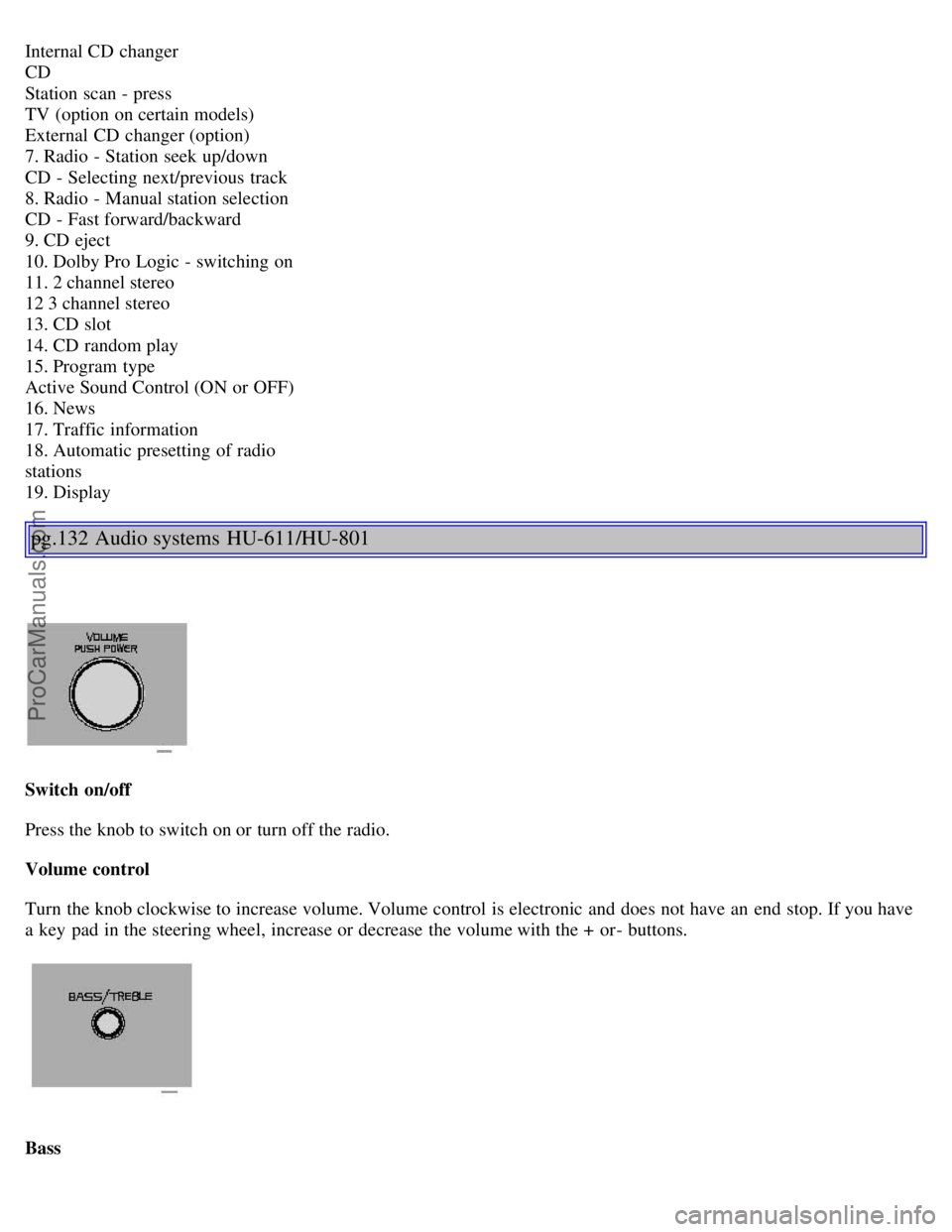
Internal CD changer
CD
Station scan - press
TV (option on certain models)
External CD changer (option)
7. Radio - Station seek up/down
CD - Selecting next/previous track
8. Radio - Manual station selection
CD - Fast forward/backward
9. CD eject
10. Dolby Pro Logic - switching on
11. 2 channel stereo
12 3 channel stereo
13. CD slot
14. CD random play
15. Program type
Active Sound Control (ON or OFF)
16. News
17. Traffic information
18. Automatic presetting of radio
stations
19. Display
pg.132 Audio systems HU-611/HU-801
Switch on/off
Press the knob to switch on or turn off the radio.
Volume control
Turn the knob clockwise to increase volume. Volume control is electronic and does not have an end stop. If you have
a key pad in the steering wheel, increase or decrease the volume with the + or- buttons.
Bass
ProCarManuals.com
Page 90 of 106
"detent" indicates "equalized" balance. Press the button back in when you have made the adjustment.
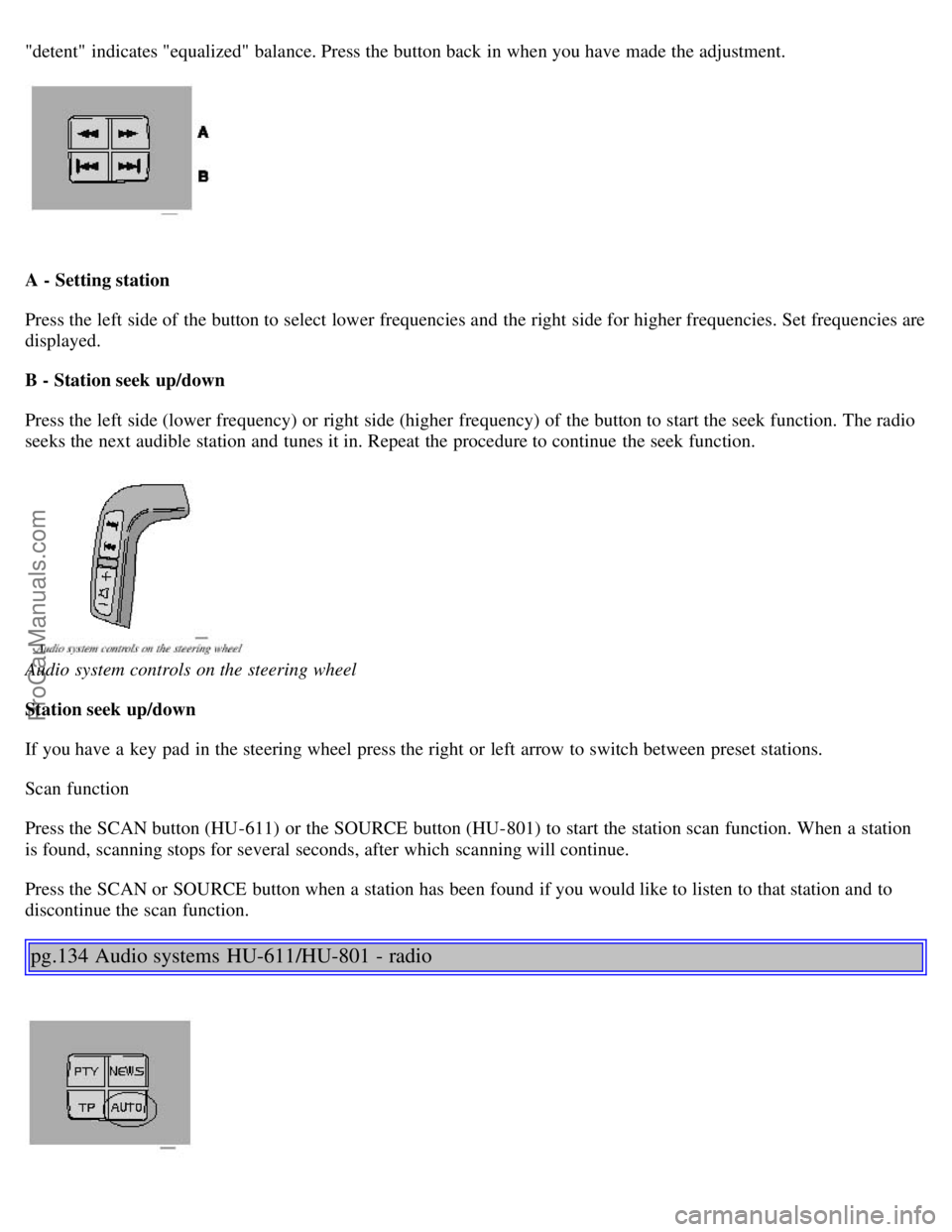
A - Setting station
Press the left side of the button to select lower frequencies and the right side for higher frequencies. Set frequencies are
displayed.
B - Station seek up/down
Press the left side (lower frequency) or right side (higher frequency) of the button to start the seek function. The radio
seeks the next audible station and tunes it in. Repeat the procedure to continue the seek function.
Audio system controls on the steering wheel
Station seek up/down
If you have a key pad in the steering wheel press the right or left arrow to switch between preset stations.
Scan function
Press the SCAN button (HU-611) or the SOURCE button (HU-801) to start the station scan function. When a station
is found, scanning stops for several seconds, after which scanning will continue.
Press the SCAN or SOURCE button when a station has been found if you would like to listen to that station and to
discontinue the scan function.
pg.134 Audio systems HU-611/HU-801 - radio
ProCarManuals.com
Page 91 of 106
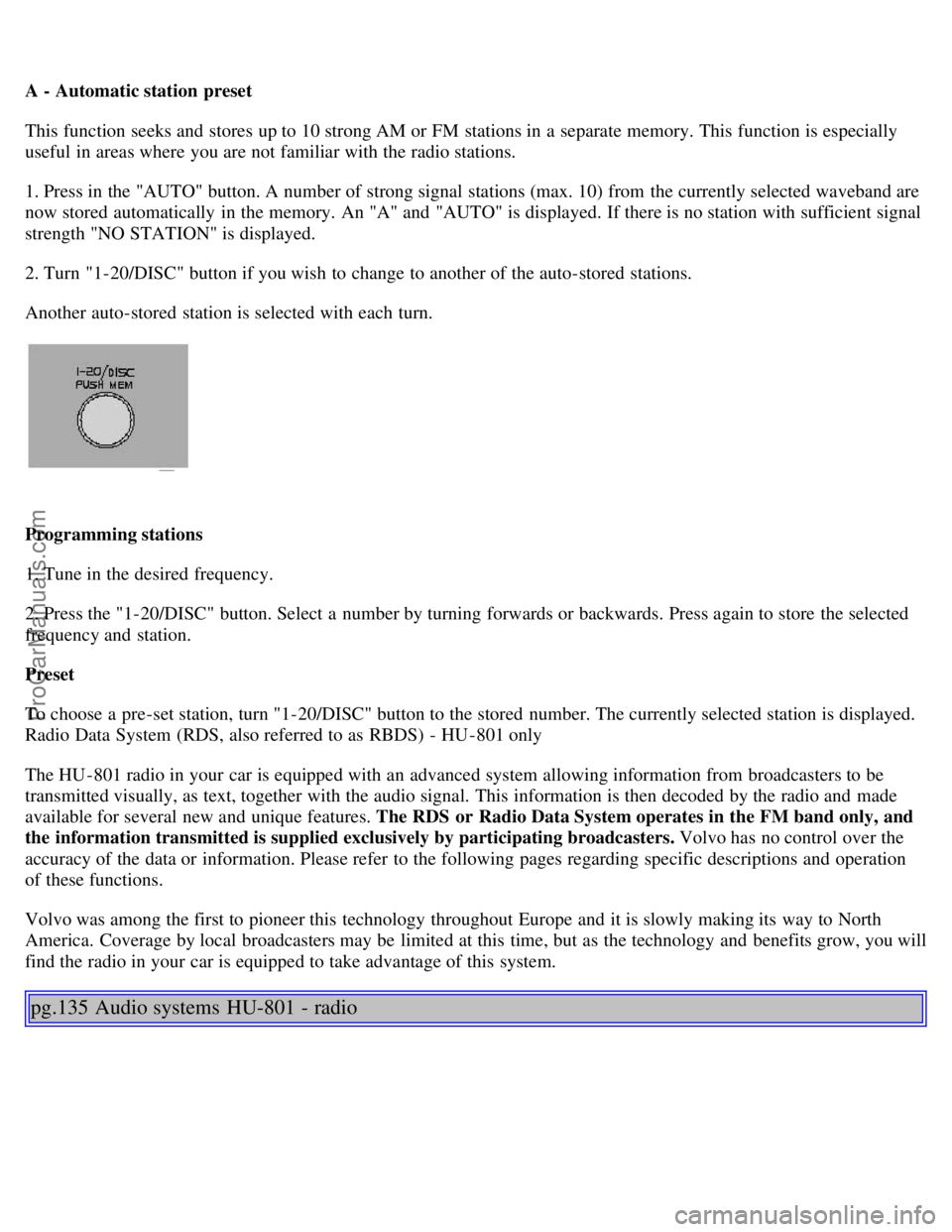
A - Automatic station preset
This function seeks and stores up to 10 strong AM or FM stations in a separate memory. This function is especially
useful in areas where you are not familiar with the radio stations.
1. Press in the "AUTO" button. A number of strong signal stations (max. 10) from the currently selected waveband are
now stored automatically in the memory. An "A" and "AUTO" is displayed. If there is no station with sufficient signal
strength "NO STATION" is displayed.
2. Turn "1-20/DISC" button if you wish to change to another of the auto-stored stations.
Another auto-stored station is selected with each turn.
Programming stations
1. Tune in the desired frequency.
2. Press the "1-20/DISC" button. Select a number by turning forwards or backwards. Press again to store the selected
frequency and station.
Preset
To choose a pre-set station, turn "1-20/DISC" button to the stored number. The currently selected station is displayed.
Radio Data System (RDS, also referred to as RBDS) - HU -801 only
The HU -801 radio in your car is equipped with an advanced system allowing information from broadcasters to be
transmitted visually, as text, together with the audio signal. This information is then decoded by the radio and made
available for several new and unique features. The RDS or Radio Data System operates in the FM band only, and
the information transmitted is supplied exclusively by participating broadcasters. Volvo has no control over the
accuracy of the data or information. Please refer to the following pages regarding specific descriptions and operation
of these functions.
Volvo was among the first to pioneer this technology throughout Europe and it is slowly making its way to North
America. Coverage by local broadcasters may be limited at this time, but as the technology and benefits grow, you will
find the radio in your car is equipped to take advantage of this system.
pg.135 Audio systems HU-801 - radio
ProCarManuals.com