key VOLVO S80 2005 User Guide
[x] Cancel search | Manufacturer: VOLVO, Model Year: 2005, Model line: S80, Model: VOLVO S80 2005Pages: 123, PDF Size: 2.33 MB
Page 39 of 123
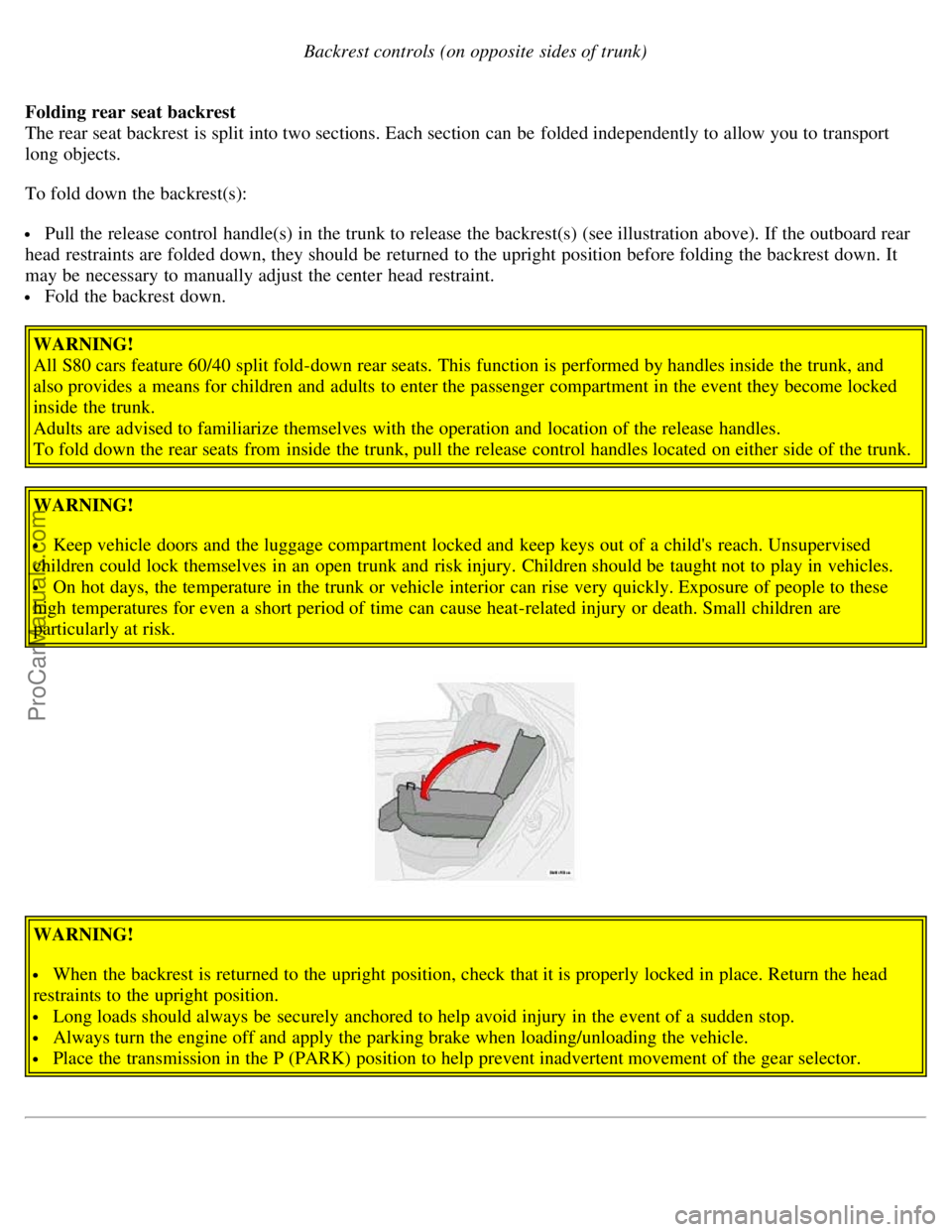
Backrest controls (on opposite sides of trunk)
Folding rear seat backrest
The rear seat backrest is split into two sections. Each section can be folded independently to allow you to transport
long objects.
To fold down the backrest(s):
Pull the release control handle(s) in the trunk to release the backrest(s) (see illustration above). If the outboard rear
head restraints are folded down, they should be returned to the upright position before folding the backrest down. It
may be necessary to manually adjust the center head restraint.
Fold the backrest down.
WARNING!
All S80 cars feature 60/40 split fold-down rear seats. This function is performed by handles inside the trunk, and
also provides a means for children and adults to enter the passenger compartment in the event they become locked
inside the trunk.
Adults are advised to familiarize themselves with the operation and location of the release handles.
To fold down the rear seats from inside the trunk, pull the release control handles located on either side of the trunk.
WARNING!
Keep vehicle doors and the luggage compartment locked and keep keys out of a child's reach. Unsupervised
children could lock themselves in an open trunk and risk injury. Children should be taught not to play in vehicles.
On hot days, the temperature in the trunk or vehicle interior can rise very quickly. Exposure of people to these
high temperatures for even a short period of time can cause heat-related injury or death. Small children are
particularly at risk.
WARNING!
When the backrest is returned to the upright position, check that it is properly locked in place. Return the head
restraints to the upright position.
Long loads should always be securely anchored to help avoid injury in the event of a sudden stop.
Always turn the engine off and apply the parking brake when loading/unloading the vehicle.
Place the transmission in the P (PARK) position to help prevent inadvertent movement of the gear selector.
ProCarManuals.com
Page 41 of 123
2 0 0 5
VOLVO S80
Chapter 5 - Keys, Locks, Alarm
pg. 61 Keys, Locks, Alarm
Keys, Exterior courtesy lights, Locking and unlocking the car62
Remote keyless entry system63
Locking and unlocking the car65
Alarm67
Child safety locks - rear doors69
pg. 62 Keys, Exterior courtesy lights, Locking and unlocking the car
Keys
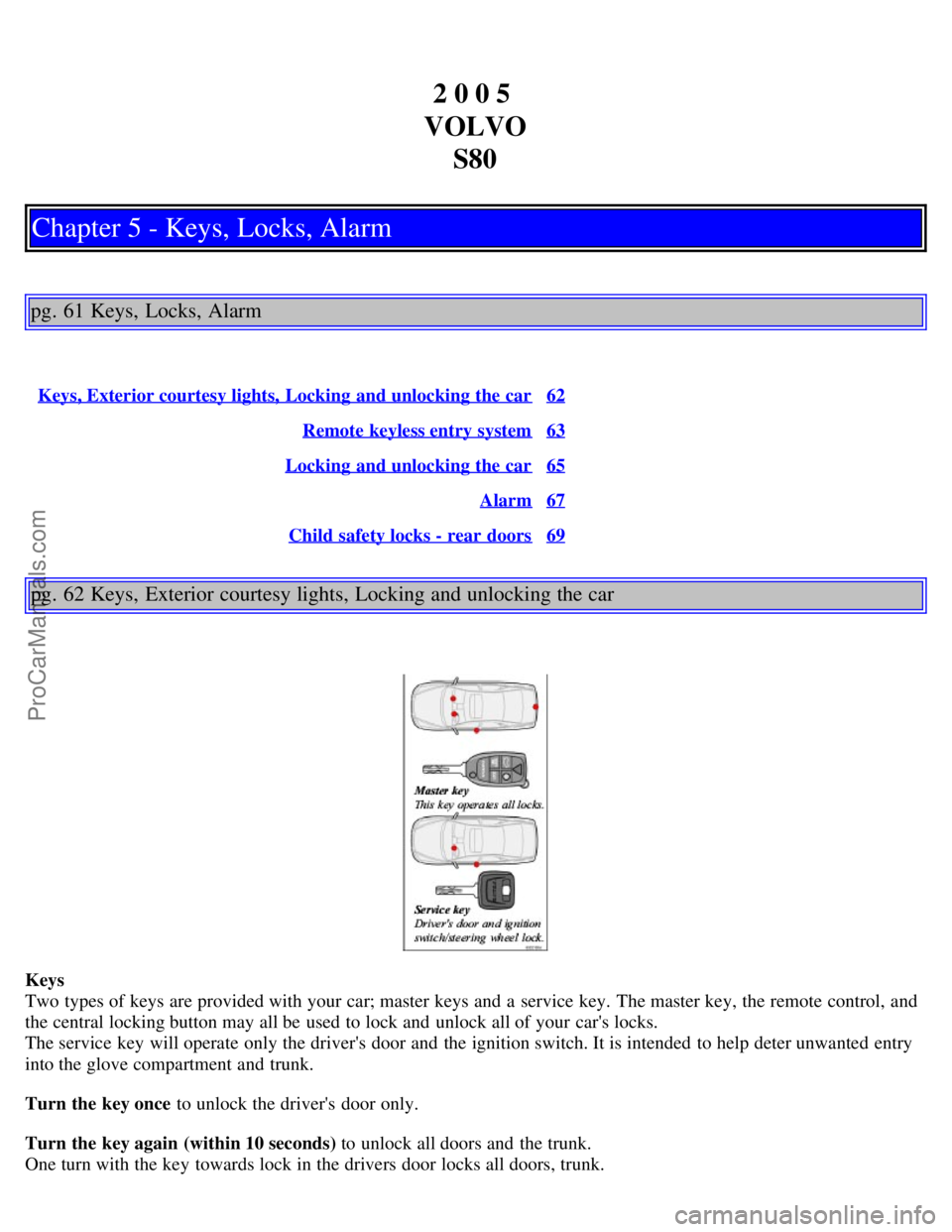
Two types of keys are provided with your car; master keys and a service key. The master key, the remote control, and
the central locking button may all be used to lock and unlock all of your car's locks.
The service key will operate only the driver's door and the ignition switch. It is intended to help deter unwanted entry
into the glove compartment and trunk.
Turn the key once to unlock the driver's door only.
Turn the key again (within 10 seconds) to unlock all doors and the trunk.
One turn with the key towards lock in the drivers door locks all doors, trunk.
ProCarManuals.com
Page 42 of 123
Use the switch on the front door armrests to lock/unlock the car from the inside.WARNING!
If the doors are locked while driving, this may hinder rapid access to the occupants of the car in the event of an
accident. (Also see information on "Child safety locks").
Note: To help prevent accidentally locking the keys in the car, the central locking system is designed to unlock the
doors immediately if the key is left in the ignition switch, the car is locked using the lock button on the door and the
door is then closed. A sound from the lock will be audible at this time.
Please note that this function will not unlock the doors if the engine is running.
Immobilizer (start inhibitor)
Each of the keys supplied with your car contains a coded transmitter. The code in the key is transmitted to an antenna
in the ignition switch where it is compared to the code stored in the start inhibitor module. The car will start only with
a properly coded key.
If you misplace a key, take the other keys to an authorized Volvo retailer for reprogramming as an antitheft measure.
This device complies with part 15 of the FCC rules. Operation is subject to the following condition: (1) This device
may not cause harmful interference, and (2) this device must accept any interference received, including interference
that may cause undesired operation.
Exterior Courtesy lights
Home Safe System
When you leave your car at night, you can make use of the courtesy lighting function:
Remove the key from the ignition switch.
Pull the turn signal lever towards the steering wheel (as when using the headlight flasher function).
Exit the car and lock the doors.
The headlights, parking lights, license plate lights and the lights in the sideview mirrors will now come on and remain
on for 30, 60 or 90 seconds (the time interval is at your discretion and can be changed by an authorized Volvo retailer).
Approach lighting
When approaching the car at night, press the yellow button in the central locking remote control (see illustration on
page 63
). This lights up the interior courtesy light, parking lights, license plate lights and the lights in the sideview
mirrors.
pg. 63 Remote keyless entry system
ProCarManuals.com
Page 43 of 123
Remote keyless entry system
Your car is equipped with two coded remote control transmitters with integrated ignition keys called Key Integrated
Remote (KIR). These transmitters use a radio frequency that will enable you to lock/unlock all doors and the trunk
from a distance of 10-15 feet (3-5 meters).
The transmitters will also activate or allow "keyless" entry into the passenger compartment or the trunk. They will also
activate or deactivate the vehicle's alarm system(s).
The car can also be locked/unlocked with the key.
If one of the transmitters is misplaced, contact your nearest authorized Volvo retailer for replacement.
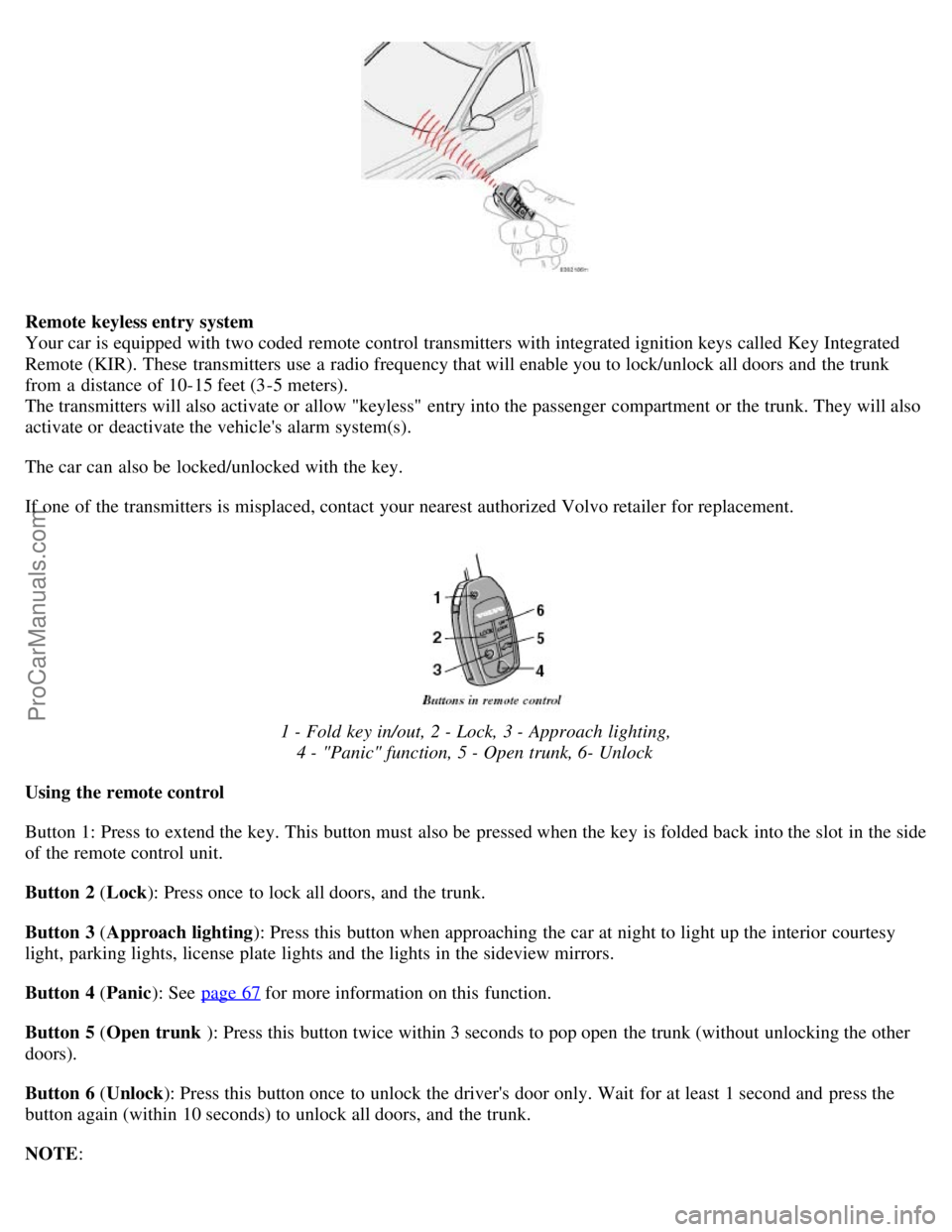
1 - Fold key in/out, 2 - Lock, 3 - Approach lighting, 4 - "Panic" function, 5 - Open trunk, 6- Unlock
Using the remote control
Button 1: Press to extend the key. This button must also be pressed when the key is folded back into the slot in the side
of the remote control unit.
Button 2 ( Lock): Press once to lock all doors, and the trunk.
Button 3 ( Approach lighting ): Press this button when approaching the car at night to light up the interior courtesy
light, parking lights, license plate lights and the lights in the sideview mirrors.
Button 4 ( Panic): See page 67
for more information on this function.
Button 5 ( Open trunk ): Press this button twice within 3 seconds to pop open the trunk (without unlocking the other
doors).
Button 6 ( Unlock): Press this button once to unlock the driver's door only. Wait for at least 1 second and press the
button again (within 10 seconds) to unlock all doors, and the trunk.
NOTE :
ProCarManuals.com
Page 44 of 123
If the doors are unlocked with the remote, the locks will automatically reengage (re-lock) and the alarm will rearm
after 2 minutes unless a door has been opened.
The lock/unlock and alarm features can also be utilized by using the keys.
FCC ID:LQNP2T-APU
This device complies with part 15 of the FCC rules. Operation is subject to the following conditions: (1) This device
may not cause harmful interference, and (2) this device must accept any interference received, including interference
that may cause undesired operation.
Canadian 2306104388
Model 504 2927 by Donnelly
Operation is subject to the following conditions: (1) this device may not cause interference, and (2) this device must
accept any interference, including interference that may cause undesired operation of the device.
Canadian 2306104388A
Model 509 977 by Connaught Electronics
Operation is subject to the following conditions: (1) this device may not cause interference, and (2) this device must
accept any interference, including interference that may cause undesired operation of the device.
pg. 64 Remote keyless entry system
WARNING!
Never use the transmitter to lock the doors from inside the car.
Doing so would ACTIVATE:
the break-in alarm, which would sound if one of the doors were opened.
the interior motion and inclination alarm sensors, if equipped.
Doing so would DEACTIVATE:
the moonroof and interior courtesy light controls.
the central locking buttons on the front door armrests, although the interior door handles would still function to
allow occupants to leave the car.
Disabled features would remain disabled until the remote were used again to unlock the car.
In addition, locking an occupied vehicle would hinder rapid access to the occupants in an accident or emergency.
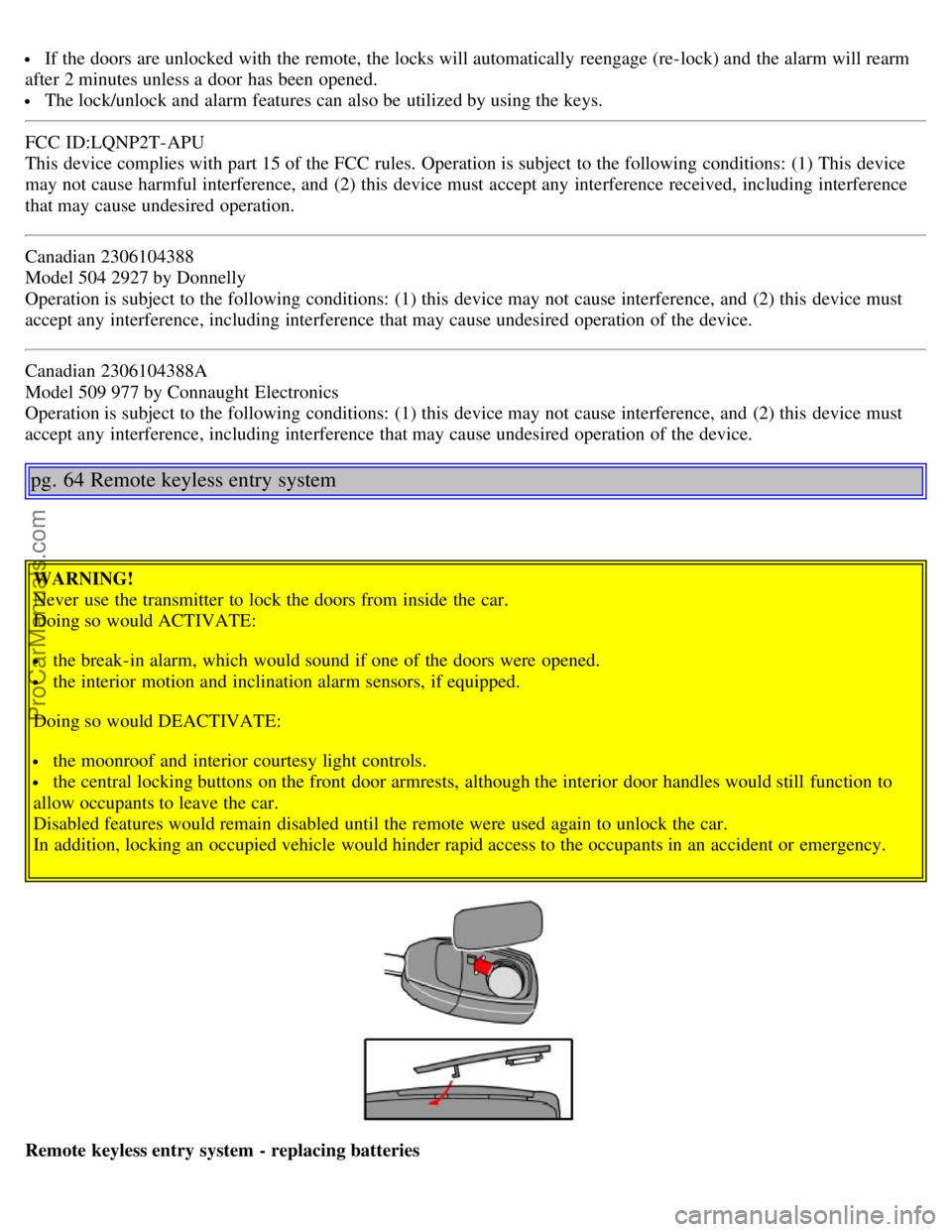
Remote keyless entry system - replacing batteries
ProCarManuals.com
Page 45 of 123
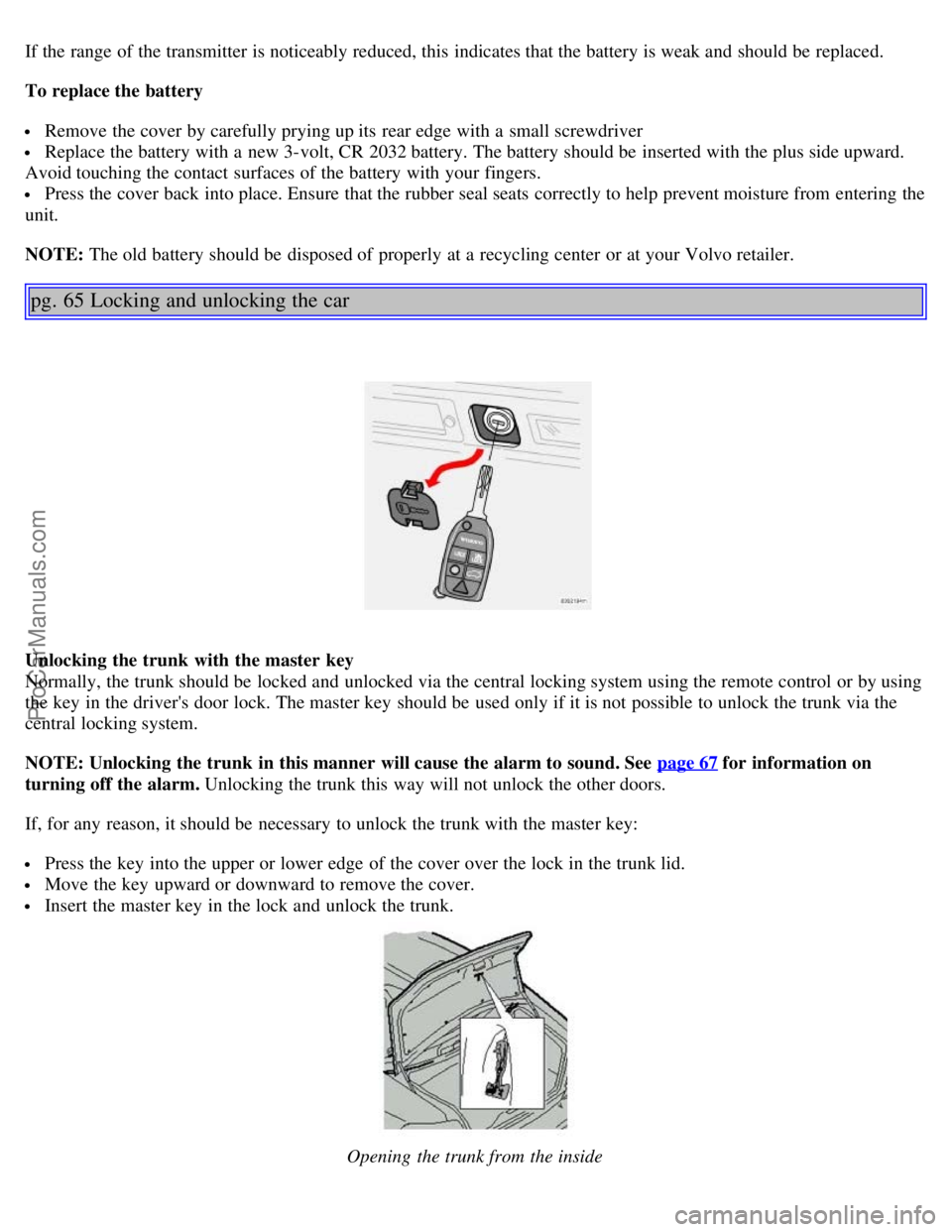
If the range of the transmitter is noticeably reduced, this indicates that the battery is weak and should be replaced.
To replace the battery
Remove the cover by carefully prying up its rear edge with a small screwdriver
Replace the battery with a new 3-volt, CR 2032 battery. The battery should be inserted with the plus side upward.
Avoid touching the contact surfaces of the battery with your fingers.
Press the cover back into place. Ensure that the rubber seal seats correctly to help prevent moisture from entering the
unit.
NOTE: The old battery should be disposed of properly at a recycling center or at your Volvo retailer.
pg. 65 Locking and unlocking the car
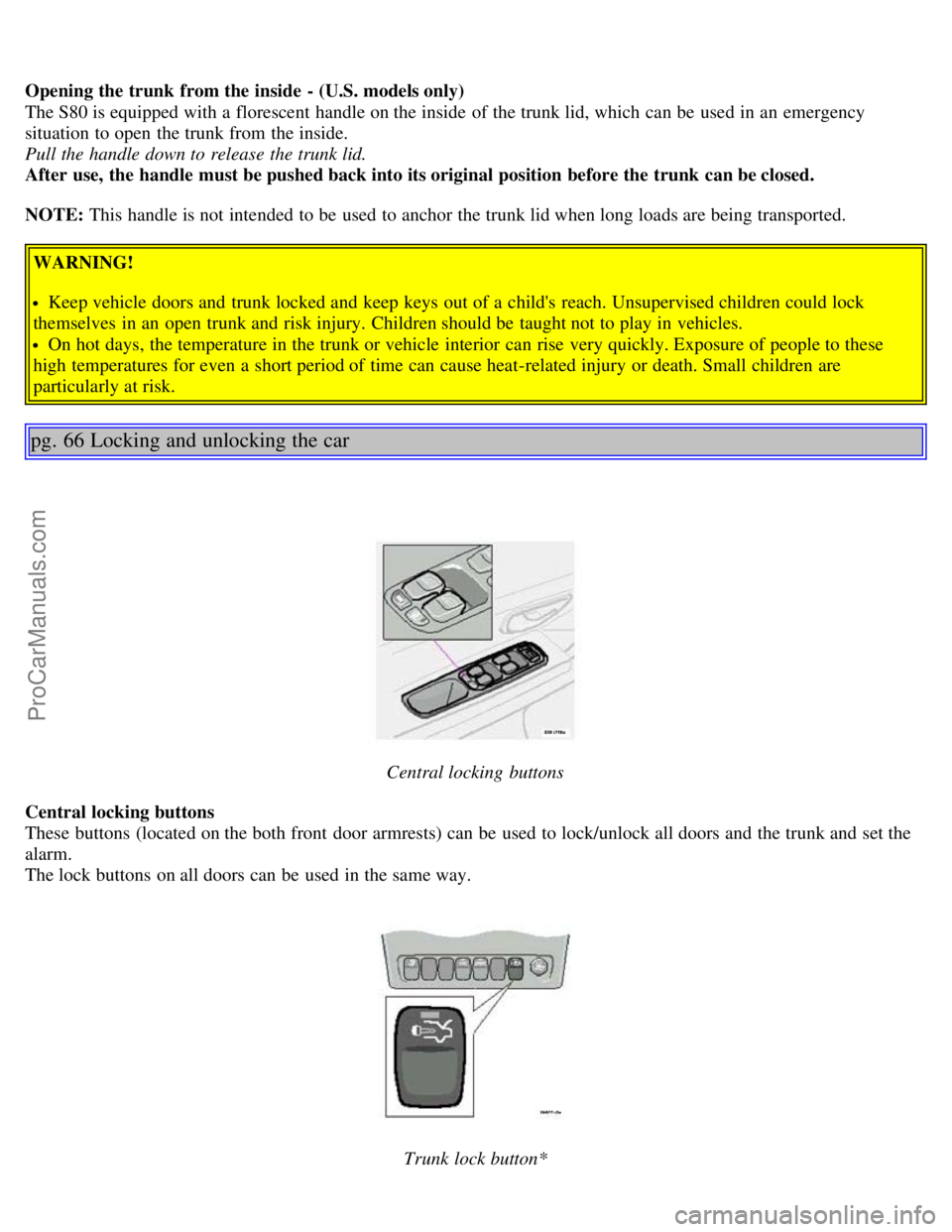
Unlocking the trunk with the master key
Normally, the trunk should be locked and unlocked via the central locking system using the remote control or by using
the key in the driver's door lock. The master key should be used only if it is not possible to unlock the trunk via the
central locking system.
NOTE: Unlocking the trunk in this manner will cause the alarm to sound. See page 67
for information on
turning off the alarm. Unlocking the trunk this way will not unlock the other doors.
If, for any reason, it should be necessary to unlock the trunk with the master key:
Press the key into the upper or lower edge of the cover over the lock in the trunk lid.
Move the key upward or downward to remove the cover.
Insert the master key in the lock and unlock the trunk.
Opening the trunk from the inside
ProCarManuals.com
Page 46 of 123
Opening the trunk from the inside - (U.S. models only)
The S80 is equipped with a florescent handle on the inside of the trunk lid, which can be used in an emergency
situation to open the trunk from the inside.
Pull the handle down to release the trunk lid.
After use, the handle must be pushed back into its original position before the trunk can be closed.
NOTE: This handle is not intended to be used to anchor the trunk lid when long loads are being transported.
WARNING!
Keep vehicle doors and trunk locked and keep keys out of a child's reach. Unsupervised children could lock
themselves in an open trunk and risk injury. Children should be taught not to play in vehicles.
On hot days, the temperature in the trunk or vehicle interior can rise very quickly. Exposure of people to these
high temperatures for even a short period of time can cause heat-related injury or death. Small children are
particularly at risk.
pg. 66 Locking and unlocking the car
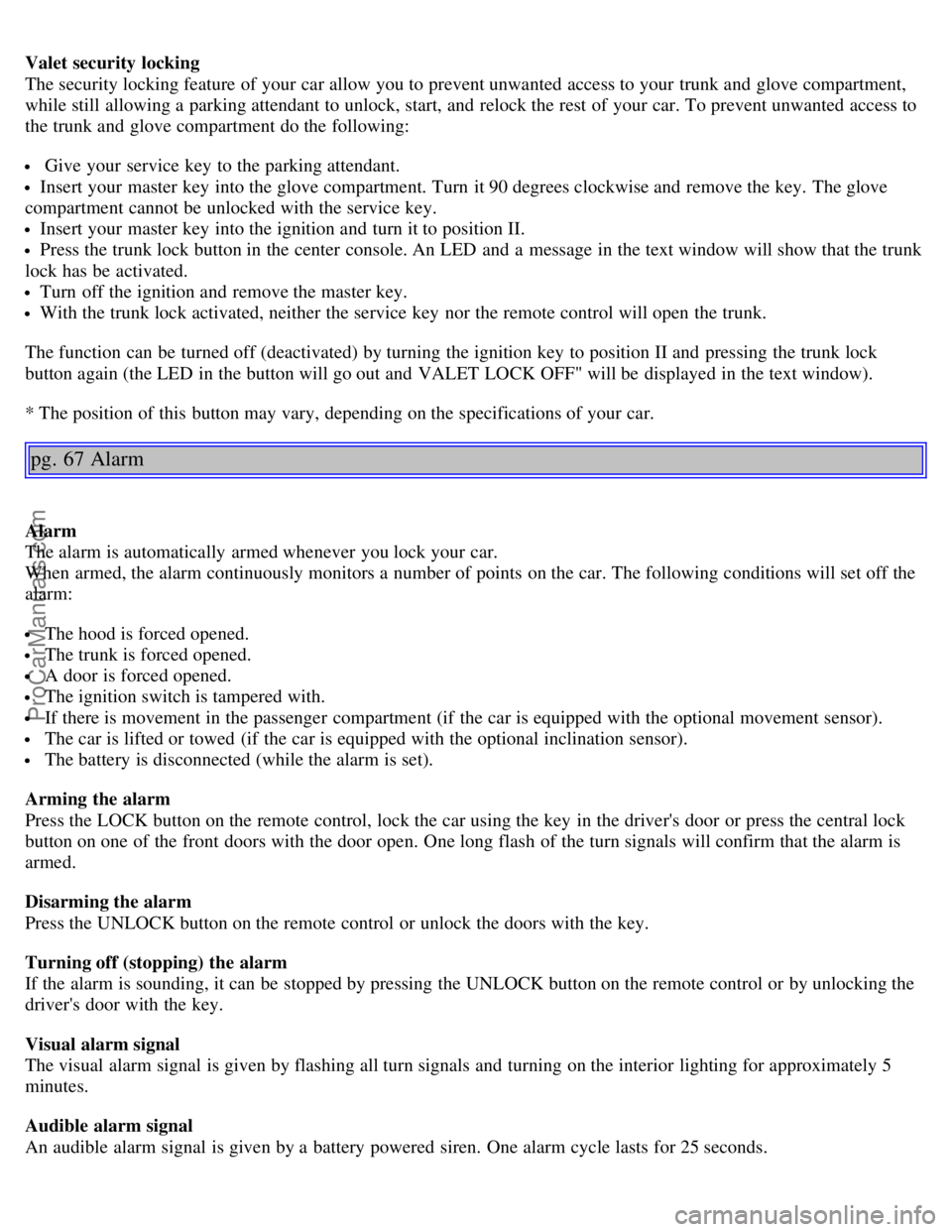
Central locking buttons
Central locking buttons
These buttons (located on the both front door armrests) can be used to lock/unlock all doors and the trunk and set the
alarm.
The lock buttons on all doors can be used in the same way.
Trunk lock button*
ProCarManuals.com
Page 47 of 123
Valet security locking
The security locking feature of your car allow you to prevent unwanted access to your trunk and glove compartment,
while still allowing a parking attendant to unlock, start, and relock the rest of your car. To prevent unwanted access to
the trunk and glove compartment do the following:
Give your service key to the parking attendant.
Insert your master key into the glove compartment. Turn it 90 degrees clockwise and remove the key. The glove
compartment cannot be unlocked with the service key.
Insert your master key into the ignition and turn it to position II.
Press the trunk lock button in the center console. An LED and a message in the text window will show that the trunk
lock has be activated.
Turn off the ignition and remove the master key.
With the trunk lock activated, neither the service key nor the remote control will open the trunk.
The function can be turned off (deactivated) by turning the ignition key to position II and pressing the trunk lock
button again (the LED in the button will go out and VALET LOCK OFF" will be displayed in the text window).
* The position of this button may vary, depending on the specifications of your car.
pg. 67 Alarm
Alarm
The alarm is automatically armed whenever you lock your car.
When armed, the alarm continuously monitors a number of points on the car. The following conditions will set off the
alarm:
The hood is forced opened.
The trunk is forced opened.
A door is forced opened.
The ignition switch is tampered with.
If there is movement in the passenger compartment (if the car is equipped with the optional movement sensor).
The car is lifted or towed (if the car is equipped with the optional inclination sensor).
The battery is disconnected (while the alarm is set).
Arming the alarm
Press the LOCK button on the remote control, lock the car using the key in the driver's door or press the central lock
button on one of the front doors with the door open. One long flash of the turn signals will confirm that the alarm is
armed.
Disarming the alarm
Press the UNLOCK button on the remote control or unlock the doors with the key.
Turning off (stopping) the alarm
If the alarm is sounding, it can be stopped by pressing the UNLOCK button on the remote control or by unlocking the
driver's door with the key.
Visual alarm signal
The visual alarm signal is given by flashing all turn signals and turning on the interior lighting for approximately 5
minutes.
Audible alarm signal
An audible alarm signal is given by a battery powered siren. One alarm cycle lasts for 25 seconds.
ProCarManuals.com
Page 48 of 123
"Panic" button
In an emergency situation, this feature can be used to attract attention.
Activate the "panic" button by pressing the red button on the remote control (see illustration on page 63
) for at least 3
seconds or by pressing this button twice within 3 seconds. The turn signals will flash, and the car's horn will sound.
The function can be turned off by pressing any of the buttons on the remote control or will stop automatically
after 25 seconds. When a button is pressed, there is a 5 second delay before the panic alarm is deactivated.
NOTE: This button will NOT unlock the car.
pg. 68 Alarm
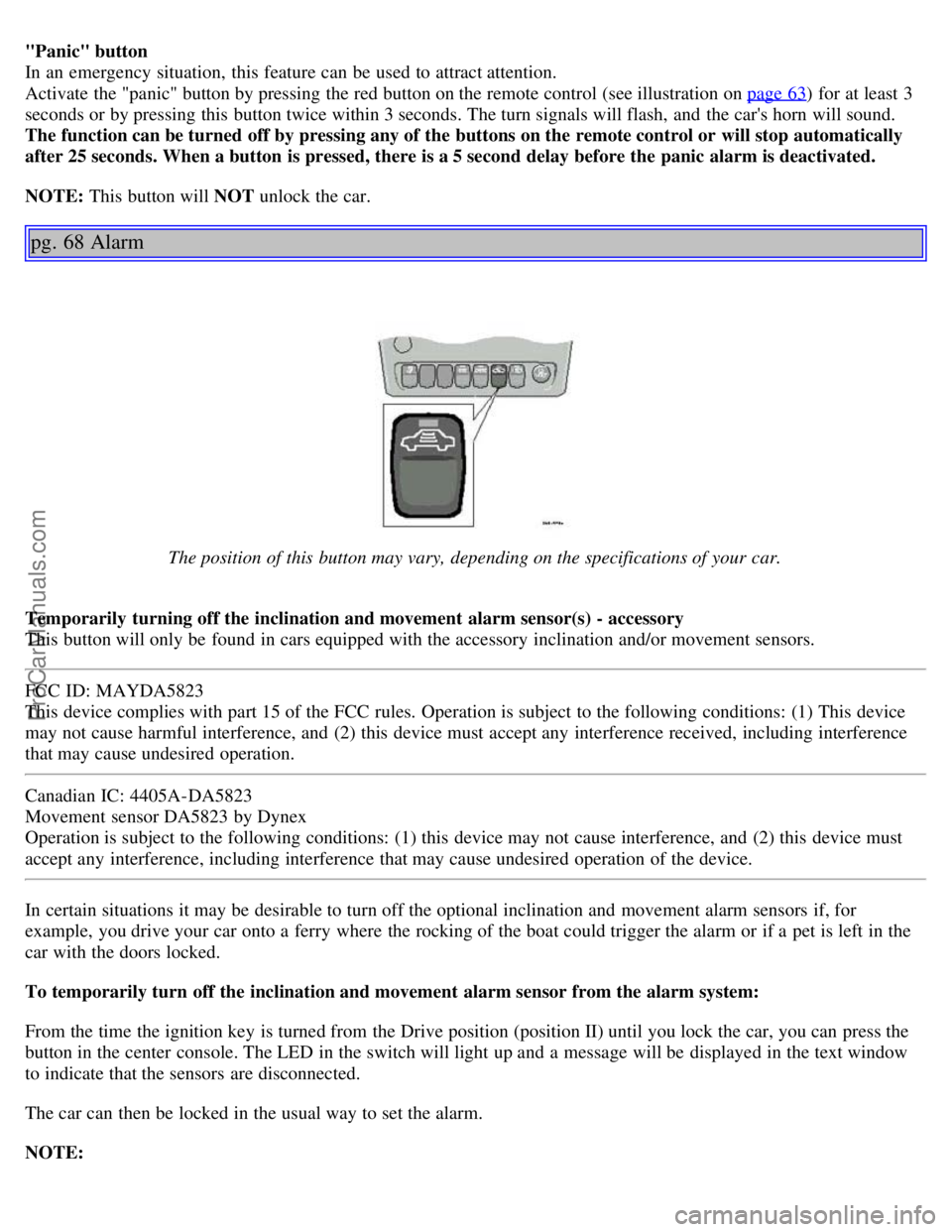
The position of this button may vary, depending on the specifications of your car.
Temporarily turning off the inclination and movement alarm sensor(s) - accessory
This button will only be found in cars equipped with the accessory inclination and/or movement sensors.
FCC ID: MAYDA5823
This device complies with part 15 of the FCC rules. Operation is subject to the following conditions: (1) This device
may not cause harmful interference, and (2) this device must accept any interference received, including interference
that may cause undesired operation.
Canadian IC: 4405A-DA5823
Movement sensor DA5823 by Dynex
Operation is subject to the following conditions: (1) this device may not cause interference, and (2) this device must
accept any interference, including interference that may cause undesired operation of the device.
In certain situations it may be desirable to turn off the optional inclination and movement alarm sensors if, for
example, you drive your car onto a ferry where the rocking of the boat could trigger the alarm or if a pet is left in the
car with the doors locked.
To temporarily turn off the inclination and movement alarm sensor from the alarm system:
From the time the ignition key is turned from the Drive position (position II) until you lock the car, you can press the
button in the center console. The LED in the switch will light up and a message will be displayed in the text window
to indicate that the sensors are disconnected.
The car can then be locked in the usual way to set the alarm.
NOTE:
ProCarManuals.com
Page 49 of 123
This function will not turn off the vehicle's standard alarm.
The optional sensors are automatically reconnected to the alarm system the next time the car is unlocked and then
locked again.
LED alarm status signals
The status of the alarm system is indicated by the red LED at the top of the dash:
LED off - the alarm is not armed
LED flashes once per second - the alarm is armed
LED flashes rapidly before the ignition is switched on - the alarm has been triggered
Fault in the alarm system: If a fault has been detected in the alarm system, a message will be displayed in the text
window. Contact a Volvo retailer.
Automatic re-lock/re -arm function
If the car is unlocked with the remote, the car will re-lock and the alarm will re-arm after 2 minutes unless a door or
the trunk has been opened.
pg. 69 Child safety locks - rear doors
Child safety locks - rear doors
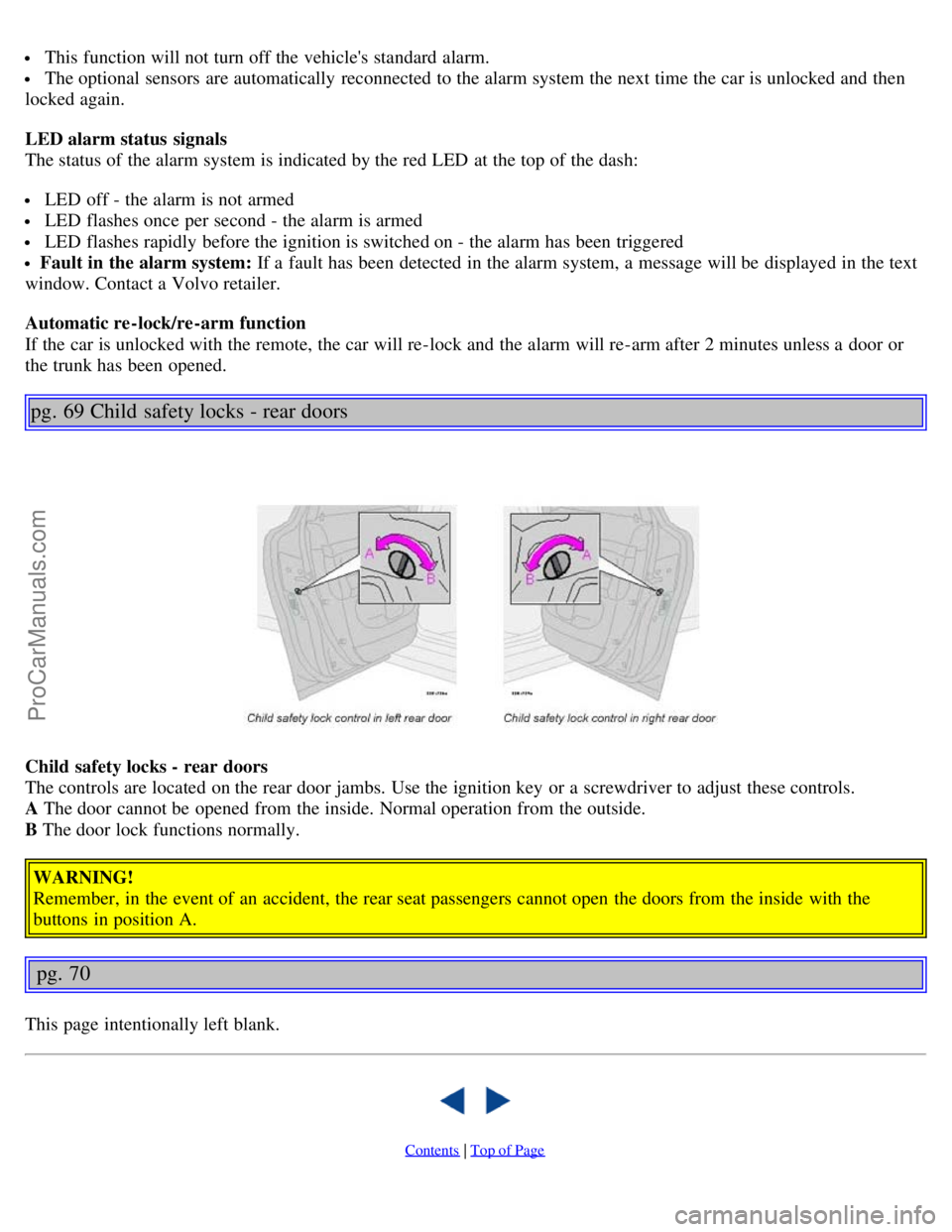
The controls are located on the rear door jambs. Use the ignition key or a screwdriver to adjust these controls.
A The door cannot be opened from the inside. Normal operation from the outside.
B The door lock functions normally.
WARNING!
Remember, in the event of an accident, the rear seat passengers cannot open the doors from the inside with the
buttons in position A.
pg. 70
This page intentionally left blank.
Contents | Top of Page
ProCarManuals.com