center console VOLVO S80 2006 Owners Manual
[x] Cancel search | Manufacturer: VOLVO, Model Year: 2006, Model line: S80, Model: VOLVO S80 2006Pages: 122, PDF Size: 2.33 MB
Page 15 of 122
never be wrapped around an object on the front passenger's seat. This could interfere with the OWS system's
function. The front passenger's seat belt should never be used in a way that exerts more pressure on the passenger
than normal. This could increase the pressure exerted on the weight sensor by a child, and could result in the airbag
being enabled, which might cause it to deploy in the event of a collision, thereby injuring the child.
WARNING!
Never try to open, remove, or repair any components in the OWS system. This could result in system malfunction.
Maintenance or repairs should only be carried out by an authorized Volvo service technician. 'The front passenger's
seat should not be modified in any way. This could reduce pressure on the seat cushion, which might interfere with
the OWS system's function.
pg. 11 Occupant Weight Sensor (OWS)
WARNING!
Keep the following points in mind with respect to the OWS system. Failure to follow these instructions could
adversely affect the system's function and result in serious injury to the occupant of the front passenger's seat:
The full weight of the front seat passenger should always be on the seat cushion. The passenger should never lift
him/ herself off the seat cushion using the armrest in the door or the center console, by pressing the feet on the floor,
by sitting on the edge of the seat cushion, or by pressing against the backrest in a way that reduces pressure on the
seat cushion. This could cause OWS to disable the front passenger's side airbag.
Do not place any type of object on the front passenger's seat in such a way that jamming, pressing, or squeezing
occurs between the object and the front seat, other than as a direct result of the correct use of the ALR/ELR seat belt
(see page 21
).
No objects should be placed under the front passenger's seat. This could interfere with the OWS system's function.
Contents | Top of Page
ProCarManuals.com
Page 16 of 122
2 0 0 6
VOLVO S80
Chapter 2 - Instruments, switches and controls
pg. 23 Instruments, switches and controls
Interior24
Exterior25
Instruments26
Instrument panel27
Indicator and warning lights28
Text information window30
Switches in center console31
Trip computer32
Cruise control33
Lighting panel34
Manually unlocking the fuel filler door35
Left-side steering wheel lever36
Right-side steering wheel lever37
Steering wheel adjustment/lock, ignition switch38
Warning flashers, heated mirrors/rear window, heated front seats39
Parking brake, auxiliary socket, ashtrays40
Electrically operated windows41
Vanity mirrors, Rearview/sideview mirrors42
Power moonroof43
Sun visor, sun blinds44
pg. 24 Interior
ProCarManuals.com
Page 17 of 122
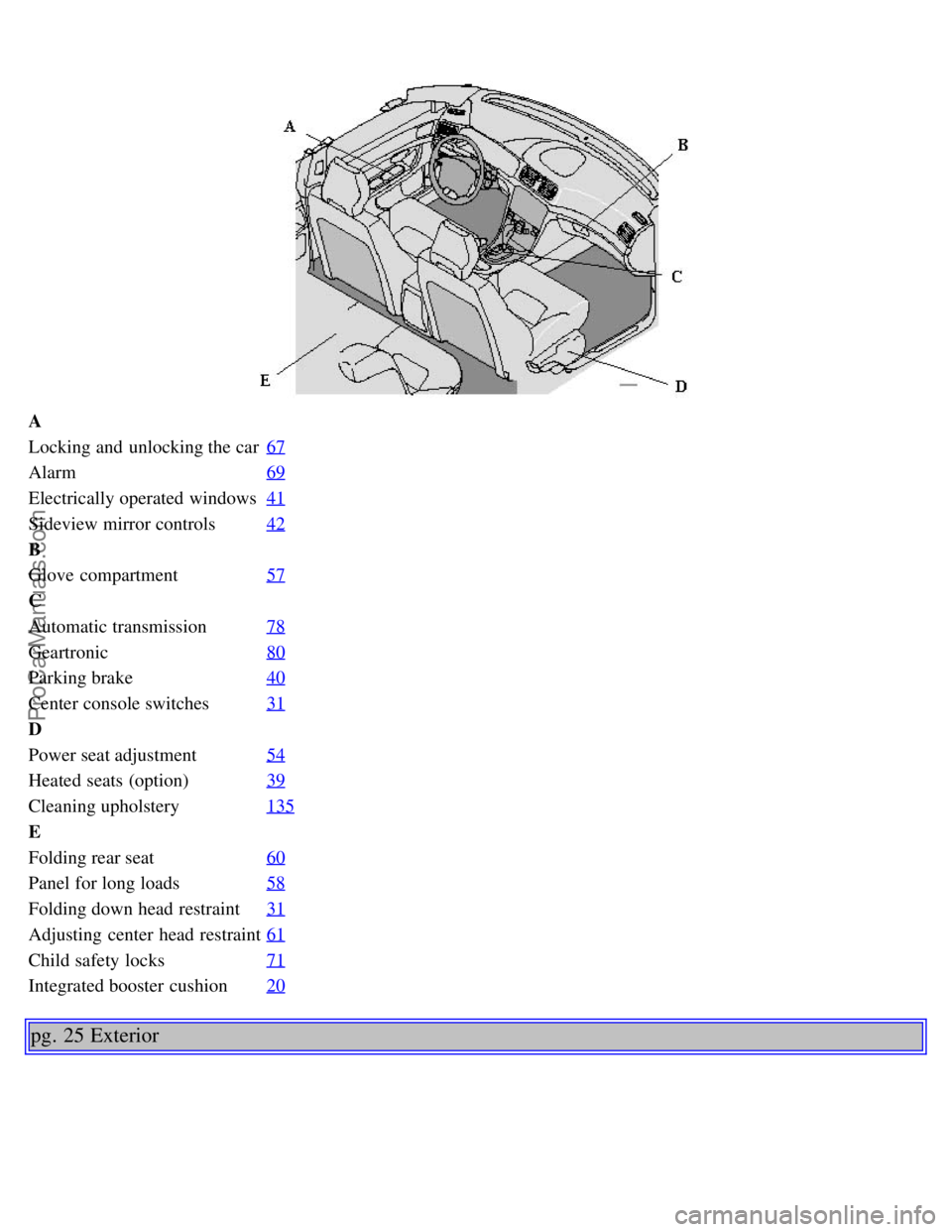
A
Locking and unlocking the car67
Alarm69
Electrically operated windows41
Sideview mirror controls42
B
Glove compartment57
C
Automatic transmission78
Geartronic80
Parking brake40
Center console switches31
D
Power seat adjustment54
Heated seats (option)39
Cleaning upholstery135
E
Folding rear seat60
Panel for long loads58
Folding down head restraint31
Adjusting center head restraint61
Child safety locks71
Integrated booster cushion20
pg. 25 Exterior
ProCarManuals.com
Page 31 of 122
2 0 0 6
VOLVO S80
Chapter 4 - Interior
pg. 53 Interior
Front seats54
Coat hanger55
Interior lighting56
Storage compartments57
Storage compartments in center console, Long loads58
Spare tire, Cargo net in trunk59
Folding rear seat backrests60
Center head restraint61
pg. 54 Front seats
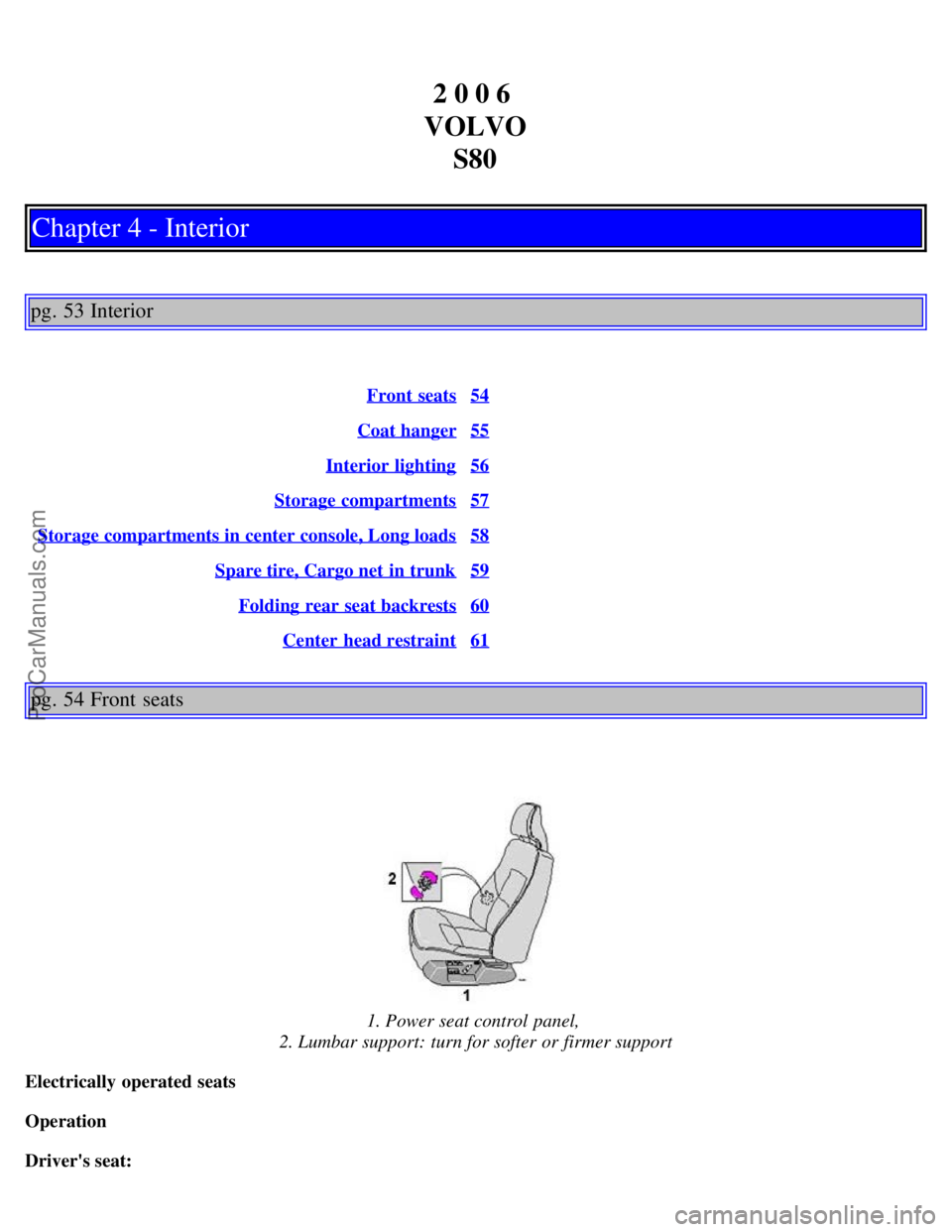
1. Power seat control panel,
2. Lumbar support: turn for softer or firmer support
Electrically operated seats
Operation
Driver's seat:
ProCarManuals.com
Page 36 of 122
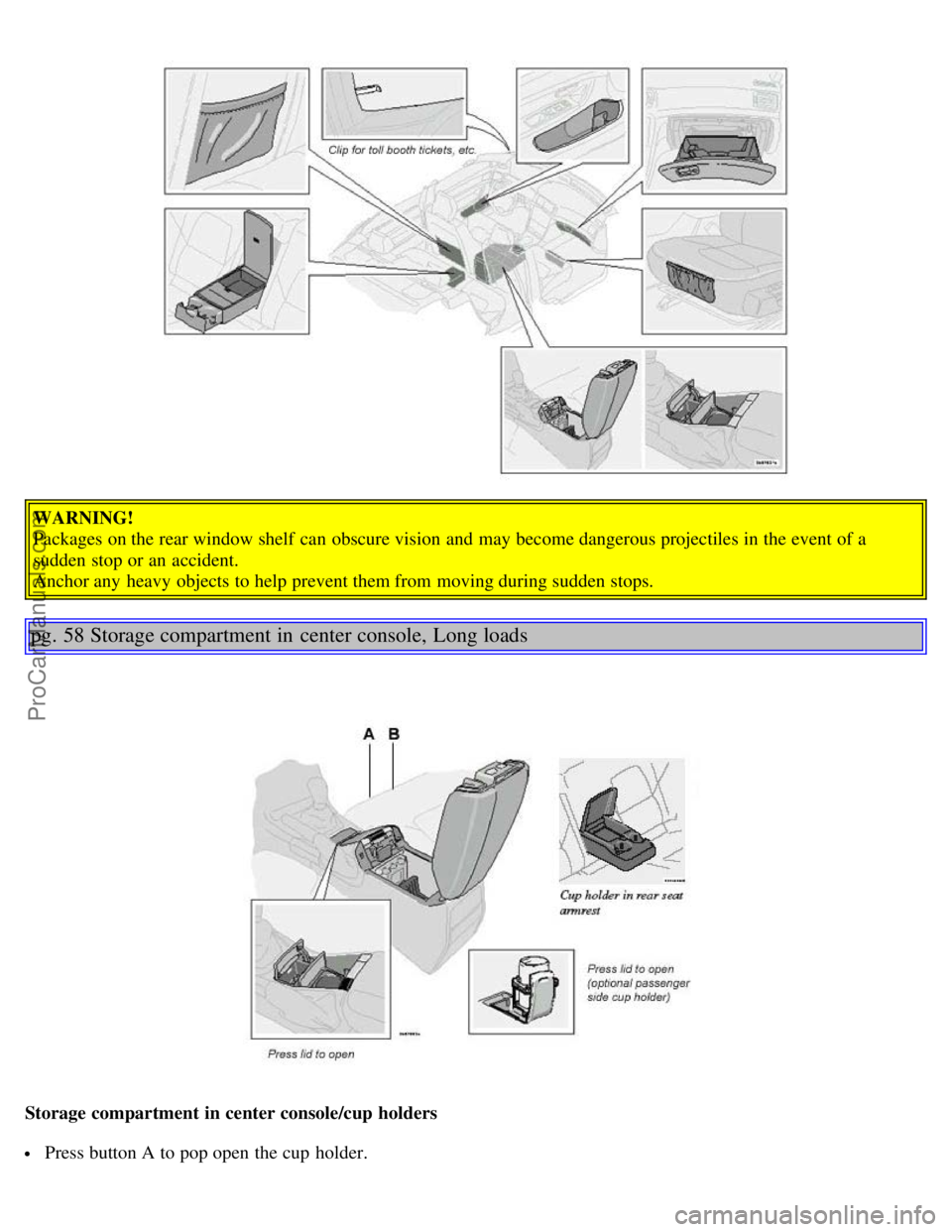
WARNING!
Packages on the rear window shelf can obscure vision and may become dangerous projectiles in the event of a
sudden stop or an accident.
Anchor any heavy objects to help prevent them from moving during sudden stops.
pg. 58 Storage compartment in center console, Long loads
Storage compartment in center console/cup holders
Press button A to pop open the cup holder.
ProCarManuals.com
Page 37 of 122
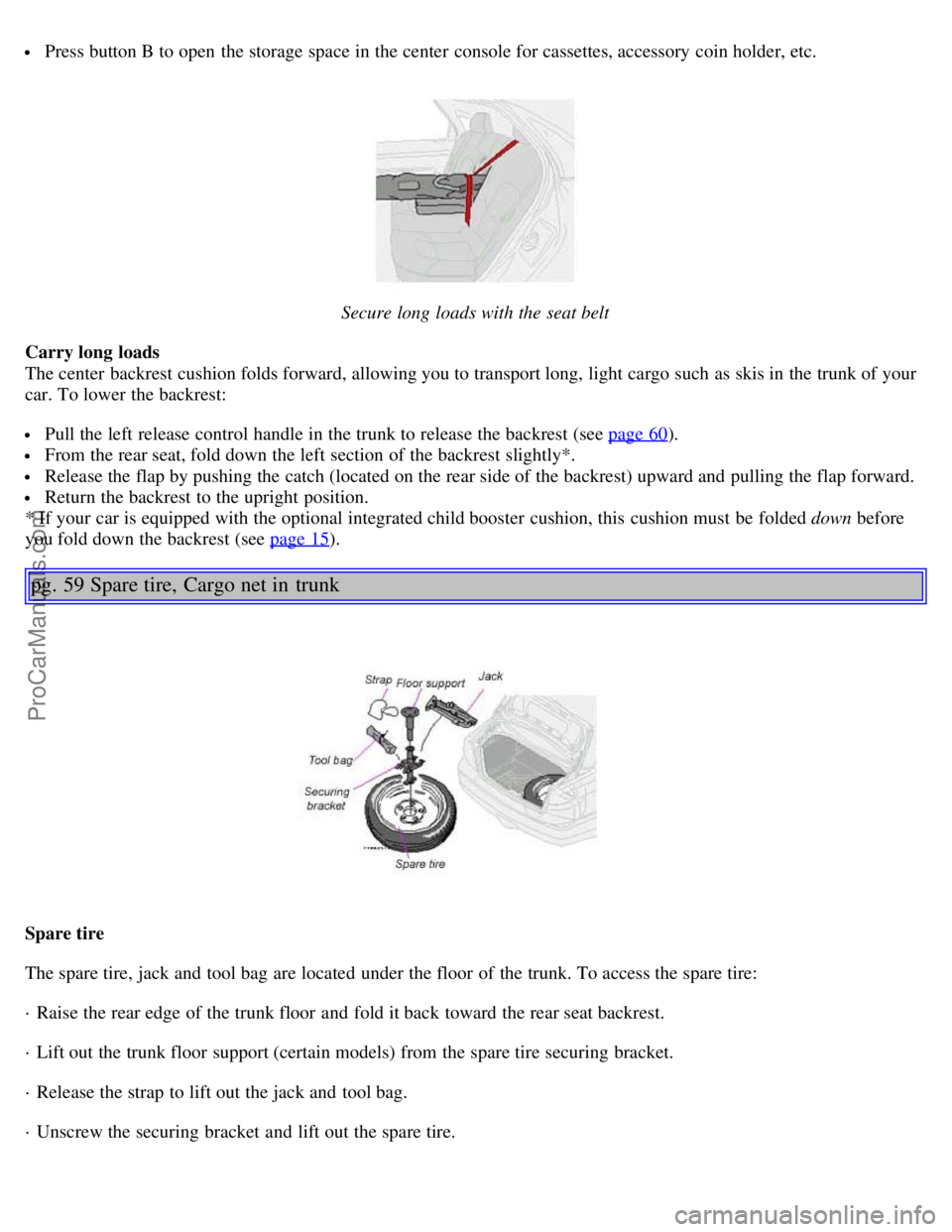
Press button B to open the storage space in the center console for cassettes, accessory coin holder, etc.
Secure long loads with the seat belt
Carry long loads
The center backrest cushion folds forward, allowing you to transport long, light cargo such as skis in the trunk of your
car. To lower the backrest:
Pull the left release control handle in the trunk to release the backrest (see page 60).
From the rear seat, fold down the left section of the backrest slightly*.
Release the flap by pushing the catch (located on the rear side of the backrest) upward and pulling the flap forward.
Return the backrest to the upright position.
* If your car is equipped with the optional integrated child booster cushion, this cushion must be folded down before
you fold down the backrest (see page 15
).
pg. 59 Spare tire, Cargo net in trunk
Spare tire
The spare tire, jack and tool bag are located under the floor of the trunk. To access the spare tire:
· Raise the rear edge of the trunk floor and fold it back toward the rear seat backrest.
· Lift out the trunk floor support (certain models) from the spare tire securing bracket.
· Release the strap to lift out the jack and tool bag.
· Unscrew the securing bracket and lift out the spare tire.
ProCarManuals.com
Page 46 of 122
particularly at risk.
pg. 68 Locking and unlocking the car
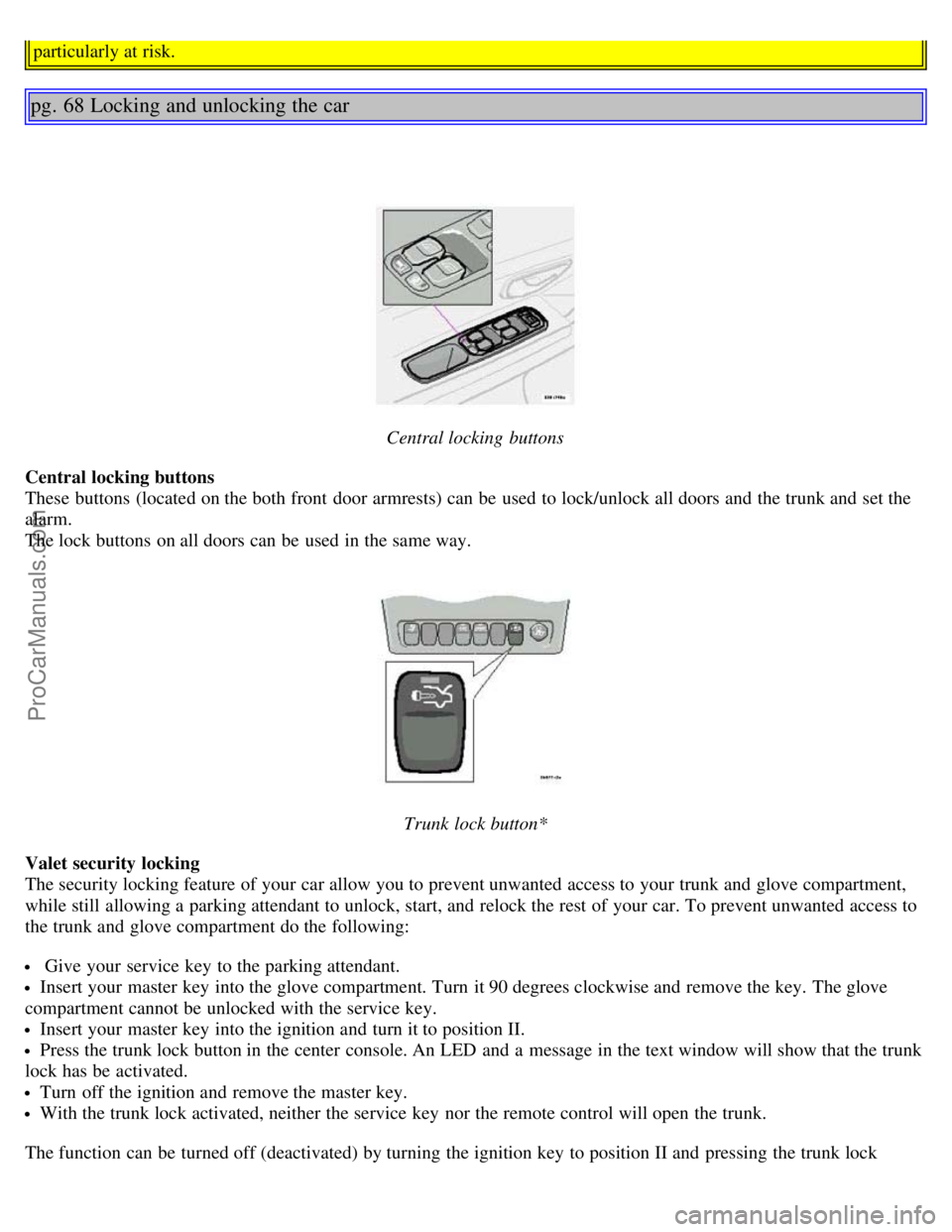
Central locking buttons
Central locking buttons
These buttons (located on the both front door armrests) can be used to lock/unlock all doors and the trunk and set the
alarm.
The lock buttons on all doors can be used in the same way.
Trunk lock button*
Valet security locking
The security locking feature of your car allow you to prevent unwanted access to your trunk and glove compartment,
while still allowing a parking attendant to unlock, start, and relock the rest of your car. To prevent unwanted access to
the trunk and glove compartment do the following:
Give your service key to the parking attendant.
Insert your master key into the glove compartment. Turn it 90 degrees clockwise and remove the key. The glove
compartment cannot be unlocked with the service key.
Insert your master key into the ignition and turn it to position II.
Press the trunk lock button in the center console. An LED and a message in the text window will show that the trunk
lock has be activated.
Turn off the ignition and remove the master key.
With the trunk lock activated, neither the service key nor the remote control will open the trunk.
The function can be turned off (deactivated) by turning the ignition key to position II and pressing the trunk lock
ProCarManuals.com
Page 48 of 122
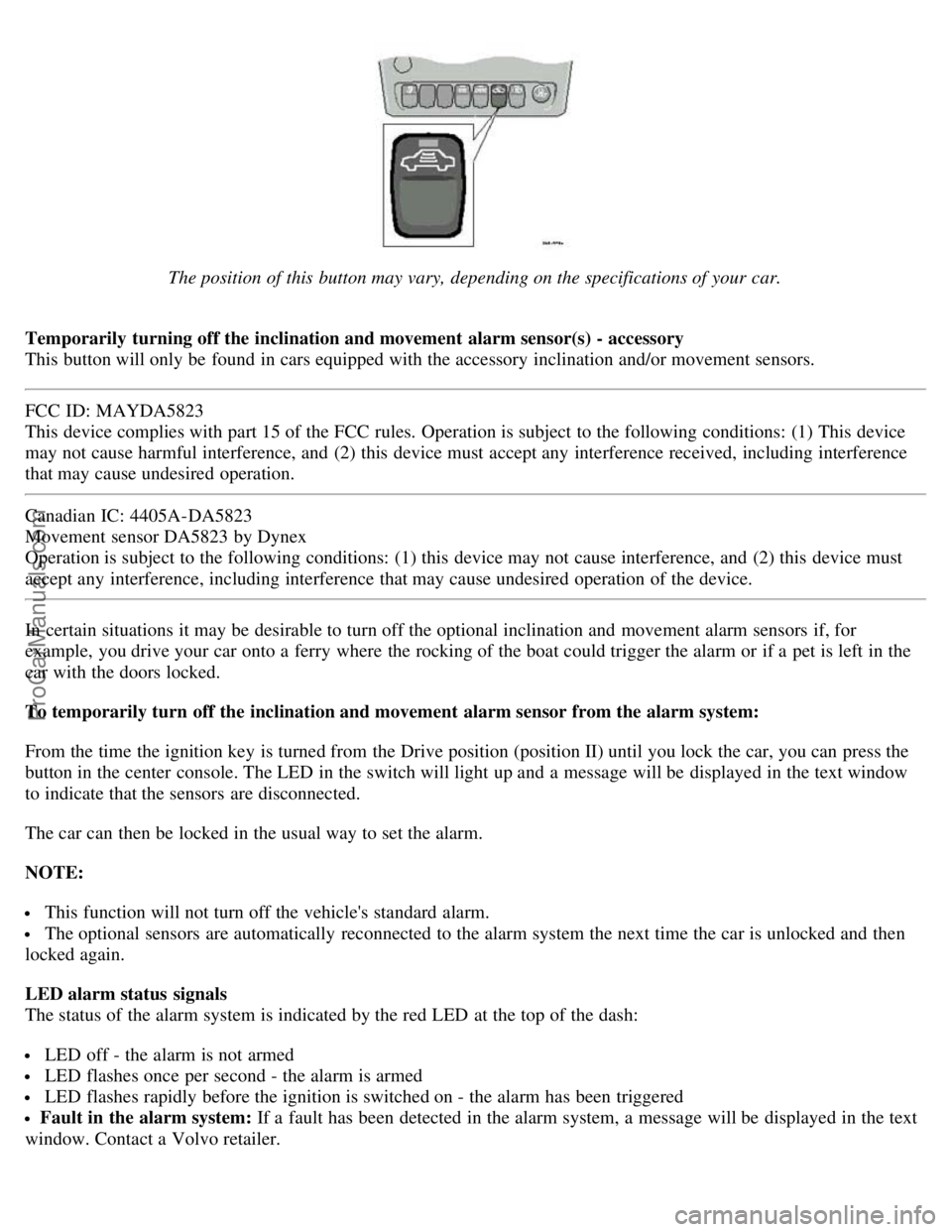
The position of this button may vary, depending on the specifications of your car.
Temporarily turning off the inclination and movement alarm sensor(s) - accessory
This button will only be found in cars equipped with the accessory inclination and/or movement sensors.
FCC ID: MAYDA5823
This device complies with part 15 of the FCC rules. Operation is subject to the following conditions: (1) This device
may not cause harmful interference, and (2) this device must accept any interference received, including interference
that may cause undesired operation.
Canadian IC: 4405A-DA5823
Movement sensor DA5823 by Dynex
Operation is subject to the following conditions: (1) this device may not cause interference, and (2) this device must
accept any interference, including interference that may cause undesired operation of the device.
In certain situations it may be desirable to turn off the optional inclination and movement alarm sensors if, for
example, you drive your car onto a ferry where the rocking of the boat could trigger the alarm or if a pet is left in the
car with the doors locked.
To temporarily turn off the inclination and movement alarm sensor from the alarm system:
From the time the ignition key is turned from the Drive position (position II) until you lock the car, you can press the
button in the center console. The LED in the switch will light up and a message will be displayed in the text window
to indicate that the sensors are disconnected.
The car can then be locked in the usual way to set the alarm.
NOTE:
This function will not turn off the vehicle's standard alarm.
The optional sensors are automatically reconnected to the alarm system the next time the car is unlocked and then
locked again.
LED alarm status signals
The status of the alarm system is indicated by the red LED at the top of the dash:
LED off - the alarm is not armed
LED flashes once per second - the alarm is armed
LED flashes rapidly before the ignition is switched on - the alarm has been triggered
Fault in the alarm system: If a fault has been detected in the alarm system, a message will be displayed in the text
window. Contact a Volvo retailer.
ProCarManuals.com
Page 58 of 122
If you slow down to a very low speed, the transmission will automatically shift down.
When starting in the (MAN)ual position, 3rd gear is the highest gear that may be selected.
NOTE: Kickdown (see previous page) does not function when the transmission is in the manual shift (geartronic)
mode. The gear selector must be in D (Drive) position.
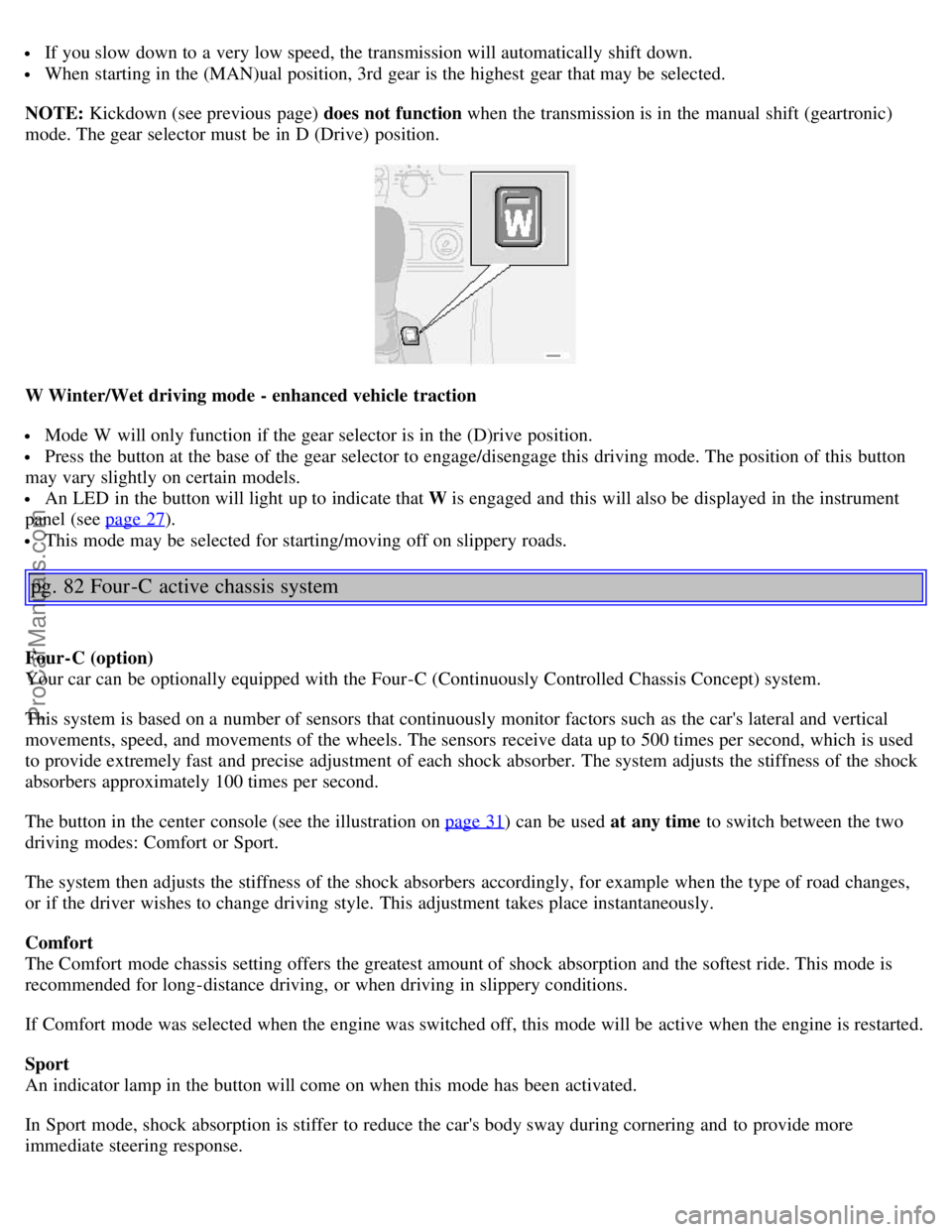
W Winter/Wet driving mode - enhanced vehicle traction
Mode W will only function if the gear selector is in the (D)rive position.
Press the button at the base of the gear selector to engage/disengage this driving mode. The position of this button
may vary slightly on certain models.
An LED in the button will light up to indicate that W is engaged and this will also be displayed in the instrument
panel (see page 27
).
This mode may be selected for starting/moving off on slippery roads.
pg. 82 Four -C active chassis system
Four-C (option)
Your car can be optionally equipped with the Four-C (Continuously Controlled Chassis Concept) system.
This system is based on a number of sensors that continuously monitor factors such as the car's lateral and vertical
movements, speed, and movements of the wheels. The sensors receive data up to 500 times per second, which is used
to provide extremely fast and precise adjustment of each shock absorber. The system adjusts the stiffness of the shock
absorbers approximately 100 times per second.
The button in the center console (see the illustration on page 31
) can be used at any time to switch between the two
driving modes: Comfort or Sport.
The system then adjusts the stiffness of the shock absorbers accordingly, for example when the type of road changes,
or if the driver wishes to change driving style. This adjustment takes place instantaneously.
Comfort
The Comfort mode chassis setting offers the greatest amount of shock absorption and the softest ride. This mode is
recommended for long-distance driving, or when driving in slippery conditions.
If Comfort mode was selected when the engine was switched off, this mode will be active when the engine is restarted.
Sport
An indicator lamp in the button will come on when this mode has been activated.
In Sport mode, shock absorption is stiffer to reduce the car's body sway during cornering and to provide more
immediate steering response.
ProCarManuals.com
Page 59 of 122
If this setting was selected when the engine was switched off, Sport mode will be active when the engine is restarted.
pg. 83 Front/rear park assist (option/accessory)
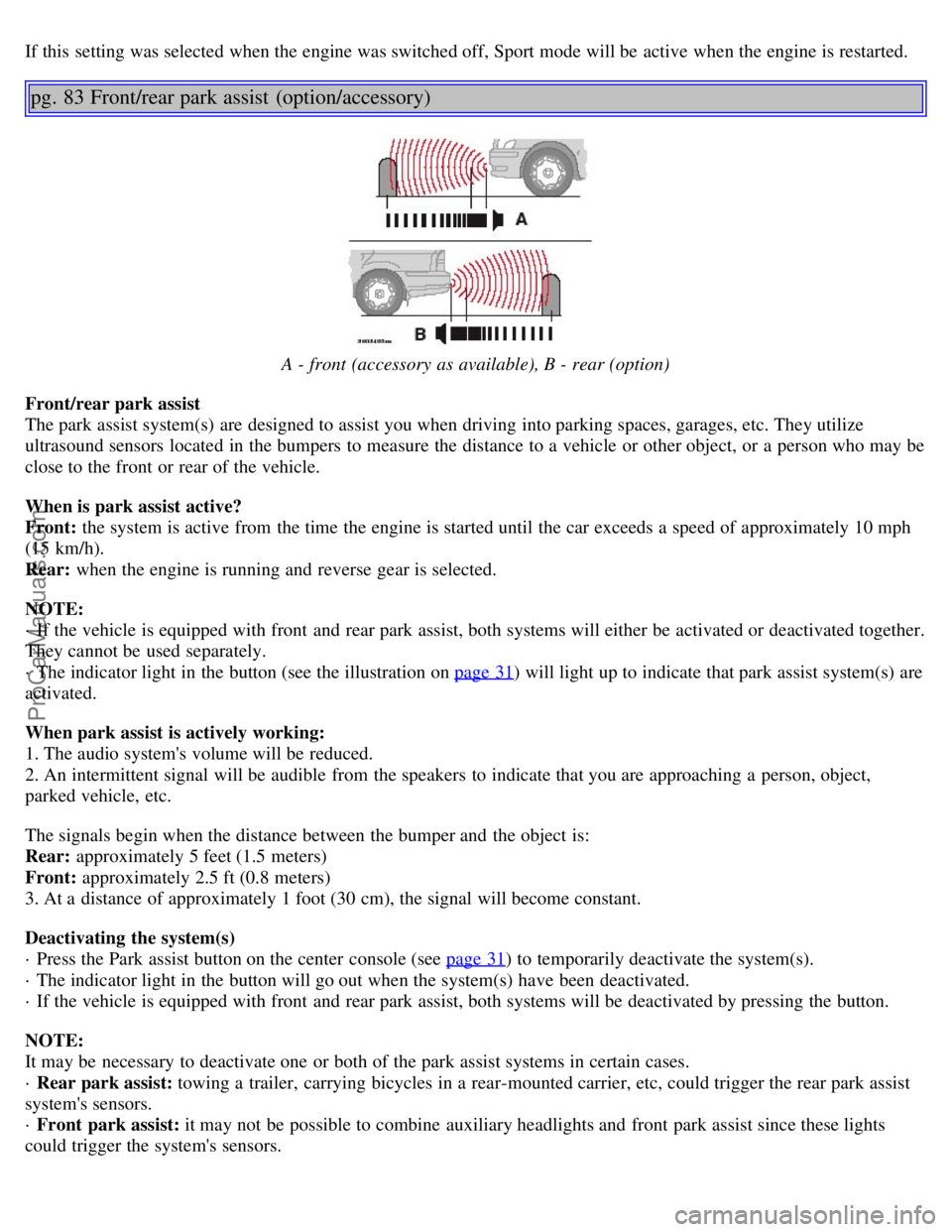
A - front (accessory as available), B - rear (option)
Front/rear park assist
The park assist system(s) are designed to assist you when driving into parking spaces, garages, etc. They utilize
ultrasound sensors located in the bumpers to measure the distance to a vehicle or other object, or a person who may be
close to the front or rear of the vehicle.
When is park assist active?
Front: the system is active from the time the engine is started until the car exceeds a speed of approximately 10 mph
(15 km/h).
Rear: when the engine is running and reverse gear is selected.
NOTE:
· If the vehicle is equipped with front and rear park assist, both systems will either be activated or deactivated together.
They cannot be used separately.
· The indicator light in the button (see the illustration on page 31
) will light up to indicate that park assist system(s) are
activated.
When park assist is actively working:
1. The audio system's volume will be reduced.
2. An intermittent signal will be audible from the speakers to indicate that you are approaching a person, object,
parked vehicle, etc.
The signals begin when the distance between the bumper and the object is:
Rear: approximately 5 feet (1.5 meters)
Front: approximately 2.5 ft (0.8 meters)
3. At a distance of approximately 1 foot (30 cm), the signal will become constant.
Deactivating the system(s)
· Press the Park assist button on the center console (see page 31
) to temporarily deactivate the system(s).
· The indicator light in the button will go out when the system(s) have been deactivated.
· If the vehicle is equipped with front and rear park assist, both systems will be deactivated by pressing the button.
NOTE:
It may be necessary to deactivate one or both of the park assist systems in certain cases.
· Rear park assist: towing a trailer, carrying bicycles in a rear-mounted carrier, etc, could trigger the rear park assist
system's sensors.
· Front park assist: it may not be possible to combine auxiliary headlights and front park assist since these lights
could trigger the system's sensors.
ProCarManuals.com