cruise control VOLVO S80 2007 Owners Manual
[x] Cancel search | Manufacturer: VOLVO, Model Year: 2007, Model line: S80, Model: VOLVO S80 2007Pages: 251, PDF Size: 5.7 MB
Page 3 of 251
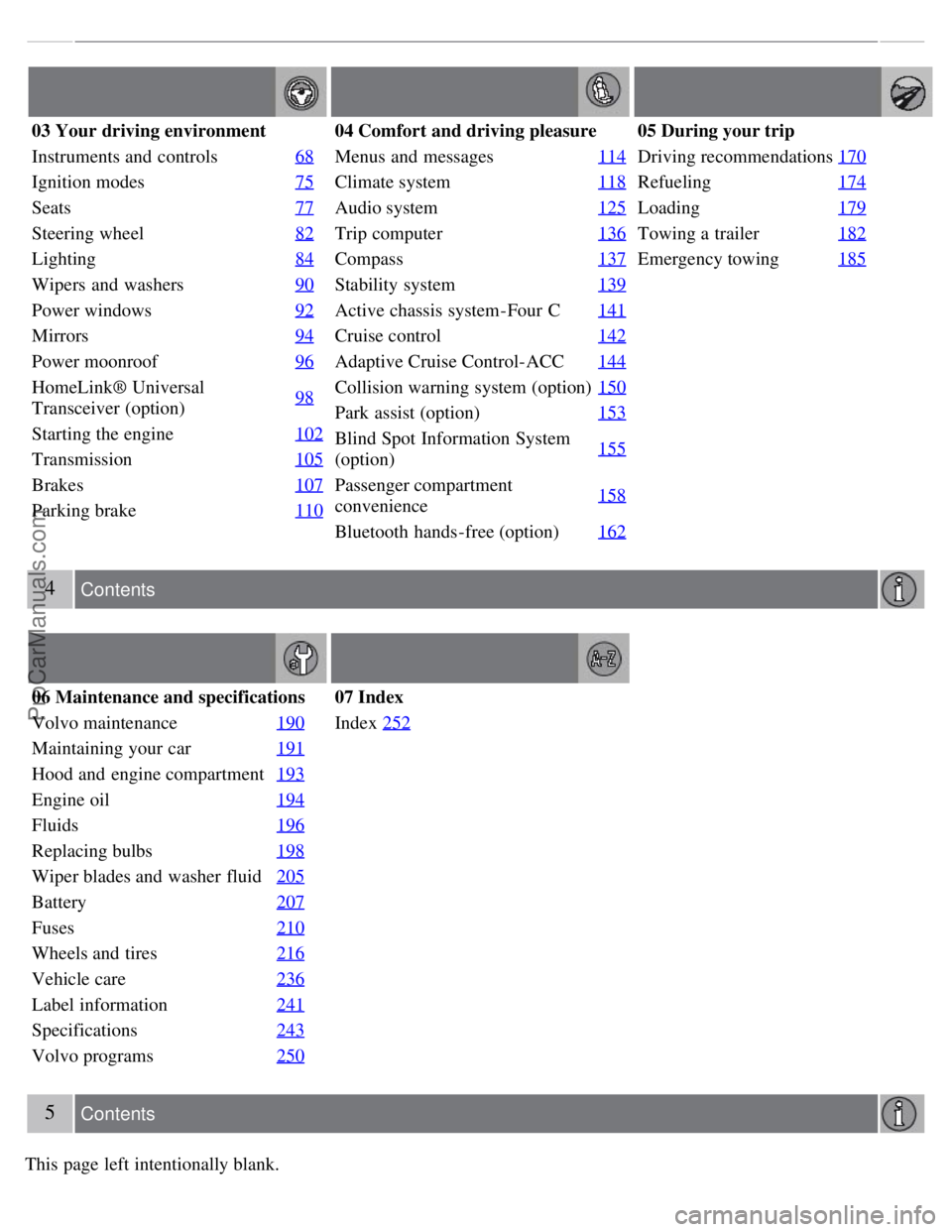
03 Your driving environment
Instruments and controls68
Ignition modes75
Seats77
Steering wheel82
Lighting84
Wipers and washers90
Power windows92
Mirrors94
Power moonroof96
HomeLink® Universal
Transceiver (option)98
Starting the engine
102
Transmission105
Brakes107
Parking brake110
04 Comfort and driving pleasure
Menus and messages114
Climate system118
Audio system125
Trip computer136
Compass137
Stability system139
Active chassis system-Four C141
Cruise control142
Adaptive Cruise Control-ACC144
Collision warning system (option)150
Park assist (option)153
Blind Spot Information System
(option)155
Passenger compartment
convenience158
Bluetooth hands-free (option)
162
05 During your trip
Driving recommendations170
Refueling174
Loading179
Towing a trailer182
Emergency towing185
4 Contents
06 Maintenance and specifications
Volvo maintenance 190
Maintaining your car191
Hood and engine compartment193
Engine oil194
Fluids196
Replacing bulbs198
Wiper blades and washer fluid205
Battery207
Fuses210
Wheels and tires216
Vehicle care236
Label information241
Specifications243
Volvo programs250
07 Index
Index252
5 Contents
This page left intentionally blank.
ProCarManuals.com
Page 61 of 251
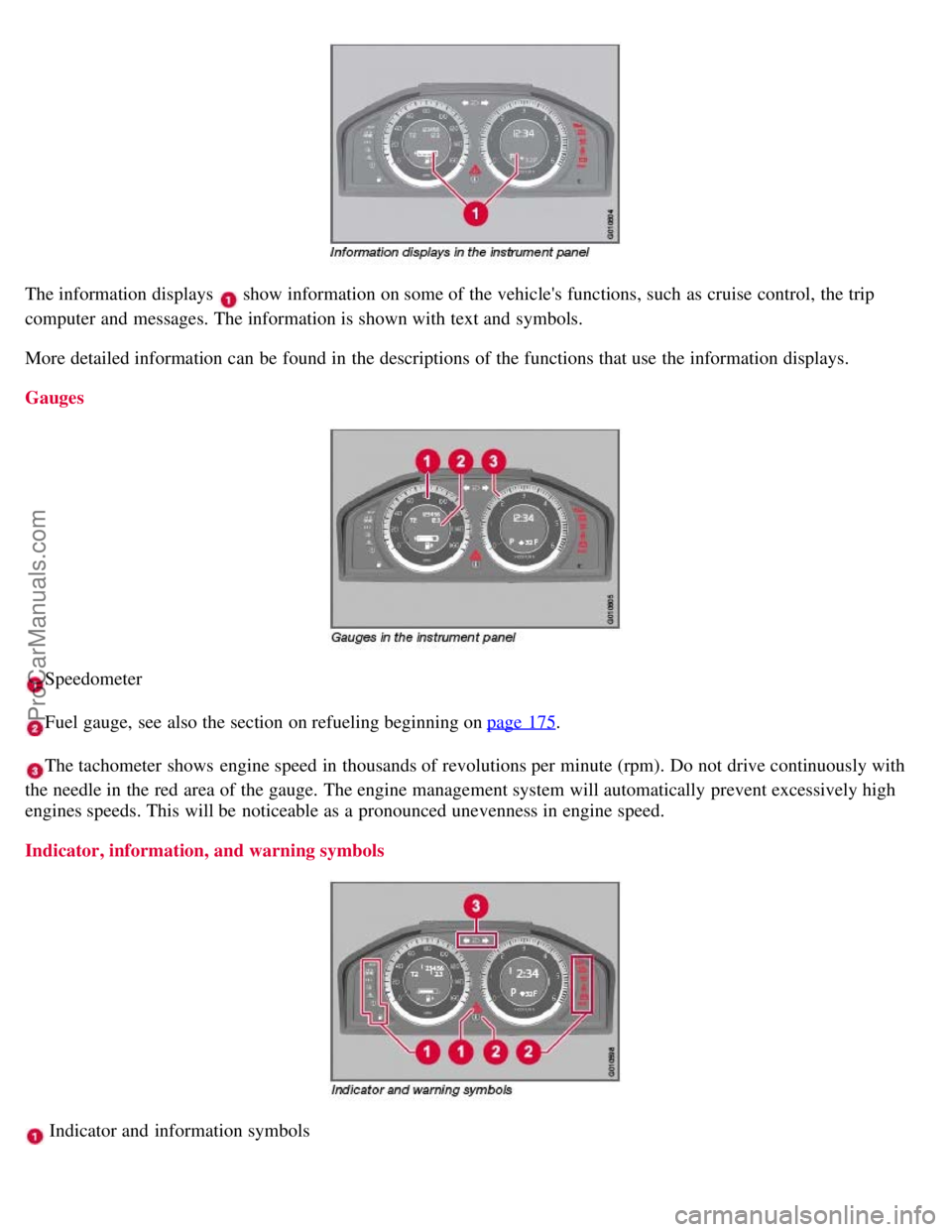
The information displays show information on some of the vehicle's functions, such as cruise control, the trip
computer and messages. The information is shown with text and symbols.
More detailed information can be found in the descriptions of the functions that use the information displays.
Gauges
Speedometer
Fuel gauge, see also the section on refueling beginning on page 175.
The tachometer shows engine speed in thousands of revolutions per minute (rpm). Do not drive continuously with
the needle in the red area of the gauge. The engine management system will automatically prevent excessively high
engines speeds. This will be noticeable as a pronounced unevenness in engine speed.
Indicator, information, and warning symbols
Indicator and information symbols
ProCarManuals.com
Page 75 of 251
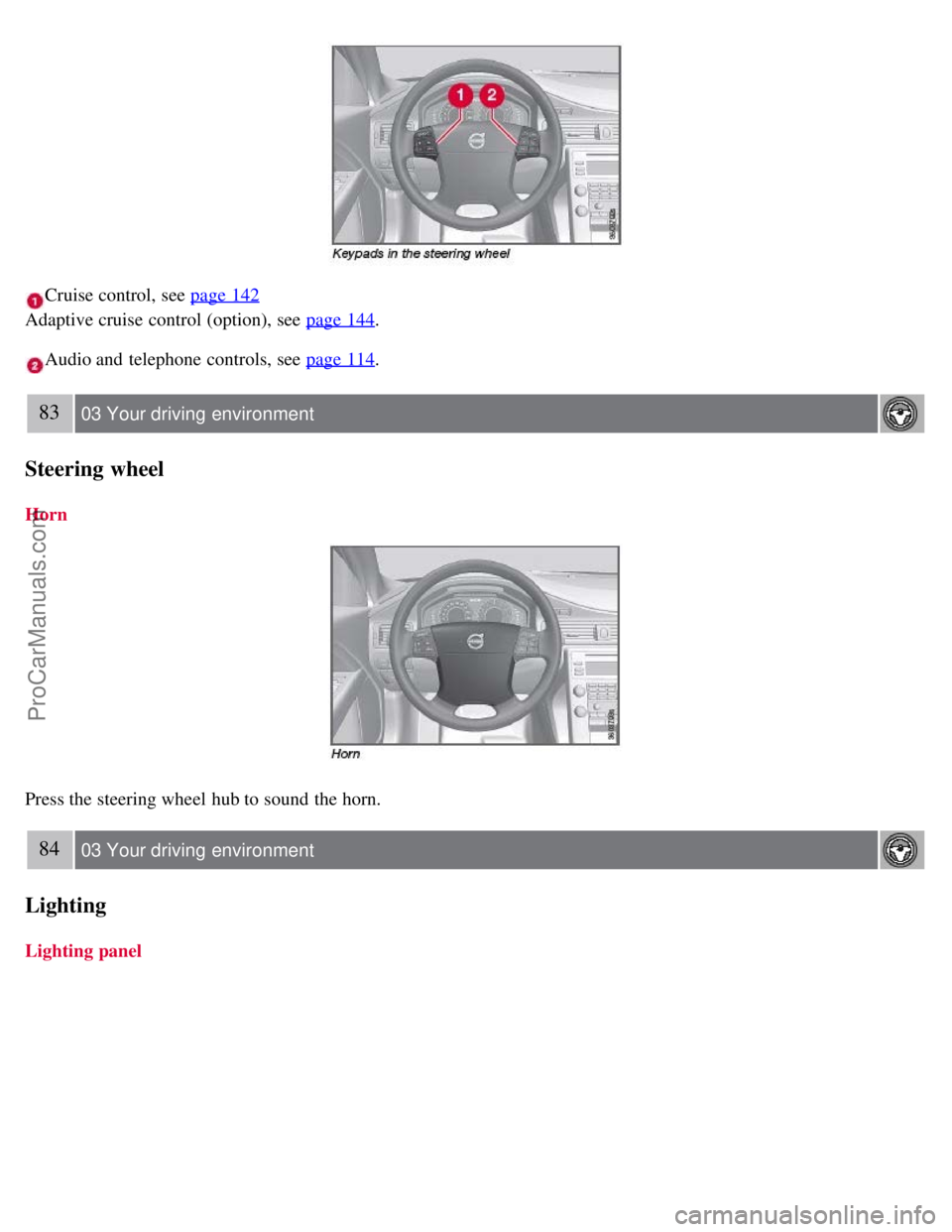
Cruise control, see page 142
Adaptive cruise control (option), see page 144
.
Audio and telephone controls, see page 114.
83 03 Your driving environment
Steering wheel
Horn
Press the steering wheel hub to sound the horn.
84 03 Your driving environment
Lighting
Lighting panel
ProCarManuals.com
Page 107 of 251
2 0 0 7
VOLVO S80
112 04 Comfort and driving pleasure
Menus and messages 114
Climate system118
Audio system125
Trip computer136
Compass137
Stability system139
Active chassis system-Four C141
Cruise control142
Adaptive Cruise Control-ACC144
Collision warning system (option)150
Park assist (option)153
Blind Spot Information System (option)155
Passenger compartment convenience158
Bluetooth hands-free (option)162
113 04 Comfort and driving pleasure
114 04 Comfort and driving pleasure
Menus and messages
Center console
Certain functions are controlled from the center console via the menu system or from the optional keypad in the
steering wheel. Each function is described under its respective section.
The current menu level is shown at the top right of display in the center console.
Center console controls
ProCarManuals.com
Page 139 of 251
2 0 0 7
VOLVO S80
142 04 Comfort and driving pleasure
Cruise control
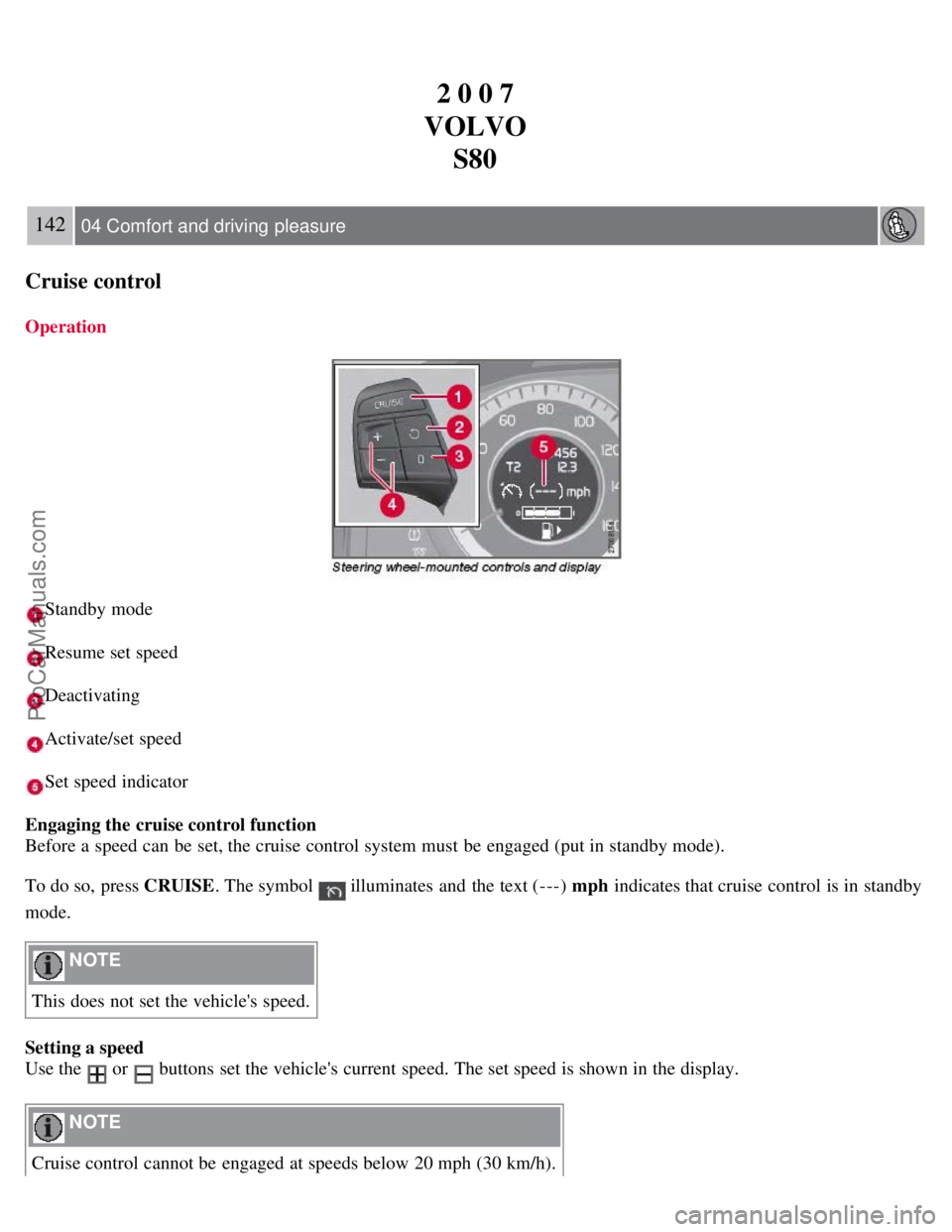
Operation
Standby mode
Resume set speed
Deactivating
Activate/set speed
Set speed indicator
Engaging the cruise control function
Before a speed can be set, the cruise control system must be engaged (put in standby mode).
To do so, press CRUISE . The symbol
illuminates and the text (---) mph indicates that cruise control is in standby
mode.
NOTE
This does not set the vehicle's speed.
Setting a speed
Use the
or buttons set the vehicle's current speed. The set speed is shown in the display.
NOTE
Cruise control cannot be engaged at speeds below 20 mph (30 km/h).
ProCarManuals.com
Page 140 of 251
Adjusting the set speed
After a speed has been set, it can be increased or decreased by using the
or buttons.
Press and hold down or until the vehicle reaches the desired speed. This will become the set speed when the
button is released.
Press or r for approximately a half second and release the button to increase or decrease vehicle speed by
approximately 1 mph (1.6 km/h).
NOTE
A temporary increase in speed, for less than 1 minute (e.g. when passing another car), does not affect the current
cruise control setting. The vehicle will automatically return to the previously set speed when the accelerator pedal is
released.
If one of the cruise control buttons is kept depressed for more than approx. 1 minute cruise control is disengaged.
The engine must then be switched off in order to reset cruise control.
Automatic deactivation
Cruise control is automatically deactivated temporarily if one of the following occurs:
If the speed drops below approximately 20 mph (30 km/h).
When the brake pedal is depressed.
If the gear selector is moved to position N.
During wheel spin or wheel lock-up.
If the vehicle's speed is increased by using the accelerator pedal for more than 1 minute.
The currently set speed will be saved in the system's memory.
143 04 Comfort and driving pleasure
Cruise control
Temporary deactivation
The driver can temporarily deactivate cruise control by pressing 0. The saved speed is shown in brackets in the
information display.
Resume set speed
If cruise control has been deactivated temporarily, it can be reactivated by pressing
. The vehicle's speed returns to
the most recently set speed.
WARNING
There may be a significant increase in speed after the
button has been pressed.
Deactivation
Cruise control is disengaged with CRUISE , by putting the gear selector in Neutral, or by switching off the engine. The
set speed is cleared.
WARNING
ProCarManuals.com
Page 141 of 251
Cruise control should not be used in heavy traffic or when driving on wet or slippery roads. Cruise control may not
maintain set speed on steep downgrades.
144 04 Comfort and driving pleasure
Adaptive Cruise Control-ACC
Introduction
Adaptive Cruise Control (ACC) is an optional system designed to assist the driver by maintaining a set speed or a set
distance to the vehicle ahead. It is primarily intended for use on long straight roads in steady traffic, such as on
highways and other main roads.
WARNING
Do not use the adaptive cruise control system in demanding driving conditions such as city traffic, winding roads,
at intersections, on slippery surfaces, in poor visibility, heavy rain, etc.
Maintenance of cruise control components must only be performed by an authorized Volvo workshop.
WARNING
Adaptive cruise control cannot cover all driving situations and traffic, weather and road conditions. The Function
section provides information about limitations that the driver must be aware of before using the adaptive cruise
control.
This system is designed to be a supplementary driving aid. It is not, however, intended to replace the driver's
attention and judgement. The driver is responsible for maintaining a safe distance and speed and must intervene if
adaptive cruise control does not maintain a suitable speed or suitable distance.
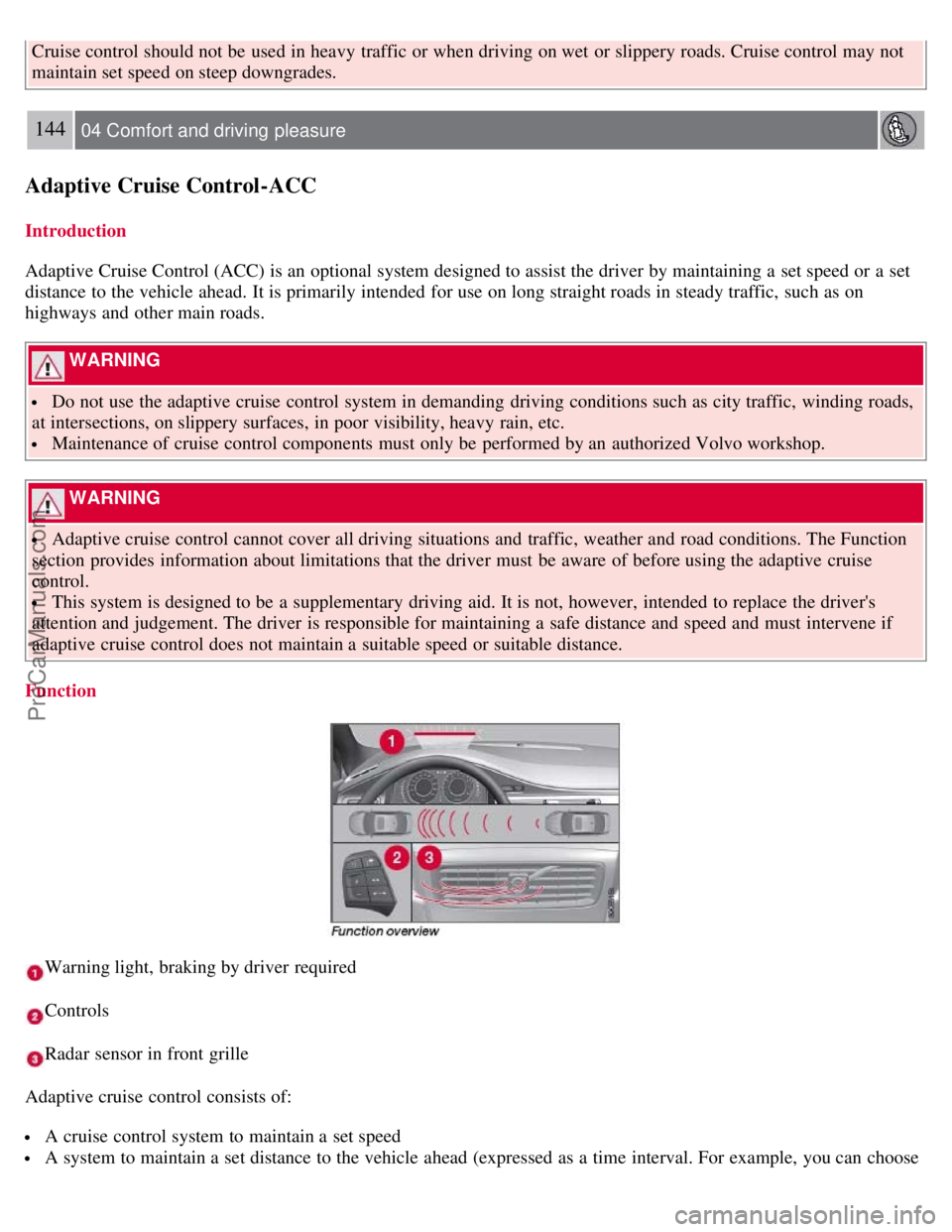
Function
Warning light, braking by driver required
Controls
Radar sensor in front grille
Adaptive cruise control consists of:
A cruise control system to maintain a set speed
A system to maintain a set distance to the vehicle ahead (expressed as a time interval. For example, you can choose
ProCarManuals.com
Page 142 of 251
to remain approximately 2 seconds behind the vehicle ahead).
145 04 Comfort and driving pleasure
Adaptive Cruise Control-ACC
WARNING
Adaptive cruise control is not a collision avoidance system. The driver is always responsible for applying the
brakes if the system does not detect another vehicle.
Adaptive cruise control does not react to slow moving or stationary vehicles.
The distance to the vehicle ahead (in the same lane) is measured by a radar sensor. Your vehicle's speed is regulated by
acceleration and braking. The brakes may emit a sound when they are being modulated by the adaptive cruise control
system. This is normal.
WARNING
The brake pedal moves when the adaptive cruise control system modulates the brakes. Do not rest your foot under
the brake pedal.
The adaptive cruise control system is designed to follow the vehicle ahead of you in the same lane, at a set time
interval.
If the radar sensor has not detected a vehicle ahead, the system will then attempt to maintain the set speed. This is also
the case if the speed of the vehicle ahead exceeds the speed that you have set.
The adaptive cruise control system is designed to smoothly regulate speed. However, the driver must apply the brakes
in situations that require immediate braking. This applies when there are great differences in speed between vehicles,
or if the vehicle ahead brakes suddenly.
WARNING
Due to limitations in the radar sensor, braking may occur unexpectedly or not at all, see page 146
.
Adaptive cruise control can only be activated at speeds above 20 mph (30 km/h). If speed falls below 20 mph (30
km/h) or if engine speed (rpm) becomes too low, adaptive cruise control disengages and will no longer modulate the
brakes. In situations when adaptive cruise control cannot be activated Cruise Control Unavailable is shown in the
display, see page 149
.
WARNING
When adaptive cruise control disengages, the brakes will not be modulated automatically. The driver must assume
full control over the vehicle.
Warning light -driver braking required
Adaptive cruise control has a braking capacity that is equivalent to approximately 30% of the vehicle's total braking
capacity. In situations requiring more brake force than ACC can provide, if the driver does not apply the brakes, an
audible signal will sound and a red warning light will illuminate in the windshield.
ProCarManuals.com
Page 143 of 251
NOTE
The red warning light may be difficult to see in strong sunlight or when sunglasses are being worn.
WARNING
Cruise control only warns of vehicles detected by the radar sensor, see page 146
. In some cases there may be no
warning or the warning may be delayed. The driver should always apply the brakes when necessary.
Automatic deactivation
Adaptive cruise control is linked to other systems such as the stability and traction control system (DSTC). If any of
these systems are not functioning properly, adaptive cruise control is automatically deactivated.
In the event of automatic deactivation a signal will sound and the message Cruise Control Canceled is shown in the
display. The
146 04 Comfort and driving pleasure
Adaptive Cruise Control-ACC
driver must then intervene and adapt the vehicle's speed to the surrounding traffic. Automatic deactivation may be
caused if:
the vehicle's speed falls below 20 mph (30 km/h)
the wheels lose traction or if the anti-lock brake system is activated
brake temperature is high
engine speed (rpm) is too low
the radar sensor is obstructed by, for example, wet snow or rain.
The radar sensor and its limitations
The radar sensor is used both by the adaptive cruise control and the collision warning system. It is designed to detect
vehicles or larger vehicles driving in the same direction as your vehicle. The radar sensor does not detect pedestrians,
or oncoming, slow or stationary vehicles and objects. Warnings are not given and the brakes are not applied in such
cases.
WARNING
Accessories or other objects must not be installed in front of the grille.
Modification of the radar sensor could make its use illegal.
The radar sensor's capacity to detect vehicles ahead is impeded:
if the radar sensor is obstructed and cannot detect other vehicles, for example in heavy rain, or if snow or other
objects are obscuring the radar sensor.
NOTE
Keep the area in front of the radar sensor clean.
ProCarManuals.com
Page 144 of 251
if the speed of vehicles ahead is significantly different from your own speed.
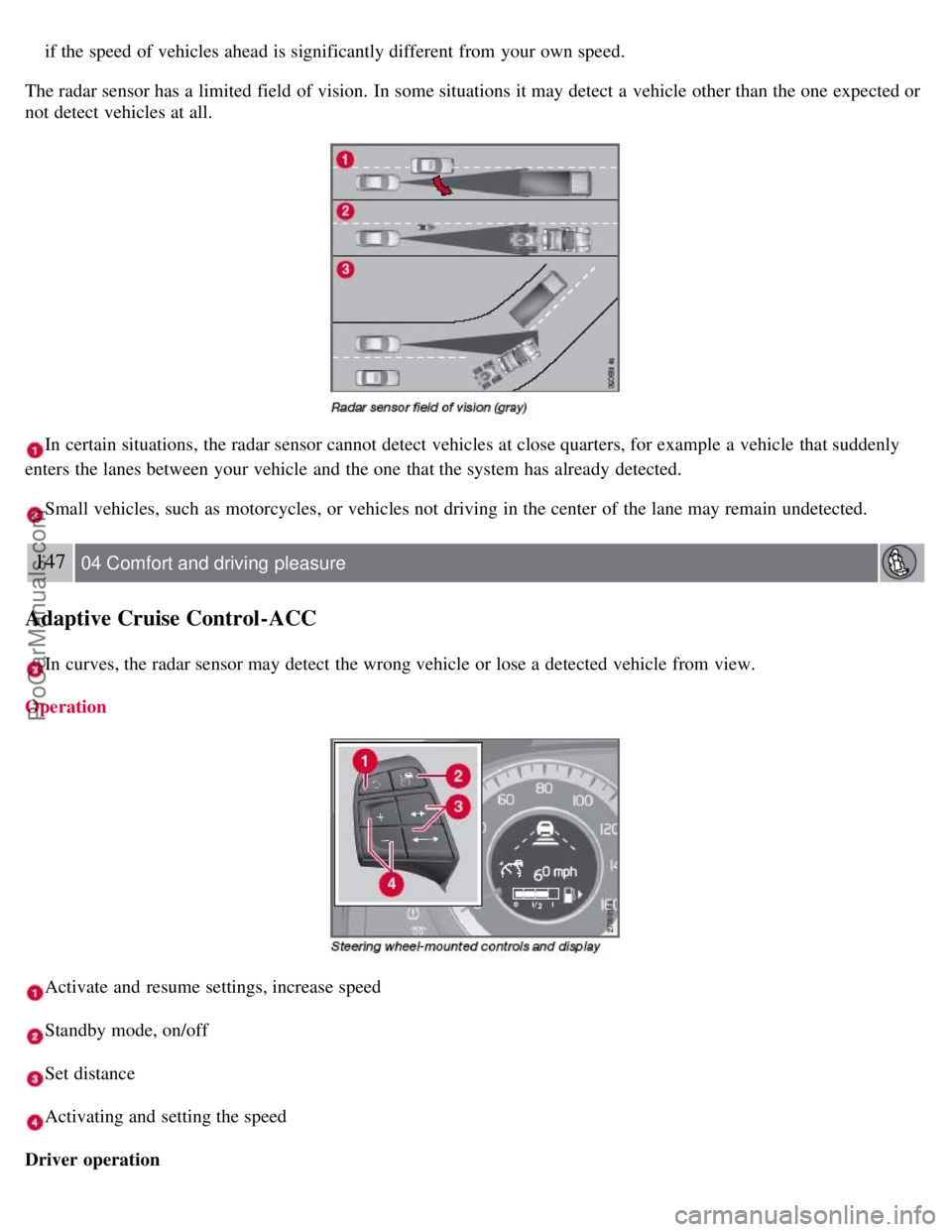
The radar sensor has a limited field of vision. In some situations it may detect a vehicle other than the one expected or
not detect vehicles at all.
In certain situations, the radar sensor cannot detect vehicles at close quarters, for example a vehicle that suddenly
enters the lanes between your vehicle and the one that the system has already detected.
Small vehicles, such as motorcycles, or vehicles not driving in the center of the lane may remain undetected.
147 04 Comfort and driving pleasure
Adaptive Cruise Control-ACC
In curves, the radar sensor may detect the wrong vehicle or lose a detected vehicle from view.
Operation
Activate and resume settings, increase speed
Standby mode, on/off
Set distance
Activating and setting the speed
Driver operation
ProCarManuals.com