reset VOLVO S80 2007 Owners Manual
[x] Cancel search | Manufacturer: VOLVO, Model Year: 2007, Model line: S80, Model: VOLVO S80 2007Pages: 251, PDF Size: 5.7 MB
Page 5 of 251
driving experience. Improperly used, any of these could cause a distraction.
For all of these systems, we want to provide the following warning that reflects the strong Volvo concern for your
safety:
Never use these devices or any feature of your vehicle in a way that distracts you from the task of driving safely.
Distraction can lead to a serious accident. In addition to this general warning, we offer the following guidance
regarding specific newer features that may be found in your vehicle:
Never use a hand -held cellular telephone while driving. Some jurisdictions prohibit cellular telephone use by a
driver while the vehicle is moving.
If your vehicle is equipped with a navigation system, set and make changes to your travel itinerary only with the
vehicle parked.
Never program your audio system while the vehicle is moving. Program radio presets with the vehicle parked, and
use your programmed presets to make radio use quicker and simpler.
Never use portable computers or personal digital assistants while the vehicle is moving.
Accessory installation
We strongly recommend that Volvo owners install only genuine, Volvo-approved accessories, and that accessory
installations be performed only by the factory-trained technicians at your authorized Volvo retailer.
Genuine Volvo accessories are tested to ensure compatibility with the performance, safety, and emission systems in
your vehicle. Additionally, your authorized Volvo retailer knows where accessories may and may not be safely
installed in your Volvo. In all cases, please consult your authorized Volvo retailer before installing any accessory in or
on your vehicle.
Accessories that have not been approved by Volvo may or may not be specifically tested for compatibility with your
vehicle. Additionally, an inexperienced installer may not be familiar with some of your car's systems.
Any of your car's performance and safety systems could be adversely affected if you install accessories that Volvo
has not tested, or if you allow accessories to be installed by someone unfamiliar with your vehicle.
Damage caused by unapproved or improperly installed accessories may not be covered by your new vehicle
warranty.
8 Introduction
Important warnings
See your Warranty and Service Records Information booklet for more warranty information. Volvo assumes no
responsibility for death, injury, or expenses that may result from the installation of non-genuine accessories.
9 Introduction
Environment
Volvo and the environment
Volvo is committed to the well being of its customers. As a natural part of this commitment, we care about the
environment in which we all live. Caring for the environment means an everyday involvement in reducing our
environmental impact. Volvo's environmental activities are based on a holistic view, which means we consider the
overall environmental impact of a product throughout its complete life cycle. In this context, design, production,
product use, and recycling are all important considerations. In production, Volvo has partly or completely phased out
several chemicals including CFCs, lead chromates, asbestos, and cadmium; and reduced the number of chemicals used
in our plants 50% since 1991.
Volvo was the first in the world to introduce into production a three-way catalytic converter with a Lambda sond, now
called the heated oxygen sensor, in 1976. The current version of this highly efficient system reduces emissions of
ProCarManuals.com
Page 23 of 251
Driving after a collision
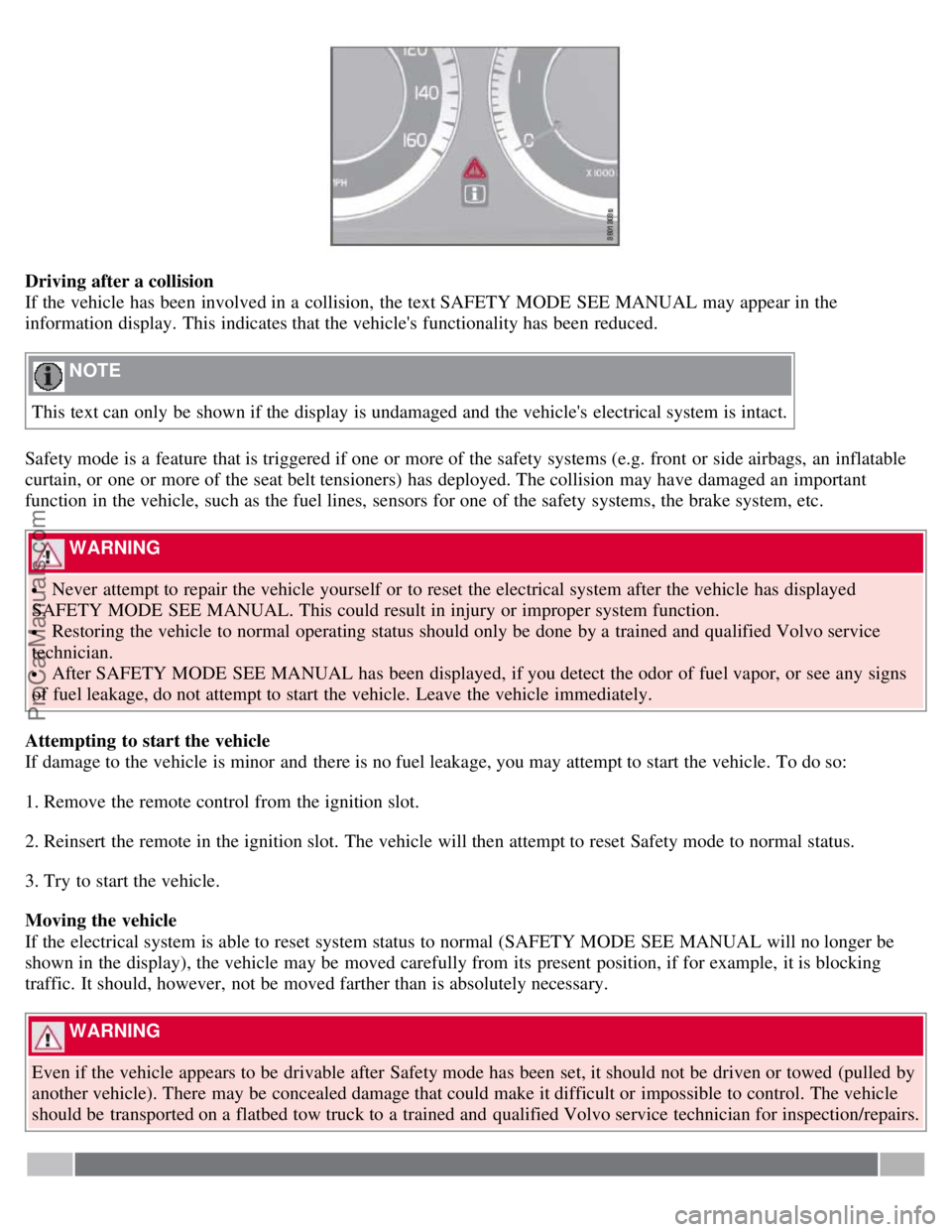
If the vehicle has been involved in a collision, the text SAFETY MODE SEE MANUAL may appear in the
information display. This indicates that the vehicle's functionality has been reduced.
NOTE
This text can only be shown if the display is undamaged and the vehicle's electrical system is intact.
Safety mode is a feature that is triggered if one or more of the safety systems (e.g. front or side airbags, an inflatable
curtain, or one or more of the seat belt tensioners) has deployed. The collision may have damaged an important
function in the vehicle, such as the fuel lines, sensors for one of the safety systems, the brake system, etc.
WARNING
Never attempt to repair the vehicle yourself or to reset the electrical system after the vehicle has displayed
SAFETY MODE SEE MANUAL. This could result in injury or improper system function.
Restoring the vehicle to normal operating status should only be done by a trained and qualified Volvo service
technician.
After SAFETY MODE SEE MANUAL has been displayed, if you detect the odor of fuel vapor, or see any signs
of fuel leakage, do not attempt to start the vehicle. Leave the vehicle immediately.
Attempting to start the vehicle
If damage to the vehicle is minor and there is no fuel leakage, you may attempt to start the vehicle. To do so:
1. Remove the remote control from the ignition slot.
2. Reinsert the remote in the ignition slot. The vehicle will then attempt to reset Safety mode to normal status.
3. Try to start the vehicle.
Moving the vehicle
If the electrical system is able to reset system status to normal (SAFETY MODE SEE MANUAL will no longer be
shown in the display), the vehicle may be moved carefully from its present position, if for example, it is blocking
traffic. It should, however, not be moved farther than is absolutely necessary.
WARNING
Even if the vehicle appears to be drivable after Safety mode has been set, it should not be driven or towed (pulled by
another vehicle). There may be concealed damage that could make it difficult or impossible to control. The vehicle
should be transported on a flatbed tow truck to a trained and qualified Volvo service technician for inspection/repairs.
ProCarManuals.com
Page 66 of 251
Reminder - doors not closed
If one of the doors, the hood or trunk lid is not closed properly, the information or warning symbol comes on together
with an explanatory text message in the instrument panel. Stop the vehicle in a safe place as soon as possible and close
the door, hood or trunk.
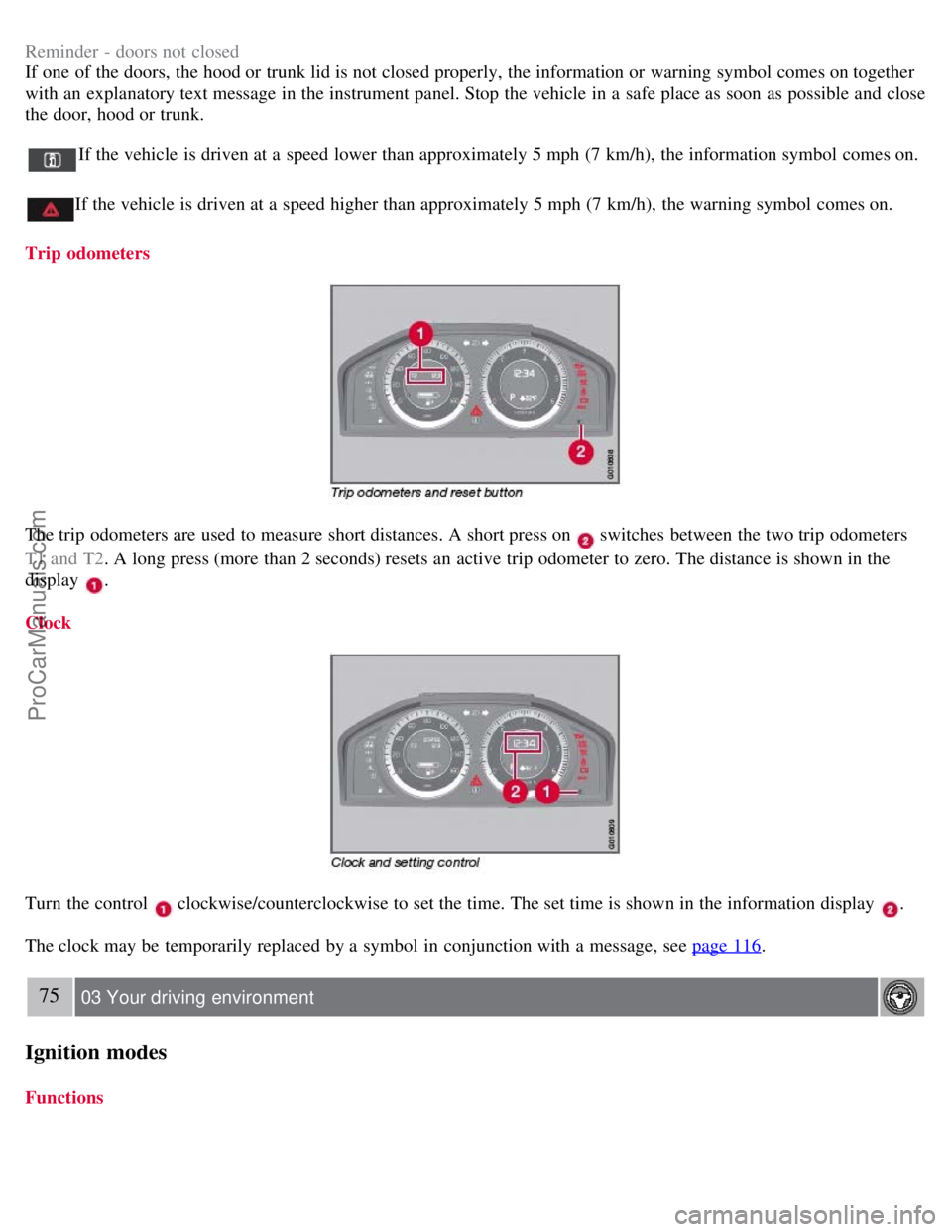
If the vehicle is driven at a speed lower than approximately 5 mph (7 km/h), the information symbol comes on.
If the vehicle is driven at a speed higher than approximately 5 mph (7 km/h), the warning symbol comes on.
Trip odometers
The trip odometers are used to measure short distances. A short press on switches between the two trip odometers
T1 and T2 . A long press (more than 2 seconds) resets an active trip odometer to zero. The distance is shown in the
display
.
Clock
Turn the control clockwise/counterclockwise to set the time. The set time is shown in the information display .
The clock may be temporarily replaced by a symbol in conjunction with a message, see page 116
.
75 03 Your driving environment
Ignition modes
Functions
ProCarManuals.com
Page 71 of 251
same way.
To program (store) a seat position and door mirror position in button :
1. Move the seat (and door mirrors) to the desired position using the seat and mirror adjustment controls.
2. Press and hold down the M (memory) button
.
3. With the memory button depressed, press button
briefly to store the current position for the seat/mirrors.
To move the seat and mirrors to the position that they were in when button
was programmed:
1. Press and hold down button
until the seat and mirrors stop moving.
NOTE
As a safety precaution, the seat will stop automatically if the button is released before the seat has reached the preset
position.
79 03 Your driving environment
Seats
Remote keyless entry system and the driver's seat
The remote control transmitter also controls the position of the power driver's seat in the following way:
1. Adjust the seat to your preferences.
2. When you leave your vehicle, lock it using the remote control.
The position of the driver's seat is now stored in the remote control's memory.
Automatic seat adjustment
To move the seat to the position in which you left it:
1. Unlock the driver's door with the same remote control (the one used to lock the doors)
2. Open the driver's door within 2 minutes.
The driver's seat will automatically move to the position in which you left it.
NOTE
The key memory is independent of the seat memory.
The seat will Move to this position even if someone else has moved it to a different seating position and locked
the vehicle with a different remote control.
This feature will work in the same way with all of the remote control transmitters that you use with your vehicle.
The function can be activated/deactivated under Car key memory
Seat & mirror positions . For a description of the
menu system, see the information beginning on page 115
.
Emergency stop
ProCarManuals.com
Page 86 of 251
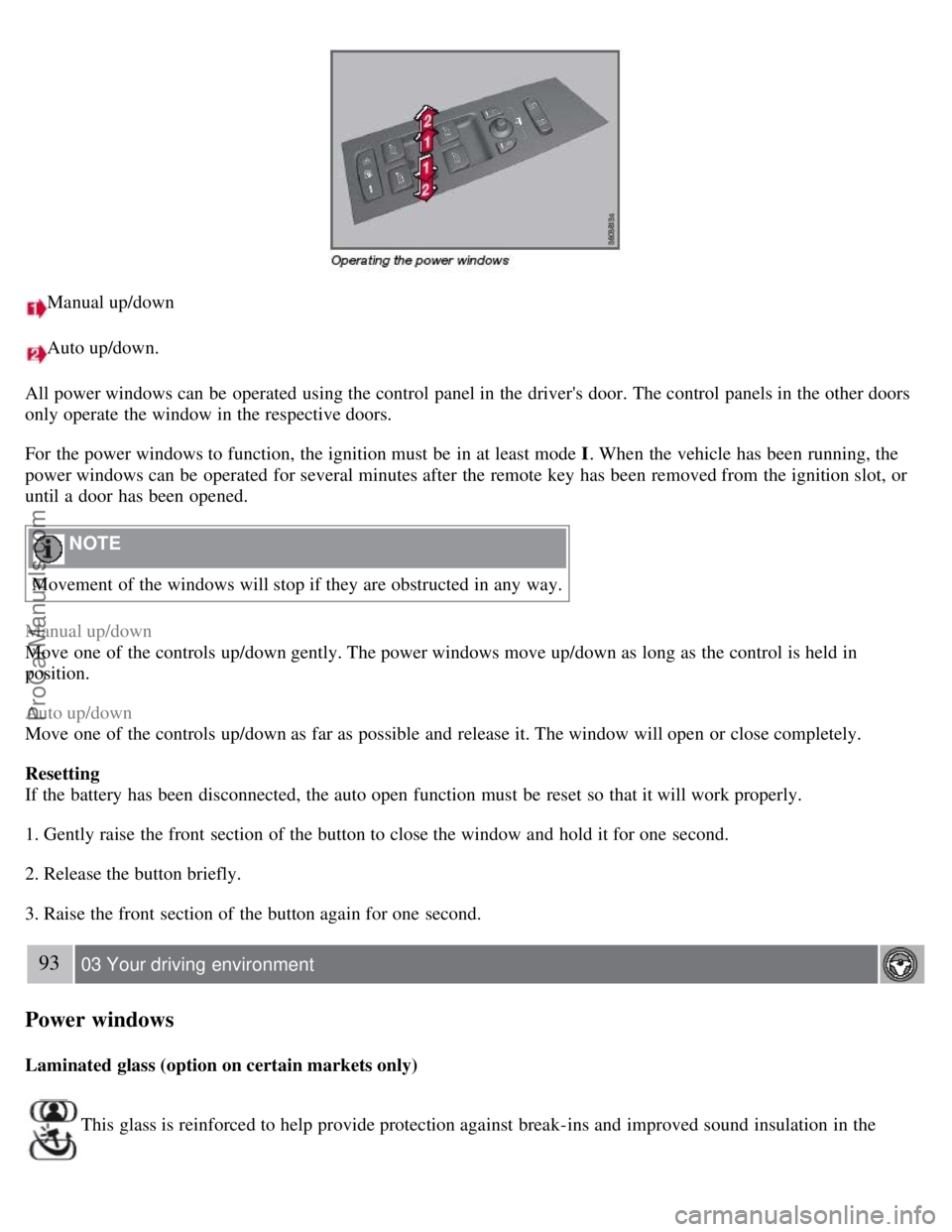
Manual up/down
Auto up/down.
All power windows can be operated using the control panel in the driver's door. The control panels in the other doors
only operate the window in the respective doors.
For the power windows to function, the ignition must be in at least mode I . When the vehicle has been running, the
power windows can be operated for several minutes after the remote key has been removed from the ignition slot, or
until a door has been opened.
NOTE
Movement of the windows will stop if they are obstructed in any way.
Manual up/down
Move one of the controls up/down gently. The power windows move up/down as long as the control is held in
position.
Auto up/down
Move one of the controls up/down as far as possible and release it. The window will open or close completely.
Resetting
If the battery has been disconnected, the auto open function must be reset so that it will work properly.
1. Gently raise the front section of the button to close the window and hold it for one second.
2. Release the button briefly.
3. Raise the front section of the button again for one second.
93 03 Your driving environment
Power windows
Laminated glass (option on certain markets only)
This glass is reinforced to help provide protection against break-ins and improved sound insulation in the
ProCarManuals.com
Page 88 of 251
Tilting the door mirror when parking (option)
The door mirror can be tilted down for the driver to view the side of the road when parking for example. Engage
reverse gear and press the L or R button. The door mirror resets when reverse gear is disengaged.
Automatic retraction when locking
When the vehicle is locked/unlocked with the remote key the door mirrors are automatically retracted/extended.
The function can be activated/deactivated under Car settings
Retract mirrors when locking. For a description of the
menu system, see page 115
.
Resetting to neutral
Mirrors that have been moved out of position by an external force must be electrically reset to the neutral position for
electric retracting/extending to work.
Retract the mirrors with the L and R buttons.
Fold them out again with the L and R buttons.
The mirrors are now reset in neutral position.
Home safe and approach lighting
The light on the door mirrors comes on when approach lighting or home safe lighting is selected, see page 89
.
95 03 Your driving environment
Mirrors
Rear window and door mirror defrosters
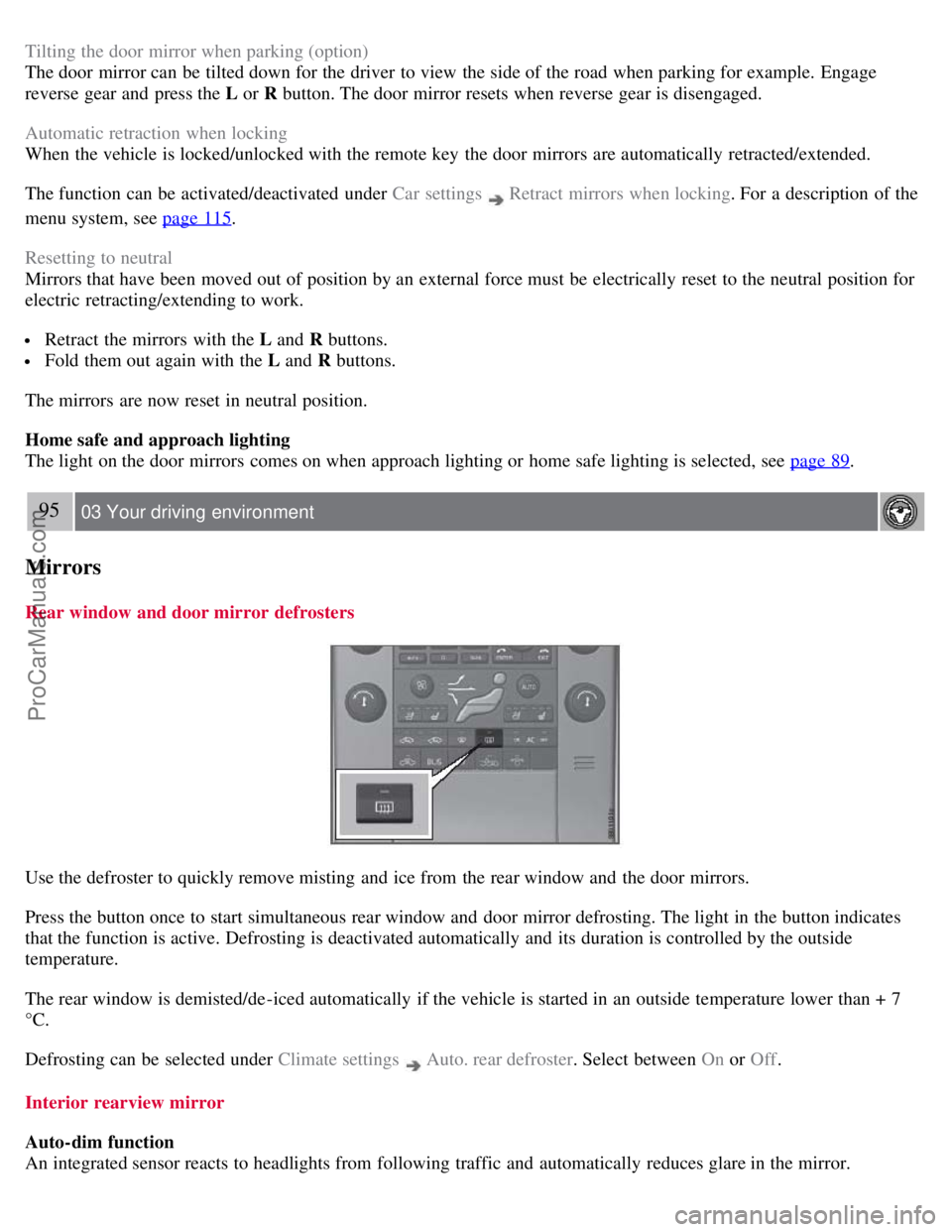
Use the defroster to quickly remove misting and ice from the rear window and the door mirrors.
Press the button once to start simultaneous rear window and door mirror defrosting. The light in the button indicates
that the function is active. Defrosting is deactivated automatically and its duration is controlled by the outside
temperature.
The rear window is demisted/de-iced automatically if the vehicle is started in an outside temperature lower than + 7
°C.
Defrosting can be selected under Climate settings
Auto. rear defroster . Select between On or Off.
Interior rearview mirror
Auto-dim function
An integrated sensor reacts to headlights from following traffic and automatically reduces glare in the mirror.
ProCarManuals.com
Page 109 of 251
The navigation button can be used instead of ENTER and EXIT when navigating the menu hierarchy. The right arrow
is equal to ENTER and the left arrow to EXIT .
The menu options are numbered and can also be selected directly with the numerical keypad (1-9 only).
115 04 Comfort and driving pleasure
Menus and messages
Menu overview
Car key memory
Seat & mirror positions
Car settings
Fold mirr. when locking (option on certain markets only)
Collision warning settings (option)
Light settings
Lock settings
Parking camera settings (accessory)
Steering force level (option)
Information
Climate settings
Automatic blower adjust
Recirculation timer
Auto. rear defroster
Reset climate settings
Main menu AM
Audio settings
1
Sound stage
Equalizer, front
Equalizer, rear
Auto. volume control
Resets all audio settings.
Main menu FM
FM settings
Radio text
Advanced radio settings
Audio settings
Main menu CD
Random
Off
Folder
Disc
Single disc
All discs
CD settings
Disc text (option)
Audio settings
Main menu AUX
Volume, AUX input
ProCarManuals.com
Page 110 of 251
Audio settings
Main menu Bluetooth cell phone
Bluetooth (option)
Change phone
Remove phone
1The menu option for audio settings is available in all audio sources.
116 04 Comfort and driving pleasure
Menus and messages
Main instrument panel
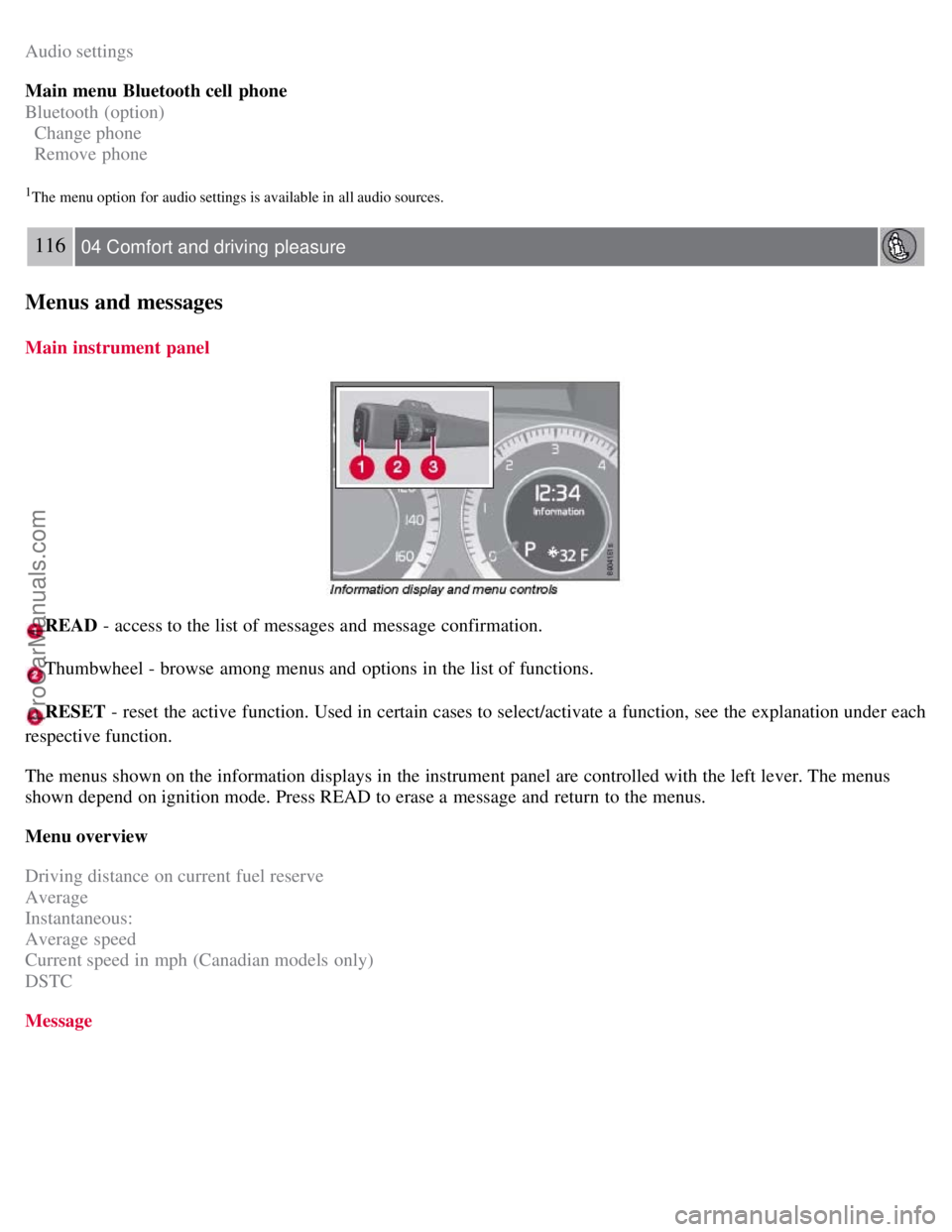
READ - access to the list of messages and message confirmation.
Thumbwheel - browse among menus and options in the list of functions.
RESET - reset the active function. Used in certain cases to select/activate a function, see the explanation under each
respective function.
The menus shown on the information displays in the instrument panel are controlled with the left lever. The menus
shown depend on ignition mode. Press READ to erase a message and return to the menus.
Menu overview
Driving distance on current fuel reserve
Average
Instantaneous:
Average speed
Current speed in mph (Canadian models only)
DSTC
Message
ProCarManuals.com
Page 121 of 251
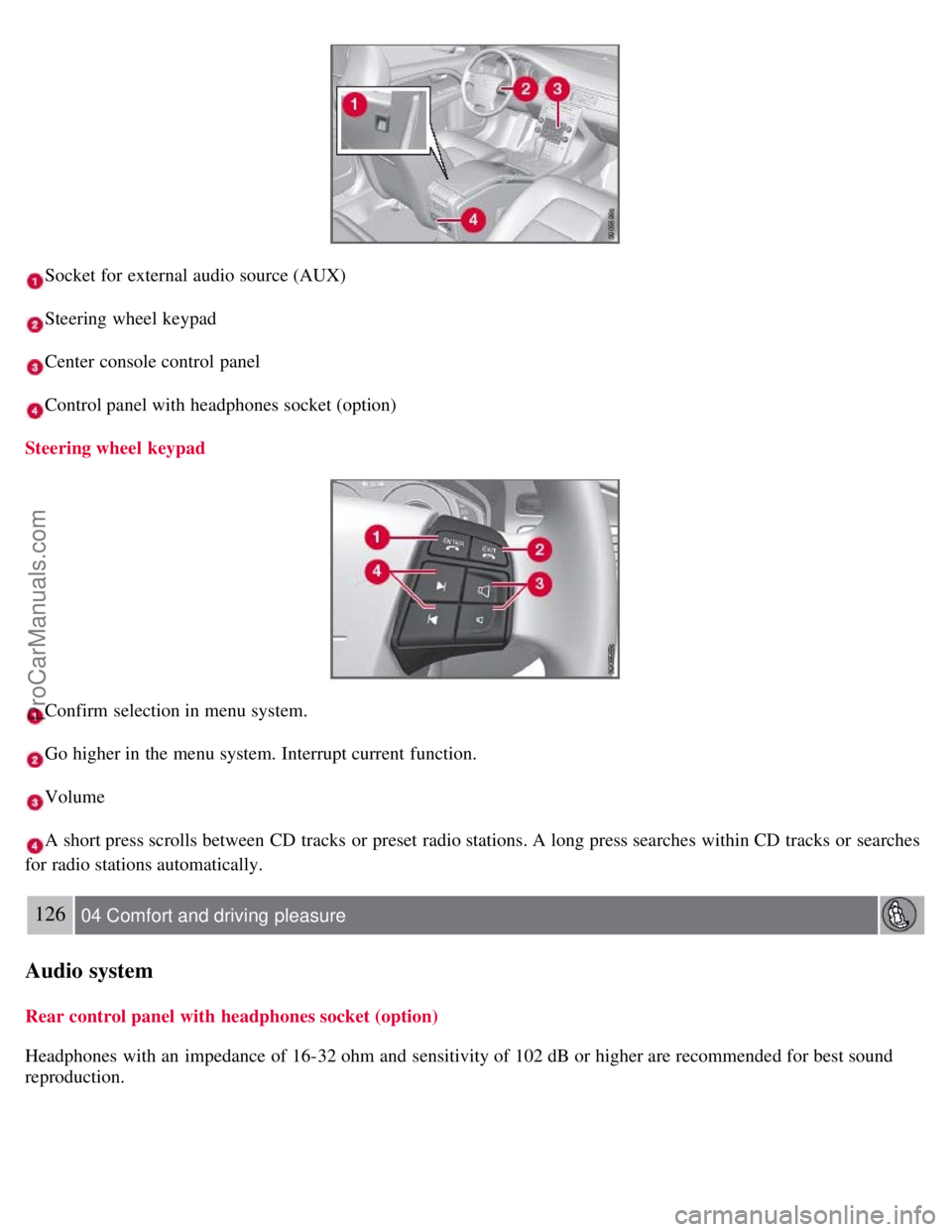
Socket for external audio source (AUX)
Steering wheel keypad
Center console control panel
Control panel with headphones socket (option)
Steering wheel keypad
Confirm selection in menu system.
Go higher in the menu system. Interrupt current function.
Volume
A short press scrolls between CD tracks or preset radio stations. A long press searches within CD tracks or searches
for radio stations automatically.
126 04 Comfort and driving pleasure
Audio system
Rear control panel with headphones socket (option)
Headphones with an impedance of 16-32 ohm and sensitivity of 102 dB or higher are recommended for best sound
reproduction.
ProCarManuals.com
Page 122 of 251
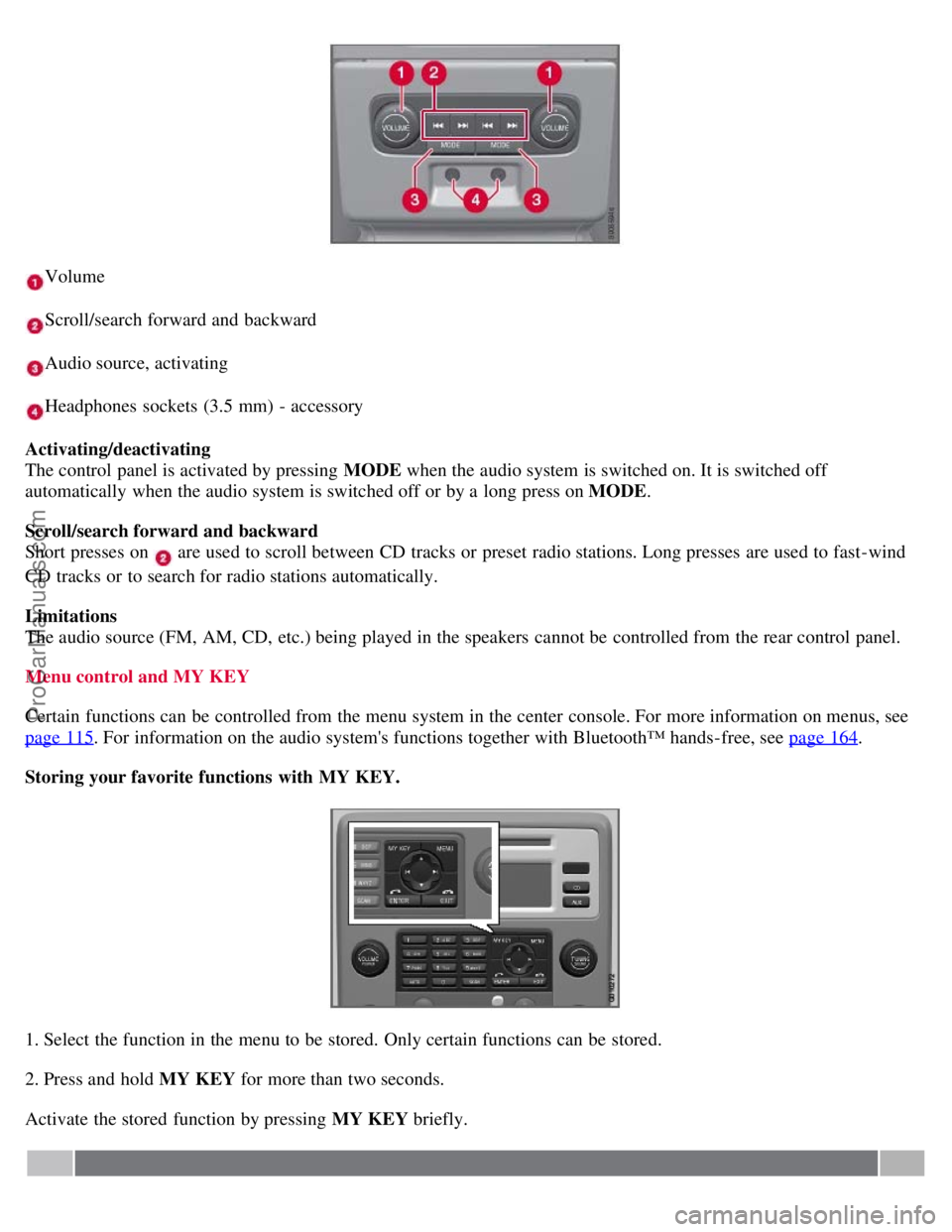
Volume
Scroll/search forward and backward
Audio source, activating
Headphones sockets (3.5 mm) - accessory
Activating/deactivating
The control panel is activated by pressing MODE when the audio system is switched on. It is switched off
automatically when the audio system is switched off or by a long press on MODE .
Scroll/search forward and backward
Short presses on
are used to scroll between CD tracks or preset radio stations. Long presses are used to fast -wind
CD tracks or to search for radio stations automatically.
Limitations
The audio source (FM, AM, CD, etc.) being played in the speakers cannot be controlled from the rear control panel.
Menu control and MY KEY
Certain functions can be controlled from the menu system in the center console. For more information on menus, see
page 115
. For information on the audio system's functions together with Bluetooth™ hands-free, see page 164.
Storing your favorite functions with MY KEY.
1. Select the function in the menu to be stored. Only certain functions can be stored.
2. Press and hold MY KEY for more than two seconds.
Activate the stored function by pressing MY KEY briefly.
ProCarManuals.com