buttons VOLVO S80 2008 Owner's Manual
[x] Cancel search | Manufacturer: VOLVO, Model Year: 2008, Model line: S80, Model: VOLVO S80 2008Pages: 275, PDF Size: 7.17 MB
Page 150 of 275
Active chassis system-Four C
Active chassis (Four C)-option
Active chassis, Four-C (Continuously Controlled Chassis Concept), regulates the characteristics of the shock absorbers
so that the car's driving characteristics can be adjusted. There are three settings: Comfort, Sport and Advanced.
Comfort
Comfort mode offers a somewhat softer ride and the transmission shifts gears at lower rpm. This mode is particularly
suitable for long-distance highway driving. The indicator light in the button will be on when this mode is selected.
Sport
In this mode, the vehicle's body sway is reduced during cornering and steering response is more immediate. The
transmission shifts up at higher rpm for sportier driving. The indicator light in the button will be on to indicate that
Sport mode has been selected.
Advanced
In this mode, body sway in curves is minimal and steering response is very direct. Gear shifting is done at high rpm in
each gear for dynamic and active driving.
Operation
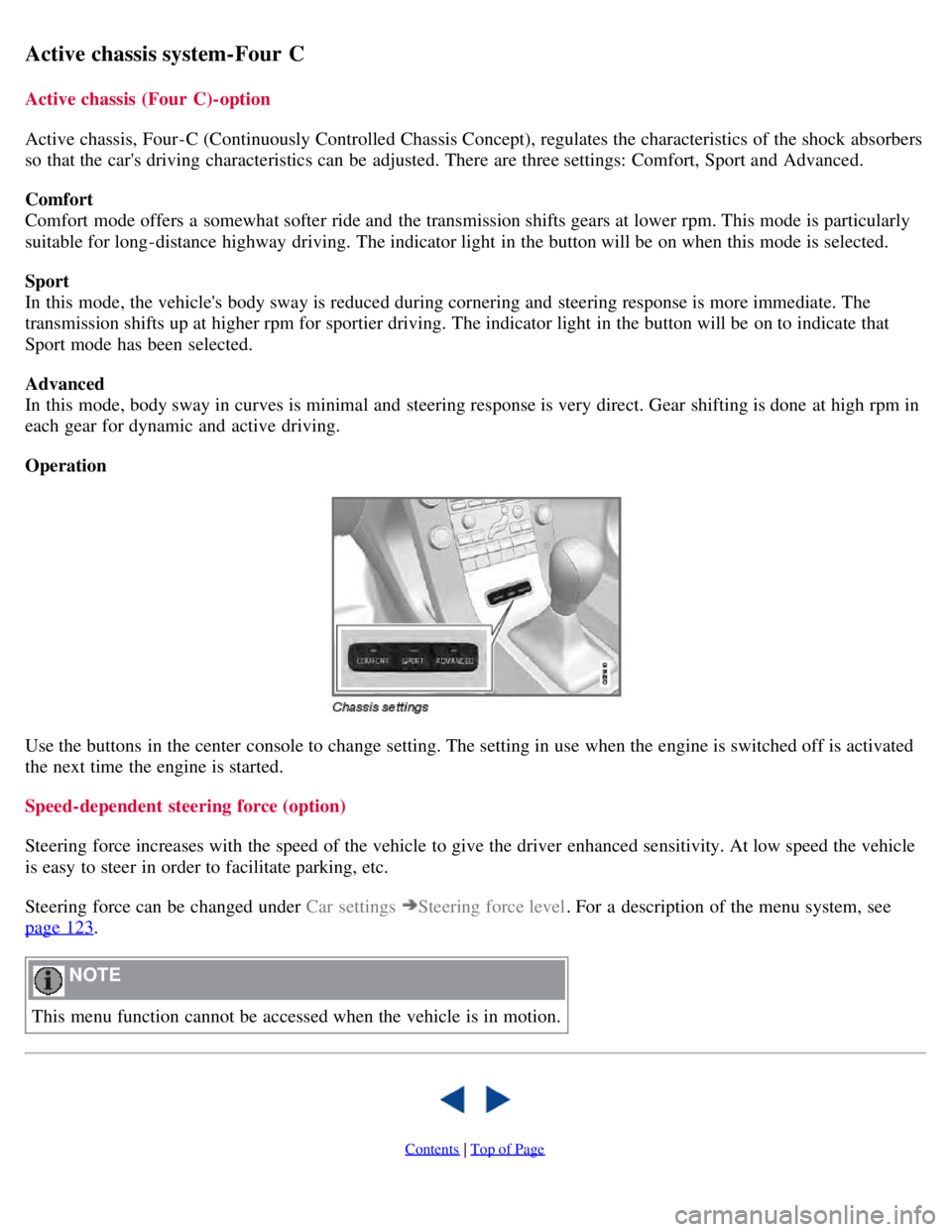
Use the buttons in the center console to change setting. The setting in use when the engine is switched off is activated
the next time the engine is started.
Speed-dependent steering force (option)
Steering force increases with the speed of the vehicle to give the driver enhanced sensitivity. At low speed the vehicle
is easy to steer in order to facilitate parking, etc.
Steering force can be changed under Car settings
Steering force level. For a description of the menu system, see
page 123
.
NOTE
This menu function cannot be accessed when the vehicle is in motion.
Contents | Top of Page
Page 151 of 275
2 0 0 8
VOLVO S80
154 04 Comfort and driving pleasure
Cruise control
Operation
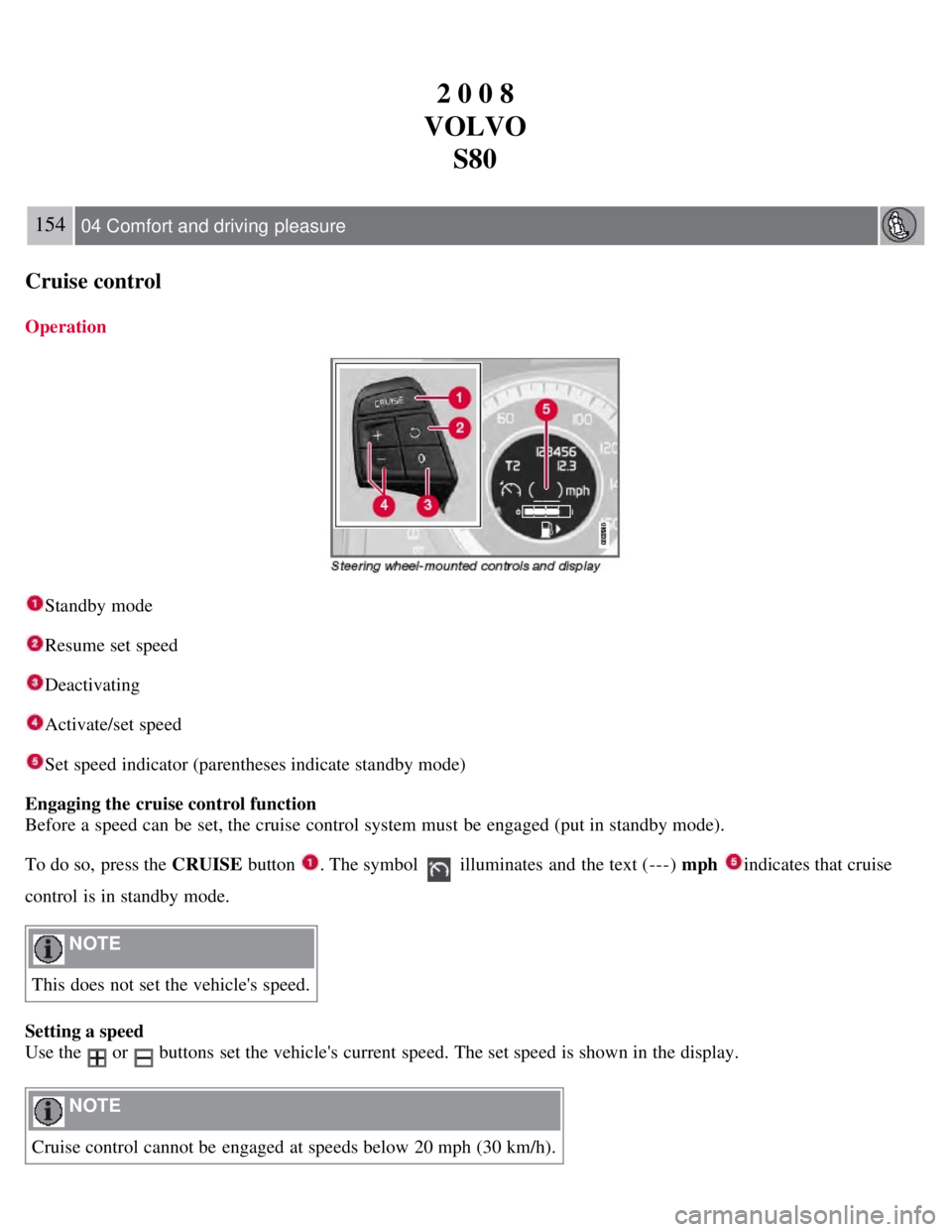
Standby mode
Resume set speed
Deactivating
Activate/set speed
Set speed indicator (parentheses indicate standby mode)
Engaging the cruise control function
Before a speed can be set, the cruise control system must be engaged (put in standby mode).
To do so, press the CRUISE button
. The symbol illuminates and the text (---) mph indicates that cruise
control is in standby mode.
NOTE
This does not set the vehicle's speed.
Setting a speed
Use the
or buttons set the vehicle's current speed. The set speed is shown in the display.
NOTE
Cruise control cannot be engaged at speeds below 20 mph (30 km/h).
Page 152 of 275
Adjusting the set speed
After a speed has been set, it can be increased or decreased by using the
or buttons.
Press and hold down or until the vehicle reaches the desired speed. This will become the set speed when the
button is released.
Press or for approximately a half second and release the button to increase or decrease vehicle speed by
approximately 1 mph (1.6 km/h).
NOTE
A temporary increase in speed by pressing the accelerator pedal, for less than 1 minute (e.g. when passing another
car), does not affect the current cruise control setting. The vehicle will automatically return to the previously set
speed when the accelerator pedal is released.
If one of the cruise control buttons is kept depressed for more than approx. 1 minute cruise control is disengaged.
The engine must then be switched off in order to reset cruise control.
Automatic deactivation
Cruise control is automatically deactivated temporarily if one of the following occurs:
If the speed drops below approximately 20 mph (30 km/h).
When the brake pedal is depressed.
If the gear selector is moved to position N.
During wheel spin or wheel lock-up.
If the vehicle's speed is increased by using the accelerator pedal for more than 1 minute.
The currently set speed will be saved in the system's memory.
155 04 Comfort and driving pleasure
Cruise control
Temporary deactivation
The driver can temporarily deactivate cruise control by pressing 0. The saved speed is shown in brackets in the
information display.
Resume set speed
If cruise control has been deactivated temporarily, it can be reactivated by pressing
. The vehicle's speed returns to
the most recently set speed.
WARNING
There may be a significant increase in speed after the
button has been pressed.
Deactivation
Cruise control is disengaged with CRUISE , by putting the gear selector in Neutral, or by switching off the engine. The
set speed is cleared.
WARNING
Cruise control should not be used in heavy traffic or when driving on wet or slippery roads. Cruise control may not
Page 155 of 275
Strong sunlight, reflections, extreme light contrasts, the use of sunglasses, or if the driver is not looking straight
ahead may make the visual warning signal in the windshield difficult to see.
WARNING
Cruise control only warns of vehicles detected by the radar sensor, see page 160
. In some cases there may be no
warning or the warning may be delayed. The driver should always apply the brakes when necessary.
158 04 Comfort and driving pleasure
Adaptive Cruise Control-ACC
Operation
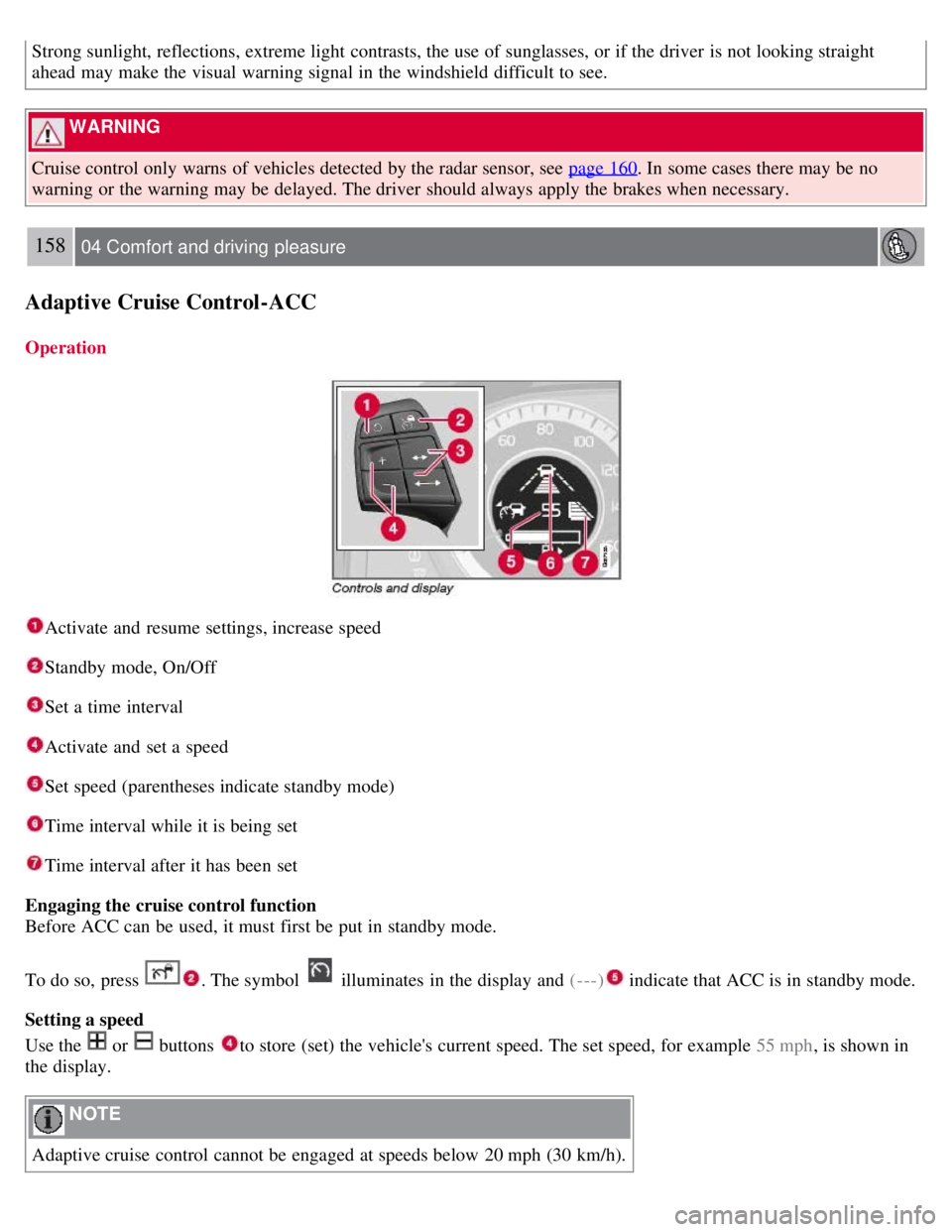
Activate and resume settings, increase speed
Standby mode, On/Off
Set a time interval
Activate and set a speed
Set speed (parentheses indicate standby mode)
Time interval while it is being set
Time interval after it has been set
Engaging the cruise control function
Before ACC can be used, it must first be put in standby mode.
To do so, press
. The symbol illuminates in the display and (---) indicate that ACC is in standby mode.
Setting a speed
Use the
or buttons to store (set) the vehicle's current speed. The set speed, for example 55 mph , is shown in
the display.
NOTE
Adaptive cruise control cannot be engaged at speeds below 20 mph (30 km/h).
Page 156 of 275
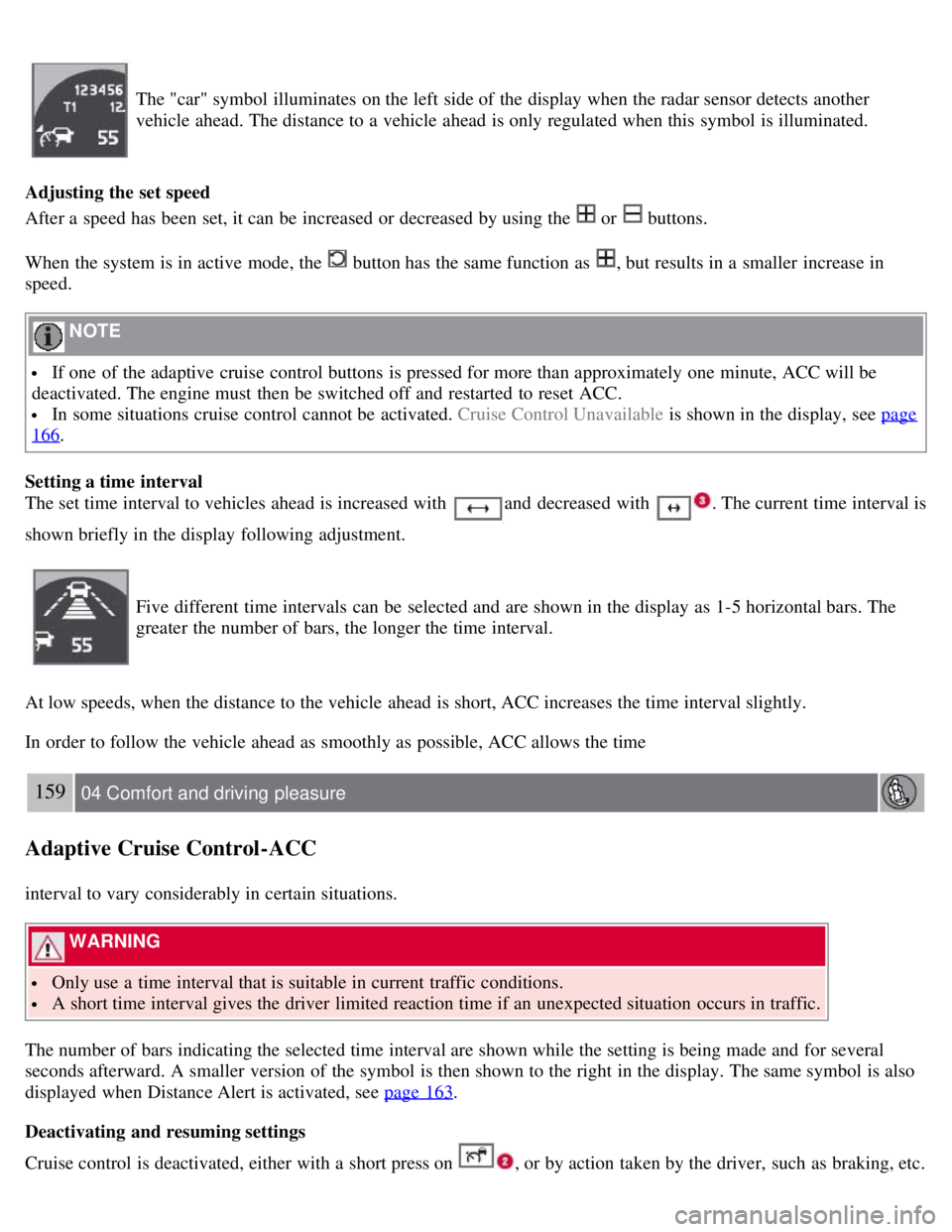
The "car" symbol illuminates on the left side of the display when the radar sensor detects another
vehicle ahead. The distance to a vehicle ahead is only regulated when this symbol is illuminated.
Adjusting the set speed
After a speed has been set, it can be increased or decreased by using the
or buttons.
When the system is in active mode, the
button has the same function as , but results in a smaller increase in
speed.
NOTE
If one of the adaptive cruise control buttons is pressed for more than approximately one minute, ACC will be
deactivated. The engine must then be switched off and restarted to reset ACC.
In some situations cruise control cannot be activated. Cruise Control Unavailable is shown in the display, see page
166.
Setting a time interval
The set time interval to vehicles ahead is increased with
and decreased with . The current time interval is
shown briefly in the display following adjustment.
Five different time intervals can be selected and are shown in the display as 1-5 horizontal bars. The
greater the number of bars, the longer the time interval.
At low speeds, when the distance to the vehicle ahead is short, ACC increases the time interval slightly.
In order to follow the vehicle ahead as smoothly as possible, ACC allows the time
159 04 Comfort and driving pleasure
Adaptive Cruise Control-ACC
interval to vary considerably in certain situations.
WARNING
Only use a time interval that is suitable in current traffic conditions.
A short time interval gives the driver limited reaction time if an unexpected situation occurs in traffic.
The number of bars indicating the selected time interval are shown while the setting is being made and for several
seconds afterward. A smaller version of the symbol is then shown to the right in the display. The same symbol is also
displayed when Distance Alert is activated, see page 163
.
Deactivating and resuming settings
Cruise control is deactivated, either with a short press on , or by action taken by the driver, such as braking, etc.
Page 161 of 275
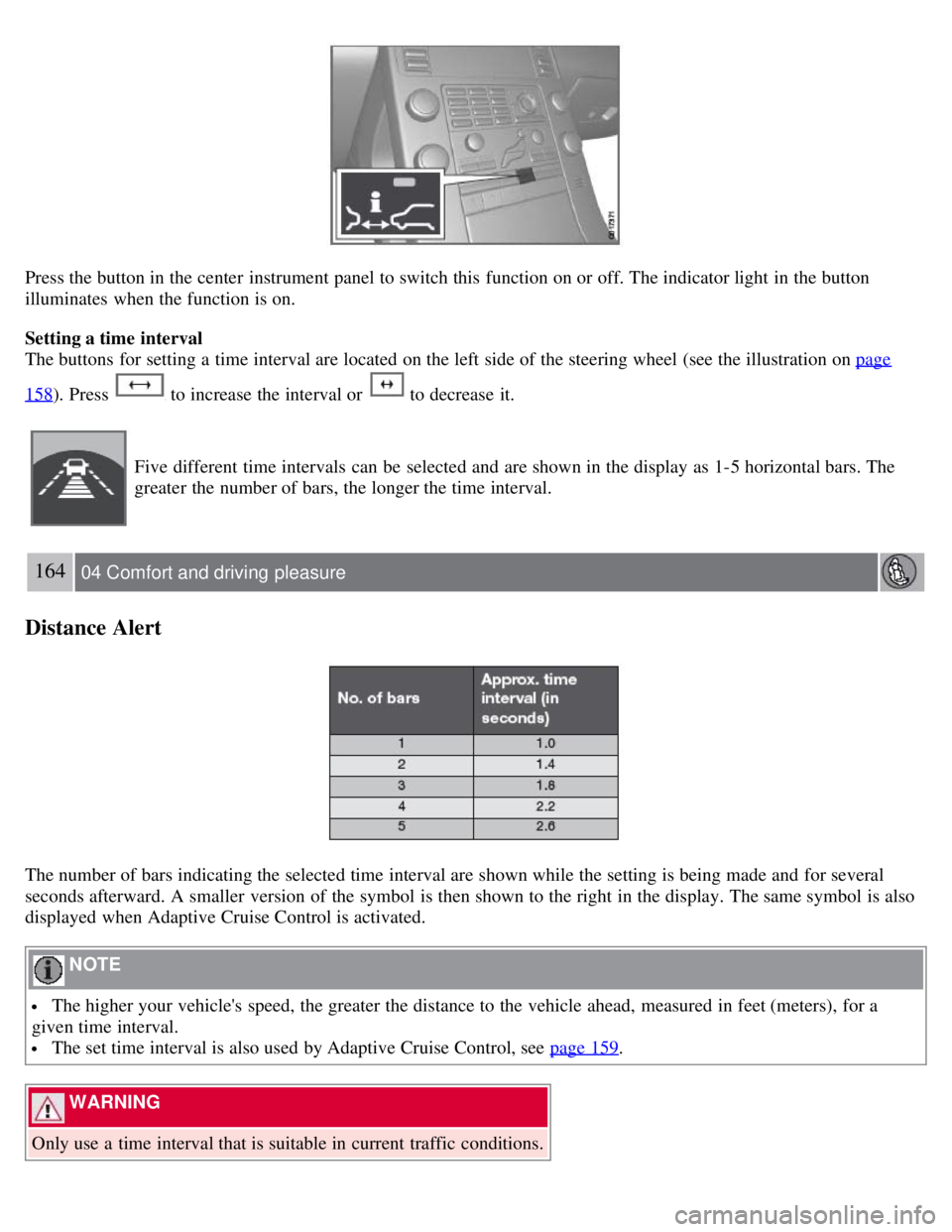
Press the button in the center instrument panel to switch this function on or off. The indicator light in the button
illuminates when the function is on.
Setting a time interval
The buttons for setting a time interval are located on the left side of the steering wheel (see the illustration on page
158). Press to increase the interval or to decrease it.
Five different time intervals can be selected and are shown in the display as 1-5 horizontal bars. The
greater the number of bars, the longer the time interval.
164 04 Comfort and driving pleasure
Distance Alert
The number of bars indicating the selected time interval are shown while the setting is being made and for several
seconds afterward. A smaller version of the symbol is then shown to the right in the display. The same symbol is also
displayed when Adaptive Cruise Control is activated.
NOTE
The higher your vehicle's speed, the greater the distance to the vehicle ahead, measured in feet (meters), for a
given time interval.
The set time interval is also used by Adaptive Cruise Control, see page 159.
WARNING
Only use a time interval that is suitable in current traffic conditions.
Page 168 of 275
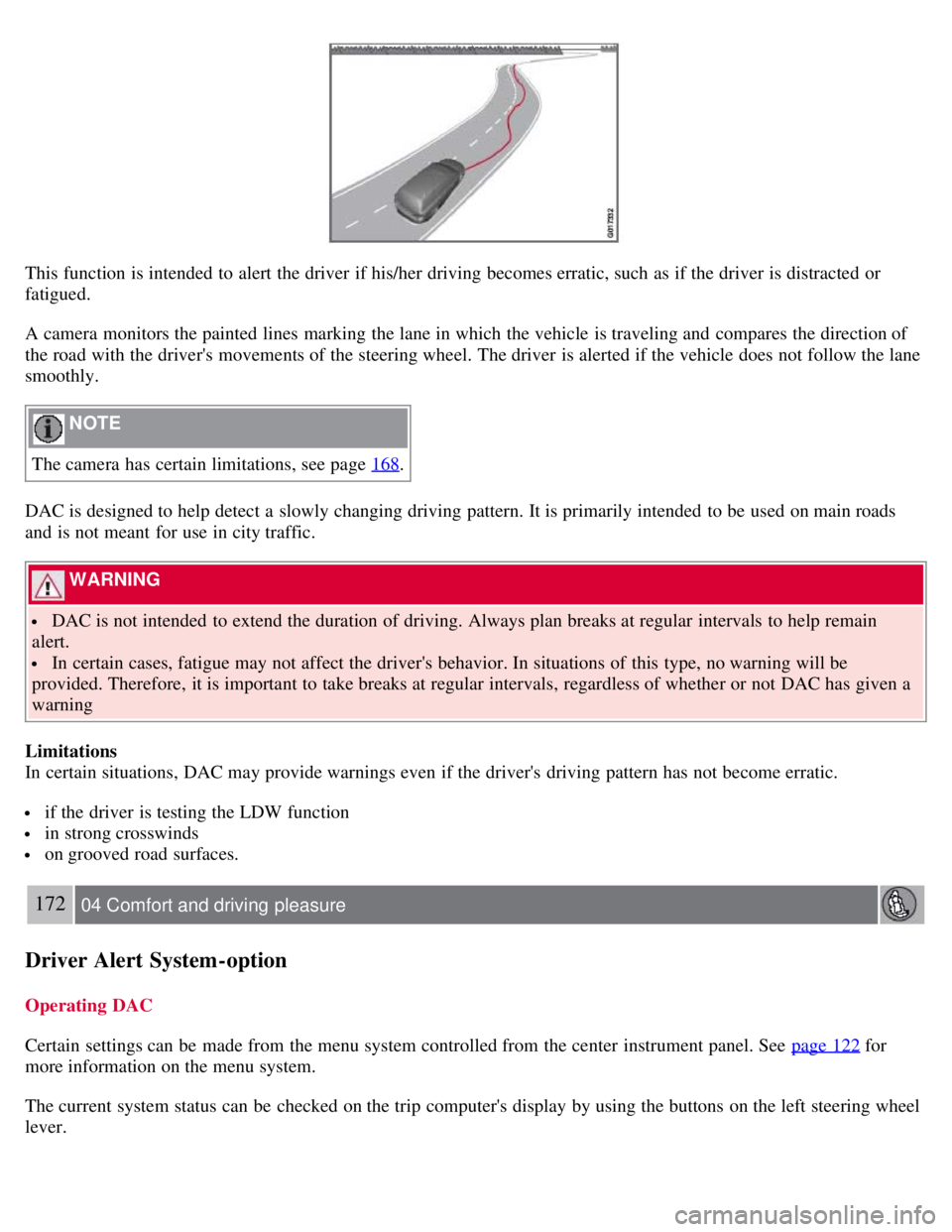
This function is intended to alert the driver if his/her driving becomes erratic, such as if the driver is distracted or
fatigued.
A camera monitors the painted lines marking the lane in which the vehicle is traveling and compares the direction of
the road with the driver's movements of the steering wheel. The driver is alerted if the vehicle does not follow the lane
smoothly.
NOTE
The camera has certain limitations, see page 168
.
DAC is designed to help detect a slowly changing driving pattern. It is primarily intended to be used on main roads
and is not meant for use in city traffic.
WARNING
DAC is not intended to extend the duration of driving. Always plan breaks at regular intervals to help remain
alert.
In certain cases, fatigue may not affect the driver's behavior. In situations of this type, no warning will be
provided. Therefore, it is important to take breaks at regular intervals, regardless of whether or not DAC has given a
warning
Limitations
In certain situations, DAC may provide warnings even if the driver's driving pattern has not become erratic.
if the driver is testing the LDW function
in strong crosswinds
on grooved road surfaces.
172 04 Comfort and driving pleasure
Driver Alert System -option
Operating DAC
Certain settings can be made from the menu system controlled from the center instrument panel. See page 122
for
more information on the menu system.
The current system status can be checked on the trip computer's display by using the buttons on the left steering wheel
lever.