service VOLVO S80 2016 Owner´s Manual
[x] Cancel search | Manufacturer: VOLVO, Model Year: 2016, Model line: S80, Model: VOLVO S80 2016Pages: 380, PDF Size: 9.45 MB
Page 231 of 380
07 Driver support
07
}}
* Option/accessory, for more information, see Introduction.229
BLIS* – operation
Switching BLIS on and off
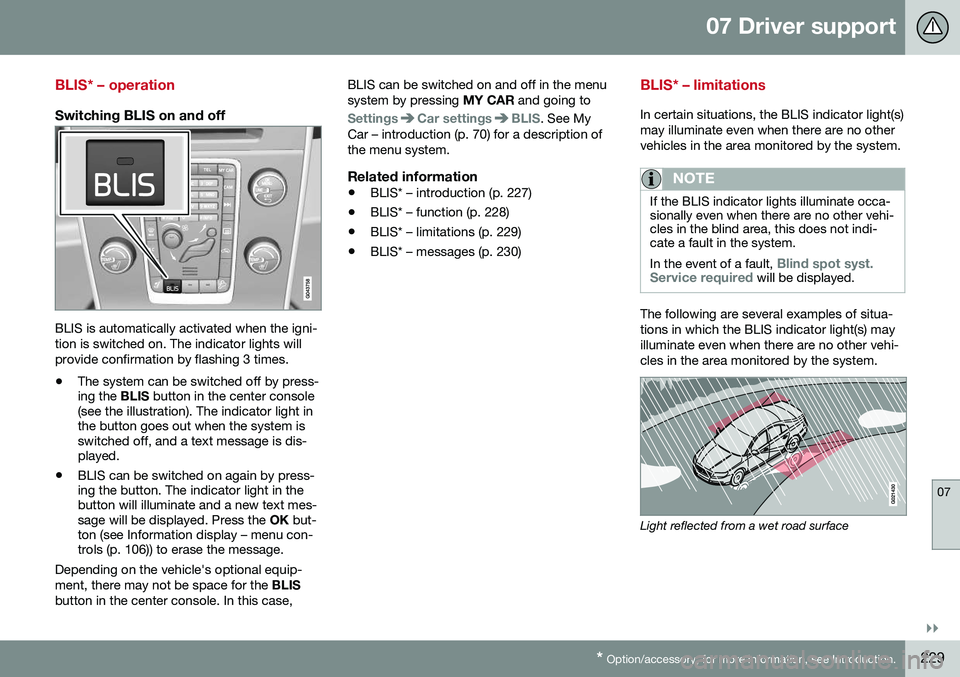
BLIS is automatically activated when the igni- tion is switched on. The indicator lights willprovide confirmation by flashing 3 times.
• The system can be switched off by press- ing the
BLIS button in the center console
(see the illustration). The indicator light inthe button goes out when the system isswitched off, and a text message is dis-played.
• BLIS can be switched on again by press-ing the button. The indicator light in thebutton will illuminate and a new text mes-sage will be displayed. Press the
OK but-
ton (see Information display – menu con-trols (p. 106)) to erase the message.
Depending on the vehicle's optional equip- ment, there may not be space for the BLIS
button in the center console. In this case, BLIS can be switched on and off in the menusystem by pressing
MY CAR and going to
SettingsCar settingsBLIS. See My
Car – introduction (p. 70) for a description of the menu system.
Related information
• BLIS* – introduction (p. 227)
• BLIS* – function (p. 228)
• BLIS* – limitations (p. 229)
• BLIS* – messages (p. 230)
BLIS* – limitations
In certain situations, the BLIS indicator light(s) may illuminate even when there are no othervehicles in the area monitored by the system.
NOTE
If the BLIS indicator lights illuminate occa- sionally even when there are no other vehi-cles in the blind area, this does not indi-cate a fault in the system. In the event of a fault,
Blind spot syst.
Service required will be displayed.
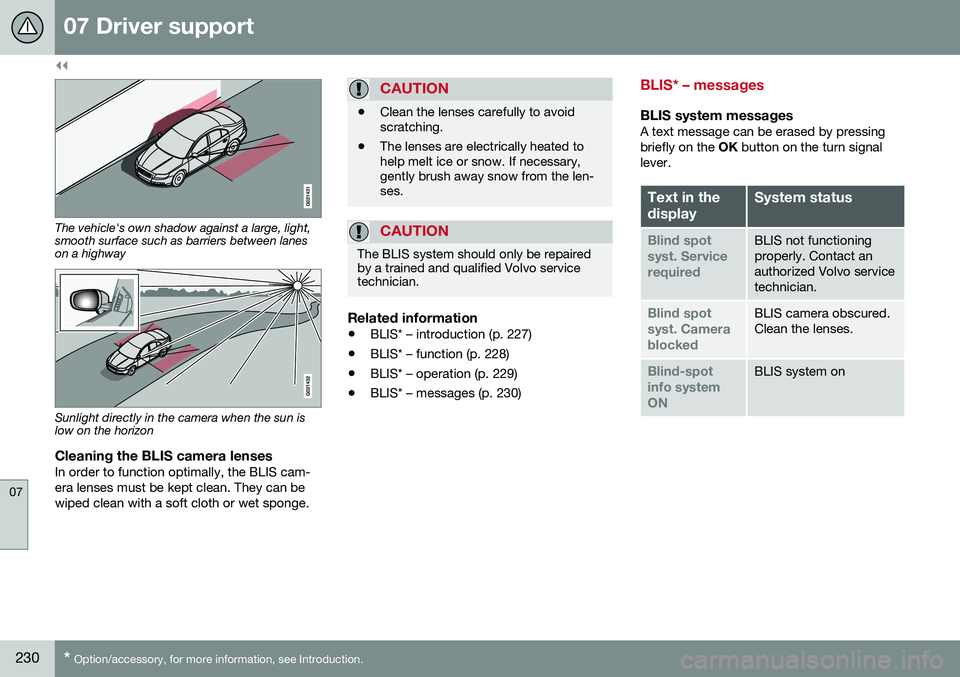
The following are several examples of situa- tions in which the BLIS indicator light(s) mayilluminate even when there are no other vehi-cles in the area monitored by the system.
Light reflected from a wet road surface
Page 232 of 380
||
07 Driver support
07
230* Option/accessory, for more information, see Introduction.
The vehicle's own shadow against a large, light, smooth surface such as barriers between laneson a highway
Sunlight directly in the camera when the sun is low on the horizon
Cleaning the BLIS camera lensesIn order to function optimally, the BLIS cam- era lenses must be kept clean. They can bewiped clean with a soft cloth or wet sponge.
CAUTION
• Clean the lenses carefully to avoid scratching.
• The lenses are electrically heated tohelp melt ice or snow. If necessary,gently brush away snow from the len-ses.
CAUTION
The BLIS system should only be repaired by a trained and qualified Volvo servicetechnician.
Related information
•
BLIS* – introduction (p. 227)
• BLIS* – function (p. 228)
• BLIS* – operation (p. 229)
• BLIS* – messages (p. 230)
BLIS* – messages
BLIS system messagesA text message can be erased by pressing briefly on the
OK button on the turn signal
lever.
Text in the displaySystem status
Blind spot syst. ServicerequiredBLIS not functioning properly. Contact anauthorized Volvo servicetechnician.
Blind spot syst. CamerablockedBLIS camera obscured. Clean the lenses.
Blind-spot info systemONBLIS system on
Page 237 of 380
08 Starting and driving
08
* Option/accessory, for more information, see Introduction.235
Switching off the engine
Switch off the engine by pressing the START/
STOP ENGINE button.
If the gear selector is not in the P position or
if the vehicle is moving, press the START/
STOP ENGINE button twice or press and
hold it in until the engine switches off.
Related information
• Ignition modes (p. 73)
Engine Remote Start (ERS)* – introduction
ERS is a feature that makes it possible to remotely start the engine using the remotekey to cool or heat the passenger compart-ment before driving. The climate/ and infotainment systems will start using the same settings as when theengine was switched off. When the engine is started using ERS, it will run for a maximum of 15 minutes beforeautomatically switching off again. After 2 ERSstarts, the engine must be started in the nor-mal way before ERS can be used again.
NOTE
•Always adhere to applicable State, Province and/or Local laws regardingengine idling when using ERS.
• The service life of the remote key'sbattery is affected by ERS use. If thisfeature is used frequently, the batteryshould be replaced once a year, seeRemote key – replacing the battery(p. 147).
WARNING
Keep the following in mind before using ERS:
• The vehicle should be in view.
• The vehicle should be unoccupied.
• The vehicle must not be parked indoors or in an enclosed area.Exhaust fumes are harmful to thehealth.
Related information
•
Engine Remote Start (ERS)* – starting the engine (p. 236)
• Engine Remote Start (ERS)* – switchingoff the engine (p. 236)
Page 249 of 380
08 Starting and driving
08
247
Start/Stop – symbols and messages
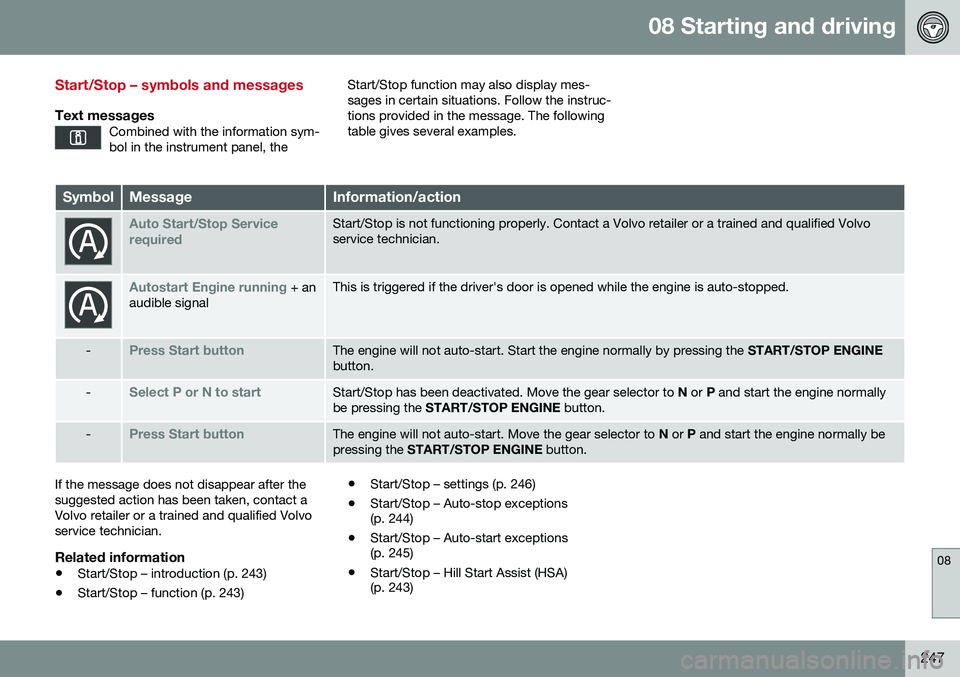
Text messagesCombined with the information sym- bol in the instrument panel, the
Start/Stop function may also display mes- sages in certain situations. Follow the instruc-tions provided in the message. The followingtable gives several examples.
SymbolMessageInformation/action
Auto Start/Stop Service requiredStart/Stop is not functioning properly. Contact a Volvo retailer or a trained and qualified Volvo service technician.
Autostart Engine running + an
audible signalThis is triggered if the driver's door is opened while the engine is auto-stopped.
-Press Start buttonThe engine will not auto-start. Start the engine normally by pressing the START/STOP ENGINE
button.
-Select P or N to startStart/Stop has been deactivated. Move the gear selector to N or P and start the engine normally
be pressing the START/STOP ENGINE button.
-Press Start buttonThe engine will not auto-start. Move the gear selector to N or P and start the engine normally be
pressing the START/STOP ENGINE button.
If the message does not disappear after the suggested action has been taken, contact aVolvo retailer or a trained and qualified Volvoservice technician.
Related information
•Start/Stop – introduction (p. 243)
• Start/Stop – function (p. 243) •
Start/Stop – settings (p. 246)
• Start/Stop – Auto-stop exceptions (p. 244)
• Start/Stop – Auto-start exceptions(p. 245)
• Start/Stop – Hill Start Assist (HSA)(p. 243)
Page 252 of 380
08 Starting and driving
08
250
All Wheel Drive (AWD)
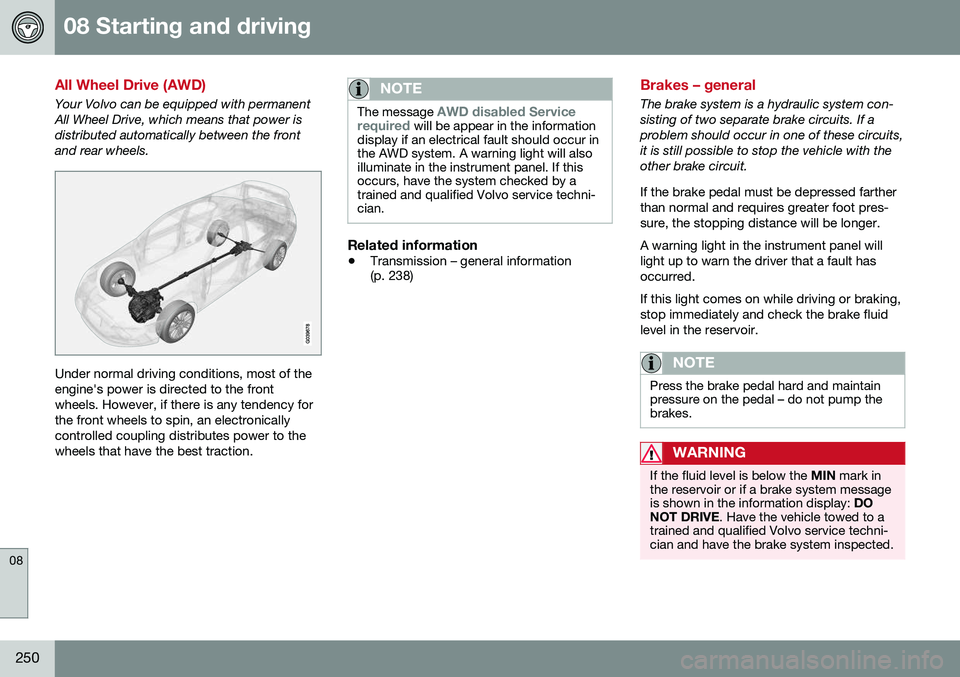
Your Volvo can be equipped with permanent All Wheel Drive, which means that power isdistributed automatically between the frontand rear wheels.
Under normal driving conditions, most of the engine's power is directed to the frontwheels. However, if there is any tendency forthe front wheels to spin, an electronicallycontrolled coupling distributes power to thewheels that have the best traction.
NOTE
The message AWD disabled Service
required will be appear in the information
display if an electrical fault should occur in the AWD system. A warning light will alsoilluminate in the instrument panel. If thisoccurs, have the system checked by atrained and qualified Volvo service techni-cian.
Related information
• Transmission – general information (p. 238)
Brakes – general
The brake system is a hydraulic system con- sisting of two separate brake circuits. If aproblem should occur in one of these circuits,it is still possible to stop the vehicle with theother brake circuit. If the brake pedal must be depressed farther than normal and requires greater foot pres-sure, the stopping distance will be longer. A warning light in the instrument panel will light up to warn the driver that a fault hasoccurred. If this light comes on while driving or braking, stop immediately and check the brake fluidlevel in the reservoir.
NOTE
Press the brake pedal hard and maintain pressure on the pedal – do not pump thebrakes.
WARNING
If the fluid level is below the
MIN mark in
the reservoir or if a brake system message is shown in the information display: DO
NOT DRIVE . Have the vehicle towed to a
trained and qualified Volvo service techni-cian and have the brake system inspected.
Page 254 of 380
||
08 Starting and driving
08
252
braking gently for a short period while the vehicle is moving.
Related information
•Parking brake – general information (p. 254)
• Emergency Brake Assistance (EBA)(p. 253)
• Brakes – general (p. 250)
• Anti-lock braking system (ABS) (p. 252)
Brakes – symbols
Symbols in the instrument panel
SymbolSpecification
Steady glow – Check the brake fluid level. If the level is low, fillwith brake fluid and check forthe cause of the brake fluidloss.
Automatic function check: steady glow for two secondswhen the engine is started.
WARNING
If and come on at the
same time and the brake level is below the MIN mark in the reservoir or if a brake sys-
tem-related message is shown in the infor-mation display: DO NOT DRIVE . Have the
vehicle towed to a trained and qualifiedVolvo service technician and have thebrake system inspected.
Related information
• Brakes – general (p. 250)
• Parking brake – general information (p. 254)
Anti-lock braking system (ABS)
The ABS system helps to improve vehicle control (stopping and steering) during severebraking conditions by limiting brake lockup. When the system "senses" impending lockup, braking pressure is automatically modulatedin order to help prevent lockup that couldlead to a skid. The system performs a brief self-diagnostic test when the engine has been started anddriver releases the brake pedal. Another auto-matic test may be performed when the vehi-cle first reaches a speed of approximately6 mph (10 km/h). The brake pedal will pulsateseveral times and a sound may be audiblefrom the ABS control module, which is nor-mal.
Related information
• Parking brake – general information (p. 254)
• Emergency Brake Assistance (EBA)(p. 253)
• Brakes – general (p. 250)
Page 259 of 380
08 Starting and driving
08
257
Parking brake – symbols and messages
A text message can be erased by pressing briefly on the OK button on the turn signal
lever.
Symbol and messages in the instrument panel
SymbolMessageDescription/action
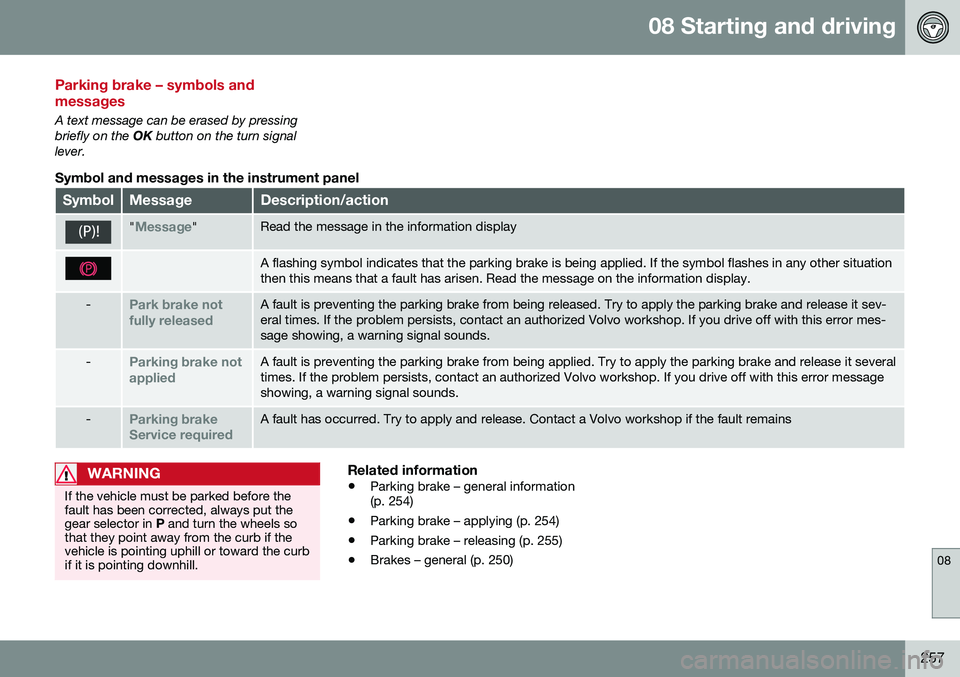
"Message"Read the message in the information display
A flashing symbol indicates that the parking brake is being applied. If the symbol flashes in any other situation then this means that a fault has arisen. Read the message on the information display.
-Park brake not fully releasedA fault is preventing the parking brake from being released. Try to apply the parking brake and release it sev- eral times. If the problem persists, contact an authorized Volvo workshop. If you drive off with this error mes-sage showing, a warning signal sounds.
-Parking brake not appliedA fault is preventing the parking brake from being applied. Try to apply the parking brake and release it several times. If the problem persists, contact an authorized Volvo workshop. If you drive off with this error messageshowing, a warning signal sounds.
-Parking brake Service requiredA fault has occurred. Try to apply and release. Contact a Volvo workshop if the fault remains
WARNING
If the vehicle must be parked before the fault has been corrected, always put thegear selector in P and turn the wheels so
that they point away from the curb if thevehicle is pointing uphill or toward the curbif it is pointing downhill.
Related information
• Parking brake – general information (p. 254)
• Parking brake – applying (p. 254)
• Parking brake – releasing (p. 255)
• Brakes – general (p. 250)
Page 260 of 380
08 Starting and driving
08
258
Driving through water
The vehicle should be driven with extreme caution if it is necessary to drive throughstanding water. The vehicle can be driven through water up to a depth of approximately 10 in. (25 cm) atwalking speed to help prevent water fromentering the differential and the transmission.This reduces the oil's lubricating capacity andmay shorten the service life of these compo-nents.
• Take particular care when driving through flowing water.
• Clean the electrical connections for trailerwiring after driving in mud or water.
• When driving through water, maintain lowspeed and do not stop in the water.WARNING
• Avoid driving through standing or rushing water. Doing so can be dan-gerous and it may also be difficult todetermine the actual depth of thewater.
• If water cannot be avoided, after driv-ing through the water, press lightly onthe brake pedal to ensure that thebrakes are functioning normally. Wateror mud can make the brake liningsslippery, resulting in delayed brakingeffect.
CAUTION
•
Engine damage will occur if water is drawn into the air cleaner.
• If the vehicle is driven through waterdeeper than 10 in (25 cm), water mayenter the differential and the transmis-sion. This reduces the oil's lubricatingcapacity and may shorten the servicelife of these components.
• Damage to any components, theengine, transmission, turbo-charger,differential or its internal componentscaused by flooding, vapor lock orinsufficient oil is not covered underwarranty.
• Do not allow the vehicle to stand inwater up to the door sills longer thanabsolutely necessary. This could resultin electrical malfunctions.
• If the engine has been stopped whilethe vehicle is in water, do not attemptto restart it. Have the vehicle towedout of the water.
Related information
•
Towing the vehicle (p. 269)
• Towing by tow truck (p. 271)
Page 261 of 380
08 Starting and driving
08
}}
259
Engine and cooling system
Under special conditions, for example when driving in hilly terrain, extreme heat or withheavy loads, there is a risk that the engine andcooling system will overheat. Proceed as follows to avoid overheating the engine. •Maintain a low speed when driving with a trailer up long, steep hills. For informa-tion, see Towing a trailer (p. 267)
• Do not turn the engine off immediatelywhen stopping after a hard drive.
WARNING
The cooling fan may start or continue to operate (for up to 6 minutes) after theengine has been switched off.
•
Remove any auxiliary lights from in front of the grille when driving in hot weatherconditions.
• Do not exceed engine speeds of4500 rpm if driving with a trailer in hillyterrain. The oil temperature could becometoo high.
Conserving electrical current
Keep the following in mind to help minimize battery drain:
• When the engine is not running, avoid using ignition mode
II. Many electrical
systems (the audio system, the optionalnavigation system, power windows, etc)will function in ignition modes 0 and I.
These modes reduce drain on the battery.
• Please keep in mind that using systems,accessories, etc., that consume a greatdeal of current when the engine is notrunning could result in the battery beingcompletely drained. Driving or having theengine running for approximately15 minutes will help keep the batterycharged.
• The optional 12-volt socket in thetrunk (p. 135) area provides electrical cur-rent even with the ignition switched off,which drains the battery.
Before a long distance trip
It is always worthwhile to have your vehicle checked by a trained and qualified Volvo serv-ice technician before driving long distances.Your retailer will also be able to supply youwith bulbs, fuses, spark plugs and wiperblades for your use in the event that problemsoccur. As a minimum, the following items should be checked before any long trip:
• Check that engine runs smoothly and that fuel consumption is normal.
• Check for fuel, oil, and fluid leakage.
• Have the transmission oil level (p. 362)checked.
• Check condition of drive belts.
• Check state of the battery's charge.
• Examine tires carefully (the spare tire aswell), and replace those that areworn (p. 275). Check tire pres-sure (p. 282).
• The brakes, front wheel alignment, andsteering gear should be checked by atrained and qualified Volvo service techni-cian only.
• Check all lights, including high beams.
• Reflective warning triangles are legallyrequired in some states/provinces.
• Have a word with a trained and qualifiedVolvo service technician if you intend to
Page 263 of 380
08 Starting and driving
08
261
Refueling – fuel requirements
Volvo recommends the use of detergent gas- oline to control engine deposits.
Deposit control gasoline (detergentadditives)
Detergent gasoline is effective in keepinginjectors and intake valves clean. Consistentuse of deposit control gasolines will helpensure good drivability and fuel economy. Ifyou are not sure whether the gasoline con-tains deposit control additives, check with theservice station operator.
NOTE
Volvo does not recommend the use of external fuel injector cleaning systems.
Unleaded fuelEach Volvo has a three-way catalytic con- verter and must use only unleaded gasoline.U.S. and Canadian regulations require thatpumps delivering unleaded gasoline belabeled "UNLEADED". Only these pumpshave nozzles which fit your vehicle's fillerinlet. It is unlawful to dispense leaded fuelinto a vehicle labeled "unleaded gasolineonly". Leaded gasoline damages the three-way catalytic converter and the heated oxy-gen sensor system. Repeated use of leadedgasoline will lessen the effectiveness of theemission control system (p. 265) and could result in loss of emission warranty coverage.State and local vehicle inspection programswill make detection of misfueling easier, pos-sibly resulting in emission test failure for mis-fueled vehicles.
NOTE
Some U.S. and Canadian gasolines con- tain an octane enhancing additive calledmethyl-cyclopentadienyl manganese tri-carbonyl (MMT). If such fuels are used,your Emission Control System perform-ance may be affected, and the CheckEngine Light (malfunction indicator light)located on your instrument panel maylight. If this occurs, please return yourvehicle to a trained and qualified Volvoservice technician for service.
Gasoline containing alcohol and ethers, "Oxygenated fuels"
Some fuel suppliers sell gasoline containing "oxygenates" which are usually alcohols orethers. In some areas, state or local lawsrequire that the service pump be marked indi-cating use of alcohols or ethers. However,there are areas in which the pumps areunmarked. If you are not sure whether there isalcohol or ethers in the gasoline you buy,check with the service station operator. Tomeet seasonal air quality standards, someareas require the use of "oxygenated" fuel.
Volvo allows the use of the following "oxy-genated" fuels; however, the octane rat-ings (p. 262) listed must still be met.
Alcohol – EthanolFuels containing up to 10% ethanol by vol- ume may be used. Ethanol may also be refer-red to as Ethyl alcohol, or "Gasohol". Ethers – MTBE: Fuels containing up to 15% MTBE may be used.
MethanolDo not use gasolines containing methanol(methyl alcohol, wood alcohol). This practicecan result in vehicle performance deteriora-tion and can damage critical parts in the fuelsystem. Such damage may not be coveredunder the New Vehicle Limited Warranty.