tow VOLVO S90 2017 Owner´s Manual
[x] Cancel search | Manufacturer: VOLVO, Model Year: 2017, Model line: S90, Model: VOLVO S90 2017Pages: 548, PDF Size: 11.42 MB
Page 107 of 548
INSTRUMENTS AND CONTROLS
}}
105
CAUTION
•Remove ice and snow before opening the moonroof.
• Do not operate the moonroof if it is fro-zen closed.
• Never place heavy objects on the moon-roof.
CAUTION
The optional moonroof should not be opened while load carriers are installed on the vehicle.
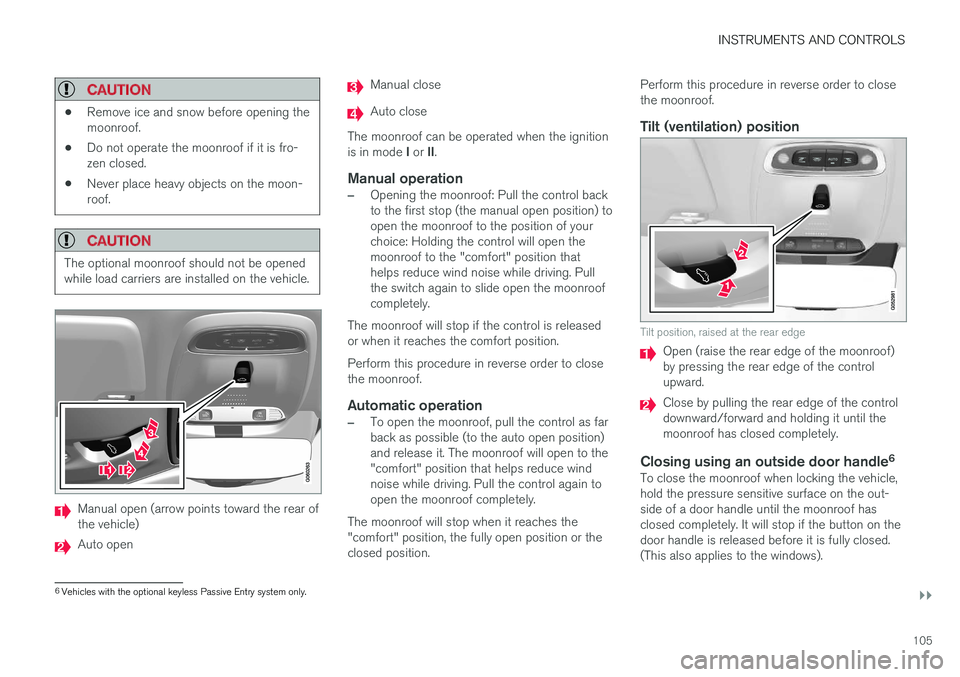
Manual open (arrow points toward the rear of the vehicle)
Auto open
Manual close
Auto close
The moonroof can be operated when the ignition is in mode I or II.
Manual operation
–Opening the moonroof: Pull the control back to the first stop (the manual open position) toopen the moonroof to the position of yourchoice: Holding the control will open themoonroof to the "comfort" position thathelps reduce wind noise while driving. Pullthe switch again to slide open the moonroofcompletely.
The moonroof will stop if the control is releasedor when it reaches the comfort position. Perform this procedure in reverse order to close the moonroof.
Automatic operation
–To open the moonroof, pull the control as far back as possible (to the auto open position)and release it. The moonroof will open to the"comfort" position that helps reduce windnoise while driving. Pull the control again toopen the moonroof completely.
The moonroof will stop when it reaches the"comfort" position, the fully open position or theclosed position. Perform this procedure in reverse order to closethe moonroof.
Tilt (ventilation) position
Tilt position, raised at the rear edge
Open (raise the rear edge of the moonroof) by pressing the rear edge of the controlupward.
Close by pulling the rear edge of the control downward/forward and holding it until themoonroof has closed completely.
Closing using an outside door handle
6To close the moonroof when locking the vehicle,hold the pressure sensitive surface on the out-side of a door handle until the moonroof hasclosed completely. It will stop if the button on thedoor handle is released before it is fully closed.(This also applies to the windows).
6
Vehicles with the optional keyless Passive Entry system only.
Page 125 of 548
INSTRUMENTS AND CONTROLS
123
Navigation system voice commands
Many of the navigation system's functions can be activated using voice commands.
The procedure for using voice control is descri- bed in greater detail in the articles "Voice con-trol," "Using voice control" and "Voice controlsettings."
Voice commandsThe following list contains examples of com-mands that are unique to navigation system. To use the voice control system, press the
on the right-side steering wheel keypad and say one of the following commands after the tone:
• "
Navigation": Starts a navigation voice com-
mand dialog and displays available com- mands.
• "
Take me home": Guidance will be given to
the location set as Home.
• "
Go to [City]": Enter a city as a destination,
e.g., "Go to New York."
• "
Go to [Address]": Enter an address as a
destination, e.g., Go to 125 43 St., New York."
• "
Go to Intersection": Starts a dialog where
two street names are entered. The destina- tion will then be the intersection of the twostreets. •
"
Go to [Zip code]": Enter a zip code as a
destination, e.g., "Go to 07405."
• "
Go to [Name]": Enter a name from a list of
contacts e.g., "Go to John Smith."
• "
Search [POI category] in [City]": The list
of results will be sorted around the center of the selected city/town, e.g., Search restau-rants in Butler.
•
Search [POI category]": For example,
Search Yankee Stadium.
• "
Change country/Change state":
Changes the country/state in which a search is conducted.
• "
Show favorites": Shows a list of Favoritesin the center display's Top view.
• "
Clear itinerary": Deletes all intermediate
destinations in an itinerary.
• "
Repeat voice guidance": Repeats the
most recent guidance instruction.
• "
Pause guidance": Pauses guidance on
the map.
• "
Resume guidance": Resumes guidance
on the map.
• "
Turn off voice guidance": Turns voice
navigation guidance off.
• "
Turn on voice guidance": Turns voice
navigation guidance on.
Related information
• Voice control (p. 119)
• Using voice commands (p. 119)
• Voice control settings (p. 124)
Page 138 of 548
||
INSTRUMENTS AND CONTROLS
136
SymbolMeaning
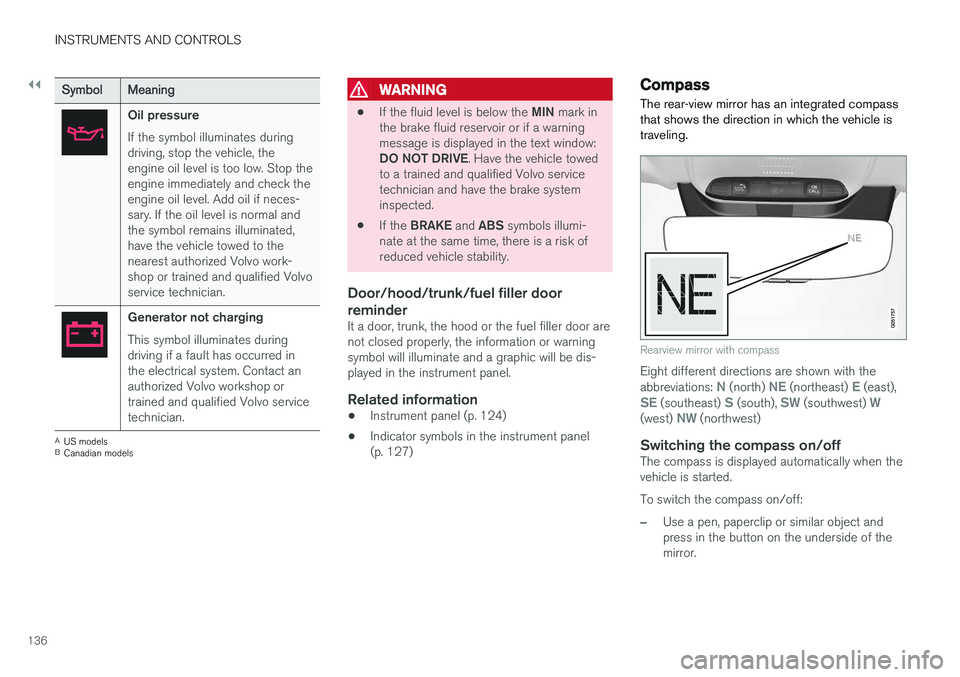
Oil pressure If the symbol illuminates during driving, stop the vehicle, theengine oil level is too low. Stop theengine immediately and check theengine oil level. Add oil if neces-sary. If the oil level is normal andthe symbol remains illuminated,have the vehicle towed to thenearest authorized Volvo work-shop or trained and qualified Volvoservice technician.
Generator not charging This symbol illuminates during driving if a fault has occurred inthe electrical system. Contact anauthorized Volvo workshop ortrained and qualified Volvo servicetechnician.
A
US models
B Canadian models
WARNING
• If the fluid level is below the
MIN mark in
the brake fluid reservoir or if a warning message is displayed in the text window: DO NOT DRIVE . Have the vehicle towed
to a trained and qualified Volvo service technician and have the brake systeminspected.
• If the
BRAKE and ABS symbols illumi-
nate at the same time, there is a risk ofreduced vehicle stability.
Door/hood/trunk/fuel filler door reminder
It a door, trunk, the hood or the fuel filler door are not closed properly, the information or warningsymbol will illuminate and a graphic will be dis-played in the instrument panel.
Related information
• Instrument panel (p. 124)
• Indicator symbols in the instrument panel(p. 127)
Compass
The rear-view mirror has an integrated compass that shows the direction in which the vehicle istraveling.
Rearview mirror with compass
Eight different directions are shown with the abbreviations: N (north) NE (northeast) E (east),SE (southeast) S (south), SW (southwest) W(west) NW (northwest)
Switching the compass on/offThe compass is displayed automatically when the vehicle is started. To switch the compass on/off:
–Use a pen, paperclip or similar object and press in the button on the underside of themirror.
Page 144 of 548
INSTRUMENTS AND CONTROLS
142
High and low beam headlights
If the ignition is in mode II or when the engine is started, the low beams are activated automati- cally if the lighting ring is in position
. In
dark conditions, the low beams will also be on if the lighting ring is in the
position.
Lighting ring
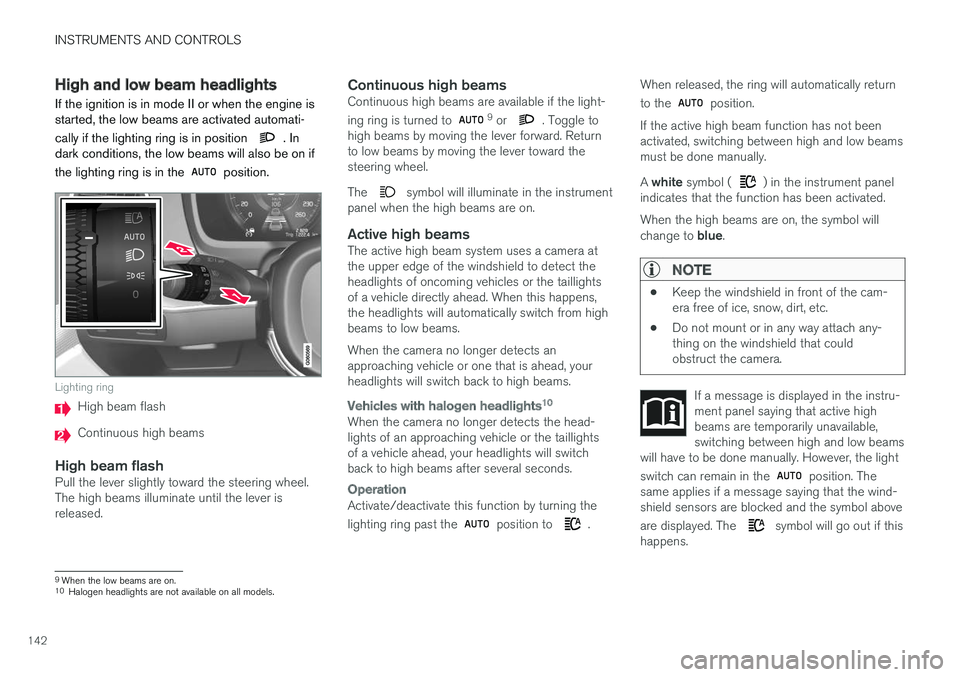
High beam flash
Continuous high beams
High beam flashPull the lever slightly toward the steering wheel. The high beams illuminate until the lever isreleased.
Continuous high beamsContinuous high beams are available if the light- ing ring is turned to 9 or . Toggle to
high beams by moving the lever forward. Return to low beams by moving the lever toward thesteering wheel. The
symbol will illuminate in the instrument
panel when the high beams are on.
Active high beamsThe active high beam system uses a camera at the upper edge of the windshield to detect theheadlights of oncoming vehicles or the taillightsof a vehicle directly ahead. When this happens,the headlights will automatically switch from highbeams to low beams. When the camera no longer detects an approaching vehicle or one that is ahead, yourheadlights will switch back to high beams.
Vehicles with halogen headlights 10
When the camera no longer detects the head- lights of an approaching vehicle or the taillightsof a vehicle ahead, your headlights will switchback to high beams after several seconds.
Operation
Activate/deactivate this function by turning the lighting ring past the
position to .When released, the ring will automatically return to the
position.
If the active high beam function has not been activated, switching between high and low beamsmust be done manually. A white symbol (
) in the instrument panel
indicates that the function has been activated. When the high beams are on, the symbol will change to blue.
NOTE
•Keep the windshield in front of the cam- era free of ice, snow, dirt, etc.
• Do not mount or in any way attach any-thing on the windshield that couldobstruct the camera.
If a message is displayed in the instru- ment panel saying that active highbeams are temporarily unavailable,switching between high and low beams
will have to be done manually. However, the light switch can remain in the
position. The
same applies if a message saying that the wind- shield sensors are blocked and the symbol above are displayed. The
symbol will go out if this
happens.
9 When the low beams are on.10
Halogen headlights are not available on all models.
Page 151 of 548
INSTRUMENTS AND CONTROLS
* Option/accessory.149
Brightness
1. In the center display's Top view, select
SettingsMy CarLightsInterior
Mood Lighting.
2. Press
Interior Mood Light Intensity and
choose Off, Low or High.
Change the color of the light
1. In the center display's Top view, select
SettingsMy CarLightsInterior
Mood Lighting.
2. Choose
By Temperature, By Theme orTheme Colors.
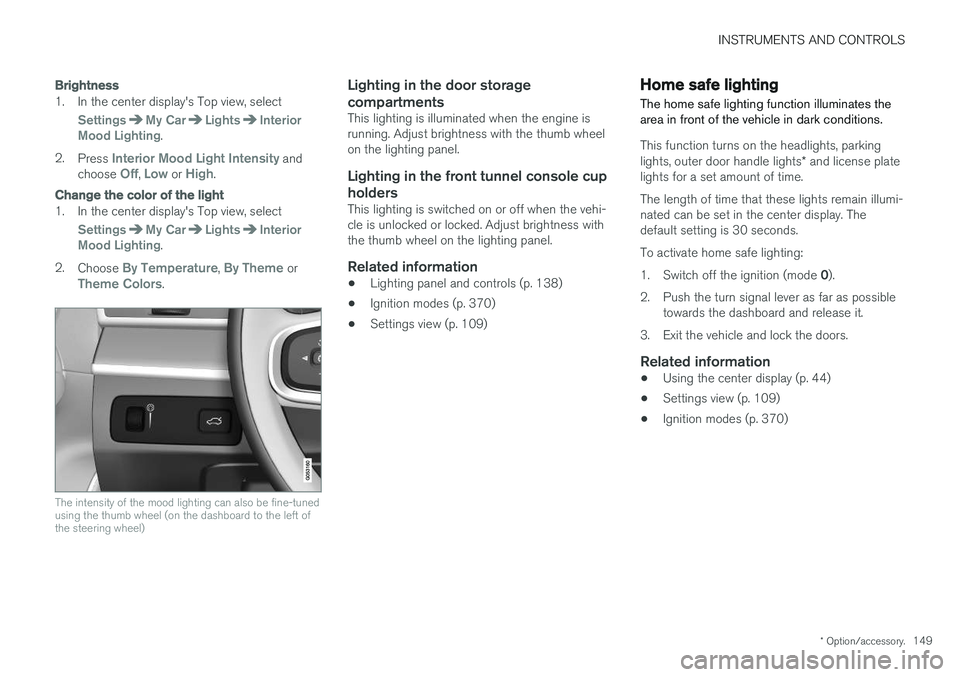
The intensity of the mood lighting can also be fine-tuned using the thumb wheel (on the dashboard to the left ofthe steering wheel)
Lighting in the door storage compartments
This lighting is illuminated when the engine is running. Adjust brightness with the thumb wheelon the lighting panel.
Lighting in the front tunnel console cup
holders
This lighting is switched on or off when the vehi-cle is unlocked or locked. Adjust brightness withthe thumb wheel on the lighting panel.
Related information
• Lighting panel and controls (p. 138)
• Ignition modes (p. 370)
• Settings view (p. 109)
Home safe lighting
The home safe lighting function illuminates the area in front of the vehicle in dark conditions.
This function turns on the headlights, parking lights, outer door handle lights * and license plate
lights for a set amount of time. The length of time that these lights remain illumi- nated can be set in the center display. Thedefault setting is 30 seconds. To activate home safe lighting:1. Switch off the ignition (mode 0).
2. Push the turn signal lever as far as possible towards the dashboard and release it.
3. Exit the vehicle and lock the doors.
Related information
• Using the center display (p. 44)
• Settings view (p. 109)
• Ignition modes (p. 370)
Page 152 of 548
INSTRUMENTS AND CONTROLS
* Option/accessory.
150
Approach lighting
Approach lighting (the parking lights, outer door handle lights *, license plate lighting, courtesy
lighting and footwell lighting) can be activated to provide light as you walk toward the vehicle.
To use this feature, deselect/select Welcome
Light in the center display's menu system.
If this function has been selected in the menu, it
is activated by pressing the unlock button on the remote key as you approach the vehicle .
If a door is opened while the function is activated, the lighting in the outer door handle * and cour-
tesy lighting will remain illuminated for a some- what longer period of time.
Related information
• Settings view (p. 109)
• Home safe lighting (p. 149)
• Remote key (p. 217)
Messages in the instrument panel and center display Information and warning messages are dis- played in the instrument panel and center dis-play.
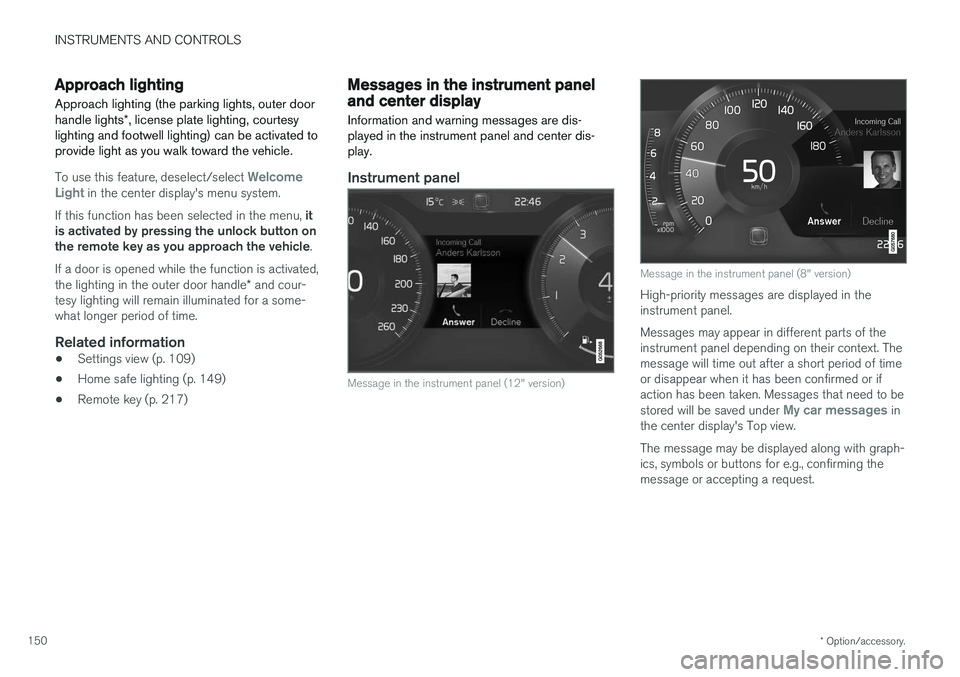
Instrument panel
Message in the instrument panel (12" version)
Message in the instrument panel (8" version)
High-priority messages are displayed in the instrument panel. Messages may appear in different parts of the instrument panel depending on their context. Themessage will time out after a short period of timeor disappear when it has been confirmed or ifaction has been taken. Messages that need to be stored will be saved under
My car messages in
the center display's Top view. The message may be displayed along with graph- ics, symbols or buttons for e.g., confirming themessage or accepting a request.
Page 160 of 548
||
INSTRUMENTS AND CONTROLS
158Activate the rain sensor by pressing the
button. The wipers will make one sweep. If the lever is pressed down, the wipers will make additional sweeps across the windshield. Move the thumb wheel upward for increased sen- sitivity or downward for decreased sensitivity. Thewipers will make one extra sweep if the thumbwheel is moved upward.
Deactivating the rain sensor
Deactivate the rain sensor by pressing the button or by moving the lever upward to another wiper position. The rain sensor is automatically deactivated in ignition mode
0.
The rain sensor is also automatically deactivated when the wipers blades are put in the serviceposition and will reactivate when the wipers havebeen returned to the normal operating position.
CAUTION
Deactivate the rain sensor when washing the vehicle in an automatic car wash if the engine is running or if the ignition is left in mode I or
II . The symbol in the instrument panel will go
out. If the rain sensor is not deactivated, the wipers may start inadvertently in the car washand could be damaged.
Activating/deactivating the memory function
The rain sensor's memory function can be set to activate the rain sensor each time the engine isstarted: 1. In the center display, select
SettingsMy
Car
Wipers
2. Activate by selecting the Rain Sensor
Memory box.
Deactivate by deselecting the
Rain Sensor
Memory box.
Related information
• Using the windshield wipers (p. 157)
• Windshield wipers in the service position (p. 507)
Windshield and headlight washers
Use the windshield/headlight washers to help improve visibility.
Starting the windshield and headlight washers
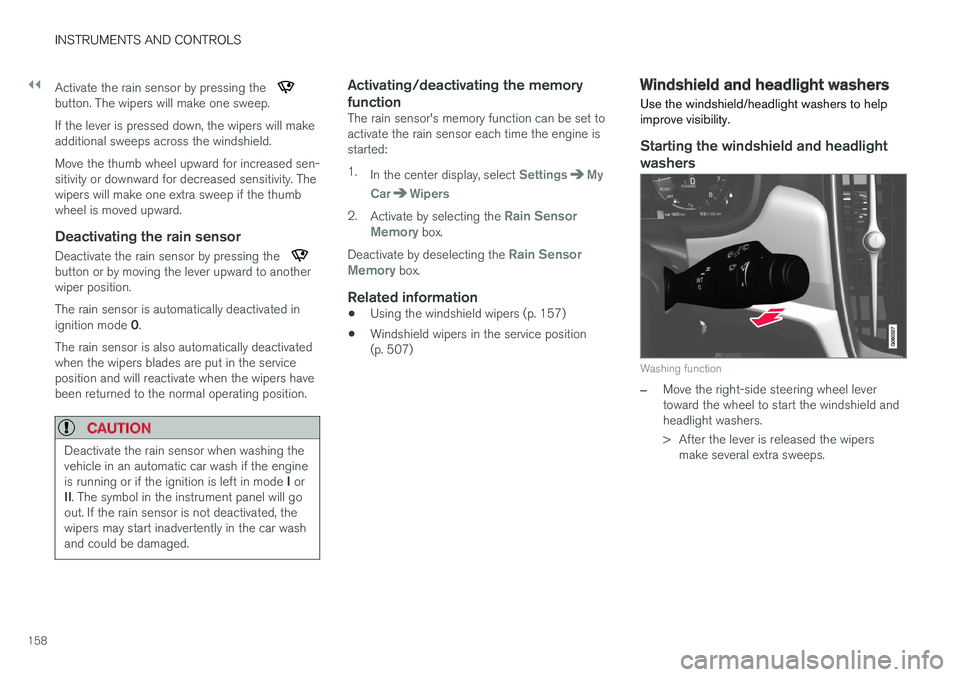
Washing function
–Move the right-side steering wheel lever toward the wheel to start the windshield andheadlight washers.
> After the lever is released the wipers make several extra sweeps.
Page 199 of 548
CLIMATE
}}
* Option/accessory.197
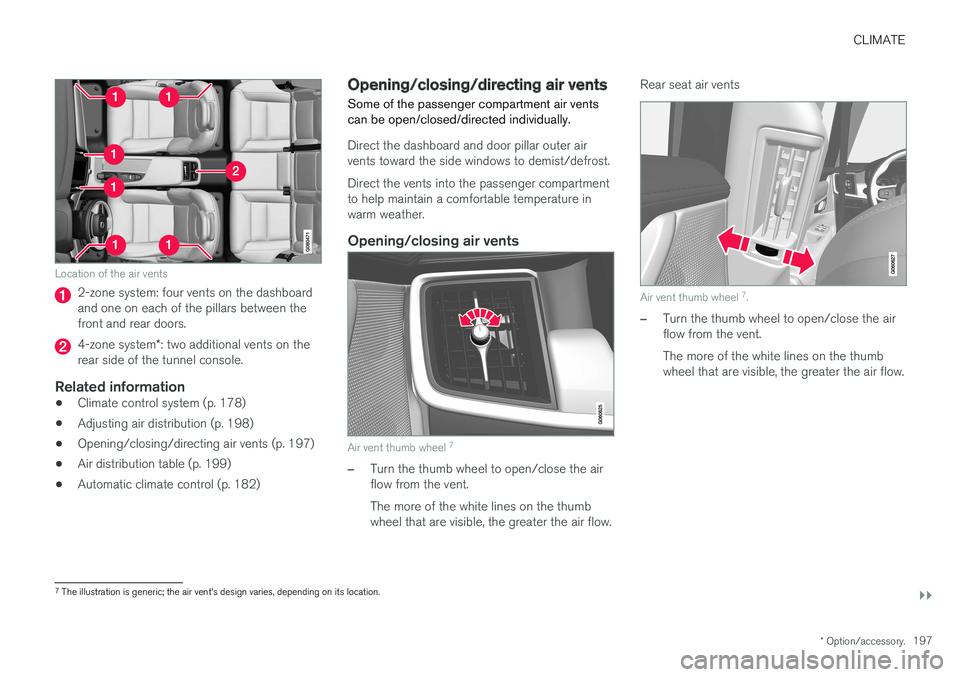
Location of the air vents
2-zone system: four vents on the dashboard and one on each of the pillars between thefront and rear doors.
4-zone system*: two additional vents on the
rear side of the tunnel console.
Related information
• Climate control system (p. 178)
• Adjusting air distribution (p. 198)
• Opening/closing/directing air vents (p. 197)
• Air distribution table (p. 199)
• Automatic climate control (p. 182)
Opening/closing/directing air vents
Some of the passenger compartment air vents can be open/closed/directed individually.
Direct the dashboard and door pillar outer air vents toward the side windows to demist/defrost. Direct the vents into the passenger compartment to help maintain a comfortable temperature inwarm weather.
Opening/closing air vents
Air vent thumb wheel 7
–Turn the thumb wheel to open/close the air flow from the vent. The more of the white lines on the thumb wheel that are visible, the greater the air flow. Rear seat air vents
Air vent thumb wheel
7
.
–Turn the thumb wheel to open/close the air flow from the vent. The more of the white lines on the thumb wheel that are visible, the greater the air flow.
7 The illustration is generic; the air vent's design varies, depending on its location.
Page 202 of 548
||
CLIMATE
200
Air distributionUse
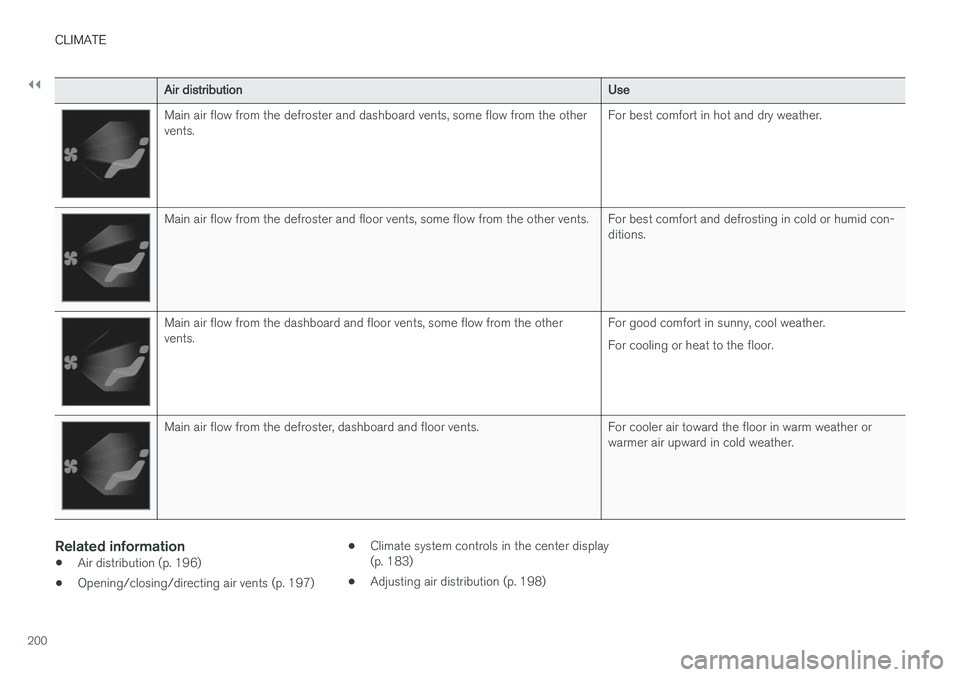
Main air flow from the defroster and dashboard vents, some flow from the other vents.For best comfort in hot and dry weather.
Main air flow from the defroster and floor vents, some flow from the other vents. For best comfort and defrosting in cold or humid con-
ditions.
Main air flow from the dashboard and floor vents, some flow from the other vents.For good comfort in sunny, cool weather. For cooling or heat to the floor.
Main air flow from the defroster, dashboard and floor vents. For cooler air toward the floor in warm weather or
warmer air upward in cold weather.
Related information
•Air distribution (p. 196)
• Opening/closing/directing air vents (p. 197) •
Climate system controls in the center display (p. 183)
• Adjusting air distribution (p. 198)
Page 208 of 548
||
LOADING AND STORAGE
* Option/accessory.
206
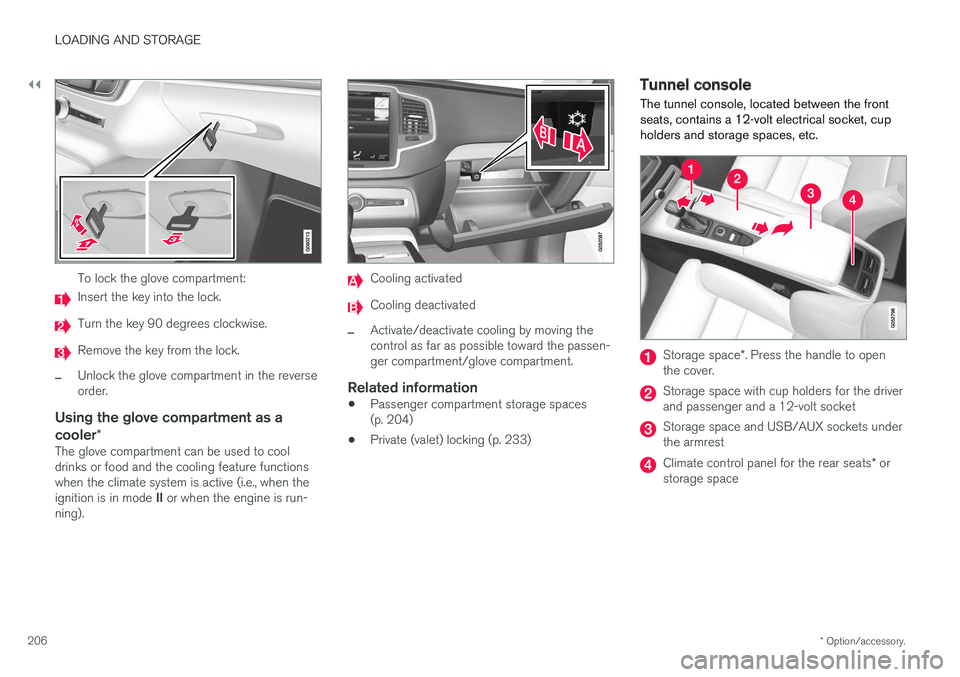
To lock the glove compartment:
Insert the key into the lock.
Turn the key 90 degrees clockwise.
Remove the key from the lock.
–Unlock the glove compartment in the reverse order.
Using the glove compartment as a cooler *
The glove compartment can be used to cool drinks or food and the cooling feature functionswhen the climate system is active (i.e., when the ignition is in mode II or when the engine is run-
ning).
Cooling activated
Cooling deactivated
–Activate/deactivate cooling by moving the control as far as possible toward the passen-ger compartment/glove compartment.
Related information
• Passenger compartment storage spaces(p. 204)
• Private (valet) locking (p. 233)
Tunnel console The tunnel console, located between the front seats, contains a 12-volt electrical socket, cupholders and storage spaces, etc.
Storage space
*. Press the handle to open
the cover.
Storage space with cup holders for the driver and passenger and a 12-volt socket
Storage space and USB/AUX sockets under the armrest
Climate control panel for the rear seats * or
storage space