check engine VOLVO S90 2017 Owner´s Manual
[x] Cancel search | Manufacturer: VOLVO, Model Year: 2017, Model line: S90, Model: VOLVO S90 2017Pages: 548, PDF Size: 11.42 MB
Page 370 of 548
||
STARTING AND DRIVING
* Option/accessory.
368
Trailer lamp check *
Automatic check
When the trailer has been connected to the vehi- cle's electrical system, its lamps can be checkedby automatically activating them. This helps thedriver to ensure that the trailer's lamps are func-tioning correctly before starting to drive. In order to perform this check, the engine must not be running.
1. When a trailer is connected to a trailer hitch
or towbar,
Automatic Trailer Lamp Checkwill appear in the instrument panel.
2. Confirm this message by pressing the O but-
ton on the right-side steering wheel keypad.
> The lamp check will begin.
3. Leave the vehicle to perform the trailer lamp check.
> All of the trailer's lamps will begin to flashand then each lamp will illuminate one at a time.
4. Visually check that all of the trailer's lamps are functioning correctly.
5. After a short time, all of the trailer's lamps will begin to flash again.
> The lamp check is completed.
Disabling the automatic check
The automatic lamp check function can be disa- bled in the center display. 1.
Tap
Settings in Top view.
2. Tap
My CarLights.
3. Deselect
Automatic Trailer Lamp Check.
Manual check
If the automatic lamp check has been disabled, the function can be started manually. 1.Tap
Settings in Top view.
2. Tap
My CarLights.
3. Select
Manual Trailer Lamp Check.
> The lamp check will begin. Leave the vehi- cle to perform the trailer lamp check as described in the section "Automaticcheck" above.
Self-leveling suspension *The self-leveling system attempts to keep thevehicle at a constant level, regardless of the load(up to the max. permissible load). When theengine is not running, the rear of the vehiclesinks down slightly, which is normal.
Related information
•Detachable trailer hitch
* (p. 368)
• Trailer Stability Assist (TSA) (p. 369)
• Weights (p. 525)
Detachable trailer hitch
*
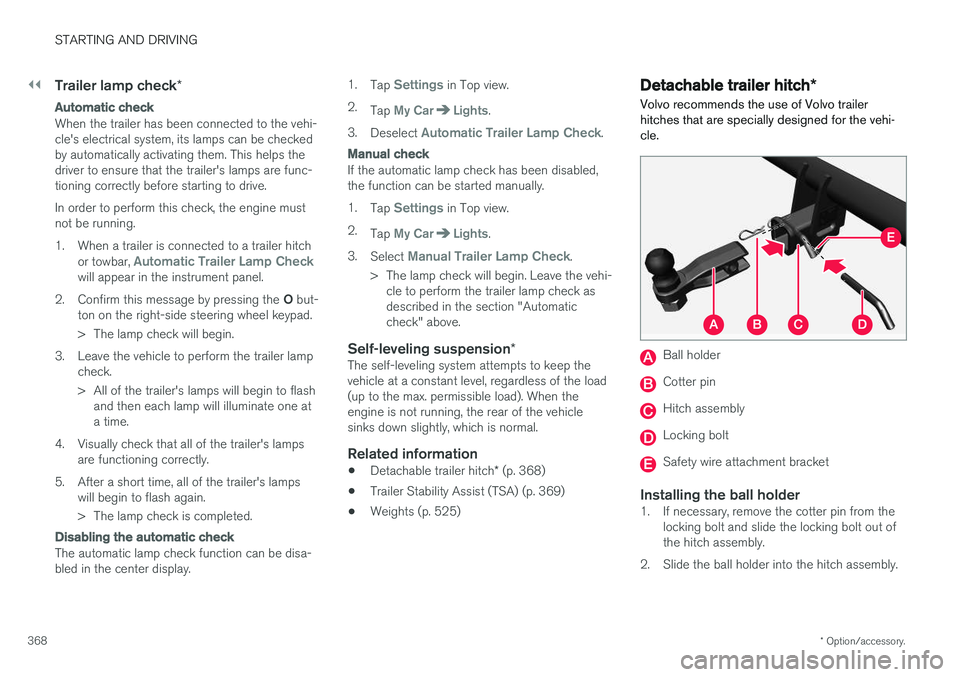
Volvo recommends the use of Volvo trailer hitches that are specially designed for the vehi-cle.
Ball holder
Cotter pin
Hitch assembly
Locking bolt
Safety wire attachment bracket
Installing the ball holder1. If necessary, remove the cotter pin from the locking bolt and slide the locking bolt out of the hitch assembly.
2. Slide the ball holder into the hitch assembly.
Page 374 of 548

STARTING AND DRIVING
372
Battery drain Your vehicle's electrical functions drain the bat- tery to varying extents.
Avoid using ignition mode II as much as posssi-
ble, or electrical functions that require a great deal of electrical current when the engine is notrunning. Using ignition mode I whenever possible con-
sumes less electrical current. Functions that require a great deal of electrical current include:
• the climate system blower
• headlights
• wipers
• infotainment system (especially at high vol-ume).
If the battery's charge level is low, a text messagewill appear in the instrument panel. The vehicle'senergy-saving function will then turn off orreduce certain functions that are currently con-suming electrical current. If the battery needs to be recharged, start the engine and let it idle for at least 15 minutes ordrive the vehicle (driving charges the batteryfaster than letting the engine idle).
Related information
• Ignition modes (p. 370)
Starting the engine
The engine can be started using the start knob on the tunnel console if there is a remote key inthe passenger compartment.
Start knob in the tunnel console between the front seats (generic illustration)
WARNING
Before starting the engine:
• Fasten the seat belt.
• Check that the seat, steering wheel and mirrors are adjusted properly.
• Make sure the brake pedal can bedepressed completely. Adjust the seat ifnecessary. To start the engine.
1. A remote key must be in the passenger com-
partment. On models with the standard Passive Start, the key has to be in the frontsection of the passenger compartment. If thevehicle is equipped the optional PassiveEntry system (keyless locking/unlocking) thekey can be anywhere in the vehicle.
2. Press firmly on the brake pedal 2
.
3. Turn the start knob toward START and
release it to start the engine.
> The starter motor will crank until the engine starts or its overheating protection is triggered.
2If the vehicle is moving, it is only necessary to turn the start knob toward START to start the engine.
Page 375 of 548
STARTING AND DRIVING
}}
373
WARNING
•Never use more than one floor mat at a time on the driver's floor. Before driving,remove the original mat from the driver'sseat floor before using any other type offloor mat. Any mat used in this positionshould be securely and properly anchoredin the attaching pins. An extra mat on thedriver's floor can cause the acceleratorand/or brake pedal to catch. Check thatthe movement of these pedals is notimpeded.
• Volvo's floor mats are specially manufac-tured for your car. They must be firmlysecured in the clips on the floor so thatthey cannot slide and become trappedunder the pedals on the driver's side.
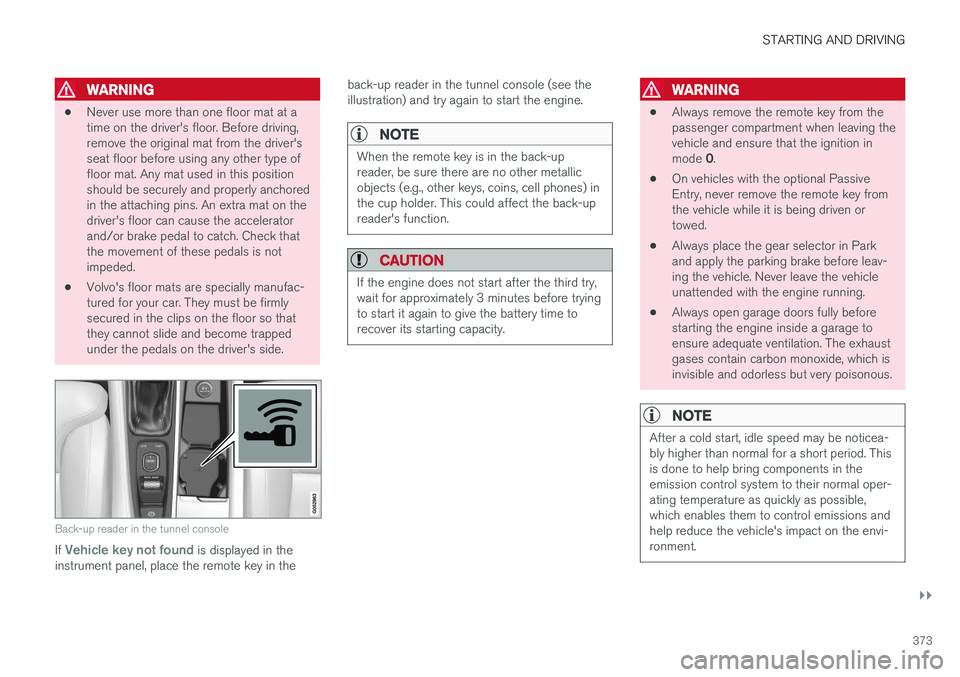
Back-up reader in the tunnel console
If Vehicle key not found is displayed in the
instrument panel, place the remote key in the back-up reader in the tunnel console (see the illustration) and try again to start the engine.
NOTE
When the remote key is in the back-up reader, be sure there are no other metallicobjects (e.g., other keys, coins, cell phones) inthe cup holder. This could affect the back-upreader's function.
CAUTION
If the engine does not start after the third try, wait for approximately 3 minutes before tryingto start it again to give the battery time torecover its starting capacity.
WARNING
•
Always remove the remote key from the passenger compartment when leaving thevehicle and ensure that the ignition in mode
0.
• On vehicles with the optional Passive Entry, never remove the remote key fromthe vehicle while it is being driven ortowed.
• Always place the gear selector in Parkand apply the parking brake before leav-ing the vehicle. Never leave the vehicleunattended with the engine running.
• Always open garage doors fully beforestarting the engine inside a garage toensure adequate ventilation. The exhaustgases contain carbon monoxide, which isinvisible and odorless but very poisonous.
NOTE
After a cold start, idle speed may be noticea- bly higher than normal for a short period. Thisis done to help bring components in theemission control system to their normal oper-ating temperature as quickly as possible,which enables them to control emissions andhelp reduce the vehicle's impact on the envi-ronment.
Page 460 of 548
||
WHEELS AND TIRES
4584. In some cases, it may be necessary to drive
the vehicle for several minutes at a speed of at least 20 mph (30 km/h) to erase theTPMS telltale warning and the text message.Please be aware that the TPMS telltalewarning will not go out until the low tire pres-sure has been corrected and calibration hasbeen carried out.
NOTE
To help avoid incorrect tire inflation pressure, if possible only inflate the tires when they arecold. The tires are considered to be coldwhen they have the same temperature as thesurrounding (ambient) air. This temperature isnormally reached after the vehicle has beenparked for at least 3 hours. After driving a dis-tance of approximately 1 mile (1.6 km), thetires are considered to be warm.
CAUTION
When inflating tires, press the pump's mouth- piece straight onto the valve to help avoidbending or otherwise damaging the valve.
CAUTION
• After inflating the tires, always reinstall the valve cap to help avoid damage to thevalve from dirt, gravel, etc.
• Use plastic valve caps only. Metal capscould corrode and become difficult toremove.
WARNING
•Incorrect inflation pressure could lead to tire failure, resulting in a loss of control ofthe vehicle.
• Tire monitoring systems cannot indicatesudden tire damage caused by externalfactors (e.g., a blowout) in advance.
Related information
•Tire Pressure Monitoring System (TPMS)(p. 455)
• Checking tire inflation pressure (p. 456)
• Calibrating the Tire Pressure MonitoringSystem (TPMS) (p. 458)
Calibrating the Tire Pressure Monitoring System (TPMS)
In order for the Tire Pressure Monitoring System to work properly, tire pressure reference valuesmust be set correctly. This must be done eachtime wheels are changed or tire pressures aremodified.
Calibrating TPMSTo calibrate the system:
1. Switch off the engine.
2. Re-inflate the tire(s) to the correct pressure. Consult the tire pressure decal located on the driver's side B-pillar (the structural mem-ber at the side of the vehicle, at the rear ofthe driver's door opening) or the inflationpressure table in your printed owner's man-ual supplement.
3. Start the engine. 4. Open the
Car status app in the center dis-
play's App view.
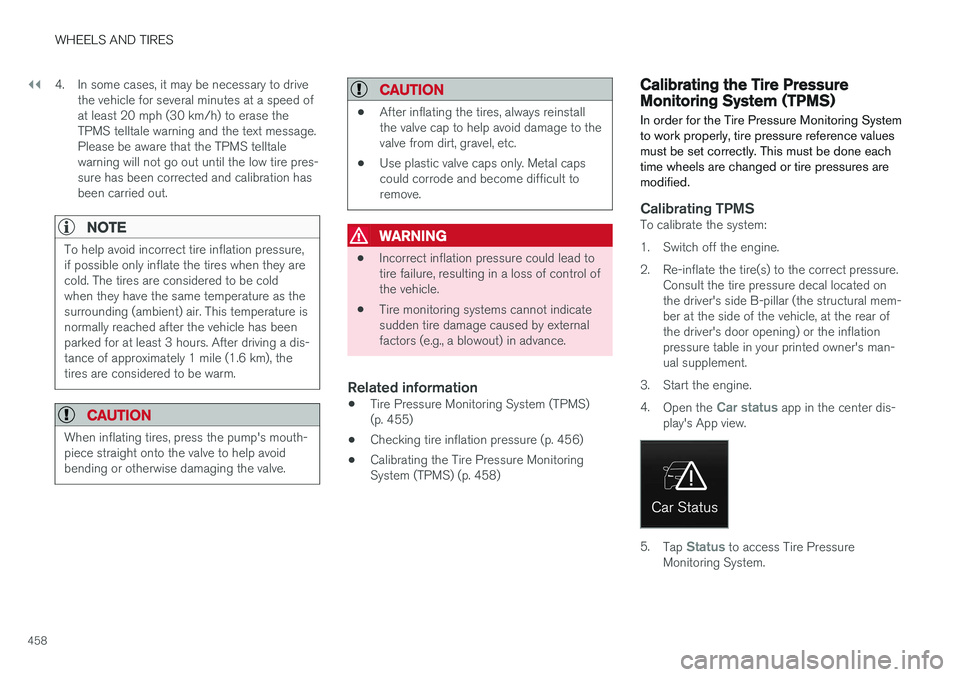
5. Tap Status to access Tire Pressure
Monitoring System.
Page 461 of 548
WHEELS AND TIRES
}}
459
6. Tap the calibration button. 7.
Tap
OK after the tire pressure in all four tires
has been checked and adjusted.
8. Drive the vehicle. > The calibration process will be completedwhile driving and will be interrupted if the vehicle is parked and the engine isswitched off. Calibration continues auto-matically when driving resumes.
When enough data has been collected to detecta low tire pressure situation, the tires' color in thecenter display will change to green. The systemwill not give any text confirmation when calibra-tion is finished although it will state if calibrationfails. When driving with heavy loads or at sus-tained highway speeds, the tire pressure shouldbe adjusted to the recommended inflation pres-sures. After adjusting inflation pressure, repeat steps 1-8.
NOTE
Always remember to calibrate the Tire Pres- sure Monitoring System when the wheelshave been changed or the tire inflation pres-sure has been corrected according to the tirepressure decal or tire inflation pressure table. If correct reference values have not been set, the system cannot issue low tire pressurealerts correctly. The vehicle must be parked with the engine running to access the calibration button andto start the calibration process.
WARNING
The exhaust gases contain carbon monoxide, which is invisible and odorless but very poi-sonous. For this reason, always perform thecalibration procedure outdoors or in a work-shop with exhaust gas evacuation equipment.
Related information
• Tire Pressure Monitoring System (TPMS) (p. 455)
Tire sealing system 6
Certain models are equipped with a tire sealing system that enables you to temporarily seal ahole in the tread surface and re-inflate a flat tire,or to adjust a tire
Page 470 of 548
MAINTENANCE AND SERVICING
468
Volvo's service program
Periodic maintenance and service performed at the intervals specified in your Warranty andService Records Information booklet will helpkeep your vehicle running well.
IntroductionThe maintenance services contain several checks that require special instruments and tools andtherefore must be performed by a qualified tech-nician. To keep your Volvo in top condition, spec-ify time-tested and proven Genuine Volvo Partsand Accessories.
The Federal Clean Air Act – U.S.
The Federal Clean Air Act requires vehicle manu- facturers to furnish written instructions to the ulti-mate purchaser to assure the proper servicingand function of the components that controlemissions. These services, which are listed in the"Warranty and Service Records Information"booklet, are not covered by the warranty. You willbe required to pay for labor and material used.
Maintenance
Your Volvo passed several major inspections before it was delivered to you, in accordance withVolvo specifications. The maintenance proce-dures outlined in the Warranty and ServiceRecords Information booklet, many of which willpositively affect your vehicle's emissions, shouldbe performed as indicated. It is recommendedthat receipts for vehicle emission maintenance beretained in case questions arise concerning maintenance. Inspection and maintenance shouldalso be performed anytime a malfunction isobserved or suspected.
Applicable warranties – U.S./Canada
In accordance with applicable U.S. and Canadian regulations, the following list of warranties is pro-vided.
• New Vehicle Limited Warranty
• Parts and Accessories Limited Warranty
• Corrosion Protection Limited Warranty
• Seat Belt and Supplemental Restraint Sys-tems Limited Warranty
• Emission Design and Defect Warranty
• Emission Performance Warranty
These are the federal warranties; other warran-ties are provided as required by state/provinciallaw. Refer to your separate Warranty and ServiceRecords Information booklet for detailed informa-tion concerning each of the warranties.
Periodic maintenance helps minimize emissions
NOTE
• Refer to your Warranty and Service Records Information booklet for a com-prehensive service and maintenanceschedule up to 150,000 miles (240,000km). This program contains inspectionsand services necessary for the properfunction of your vehicle and includescomponents that affect vehicle emis-sions.
• The Warranty and Service Records Infor-mation booklet also contains detailedinformation concerning the warrantiesthat apply to your vehicle.
On-board Diagnostic SystemOBD II is part of your vehicle's computerized engine management system. It stores diagnosticinformation about your vehicle's emission con-trols. It can light the Check Engine light (MIL) if itdetects an emission control "fault." A "fault" is acomponent or system that is not performingwithin an expected range. A fault may be perma-nent or temporary. OBD II will store a messageabout any fault.
Page 471 of 548
MAINTENANCE AND SERVICING
}}
469
Emission inspection readiness
How do states use OBD II for emission
inspections?
Many states connect a computer directly to a vehicle's OBD II system. The inspector can thenread "faults." In some states, this type of inspec-tion has replaced the tailpipe emission test.
How can my vehicle fail OBD II emission
inspection?
Your vehicle can fail OBD II emission inspection for any of the following reasons.
• If your Check Engine (MIL) light is lit, yourvehicle may fail inspection.
• If your vehicle's Check Engine light was lit,but went out without any action on your part,OBD II will still have a recorded fault. Yourvehicle may pass or fail, depending on theinspection practices in your area.
• If you had recent service that required dis-connecting the battery, OBD II diagnosticinformation may be incomplete and "notready" for inspection. A vehicle that is notready may fail inspection.
How can I prepare for my next
OBD II
emission inspection?
• If your Check Engine (MIL) light is lit – or was lit but went out without service, have your vehicle diagnosed and, if necessary, servicedby a qualified Volvo technician.
• If you recently had service for a lit CheckEngine light, or if you had service thatrequired disconnecting the battery, a periodof driving is necessary to bring the OBD IIsystem to "ready" for inspection. Two half-hour trips of mixed stop-and-go/highwaydriving are typically needed to allow OBD II toreach readiness. Your Volvo retailer can pro-vide you with more information on planning atrip.
• Maintain your vehicle in accordance with yourvehicle's maintenance schedule.
Owner maintenancePeriodic maintenance requirements and intervalsare described in your vehicle's Warranty andService Records Information booklet. The following points can be carried out between the normally scheduled maintenance services.
Each time the car is refueled:
•Check the engine oil level.
• Clean the windshield, windshield wipers, headlights, and taillights.
Monthly:
• Check cold tire pressure in all tires. Inspect the tires for wear.
• Check that engine coolant and other fluidlevels are between the indicated "min" and"max" markings.
• Clean interior glass surfaces with a glasscleaner and soft paper towels.
• Wipe driver information displays with a softcloth.
• Visually inspect battery terminals for corro-sion. Corrosion may indicate a loose terminalconnector, or a battery near the end of itsuseful service life. Consult your Volvo retailerfor additional information.
As needed:
Wash the car, including the undercarriage, to reduce wear that can be caused by a buildup ofdirt, and corrosion that can be caused by salt res-idues. Clean leaves and twigs from air intake vents at the base of the windshield, and from other placeswhere they may collect.
NOTE
Complete service information for qualified technicians is available online for purchase orsubscription at www.volvotechinfo.com.
Page 473 of 548
MAINTENANCE AND SERVICING
471
Keep in mind that a download can be cancelled but an installation that has already begun cannotbe interrupted.
Allowing background searches or
software updates
This function can be deactivated from the centerdisplay:
1. Go to the Settings in the center display's Top view and select
Download Center.
2. Tap
SystemDownload Center.
3. Tap to deselect
Auto Software Update.
If an update is available,
New software updates
available will appear in the center display's sta-
tus bar. Tap the message to start a download app in Home view's lower sub-view. As soon as the download app has started, an icon in the
System
updates button will indicate the number of
downloads available.
Related information
• Center display overview (p. 28)
• Navigating in the center display's views (p. 38)
Remote updates With the vehicle connected to the Internet, updates for a number of the vehicle's systemscan be downloaded from the center display.
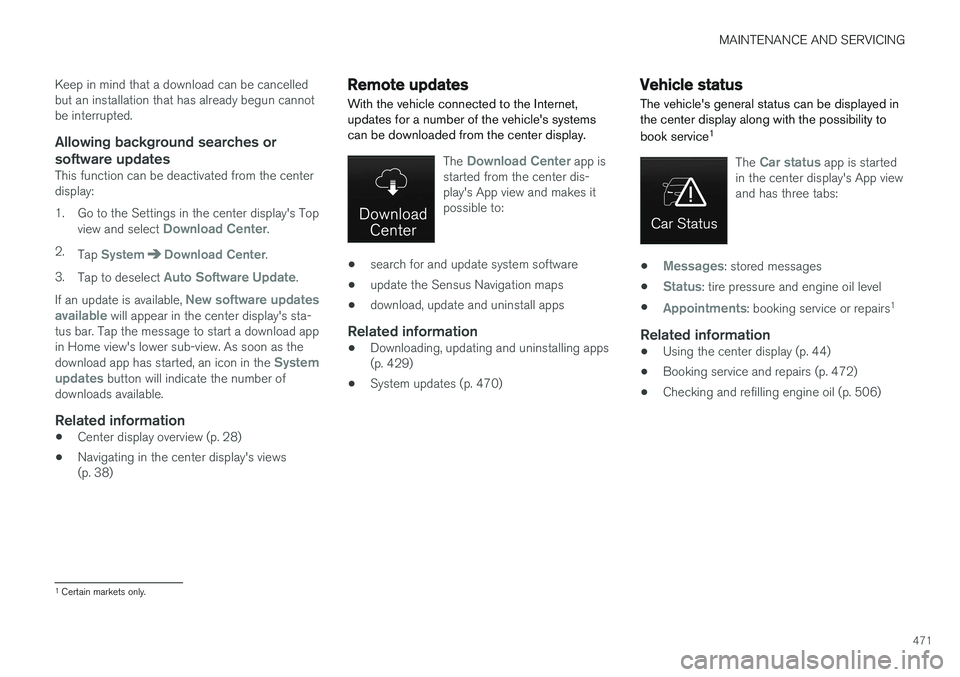
The Download Center app is
started from the center dis- play's App view and makes itpossible to:
• search for and update system software
• update the Sensus Navigation maps
• download, update and uninstall apps
Related information
•Downloading, updating and uninstalling apps (p. 429)
• System updates (p. 470)
Vehicle status
The vehicle's general status can be displayed in the center display along with the possibility to book service 1
The Car status app is started
in the center display's App view and has three tabs:
•Messages: stored messages
•
Status: tire pressure and engine oil level
•
Appointments: booking service or repairs 1
Related information
•
Using the center display (p. 44)
• Booking service and repairs (p. 472)
• Checking and refilling engine oil (p. 506)
1
Certain markets only.
Page 507 of 548
MAINTENANCE AND SERVICING
505
Related information
•Ignition modes (p. 370)
• Opening and closing the hood (p. 503)
• Refilling the windshield washer fluid reservoir (p. 510)
Engine oil
The correct oil must be used for the stated oil change (service) intervals for the warranty toapply.
Volvo recommends:
CAUTION
• Not checking the oil level regularly can result in serious engine damage if the oillevel becomes too low.
• Oil that is lower than the specified qualitycan damage the engine.
• Volvo does not recommend the use of oiladditives.
• Always add oil of the same type and vis-cosity as already used.
• Oil changes should be carried out by atrained and qualified Volvo service techni-cian.
• Using oil of higher than the specifiedquality is permitted and may be neces-sary for demanding driving.
Also, refer to the Warranty and Service Records information booklet for information on oil changeintervals and oil specifications.
Related information
•
Checking and refilling engine oil (p. 506)
• Engine oil specifications and volume(p. 531)
Page 508 of 548
MAINTENANCE AND SERVICING
506
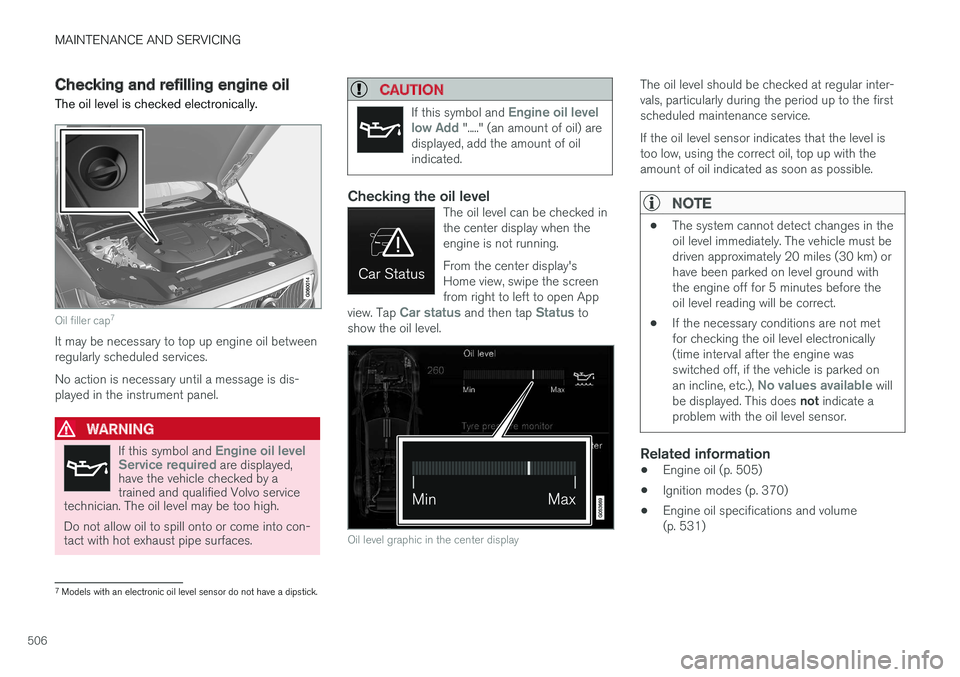
Checking and refilling engine oil The oil level is checked electronically.
Oil filler cap7
It may be necessary to top up engine oil between regularly scheduled services. No action is necessary until a message is dis- played in the instrument panel.
WARNING
If this symbol and Engine oil level
Service required are displayed,
have the vehicle checked by a trained and qualified Volvo service
technician. The oil level may be too high. Do not allow oil to spill onto or come into con- tact with hot exhaust pipe surfaces.
CAUTION
If this symbol and Engine oil level
low Add "....." (an amount of oil) are
displayed, add the amount of oil indicated.
Checking the oil levelThe oil level can be checked in the center display when theengine is not running. From the center display's Home view, swipe the screenfrom right to left to open App
view. Tap
Car status and then tap Status to
show the oil level.
Oil level graphic in the center display
The oil level should be checked at regular inter- vals, particularly during the period up to the firstscheduled maintenance service. If the oil level sensor indicates that the level is too low, using the correct oil, top up with theamount of oil indicated as soon as possible.
NOTE
• The system cannot detect changes in the oil level immediately. The vehicle must bedriven approximately 20 miles (30 km) orhave been parked on level ground withthe engine off for 5 minutes before theoil level reading will be correct.
• If the necessary conditions are not metfor checking the oil level electronically(time interval after the engine wasswitched off, if the vehicle is parked on an incline, etc.),
No values available will
be displayed. This does not indicate a
problem with the oil level sensor.
Related information
• Engine oil (p. 505)
• Ignition modes (p. 370)
• Engine oil specifications and volume (p. 531)
7
Models with an electronic oil level sensor do not have a dipstick.