lane assist VOLVO S90 2017 Owner´s Manual
[x] Cancel search | Manufacturer: VOLVO, Model Year: 2017, Model line: S90, Model: VOLVO S90 2017Pages: 548, PDF Size: 11.42 MB
Page 297 of 548
DRIVER SUPPORT
* Option/accessory.295
MaintenanceIn order for camera and radar sensor to function properly, the area of the windshield must be keptfree of dirt, ice, snow, etc. and should be washedregularly with a suitable car washing detergent.
NOTE
Dirt, ice and/or snow covering the camera and radar sensors reduce functionality andmay disable the vehicle's camera-/radar-based systems. This can also result in certain functions being reduced or disabled, or they may respondincorrectly.
Related information
•Driver support system camera (p. 292)
• Radar sensor limitations (p. 289)
• Driving lane assistance (p. 320)
• Driver Alert Control limitations (p. 320)
• Pilot Assist limitations (p. 285)
• City Safety limitations (p. 304)
• Road Sign Information (RSI)
* limitations
(p. 318)
• Park Assist Pilot (PAP)
* limitations (p. 342)
Page 304 of 548
DRIVER SUPPORT
302
City Safety when evasive action is not possible
City Safety can help the driver by automatically braking the vehicle sooner if it is not possible tosteer out of a potential collision situation.
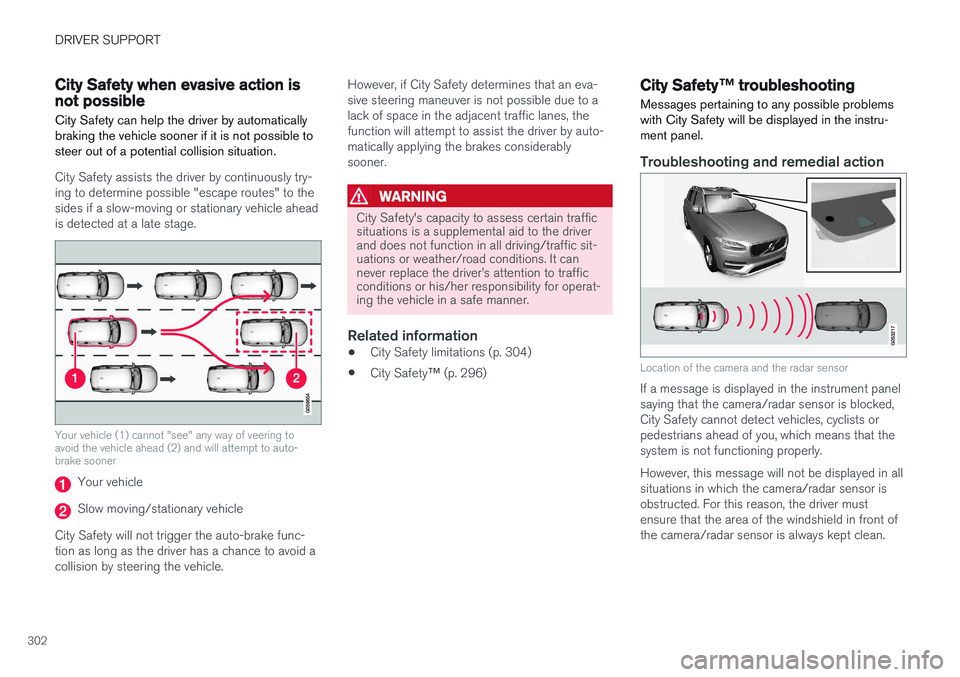
City Safety assists the driver by continuously try- ing to determine possible "escape routes" to thesides if a slow-moving or stationary vehicle aheadis detected at a late stage.
Your vehicle (1) cannot "see" any way of veering to avoid the vehicle ahead (2) and will attempt to auto-brake sooner
Your vehicle
Slow moving/stationary vehicle
City Safety will not trigger the auto-brake func- tion as long as the driver has a chance to avoid acollision by steering the vehicle. However, if City Safety determines that an eva-sive steering maneuver is not possible due to alack of space in the adjacent traffic lanes, thefunction will attempt to assist the driver by auto-matically applying the brakes considerablysooner.
WARNING
City Safety's capacity to assess certain traffic situations is a supplemental aid to the driverand does not function in all driving/traffic sit-uations or weather/road conditions. It cannever replace the driver
Page 305 of 548
DRIVER SUPPORT
}}
* Option/accessory.303
The following table shows some of the situations that can cause the message to be displayed andsuggested actions.
Cause
Action
The area of the wind- shield in front of thecamera/radar sensor isdirty or covered by ice orsnow. Clean the wind-shield or removethe ice/ snow.
Thick fog or heavy rain/snow blocks reduces thecamera/radar sensor'srange of visibility. No action. Thedriver should beextra alert in condi-tions of this type.
There is dirt betweenthe inside of the wind-shield and the camera/radar sensor. Have the area ofthe windshieldcleaned by atrained and quali-fied Volvo servicetechnician.
CAUTION
•
Service and maintenance on City Safety may only be carried out by a trained andqualified Volvo service technician.
• If a crack, scratch or stone chip shouldoccur in the section of the windshield infront the camera/radar sensor, contact atrained and qualified Volvo service techni-cian to repair or replace the windshield.Failing to do so may result in reducedCity Safety functionality.
• This can also result in certain functionsbeing reduced or disabled, or they mayrespond incorrectly.
To help avoid the risk of incorrect, reduced ordisabled functionality for driver support sys-tems using the camera or radar sensors:
• Volvo recommends that cracks, scratchesor stone chips on the windshield in front of the camera/radar sensor should
not
be repaired; in such cases, the entire windshield should be replaced.
• Before the windshield is replaced, con-tact a Volvo retailer to ensure that thecorrect windshield is ordered and instal-led. If the wrong type of windshield isused, this may cause City Safety to func-tion improperly or not at all.
• Volvo recommends the use of only Genu-ine Volvo Replacement Windshields.
• When replacing windshield wipers, use the same type or ones approved by Volvo.
After the windshield has been replaced, thecamera/radar sensor will have to be recalibra-ted by a trained and qualified Volvo servicetechnician to help ensure proper function ofall of the vehicle's camera-/radar-based sys-tems.
MaintenanceIn order for City Safety to function properly, the area of the windshield must be kept free of dirt,ice, snow, etc.
Other vehicle functionsIf a message is displayed in the instrument panel,this means that the other systems using the cam-era/radar sensor (see the list below) will not havefull functionality or may not function at all. The camera and radar sensor is used by the fol- lowing functions: • Distance Alert
*
• Driver Alert Control
*
• Adaptive Cruise Control
*
• Pilot Assist
*
• Run-off Mitigation
• Road Sign Information
*
• Active High Beams
*
• Lane Keeping Aid
*
Page 323 of 548
DRIVER SUPPORT
}}
321
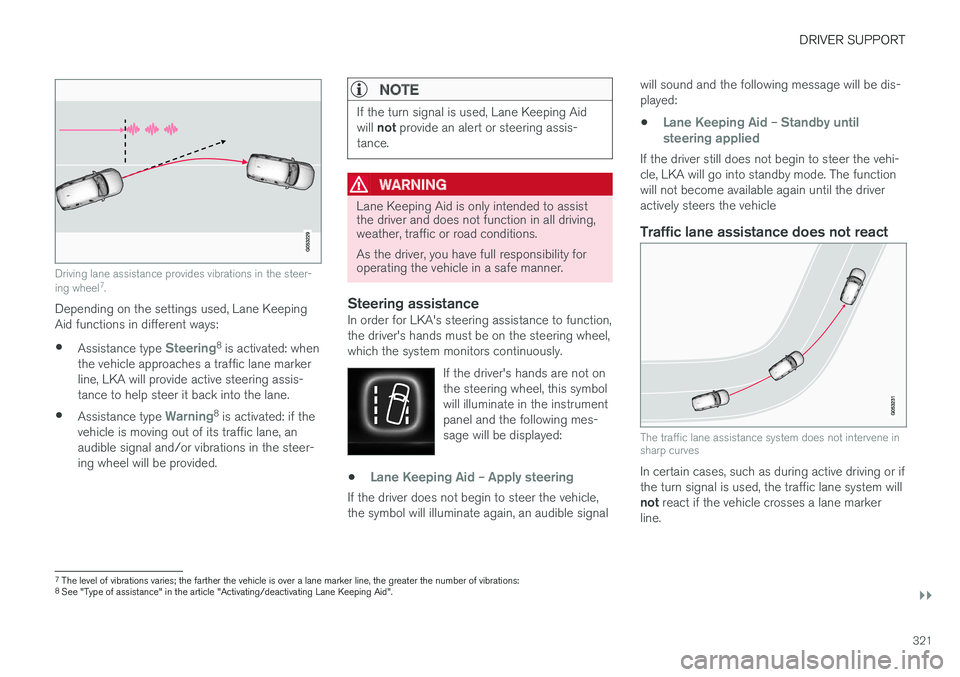
Driving lane assistance provides vibrations in the steer- ing wheel7
.
Depending on the settings used, Lane Keeping Aid functions in different ways:
• Assistance type
Steering8
is activated: when
the vehicle approaches a traffic lane marker line, LKA will provide active steering assis-tance to help steer it back into the lane.
• Assistance type
Warning8
is activated: if the
vehicle is moving out of its traffic lane, an audible signal and/or vibrations in the steer-ing wheel will be provided.
NOTE
If the turn signal is used, Lane Keeping Aid will not provide an alert or steering assis-
tance.
WARNING
Lane Keeping Aid is only intended to assist the driver and does not function in all driving,weather, traffic or road conditions. As the driver, you have full responsibility for operating the vehicle in a safe manner.
Steering assistanceIn order for LKA's steering assistance to function, the driver's hands must be on the steering wheel,which the system monitors continuously.
If the driver's hands are not onthe steering wheel, this symbolwill illuminate in the instrumentpanel and the following mes-sage will be displayed:
•Lane Keeping Aid – Apply steering
If the driver does not begin to steer the vehicle, the symbol will illuminate again, an audible signal will sound and the following message will be dis-played:
•
Lane Keeping Aid – Standby until
steering applied
If the driver still does not begin to steer the vehi- cle, LKA will go into standby mode. The functionwill not become available again until the driveractively steers the vehicle
Traffic lane assistance does not react
The traffic lane assistance system does not intervene in sharp curves
In certain cases, such as during active driving or if the turn signal is used, the traffic lane system will not react if the vehicle crosses a lane marker
line.
7 The level of vibrations varies; the farther the vehicle is over a lane marker line, the greater the number of vibrations:
8 See "Type of assistance" in the article "Activating/deactivating Lane Keeping Aid".
Page 324 of 548
||
DRIVER SUPPORT
322
LimitationsIn certain demanding driving situations, the driv- ing lane assistance functions may not be able toassist the driver. In these situations, it may beadvisable to turn the function off. Examples of such situations: •road construction
• winter driving conditions
• poor road surfaces
• a very active driving style
• bad weather with reduced visibility
• edges or lines other than the lane's marker lines
• roads with indistinct or no lane marker lines
The driving lane assistance function use the vehi-cle's camera, which has general limitations. Seethe article "Camera limitations."
Related information
• Activating/deactivating Lane Keeping Aid(LKA) (p. 322)
• Camera limitations (p. 293)
• Run-off Mitigation (p. 325)
Activating/deactivating Lane Keeping Aid (LKA) LKA can be activated/deactivated.
Activating/deactivating
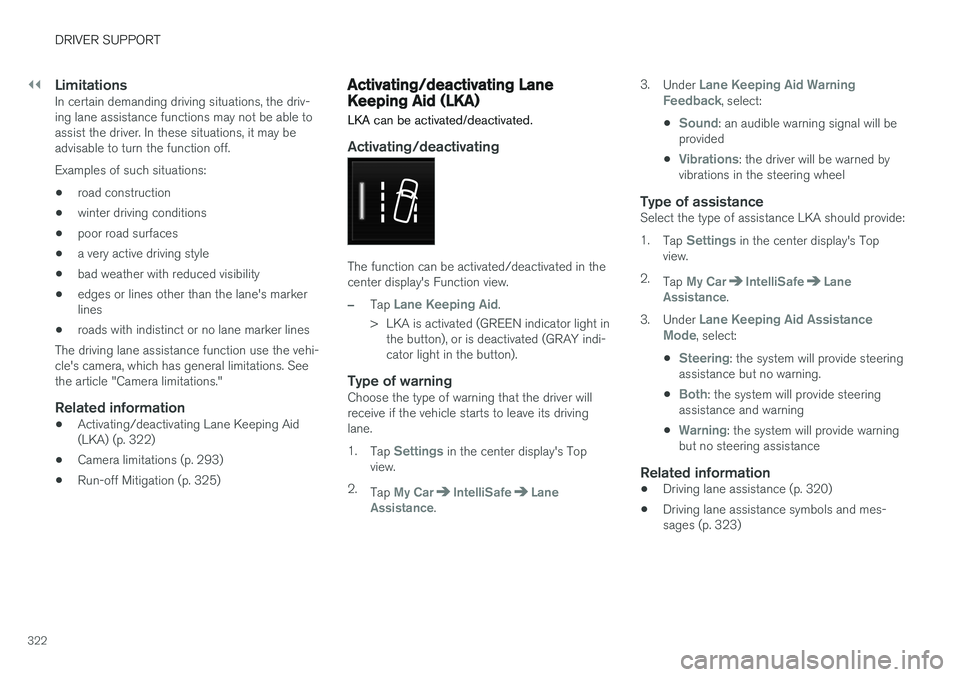
The function can be activated/deactivated in the center display's Function view.
–Tap Lane Keeping Aid.
> LKA is activated (GREEN indicator light in the button), or is deactivated (GRAY indi- cator light in the button).
Type of warningChoose the type of warning that the driver willreceive if the vehicle starts to leave its drivinglane. 1. Tap
Settings in the center display's Top
view.
2. Tap
My CarIntelliSafeLane
Assistance. 3.
Under
Lane Keeping Aid Warning
Feedback, select:
•
Sound: an audible warning signal will be
provided
•
Vibrations: the driver will be warned by
vibrations in the steering wheel
Type of assistanceSelect the type of assistance LKA should provide: 1. Tap
Settings in the center display's Top
view.
2. Tap
My CarIntelliSafeLane
Assistance.
3. Under
Lane Keeping Aid Assistance
Mode, select:
•
Steering: the system will provide steering
assistance but no warning.
•
Both: the system will provide steering
assistance and warning
•
Warning: the system will provide warning
but no steering assistance
Related information
• Driving lane assistance (p. 320)
• Driving lane assistance symbols and mes- sages (p. 323)
Page 325 of 548
DRIVER SUPPORT
}}
323
Driving lane assistance symbols and messages
A number of symbols and messages relating to Lane Keeping Aid (LKA) may appear in theinstrument panel.
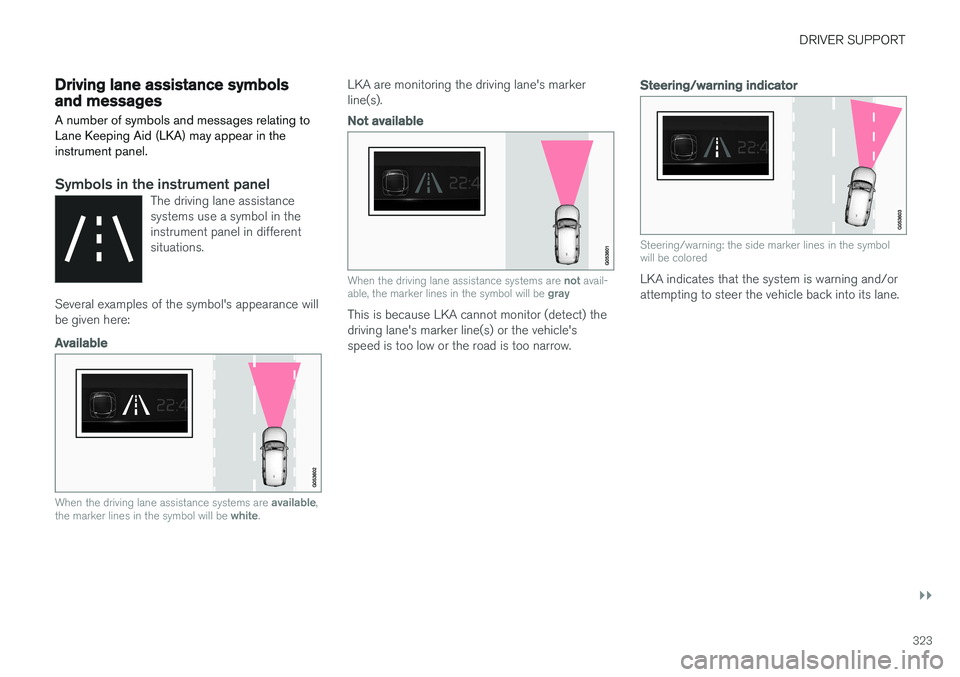
Symbols in the instrument panelThe driving lane assistance systems use a symbol in theinstrument panel in differentsituations.
Several examples of the symbol's appearance will be given here:
Available
When the driving lane assistance systems are available,
the marker lines in the symbol will be white.
LKA are monitoring the driving lane's marker line(s).
Not available
When the driving lane assistance systems are not avail-
able, the marker lines in the symbol will be gray
This is because LKA cannot monitor (detect) the driving lane's marker line(s) or the vehicle'sspeed is too low or the road is too narrow.
Steering/warning indicator
Steering/warning: the side marker lines in the symbol will be colored
LKA indicates that the system is warning and/or attempting to steer the vehicle back into its lane.
Page 326 of 548
||
DRIVER SUPPORT
324
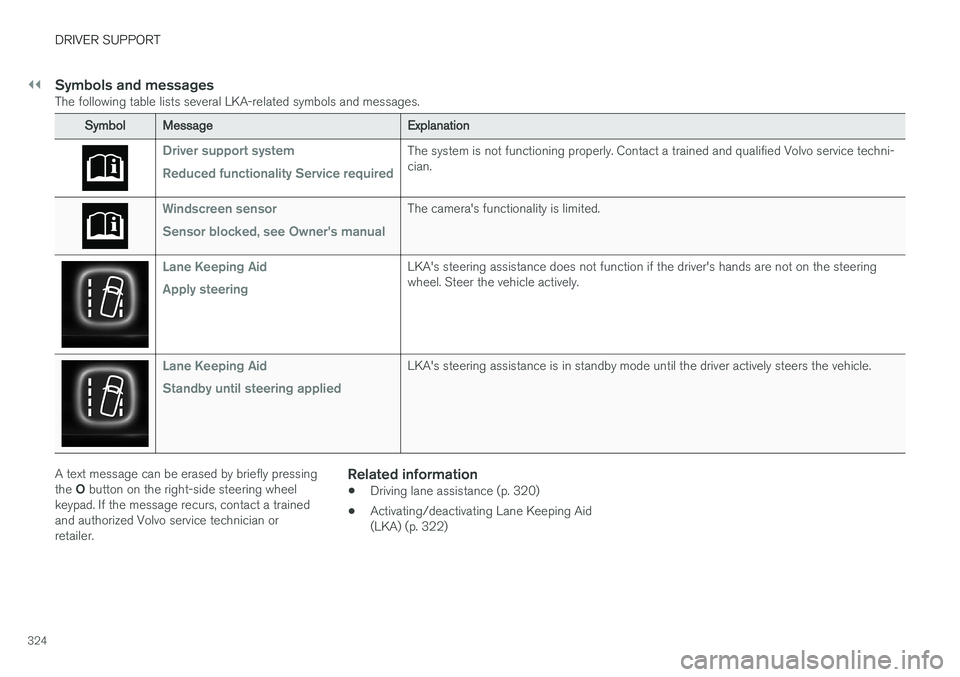
Symbols and messagesThe following table lists several LKA-related symbols and messages.
SymbolMessage Explanation
Driver support system Reduced functionality Service requiredThe system is not functioning properly. Contact a trained and qualified Volvo service techni- cian.
Windscreen sensor Sensor blocked, see Owner's manualThe camera's functionality is limited.
Lane Keeping Aid Apply steeringLKA's steering assistance does not function if the driver's hands are not on the steering wheel. Steer the vehicle actively.
Lane Keeping Aid Standby until steering appliedLKA's steering assistance is in standby mode until the driver actively steers the vehicle.
A text message can be erased by briefly pressing the O button on the right-side steering wheel
keypad. If the message recurs, contact a trained and authorized Volvo service technician orretailer.Related information
• Driving lane assistance (p. 320)
• Activating/deactivating Lane Keeping Aid(LKA) (p. 322)
Page 327 of 548
DRIVER SUPPORT
}}
325
Run-off Mitigation
Run-off Mitigation is designed to assist the driver by helping return the vehicle to its trafficlane if it is about to go off the road.
Run-off Mitigation is active at speeds between 40–87 mph (65–140 km/h) 9
on roads with
clearly marked edges or side marker lines .
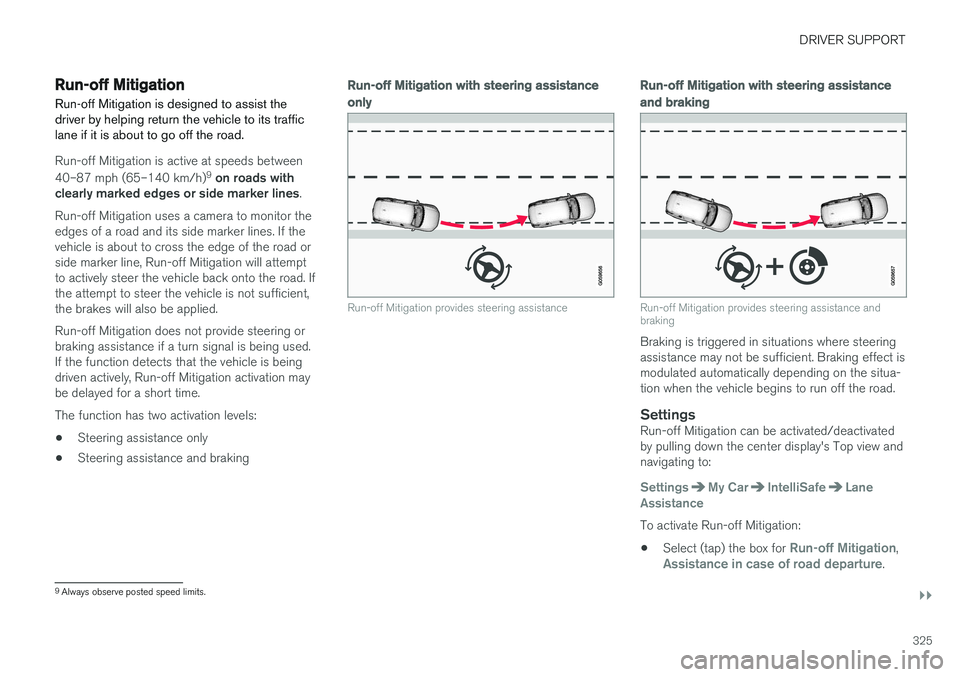
Run-off Mitigation uses a camera to monitor the edges of a road and its side marker lines. If thevehicle is about to cross the edge of the road orside marker line, Run-off Mitigation will attemptto actively steer the vehicle back onto the road. Ifthe attempt to steer the vehicle is not sufficient,the brakes will also be applied. Run-off Mitigation does not provide steering or braking assistance if a turn signal is being used.If the function detects that the vehicle is beingdriven actively, Run-off Mitigation activation maybe delayed for a short time. The function has two activation levels: • Steering assistance only
• Steering assistance and braking
Run-off Mitigation
with steering assistance
only
Run-off Mitigation provides steering assistance
Run-off Mitigation with steering assistance
and braking
Run-off Mitigation provides steering assistance and braking
Braking is triggered in situations where steering assistance may not be sufficient. Braking effect ismodulated automatically depending on the situa-tion when the vehicle begins to run off the road.
SettingsRun-off Mitigation can be activated/deactivatedby pulling down the center display's Top view andnavigating to:
SettingsMy CarIntelliSafeLane
Assistance
To activate Run-off Mitigation:
• Select (tap) the box for
Run-off Mitigation,Assistance in case of road departure.
9
Always observe posted speed limits.
Page 328 of 548
||
DRIVER SUPPORT
* Option/accessory.
326 The setting selected when the engine was switched off will be used the next time theengine is started.
LimitationsIn certain situations, it may be difficult for Run-offMitigation to assist the driver. In such cases, it isadvisable to deactivate the function. Examples of these situations include:
• road construction
• winter driving conditions
• poor road surfaces
• narrow roads
• a very active driving style
• bad weather with reduced visibility
• edges or lines other than the lane's marker lines
• roads with indistinct or no lane marker lines
The Run-off Mitigation function use the vehicle'scamera, which has general limitations. See thearticle "Camera limitations".
WARNING
• Run-off Mitigation is only intended to assist the driver and does not function inall driving, weather, traffic or road condi-tions.
• This function cannot detect barriers, railsor similar obstructions at the side of aroad or traffic lane.
• As the driver, you have full responsibilityfor operating the vehicle in a safe man-ner.
Related information
•
Run-off Mitigation
* symbols and messages
(p. 327)
• Driving lane assistance (p. 320)
• Camera limitations (p. 293)
Page 542 of 548
INDEX
540
L
Labelslist of 521
location of 521
Lane Keeping Aid 320, 323 settings 322
LATCH anchors 84
Leather care 513
Lighting panel 138
Load anchoring eyelets 207
Loading the vehicle 202, 446
Locking 223, 224, 228
Locks and alarm 214
Low beam bulb, replacing 495
Low beams 141, 142
M
Maintenance 468 hoisting the vehicle 501
performed by the owner 468
Malfunction indicator light 127
Manual front seat adjustment 162
Media player 414, 415 compatible file formats 425
Media player (infotainment system) 420 Menusinstrument panel 150, 152, 154, 156
Mirrors defroster 190
power door 102
retractable 102
Mirrors, rearview mirror 107
Modem 432
Moonroof 103, 104Motor oil checking 505, 506
MP3 files 425
Multifunctional front seats 165, 166
MY CAR 109, 110
N
Navigation system voice commands 123
O
Occupant safety 56
Occupant weight sensor 68
Octane recommendations 362
Odometer 95Oilchecking 505, 506
Oil quality 531
On-board diagnostics 468
On-board Diagnostic socket 21
On Call Roadside Assistance 14
Opening the hood 503
Option/accessory 48
Options 21
Outside temperature sensor 114
Overhead courtesy lighting 147
Overheating, engine 356Owner's information mobile applications 20
Owner's manual 16
Ownership, changing 114
Oxygen sensors, heated 364
P
Paint, touching up 516, 517
Park assist 328, 329, 330, 331