mirror controls VOLVO S90 2017 Owner´s Manual
[x] Cancel search | Manufacturer: VOLVO, Model Year: 2017, Model line: S90, Model: VOLVO S90 2017Pages: 548, PDF Size: 11.42 MB
Page 192 of 548
||
CLIMATE
* Option/accessory.
190
Activating/deactivating the recirculation timer
With the timer activated, recirculation will switch off automatically after 20 minutes. 1.
Tap
Settings in the center display's Top
view.
2. Tap
Climate.
3. Activate/deactivate the timer by selecting/ deselecting the box for
Recirculation
Timer.
Related information
• Climate system controls in the center display (p. 183)
Defrosting windows and mirrors
The max. defroster, heated windshield * and
heated rear window/door mirror functions are used to remove ice or condensation.
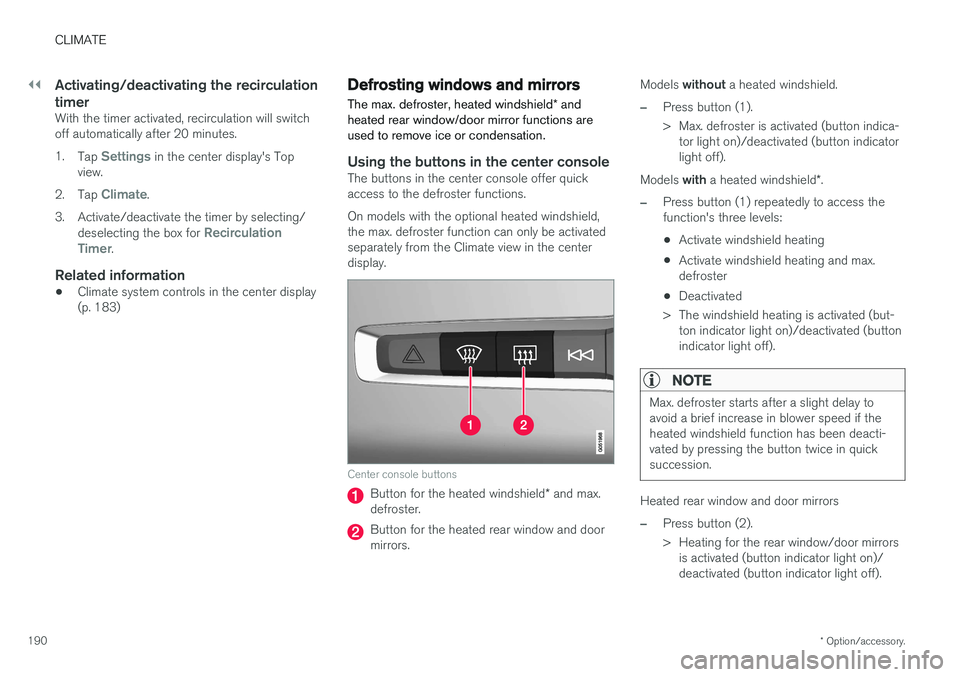
Using the buttons in the center consoleThe buttons in the center console offer quick access to the defroster functions. On models with the optional heated windshield, the max. defroster function can only be activatedseparately from the Climate view in the centerdisplay.
Center console buttons
Button for the heated windshield * and max.
defroster.
Button for the heated rear window and door mirrors. Models
without a heated windshield.
–Press button (1).
> Max. defroster is activated (button indica-
tor light on)/deactivated (button indicator light off).
Models with a heated windshield *.
–Press button (1) repeatedly to access the function's three levels:
• Activate windshield heating
• Activate windshield heating and max.defroster
• Deactivated
> The windshield heating is activated (but- ton indicator light on)/deactivated (buttonindicator light off).
NOTE
Max. defroster starts after a slight delay to avoid a brief increase in blower speed if theheated windshield function has been deacti-vated by pressing the button twice in quicksuccession.
Heated rear window and door mirrors
–Press button (2).
> Heating for the rear window/door mirrorsis activated (button indicator light on)/ deactivated (button indicator light off).
Page 194 of 548
||
CLIMATE
* Option/accessory.
192
Automatically activating/deactivating the window heating function when theengine is started
The rear window/door mirror/windshield heating *
can be set to start automatically when the engine is started. The heating function switches off auto-matically when the glass surfaces are sufficientlywarm and the condensation/ice has disappeared. 1. Tap
Settings in the center display's Top
view and select Climate.
2. Activate/deactivate the respective defroster functions when the engine is started by selecting/deselecting the boxes for
Auto
Electric Front Defroster and Auto Electric
Rear Defroster.
The heating function will switch off automatically
when the window/mirror is sufficiently warm and the ice/condensation has disappeared.
Related information
• Climate system controls (p. 182)
• Climate system controls in the center display(p. 183)
• Defrosting windows and mirrors (p. 190)
• Air conditioning (p. 193)
• Turning recirculation on and off (p. 189)
• Adjusting air distribution (p. 198)
• Setting the blower speed (p. 185)
• Automatic climate control (p. 182) •
Turning front seat ventilation
* on and off
(p. 195)
• Turning steering wheel heating
* on and off
(p. 192)
Turning steering wheel heating * on
and off
The steering wheel can be heated electrically for added comfort in cold weather.
Activating/deactivating steering wheel
heating
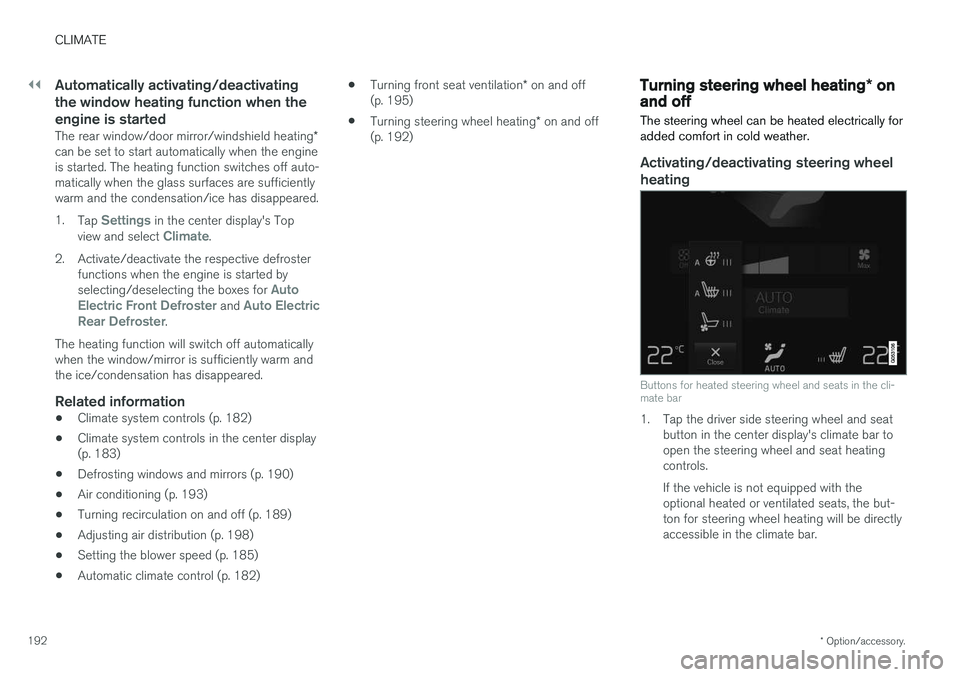
Buttons for heated steering wheel and seats in the cli- mate bar
1. Tap the driver side steering wheel and seat button in the center display's climate bar to open the steering wheel and seat heatingcontrols. If the vehicle is not equipped with the optional heated or ventilated seats, the but-ton for steering wheel heating will be directlyaccessible in the climate bar.
Page 340 of 548
||
DRIVER SUPPORT
* Option/accessory.
338
Dark camera sectors
A dark camera sector may also be displayed in the following situations but without the defective
camera symbol. A sector may be dark because: • the door mirror is folded in
• the door is open
• the trunk is open
Ambient lightingThe camera images are adjusted automatically to the ambient light, which means the image mayvary slightly in terms of light and quality. Poorambient lighting may reduce the quality of theimage.
Maintenance
•Keep the camera's lens free of dirt, ice andsnow. This is particularly important in poorambient lighting conditions.
• Remove dirt, ice and snow carefully to avoidscratching the lenses.
• Clean the lens regularly with warm water anda suitable car washing detergent.
Related information
•
Park Assist Camera (PAC)
* (p. 332)
Park Assist Pilot (PAP) *
Park Assist Pilot (PAP) helps the driver drive into parallel or perpendicular parking spaces andleave parallel parking spaces.
Park Assist Pilot provides assistance when park- ing by measuring the parking space and turningthe steering wheel to guide the vehicle into thespace. Information about the actions required by the driver is provided in the center display in the formof symbols, images and text.
NOTE
While PAP is active, the driver's task is to:
• carefully monitor the area around the vehicle
• follow the instructions provided in thecenter display
• select a gear (
D or R) when prompted
• regulate the vehicle's speed
• apply the brakes when necessary andstop the vehicle
Types of parking
Parallel parking
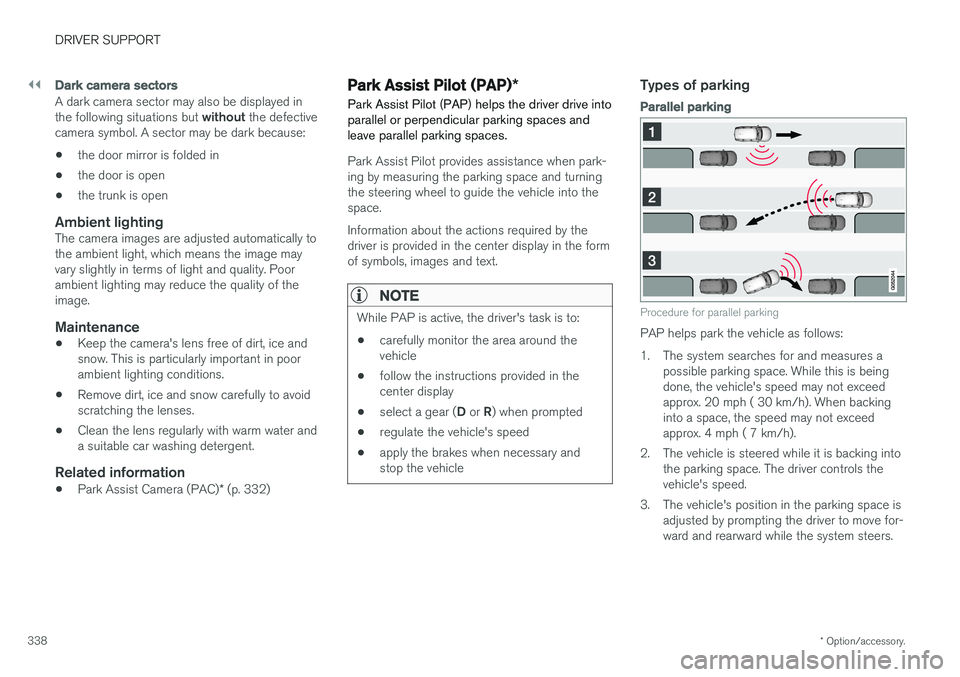
Procedure for parallel parking
PAP helps park the vehicle as follows:
1. The system searches for and measures a
possible parking space. While this is being done, the vehicle's speed may not exceedapprox. 20 mph ( 30 km/h). When backinginto a space, the speed may not exceedapprox. 4 mph ( 7 km/h).
2. The vehicle is steered while it is backing into the parking space. The driver controls thevehicle's speed.
3. The vehicle's position in the parking space is adjusted by prompting the driver to move for-ward and rearward while the system steers.
Page 539 of 548

INDEX
537
blower 185
center display controls 183
Electronic Climate Control 182
introduction 178, 182
passenger compartment filter 180
rear controls 182, 185
recirculation 189
refrigerant 527
service 475
setting the temperature 187
voice commands 122
Clock 115
Cold weather driving 357
Collision warning system 297
Compass in rearview mirror 136 calibrate 137
Connected service booking 472
Convertible seats 80
Coolant 528 refilling 509
Corrosion protection 516
Courtesy lighting 147
Crash event data 26
Crash mode 73, 74
Cross Traffic Alert 311, 312, 313, 315
Cruise control 254, 255, 256, 257, 258 adaptive 258, 261, 264, 265, 267, 268 , 269 , 271 , 272 , 273 , 280
Curb weight 446, 525 Curtain sun 108
D
Daytime running lights 138, 140 Defrosterrear window and mirrors 190
Detachable key blade 221, 235
Digital owner's manual 50, 51
Dimensions 523
Disconnecting the front passenger