display VOLVO S90 2017 Owner´s Manual
[x] Cancel search | Manufacturer: VOLVO, Model Year: 2017, Model line: S90, Model: VOLVO S90 2017Pages: 548, PDF Size: 11.42 MB
Page 138 of 548
||
INSTRUMENTS AND CONTROLS
136
SymbolMeaning
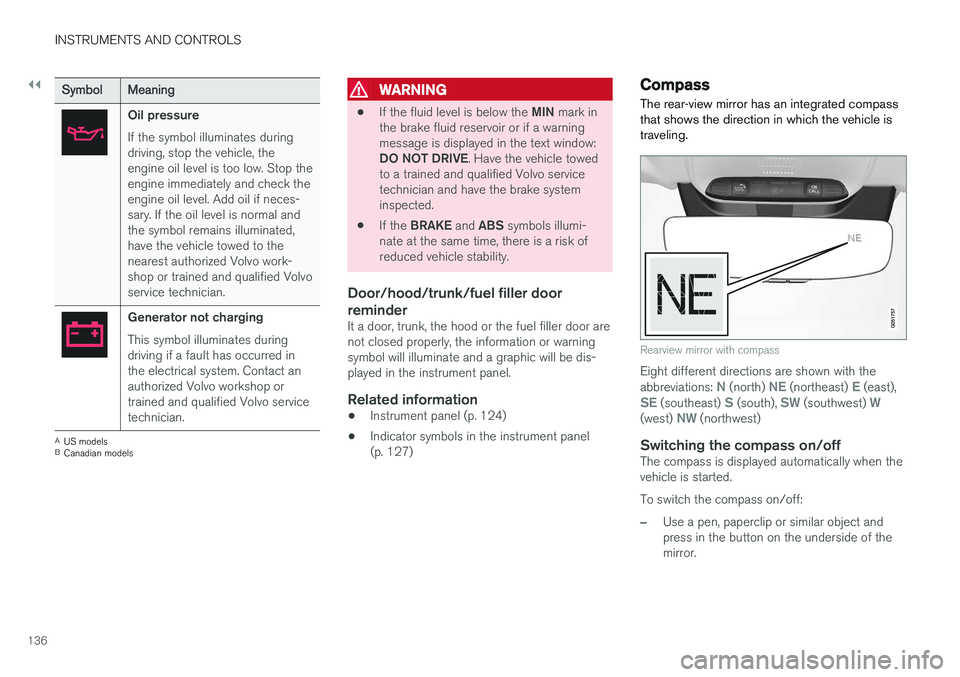
Oil pressure If the symbol illuminates during driving, stop the vehicle, theengine oil level is too low. Stop theengine immediately and check theengine oil level. Add oil if neces-sary. If the oil level is normal andthe symbol remains illuminated,have the vehicle towed to thenearest authorized Volvo work-shop or trained and qualified Volvoservice technician.
Generator not charging This symbol illuminates during driving if a fault has occurred inthe electrical system. Contact anauthorized Volvo workshop ortrained and qualified Volvo servicetechnician.
A
US models
B Canadian models
WARNING
• If the fluid level is below the
MIN mark in
the brake fluid reservoir or if a warning message is displayed in the text window: DO NOT DRIVE . Have the vehicle towed
to a trained and qualified Volvo service technician and have the brake systeminspected.
• If the
BRAKE and ABS symbols illumi-
nate at the same time, there is a risk ofreduced vehicle stability.
Door/hood/trunk/fuel filler door reminder
It a door, trunk, the hood or the fuel filler door are not closed properly, the information or warningsymbol will illuminate and a graphic will be dis-played in the instrument panel.
Related information
• Instrument panel (p. 124)
• Indicator symbols in the instrument panel(p. 127)
Compass
The rear-view mirror has an integrated compass that shows the direction in which the vehicle istraveling.
Rearview mirror with compass
Eight different directions are shown with the abbreviations: N (north) NE (northeast) E (east),SE (southeast) S (south), SW (southwest) W(west) NW (northwest)
Switching the compass on/offThe compass is displayed automatically when the vehicle is started. To switch the compass on/off:
–Use a pen, paperclip or similar object and press in the button on the underside of themirror.
Page 139 of 548
INSTRUMENTS AND CONTROLS
}}
* Option/accessory.137
Related information
•Calibrating the compass (p. 137)
• Ignition modes (p. 370)
Calibrating the compass
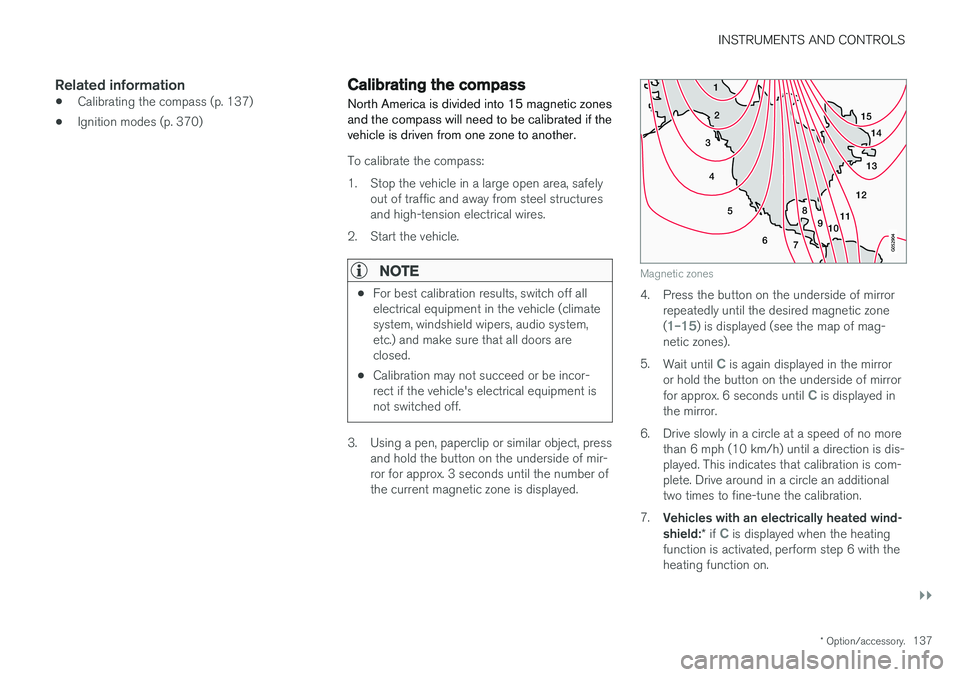
North America is divided into 15 magnetic zones and the compass will need to be calibrated if thevehicle is driven from one zone to another.
To calibrate the compass:
1. Stop the vehicle in a large open area, safely out of traffic and away from steel structures and high-tension electrical wires.
2. Start the vehicle.
NOTE
• For best calibration results, switch off all electrical equipment in the vehicle (climatesystem, windshield wipers, audio system,etc.) and make sure that all doors areclosed.
• Calibration may not succeed or be incor-rect if the vehicle's electrical equipment isnot switched off.
3. Using a pen, paperclip or similar object, press
and hold the button on the underside of mir- ror for approx. 3 seconds until the number ofthe current magnetic zone is displayed.
15
14
13
12
11
9
8
7
6
5
4
3
2
1
10
Magnetic zones
4. Press the button on the underside of mirrorrepeatedly until the desired magnetic zone (
1–15) is displayed (see the map of mag-
netic zones).
5. Wait until
C is again displayed in the mirror
or hold the button on the underside of mirror for approx. 6 seconds until
C is displayed in
the mirror.
6. Drive slowly in a circle at a speed of no more than 6 mph (10 km/h) until a direction is dis- played. This indicates that calibration is com-plete. Drive around in a circle an additionaltwo times to fine-tune the calibration.
7. Vehicles with an electrically heated wind- shield: * if
C is displayed when the heating
function is activated, perform step 6 with the heating function on.
Page 141 of 548
INSTRUMENTS AND CONTROLS
139
Lighting
ring posi- tion Result
With the ignition in mode II or if the engine is running:
• The Daytime Running Lights will be
on in daylight condi-
tions B
• The low beam headlights will automatically switch on indark conditions
• Tunnel detection will be acti-vated
• Active High Beams (AHB)can be activated
• High beam flash can be used
• Continuous high beams canbe used in dark conditions
Active High Beams On/Off
A
The parking lights will be on in this position, even if the ignition is switched off. In dark conditions, the rear parking lights illumi-nate automatically when the trunk is open, regardless of thering's position or ignition mode.
B US models only: The use of Daytime Running Lights can beactivated/deactivated in the center display's Settings menu.
NOTE
Volvo recommends the use of Daytime Run- ning Lights in the United States. The use of these lights is mandatory in Canada .
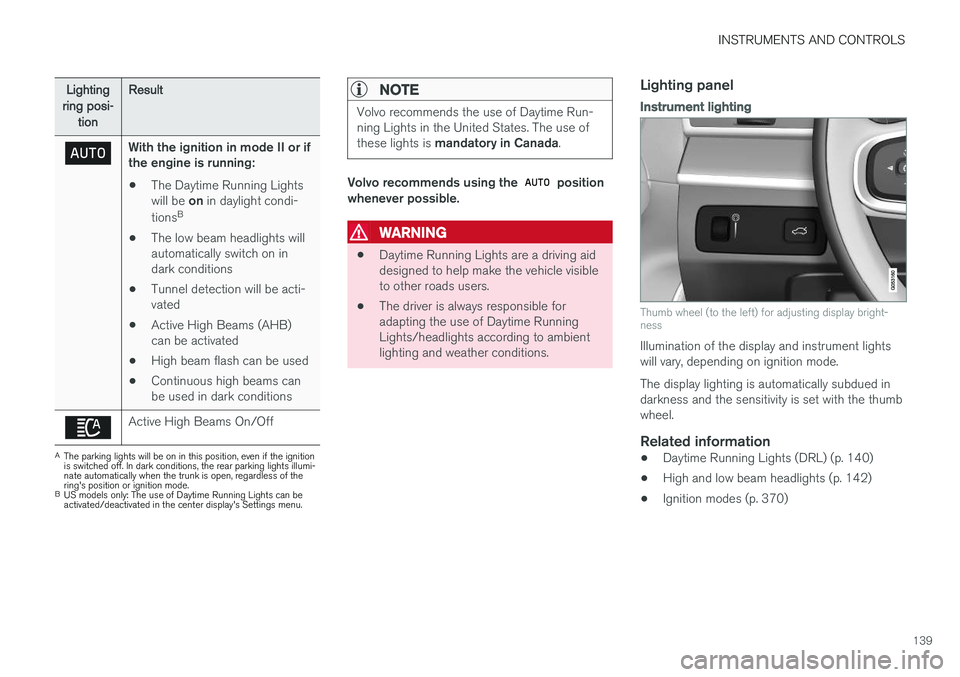
Volvo recommends using the position
whenever possible.
WARNING
• Daytime Running Lights are a driving aid designed to help make the vehicle visibleto other roads users.
• The driver is always responsible foradapting the use of Daytime RunningLights/headlights according to ambientlighting and weather conditions.
Lighting panel
Instrument lighting
Thumb wheel (to the left) for adjusting display bright- ness
Illumination of the display and instrument lights will vary, depending on ignition mode. The display lighting is automatically subdued in darkness and the sensitivity is set with the thumbwheel.
Related information
• Daytime Running Lights (DRL) (p. 140)
• High and low beam headlights (p. 142)
• Ignition modes (p. 370)
Page 143 of 548
INSTRUMENTS AND CONTROLS
141
With the lighting ring in the
8
position
and the ignition in mode II or if the engine is running :
• In the
US: DRL will be off
• In
Canada : DRL will be on
With the lighting ring in the
position:
• DRL will be
on (the low beam headlights will
automatically switch on in dark conditions)
US models only : DRL can be deactivated in the
center display's Settings view. With
selected, a tunnel detection function
activates the low beams when the vehicle enters a tunnel. With the lighting ring in the
position:
• DRL will be
off and the low beam headlights
will be on
Low beam headlights The low beam headlights can be activated in several ways.
Lighting ring
In dark conditions , the low beams will be acti-
vated automatically when the engine is started or the ignition is in mode II and the lighting ring is
turned to the
position.
With the lighting ring in the
position, the
low beams will also be activated if:
• the front fog lights are activated
• both the front and rear fog lights are acti- vated
If the lighting ring is turned to
, the low
beams will be activated automatically when the engine is started or the ignition is in mode
II,
regardless of the ambient lighting conditions.
Related information
• Daytime Running Lights (DRL) (p. 140)
• Ignition modes (p. 370)
8
The parking lights will be on in this position, even if the ignition is switched off.
Page 144 of 548
INSTRUMENTS AND CONTROLS
142
High and low beam headlights
If the ignition is in mode II or when the engine is started, the low beams are activated automati- cally if the lighting ring is in position
. In
dark conditions, the low beams will also be on if the lighting ring is in the
position.
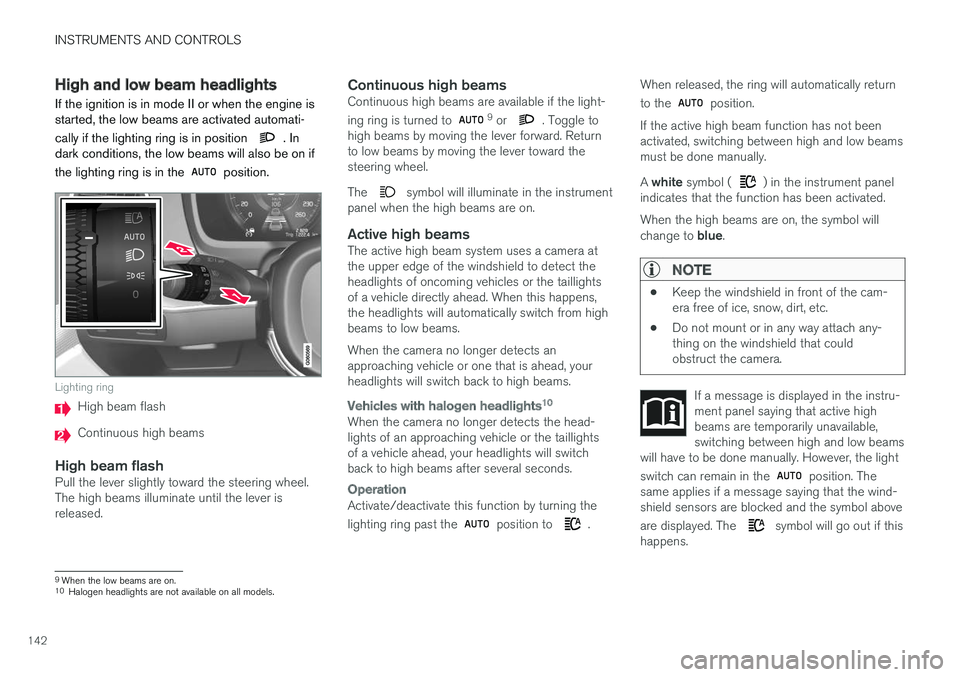
Lighting ring
High beam flash
Continuous high beams
High beam flashPull the lever slightly toward the steering wheel. The high beams illuminate until the lever isreleased.
Continuous high beamsContinuous high beams are available if the light- ing ring is turned to 9 or . Toggle to
high beams by moving the lever forward. Return to low beams by moving the lever toward thesteering wheel. The
symbol will illuminate in the instrument
panel when the high beams are on.
Active high beamsThe active high beam system uses a camera at the upper edge of the windshield to detect theheadlights of oncoming vehicles or the taillightsof a vehicle directly ahead. When this happens,the headlights will automatically switch from highbeams to low beams. When the camera no longer detects an approaching vehicle or one that is ahead, yourheadlights will switch back to high beams.
Vehicles with halogen headlights 10
When the camera no longer detects the head- lights of an approaching vehicle or the taillightsof a vehicle ahead, your headlights will switchback to high beams after several seconds.
Operation
Activate/deactivate this function by turning the lighting ring past the
position to .When released, the ring will automatically return to the
position.
If the active high beam function has not been activated, switching between high and low beamsmust be done manually. A white symbol (
) in the instrument panel
indicates that the function has been activated. When the high beams are on, the symbol will change to blue.
NOTE
•Keep the windshield in front of the cam- era free of ice, snow, dirt, etc.
• Do not mount or in any way attach any-thing on the windshield that couldobstruct the camera.
If a message is displayed in the instru- ment panel saying that active highbeams are temporarily unavailable,switching between high and low beams
will have to be done manually. However, the light switch can remain in the
position. The
same applies if a message saying that the wind- shield sensors are blocked and the symbol above are displayed. The
symbol will go out if this
happens.
9 When the low beams are on.10
Halogen headlights are not available on all models.
Page 145 of 548
INSTRUMENTS AND CONTROLS
}}
* Option/accessory.143
Active high beams may be temporarily unavailable (e.g., in heavy fog or rain). When the systembecomes active again or if the sensors in thewindshield are no longer obscured, the messages will disappear and the
symbol will illumi-
nate.
WARNING
• Automatic high beams are a driving aid designed to help provide the best possi-ble headlight illumination in good drivingconditions.
• The use of aftermarket or non-Volvoglass can have an adverse effect on theautomatic high beam function.
• The driver is always responsible for man-ually toggling between high and lowbeams when this is required by traffic orweather conditions.
CAUTION
In the following situations, it may be neces- sary to switch between high and low beamsmanually:
• In heavy fog or rain
• In blowing snow or slush
• In bright moonlight
• In freezing rain
• In areas with dim street lighting
• When oncoming vehicles have dim frontlighting
• If there are pedestrians on or near theroad
• If there are reflective objects, such assigns, near the road
• When oncoming vehicles' lights areobscured by e.g., fences, bushes, etc.
• When there are vehicles on connectingroads
• At the top of hills or in dips in the road
• In sharp curves
Related information
•
City Safety
™ troubleshooting (p. 302)
• Lighting panel and controls (p. 138)
Active Bending Lights
*
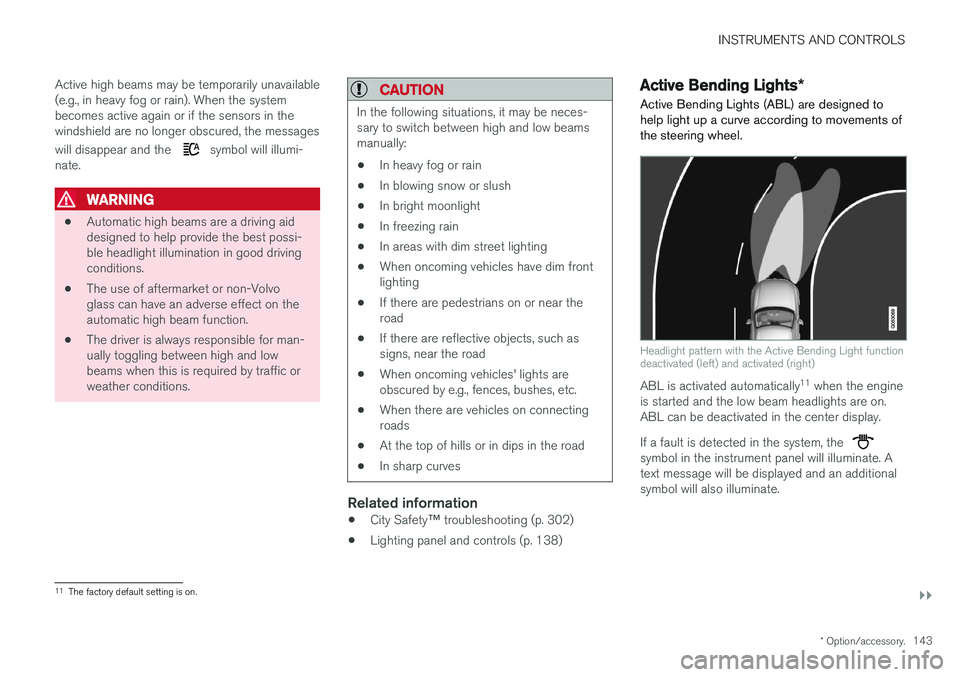
Active Bending Lights (ABL) are designed to help light up a curve according to movements ofthe steering wheel.
Headlight pattern with the Active Bending Light function deactivated (left) and activated (right)
ABL is activated automatically 11
when the engine
is started and the low beam headlights are on. ABL can be deactivated in the center display. If a fault is detected in the system, the
symbol in the instrument panel will illuminate. A text message will be displayed and an additionalsymbol will also illuminate.
11 The factory default setting is on.
Page 146 of 548
||
INSTRUMENTS AND CONTROLS
* Option/accessory.
144
NOTE
This function is only active in twilight or dark conditions, and only when the vehicle is inmotion.
Deactivating/activating the functionABL can be deactivated/activated in two ways in the center display:
Via Function view
Tap the Active Bending
Lights button.
Via settings
1. Tap Settings in Top view.
2. Tap
My CarLightsExterior Lights.
3. Deselect/select
Active Bending Lights.
Related information
• Settings view (p. 109)
Front fog lights
*
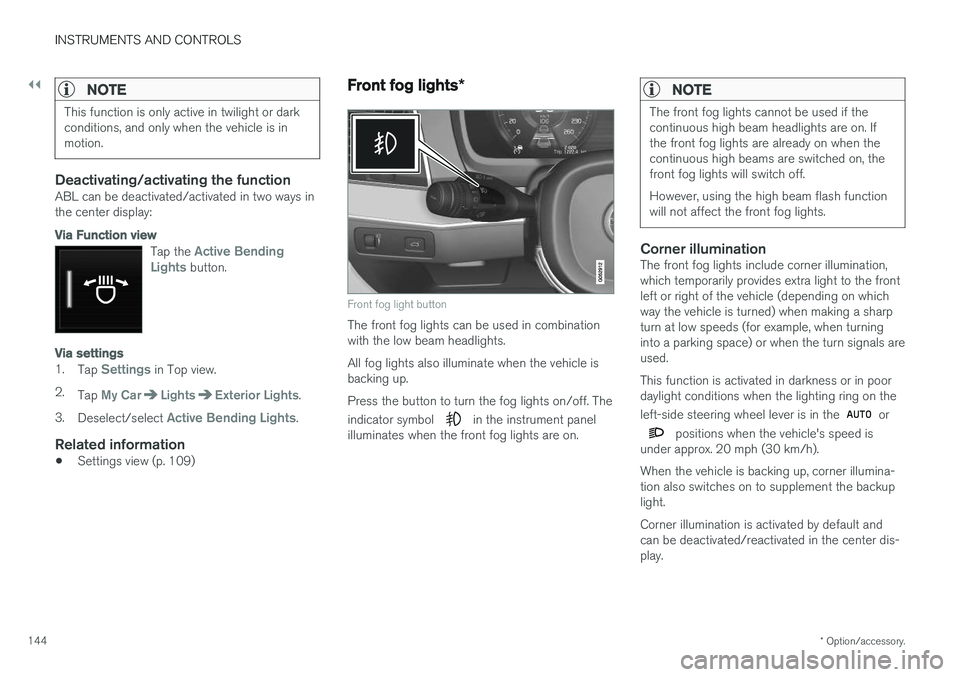
Front fog light button
The front fog lights can be used in combination with the low beam headlights. All fog lights also illuminate when the vehicle is backing up. Press the button to turn the fog lights on/off. The indicator symbol
in the instrument panel
illuminates when the front fog lights are on.
NOTE
The front fog lights cannot be used if the continuous high beam headlights are on. Ifthe front fog lights are already on when thecontinuous high beams are switched on, thefront fog lights will switch off. However, using the high beam flash function will not affect the front fog lights.
Corner illuminationThe front fog lights include corner illumination, which temporarily provides extra light to the frontleft or right of the vehicle (depending on whichway the vehicle is turned) when making a sharpturn at low speeds (for example, when turninginto a parking space) or when the turn signals areused. This function is activated in darkness or in poor daylight conditions when the lighting ring on the left-side steering wheel lever is in the
or
positions when the vehicle's speed is
under approx. 20 mph (30 km/h). When the vehicle is backing up, corner illumina- tion also switches on to supplement the backuplight. Corner illumination is activated by default and can be deactivated/reactivated in the center dis-play.
Page 148 of 548
INSTRUMENTS AND CONTROLS
* Option/accessory.
146
Brake lights The brake lights illuminate automatically when the brakes are applied.
In addition to illuminating when the brake pedal is depressed, the brake lights also illuminate whenone of the driver support systems (e.g., adaptivecruise control, City Safety or collision warning)slow the vehicle.
Related information
• Adaptive Cruise Control (ACC)
* (p. 261)
• City Safety
™ (p. 296)
• Emergency brake lights (p. 350)
Hazard warning flashers
The hazard warning flashers should be used to indicate that the vehicle has become a traffichazard.
Hazard warning flasher button
Press the button to activate the flashers. Press the button again to turn off the flashers. Regulations regarding the use of the hazard warning flashers may vary, depending on whereyou live.
Related information
• Using turn signals (p. 146)
Using turn signals
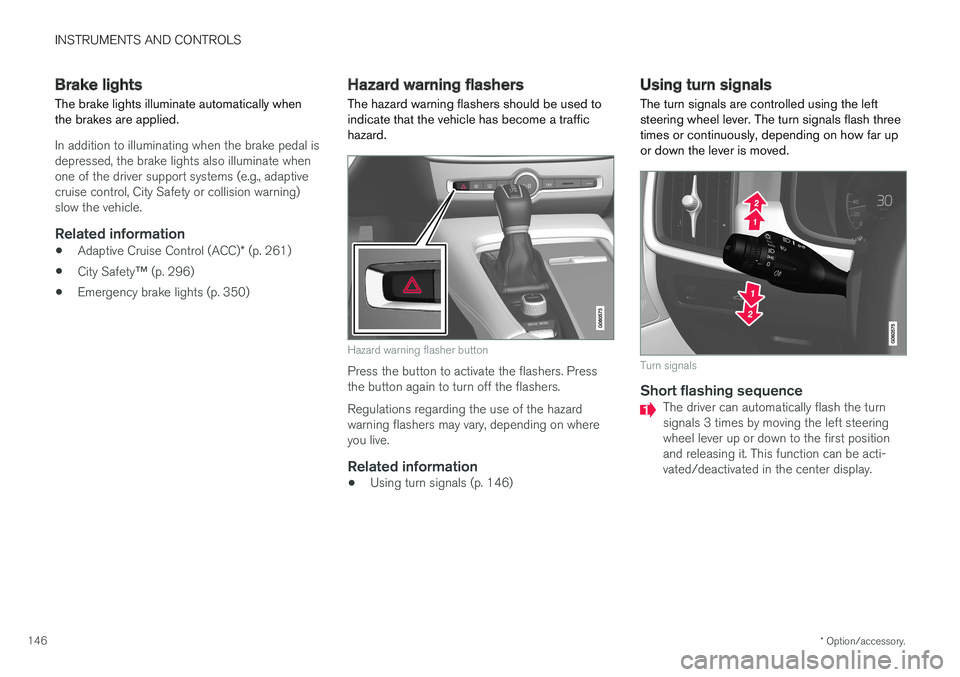
The turn signals are controlled using the left steering wheel lever. The turn signals flash threetimes or continuously, depending on how far upor down the lever is moved.
Turn signals
Short flashing sequenceThe driver can automatically flash the turn signals 3 times by moving the left steeringwheel lever up or down to the first positionand releasing it. This function can be acti-vated/deactivated in the center display.
Page 150 of 548
||
INSTRUMENTS AND CONTROLS
* Option/accessory.
148
Rear interior lighting
Rear reading lights
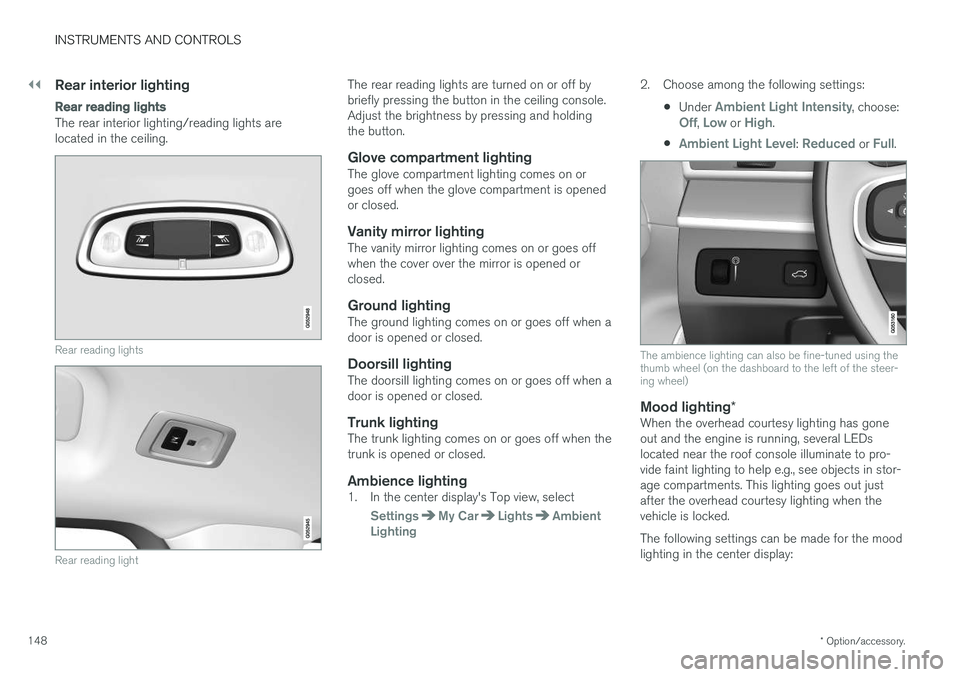
The rear interior lighting/reading lights are located in the ceiling.
Rear reading lights
Rear reading light
The rear reading lights are turned on or off by briefly pressing the button in the ceiling console.Adjust the brightness by pressing and holdingthe button.
Glove compartment lightingThe glove compartment lighting comes on orgoes off when the glove compartment is openedor closed.
Vanity mirror lightingThe vanity mirror lighting comes on or goes offwhen the cover over the mirror is opened orclosed.
Ground lightingThe ground lighting comes on or goes off when adoor is opened or closed.
Doorsill lightingThe doorsill lighting comes on or goes off when adoor is opened or closed.
Trunk lightingThe trunk lighting comes on or goes off when thetrunk is opened or closed.
Ambience lighting1. In the center display's Top view, select
SettingsMy CarLightsAmbient
Lighting
2. Choose among the following settings:
•Under
Ambient Light Intensity, choose:Off, Low or High.
•
Ambient Light Level: Reduced or Full.
The ambience lighting can also be fine-tuned using the thumb wheel (on the dashboard to the left of the steer-ing wheel)
Mood lighting *When the overhead courtesy lighting has gone out and the engine is running, several LEDslocated near the roof console illuminate to pro-vide faint lighting to help e.g., see objects in stor-age compartments. This lighting goes out justafter the overhead courtesy lighting when thevehicle is locked. The following settings can be made for the mood lighting in the center display:
Page 151 of 548
INSTRUMENTS AND CONTROLS
* Option/accessory.149
Brightness
1. In the center display's Top view, select
SettingsMy CarLightsInterior
Mood Lighting.
2. Press
Interior Mood Light Intensity and
choose Off, Low or High.
Change the color of the light
1. In the center display's Top view, select
SettingsMy CarLightsInterior
Mood Lighting.
2. Choose
By Temperature, By Theme orTheme Colors.
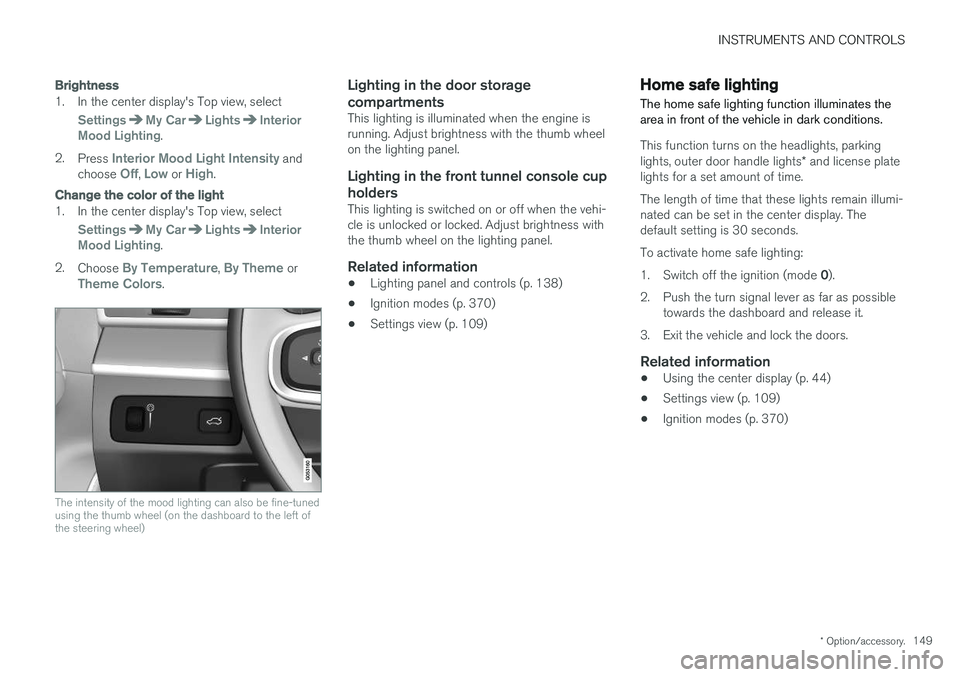
The intensity of the mood lighting can also be fine-tuned using the thumb wheel (on the dashboard to the left ofthe steering wheel)
Lighting in the door storage compartments
This lighting is illuminated when the engine is running. Adjust brightness with the thumb wheelon the lighting panel.
Lighting in the front tunnel console cup
holders
This lighting is switched on or off when the vehi-cle is unlocked or locked. Adjust brightness withthe thumb wheel on the lighting panel.
Related information
• Lighting panel and controls (p. 138)
• Ignition modes (p. 370)
• Settings view (p. 109)
Home safe lighting
The home safe lighting function illuminates the area in front of the vehicle in dark conditions.
This function turns on the headlights, parking lights, outer door handle lights * and license plate
lights for a set amount of time. The length of time that these lights remain illumi- nated can be set in the center display. Thedefault setting is 30 seconds. To activate home safe lighting:1. Switch off the ignition (mode 0).
2. Push the turn signal lever as far as possible towards the dashboard and release it.
3. Exit the vehicle and lock the doors.
Related information
• Using the center display (p. 44)
• Settings view (p. 109)
• Ignition modes (p. 370)