instrument panel VOLVO S90 2017 Owner´s Manual
[x] Cancel search | Manufacturer: VOLVO, Model Year: 2017, Model line: S90, Model: VOLVO S90 2017Pages: 548, PDF Size: 11.42 MB
Page 5 of 548
3
Top tether anchors86
Integrated booster cushion *
87
Raising the integrated booster cushion *
89
Stowing the integrated booster cushion *
91
INSTRUMENTS AND CONTROLS
Instruments and controls
94
Trip computer 95
Displaying trip computer information 96
Displaying trip statistics 97
HomeLink ®
Wireless Control System *98
Programming the HomeLink ®
Wire-
less Control System * 99
Adjusting the power door mirrors 102
Moonroof *
103
Operating the moonroof *
104
Power windows 106
Operating the power windows 106
Rearview mirror 107
Using sun curtains *
108
Settings view 109
Categories in Settings view 110
Changing system settings in Set- tings view 112
Changing settings in apps 113
Resetting the settings view 113
Resetting user data when the vehiclechanges owners 114
Ambient temperature sensor 114
Clock 115
Head-up display (HUD) *
116
Voice control
119
Using voice commands 119
Voice control for cell phones 120
Voice control for radio and media 121
Climate system voice commands 122
Navigation system voice commands 123
Voice control settings 124
Instrument panel 124
Instrument panel settings 126
Indicator symbols in the instrument panel 127
Instrument panel licenses 130
Warning symbols in the instrument panel 135
Compass 136
Calibrating the compass 137
Lighting panel and controls 138
Parking lights 140
Daytime Running Lights (DRL) 140
Low beam headlights 141
High and low beam headlights 142
Active Bending Lights *
143
Front fog lights *
144
Rear fog lights (certain models only) 145
Brake lights 146
Hazard warning flashers 146
Page 6 of 548
4
Using turn signals146
Passenger compartment lighting 147
Home safe lighting 149
Approach lighting 150
Messages in the instrument panel and center display 150
Handling messages in the instru-ment panel and center display 152
Handling messages stored from theinstrument panel and center display 154
Instrument panel App menu 155
Using the instrument panel App menu 156
Using the windshield wipers 157
Activating/deactivating the rain sensor 157
Windshield and headlight washers 158
Steering wheel 159
Adjusting the steering wheel 161
Seats 161
Manually operated front seats 162
Power front seats *
162
Adjusting power front seats *
163
Adjusting the passenger's seat from the driver's seat * 163
Using the power seat memory function *
164
Multifunctional front seats *
165
Adjusting function settings in the multifunctional front seats *166
Rear seats 169
Adjusting the second row head restraints 169
Folding down the rear seat backrests *
170
Driver profiles 172
Selecting a driver profile 172
Editing a driver profile 173
Linking a remote key to a driver profile 174
Importing/exporting a driver profile from/to a USB flash drive 175
CLIMATE
Climate control system
178
Perceived temperature 178
Climate system sensors 179
Air quality 179
Clean Zone Interior Package (CZIP) *
180
Interior Air Quality System (IAQS) *
181
Passenger compartment air filter 181
Automatic climate control 182
Climate system controls 182
Climate system controls in the center display 183
Rear climate system controls on the tunnel console * 185
Setting the blower speed 185
Setting the temperature 187
Turning recirculation on and off 189
Defrosting windows and mirrors 190
Turning steering wheel heating * on
and off 192
Air conditioning 193
Turning seat heating * on and off
194
Turning front seat ventilation * on and off
195
Air distribution 196
Opening/closing/directing air vents 197
Adjusting air distribution 198
Page 20 of 548
||
INTRODUCTION
* Option/accessory.
18
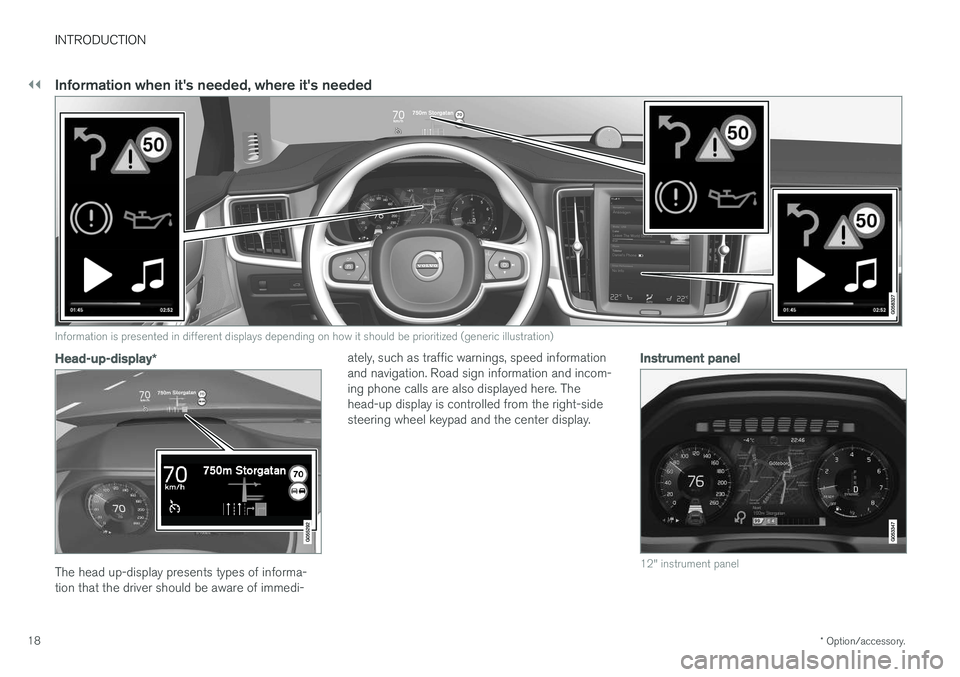
Information when it's needed, where it's needed
G000000
Information is presented in different displays depending on how it should be prioritized (generic illustration)
Head-up-display *
The head up-display presents types of informa- tion that the driver should be aware of immedi- ately, such as traffic warnings, speed informationand navigation. Road sign information and incom-ing phone calls are also displayed here. Thehead-up display is controlled from the right-sidesteering wheel keypad and the center display.
Instrument panel
12" instrument panel
Page 21 of 548
INTRODUCTION
* Option/accessory.19
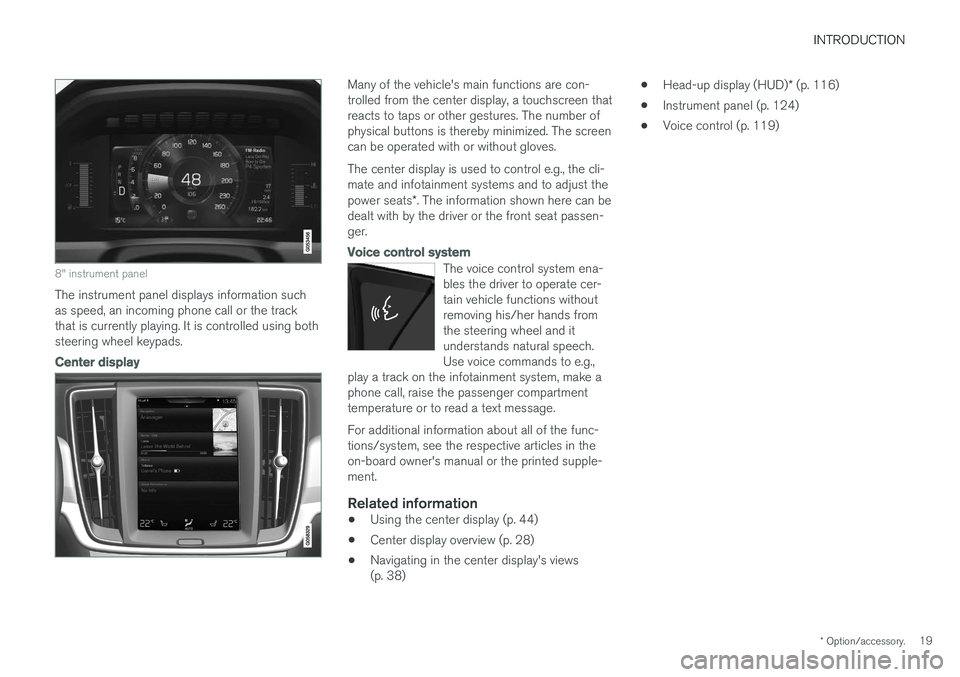
8" instrument panel
The instrument panel displays information such as speed, an incoming phone call or the trackthat is currently playing. It is controlled using bothsteering wheel keypads.
Center display
Many of the vehicle's main functions are con- trolled from the center display, a touchscreen thatreacts to taps or other gestures. The number ofphysical buttons is thereby minimized. The screencan be operated with or without gloves. The center display is used to control e.g., the cli- mate and infotainment systems and to adjust the power seats*. The information shown here can be
dealt with by the driver or the front seat passen- ger.
Voice control system
The voice control system ena- bles the driver to operate cer-tain vehicle functions withoutremoving his/her hands fromthe steering wheel and itunderstands natural speech.Use voice commands to e.g.,
play a track on the infotainment system, make aphone call, raise the passenger compartmenttemperature or to read a text message.
For additional information about all of the func- tions/system, see the respective articles in theon-board owner's manual or the printed supple-ment.
Related information
• Using the center display (p. 44)
• Center display overview (p. 28)
• Navigating in the center display's views(p. 38) •
Head-up display (HUD)
* (p. 116)
• Instrument panel (p. 124)
• Voice control (p. 119)
Page 31 of 548

INTRODUCTION
* Option/accessory.29
Function view: vehicle functions can be acti- vated/deactivated by tapping. Certain func-tions are called "trigger functions", which open settings windows, e.g.,
Camera and
parking functions. Settings for the head-up display * are also started from Function view
but the actual interaction is controlled from the steering wheel keypad buttons and theinstrument panel.
Home view: the initial view shown when the center display is started.
App (Application) view: shows apps that have been downloaded (third-party apps) as well as ones for integrated functions such as
FM
radio. Tap an icon to open the app.
Status bar: vehicle activities are shown at the top of the screen. Network/connection infor-mation is shown on the left side of the bar.Media-related information, the clock andinformation about background activities areshown to the right.
Top view: pull down the tab to open Top view. From here, you can access Settings,Owner's manual and stored messages.
Navigation: leads to map navigation. Tap the sub-view to expand it.
Media: the most recently used media-related apps. Tap the sub-view to expand it.
Phone: used to access phone-related func- tions. Tap the sub-view to expand it.
The extra sub-view: the most recently used apps/vehicle functions that do not belong inany of the other sub-views are listed here.Tap the sub-view to expand it.
Climate bar: information and direct access to settings such as temperature, seat heating *
and blower speed. Tap the symbol at the center of the Climate bar to open Climateview for additional settings.
Related information
• Using the center display (p. 44)
• Function view buttons (p. 36)
• Symbols in the center display status bar(p. 43)
• Settings view (p. 109)
• Media player (p. 415)
• Phone (p. 407)
• Climate system controls in the center display(p. 183)
• Cleaning the center display (p. 515)
Page 45 of 548

INTRODUCTION
43
Symbols in the center display status bar
The following table provides an overview of the symbols used in the center display's status bar.
The status bar shows current vehicle activities and in certain cases, also their status. Due to lim-ited space in the status bar, not all symbols willbe displayed at all times.
Symbol Meaning
Roaming activated.
Cell phone network signal strength.
Bluetooth device connected.
Bluetooth activated but no device connected.
Connected to a Wi-Fi network.
Tethering activated. (Wi-Fi hotspot).
Vehicle modem activated.
Remote diagnostics active.
Action in progress.
SymbolMeaning
Preconditioning A
in progress.
Audio source being played.
Audio source paused.
Phone call in progress.
Audio source muted.
News broadcasts from current radio station B
.
Traffic information being received B
.
Clock.
A Hybrid models only.
B Not available in all markets.
Related information
• Navigating in the center display's views (p. 38)
• Indicator symbols in the instrument panel(p. 127)
• Warning symbols in the instrument panel(p. 135)
• Messages in the instrument panel and centerdisplay (p. 150)
Changing settings in different types of apps
App view, which is one of the center display's basic views, contains all of the vehicle's apps(applications/programs). Access this view byswiping the screen from right to left.
Basic appsA number of apps are standard and are part of Volvo Sensus, such as FM Radio, USB and CD.
To change settings in a basic app: 1. Open the app, for example
Phone, either on
the home screen or full-screen from App view.
2. Pull down Top view. 3. Tap
Phone settings.
4. Change the desired settings and confirm.
5. Press the Home button, tap the screen out- side of Top view or pull Top view up.
Third-party appsThird party apps have to be selected and down- loaded. In these apps, setting are made fromwithin the app, not from Top view.
Page 58 of 548
SAFETY
56
General safety information The vehicle is equipped with a number of safety systems for the driver and passengers.
In the event of an accident, there are a number of sensors in the vehicle that react and triggersafety systems such as Roll Stability Control, air-bags, seat belt pretensioners, etc., depending onthe severity of the collision. There are alsomechanical systems such as the WhiplashProtection System.
Warning symbol in the instrument panelThe warning symbol in the instrumentpanel illuminates when the ignition is in mode II or higher. It will go out after
approx. 6 seconds if no faults are
detected in the airbag system.
WARNING
• If the SRS warning light stays on after the engine has started or if it illuminateswhile you are driving, have the vehicleinspected by a trained and qualified Volvoservice technician as soon as possible.
• Never try to repair any component or partof the SRS yourself. Any interference inthe system could cause malfunction andserious injury. All work on these systemsshould be performed by a trained andqualified Volvo service technician. If the dedicated warning symbol is notfunctioning, the general warning sym-bol will illuminate instead and the samemessage will be displayed in the instru-
ment panel.
Related information
• Safety during pregnancy (p. 58)
• Seat belts (p. 60)
• Airbag system (p. 65)
• Safety mode (p. 73)
• Whiplash protection system (p. 59)
• Child safety (p. 75)
Occupant safety Safety is Volvo's cornerstone.
Volvo's concern for safetyOur concern for safety dates back to 1927 when the first Volvo rolled off the production line.Three-point seat belts (a Volvo invention), safetycages, and energy-absorbing impact zones weredesigned into Volvo vehicles long before it wasfashionable or required by government regulation. We will not compromise our commitment to safety. We continue to seek out new safety fea-tures and to refine those already in our vehicles.You can help. We would appreciate hearing yoursuggestions about improving automobile safety.We also want to know if you ever have a safetyconcern with your vehicle. Call us in the U.S. at:1-800-458-1552 or in Canada at:1-800-663-8255.
Page 66 of 548
SAFETY
64
Door and seat belt remindersThe door and seat belt reminders are intended to alert all occupants of the vehicle that theirseat belts should be buckled before the vehiclebegins to move or if a door, the hood, trunk orfuel filler door have not been closed properly.
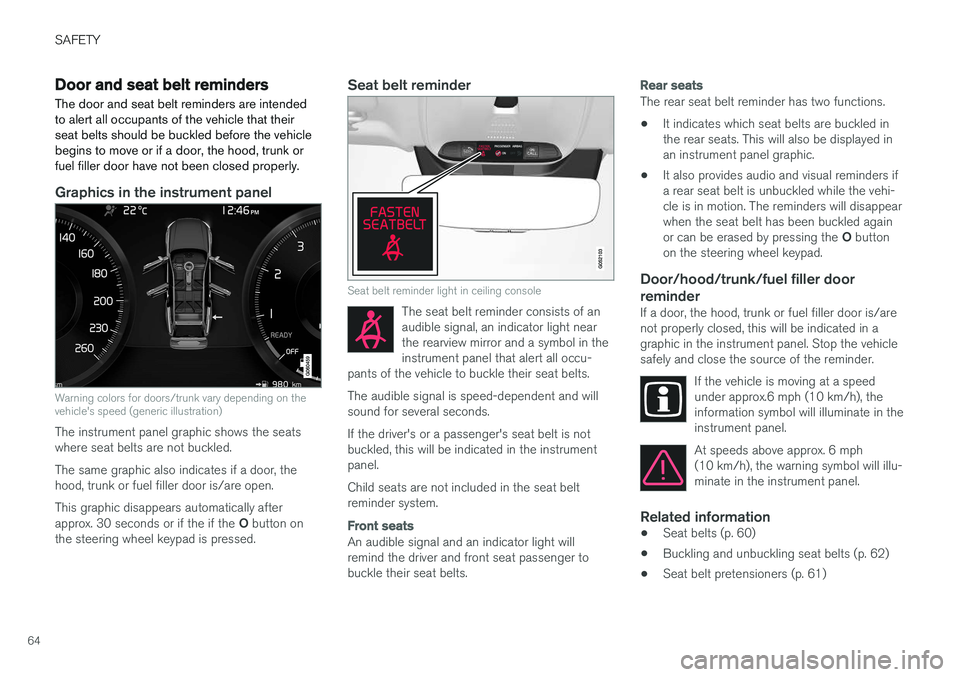
Graphics in the instrument panel
Warning colors for doors/trunk vary depending on the vehicle's speed (generic illustration)
The instrument panel graphic shows the seats where seat belts are not buckled. The same graphic also indicates if a door, the hood, trunk or fuel filler door is/are open. This graphic disappears automatically after approx. 30 seconds or if the if the O button on
the steering wheel keypad is pressed.
Seat belt reminder
Seat belt reminder light in ceiling console
The seat belt reminder consists of an audible signal, an indicator light nearthe rearview mirror and a symbol in theinstrument panel that alert all occu-
pants of the vehicle to buckle their seat belts.
The audible signal is speed-dependent and will sound for several seconds. If the driver's or a passenger's seat belt is not buckled, this will be indicated in the instrumentpanel. Child seats are not included in the seat belt reminder system.
Front seats
An audible signal and an indicator light will remind the driver and front seat passenger tobuckle their seat belts.
Rear seats
The rear seat belt reminder has two functions.
• It indicates which seat belts are buckled in the rear seats. This will also be displayed inan instrument panel graphic.
• It also provides audio and visual reminders ifa rear seat belt is unbuckled while the vehi-cle is in motion. The reminders will disappearwhen the seat belt has been buckled again or can be erased by pressing the
O button
on the steering wheel keypad.
Door/hood/trunk/fuel filler door
reminder
If a door, the hood, trunk or fuel filler door is/are not properly closed, this will be indicated in agraphic in the instrument panel. Stop the vehiclesafely and close the source of the reminder.
If the vehicle is moving at a speedunder approx.6 mph (10 km/h), theinformation symbol will illuminate in theinstrument panel.
At speeds above approx. 6 mph (10 km/h), the warning symbol will illu-minate in the instrument panel.
Related information
•Seat belts (p. 60)
• Buckling and unbuckling seat belts (p. 62)
• Seat belt pretensioners (p. 61)
Page 70 of 548
||
SAFETY
68
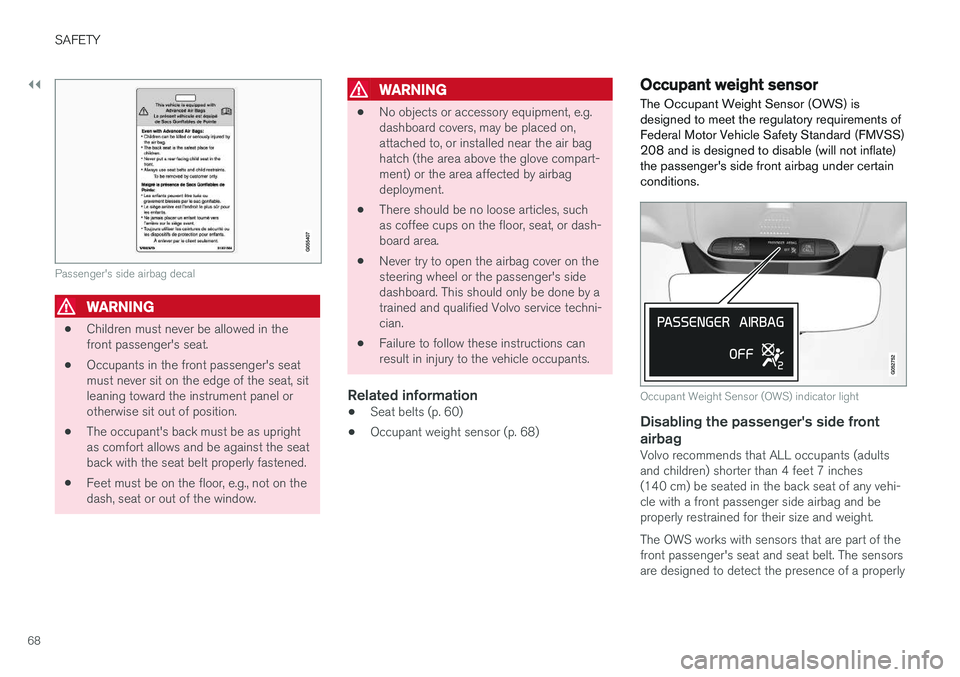
Passenger's side airbag decal
WARNING
•Children must never be allowed in the front passenger's seat.
• Occupants in the front passenger's seatmust never sit on the edge of the seat, sitleaning toward the instrument panel orotherwise sit out of position.
• The occupant's back must be as uprightas comfort allows and be against the seatback with the seat belt properly fastened.
• Feet must be on the floor, e.g., not on thedash, seat or out of the window.
WARNING
•
No objects or accessory equipment, e.g. dashboard covers, may be placed on,attached to, or installed near the air baghatch (the area above the glove compart-ment) or the area affected by airbagdeployment.
• There should be no loose articles, suchas coffee cups on the floor, seat, or dash-board area.
• Never try to open the airbag cover on thesteering wheel or the passenger's sidedashboard. This should only be done by atrained and qualified Volvo service techni-cian.
• Failure to follow these instructions canresult in injury to the vehicle occupants.
Related information
• Seat belts (p. 60)
• Occupant weight sensor (p. 68)
Occupant weight sensor
The Occupant Weight Sensor (OWS) is designed to meet the regulatory requirements ofFederal Motor Vehicle Safety Standard (FMVSS)208 and is designed to disable (will not inflate)the passenger's side front airbag under certainconditions.
Occupant Weight Sensor (OWS) indicator light
Disabling the passenger's side front airbag
Volvo recommends that ALL occupants (adults and children) shorter than 4 feet 7 inches(140 cm) be seated in the back seat of any vehi-cle with a front passenger side airbag and beproperly restrained for their size and weight. The OWS works with sensors that are part of the front passenger's seat and seat belt. The sensorsare designed to detect the presence of a properly
Page 76 of 548
||
SAFETY
74
WARNING
•Never attempt to repair the vehicle your- self or to reset the electrical system after the vehicle has displayed
Safety mode.
This could result in injury or improper sys- tem function.
• Restoring the vehicle to normal operatingstatus should only be done by a trainedand qualified Volvo service technician.
• After
Safety mode has been displayed, if
you detect the odor of fuel vapor, or see any signs of fuel leakage, do not attemptto start the vehicle. Leave the vehicleimmediately.
Related information
• Starting or moving a vehicle in safety mode(p. 74)
• General safety information (p. 56)
Starting or moving a vehicle in safety mode
If
Safety mode has been set, it may be possible
to start and move the vehicle, for example, if it is blocking traffic.
Starting the vehicle in safety mode1. Check the vehicle for damage, particularly for fuel leakage or the smell of gasoline fumes. If the damage to the vehicle is minor and there is no fuel leakage/fumes, you mayattempt to start the engine and move thevehicle.
WARNING
If you smell gasoline fumes or detect fuel leakage while Safety mode See Owner's
manual is displayed in the instrument panel,
do not attempt to start the vehicle . Leave
the vehicle immediately.
2. Turn the start knob to STOP and release it.
3. Try to start the vehicle. >
Vehicle start System check, wait will
be displayed in the instrument panel while the vehicle's electrical system attempts toreset to normal mode.
WARNING
If the message Safety mode See Owner's
manual is still displayed, the vehicle should
not be driven and must be towed. Concealed faults may make the vehicle difficult to control.
Moving the vehicle after safety mode has been set
If the message Normal mode The vehicle is
now in normal mode is displayed, the vehicle
may be moved carefully from its present position if, for example, it is blocking traffic. It should, however, not be moved farther than is absolutely necessary.
WARNING
After Safety mode has been set, the vehicle
should not be driven or towed (pulled on the ground by another vehicle). It must be trans-ported on a flatbed tow truck to a trained andqualified Volvo service technician for inspec-tion/repairs.
Related information
• Safety mode (p. 73)
• Towing recommendations (p. 359)