interior lights VOLVO S90 2017 Owner´s Manual
[x] Cancel search | Manufacturer: VOLVO, Model Year: 2017, Model line: S90, Model: VOLVO S90 2017Pages: 548, PDF Size: 11.42 MB
Page 109 of 548

INSTRUMENTS AND CONTROLS
}}
107
For the power windows to function, the ignition must be in at least mode
I. When the vehicle has
been running, the power windows can be oper- ated for several minutes after the ignition hasbeen switched off, or until a door has beenopened.
NOTE
• Movement of the windows will stop if they are obstructed in any way. If this happenstwice in succession, the automatic func-tion will not work for several minutes andthe window can be closed by holding thebutton up.
• To reduce buffeting wind noise if the rearwindows are opened, also open the frontwindows slightly.
Manual up/down
–Move one of the controls up/down slightly.
> The power windows move up/down as
long as the control is held in position.
Auto up/down
–Move one of the controls up/down as far as possible and release it.
> The window will open or close completely.
ResettingIf the battery has been disconnected, the auto open function must be reset so that it will workproperly
1. Gently raise the front section of the button to close the window and hold it for one second.
2. Release the button briefly.
3. Raise the front section of the button again for one second.
Related information
• Child safety locks (p. 238)
Rearview mirror The interior rearview mirror has an auto-dim function that helps reduce glare from followingvehicle's headlights.
Auto-dim functionThe auto-dim function is controlled by two sen- sors: one pointing forward (located on the for-ward-facing side of the mirror, which monitors theamount of ambient light) and one pointing rear-ward (located on the side of the mirror facing thedriver at the upper edge, which senses thestrength of following vehicles' headlights), andwork together to help eliminate glare.
NOTE
Obstructing the sensors with e.g., parking stickers, transponders, etc., or by placingobjects on the seats or parcel shelf in such away that light is prevented from reaching thesensors will reduce the auto-dim function inthe interior rearview mirror and optional auto-dim function in the door mirrors.
The auto-dim function is always active while the vehicle is being driven except when the reversegear has been selected. The level of sensitivityfor this function can be set to three levels, whichaffect the rearview mirror and door mirrors.
Page 149 of 548
INSTRUMENTS AND CONTROLS
}}
147
NOTE
•This automatic flashing sequence can be interrupted by immediately moving thelever in the opposite direction.
• If the turn signal indicator flashes fasterthan normal, see the message in theinstrument panel.
Continuous flashing sequenceMove the lever as far up or down as possible to start the turn signals.
The turn signals will be cancelled automaticallyby the movement of the steering wheel, or thelever can be returned to its initial position byhand.
Related information
• Lighting panel and controls (p. 138)
• Hazard warning flashers (p. 146)
• Settings view (p. 109)
Passenger compartment lighting
The passenger compartment lighting is con- trolled using the buttons in the ceiling above thefront and rear seats.
All passenger compartment lighting can be turned on and off manually within 30 minutesafter:
• the vehicle is unlocked but the engine hasnot been started
• the engine is switched off and the ignition is in mode
0.
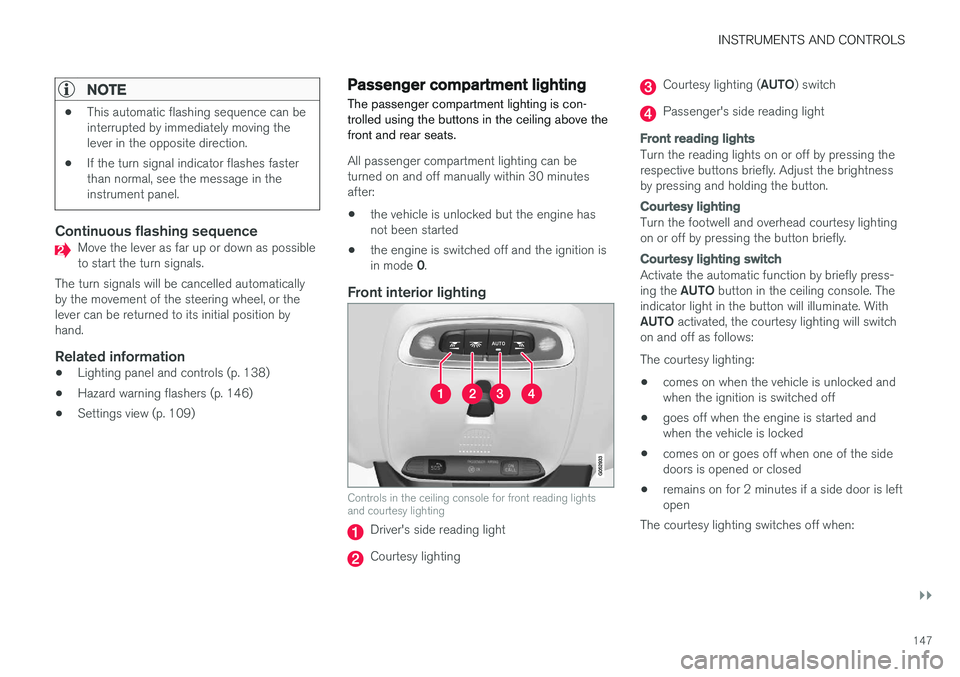
Front interior lighting
Controls in the ceiling console for front reading lights and courtesy lighting
Driver's side reading light
Courtesy lighting
Courtesy lighting ( AUTO) switch
Passenger's side reading light
Front reading lights
Turn the reading lights on or off by pressing the respective buttons briefly. Adjust the brightnessby pressing and holding the button.
Courtesy lighting
Turn the footwell and overhead courtesy lighting on or off by pressing the button briefly.
Courtesy lighting switch
Activate the automatic function by briefly press- ing the AUTO button in the ceiling console. The
indicator light in the button will illuminate. WithAUTO activated, the courtesy lighting will switch
on and off as follows: The courtesy lighting: • comes on when the vehicle is unlocked and when the ignition is switched off
• goes off when the engine is started andwhen the vehicle is locked
• comes on or goes off when one of the sidedoors is opened or closed
• remains on for 2 minutes if a side door is leftopen
The courtesy lighting switches off when:
Page 150 of 548
||
INSTRUMENTS AND CONTROLS
* Option/accessory.
148
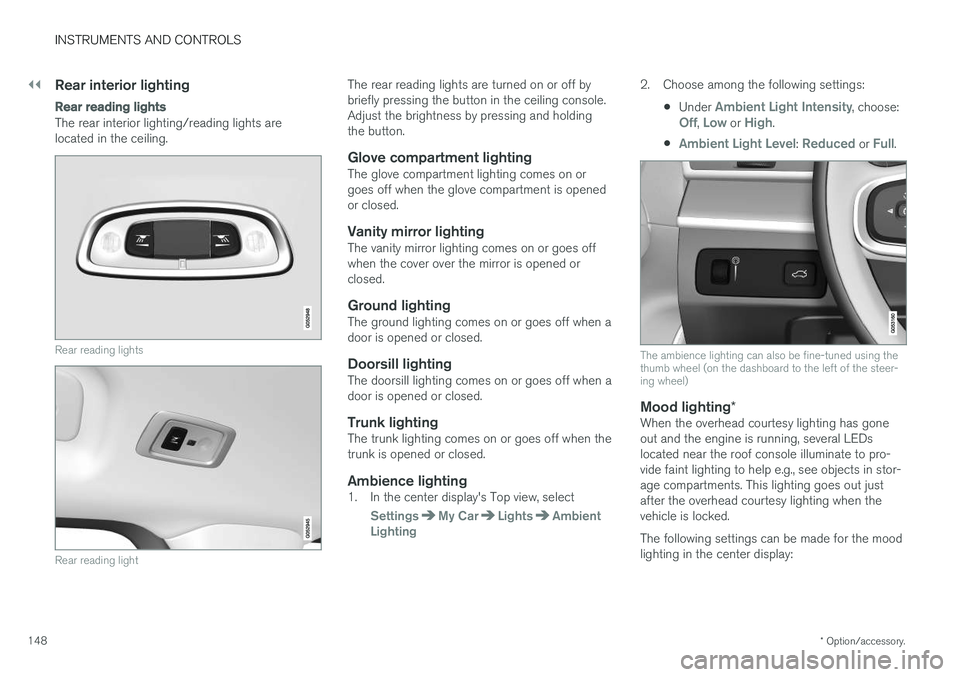
Rear interior lighting
Rear reading lights
The rear interior lighting/reading lights are located in the ceiling.
Rear reading lights
Rear reading light
The rear reading lights are turned on or off by briefly pressing the button in the ceiling console.Adjust the brightness by pressing and holdingthe button.
Glove compartment lightingThe glove compartment lighting comes on orgoes off when the glove compartment is openedor closed.
Vanity mirror lightingThe vanity mirror lighting comes on or goes offwhen the cover over the mirror is opened orclosed.
Ground lightingThe ground lighting comes on or goes off when adoor is opened or closed.
Doorsill lightingThe doorsill lighting comes on or goes off when adoor is opened or closed.
Trunk lightingThe trunk lighting comes on or goes off when thetrunk is opened or closed.
Ambience lighting1. In the center display's Top view, select
SettingsMy CarLightsAmbient
Lighting
2. Choose among the following settings:
•Under
Ambient Light Intensity, choose:Off, Low or High.
•
Ambient Light Level: Reduced or Full.
The ambience lighting can also be fine-tuned using the thumb wheel (on the dashboard to the left of the steer-ing wheel)
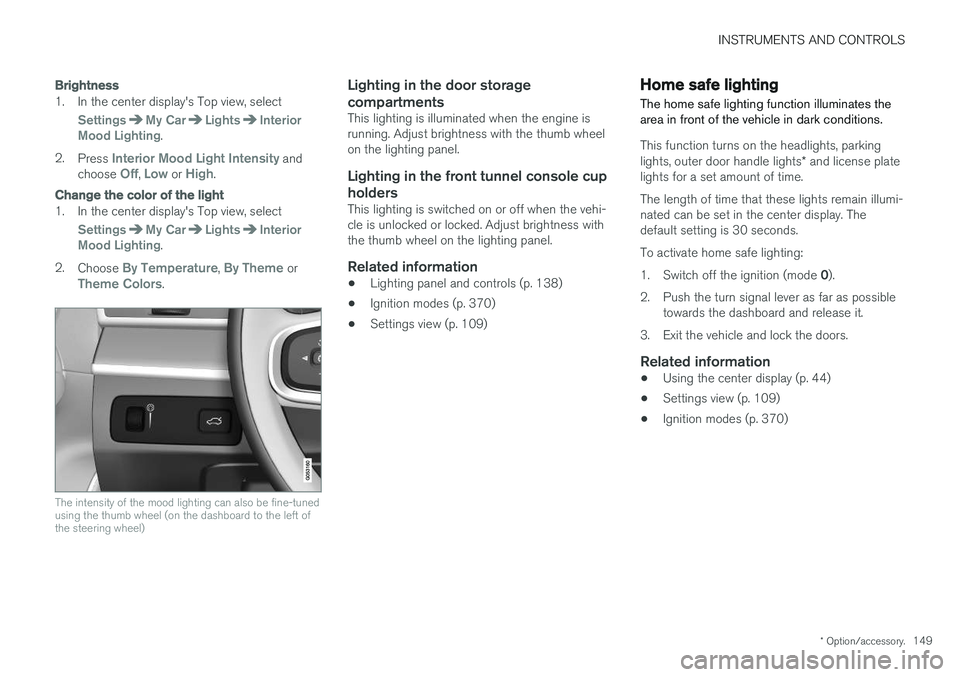
Mood lighting *When the overhead courtesy lighting has gone out and the engine is running, several LEDslocated near the roof console illuminate to pro-vide faint lighting to help e.g., see objects in stor-age compartments. This lighting goes out justafter the overhead courtesy lighting when thevehicle is locked. The following settings can be made for the mood lighting in the center display:
Page 151 of 548
INSTRUMENTS AND CONTROLS
* Option/accessory.149
Brightness
1. In the center display's Top view, select
SettingsMy CarLightsInterior
Mood Lighting.
2. Press
Interior Mood Light Intensity and
choose Off, Low or High.
Change the color of the light
1. In the center display's Top view, select
SettingsMy CarLightsInterior
Mood Lighting.
2. Choose
By Temperature, By Theme orTheme Colors.
The intensity of the mood lighting can also be fine-tuned using the thumb wheel (on the dashboard to the left ofthe steering wheel)
Lighting in the door storage compartments
This lighting is illuminated when the engine is running. Adjust brightness with the thumb wheelon the lighting panel.
Lighting in the front tunnel console cup
holders
This lighting is switched on or off when the vehi-cle is unlocked or locked. Adjust brightness withthe thumb wheel on the lighting panel.
Related information
• Lighting panel and controls (p. 138)
• Ignition modes (p. 370)
• Settings view (p. 109)
Home safe lighting
The home safe lighting function illuminates the area in front of the vehicle in dark conditions.
This function turns on the headlights, parking lights, outer door handle lights * and license plate
lights for a set amount of time. The length of time that these lights remain illumi- nated can be set in the center display. Thedefault setting is 30 seconds. To activate home safe lighting:1. Switch off the ignition (mode 0).
2. Push the turn signal lever as far as possible towards the dashboard and release it.
3. Exit the vehicle and lock the doors.
Related information
• Using the center display (p. 44)
• Settings view (p. 109)
• Ignition modes (p. 370)
Page 229 of 548
LOCKS AND ALARM
227
Indicators in the interior lock buttons
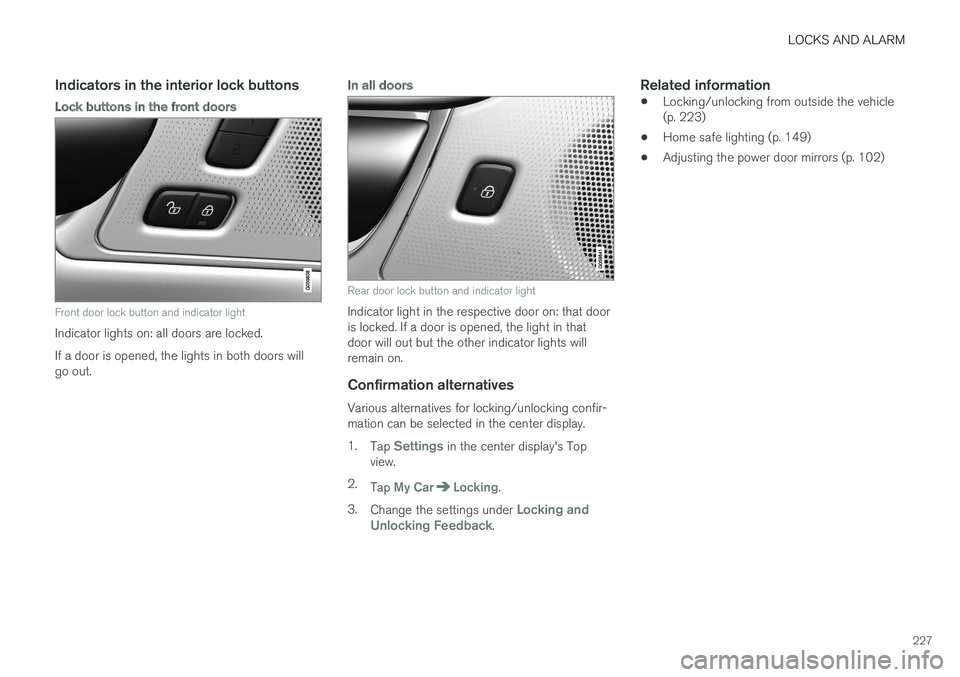
Lock buttons in the front doors
Front door lock button and indicator light
Indicator lights on: all doors are locked. If a door is opened, the lights in both doors will go out.
In all doors
Rear door lock button and indicator light
Indicator light in the respective door on: that door is locked. If a door is opened, the light in thatdoor will out but the other indicator lights willremain on.
Confirmation alternatives
Various alternatives for locking/unlocking confir-mation can be selected in the center display. 1.Tap
Settings in the center display's Top
view.
2. Tap
My CarLocking.
3. Change the settings under
Locking and
Unlocking Feedback.
Related information
• Locking/unlocking from outside the vehicle (p. 223)
• Home safe lighting (p. 149)
• Adjusting the power door mirrors (p. 102)
Page 471 of 548
MAINTENANCE AND SERVICING
}}
469
Emission inspection readiness
How do states use OBD II for emission
inspections?
Many states connect a computer directly to a vehicle's OBD II system. The inspector can thenread "faults." In some states, this type of inspec-tion has replaced the tailpipe emission test.
How can my vehicle fail OBD II emission
inspection?
Your vehicle can fail OBD II emission inspection for any of the following reasons.
• If your Check Engine (MIL) light is lit, yourvehicle may fail inspection.
• If your vehicle's Check Engine light was lit,but went out without any action on your part,OBD II will still have a recorded fault. Yourvehicle may pass or fail, depending on theinspection practices in your area.
• If you had recent service that required dis-connecting the battery, OBD II diagnosticinformation may be incomplete and "notready" for inspection. A vehicle that is notready may fail inspection.
How can I prepare for my next
OBD II
emission inspection?
• If your Check Engine (MIL) light is lit – or was lit but went out without service, have your vehicle diagnosed and, if necessary, servicedby a qualified Volvo technician.
• If you recently had service for a lit CheckEngine light, or if you had service thatrequired disconnecting the battery, a periodof driving is necessary to bring the OBD IIsystem to "ready" for inspection. Two half-hour trips of mixed stop-and-go/highwaydriving are typically needed to allow OBD II toreach readiness. Your Volvo retailer can pro-vide you with more information on planning atrip.
• Maintain your vehicle in accordance with yourvehicle's maintenance schedule.
Owner maintenancePeriodic maintenance requirements and intervalsare described in your vehicle's Warranty andService Records Information booklet. The following points can be carried out between the normally scheduled maintenance services.
Each time the car is refueled:
•Check the engine oil level.
• Clean the windshield, windshield wipers, headlights, and taillights.
Monthly:
• Check cold tire pressure in all tires. Inspect the tires for wear.
• Check that engine coolant and other fluidlevels are between the indicated "min" and"max" markings.
• Clean interior glass surfaces with a glasscleaner and soft paper towels.
• Wipe driver information displays with a softcloth.
• Visually inspect battery terminals for corro-sion. Corrosion may indicate a loose terminalconnector, or a battery near the end of itsuseful service life. Consult your Volvo retailerfor additional information.
As needed:
Wash the car, including the undercarriage, to reduce wear that can be caused by a buildup ofdirt, and corrosion that can be caused by salt res-idues. Clean leaves and twigs from air intake vents at the base of the windshield, and from other placeswhere they may collect.
NOTE
Complete service information for qualified technicians is available online for purchase orsubscription at www.volvotechinfo.com.
Page 538 of 548
INDEX
536Booster cushions 83
Brake assist system 349
Brake lights 146, 350Brakes
auto-hold 348
Brake system Brake pad inspection 347
fluid 527
general information 346, 348, 349
Bulbs 497 replacing 493
specifications 500
C
Cameradriver support systems 292
limitations 293
Camera, Park Assist 332, 334, 336, 337
Capacity weight 446, 525Cargo compartment raising/lowering the level 202
Cargo space 202
Car wash 511
Catalytic converter 364
CD, USB, iPod, AUX, Bluetooth, Recents, Library, Shuffle, Similar, Change device, Pri-mary Audio Default Language, Subtitle, Pri-mary Subtitle Default Language, Video, DivX ® VOD 420
CD player 420 Cell phone hands-free 407
Pairing 408
Cell phone voice control 120 Center display changing settings 30
cleaning 515
keyboard 31
navigating in 38
overview 28
screen in the center console 44
symbols in the status bar 43
Chains 447
Changing a wheel 450Child restraints recalls and registration 77
Child restraint systems 77 booster cushions 83
convertible seats 80
infant seats 78
ISOFIX/LATCH anchors 84
top tether anchors 86Child safety 75
booster cushions 83
child restraint systems 77, 85
convertible seats 80
infant seats 78
Child safety locks 238 Child seats lower attachment points 85
City safety 296, 304City Safety crossing traffic 301
detecting objects 299
limitations 304
rear collision warning 308
symbols and messages 307
troubleshooting 302
City Safety, On/Off 298 City Safety ™
Multi Target 302
Cleaning exterior 511
interior 513
Clean Zone Interior Package 180
Climate system 182 air distribution 196, 198, 199
air filter 181
air vents 197
auto mode 182
Page 541 of 548
INDEX
539
Head-up display 116
Heated front seats 194
Heated oxygen sensors 364
Heated steering wheel 192
High beam bulb, replacing 496
High beams 142
active 142
Hill Start Assist (HSA) 350
Hoisting the vehicle 501 HomeLink ®
Wireless Control System 98, 99
Home safe lighting 149
Hood, opening/closing 503
Horn, Keypad, Paddles, Signal 159
I
ID, Volvo 27
Ignition modes 370
Immobilizer (start inhibitor) 214
Indicator lights 135
Infant seats 78
Inflatable Curtain 73
Inflation pressure 448
Inflation pressure table 532
Information lights 135
Infotainment 437
Infotainment (Infotainment system) 390
Infotainment system 394, 396, 397 CD player 420
cell phone 407
general sound settings 391
Gracenote 424
introduction 390
media player 414, 420
media player sound settings 424
media search 422
radio 392
searching for radio stations 393
sound settings 391, 424
type approval 433
video 425
voice control 119
Inspection readiness 468
Instrument lighting 139
Instrument overview 94
Instrument panel 124 settings 126
Intellisafe 16
Interior Air Quality System 181
Interior lighting 147Internet connection 427 applications (apps) 390
bluetooth settings 429
booking service 472
establishing a connection 427
troubleshooting 430
ISOFIX/LATCH anchors 84
J
Jack 450 location of 450, 453
Jump starting 360, 364
K
Key remote 174, 217
Key blade 221, 235
Keys 220