mirror VOLVO S90 2018 Owner´s Manual
[x] Cancel search | Manufacturer: VOLVO, Model Year: 2018, Model line: S90, Model: VOLVO S90 2018Pages: 640, PDF Size: 11.37 MB
Page 137 of 640
DISPLAYS AND VOICE CONTROL
}}
* Option/accessory.135
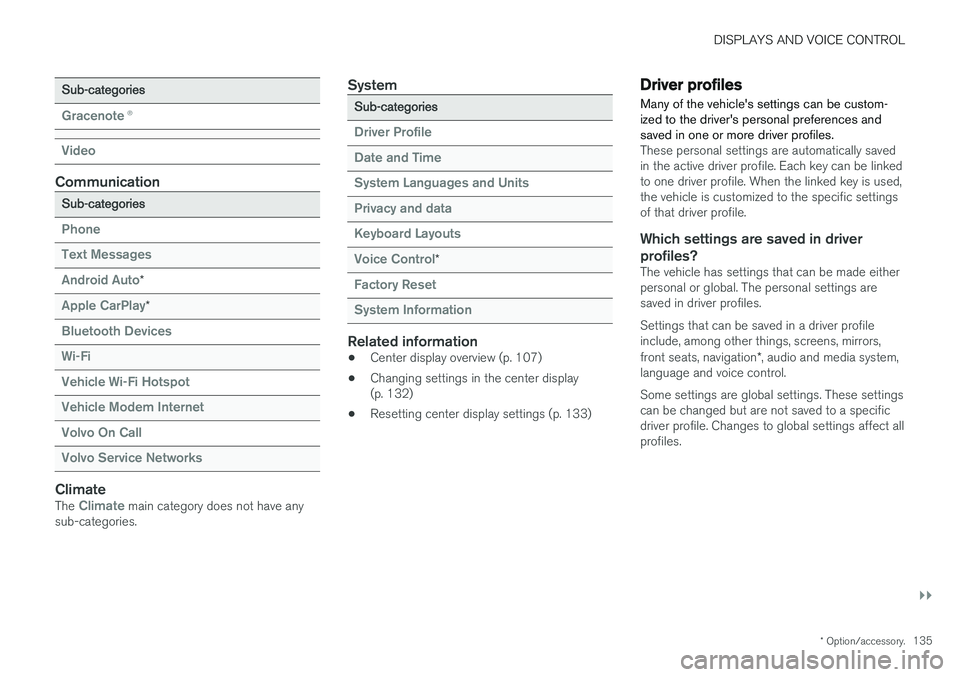
Sub-categories
Gracenote®
Video
Communication
Sub-categories
Phone Text Messages Android Auto
*
Apple CarPlay*
Bluetooth Devices Wi-FiVehicle Wi-Fi HotspotVehicle Modem Internet Volvo On Call Volvo Service Networks
ClimateThe Climate main category does not have any
sub-categories.
System
Sub-categories
Driver Profile Date and TimeSystem Languages and UnitsPrivacy and dataKeyboard Layouts Voice Control
*
Factory Reset System Information
Related information
• Center display overview (p. 107)
• Changing settings in the center display (p. 132)
• Resetting center display settings (p. 133)
Driver profiles
Many of the vehicle's settings can be custom- ized to the driver's personal preferences andsaved in one or more driver profiles.
These personal settings are automatically saved in the active driver profile. Each key can be linkedto one driver profile. When the linked key is used,the vehicle is customized to the specific settingsof that driver profile.
Which settings are saved in driver profiles?
The vehicle has settings that can be made eitherpersonal or global. The personal settings aresaved in driver profiles. Settings that can be saved in a driver profile include, among other things, screens, mirrors, front seats, navigation *, audio and media system,
language and voice control. Some settings are global settings. These settings can be changed but are not saved to a specificdriver profile. Changes to global settings affect allprofiles.
Page 163 of 640
LIGHTING
}}
* Option/accessory.161
Interior Lighting
The interior is equipped with several different types of lighting to improve the experience. Thisincludes reading lamps, glove box lighting andground lighting.
All lighting in the passenger compartment can be turned on and off manually within 5 minutesafter:
• the engine has been switched off and the ignition is in mode
0.
• the vehicle is unlocked but the engine has not been started.
Front ceiling lighting
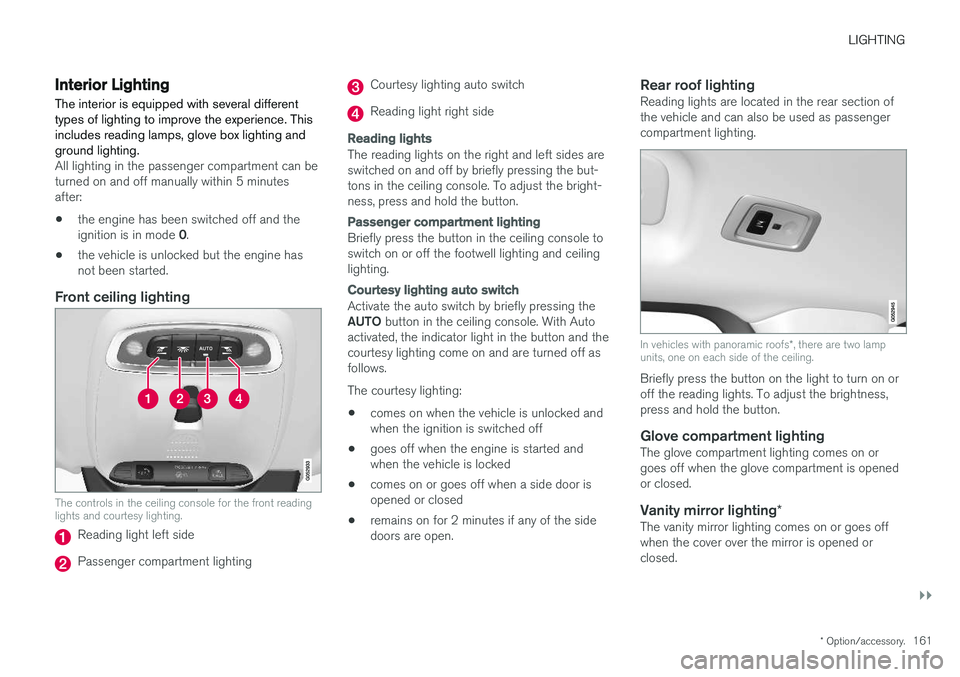
The controls in the ceiling console for the front reading lights and courtesy lighting.
Reading light left side
Passenger compartment lighting
Courtesy lighting auto switch
Reading light right side
Reading lights
The reading lights on the right and left sides are switched on and off by briefly pressing the but-tons in the ceiling console. To adjust the bright-ness, press and hold the button.
Passenger compartment lighting
Briefly press the button in the ceiling console to switch on or off the footwell lighting and ceilinglighting.
Courtesy lighting auto switch
Activate the auto switch by briefly pressing the AUTO
button in the ceiling console. With Auto
activated, the indicator light in the button and the courtesy lighting come on and are turned off asfollows. The courtesy lighting: • comes on when the vehicle is unlocked and when the ignition is switched off
• goes off when the engine is started andwhen the vehicle is locked
• comes on or goes off when a side door isopened or closed
• remains on for 2 minutes if any of the sidedoors are open.
Rear roof lightingReading lights are located in the rear section ofthe vehicle and can also be used as passengercompartment lighting.
In vehicles with panoramic roofs
*, there are two lamp
units, one on each side of the ceiling.
Briefly press the button on the light to turn on or off the reading lights. To adjust the brightness,press and hold the button.
Glove compartment lightingThe glove compartment lighting comes on orgoes off when the glove compartment is openedor closed.
Vanity mirror lighting *The vanity mirror lighting comes on or goes offwhen the cover over the mirror is opened orclosed.
Page 168 of 640
WINDOWS, GLASS AND MIRRORS
* Option/accessory.
166
Windows, glass and mirrors
The vehicle is equipped with controls for win- dows, glass and mirrors. Some of the windowsin the car are laminated.
Laminated glass
The windshield and panoramic roof * have lamina-
ted glass. The glass is reinforced, which provides better protection against break-ins and improvedsoundproofing in the passenger compartment.Laminated glass is available as an option forsome other glass surfaces.
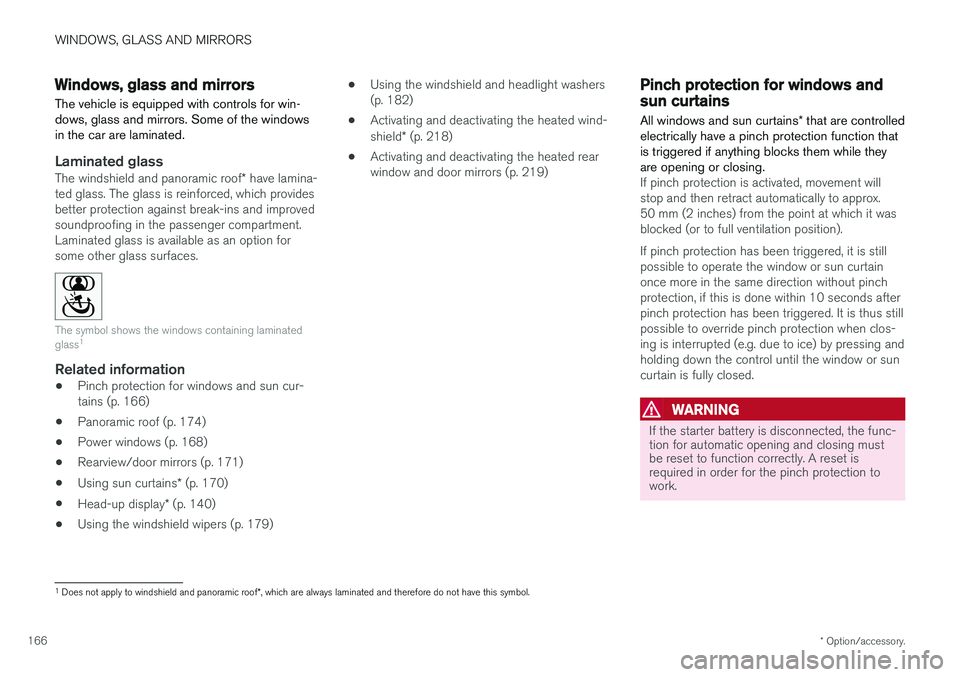
The symbol shows the windows containing laminated glass 1
Related information
•
Pinch protection for windows and sun cur- tains (p. 166)
• Panoramic roof (p. 174)
• Power windows (p. 168)
• Rearview/door mirrors (p. 171)
• Using sun curtains
* (p. 170)
• Head-up display
* (p. 140)
• Using the windshield wipers (p. 179) •
Using the windshield and headlight washers(p. 182)
• Activating and deactivating the heated wind- shield
* (p. 218)
• Activating and deactivating the heated rear window and door mirrors (p. 219)
Pinch protection for windows andsun curtains
All windows and sun curtains * that are controlled
electrically have a pinch protection function that is triggered if anything blocks them while theyare opening or closing.
If pinch protection is activated, movement will stop and then retract automatically to approx.50 mm (2 inches) from the point at which it wasblocked (or to full ventilation position). If pinch protection has been triggered, it is still possible to operate the window or sun curtainonce more in the same direction without pinchprotection, if this is done within 10 seconds afterpinch protection has been triggered. It is thus stillpossible to override pinch protection when clos-ing is interrupted (e.g. due to ice) by pressing andholding down the control until the window or suncurtain is fully closed.
WARNING
If the starter battery is disconnected, the func- tion for automatic opening and closing mustbe reset to function correctly. A reset isrequired in order for the pinch protection towork.
1 Does not apply to windshield and panoramic roof *, which are always laminated and therefore do not have this symbol.
Page 169 of 640
WINDOWS, GLASS AND MIRRORS
* Option/accessory.167
Related information
•Reset procedure for pinch protection (p. 167)
• Operating the power windows (p. 169)
• Using sun curtains
* (p. 170)
• Panoramic roof (p. 174)
Reset procedure for pinchprotection
If the power windows are not operating properly, you can try a reset procedure. The power sun curtains * also have a reset pro-
cedure that can be tested in case of problems.
WARNING
If the starter battery is disconnected, the func- tion for automatic opening and closing mustbe reset to function correctly. A reset isrequired in order for the pinch protection towork.
If the problem persists or if it affects the panor- amic roof or sunroof, contact a workshop. 2
Resetting a power window
1. Start with the window in the closed position.
2. Then operate the window in manual mode
three times upward toward the closed posi- tion.
> The system will be automatically initiated.
Resetting a sun curtain
1.Begin with the sun curtain * in the retracted
position.
2. Press and hold the lowering control for approx. 15 seconds.
> The system will be automatically activated.
Related information
• Pinch protection for windows and sun cur- tains (p. 166)
• Operating the power windows (p. 169)
• Using sun curtains
* (p. 170)
2
An authorized Volvo workshop is recommended.
Page 170 of 640
WINDOWS, GLASS AND MIRRORS
* Option/accessory.
168
Power windows
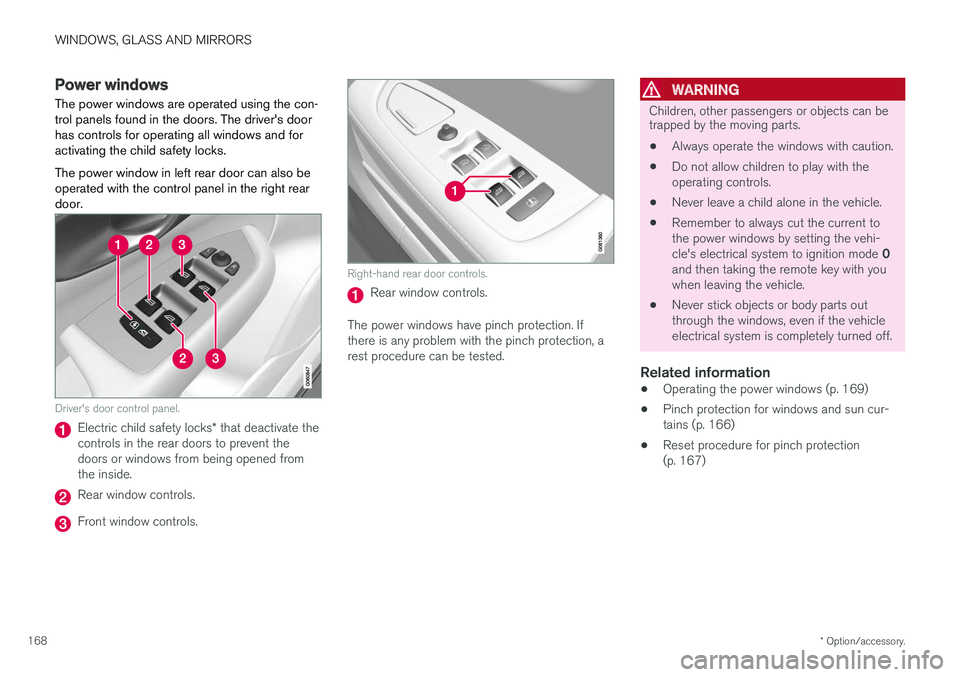
The power windows are operated using the con- trol panels found in the doors. The driver's doorhas controls for operating all windows and foractivating the child safety locks. The power window in left rear door can also be operated with the control panel in the right reardoor.
Driver's door control panel.
Electric child safety locks * that deactivate the
controls in the rear doors to prevent the doors or windows from being opened fromthe inside.
Rear window controls.
Front window controls.
Right-hand rear door controls.
Rear window controls.
The power windows have pinch protection. If there is any problem with the pinch protection, arest procedure can be tested.
WARNING
Children, other passengers or objects can be trapped by the moving parts.
• Always operate the windows with caution.
• Do not allow children to play with the operating controls.
• Never leave a child alone in the vehicle.
• Remember to always cut the current tothe power windows by setting the vehi- cle's electrical system to ignition mode
0
and then taking the remote key with you when leaving the vehicle.
• Never stick objects or body parts outthrough the windows, even if the vehicleelectrical system is completely turned off.
Related information
•Operating the power windows (p. 169)
• Pinch protection for windows and sun cur-tains (p. 166)
• Reset procedure for pinch protection(p. 167)
Page 171 of 640
WINDOWS, GLASS AND MIRRORS
* Option/accessory.169
Operating the power windows
All power windows can be operated using the control panel in the driver's door. The controlpanels in the other doors can be used to oper-ate that particular door. The power window in left rear door can also be operated with the control panel in the right reardoor.
The power windows have pinch protection. If there is any problem with the pinch protection, arest procedure can be tested.
WARNING
Children, other passengers or objects can be trapped by the moving parts.
• Always operate the windows with caution.
• Do not allow children to play with the operating controls.
• Never leave a child alone in the vehicle.
• Remember to always cut the current tothe power windows by setting the vehi- cle's electrical system to ignition mode
0
and then taking the remote key with you when leaving the vehicle.
• Never stick objects or body parts outthrough the windows, even if the vehicle electrical system is completely turned off.
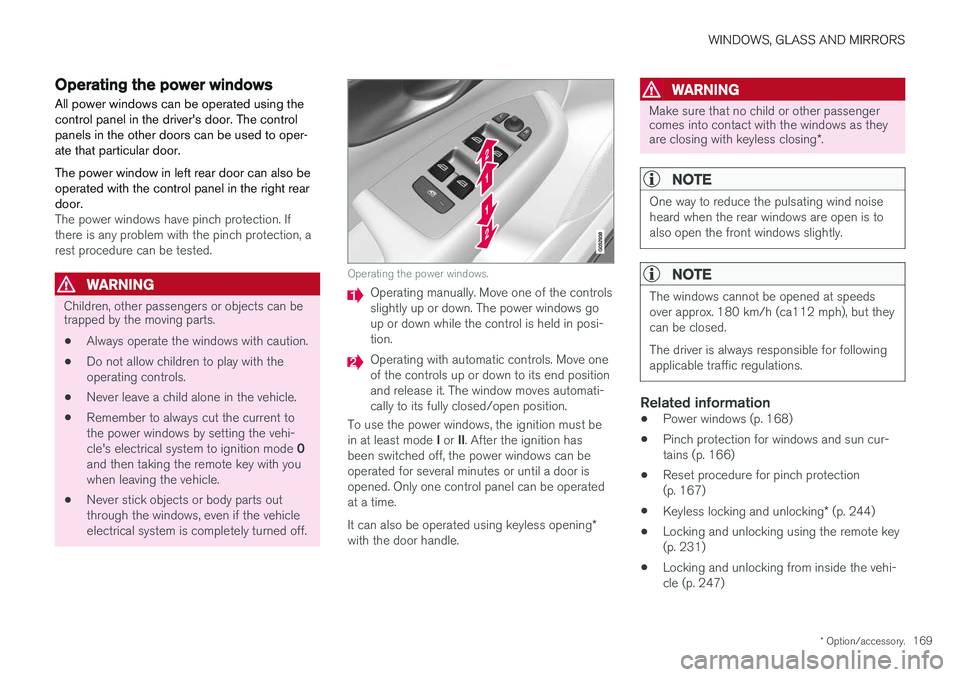
Operating the power windows.
Operating manually. Move one of the controls slightly up or down. The power windows goup or down while the control is held in posi-tion.
Operating with automatic controls. Move one of the controls up or down to its end positionand release it. The window moves automati-cally to its fully closed/open position.
To use the power windows, the ignition must be in at least mode I or II. After the ignition has
been switched off, the power windows can be operated for several minutes or until a door isopened. Only one control panel can be operatedat a time. It can also be operated using keyless opening *
with the door handle.
WARNING
Make sure that no child or other passenger comes into contact with the windows as they are closing with keyless closing *.
NOTE
One way to reduce the pulsating wind noise heard when the rear windows are open is toalso open the front windows slightly.
NOTE
The windows cannot be opened at speeds over approx. 180 km/h (ca112 mph), but theycan be closed. The driver is always responsible for following applicable traffic regulations.
Related information
• Power windows (p. 168)
• Pinch protection for windows and sun cur- tains (p. 166)
• Reset procedure for pinch protection(p. 167)
• Keyless locking and unlocking
* (p. 244)
• Locking and unlocking using the remote key(p. 231)
• Locking and unlocking from inside the vehi-cle (p. 247)
Page 172 of 640
WINDOWS, GLASS AND MIRRORS
* Option/accessory.
170
Using sun curtains *
Sun curtains are integrated into each of the rear doors. There may also be an integrated sun curtain in the rear window shelf.
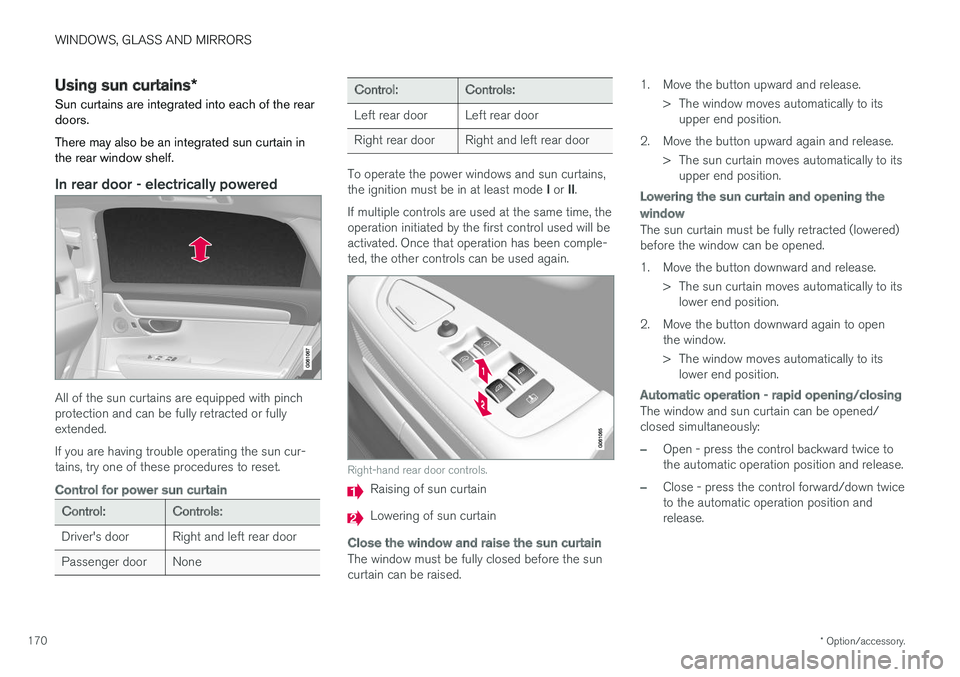
In rear door - electrically powered
All of the sun curtains are equipped with pinch protection and can be fully retracted or fullyextended. If you are having trouble operating the sun cur- tains, try one of these procedures to reset.
Control for power sun curtain
Control:Controls:
Driver's door Right and left rear door
Passenger door None
Control:Controls:
Left rear door Left rear door
Right rear door Right and left rear door
To operate the power windows and sun curtains, the ignition must be in at least mode I or II.
If multiple controls are used at the same time, the operation initiated by the first control used will beactivated. Once that operation has been comple-ted, the other controls can be used again.
Right-hand rear door controls.
Raising of sun curtain
Lowering of sun curtain
Close the window and raise the sun curtain
The window must be fully closed before the sun curtain can be raised. 1. Move the button upward and release.
> The window moves automatically to itsupper end position.
2. Move the button upward again and release. > The sun curtain moves automatically to itsupper end position.
Lowering the sun curtain and opening the
window
The sun curtain must be fully retracted (lowered) before the window can be opened.
1. Move the button downward and release.
> The sun curtain moves automatically to itslower end position.
2. Move the button downward again to open the window.
> The window moves automatically to itslower end position.
Automatic operation - rapid opening/closing
The window and sun curtain can be opened/ closed simultaneously:
–Open - press the control backward twice to the automatic operation position and release.
–Close - press the control forward/down twice to the automatic operation position andrelease.
Page 173 of 640
WINDOWS, GLASS AND MIRRORS
}}
* Option/accessory.171
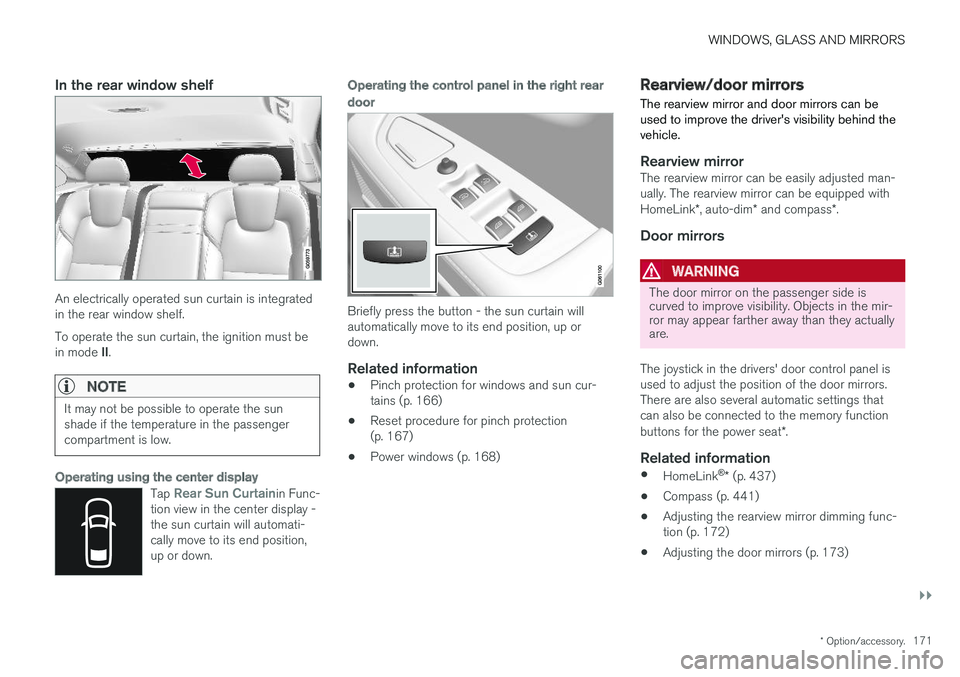
In the rear window shelf
An electrically operated sun curtain is integrated in the rear window shelf. To operate the sun curtain, the ignition must be in mode II.
NOTE
It may not be possible to operate the sun shade if the temperature in the passengercompartment is low.
Operating using the center display
Tap Rear Sun Curtainin Func-
tion view in the center display - the sun curtain will automati-cally move to its end position,up or down.
Operating the control panel in the right rear
door
Briefly press the button - the sun curtain will automatically move to its end position, up ordown.
Related information
• Pinch protection for windows and sun cur- tains (p. 166)
• Reset procedure for pinch protection(p. 167)
• Power windows (p. 168)
Rearview/door mirrors
The rearview mirror and door mirrors can be used to improve the driver's visibility behind thevehicle.
Rearview mirrorThe rearview mirror can be easily adjusted man- ually. The rearview mirror can be equipped with HomeLink *, auto-dim * and compass *.
Door mirrors
WARNING
The door mirror on the passenger side is curved to improve visibility. Objects in the mir-ror may appear farther away than they actuallyare.
The joystick in the drivers' door control panel is used to adjust the position of the door mirrors.There are also several automatic settings thatcan also be connected to the memory function buttons for the power seat *.
Related information
•
HomeLink ®
* (p. 437)
• Compass (p. 441)
• Adjusting the rearview mirror dimming func- tion (p. 172)
• Adjusting the door mirrors (p. 173)
Page 174 of 640
WINDOWS, GLASS AND MIRRORS
* Option/accessory.
172 •
Storing memory settings in power front seats
* (p. 186)
• Activating and deactivating the heated rear window and door mirrors (p. 219)
Adjusting the rearview mirrordimming function
Bright light entering the vehicle from behind, e.g. from the headlights of following vehicles, couldreflect in the rearview mirror and door mirrorsand cause a glare. Use the dimming functionwhen light from behind is distracting.
Auto-dimIf bright light enters the vehicle from behind, the door mirrors will automatically dim. Auto-dim isalways active when the engine is running, exceptwhen reverse gear is engaged.
NOTE
When the level of sensitivity is changed, this change will not be noticeable immediately butwill instead take effect after a short period oftime.
The sensitivity level for dimming will affect both the rearview mirror and door mirrors. 1. Tap
Settings in the Top view in the center
display.
2. Tap
My CarMirrors and Convenience.
3. Under
Rearview Mirror Auto Dimming,
select Normal, Dark or Light.
The rearview mirror instead has two sensors - one pointing forward and one pointing rearward -which work together to identify and eliminate glare. The forward-pointing sensor monitorsambient light, while the rearward-pointing sensormonitors light from the headlights of followingvehicles. For the door mirrors to be equipped with auto- dim, the rearview mirror must also be equippedwith auto-dim.
NOTE
If the sensors are obstructed by e.g. a parking permit, transponder, sunshade or objects onthe seats or parcel shelf in a way that pre-vents light from reaching the sensors, theauto-dim function in the rearview and doormirrors will be reduced.
Related information
•
Rearview/door mirrors (p. 171)
• Adjusting the door mirrors (p. 173)
Page 175 of 640
WINDOWS, GLASS AND MIRRORS
}}
* Option/accessory.173
Adjusting the door mirrors
To improve visibility to the rear, the door mirrors need to be adjusted to the driver's height andseating position. There are several automaticsettings that can also be connected to the mem- ory function buttons for the power seat *.
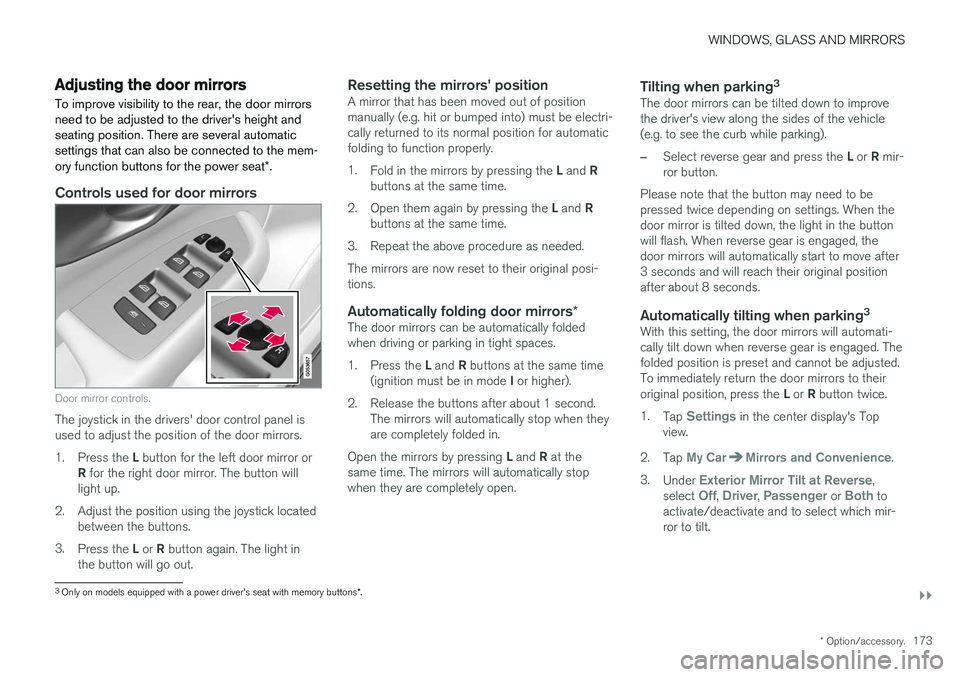
Controls used for door mirrors
Door mirror controls.
The joystick in the drivers' door control panel is used to adjust the position of the door mirrors. 1.
Press the L button for the left door mirror or
R for the right door mirror. The button will
light up.
2. Adjust the position using the joystick located between the buttons.
3. Press the L or R button again. The light in
the button will go out.
Resetting the mirrors' positionA mirror that has been moved out of position manually (e.g. hit or bumped into) must be electri-cally returned to its normal position for automaticfolding to function properly. 1. Fold in the mirrors by pressing the L and R
buttons at the same time.
2. Open them again by pressing the L and R
buttons at the same time.
3. Repeat the above procedure as needed.The mirrors are now reset to their original posi- tions.
Automatically folding door mirrors *The door mirrors can be automatically foldedwhen driving or parking in tight spaces. 1.
Press the L and R buttons at the same time
(ignition must be in mode I or higher).
2. Release the buttons after about 1 second. The mirrors will automatically stop when they are completely folded in.
Open the mirrors by pressing L and R at the
same time. The mirrors will automatically stopwhen they are completely open.
Tilting when parking 3The door mirrors can be tilted down to improvethe driver's view along the sides of the vehicle(e.g. to see the curb while parking).
–Select reverse gear and press the
L or R mir-
ror button.
Please note that the button may need to be pressed twice depending on settings. When thedoor mirror is tilted down, the light in the buttonwill flash. When reverse gear is engaged, thedoor mirrors will automatically start to move after3 seconds and will reach their original positionafter about 8 seconds.
Automatically tilting when parking 3With this setting, the door mirrors will automati-cally tilt down when reverse gear is engaged. Thefolded position is preset and cannot be adjusted.To immediately return the door mirrors to their original position, press the
L or R button twice.
1. Tap
Settings in the center display's Top
view.
2. Tap
My CarMirrors and Convenience.
3. Under
Exterior Mirror Tilt at Reverse,
select Off, Driver, Passenger or Both to
activate/deactivate and to select which mir- ror to tilt.
3 Only on models equipped with a power driver's seat with memory buttons *.