power steering VOLVO S90 2018 Owner´s Manual
[x] Cancel search | Manufacturer: VOLVO, Model Year: 2018, Model line: S90, Model: VOLVO S90 2018Pages: 640, PDF Size: 11.37 MB
Page 191 of 640
SEATS AND STEERING WHEEL
* Option/accessory.189
•
Storing memory settings in power front seats
* (p. 186)
• Using stored memory in a powered front seat (p. 187)
• Adjusting front seat cushion length (p. 189)
• Front seat massage settings
* (p. 188)
• Adjusting front seat side bolster settings
*
(p. 190)
• Adjusting front seat lumbar support
* (p. 190)
• Adjusting the passenger seat from the driv- er's seat
* (p. 191)
Adjusting front seat cushion length
The settings can be adjusted using either the multifunction control * on the seat or the center
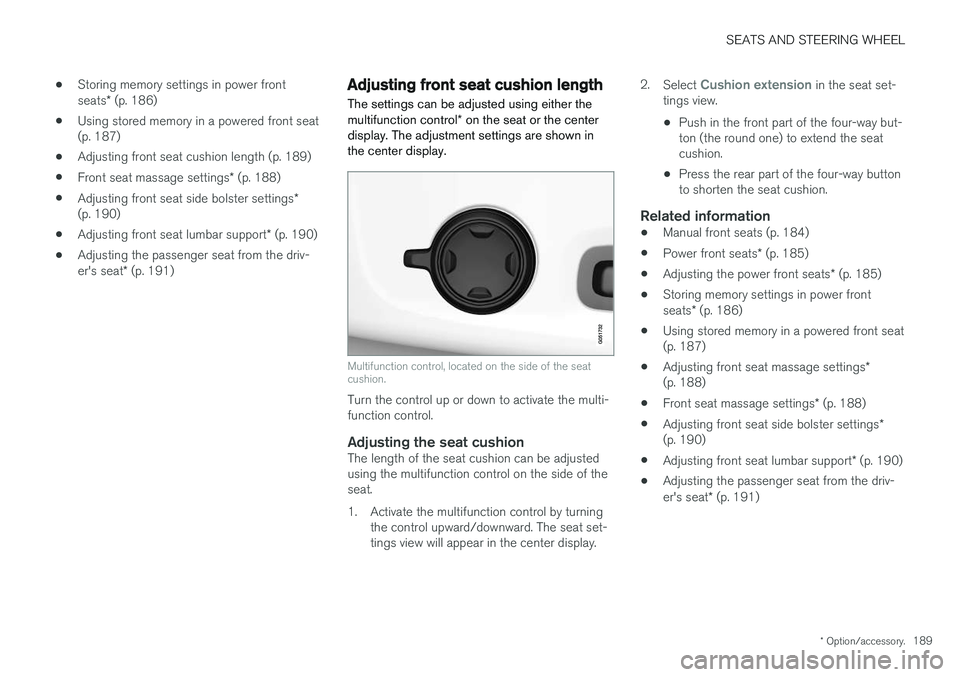
display. The adjustment settings are shown in the center display.
Multifunction control, located on the side of the seat cushion.
Turn the control up or down to activate the multi- function control.
Adjusting the seat cushionThe length of the seat cushion can be adjustedusing the multifunction control on the side of theseat.
1. Activate the multifunction control by turning the control upward/downward. The seat set- tings view will appear in the center display. 2.
Select
Cushion extension in the seat set-
tings view.
• Push in the front part of the four-way but- ton (the round one) to extend the seatcushion.
• Press the rear part of the four-way buttonto shorten the seat cushion.
Related information
• Manual front seats (p. 184)
• Power front seats
* (p. 185)
• Adjusting the power front seats
* (p. 185)
• Storing memory settings in power front seats
* (p. 186)
• Using stored memory in a powered front seat (p. 187)
• Adjusting front seat massage settings
*
(p. 188)
• Front seat massage settings
* (p. 188)
• Adjusting front seat side bolster settings
*
(p. 190)
• Adjusting front seat lumbar support
* (p. 190)
• Adjusting the passenger seat from the driv- er's seat
* (p. 191)
Page 192 of 640
SEATS AND STEERING WHEEL
* Option/accessory.
190
Adjusting front seat side bolster
settings *
The settings can be adjusted using either the multifunction control * on the seat or the center
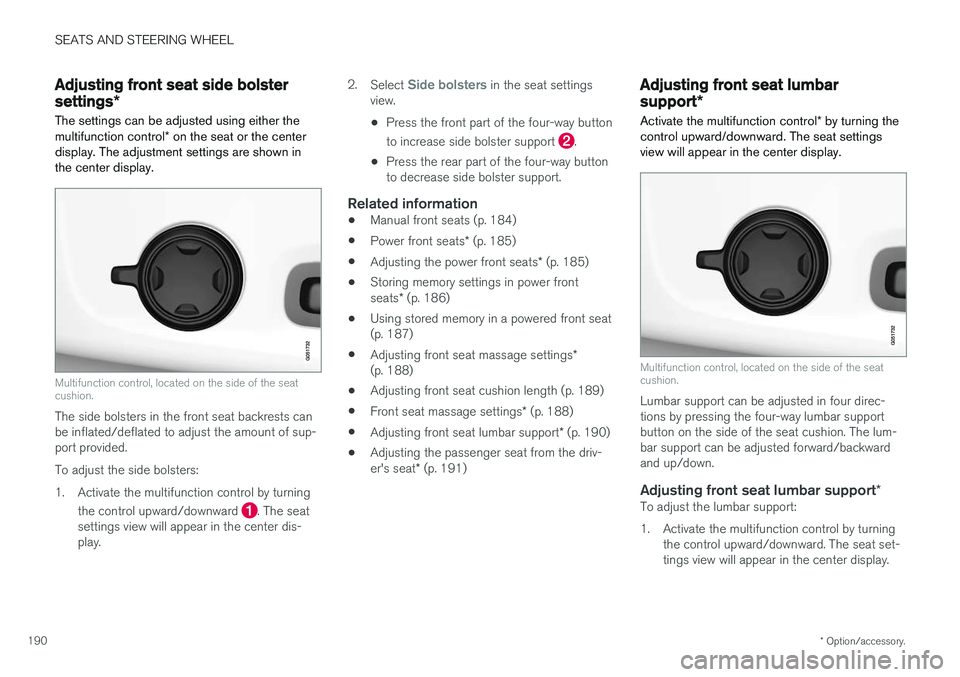
display. The adjustment settings are shown in the center display.
Multifunction control, located on the side of the seat cushion.
The side bolsters in the front seat backrests can be inflated/deflated to adjust the amount of sup-port provided. To adjust the side bolsters:
1. Activate the multifunction control by turning
the control upward/downward
. The seat
settings view will appear in the center dis- play. 2.
Select
Side bolsters in the seat settings
view.
• Press the front part of the four-way button to increase side bolster support
.
• Press the rear part of the four-way button to decrease side bolster support.
Related information
• Manual front seats (p. 184)
• Power front seats
* (p. 185)
• Adjusting the power front seats
* (p. 185)
• Storing memory settings in power front seats
* (p. 186)
• Using stored memory in a powered front seat (p. 187)
• Adjusting front seat massage settings
*
(p. 188)
• Adjusting front seat cushion length (p. 189)
• Front seat massage settings
* (p. 188)
• Adjusting front seat lumbar support
* (p. 190)
• Adjusting the passenger seat from the driv- er's seat
* (p. 191)
Adjusting front seat lumbar
support *
Activate the multifunction control * by turning the
control upward/downward. The seat settings view will appear in the center display.
Multifunction control, located on the side of the seat cushion.
Lumbar support can be adjusted in four direc- tions by pressing the four-way lumbar supportbutton on the side of the seat cushion. The lum-bar support can be adjusted forward/backwardand up/down.
Adjusting front seat lumbar support *To adjust the lumbar support:
1. Activate the multifunction control by turning
the control upward/downward. The seat set- tings view will appear in the center display.
Page 193 of 640
SEATS AND STEERING WHEEL
}}
* Option/accessory.191
2.
Select
Lumbar in the seat settings view.
• Press the four-way button (the round but- ton) up/down to move the lumbar supportupward/downward.
• Press the front part of the four-way buttonto increase lumbar support.
• Press the rear part of the four-way buttonto decrease lumbar support.
Related information
•
Manual front seats (p. 184)
• Power front seats
* (p. 185)
• Adjusting the power front seats
* (p. 185)
• Storing memory settings in power front seats
* (p. 186)
• Using stored memory in a powered front seat (p. 187)
• Adjusting front seat massage settings
*
(p. 188)
• Adjusting front seat cushion length (p. 189)
• Front seat massage settings
* (p. 188)
• Adjusting front seat side bolster settings
*
(p. 190)
• Adjusting the passenger seat from the driv- er's seat
* (p. 191)
Adjusting the passenger seat from
the driver's seat *
The front passenger seat can be adjusted from the driver's seat.
Activating the functionThe function is activated via the function view in the center display:
Tap the
Adjust Passenger
Seat button to activate.
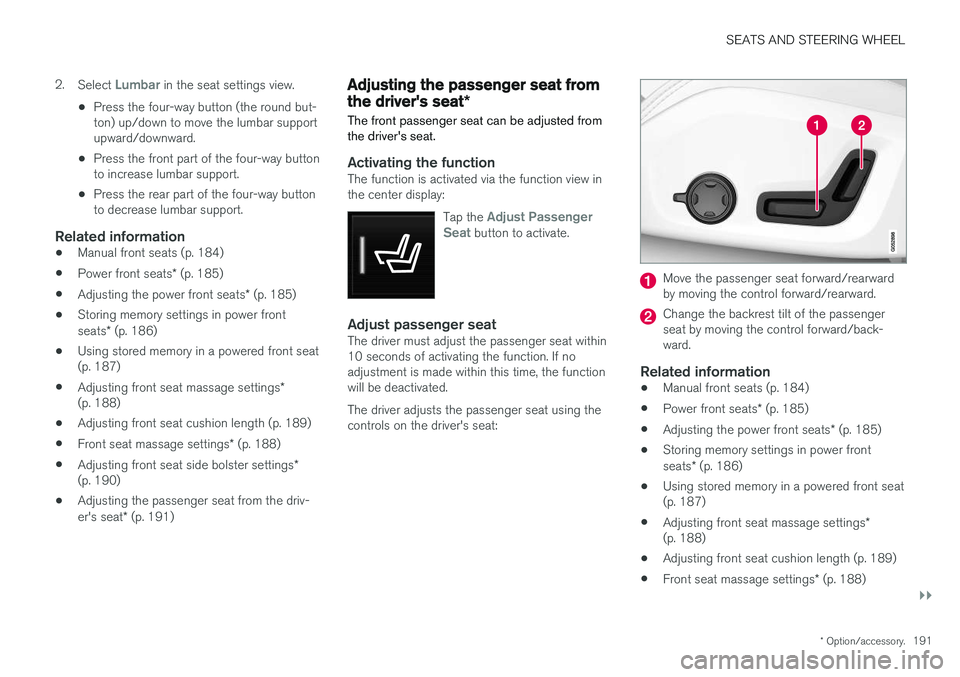
Adjust passenger seatThe driver must adjust the passenger seat within 10 seconds of activating the function. If noadjustment is made within this time, the functionwill be deactivated. The driver adjusts the passenger seat using the controls on the driver's seat:
Move the passenger seat forward/rearward by moving the control forward/rearward.
Change the backrest tilt of the passenger seat by moving the control forward/back-ward.
Related information
• Manual front seats (p. 184)
• Power front seats
* (p. 185)
• Adjusting the power front seats
* (p. 185)
• Storing memory settings in power front seats
* (p. 186)
• Using stored memory in a powered front seat (p. 187)
• Adjusting front seat massage settings
*
(p. 188)
• Adjusting front seat cushion length (p. 189)
• Front seat massage settings
* (p. 188)
Page 195 of 640
SEATS AND STEERING WHEEL
193
Horn
The horn is located in the center of the steering wheel.
Related information
•Adjusting the steering wheel (p. 193)
Adjusting the steering wheel
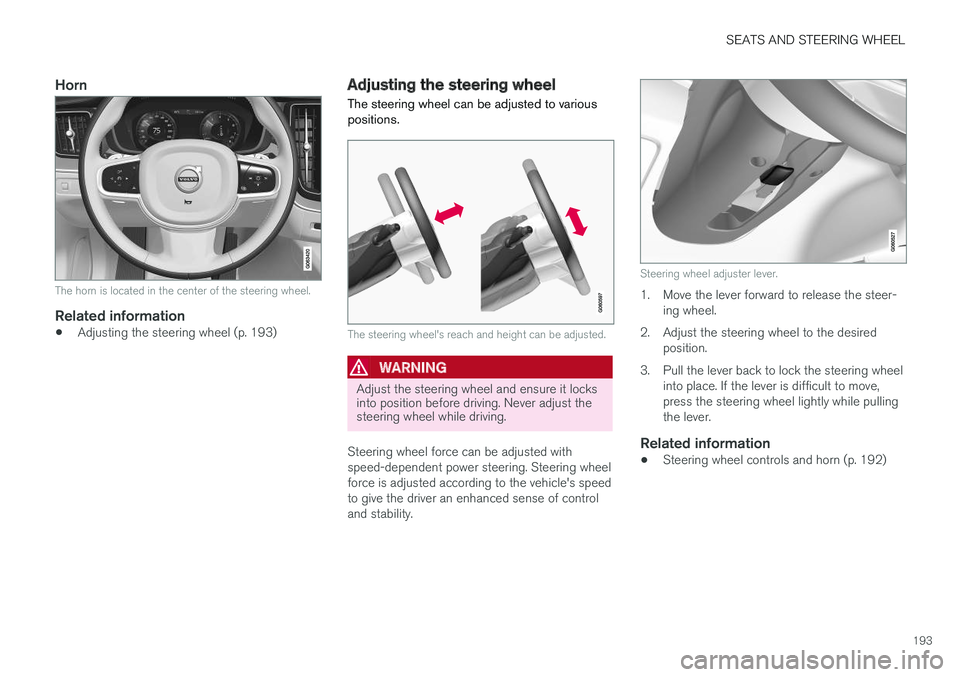
The steering wheel can be adjusted to various positions.
The steering wheel's reach and height can be adjusted.
WARNING
Adjust the steering wheel and ensure it locks into position before driving. Never adjust thesteering wheel while driving.
Steering wheel force can be adjusted with speed-dependent power steering. Steering wheelforce is adjusted according to the vehicle's speedto give the driver an enhanced sense of controland stability.
Steering wheel adjuster lever.
1. Move the lever forward to release the steer- ing wheel.
2. Adjust the steering wheel to the desired position.
3. Pull the lever back to lock the steering wheel into place. If the lever is difficult to move, press the steering wheel lightly while pullingthe lever.
Related information
• Steering wheel controls and horn (p. 192)
Page 212 of 640
||
CLIMATE CONTROL
* Option/accessory.
210 After unlocking, blower speed and temperature can also be changed from the climate panel andall selected climate settings will be displayed. Thescreen locks automatically after a period of inac-tivity.
Related information
•
Climate (p. 196)
• Activating and deactivating power front seats
* (p. 210)
• Activating and deactivating the heated rearseats
* (p. 211)
• Activating and deactivating front seat ventila-tion
* (p. 212)
• Activating and deactivating the ventilatedrear seats
* (p. 213)
• Activating and deactivating the heated steer-ing wheel
* (p. 214)
• Activating auto climate control (p. 215)
• Activating and deactivating recirculation (p. 216)
• Activating and deactivating max defroster(p. 217)
• Activating and deactivating the heated wind- shield
* (p. 218)
• Activating and deactivating the heated rear window and door mirrors (p. 219)
• Setting the blower speed for the front seats(p. 220) •
Setting the blower speed for the rear seats
*
(p. 221)
• Synchronize temperature (p. 224)
• Activating and deactivating air conditioning(p. 224)
Activating and deactivating power
front seats
*
The seats can be heated for added comfort for the driver and passengers in cold weather.
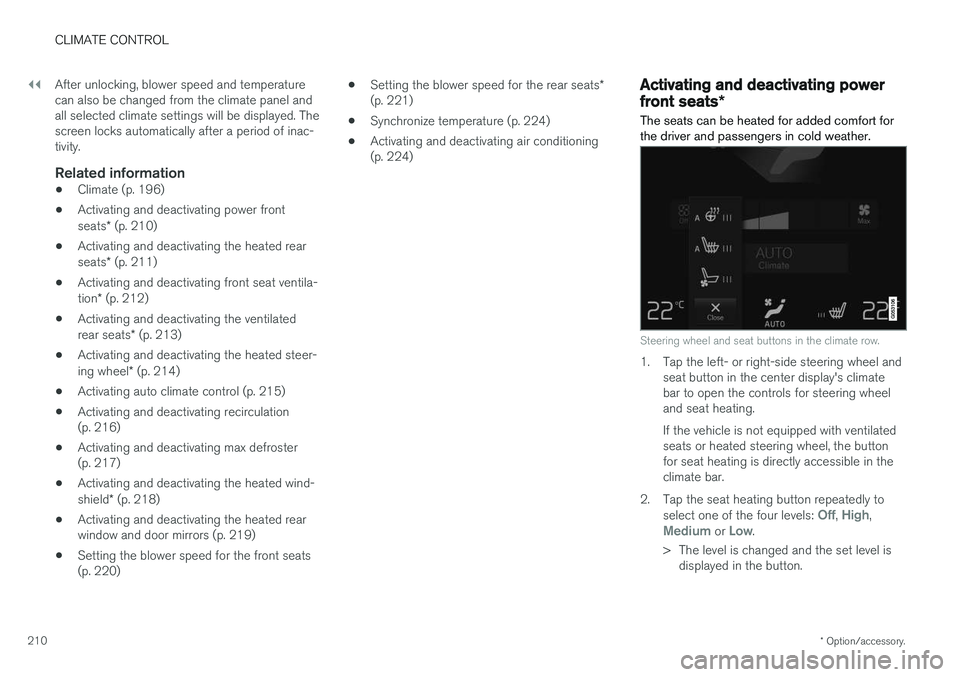
Steering wheel and seat buttons in the climate row.
1. Tap the left- or right-side steering wheel and seat button in the center display's climate bar to open the controls for steering wheeland seat heating. If the vehicle is not equipped with ventilated seats or heated steering wheel, the buttonfor seat heating is directly accessible in theclimate bar.
2. Tap the seat heating button repeatedly to select one of the four levels:
Off, High,Medium or Low.
> The level is changed and the set level is displayed in the button.
Page 264 of 640
DRIVER SUPPORT
* Option/accessory.
262
Driver support systems
The vehicle is equipped with a number of driver support systems that can provide the driver withactive or passive assistance in various situations.
The system can, for example, help the driver maintain a set speed or a set time interval to thevehicle ahead, help prevent a collision by warningthe driver and applying the brakes, or assist thedriver while parking. Some of the systems are standard and others are options. This also varies from market to market.
Related information
• Speed-dependent steering wheel resistance(p. 262)
• Electronic Stability Control (p. 264)
• Stability system Roll Stability Control(p. 263)
• Rear Collision Warning (p. 336)
• Speed limiter (p. 267)
• Cruise control (p. 275)
• Distance Alert
* (p. 280)
• Adaptive Cruise Control
* (p. 284)
• Pilot Assist (p. 300)
• Radar sensor (p. 315)
• Camera (p. 320)
• City Safety
™ (p. 324)
• BLIS
* (p. 337) •
Cross Traffic Alert
* (p. 342)
• Road Sign Information
* (p. 346)
• Driver Alert Control (p. 351)
• Lane Keeping Aid (p. 353)
• Steering assistance at risk of collision(p. 361)
• Park Assist
* (p. 370)
• Park Assist Camera
* (p. 375)
• Park Assist Pilot
* (p. 384)
Speed-dependent steering wheelresistance
Speed-dependent power steering increases the steering wheel resistance in pace with the vehi-cle's speed to give the driver an enhanced feel-ing of control and stability.
Steering may feel stiffer on highways. When parking and at low speeds, it will be easier tomove the steering wheel.
NOTE
In some situations, the power steering may become too hot and require temporary cool-ing – during such time the power steering willwork at reduced output and the steeringwheel may feel more difficult to move. In parallel with the temporarily reduced steer- ing assistance, the driver display shows amessage as well as a STEERING WHEELsymbol.
Page 265 of 640
DRIVER SUPPORT
* Option/accessory.263
WARNING
While the power steering is working at reduced power, the driver support functionswith steering assistance are not available. In such a situation, the driver display shows the
Power steering failure or Power
Steering Assist Temporarily Reduced
message, combined with a STEERING WHEEL symbol.
Changing the level of steering wheel resistance *
To change the level of steering wheel resistance, see the description of the INDIVIDUAL optionunder "Available drive modes" in the "Drivemodes" section. On models not equipped with drive mode con- trols and the INDIVIDUAL option, steering wheelresistance can instead be set in the center dis-play's Top view under:
SettingsMy CarDrive ModesSteering force
Steering wheel resistance settings cannot be accessed when turning at speeds above10 km/h (6 mph).
Related information
•Drive modes
* (p. 413)
• Pilot Assist (p. 300) •
Lane Keeping Aid (p. 353)
• Steering assistance at risk of collision(p. 361)
• Park Assist Pilot
* (p. 384)
Stability system Roll StabilityControl
The Roll Stability Control (RSC 1
) system helps
minimize the risk of a rollover in the event of e.g. a sudden evasive maneuver or if the vehiclebegins to skid.
The RSC system monitors the lateral angle at which the vehicle is leaning and registers anychanges. Using this information, the system cal-culates the likelihood of a rollover. If there is animminent risk of a rollover, Electronic StabilityControl is activated, engine torque is reduced andbrakes are applied to one or more of the wheelsuntil the vehicle has regained stability.
WARNING
The vehicle
Page 315 of 640
DRIVER SUPPORT
}}
* Option/accessory.313
The driver is responsible for ensuring that the vehicle maintains a suitable distancefrom such obstacles.
• The camera and radar sensors do nothave the capacity to detect all oncomingobjects and obstacles in traffic environ-ments, e.g. potholes, stationary obstaclesor objects that completely or partiallyblock the route.
• Pilot Assist does not "see" pedestrians,animals, etc.
• The recommended steering input is lim-ited in force, which means that it cannotalways help the driver to steer and keepthe vehicle within the lane.
• Pilot Assist is switched off if the powersteering is working with reduced power -e.g. during cooling due to overheating(see section "Speed-dependent steeringforce").
The driver can always correct or adjust steeringassistance provided by Pilot Assist by turning thesteering wheel to the desired position.
Steep roads and/or heavy loadsPilot Assist is primarily intended to be driven onflat roads. The function may not be able to main-tain the correct time interval to the vehicle aheadwhen driving down steep hills. The driver should be extra attentive and prepared to apply thebrakes.
• Do not use Pilot Assist if the vehicle is carry-ing a heavy load or towing a trailer.
NOTE
Pilot Assist cannot be activated if a trailer, bike carrier or similar is connected to thevehicle electrical system.
Other limitations
•
The Off Road drive mode cannot be
selected when Pilot Assist is activated.
NOTE
The function uses the vehicle's camera unit, which has some general limitations – see thesection "Camera unit limitations".
NOTE
The function uses the vehicle's radar unit, which has some general limitations – see thesection "Radar unit limitations".
Related information
• Pilot Assist (p. 300)
• Speed-dependent steering wheel resistance (p. 262)
Pilot Assist
* symbols and messages
A number of symbols and messages relating to Pilot Assist may be displayed in the instrument panel and/or the head-up display *.
Page 335 of 640
DRIVER SUPPORT
}}
333
City Safety limitations
City Safety functionality may be reduced in cer- tain situations.
Surroundings
Low objects
Hanging objects, such as flags for overhanging loads or accessories such as auxiliary lights orfront protective grids that extend beyond theheight of the hood, may limit City Safety function-ality.
Slippery road conditions
The extended braking distance on slippery roads may reduce City Safety's capacity to help avoid acollision. In these types of situations, the Anti-lock Braking System and Electronic Stability Con- trol (ESC 73
) will help provide optimal braking
power with maintained stability.
Backlighting
The visual warning signal in the windshield may be difficult to detect in bright sunlight, if there arereflections, or if the driver is wearing sunglassesor not looking straight ahead.
Heat
If the temperature in the passenger compartment is high due to e.g. bright sunlight, the visual warn-ing signal in the windshield may be temporarilydisabled.
Camera and radar sensor's field of vision
The camera's field of vision is limited and in cer- tain situations, it may be unable to detect pedes-trians, large animals, cyclists or vehicles, or it maydetect them later than expected. Vehicles that are dirty may be detected later than clean vehicles, and in dark conditions, motorcy-cles may be detected late or not at all. If a text message displayed in the instrument panel indicates that the camera/radar sensor isobstructed, it may be difficult for City Safety todetect pedestrians, large animals, cyclists, vehi-cles or lane markings in front of the vehicle. CitySafety functionality may therefore be reduced. Text messages may not be displayed for all situa- tions in which the windshield sensors areblocked. The driver must therefore always keepthe windshield in front of the camera/radar sen-sor clean.
CAUTION
Maintenance and replacement of City Safety components may only be performed by aworkshop – an authorized Volvo workshop isrecommended.
Driver intervention
Backing up
City Safety is temporarily deactivated when the vehicle is backing up.
Low speed
City Safety is not activated at very low speeds under 4 km/h (3 mph). The system will thereforenot intervene in situations in which your vehicle isapproaching another vehicle very slowly, such aswhen parking.
Active driver
Action by the driver always has priority. City Safety will therefore not react or will react at alater stage with a warning or intervention in situa-tions in which the driver is clearly steering andoperating the accelerator pedal, even if a collisionis unavoidable. An active and aware driving style may therefore delay collision warnings and intervention in order to minimize unnecessary warnings.
73 Electronic Stability Control
Page 358 of 640
DRIVER SUPPORT
356
Activating/deactivating LaneKeeping Aid The Lane Keeping Aid (LKA107
) function can be
switched On or Off.
On/OffPress the Lane Keeping Aidbutton in the center display's Function view.
• GREEN button indicator light - LKA is acti- vated.
• GRAY button indicator light - LKA is deacti-vated.
Related information
•Lane Keeping Aid (p. 353)
Selecting type of assistance forLane Keeping Aid
The driver can determine what types of assis- tance LKA 108
should provide if the vehicle veers
from its lane.
1. Select SettingsMy CarIntelliSafe in
the center display's Top view.
2. Under
Lane Keeping Aid Mode, select
what assistance LKA should provide:
•
Assist the driver will receive steering
assistance but no warning.
•
Both - the driver will receive both steering
assistance and a warning.
•
Warning - the driver will only receive a
warning.
Related information
• Lane Keeping Aid (p. 353)
Lane Keeping Aid limitations
In certain demanding driving conditions, Lane Keeping Aid may not be able to properly assistthe driver. In these situations, it is recommendedthat the function be deactivated.
Examples of such situations include:
• road work
• winter driving conditions
• poor road surfaces
• a very sporty driving style
• bad weather with reduced visibility
• roads with indistinct or no lane markings
• sharp edges or lines other than the lane's side markings
• when the power steering works at reducedpower - e.g. during cooling due to overheat-ing (see section "Speed-dependent steeringforce").
NOTE
The function uses the vehicle's camera unit, which has some general limitations – see thesection "Camera unit limitations".
107
Lane Keeping Aid
108 Lane Keeping Aid